
用Python爬取王冰冰vlog彈幕并制作詞云

大家好,最近的“瓜”,多到我們措手不及,可謂是“熱點不斷”。作為程序員,我們還可能隨時為此而加班。
各種評論視頻“爆炸”網(wǎng)絡(luò),打開首頁全是熱點話題的內(nèi)容,某知名UP主發(fā)布視頻都要錯下峰。
我就在思考:這么火爆的話題和內(nèi)容,有沒有一種通用的分析方法?答案是:抓取彈幕或者評論。
下面就讓我們以冰冰vlog的視頻彈幕為例,來進行分析。
一、獲取方法
1.網(wǎng)頁解析:網(wǎng)頁結(jié)構(gòu)可能隨時會發(fā)生變化。
2.python第三方api:可能會有維護跟不上的問題。
經(jīng)過簡單對比,我選擇第一種方法。
二、網(wǎng)頁分析
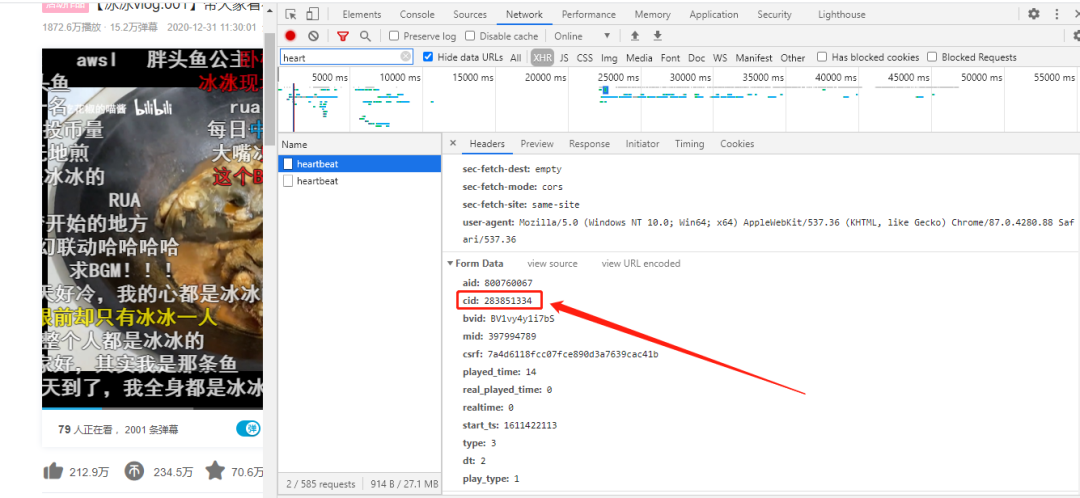
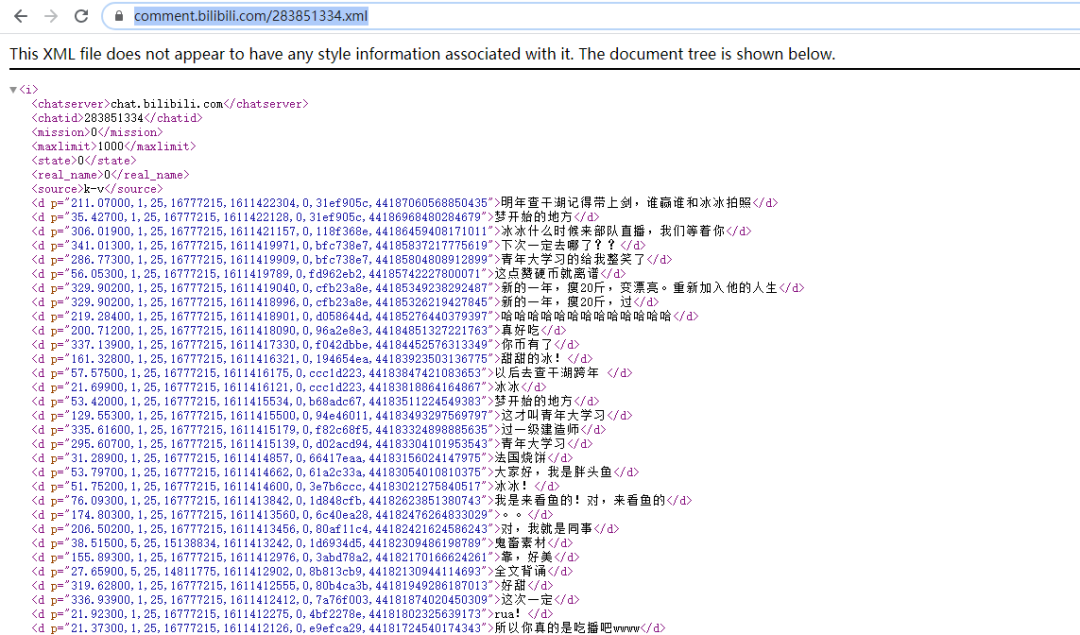
爬取彈幕的關(guān)鍵是獲取視頻的cid,有些地方也叫oid。通過瀏覽器的開發(fā)者模式我們不難找到該視頻的cid。我們通過https://comment.bilibili.com/+視頻的cid+.xml就可以爬取該視頻所有彈幕了。
三、彈幕文件下載和解析
由于彈幕內(nèi)容集中在xml文件里,我們需要對文件進行下載,使用xpath解析文件。
from?lxml?import?etree
import??requests
import?time
import?jieba
import?numpy?as?np
from?PIL?import?Image
from?wordcloud?import?WordCloud?as?wc
class?Bilibili():
????"""docstring?for?Bilibili"""
????def?__init__(self,oid):
????????self.headers={
????????'Host':?'api.bilibili.com',
????????'Connection':?'keep-alive',
????????'Cache-Control':?'max-age=0',
????????'Upgrade-Insecure-Requests':?'1',
????????'User-Agent':?'Mozilla/5.0?(Windows?NT?10.0;?Win64;?x64)?AppleWebKit/537.36?(KHTML,?like?Gecko)?Chrome/69.0.3497.92?Safari/537.36',
????????'Accept':?'text/html,application/xhtml+xml,application/xml;q=0.9,image/webp,image/apng,*/*;q=0.8',
????????'Accept-Encoding':?'gzip,?deflate,?br',
????????'Accept-Language':?'zh-CN,zh;q=0.9',
????????'Cookie':?'finger=edc6ecda;?LIVE_BUVID=AUTO1415378023816310;?stardustvideo=1;?CURRENT_FNVAL=8;?buvid3=0D8F3D74-987D-442D-99CF-42BC9A967709149017infoc;?rpdid=olwimklsiidoskmqwipww;?fts=1537803390'

????????}
????????self.url='https://api.bilibili.com/x/v1/dm/list.so?oid='+str(oid)
????????self.barrage_reault=self.get_page()

????#?獲取信息
????def?get_page(self):
????????try:
????????????#?延時操作,防止太快爬取
????????????time.sleep(0.5)
????????????response=requests.get(self.url,headers=self.headers)
????????except?Exception?as?e:
????????????print('獲取xml內(nèi)容失敗,%s'?%?e)
????????????return?False
????????else:
????????????if?response.status_code?==?200:
????????????????#?下載xml文件
????????????????with?open('bilibili.xml','wb')?as?f:
????????????????????f.write(response.content)
????????????????return?True
????????????else:
????????????????return?False

????#?解析網(wǎng)頁
????def?param_page(self):
????????time.sleep(1)
????????if??self.barrage_reault:
????????????#?文件路徑,html解析器
????????????html=etree.parse('bilibili.xml',etree.HTMLParser())
????????????#?xpath解析,獲取當(dāng)前所有的d標(biāo)簽下的所有文本內(nèi)容
????????????results=html.xpath('//d//text()')
????????????return?results
四、彈幕去重
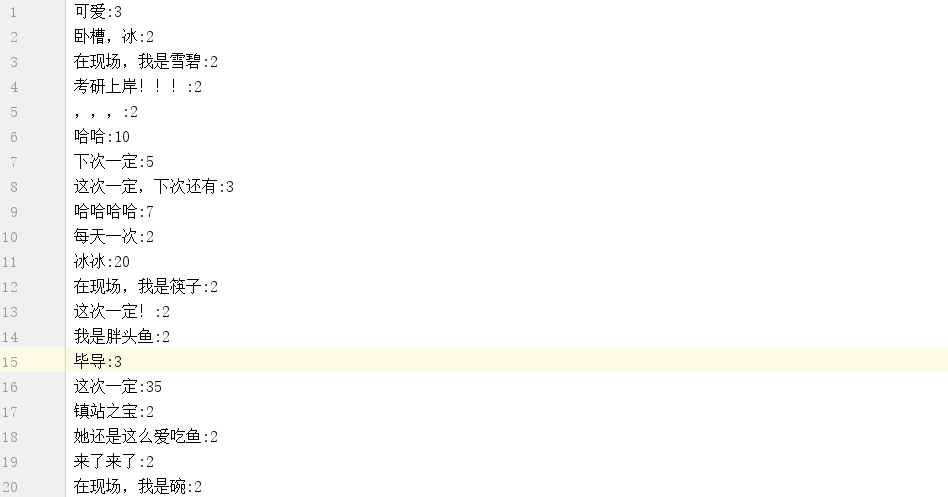
重復(fù)的彈幕進行歸類,未出現(xiàn)過的彈幕創(chuàng)建新的分類。為詞頻統(tǒng)計和詞云做好準備。
#?彈幕去重
def?remove_double_barrage(self):
????'''
????double_arrage:所有重復(fù)彈幕的集合
????results:去重后的彈幕
????barrage:每種彈幕內(nèi)容都存儲一遍
????'''
????double_barrage=[]
????results=[]
????barrage=set()
????for?result?in?self.param_page():
????????if?result?not?in?results:
????????????results.append(result)
????????else:
????????????double_barrage.append(result)
????????????barrage.add(result)
????return?double_barrage,results,barrage
五、彈幕重復(fù)次數(shù)統(tǒng)計和制作詞云
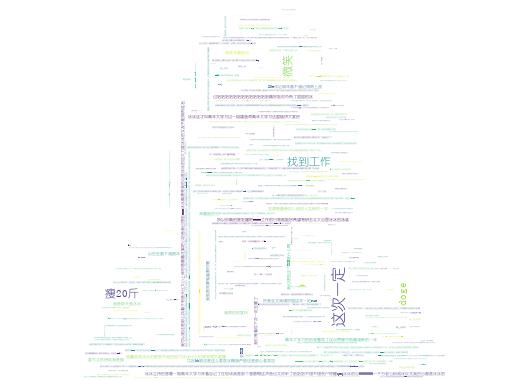
我們在網(wǎng)上照一張“王冰冰”的照片,進行簡單的處理,作為詞云的輪廓圖。

#?彈幕重復(fù)次數(shù)和詞云制作
def?make_wordCould(self):
????double_barrages,results,barrages=self.remove_double_barrage()
????#?重詞計數(shù)
????with?open('barrages.txt','w')?as?f:
????????for?barrage?in?barrages:
????????????amount=double_barrages.count(barrage)
????????????f.write(barrage+':'+str(amount+1)+'\n')
????????????
????#?設(shè)置停用詞
????stop_words=['【','】',',','.','?','!','。']
????words=[]
????if?results:
????????for?result?in?results:
????????????for?stop?in?stop_words:
????????????????result=''.join(result.split(stop))
????????????words.append(result)
????????#?列表拼接成字符串
????????words=''.join(words)
????????words=jieba.cut(words)
????????words=''.join(words)
????????bingbing=np.array(Image.open('冰冰.jpg'))
????????w=wc(font_path='?C:/Windows/Fonts/SIMYOU.TTF',
?????????????background_color='white',
?????????????width=900,
?????????????height=600,
?????????????max_font_size=15,
?????????????min_font_size?=1,
?????????????max_words=3000,
?????????????mask=bingbing)
????????w.generate(words)
????????w.to_file('bingbing.jpg')
????
b=Bilibili(283851334)#視頻的cid
b.make_wordCould()#繪制詞云
統(tǒng)計結(jié)果:
詞云圖效果:
六、總結(jié)
我對于B站的網(wǎng)頁結(jié)構(gòu)還有很多不熟悉的地方,或許還有其他更好的分析方法和技巧,最后的人形詞云要設(shè)置合適的參數(shù)才能讓人物的形象惟妙惟肖。
該教程我參考了一些網(wǎng)友的方法,對提供技術(shù)分享的博主表示感謝[1]。希望我們都能保持一顆學(xué)習(xí)的心,一直不斷地探索吧。
參考資料
參考文章: https://blog.csdn.net/weixin_36605200/article/details/82848020
推薦閱讀 誤執(zhí)行了rm -fr /*之后,除了跑路還能怎么辦?! 程序員必備58個網(wǎng)站匯總 大幅提高生產(chǎn)力:你需要了解的十大Jupyter Lab插件
----------? END? ----------