簡單的 CAS 實現(xiàn) SSO 單點登錄
作者:?範(fàn)宗雲(yún)
http://fanlychie.github.io

環(huán)境
cas-server-4.1.8
cas-client-3.4.0
Java-8
Maven-3
Tomcat-7.0.72
CAS Server 安裝
點此進(jìn)入?CAS?下載列表,選擇下載 cas-4.1.8.zip。
https://github.com/apereo/cas/releases
解壓縮 cas-4.1.8.zip 并進(jìn)入 cas-server-webapp 目錄,在當(dāng)前目錄打開 cmd 并執(zhí)行安裝命令。
mvn?-e?-ff?clean?install?-Dmaven.test.skip=true
經(jīng)親身測試(自己拉的電信12M網(wǎng)絡(luò)),該安裝過程非常漫長,主要因為鏡像原因?qū)е乱蕾嚢螺d非常慢,此過程需靜心等待。或直接下載我已經(jīng)打好包的 cas.war 文件(注:該文件的依賴包版本有稍做修改,此不影響正常使用)。
安裝完成后,在 cas-server-webapp/target 目錄下可以看到 cas.war 文件,該文件便是 cas server 應(yīng)用服務(wù)的 war 包。
cas server 安全認(rèn)證是基于 https 的,這里使用 JDK 自帶的 keytool 工具生成數(shù)字證書,生產(chǎn)環(huán)境系統(tǒng)的應(yīng)用需要到證書提供商處購買證書。
https://fanlychie.github.io/post/java-keytool-tomcat-https.html
首先確保 Tomcat 的 https 可以正常訪問,將 cas.war 文件拷貝到 apache-tomcat-7.0.72/webapps 下進(jìn)行發(fā)布,啟動 Tomcat,訪問 https://www.fanlychie.com:8443/cas。
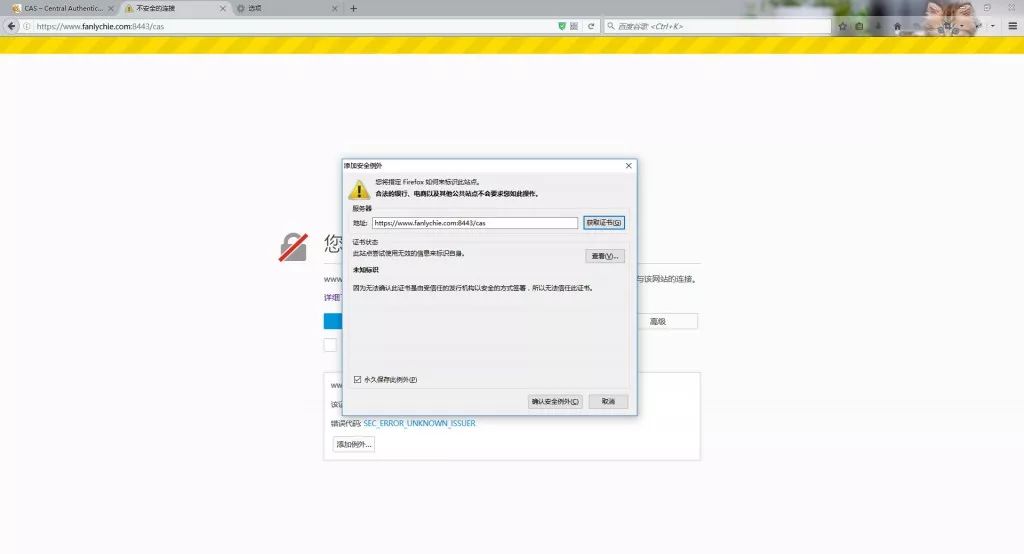
上圖是用火狐瀏覽器打開的鏈接,選擇高級?->?添加例外?->?確認(rèn)安全例外。
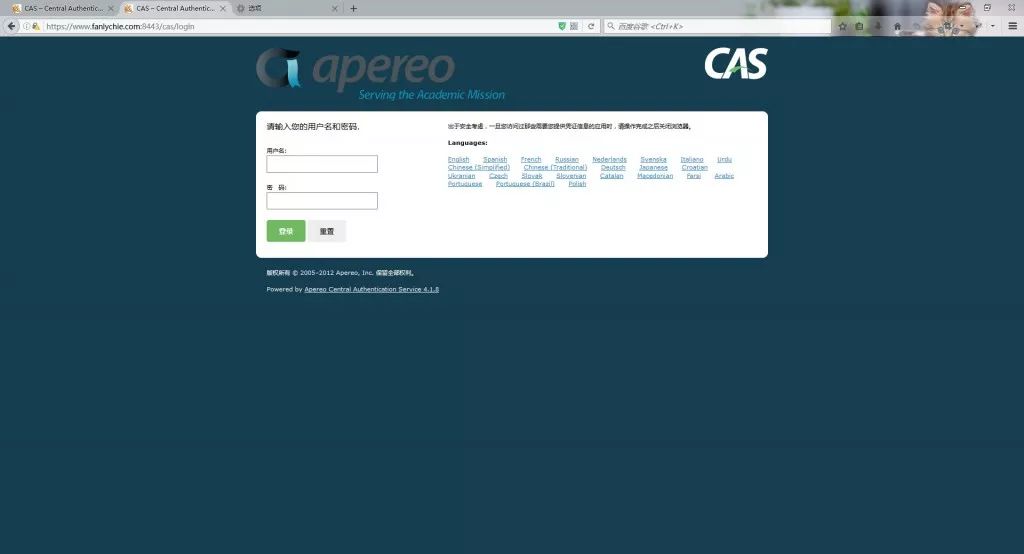
用戶名和密碼在 apache-tomcat-7.0.72/webapps/cas/WEB-INF/deployerConfigContext.xml 配置文件中,找到并打開該文件,大概在 105 行
"primaryAuthenticationHandler"
????class="org.jasig.cas.authentication.AcceptUsersAuthenticationHandler">
????<property?name="users">
????????<map>
????????????<entry?key="casuser"?value="Mellon"?/>
????????map>
????property>
bean>
可以看到默認(rèn)的用戶名是 casuser,密碼是 Mellon。
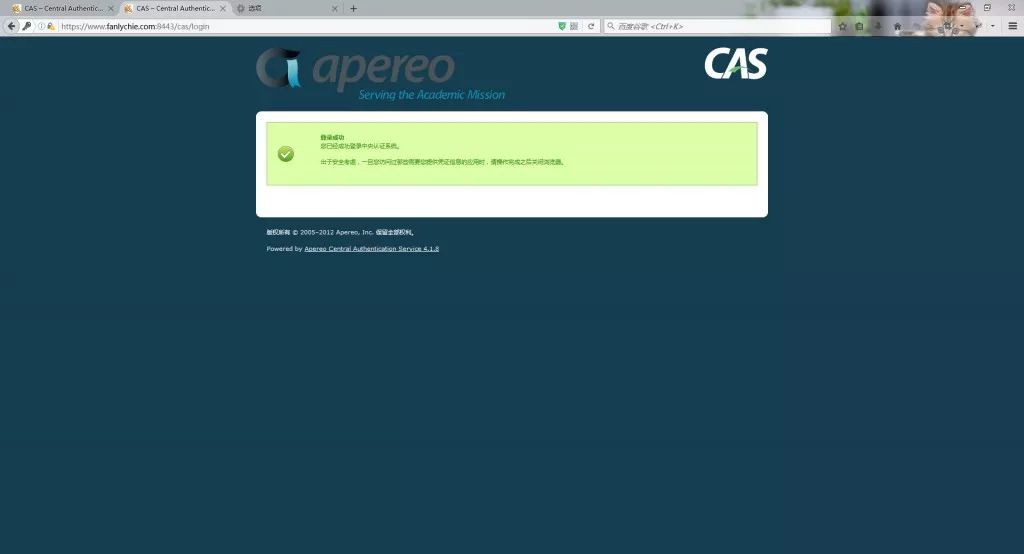
看到上圖的頁面,表明 cas server 已經(jīng)部署成功。
CAS Server 配置基于數(shù)據(jù)庫用戶認(rèn)證
回到 cas-4.1.8.zip 解壓縮的目錄,并進(jìn)入 cas-server-support-jdbc 目錄,在當(dāng)前目錄打開 cmd 并執(zhí)行安裝命令
mvn?-e?-ff?clean?install?-Dmaven.test.skip=true
安裝完成后在 target 目錄得到 cas-server-support-jdbc-4.1.8.jar 文件。
將該文件拷貝到 apache-tomcat-7.0.72/webapps/cas/WEB-INF/lib 目錄下,并向此目錄添加 c3p0-0.9.1.2.jar,mysql-connector-java-5.1.17.jar 兩個文件。嫌麻煩的話,可以下載這三個jar包。
http://pan.baidu.com/s/1pLIrdWn
再次打開 apache-tomcat-7.0.72/webapps/cas/WEB-INF/deployerConfigContext.xml 文件,大概在第 54 行。
<bean?id="authenticationManager"?class="org.jasig.cas.authentication.PolicyBasedAuthenticationManager">
????<constructor-arg>
????????<map>
????????????
????????????<entry?key-ref="proxyAuthenticationHandler"?value-ref="proxyPrincipalResolver"?/>
????????????
????????????
????????????<entry?key-ref="myAuthenticationHandler"?value-ref="primaryPrincipalResolver"?/>
????????map>
????constructor-arg>
????
????
????<property?name="authenticationPolicy">
????????<bean?class="org.jasig.cas.authentication.AnyAuthenticationPolicy"?/>
????property>
bean>
按以上配置注銷掉第二個 entry 并添加一個 entry。接著在后面添加兩個 bean 配置。
"dataSource"?class="com.mchange.v2.c3p0.ComboPooledDataSource"?destroy-method="close">
????"jdbcUrl"?value="jdbc:mysql://127.0.0.1:3306/cas_test_db?autoReconnect=true&useUnicode=true&characterEncoding=utf-8"?/>
????"user"?value="root"?/>
????"password"?value="root"?/>
????"driverClass"?value="com.mysql.jdbc.Driver"?/>
????"initialPoolSize"?value="10"?/>
????"maxIdleTime"?value="1800"?/>
????"maxPoolSize"?value="60"?/>
????"acquireIncrement"?value="5"?/>
????"acquireRetryAttempts"?value="60"?/>
????"acquireRetryDelay"?value="2000"?/>
????"breakAfterAcquireFailure"?value="false"?/>
????"autoCommitOnClose"?value="false"?/>
????"checkoutTimeout"?value="30000"?/>
????"idleConnectionTestPeriod"?value="900"?/>

"myAuthenticationHandler"?class="org.jasig.cas.adaptors.jdbc.QueryDatabaseAuthenticationHandler"?
????p:dataSource-ref="dataSource"?
????p:sql="SELECT?passwd?FROM?user?WHERE?name?=??"?/>
其中 cas_test_db 數(shù)據(jù)庫中的 user 建表語句為
CREATE?TABLE?`user`?(
??`id`?int(11)?NOT?NULL?AUTO_INCREMENT,
??`name`?varchar(255)?NOT?NULL,
??`passwd`?varchar(255)?NOT?NULL,
??PRIMARY?KEY?(`id`)
)
重啟 Tomcat,訪問 https://www.fanlychie.com:8443/cas,用數(shù)據(jù)庫中的 name/passwd 作為用戶名和密碼登錄系統(tǒng),若登錄成功,表明配置已成功。
CAS Client 客戶端使用和配置
使用 maven 創(chuàng)建兩個 web 項目 cas-client1,cas-client2。點此下載 demo 文件。
cas-client1 項目 pom.xml 配置
<dependencies>
????<dependency>
????????<groupId>org.jasig.cas.clientgroupId>
????????<artifactId>cas-client-coreartifactId>
????????<version>3.4.0version>
????dependency>
????<dependency>
????????<groupId>org.slf4jgroupId>
????????<artifactId>slf4j-log4j12artifactId>
????????<version>1.7.12version>
????dependency>
dependencies>
<build>
????<plugins>
????????<plugin>
????????????<groupId>org.apache.tomcat.mavengroupId>
????????????<artifactId>tomcat7-maven-pluginartifactId>
????????????<version>2.2version>
????????????<configuration>
????????????????<path>/path>
????????????????<port>8881port>
????????????????<httpsPort>8081httpsPort>
????????????????<uriEncoding>UTF-8uriEncoding>
????????????????<protocol>org.apache.coyote.http11.Http11NioProtocolprotocol>
????????????????<clientAuth>falseclientAuth>
????????????????<keystoreFile>C:\Users\fanlychie\.keystore\selfissue.jkskeystoreFile>
????????????????<keystorePass>123654keystorePass>
????????????????<keystoreType>JKSkeystoreType>
????????????????<url>http://localhost:8081/manager/htmlurl>
????????????configuration>
????????plugin>
????plugins>
build>
首先必須確保項目 https 協(xié)議可以正常訪問,否則 cas server 無法認(rèn)證。
選中項目?->?Run?As?->?Maven?build…?->?tomcat7:run
訪問 https://www.fanlychie.com:8081,若能訪問到,表明 Tomcat 已準(zhǔn)備好。
cas-client1 項目 web.xml 配置
<web-app?version="2.5"?xmlns="http://java.sun.com/xml/ns/javaee"?xmlns:xsi="http://www.w3.org/2001/XMLSchema-instance"?xsi:schemaLocation="http://java.sun.com/xml/ns/javaee?http://java.sun.com/xml/ns/javaee/web-app_2_5.xsd">
????<listener>
????????<listener-class>org.jasig.cas.client.session.SingleSignOutHttpSessionListenerlistener-class>
????listener>

????<filter>
????????<filter-name>CAS?Single?Sign?Out?Filterfilter-name>
????????<filter-class>org.jasig.cas.client.session.SingleSignOutFilterfilter-class>
????????<init-param>
????????????<param-name>casServerUrlPrefixparam-name>
????????????
????????????<param-value>https://www.fanlychie.com:8443/casparam-value>
????????init-param>
????filter>
????<filter-mapping>
????????<filter-name>CAS?Single?Sign?Out?Filterfilter-name>
????????<url-pattern>/*url-pattern>
????filter-mapping>

????<filter>
????????<filter-name>CAS?Authentication?Filterfilter-name>
????????<filter-class>org.jasig.cas.client.authentication.AuthenticationFilterfilter-class>
????????<init-param>
????????????<param-name>casServerLoginUrlparam-name>
????????????
????????????<param-value>https://www.fanlychie.com:8443/cas/loginparam-value>
????????init-param>
????????<init-param>
????????????<param-name>serverNameparam-name>
????????????
????????????<param-value>https://www.fanlychie.com:8081param-value>
????????init-param>
????filter>
????<filter-mapping>
????????<filter-name>CAS?Authentication?Filterfilter-name>
????????<url-pattern>/*url-pattern>
????filter-mapping>
????<filter>
????????<filter-name>CAS?Validation?Filterfilter-name>
????????<filter-class>org.jasig.cas.client.validation.Cas20ProxyReceivingTicketValidationFilterfilter-class>
????????<init-param>
????????????<param-name>casServerUrlPrefixparam-name>
????????????
????????????<param-value>https://www.fanlychie.com:8443/casparam-value>
????????init-param>
????????<init-param>
????????????<param-name>serverNameparam-name>
????????????
????????????<param-value>https://www.fanlychie.com:8081param-value>
????????init-param>
????filter>
????<filter-mapping>
????????<filter-name>CAS?Validation?Filterfilter-name>
????????<url-pattern>/*url-pattern>
????filter-mapping>
????<filter>
????????<filter-name>CAS?HttpServletRequest?Wrapper?Filterfilter-name>
????????<filter-class>org.jasig.cas.client.util.HttpServletRequestWrapperFilterfilter-class>
????filter>
????<filter-mapping>
????????<filter-name>CAS?HttpServletRequest?Wrapper?Filterfilter-name>
????????<url-pattern>/*url-pattern>
????filter-mapping>
????<filter>
????????<filter-name>CAS?Assertion?Thread?Local?Filterfilter-name>
????????<filter-class>org.jasig.cas.client.util.AssertionThreadLocalFilterfilter-class>
????filter>
????<filter-mapping>
????????<filter-name>CAS?Assertion?Thread?Local?Filterfilter-name>
????????<url-pattern>/*url-pattern>
????filter-mapping>
????<welcome-file-list>
????????<welcome-file>index.jspwelcome-file>
????welcome-file-list>
web-app>
以上是 cas client 標(biāo)準(zhǔn)配置,具體信息可參考 https://github.com/apereo/java-cas-client。
cas-client2 配置基本與 cas-client1 配置相同,詳情可見 demo,同時啟動這兩個項目
cas-client1?-?https://www.fanlychie.com:8081
cas-client2?-?https://www.fanlychie.com:8082
訪問其中的一個項目?https://www.fanlychie.com:8081,會自動跳到
https://www.fanlychie.com:8443/cas/login?service=https%3A%2F%2Fwww.fanlychie.com%3A8081%2F。
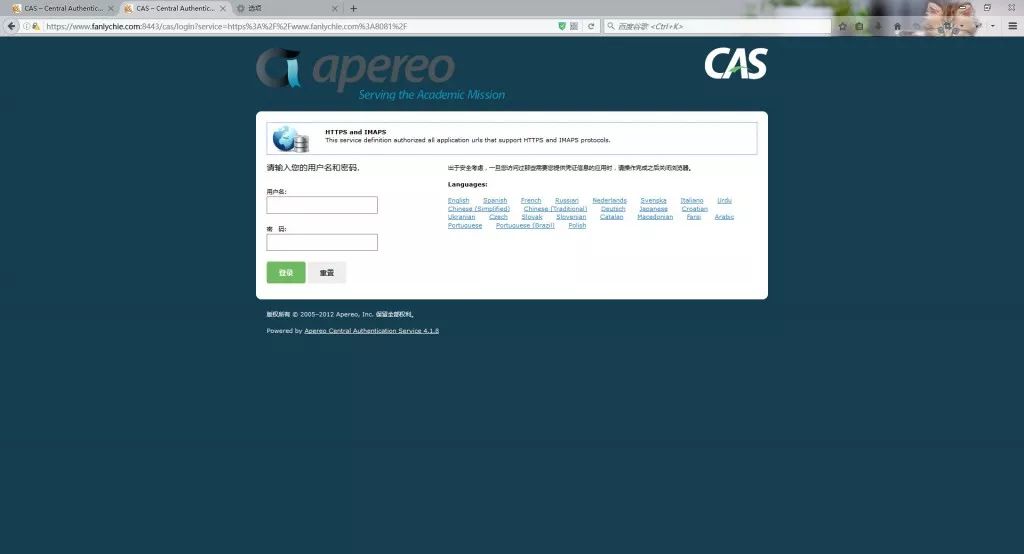
由于還沒有登錄過 CAS 認(rèn)證系統(tǒng),CAS 認(rèn)證系統(tǒng)攔截到你的訪問,進(jìn)入到認(rèn)證系統(tǒng)登錄界面,當(dāng)?shù)卿洺晒螅珻AS 服務(wù)會跳轉(zhuǎn)向到你剛剛訪問的地址。

當(dāng)你訪問 https://www.fanlychie.com:8082,此時是不需要登錄了的。
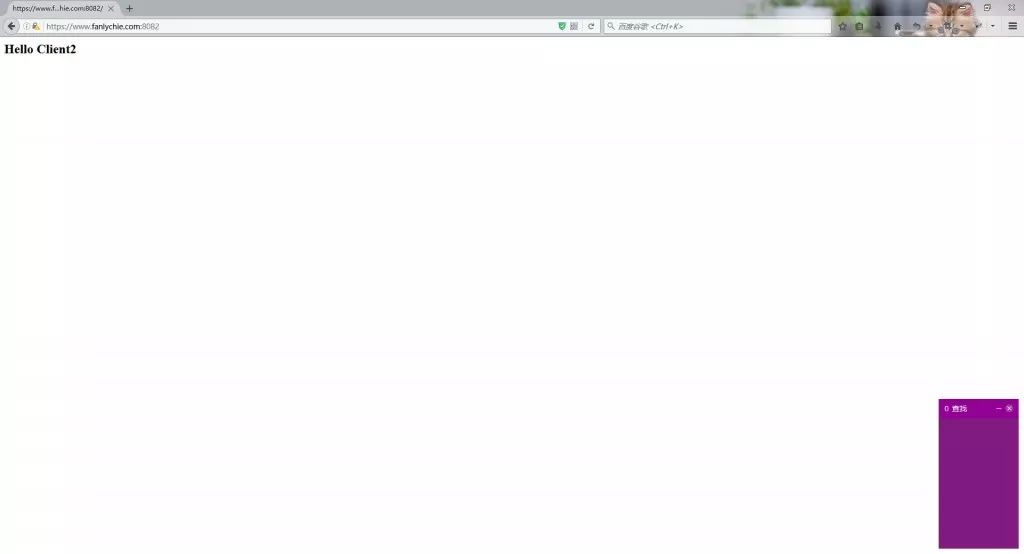
至此,CAS 實現(xiàn) SSO 單點登錄系統(tǒng)搭建結(jié)束。
- END -
推薦閱讀
1.??8月擼書|當(dāng)當(dāng)花160買400,不擼白不擼
2.??兩難!到底用Apache BeanUtils還是Spring BeanUtils?
3.??Spring的Controller是單例還是多例?怎么保證并發(fā)的安全
之前博主分享了很多資源,有的已經(jīng)刪除了(你懂得),如果有的你當(dāng)時沒有領(lǐng)到還想領(lǐng)得就可以加我微信
回復(fù)“權(quán)限”獲取spring security與spingmvc分布式權(quán)限管理系統(tǒng) 好文章,我在看