
使用 IdentityServer 保護 Vue 前端
前情提要
《使用 IdentityServer 保護 Web 應用(AntD Pro 前端 + SpringBoot 后端)》中記錄了使用 IdentityServer 保護前后端的過程,其中的前端工程是以 UMI Js 為例。今天,再來記錄一下使用 IdentityServer 保護 Vue 前端的過程,和 UMI Js 項目使用 umi plugin 的方式不同,本文沒有使用 Vue 相關的插件,而是直接使用了 oidc-client js。
另外,我對 Vue 這個框架非常不熟,在 vue-router 這里稍微卡住了一段時間,后來瞎試居然又成功了。針對這個問題,我還去 StackOverflow 上問了,但并沒有收到有效的回復:https://stackoverflow.com/questions/74769607/how-to-access-vues-methods-from-navigation-guard
準備工作
首先,需要在 IdentityServer 服務器端注冊該 Vue 前端應用,仍然以代碼寫死這個客戶端為例:
new Client{ClientId = "vue-client",ClientSecrets = { new Secret("vue-client".Sha256()) },ClientName = "vue client",AllowedGrantTypes = GrantTypes.Implicit,AllowAccessTokensViaBrowser = true,RequireClientSecret = false,RequirePkce = true,RedirectUris ={://localhost:8080/callback",://localhost:8080/static/silent-renew.html",},AllowedCorsOrigins = { "http://localhost:8080" },AllowedScopes = { "openid", "profile", "email" },AllowOfflineAccess = true,AccessTokenLifetime = 90,AbsoluteRefreshTokenLifetime = 0,RefreshTokenUsage = TokenUsage.OneTimeOnly,RefreshTokenExpiration = TokenExpiration.Sliding,UpdateAccessTokenClaimsOnRefresh = true,RequireConsent = false,};
在 Vue 工程里安裝 oidc-client
yarn add oidc-client在 Vue 里配置 IdentityServer 服務器信息
在項目里添加一個 src/security/security.js文件:
import Oidc from 'oidc-client'function getIdPUrl() {return "https://id6.azurewebsites.net";}Oidc.Log.logger = console;Oidc.Log.level = Oidc.Log.DEBUG;const mgr = new Oidc.UserManager({authority: getIdPUrl(),client_id: 'vue-client',redirect_uri: window.location.origin + '/callback',response_type: 'id_token token',scope: 'openid profile email',post_logout_redirect_uri: window.location.origin + '/logout',userStore: new Oidc.WebStorageStateStore({store: window.localStorage}),automaticSilentRenew: true,silent_redirect_uri: window.location.origin + '/silent-renew.html',accessTokenExpiringNotificationTime: 10,})export default mgr
在 main.js 里注入登錄相關的數(shù)據(jù)和方法
數(shù)據(jù)
不借助任何狀態(tài)管理包,直接將相關的數(shù)據(jù)添加到 Vue 的 app 對象上:
import mgr from "@/security/security";const globalData = {isAuthenticated: false,user: '',mgr: mgr}
方法
const globalMethods = {async authenticate(returnPath) {console.log('authenticate')const user = await this.$root.getUser();if (user) {this.isAuthenticated = true;this.user = user} else {await this.$root.signIn(returnPath)}},async getUser() {try {return await this.mgr.getUser();} catch (err) {console.error(err);}},signIn(returnPath) {returnPath ? this.mgr.signinRedirect({state: returnPath}) : this.mgr.signinRedirect();}}
修改 Vue 的實例化代碼
new Vue({router,data: globalData,methods: globalMethods,render: h => h(App),}).$mount('#app')
修改 router
在 src/router/index.js中,給需要登錄的路由添加 meta 字段:
Vue.use(VueRouter)const router = new VueRouter({{path: '/private',name: 'private page',component: resolve => require(['@/pages/private.vue'], resolve),meta: {requiresAuth: true}}});export default router
接著,正如在配置中體現(xiàn)出來的,需要一個回調頁面來接收登錄后的授權信息,這可以通過添加一個 src/views/CallbackPage.vue 文件來實現(xiàn):
<template><div><p>Sign-in in progress... 正在登錄中……</p></div></template><script>export default {async created() {try {const result = await this.$root.mgr.signinRedirectCallback();const returnUrl = result.state ?? '/';await this.$router.push({path: returnUrl})}catch(e){await this.$router.push({name: 'Unauthorized'})}}}</script>
然后,需要在路由里配置好這個回調頁面:
import CallbackPage from "@/views/CallbackPage.vue";Vue.use(VueRouter)const router = new VueRouter({routes: {path: '/private',name: 'private page',component: resolve => require(['@/pages/private.vue'], resolve),meta: {requiresAuth: true}},{path: '/callback',name: 'callback',component: CallbackPage}});export default router
同時,在這個 router 里添加一個所謂的“全局前置守衛(wèi)”(https://router.vuejs.org/zh/guide/advanced/navigation-guards.html#%E5%85%A8%E5%B1%80%E5%89%8D%E7%BD%AE%E5%AE%88%E5%8D%AB),注意就是這里,我碰到了問題,并且在 StackOverflow 上提了這個問題。在需要調用前面定義的認證方法時,不能使用 router.app.authenticate,而要使用 router.apps[1].authenticate,這是我通過 inspect router發(fā)現(xiàn)的:
...router.beforeEach(async function (to, from, next) {let app = router.app.$data || {isAuthenticated: false}if(app.isAuthenticated) {next()} else if (to.matched.some(record => record.meta.requiresAuth)) {router.apps[1].authenticate(to.path).then(()=>{next()})}else {next()}})export default router
到了這一步,應用就可以跑起來了,在訪問 /private 時,瀏覽器會跳轉到 IdentityServer 服務器的登錄頁面,在登錄完成后再跳轉回來。
添加 silent-renew.html
注意 security.js,我們啟用了 automaticSilentRenew,并且配置了 silent_redirect_uri的路徑為 silent-renew.html。它是一個獨立的引用了 oidc-client js 的 html 文件,不依賴 Vue,這樣方便移植到任何前端項目。
oidc-client.min.js
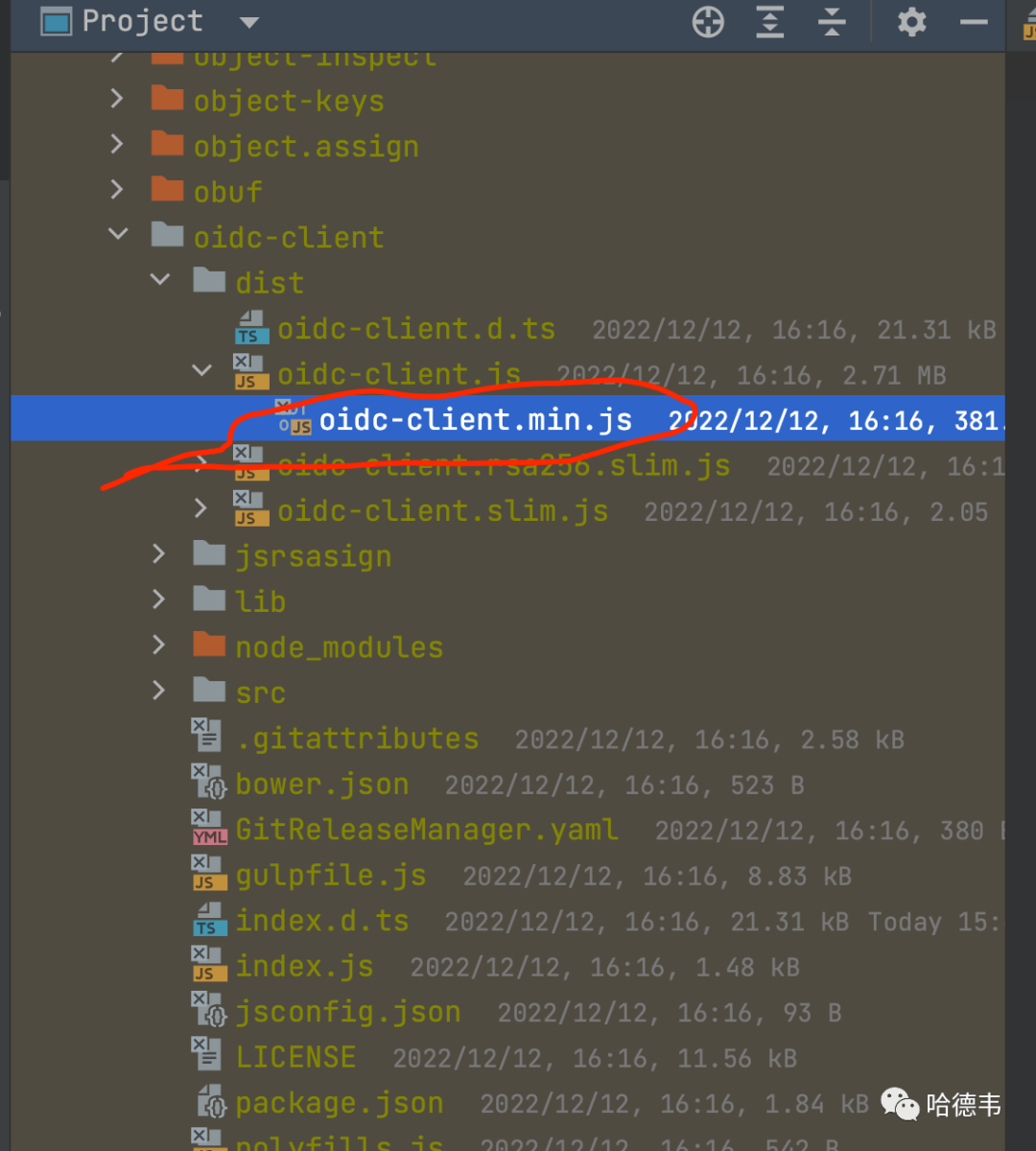
首先,將我們安裝好的 oidc-client 包下的 node_modules/oidc-client/dist/oidc-client.min.js文件,復制粘貼到 public/static目錄下。
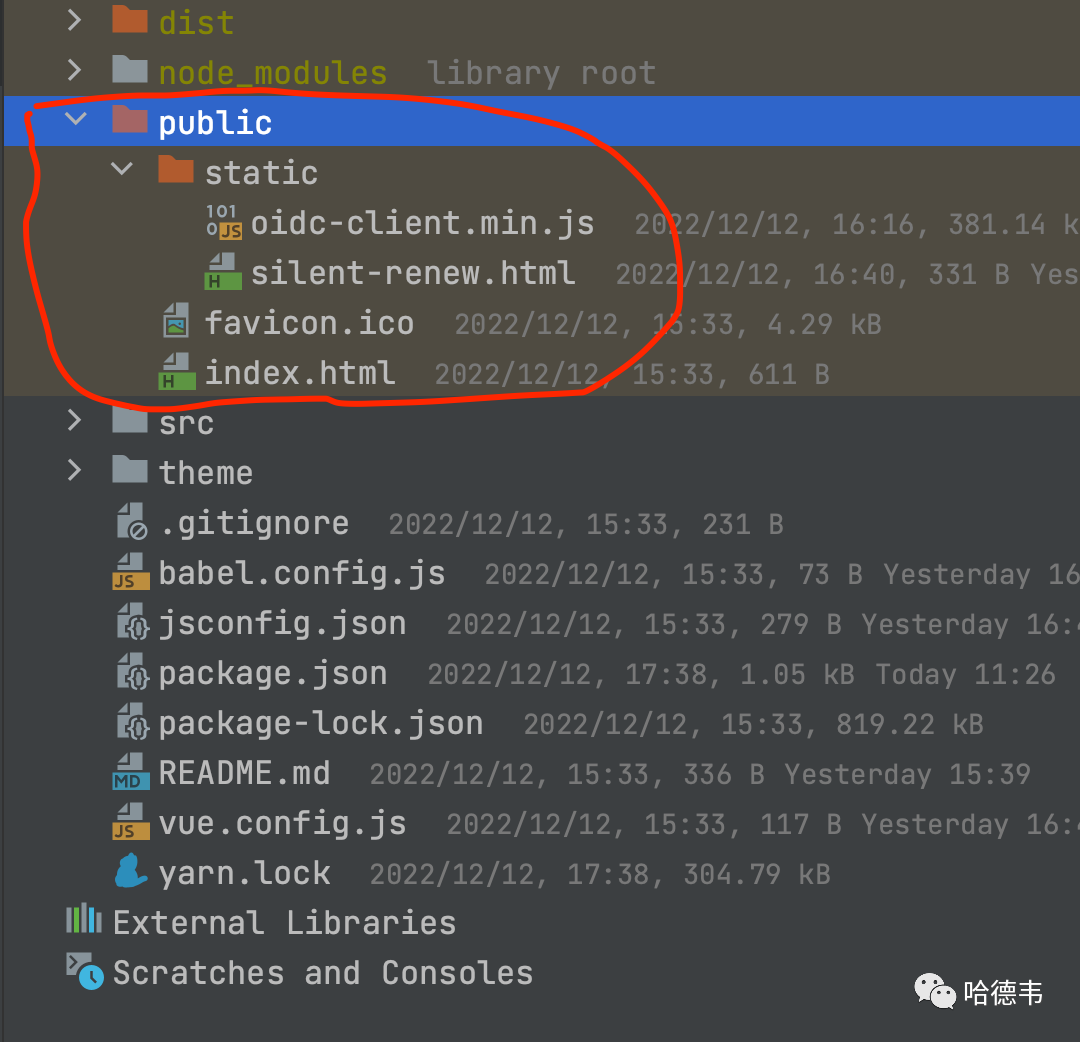
然后,在這個目錄下添加 public/static/silent-renew.html文件。
<html><head><title>Silent Renew Token</title></head><body><script src='oidc-client.min.js'></script><script>console.log('renewing tokens');new Oidc.UserManager({userStore: new Oidc.WebStorageStateStore({ store: window.localStorage })}).signinSilentCallback();</script></body></html>
給 API 請求添加認證頭
最后,給 API 請求添加上認證頭。前提是,后端接口也使用同樣的 IdentityServer 來保護(如果是 SpringBoot 項目,可以參考《[使用 IdentityServer 保護 Web 應用(AntD Pro 前端 + SpringBoot 后端) - Jeff Tian的文章 - 知乎](https://zhuanlan.zhihu.com/p/533197284) 》);否則,如果 API 是公開的,就不需要這一步了。
對于使用 axios 的 API 客戶端,可以利用其 request interceptors,來統(tǒng)一添加這個認證頭,比如:
import router from '../router'import Vue from "vue";const v = new Vue({router})const service = axios.create({// 公共接口--這里注意后面會講baseURL: process.env.BASE_API,// 超時時間 單位是ms,這里設置了3s的超時時間timeout: 20 * 1000});service.interceptors.request.use(config => {const user = v.$root.user;if(user) {const authToken = user.access_token;if(authToken){config.headers.Authorization = `Bearer ${authToken}`;}}return config;}, Promise.reject)export default service