
最新Spring整合MyBatis詳解教程

作者:Baret H ~ 地址:http://i8n.cn/e4aXqM

首先新建一個空的maven項目
1、導入相關jar包
1. junit
????junit
????junit
????4.13
????test
2. mybatis
????org.mybatis
????mybatis
????3.5.5
3. mysql
????mysql
????mysql-connector-java
????8.0.21
4. spring相關
????org.springframework
????spring-webmvc
????5.2.8.RELEASE


????org.springframework
????spring-jdbc
????5.1.3.RELEASE
5. aop織入
????org.aspectj
????aspectjweaver
????1.9.4
6. mybatis-spring
????org.mybatis
????mybatis-spring
????2.0.5
7. lombok(選用)
????org.projectlombok
????lombok
????1.18.12
最后為了防止maven配置文件無法被導出或生效,加入以下代碼
????
????????
????????????src/main/resources
????????????
????????????????**/*.properties
????????????????**/*.xml
????????????
????????????true
????????
????????
????????????src/main/java
????????????
????????????????**/*.properties
????????????????**/*.xml
????????????
????????????true
????????
????
2、回顧:建立一個Mybatis程序
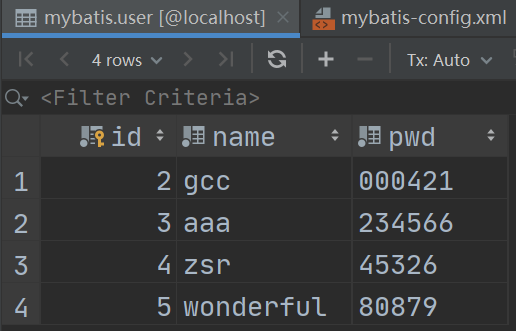
1. IDEA連接數(shù)據(jù)庫
大家連接自己的數(shù)據(jù)庫即可,這里的實驗表格為
2. 編寫MyBatis核心配置文件
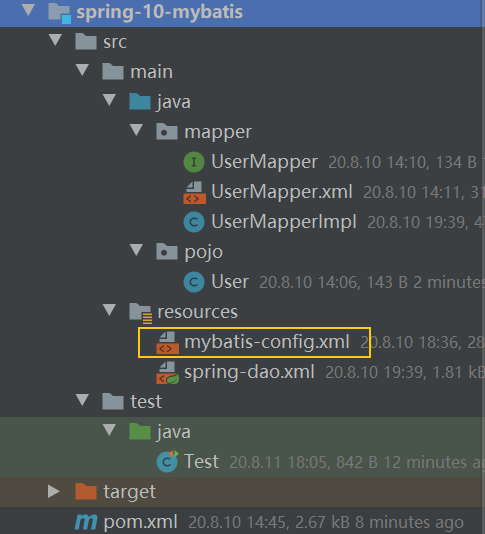
"1.0"?encoding="UTF-8"??>
????????PUBLIC?"-//mybatis.org//DTD?Config?3.0//EN"
????????"http://mybatis.org/dtd/mybatis-3-config.dtd">

????default="development">
????????"development">
????????????"JDBC"/>
????????????"POOLED">
????????????????"driver"?value="com.mysql.jdbc.Driver"/>
????????????????"url"?value="jdbc:mysql://localhost:3306/mybatis?useSSH=true&useUnicode=true&characterEncoding=UTF-8"/>
????????????????"username"?value="root"/>
????????????????"password"?value="200024"/>
????????????
????????
????
3. 創(chuàng)建數(shù)據(jù)庫表對應實體類
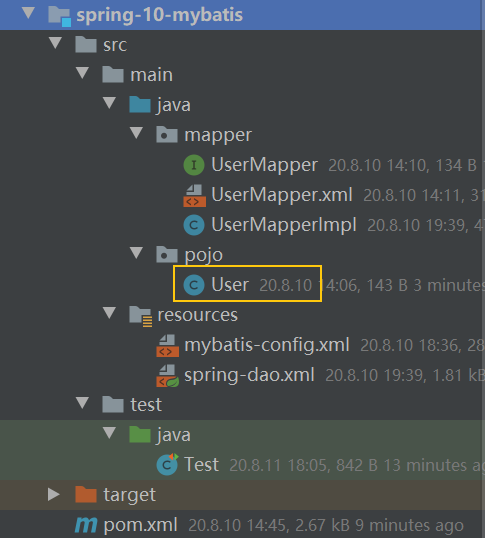
package?pojo;

import?lombok.Data;

@Data
public?class?User?{
????private?int?id;
????private?String?name;
????private?String?pwd;
}
4. 編寫Mapper接口
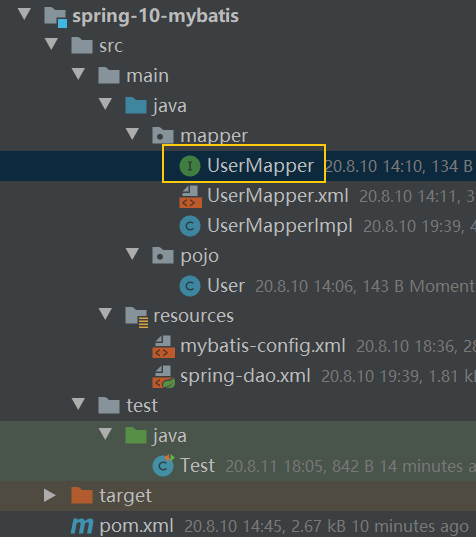
package?mapper;
import?pojo.User;
import?java.util.List;
public?interface?UserMapper?{
????public?List?getUser() ;
}
5. 編寫Mapper.xml配置文件
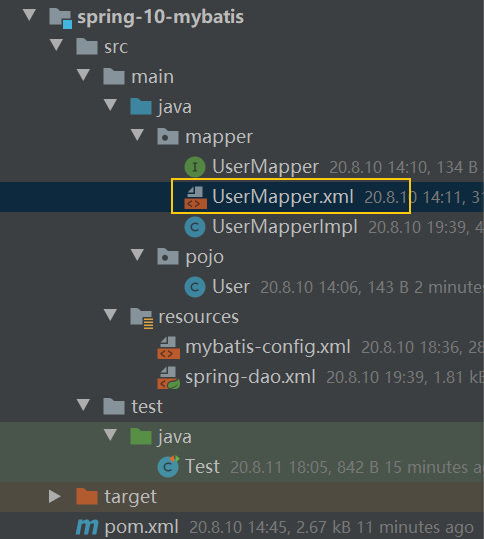
"1.0"?encoding="UTF-8"??>
????????PUBLIC?"-//mybatis.org//DTD?Config?3.0//EN"
????????"http://mybatis.org/dtd/mybatis-3-mapper.dtd">
"mapper.UserMapper">
????"getUser"?resultType="pojo.User">
????????select?*?from?mybatis.user
????
6. 編寫測試類
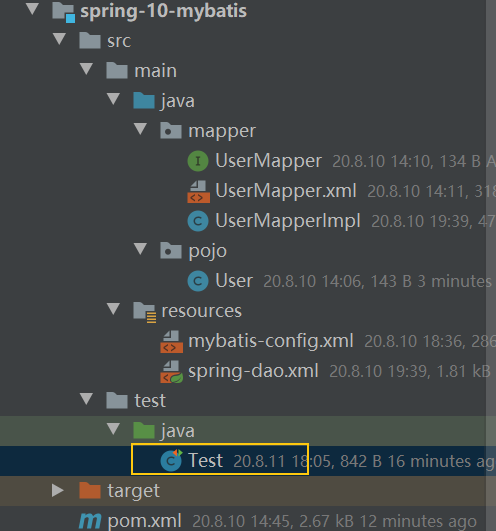
public?class?Test?{
????@org.junit.Test
????public?void?test()?throws?IOException?{
????????String?resource?=?"mybatis-config.xml";
????????InputStream?in?=?Resources.getResourceAsStream(resource);
????????SqlSessionFactory?sessionFactory?=?new?SqlSessionFactoryBuilder().build(in);
????????SqlSession?sqlSession?=?sessionFactory.openSession(true);
????????UserMapper?mapper?=?sqlSession.getMapper(UserMapper.class);
????????List?users?=?mapper.getUser();
????????for?(User?user?:?users)?{
????????????System.out.println(user);
????????}
????}
}
7. 給Mapper.xml添加注冊
在核心配置文件mybatis-config.xml中加入以下代碼
????class="mapper.UserMapper"/>
8. 測試運行
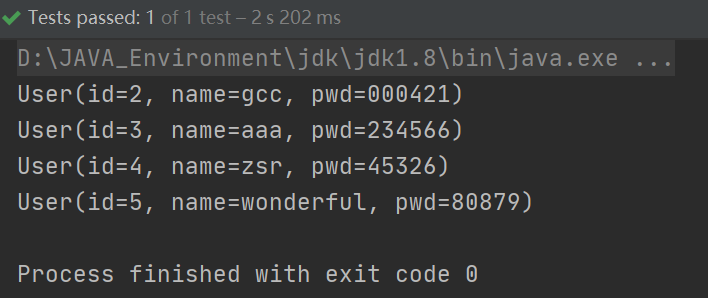
到此,mybatis程序的創(chuàng)建已成功,接下來將進行修改,整合spring
3、spring整合:方式一
通過SqlSessionTemplate創(chuàng)建SqlSession
接下來將在上述實驗環(huán)境下進行修改
1. 引入spring配置文件
在resource目錄下新建spring-dao.xml
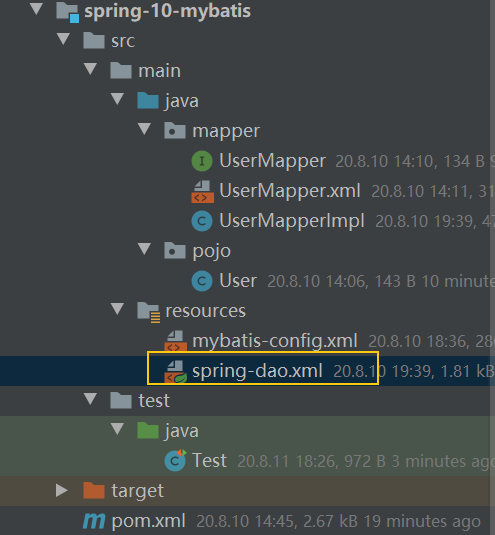
"1.0"?encoding="UTF-8"?>
"http://www.springframework.org/schema/beans"
???????xmlns:xsi="http://www.w3.org/2001/XMLSchema-instance"
???????xmlns:aop="http://www.springframework.org/schema/aop"
???????xsi:schemaLocation="http://www.springframework.org/schema/beans
????????https://www.springframework.org/schema/beans/spring-beans.xsd">
2. 使用Spring的數(shù)據(jù)源替換MyBatis的數(shù)據(jù)源配置
在spring配置文件中加入以下代碼,配置數(shù)據(jù)源信息
"dataSource"?class="org.springframework.jdbc.datasource.DriverManagerDataSource">
????"driverClassName"?value="com.mysql.cj.jdbc.Driver"/>
????"url"
??????????????value="jdbc:mysql://localhost:3306/mybatis?useSSH=true&useUnicode=true&characterEncoding=UTF-8"/>
????"username"?value="root"/>
????"password"?value="200024"/>
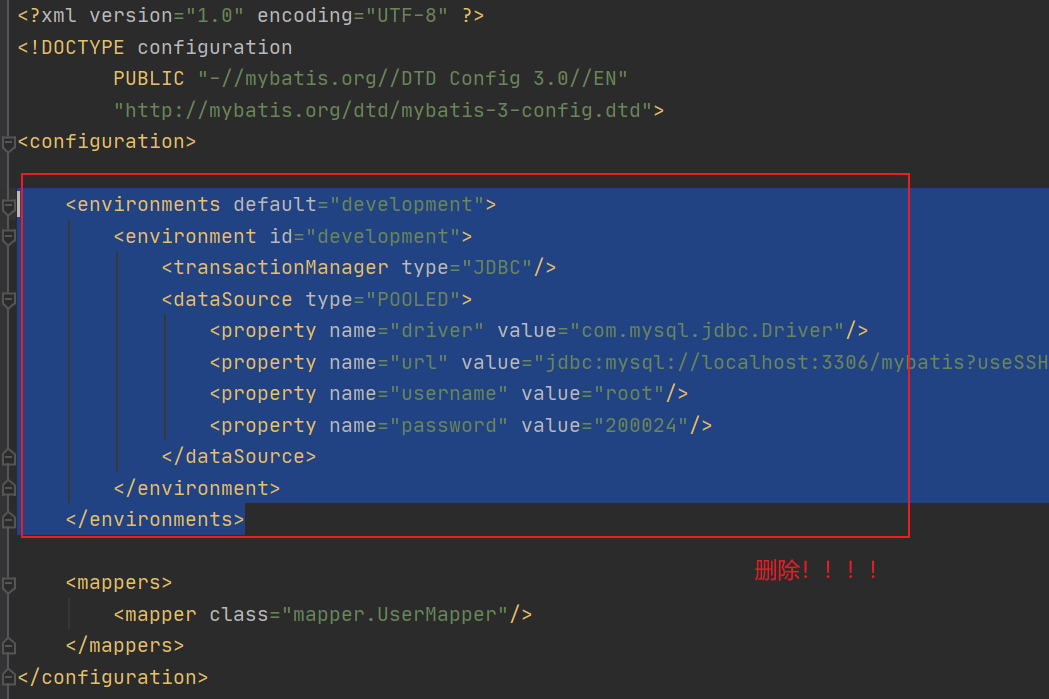
此時,就可以刪除mybatis核心配置文件mybatis-config.xml中的數(shù)據(jù)源配置
3. 通過spring創(chuàng)建sqlSessionFactory
在 MyBatis 中,是通過
SqlSessionFactoryBuilder來創(chuàng)建SqlSessionFactory而在 MyBatis-Spring 中,則使用
SqlSessionFactoryBean來創(chuàng)建
在
spring配置文件中加入以下代碼,創(chuàng)建sqlSessionFactory
"sqlSessionFactory"?class="org.mybatis.spring.SqlSessionFactoryBean">
????"dataSource"?ref="dataSource"/>
唯一的必要屬性:用于 JDBC 的 DataSource,注入上述創(chuàng)建好的數(shù)據(jù)源
還可以配置其他屬性,完全取代mybatis-config.xml中的配置
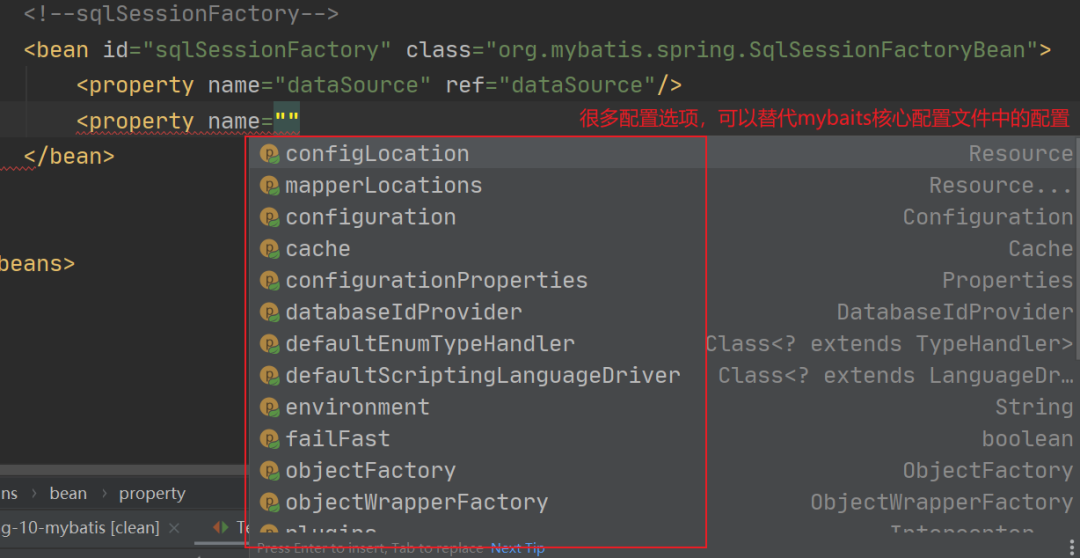
這里加入兩個屬性配置:
configLocation:指定mybatis的xml配置文件路徑mapperLocations:注冊Mapper.xm映射器
"sqlSessionFactory"?class="org.mybatis.spring.SqlSessionFactoryBean">
????"dataSource"?ref="dataSource"/>
????
????"configLocation"?value="classpath:mybatis-config.xml"/>
????
????"mapperLocations"?value="classpath:mapper/*.xml"/>
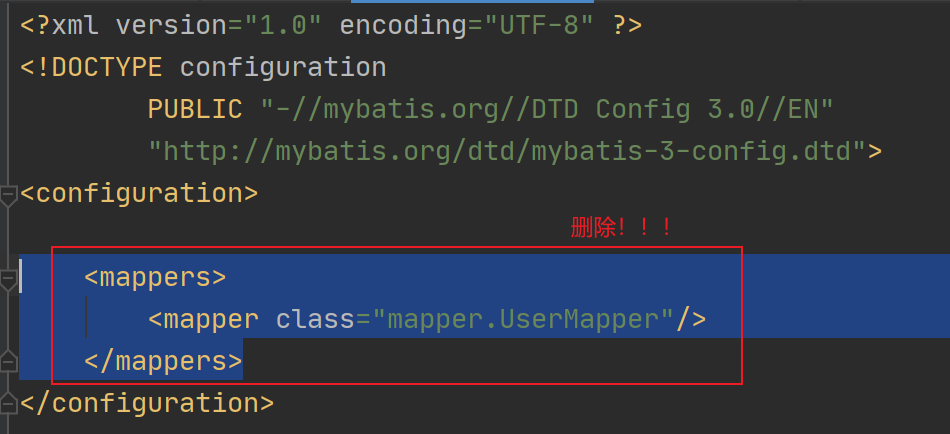
這里,我們在spring配置文件中注冊了Mapper.xml,就可以刪除mybatis-config.xml中的Mapper.xml的注冊
4. 創(chuàng)建sqlSession對象
在
mybatis中,SqlSession提供了在數(shù)據(jù)庫執(zhí)行 SQL 命令所需的所有方法而在
spring-mybatis,沒有SqlSession了,而是SqlSessionTemplate,這兩個是同一個東西
在
spring配置文件中加入以下代碼,創(chuàng)建sqlSession
這里使用上述創(chuàng)建好的
sqlSessionFactory作為構造方法的參數(shù)來創(chuàng)建SqlSessionTemplate對象。
"sqlSession"?class="org.mybatis.spring.SqlSessionTemplate">
????
????"0"?ref="sqlSessionFactory"/>
5. 新建接口實現(xiàn)類
上一步我們創(chuàng)建了
sqlSession對象,此時需要創(chuàng)建一個類來使用sqlSession
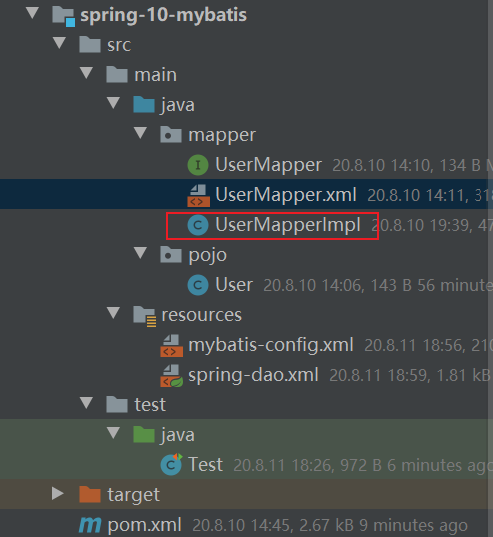
在該類中添加一個
SqlSession 屬性,并添加 set方法 用于后續(xù)sqlSession的注入public?class?UserMapperImpl?implements?UserMapper?{
????//原來所有操作都通過SqlSession來執(zhí)行,現(xiàn)在都是SqlSessionTemplate
????private?SqlSessionTemplate?sqlSession;
????public?void?setSqlSession(SqlSessionTemplate?sqlSession)?{
????????this.sqlSession?=?sqlSession;
????}
????public?List?getUser()? {
????????UserMapper?mapper?=?sqlSession.getMapper(UserMapper.class);
????????return?mapper.getUser();
????}
}
6. 創(chuàng)建實現(xiàn)類對象
利用spring創(chuàng)建上述接口實現(xiàn)類對象,取名為
userMapper,并注入上述創(chuàng)建好的sqlSession對象
"userMapper"?class="mapper.UserMapperImpl">
????"sqlSession"?ref="sqlSession"/>
7. 修改測試類
此時,無需像先前一樣創(chuàng)建sqlSessionFactory和sqlSession,我們只需獲得創(chuàng)建好的``實體類對象```UserMapper,然后調用該對象的方法即可
public?class?Test?{
????@org.junit.Test
????public?void?test()?throws?IOException?{
????????ApplicationContext?context?=?new?ClassPathXmlApplicationContext("spring-dao.xml");
????????UserMapperImpl?userMapper?=?(UserMapperImpl)?context.getBean("userMapper");
????????List?users?=?userMapper.getUser();
????????for?(User?user?:?users)?{
????????????System.out.println(user);
????????}
????}
}
8. 運行測試
運行成功!!!
4、spring整合:方式二
通過SqlSessionDaoSupport獲得Sqlsession
接下來將在上述實驗環(huán)境下進行修改
1. 新建接口實現(xiàn)類
新建一個接口實現(xiàn)類,繼承SqlSessionDaoSupport類,直接可以獲得SqlSession對象
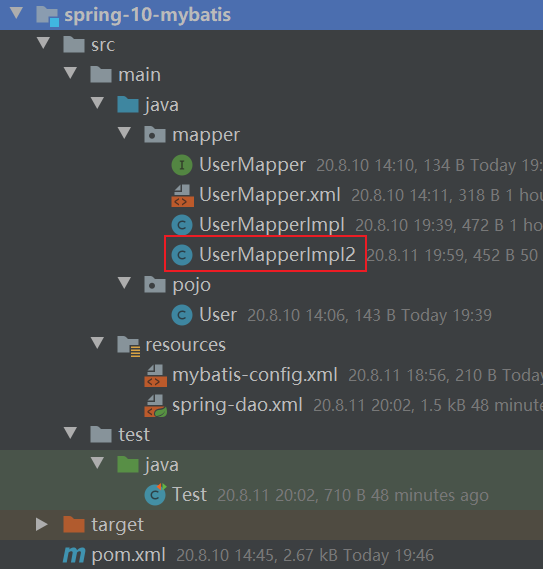
public?class?UserMapperImpl2?extends?SqlSessionDaoSupport?implements?UserMapper?{
????public?List?getUser()? {
????????SqlSession?sqlSession?=?getSqlSession();
????????UserMapper?mapper?=?sqlSession.getMapper(UserMapper.class);
????????return?mapper.getUser();
????}
}
2. 創(chuàng)建接口實現(xiàn)類對象
通過Spring來創(chuàng)建
在spring配置文件中創(chuàng)建上述實體類對象userMapper2,并設置sqlSessionFactory屬性為上述創(chuàng)建好的sqlSessionFactory
"userMapper2"?class="mapper.UserMapperImpl2">
????"sqlSessionFactory"?ref="sqlSessionFactory"/>
3. 修改測試類
同樣,無需像先前一樣創(chuàng)建
sqlSessionFactory和sqlSession,我們只需獲得創(chuàng)建好的實體類對象UserMapper2,然后調用該對象的方法即可
public?class?Test?{
????@org.junit.Test
????public?void?test()?throws?IOException?{
????????ApplicationContext?context?=?new?ClassPathXmlApplicationContext("spring-dao.xml");
????????UserMapperImpl2?userMapper?=?(UserMapperImpl2)?context.getBean("userMapper2");
????????List?users?=?userMapper.getUser();
????????for?(User?user?:?users)?{
????????????System.out.println(user);
????????}
????}
}
4. 測試運行
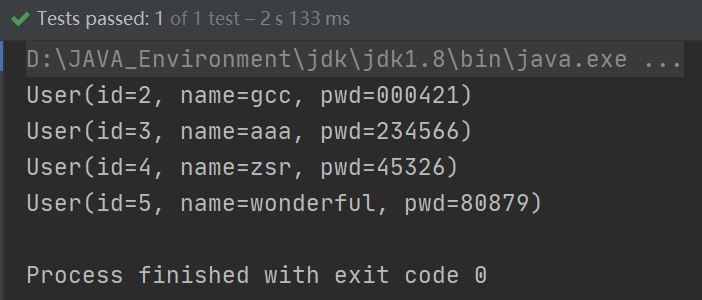
成功運行!!
【推薦閱讀】
Java代碼中 : : 是什么語法? 一款基于 SpringCloud 開源的商城系統(tǒng)(附源碼) 3個開源的快速開發(fā)平臺,前后端都有! Java 如何精確統(tǒng)計頁面停留時長? SpringBoot 如何上傳大文件? 福利:公眾號點擊關注“Java”,可以免費領取全套【Java學習資料】,更多驚喜等你去發(fā)現(xiàn)~ 萬水千山總是情,點個 “ 看” 行不行 在