
懶人必備:一款自動(dòng)生成單元測(cè)試的 IDEA 插件

閱讀本文大概需要 7 分鐘。

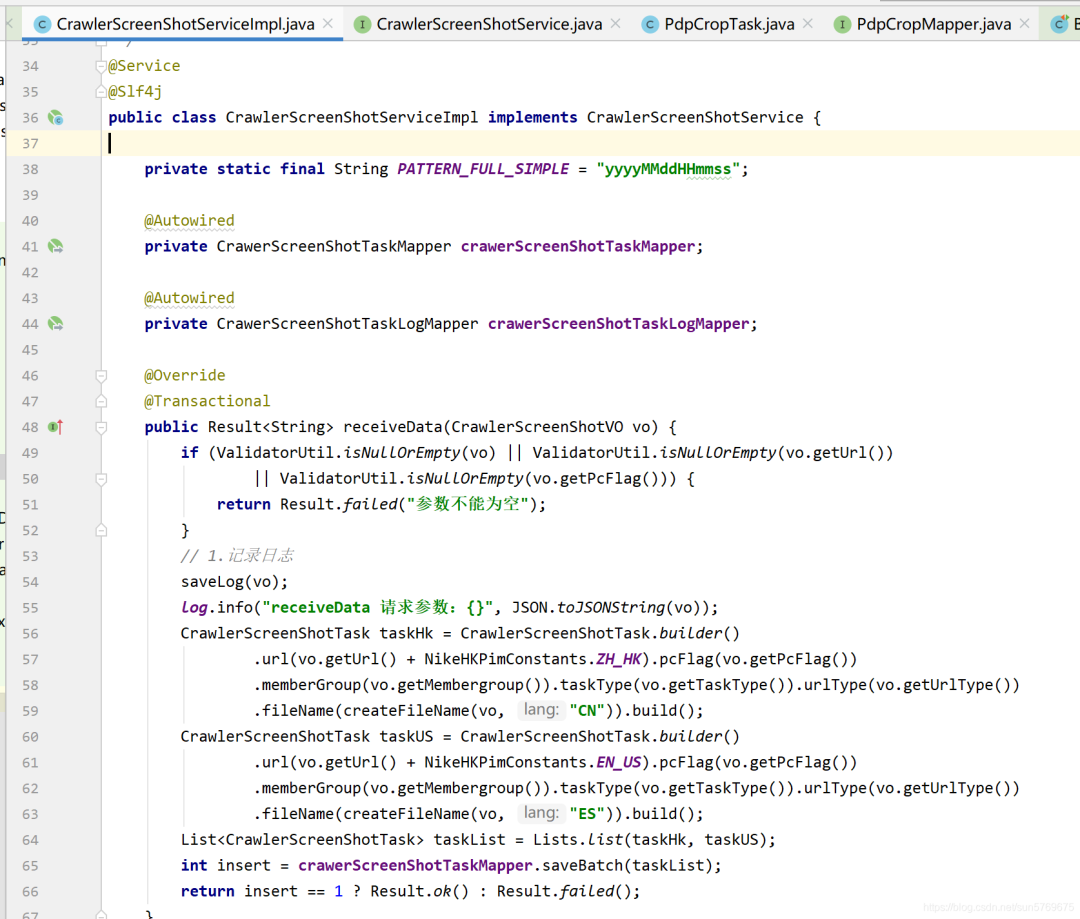
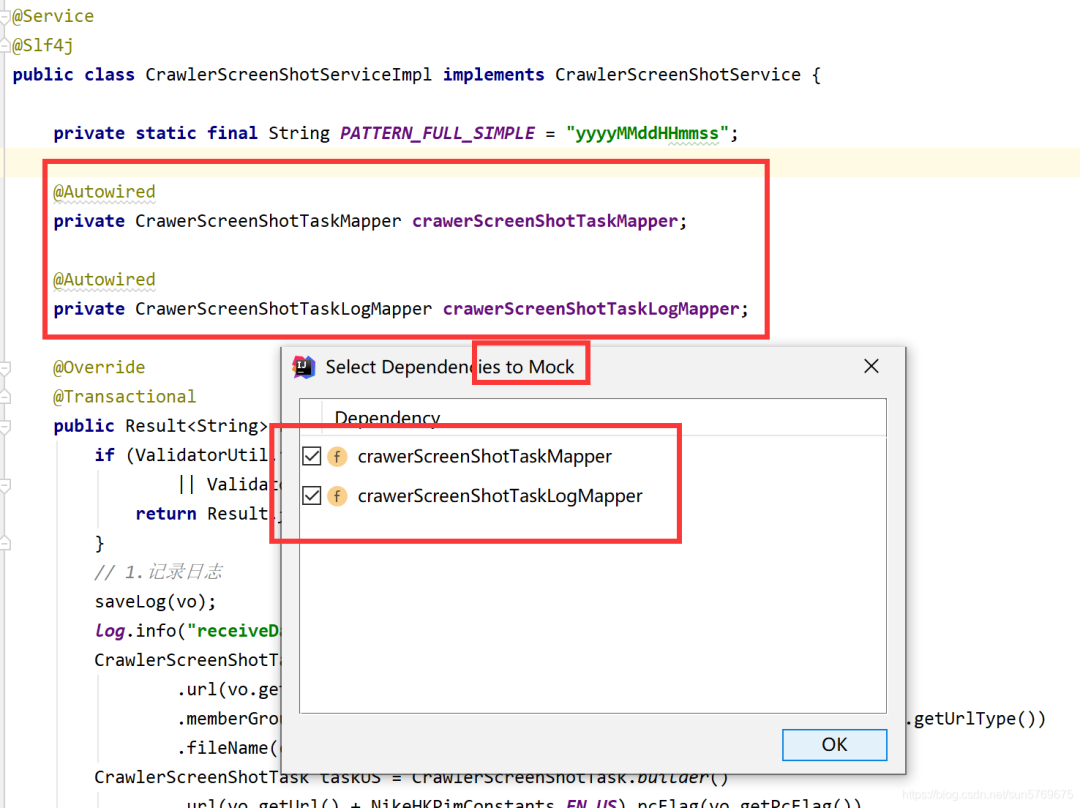
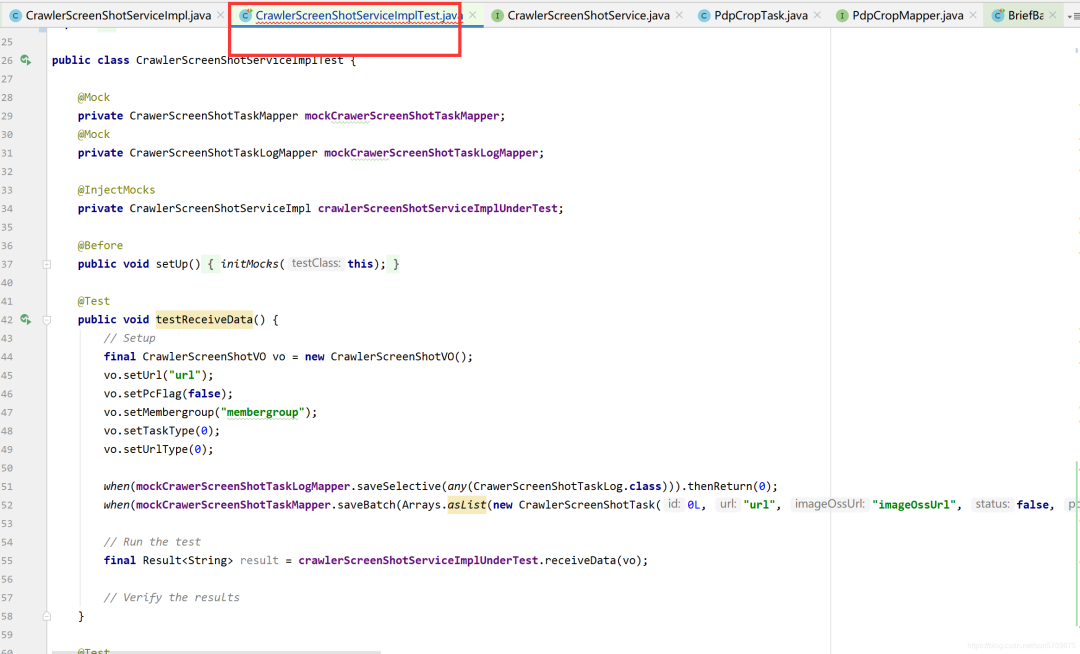
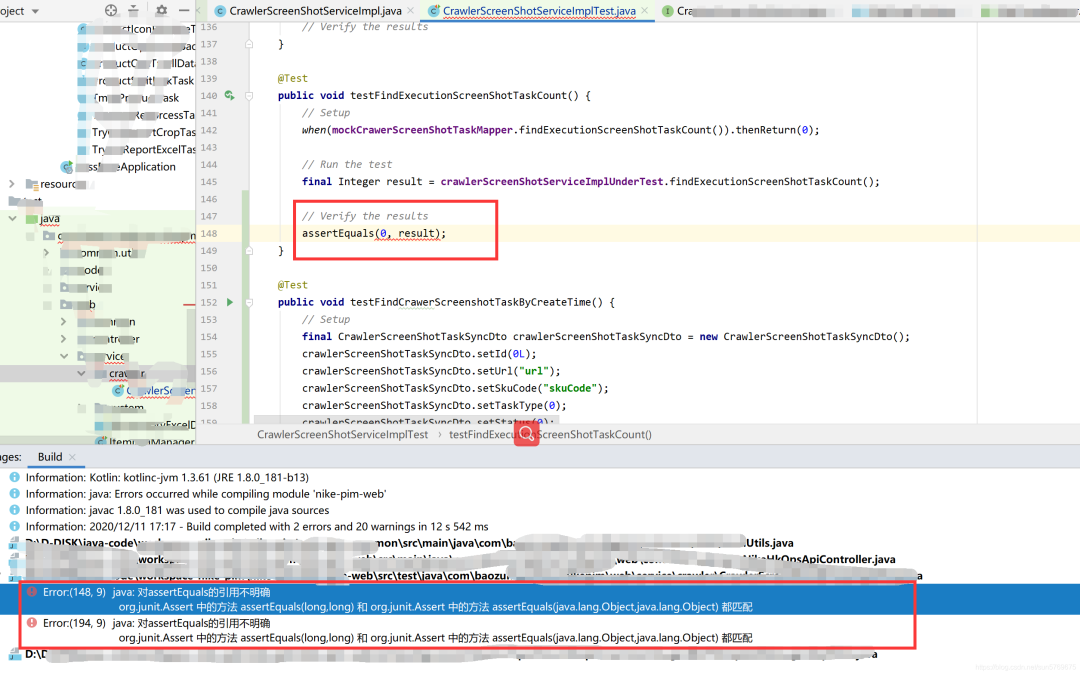
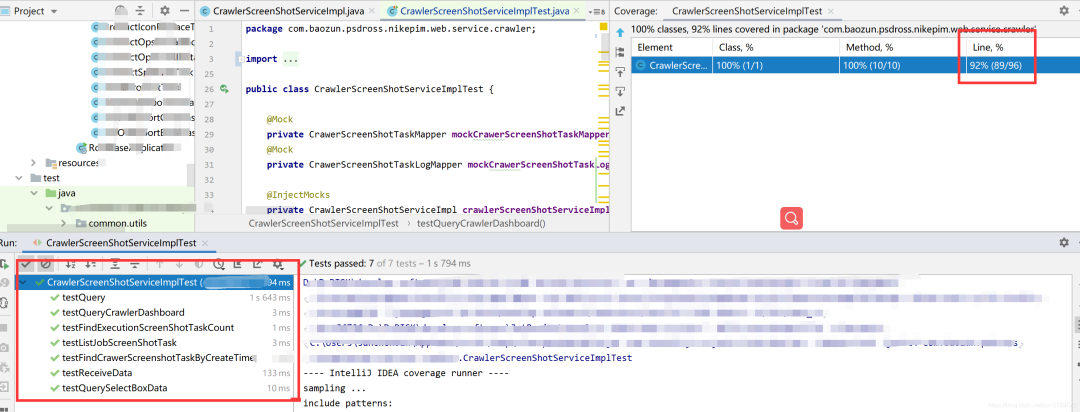
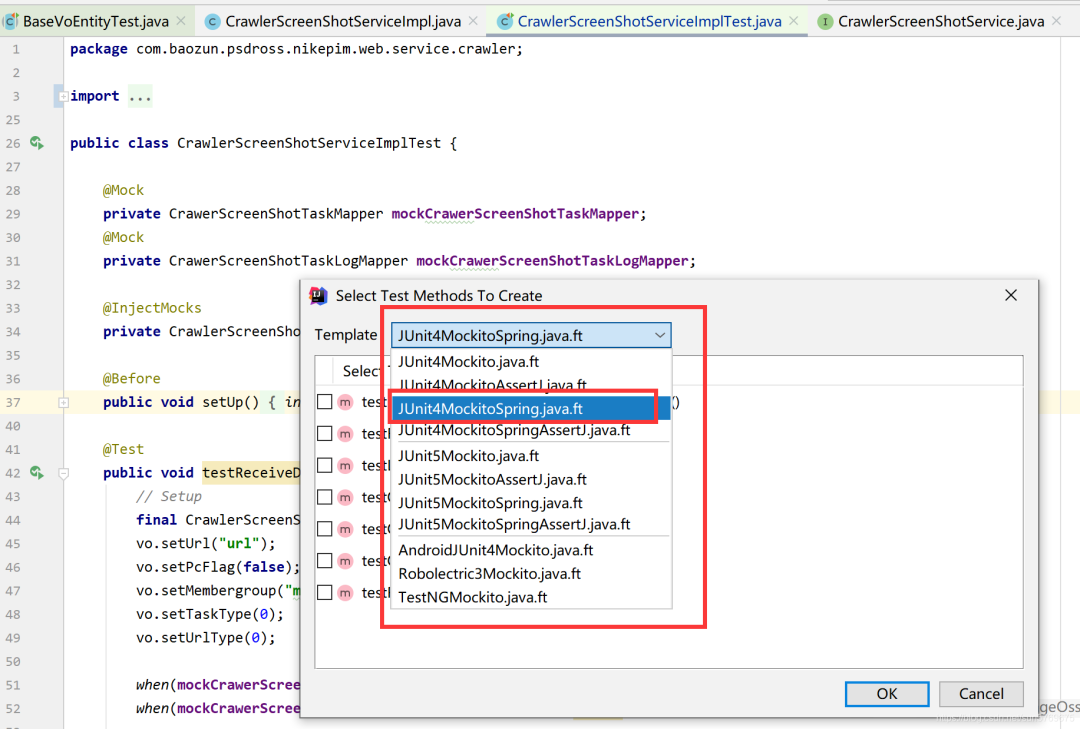
public?class?CrawlerScreenShotServiceImplTest?{private CrawerScreenShotTaskMapper mockCrawerScreenShotTaskMapper;private CrawerScreenShotTaskLogMapper mockCrawerScreenShotTaskLogMapper;????private?CrawlerScreenShotServiceImpl?crawlerScreenShotServiceImplUnderTest;public void setUp() {initMocks(this);}public void testReceiveData() {// Setupfinal CrawlerScreenShotVO vo = new CrawlerScreenShotVO();vo.setUrl("url");vo.setPcFlag(false);vo.setMembergroup("membergroup");vo.setTaskType(0);????????vo.setUrlType(0);when(mockCrawerScreenShotTaskLogMapper.saveSelective(any(CrawerScreenShotTaskLog.class))).thenReturn(0);????????when(mockCrawerScreenShotTaskMapper.saveBatch(Arrays.asList(new?CrawlerScreenShotTask(0L,?"url",?"imageOssUrl",?false,?false,?"memberGroup",?0,?0,?"fileName",?new?GregorianCalendar(2019,?Calendar.JANUARY,?1).getTime(),?new?GregorianCalendar(2019,?Calendar.JANUARY,?1).getTime(),?false,?"skuCode",?"state",?"operater")))).thenReturn(0);// Run the test????????final?Result?result?=?crawlerScreenShotServiceImplUnderTest.receiveData(vo); // Verify the results????}public void testListJobScreenShotTask() {????????//?Setup// Configure CrawerScreenShotTaskMapper.listJobScreenShotTask(...).final CrawlerScreenShotTaskDto crawlerScreenShotTaskDto = new CrawlerScreenShotTaskDto();crawlerScreenShotTaskDto.setId(0L);crawlerScreenShotTaskDto.setUrl("url");crawlerScreenShotTaskDto.setSkuCode("skuCode");crawlerScreenShotTaskDto.setPcFlag(false);crawlerScreenShotTaskDto.setMemberGroup("memberGroup");crawlerScreenShotTaskDto.setUrlType(0);crawlerScreenShotTaskDto.setFileName("fileName");crawlerScreenShotTaskDto.setTaskType(0);crawlerScreenShotTaskDto.setState("state");final ListcrawlerScreenShotTaskDtos = Arrays.asList(crawlerScreenShotTaskDto); ????????when(mockCrawerScreenShotTaskMapper.listJobScreenShotTask(new?GregorianCalendar(2019,?Calendar.JANUARY,?1).getTime())).thenReturn(crawlerScreenShotTaskDtos);// Run the testfinal Listresult = crawlerScreenShotServiceImplUnderTest.listJobScreenShotTask(); // Verify the results????}public void testQuery() {// Setupfinal NikeScreenShotListRequestVo requestVo = new NikeScreenShotListRequestVo();requestVo.setUrl("url");requestVo.setUrlType(0);requestVo.setStartTime(new GregorianCalendar(2019, Calendar.JANUARY, 1).getTime());requestVo.setEndTime(new GregorianCalendar(2019, Calendar.JANUARY, 1).getTime());requestVo.setStatus(0);requestVo.setPcFlag(0);requestVo.setPageNum(0);requestVo.setPageSize(0);// Configure CrawerScreenShotTaskMapper.query(...).final PimScreenShotVo pimScreenShotVo = new PimScreenShotVo();pimScreenShotVo.setId(0L);pimScreenShotVo.setUrl("url");pimScreenShotVo.setImageOssUrl("imageOssUrl");pimScreenShotVo.setStatus(0);pimScreenShotVo.setPcFlag(false);pimScreenShotVo.setCreateTime(new GregorianCalendar(2019, Calendar.JANUARY, 1).getTime());pimScreenShotVo.setUrlType(0);pimScreenShotVo.setMsg("msg");final ListpimScreenShotVos = Arrays.asList(pimScreenShotVo); ????????when(mockCrawerScreenShotTaskMapper.query(any(NikeScreenShotListRequestVo.class))).thenReturn(pimScreenShotVos);// Run the test????????final?PageInfo?result?=?crawlerScreenShotServiceImplUnderTest.query(requestVo); // Verify the results}public void testQuerySelectBoxData() {????????//?Setup// Configure CrawerScreenShotTaskMapper.query(...).final PimScreenShotVo pimScreenShotVo = new PimScreenShotVo();pimScreenShotVo.setId(0L);pimScreenShotVo.setUrl("url");pimScreenShotVo.setImageOssUrl("imageOssUrl");pimScreenShotVo.setStatus(0);pimScreenShotVo.setPcFlag(false);pimScreenShotVo.setCreateTime(new GregorianCalendar(2019, Calendar.JANUARY, 1).getTime());pimScreenShotVo.setUrlType(0);pimScreenShotVo.setMsg("msg");final ListpimScreenShotVos = Arrays.asList(pimScreenShotVo); ????????when(mockCrawerScreenShotTaskMapper.query(any(NikeScreenShotListRequestVo.class))).thenReturn(pimScreenShotVos);// Run the test????????final?PimScreenShotTaskParamsDto?result?=?crawlerScreenShotServiceImplUnderTest.querySelectBoxData();// Verify the results????}public void testFindExecutionScreenShotTaskCount() {// Setup????????when(mockCrawerScreenShotTaskMapper.findExecutionScreenShotTaskCount()).thenReturn(0);// Run the testfinal Integer result = crawlerScreenShotServiceImplUnderTest.findExecutionScreenShotTaskCount();// Verify the resultsassertEquals(0, result);}public void testFindCrawerScreenshotTaskByCreateTime() {// Setupfinal CrawlerScreenShotTaskSyncDto crawlerScreenShotTaskSyncDto = new CrawlerScreenShotTaskSyncDto();crawlerScreenShotTaskSyncDto.setId(0L);crawlerScreenShotTaskSyncDto.setUrl("url");crawlerScreenShotTaskSyncDto.setSkuCode("skuCode");crawlerScreenShotTaskSyncDto.setTaskType(0);crawlerScreenShotTaskSyncDto.setStatus(0);crawlerScreenShotTaskSyncDto.setLastModifyTime(new GregorianCalendar(2019, Calendar.JANUARY, 1).getTime());crawlerScreenShotTaskSyncDto.setOperater("operater");crawlerScreenShotTaskSyncDto.setMsg("msg");final ListexpectedResult = Arrays.asList(crawlerScreenShotTaskSyncDto); // Configure CrawerScreenShotTaskMapper.findCrawerScreenshotTaskByCreateTime(...).final CrawlerScreenShotTaskSyncDto crawlerScreenShotTaskSyncDto1 = new CrawlerScreenShotTaskSyncDto();crawlerScreenShotTaskSyncDto1.setId(0L);crawlerScreenShotTaskSyncDto1.setUrl("url");crawlerScreenShotTaskSyncDto1.setSkuCode("skuCode");crawlerScreenShotTaskSyncDto1.setTaskType(0);crawlerScreenShotTaskSyncDto1.setStatus(0);crawlerScreenShotTaskSyncDto1.setLastModifyTime(new GregorianCalendar(2019, Calendar.JANUARY, 1).getTime());crawlerScreenShotTaskSyncDto1.setOperater("operater");crawlerScreenShotTaskSyncDto1.setMsg("msg");final ListcrawlerScreenShotTaskSyncDtos = Arrays.asList(crawlerScreenShotTaskSyncDto1); when(mockCrawerScreenShotTaskMapper.findCrawerScreenshotTaskByCreateTime(new GregorianCalendar(2019, Calendar.JANUARY, 1).getTime())).thenReturn(crawlerScreenShotTaskSyncDtos);// Run the testfinal Listresult = crawlerScreenShotServiceImplUnderTest.findCrawerScreenshotTaskByCreateTime(new GregorianCalendar(2019, Calendar.JANUARY, 1).getTime()); // Verify the resultsassertEquals(expectedResult, result);????}public void testQueryCrawlerDashboard() {// Setup????????when(mockCrawerScreenShotTaskMapper.queryCrawlerDashboard(0,?0,?0,?new?GregorianCalendar(2019,?Calendar.JANUARY,?1).getTime(),?new?GregorianCalendar(2019,?Calendar.JANUARY,?1).getTime())).thenReturn(0);// Run the testfinal Integer result = crawlerScreenShotServiceImplUnderTest.queryCrawlerDashboard(0, 0, 0, new GregorianCalendar(2019, Calendar.JANUARY, 1).getTime(), new GregorianCalendar(2019, Calendar.JANUARY, 1).getTime());// Verify the resultsassertEquals(0, result);}}
(MockitoJUnitRunner.class)public abstract class BaseVoEntityTest<T> {protected abstract T getT();private void testGetAndSet() throws IllegalAccessException, InstantiationException, IntrospectionException,InvocationTargetException {T t = getT();Class modelClass = t.getClass();Object obj = modelClass.newInstance();Field[] fields = modelClass.getDeclaredFields();for (Field f : fields) {boolean isStatic = Modifier.isStatic(f.getModifiers());// 過濾字段if (f.getName().equals("isSerialVersionUID") || f.getName().equals("serialVersionUID") || isStatic || f.getGenericType().toString().equals("boolean")|| f.isSynthetic()) {continue;}PropertyDescriptor pd = new PropertyDescriptor(f.getName(), modelClass);Method get = pd.getReadMethod();Method set = pd.getWriteMethod();set.invoke(obj, get.invoke(obj));}}public void getAndSetTest() throws InvocationTargetException, IntrospectionException,InstantiationException, IllegalAccessException {this.testGetAndSet();}}

推薦閱讀:
內(nèi)容包含Java基礎(chǔ)、JavaWeb、MySQL性能優(yōu)化、JVM、鎖、百萬并發(fā)、消息隊(duì)列、高性能緩存、反射、Spring全家桶原理、微服務(wù)、Zookeeper......等技術(shù)棧!
?戳閱讀原文領(lǐng)取!? ? ? ? ? ? ? ? ? ? ? ? ? ? ? ? ??朕已閱?
評(píng)論
圖片
表情