
Python 性能測試工具 Locust 極簡入門


Locust特點
以純Python方式編寫用戶腳本,提供極大自由度。
用戶腳本可以串行方式編寫,Locust會通過輕量級進程/協(xié)程產(chǎn)生并發(fā),無需自己做并發(fā)編程。
并發(fā)量大,借助于gevent庫,Locust能產(chǎn)生成千上萬并發(fā)請求。
開銷小,Locust用戶運行時開銷很小。
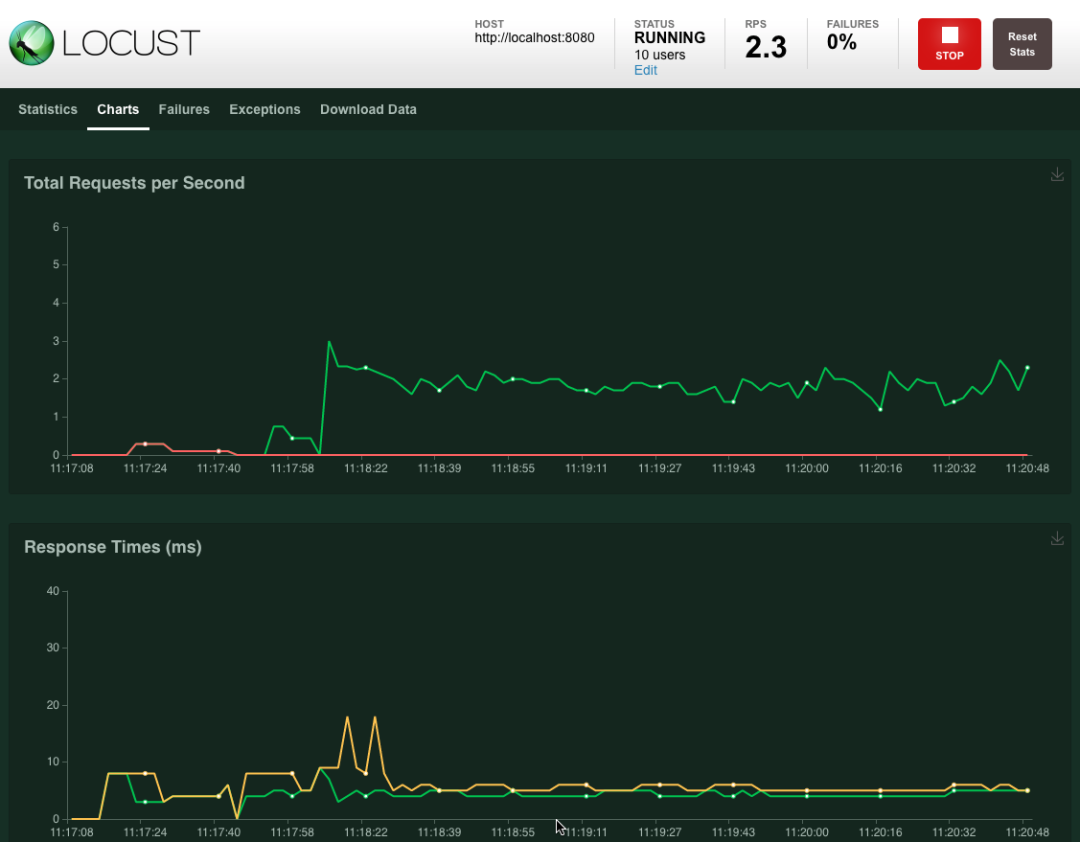
良好的Web UI對性能結果實時監(jiān)測。
能測任何系統(tǒng)任何協(xié)議,只需要寫個client即可。
開放REST API,盡情發(fā)揮。
安裝Locust
$ pip install locust
$ locust -V
安裝時會一并安裝依賴庫: Installing collected packages: Werkzeug, pywin32, zope.event, greenlet, gevent, geventhttpclient, itsdangerous, flask, Flask-BasicAuth, ConfigArgParse, pyzmq, psutil, locust 能看出來flask為Locust提供了Web功能。
快速上手
編寫Python用戶腳本。
使用
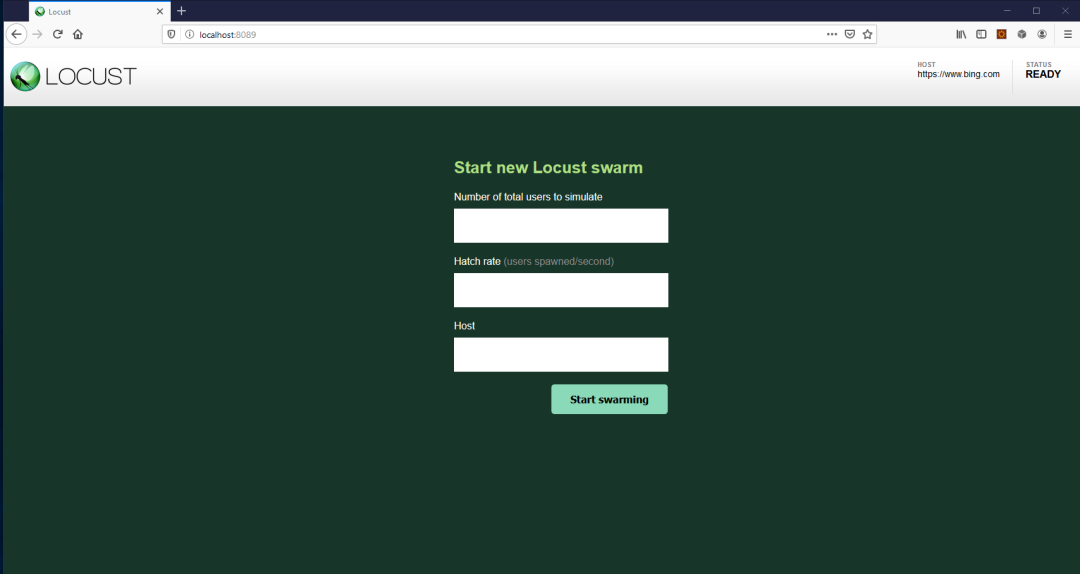
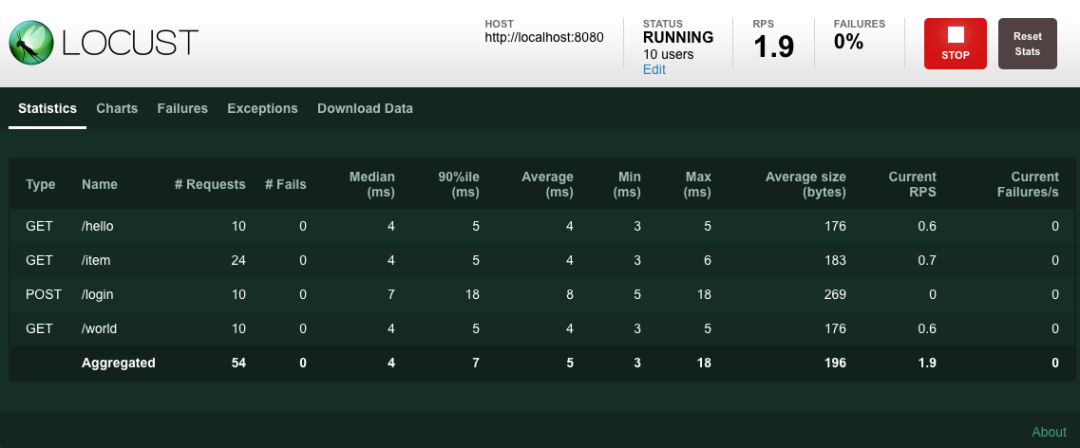
locust命令執(zhí)行性能測試。(可選)通過Web界面監(jiān)測結果。
import time
from locust import HttpUser, task, between

class QuickstartUser(HttpUser):
    wait_time = between(1, 2.5)

    @task
    def hello_world(self):
        self.client.get("/hello")
        self.client.get("/world")

    @task(3)
    def view_items(self):
        for item_id in range(10):
            self.client.get(f"/item?id={item_id}", name="/item")
            time.sleep(1)

    def on_start(self):
        self.client.post("/login", json={"username":"foo", "password":"bar"})
$ locust
也可以通過 -f指定某個目錄文件:$ locust -f locust_files/my_locust_file.py
腳本解析
# Locust用戶腳本就是Python模塊
import time
from locust import HttpUser, task, between

# 類繼承自HttpUser
class QuickstartUser(HttpUser):
    # 每個模擬用戶等待1~2.5秒
    wait_time = between(1, 2.5)

    # 被@task裝飾的才會并發(fā)執(zhí)行
    @task
    def hello_world(self):
        # client屬性是HttpSession實例,用來發(fā)送HTTP請求
        self.client.get("/hello")
        self.client.get("/world")

    # 每個類只會有一個task被選中執(zhí)行
    # 3代表weight權重
    # 權重越大越容易被選中執(zhí)行
    # view_items比hello_wolrd多3倍概率被選中執(zhí)行
    @task(3)
    def view_items(self):
        for item_id in range(10):
            # name參數(shù)作用是把統(tǒng)計結果按同一名稱進行分組
            # 這里防止URL參數(shù)不同會產(chǎn)生10個不同記錄不便于觀察
            # 把10個匯總成1個"/item"記錄
            self.client.get(f"/item?id={item_id}", name="/item")
            time.sleep(1)

    # 每個模擬用戶開始運行時都會執(zhí)行
    def on_start(self):
        self.client.post("/login", json={"username":"foo", "password":"bar"})
小結
參考資料: https://locust.io/ https://docs.locust.io/en/stable/

還不過癮?試試它們
評論
圖片
表情