
Jenkins 流水線自動(dòng)化部署 Go 項(xiàng)目
原文鏈接:https://juejin.cn/post/6969968007690846238
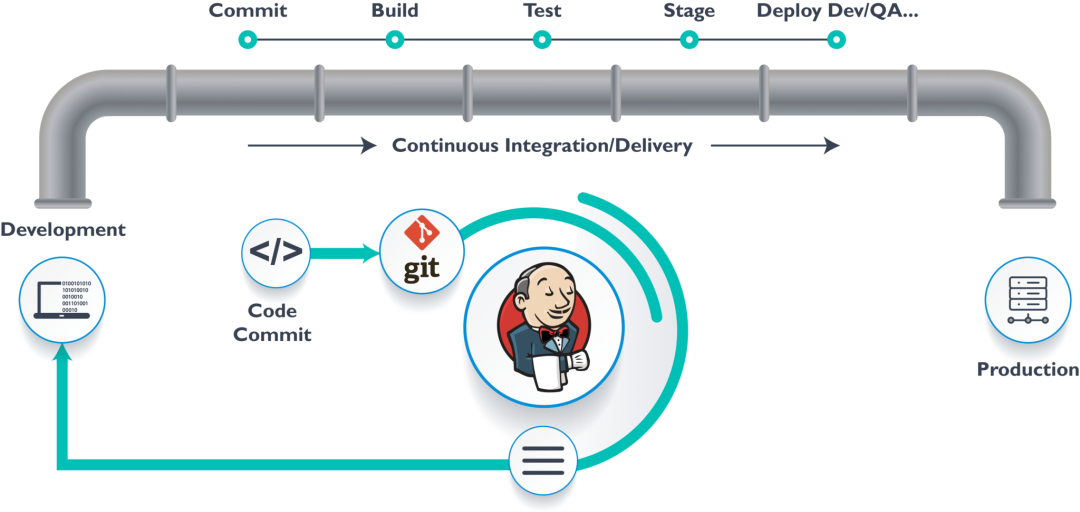
自動(dòng)化流程
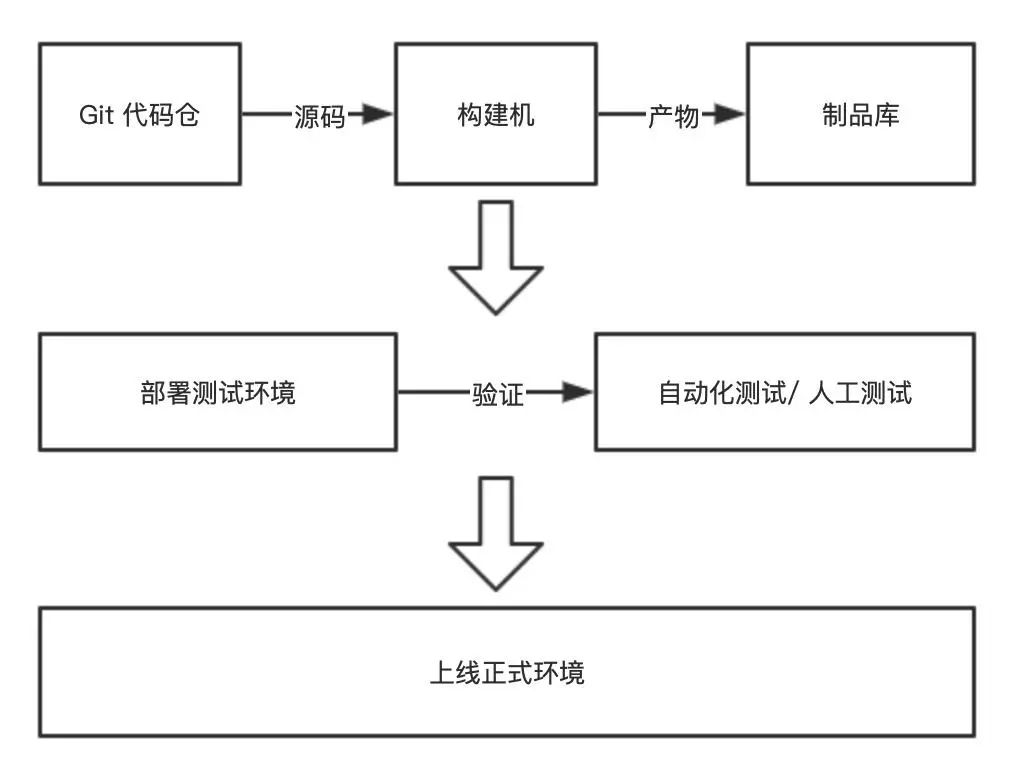
項(xiàng)目結(jié)構(gòu)
|-- my-app|-- .gitignore|-- README.md|-- LICENSE|-- go.mod|-- go.sum|-- main.go|-- pkg|-- ...
項(xiàng)目構(gòu)建
passwordVariable 。stage('Build') {steps {withCredentials(bindings: [usernamePassword(credentialsId: 'GITHUB_CREDENTIAL', usernameVariable: 'GITHUB_USER', passwordVariable: 'GITHUB_ACCESS_TOKEN')]) {sh '''git config --global url."https://${GITHUB_ACCESS_TOKEN}:[email protected]/".insteadOf "https://github.com/"go mod tidygo build -o bin/my-app main.go'''}}}
遠(yuǎn)程部署
stage('Deploy') {environment {DEPLOY_HOST = credentials('DEPLOY_HOST')DEPLOY_PORT = credentials('DEPLOY_PORT')}steps {withCredentials([sshUserPrivateKey(credentialsId: 'SSH_CREDENTIAL', keyFileVariable: 'SSH_KEY', usernameVariable: 'SSH_USERNAME'),]) {sh """mkdir -p ~/.ssh && chmod 700 ~/.sshecho 'StrictHostKeyChecking no' >> /etc/ssh/ssh_configcat ${SSH_KEY} > ~/.ssh/id_rsa && chmod 400 ~/.ssh/id_rsascp -P ${DEPLOY_PORT} bin/my-app ${SSH_USER}@${DEPLOY_HOST}:/data/my-appssh -p ${DEPLOY_PORT} ${SSH_USER}@${DEPLOY_HOST} \"nohup /data/my-app >> /data/my-app.log 2>&1 &\""""}}}
復(fù)制構(gòu)建產(chǎn)物到部署服務(wù)器 在部署服務(wù)器上執(zhí)行部署命令,比如 nohup /data/my-app >> /data/my-app.log 2>&1 &
其中簡(jiǎn)化了一些細(xì)節(jié),比如在部署前,我們需要先備份數(shù)據(jù)。所以這里我們可以寫一個(gè)復(fù)雜的部署腳本 deploy.sh 放在項(xiàng)目中,然后在 Jenkins Pipeline 中使用 scp 將部署腳本文件復(fù)制到部署服務(wù)器,假設(shè)放在 /data/deploy.sh,最后只需 ssh -p ${DEPLOY_PORT} {DEPLOY_HOST} /bin/bash /data/deploy.sh 即可。
完整的 Jenkins Pipeline
pipeline {agent {docker {image 'golang:1.15-alpine'args '-v /data/my-app-cache:/go/.cache'}}options {timeout(time: 20, unit: 'MINUTES')disableConcurrentBuilds()}stages {stage('Build') {steps {withCredentials(bindings: [usernamePassword(credentialsId: 'GITHUB_CREDENTIAL', usernameVariable: 'GITHUB_USER', passwordVariable: 'GITHUB_ACCESS_TOKEN')]) {sh '''git config --global url."https://${GITHUB_ACCESS_TOKEN}:[email protected]/".insteadOf "https://github.com/"go mod tidygo build -o bin/my-app main.go'''}}}stage('Deploy') {environment {DEPLOY_HOST = credentials('DEPLOY_HOST')DEPLOY_PORT = credentials('DEPLOY_PORT')}steps {withCredentials([sshUserPrivateKey(credentialsId: 'SSH_CREDENTIAL', keyFileVariable: 'SSH_KEY', usernameVariable: 'SSH_USERNAME'),]) {sh """mkdir -p ~/.ssh && chmod 700 ~/.sshecho 'StrictHostKeyChecking no' >> /etc/ssh/ssh_configcat ${SSH_KEY} > ~/.ssh/id_rsa && chmod 400 ~/.ssh/id_rsascp -P ${DEPLOY_PORT} bin/my-app ${SSH_USER}@${DEPLOY_HOST}:/data/my-appssh -p ${DEPLOY_PORT} ${SSH_USER}@${DEPLOY_HOST} \"nohup /data/my-app >> /data/my-app.log 2>&1 &\""""}}}}}
- END -
推薦閱讀 最新Kubernetes實(shí)戰(zhàn)指南:從零到架構(gòu)師的進(jìn)階之路 互聯(lián)網(wǎng)公司招聘運(yùn)維工程師【內(nèi)推】,7月 從18年公司基礎(chǔ)架構(gòu)開始轉(zhuǎn)向 Kubernetes 使用Go語(yǔ)言,25秒讀取16GB文件 企業(yè)級(jí)日志平臺(tái)新秀Graylog,比ELK輕量~ 下一代Docker鏡像構(gòu)建神器 BuildKit 面試數(shù)十家Linux運(yùn)維工程師,總結(jié)了這些面試題(含答案) 七年老運(yùn)維實(shí)戰(zhàn)中的 Shell 開發(fā)經(jīng)驗(yàn)總結(jié) 運(yùn)維的工作邊界,這次真的搞明白了! 搭建一套完整的企業(yè)級(jí) K8s 集群(v1.20,二進(jìn)制方式) 12年資深運(yùn)維老司機(jī)的成長(zhǎng)感悟
點(diǎn)亮,服務(wù)器三年不宕機(jī)


評(píng)論
圖片
表情