
python爬蟲開發(fā):多線程抓取貓眼電影TOP100實(shí)例

使用Python爬蟲庫requests多線程抓取貓眼電影TOP100思路:
查看網(wǎng)頁源代碼
抓取單頁內(nèi)容
正則表達(dá)式提取信息
貓眼TOP100所有信息寫入文件
多線程抓取
運(yùn)行平臺(tái):windows
Python版本:Python 3.7.
IDE:Sublime Text
瀏覽器:Chrome瀏覽器
1.查看貓眼電影TOP100網(wǎng)頁原代碼
按F12查看網(wǎng)頁源代碼發(fā)現(xiàn)每一個(gè)電影的信息都在“<dd></dd>”標(biāo)簽之中。
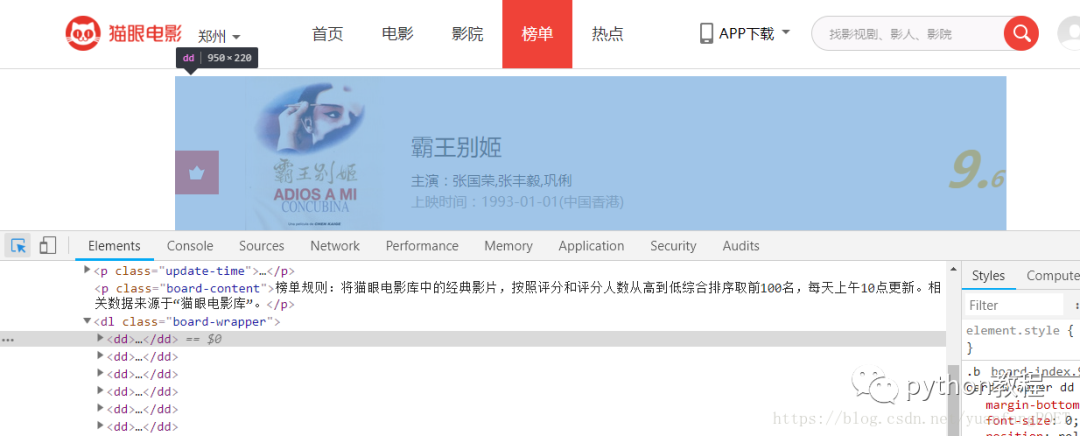
點(diǎn)開之后,信息如下:
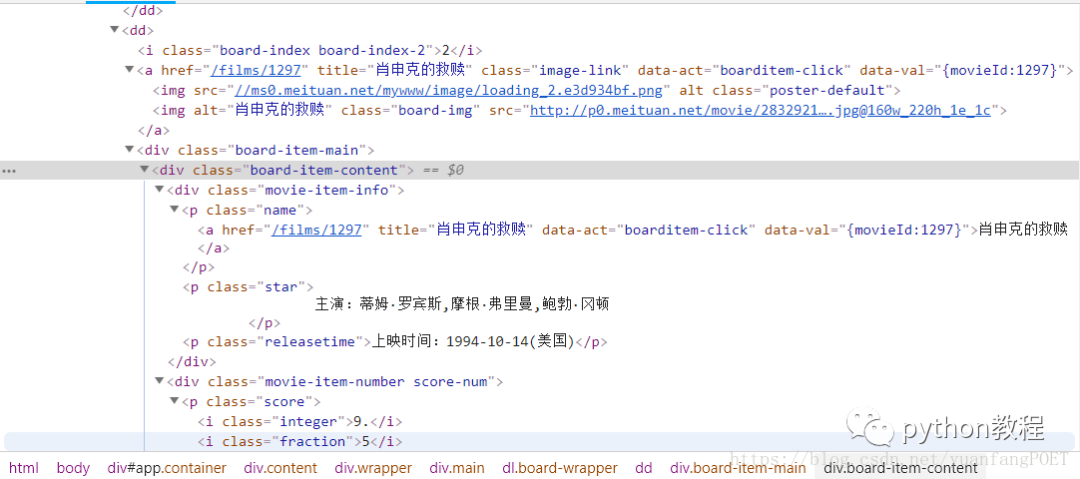
2.抓取單頁內(nèi)容
在瀏覽器中打開貓眼電影網(wǎng)站,點(diǎn)擊“榜單”,再點(diǎn)擊“TOP100榜”如下圖:
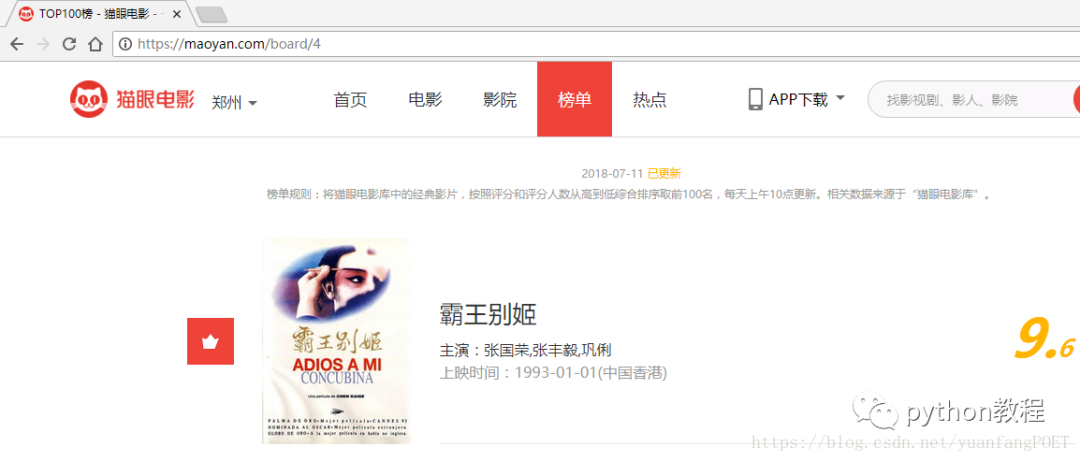
接下來通過以下代碼獲取網(wǎng)頁源代碼:
#-*-coding:utf-8-*-import requestsfrom requests.exceptions import RequestException#貓眼電影網(wǎng)站有反爬蟲措施,設(shè)置headers后可以爬取headers = {'Content-Type': 'text/plain; charset=UTF-8','Origin':'https://maoyan.com','Referer':'https://maoyan.com/board/4','User-Agent':'Mozilla/5.0 (Windows NT 10.0; Win64; x64) AppleWebKit/537.36 (KHTML, like Gecko) Chrome/67.0.3396.99 Safari/537.36'}#爬取網(wǎng)頁源代碼def get_one_page(url,headers):try:response =requests.get(url,headers =headers)if response.status_code == 200:return response.textreturn Noneexcept RequestsException:return Nonedef main():url = "https://maoyan.com/board/4"html = get_one_page(url,headers)print(html)if __name__ == '__main__':main()
執(zhí)行結(jié)果如下:
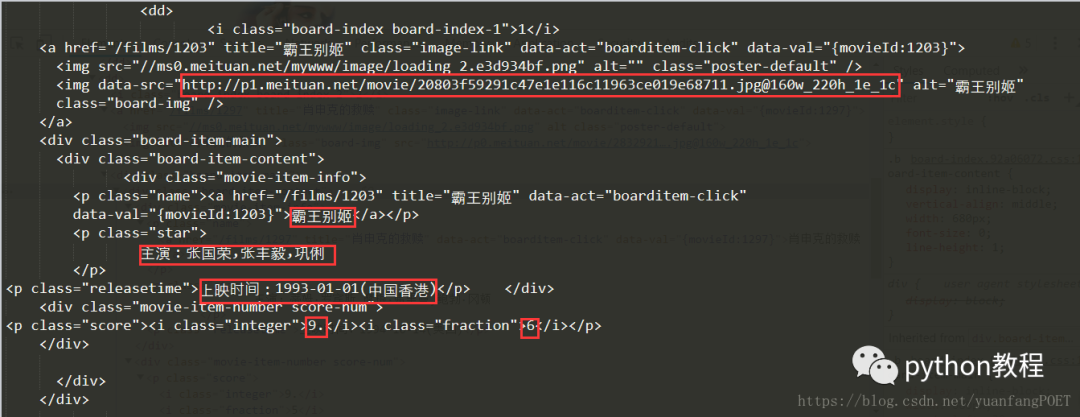
3.正則表達(dá)式提取信息
上圖標(biāo)示信息即為要提取的信息,代碼實(shí)現(xiàn)如下:
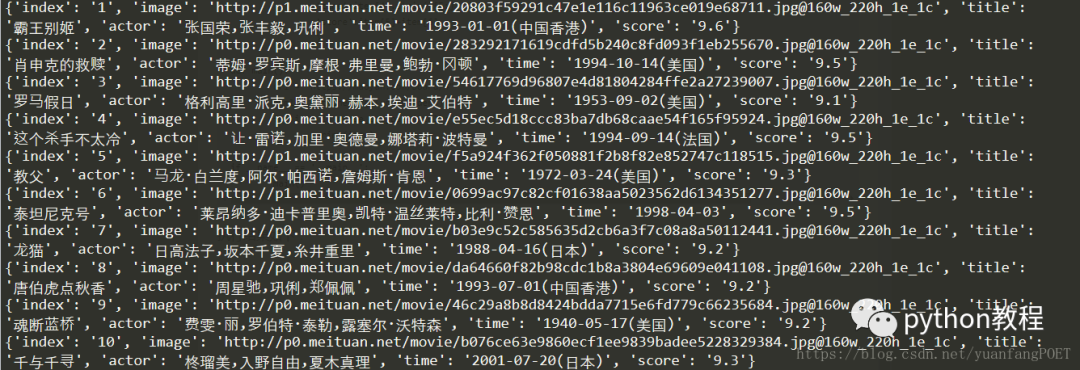
#-*-coding:utf-8-*-import requestsimport refrom requests.exceptions import RequestException#貓眼電影網(wǎng)站有反爬蟲措施,設(shè)置headers后可以爬取headers = {'Content-Type': 'text/plain; charset=UTF-8','Origin':'https://maoyan.com','Referer':'https://maoyan.com/board/4','User-Agent':'Mozilla/5.0 (Windows NT 10.0; Win64; x64) AppleWebKit/537.36 (KHTML, like Gecko) Chrome/67.0.3396.99 Safari/537.36'}#爬取網(wǎng)頁源代碼def get_one_page(url,headers):try:response =requests.get(url,headers =headers)if response.status_code == 200:return response.textreturn Noneexcept RequestsException:return None#正則表達(dá)式提取信息def parse_one_page(html):pattern = re.compile('<dd>.*?board-index.*?>(\d+)</i>.*?src="(.*?)".*?name"><a'+'.*?>(.*?)</a>.*?star">(.*?)</p>.*?releasetime">(.*?)</p>.*?integer">(.*?)</i>.*?fraction">(.*?)</i>.*?</dd>',re.S)items = re.findall(pattern,html)for item in items:yield{'index':item[0],'image':item[1],'title':item[2],'actor':item[3].strip()[3:],'time':item[4].strip()[5:],'score':item[5]+item[6]}def main():url = "https://maoyan.com/board/4"html = get_one_page(url,headers)for item in parse_one_page(html):print(item)if __name__ == '__main__':main()
執(zhí)行結(jié)果如下:
4.貓眼TOP100所有信息寫入文件
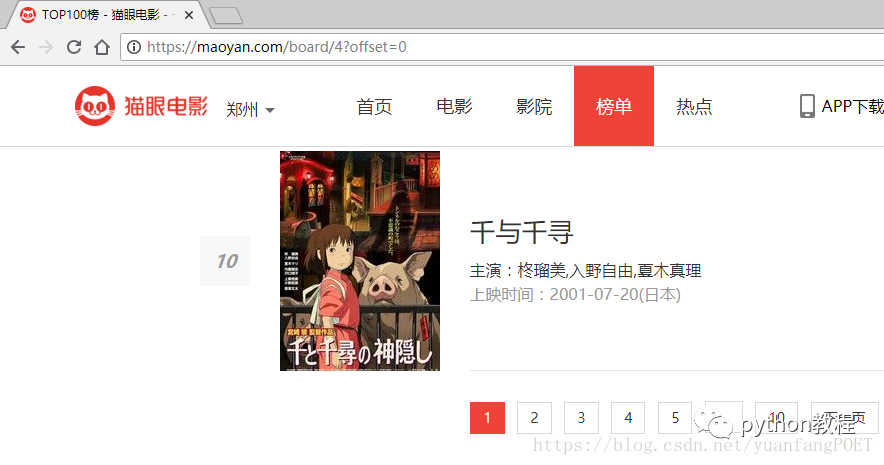
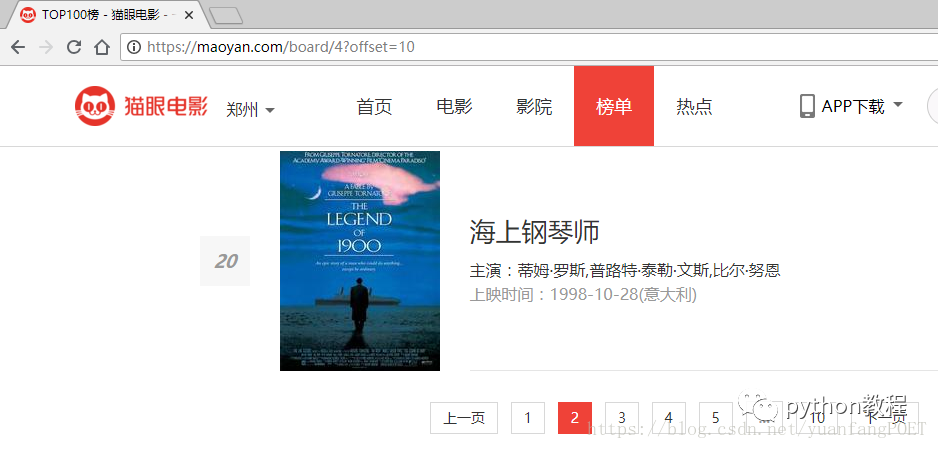
上邊代碼實(shí)現(xiàn)單頁的信息抓取,要想爬取100個(gè)電影的信息,先觀察每一頁url的變化,點(diǎn)開每一頁我們會(huì)發(fā)現(xiàn)url進(jìn)行變化,原url后面多了‘?offset=0',且offset的值變化從0,10,20,變化如下:
代碼實(shí)現(xiàn)如下:
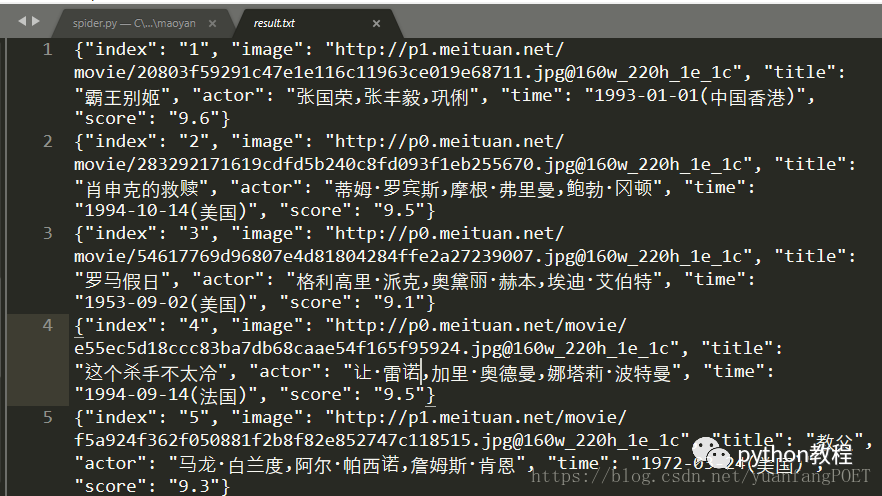
#-*-coding:utf-8-*-import requestsimport reimport jsonimport osfrom requests.exceptions import RequestException#貓眼電影網(wǎng)站有反爬蟲措施,設(shè)置headers后可以爬取headers = {'Content-Type': 'text/plain; charset=UTF-8','Origin':'https://maoyan.com','Referer':'https://maoyan.com/board/4','User-Agent':'Mozilla/5.0 (Windows NT 10.0; Win64; x64) AppleWebKit/537.36 (KHTML, like Gecko) Chrome/67.0.3396.99 Safari/537.36'}#爬取網(wǎng)頁源代碼def get_one_page(url,headers):try:response =requests.get(url,headers =headers)if response.status_code == 200:return response.textreturn Noneexcept RequestsException:return None#正則表達(dá)式提取信息def parse_one_page(html):pattern = re.compile('<dd>.*?board-index.*?>(\d+)</i>.*?src="(.*?)".*?name"><a'+'.*?>(.*?)</a>.*?star">(.*?)</p>.*?releasetime">(.*?)</p>.*?integer">(.*?)</i>.*?fraction">(.*?)</i>.*?</dd>',re.S)items = re.findall(pattern,html)for item in items:yield{'index':item[0],'image':item[1],'title':item[2],'actor':item[3].strip()[3:],'time':item[4].strip()[5:],'score':item[5]+item[6]}#貓眼TOP100所有信息寫入文件def write_to_file(content):#encoding ='utf-8',ensure_ascii =False,使寫入文件的代碼顯示為中文with open('result.txt','a',encoding ='utf-8') as f:f.write(json.dumps(content,ensure_ascii =False)+'\n')f.close()#下載電影封面def save_image_file(url,path):jd = requests.get(url)if jd.status_code == 200:with open(path,'wb') as f:f.write(jd.content)f.close()def main(offset):url = "https://maoyan.com/board/4?offset="+str(offset)html = get_one_page(url,headers)if not os.path.exists('covers'):os.mkdir('covers')for item in parse_one_page(html):print(item)write_to_file(item)save_image_file(item['image'],'covers/'+item['title']+'.jpg')if __name__ == '__main__':#對(duì)每一頁信息進(jìn)行爬取for i in range(10):main(i*10)
爬取結(jié)果如下:


原文鏈接:https://blog.csdn.net/yuanfangPOET/article/details/81006521
*聲明:本文于網(wǎng)絡(luò)整理,版權(quán)歸原作者所有,如來源信息有誤或侵犯權(quán)益,請(qǐng)聯(lián)系我們刪除或授權(quán)

評(píng)論
圖片
表情