
Python爬取王者榮耀全套皮膚
點(diǎn)擊上方“?python入門與進(jìn)階”,關(guān)注并“星標(biāo)
每日接收Python干貨!
來(lái)源:http://suo.im/6pj3Zp
一、分析需要爬取的網(wǎng)站
①、打開官方王者榮耀壁紙網(wǎng)站
網(wǎng)站地址:https://pvp.qq.com/web201605/wallpaper.shtml
②、快捷鍵F12,調(diào)出控制臺(tái)進(jìn)行抓包
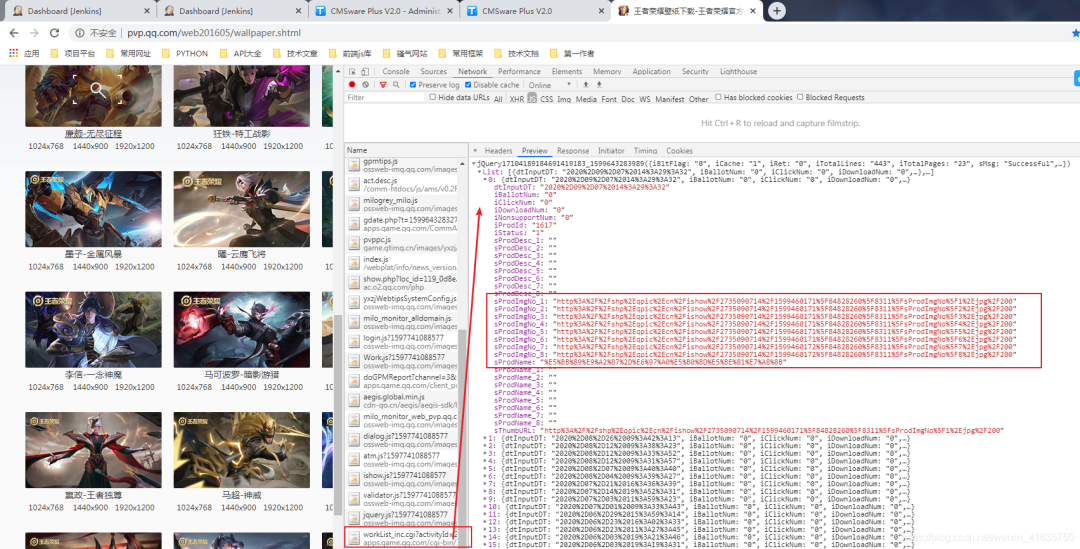
③、找到正確的鏈接并分析
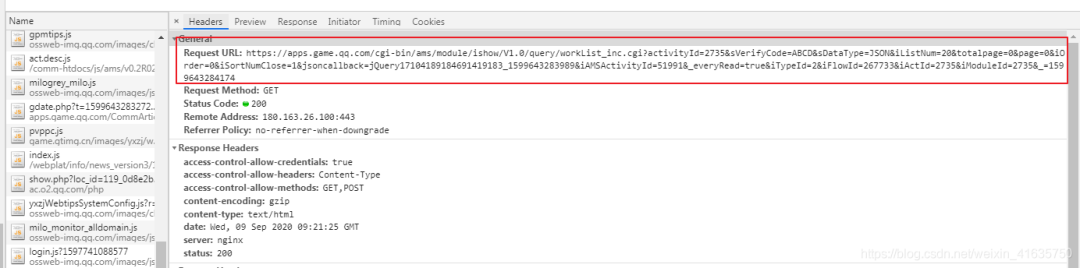
④、查看返回?cái)?shù)據(jù)格式
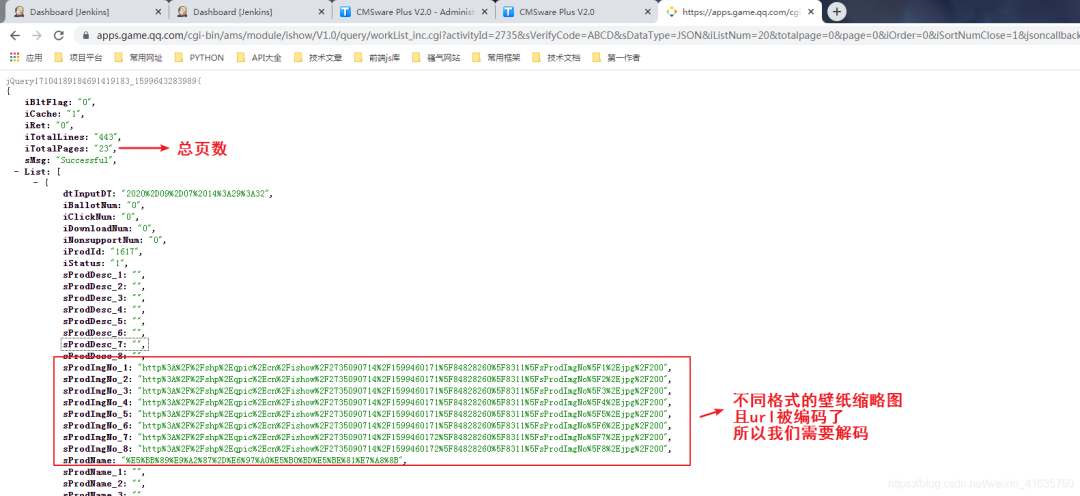
⑤、解析url鏈接
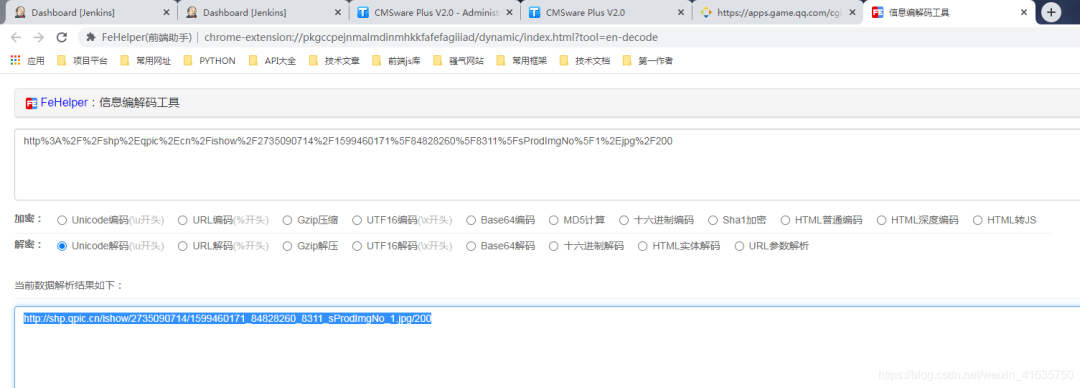
⑥、查看url內(nèi)容是否是所需圖片,發(fā)現(xiàn)其實(shí)是縮略圖
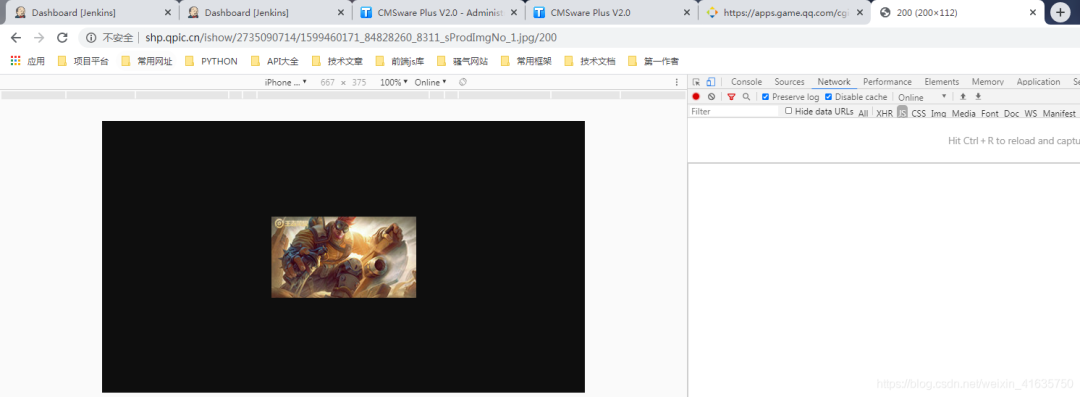
⑦、那就去分析網(wǎng)站,隨便點(diǎn)開一張壁紙,查看指定格式的鏈接
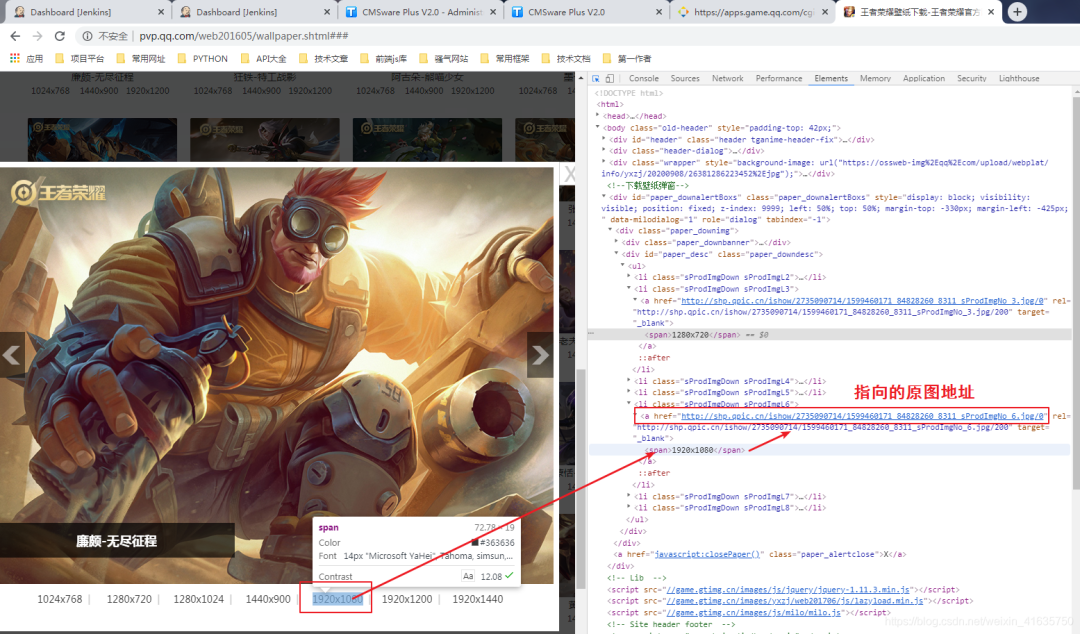
⑧、找到目標(biāo)地址
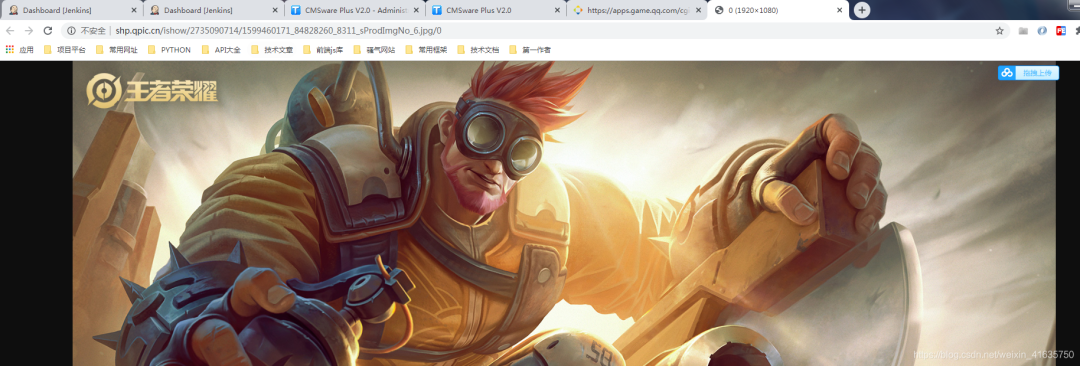
⑨、分析目標(biāo)鏈接和縮略圖的鏈接區(qū)別
縮略圖:http://shp.qpic.cn/ishow/2735090714/1599460171_84828260_8311_sProdImgNo_6.jpg/200
目標(biāo)圖:http://shp.qpic.cn/ishow/2735090714/1599460171_84828260_8311_sProdImgNo_6.jpg/0
可以知道,將指定格式的縮略圖地址后面200替換成0就是目標(biāo)真實(shí)圖片
二、爬蟲代碼
①、至此,爬蟲分析完成,爬蟲完整代碼如下
#!/usr/bin/env python# encoding: utf-8'''#-------------------------------------------------------------------# CONFIDENTIAL --- CUSTOM STUDIOS#-------------------------------------------------------------------## @Project Name : 王者榮耀壁紙下載## @File Name : main.py## @Programmer : Felix## @Start Date : 2020/7/30 14:42## @Last Update : 2020/7/30 14:42##-------------------------------------------------------------------'''import os, time, requests, json, refrom retrying import retryfrom urllib import parseclass HonorOfKings:'''This is a main Class, the file contains all documents.One document contains paragraphs that have several sentencesIt loads the original file and converts the original file to new contentThen the new content will be saved by this class'''def __init__(self, save_path='./heros'):self.save_path = save_pathself.time = str(time.time()).split('.')self.url = 'https://apps.game.qq.com/cgi-bin/ams/module/ishow/V1.0/query/workList_inc.cgi?activityId=2735&sVerifyCode=ABCD&sDataType=JSON&iListNum=20&totalpage=0&page={}&iOrder=0&iSortNumClose=1&iAMSActivityId=51991&_everyRead=true&iTypeId=2&iFlowId=267733&iActId=2735&iModuleId=2735&_=%s' % self.time[0]def hello(self):'''This is a welcome speech:return: self'''print("*" * 50)print(' ' * 18 + '王者榮耀壁紙下載')print(' ' * 5 + '作者: Felix Date: 2020-05-20 13:14')print("*" * 50)return selfdef run(self):'''The program entry'''print('↓' * 20 + ' 格式選擇: ' + '↓' * 20)print('1.縮略圖 2.1024x768 3.1280x720 4.1280x1024 5.1440x900 6.1920x1080 7.1920x1200 8.1920x1440')size = input('請(qǐng)輸入您想下載的格式序號(hào),默認(rèn)6:')size = size if size and int(size) in [1,2,3,4,5,6,7,8] else 6print('---下載開始...')page = 0offset = 0total_response = self.request(self.url.format(page)).texttotal_res = json.loads(total_response)total_page = --int(total_res['iTotalPages'])print('---總共 {} 頁(yè)...' . format(total_page))while True:if offset > total_page:breakurl = self.url.format(offset)response = self.request(url).textresult = json.loads(response)now = 0for item in result["List"]:now += 1hero_name = parse.unquote(item['sProdName']).split('-')[0]hero_name = re.sub(r'[【】:.<>|·@#$%^&() ]', '', hero_name)print('---正在下載第 {} 頁(yè) {} 英雄 進(jìn)度{}/{}...' . format(offset, hero_name, now, len(result["List"])))hero_url = parse.unquote(item['sProdImgNo_{}'.format(str(size))])save_path = self.save_path + '/' + hero_namesave_name = save_path + '/' + hero_url.split('/')[-2]if not os.path.exists(save_path):os.makedirs(save_path)if not os.path.exists(save_name):with open(save_name, 'wb') as f:response_content = self.request(hero_url.replace("/200", "/0")).contentf.write(response_content)offset += 1print('---下載完成...')@retry(stop_max_attempt_number=3)def request(self, url):'''Send a request:param url: the url of request:param timeout: the time of request:return: the result of request'''response = requests.get(url, timeout=10)assert response.status_code == 200return responseif __name__ == "__main__":HonorOfKings().hello().run()
②、詳細(xì)分析鏈接
其實(shí)前端發(fā)送的是jsonp請(qǐng)求,這樣的數(shù)據(jù)在python不好處理,因?yàn)椴皇菢?biāo)準(zhǔn)的json格式
因?yàn)槠淝懊鍶Query1710418919222這個(gè)字符串,而知道jsonp的請(qǐng)求的都知道,有這個(gè)前綴,必然請(qǐng)求鏈接中有相同的callback參數(shù),將其刪除即可
因此我python代碼中是刪除了這個(gè)參數(shù)的
這個(gè)鏈接還有很多參數(shù),其實(shí)我覺(jué)得很多都可以刪除,但是我懶得慢慢去試
這個(gè)請(qǐng)求鏈接中最重要的一個(gè)參數(shù)必然就是頁(yè)碼數(shù),也就是page這個(gè)參數(shù),iListNum=20&totalpage=0&page={}
上面的三個(gè)參數(shù)是可用的,一個(gè)是20,指每頁(yè)的數(shù)量,totalpage估計(jì)沒(méi)啥用,page抓包發(fā)現(xiàn)是從0開始的,這個(gè)需要注意一下,因?yàn)橄旅娲a需要將總頁(yè)數(shù)減1
self.url = 'https://apps.game.qq.com/cgi-bin/ams/module/ishow/V1.0/query/workList_inc.cgi?activityId=2735&sVerifyCode=ABCD&sDataType=JSON&iListNum=20&totalpage=0&page={}&iOrder=0&iSortNumClose=1&iAMSActivityId=51991&_everyRead=true&iTypeId=2&iFlowId=267733&iActId=2735&iModuleId=2735&_=%s' % self.time[0]
③、格式選擇
開始運(yùn)行時(shí),讓你選擇想下載格式的序號(hào),為什么是8個(gè)格式呢,看原網(wǎng)頁(yè)就知道了,8種不同分辨率的
看上面的圖片,縮略圖鏈接有1-8,對(duì)應(yīng)了8中分辨率的縮略圖,那么原圖必然也是8種
這里我默認(rèn)1920*1080的,一般電腦用這個(gè)分辨率的都可以
其中1的原圖,你自己試下,其實(shí)也是一個(gè)縮略圖,所以一般下載選擇2-8
print('↓' * 20 + ' 格式選擇: ' + '↓' * 20)print('1.縮略圖 2.1024x768 3.1280x720 4.1280x1024 5.1440x900 6.1920x1080 7.1920x1200 8.1920x1440')size = input('請(qǐng)輸入您想下載的格式序號(hào),默認(rèn)6:')size = size if size and int(size) in [1,2,3,4,5,6,7,8] else 6
④、下載代碼分析
第一次請(qǐng)求主要是為了獲取總頁(yè)數(shù),但是請(qǐng)求是從0開始為第一頁(yè),所以需要減去1
while true中就是開始從0循環(huán)去請(qǐng)求地址,先找到縮略圖地址,然后將縮略圖的地址鏈接200替換成0就是目標(biāo)圖片地址了
如果名字中有特殊字符,就將其用正則去除,不然可能會(huì)影響路徑的查找
print('---下載開始...')page = 0offset = 0total_response = self.request(self.url.format(page)).texttotal_res = json.loads(total_response)total_page = --int(total_res['iTotalPages'])print('---總共 {} 頁(yè)...' . format(total_page))while True:if offset > total_page:breakurl = self.url.format(offset)response = self.request(url).textresult = json.loads(response)now = 0for item in result["List"]:now += 1hero_name = parse.unquote(item['sProdName']).split('-')[0]hero_name = re.sub(r'[【】:.<>|·@#$%^&() ]', '', hero_name)print('---正在下載第 {} 頁(yè) {} 英雄 進(jìn)度{}/{}...' . format(offset, hero_name, now, len(result["List"])))hero_url = parse.unquote(item['sProdImgNo_{}'.format(str(size))])save_path = self.save_path + '/' + hero_namesave_name = save_path + '/' + hero_url.split('/')[-2]if not os.path.exists(save_path):os.makedirs(save_path)if not os.path.exists(save_name):with open(save_name, 'wb') as f:response_content = self.request(hero_url.replace("/200", "/0")).contentf.write(response_content)offset += 1print('---下載完成...')
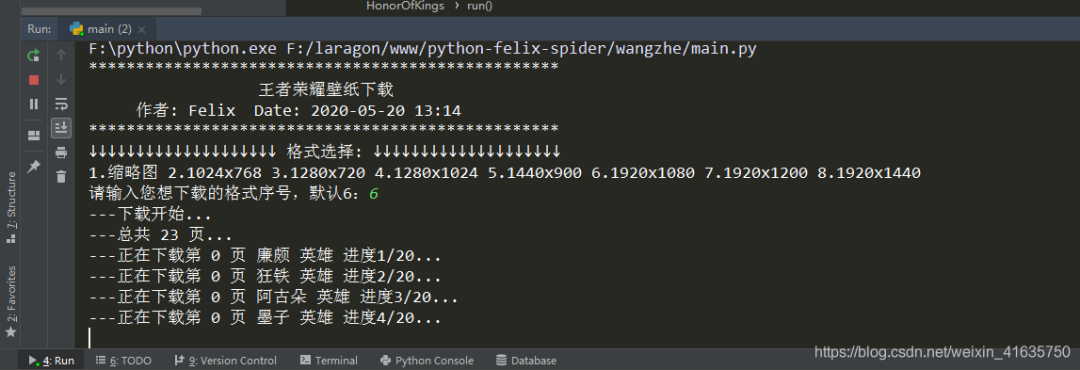
⑤、爬蟲運(yùn)行的結(jié)果,相同名字的放在同一個(gè)文件夾下

- end - 回復(fù)關(guān)鍵字“ 簡(jiǎn)明python ”,立即獲取入門必備書籍《簡(jiǎn)明python教程》電子版
回復(fù)關(guān)鍵字 “ 爬蟲 ”,立即獲取爬蟲學(xué)習(xí)資料
python入門與進(jìn)階 每天與你一起成長(zhǎng) 推薦閱讀
點(diǎn)「在看」的人都變好看了哦!