
Flutter 中 TextField 組件必然會遇到的問題

TextField 組件幾乎是開發(fā)中必然會用到的一個組件,在使用的過程中會遇到兩個非常棘手的問題:
字數(shù)統(tǒng)計異常。 設置高度,文字無法居中。
字數(shù)統(tǒng)計異常
一般情況下,實現(xiàn)字數(shù)統(tǒng)計方法如下:
TextField(
??onChanged:?(value){
????setState(()?{
??????_textFieldValue?=?value;
????});
??},
??decoration:?InputDecoration(
??????counterText:?'${_textFieldValue.length}/32'
??),
),
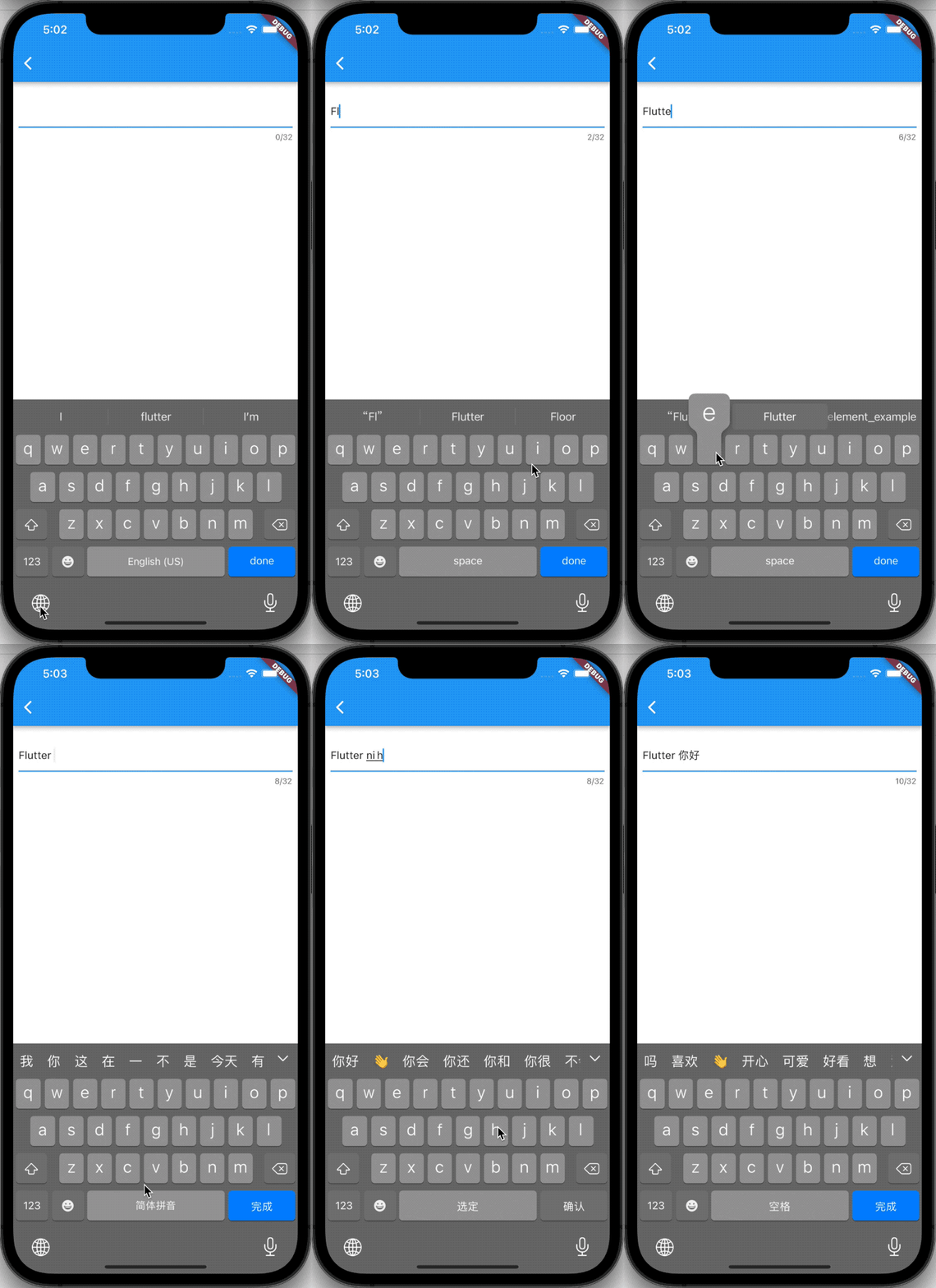
大部分情況下是沒有問題的,但是在 IOS 簡體拼音輸入法下有問題(可能其他輸入法也有類似的問題),效果如下:
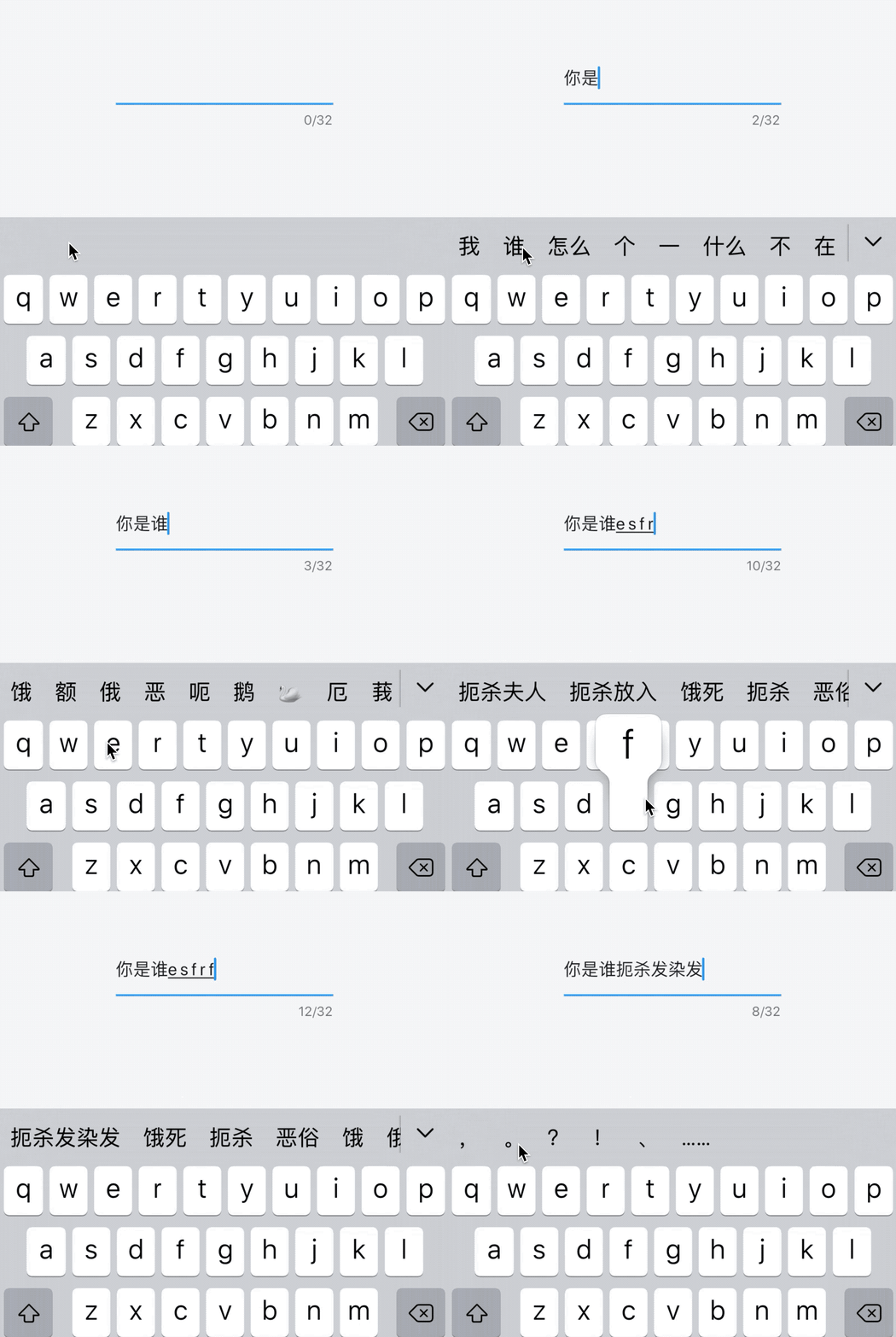
中文輸入法統(tǒng)計正在編輯中文的過程中會統(tǒng)計英文,假如限制5個中文,當輸入4個中文后,最后一個中文輸入2個及以上英文時,會觸發(fā)最大字數(shù)限制,這當然不是我們想要的效果。
?在去年的時候,這個Bug解決了很久都沒有解決,最終產品妥協(xié)去掉了這個功能,直到最近查看源碼的時候,無意中發(fā)現(xiàn)了這個Bug的解決方案。
?
下面說下如何修復這個問題,關鍵是 TextField 中 「controller.value.composing」 這個屬性,官方文檔說明:
?The range of text that is still being composed.
仍在編寫的文本范圍。
?
就是上面GIF中出現(xiàn)下劃線的部分,字數(shù)統(tǒng)計計算:
??TextEditingController?_controller?=?TextEditingController();
??int?_wordLength?=?0;
??///?計算字數(shù),不算正在編輯的文字
??void?_computeWordCount()?{
????var?valueLength?=?_controller.value.text.length;
????var?composingLength?=
????????_controller.value.composing.end?-?_controller.value.composing.start;
????setState(()?{
??????_wordLength?=?valueLength?-?composingLength;
????});
??}
TextField(
??controller:?_controller,
??onChanged:?(value){
????_computeWordCount();
??},
??decoration:?InputDecoration(
??????counterText:?'$_wordLength/32'
??),
),
文字無法居中
首先我們寫一個 「TextField」 的基本用法,為了方便定位文字是否居中,給 「TextField」 加上邊框:
TextField(
??decoration:?InputDecoration(
????enabledBorder:?OutlineInputBorder(
??????borderSide:?BorderSide(color:?Color(0xFFDCDFE6)),
??????borderRadius:?BorderRadius.all(Radius.circular(4.0)),
????),
????focusedBorder:?OutlineInputBorder(
??????borderSide:?BorderSide(color:?Color(0xFF409EFF)),
??????borderRadius:?BorderRadius.all(Radius.circular(4.0)),
????),
??),
),

此時文字是正好居中的,下面改變 TextField 的高度:
Container(
??height:?30,
??child:?TextField(
????decoration:?InputDecoration(
??????enabledBorder:?OutlineInputBorder(
????????borderSide:?BorderSide(color:?Color(0xFFDCDFE6)),
????????borderRadius:?BorderRadius.all(Radius.circular(4.0)),
??????),
??????focusedBorder:?OutlineInputBorder(
????????borderSide:?BorderSide(color:?Color(0xFF409EFF)),
????????borderRadius:?BorderRadius.all(Radius.circular(4.0)),
??????),
????),
??),
),

發(fā)現(xiàn)此時文字已經不居中了,當然網上有很多解決辦法,比如設置 contentPadding: EdgeInsets.symmetric(vertical: 0,horizontal: 12):
Container(
??height:?30,
??child:?TextField(
????decoration:?InputDecoration(
??????fillColor:?Colors.white,
??????filled:?true,
??????enabledBorder:?OutlineInputBorder(
????????borderSide:?BorderSide(color:?Color(0xFFDCDFE6)),
????????borderRadius:?BorderRadius.all(Radius.circular(4.0)),
??????),
??????focusedBorder:?OutlineInputBorder(
????????borderSide:?BorderSide(color:?Color(0xFF409EFF)),
????????borderRadius:?BorderRadius.all(Radius.circular(4.0)),
??????),
??????contentPadding:?EdgeInsets.symmetric(vertical:?0,horizontal:?12),
????),
??),
),

其實這種方式并沒有嚴格居中對齊,只不過偏差較小,勉強可以接受。
看下面的例子,設置高度為150:
Container(
??height:?150,
??color:?Colors.green.withOpacity(.5),
??child:?TextField(
????decoration:?InputDecoration(
??????fillColor:?Colors.white,
??????filled:?true,
??????enabledBorder:?OutlineInputBorder(
????????borderSide:?BorderSide(color:?Color(0xFFDCDFE6)),
????????borderRadius:?BorderRadius.all(Radius.circular(4.0)),
??????),
??????focusedBorder:?OutlineInputBorder(
????????borderSide:?BorderSide(color:?Color(0xFF409EFF)),
????????borderRadius:?BorderRadius.all(Radius.circular(4.0)),
??????),
????),
??),
)
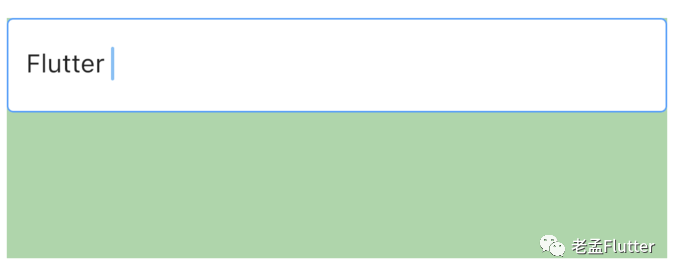
發(fā)現(xiàn) TextField 的高度不是150,在 「maxLines = 1」 的情況下,通過設置 「contentPadding」 改變其高度,為了方便驗證是否居中,在中間繪制一條對齊線:
Container(
??height:?150,
??color:?Colors.green.withOpacity(.5),
??child:?Stack(
????children:?[
??????TextField(
????????decoration:?InputDecoration(
??????????fillColor:?Colors.white,
??????????filled:?true,
??????????enabledBorder:?OutlineInputBorder(
????????????borderSide:?BorderSide(color:?Color(0xFFDCDFE6)),
????????????borderRadius:?BorderRadius.all(Radius.circular(4.0)),
??????????),
??????????focusedBorder:?OutlineInputBorder(
????????????borderSide:?BorderSide(color:?Color(0xFF409EFF)),
????????????borderRadius:?BorderRadius.all(Radius.circular(4.0)),
??????????),
??????????contentPadding:
??????????????EdgeInsets.symmetric(horizontal:?12,?vertical:?75),
????????),
??????),
??????Positioned.fill(
??????????child:?Divider(
????????height:?1,
????????color:?Colors.red,
??????)),
????],
??),
),
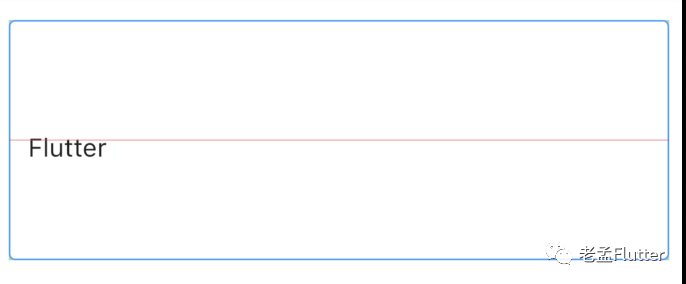
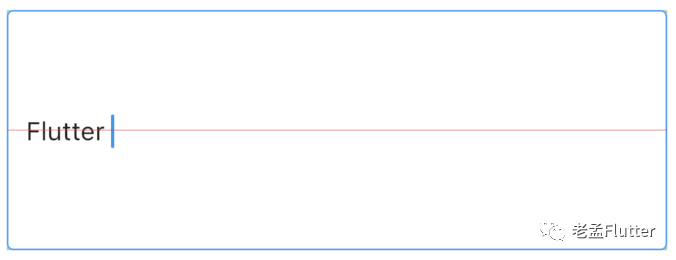
發(fā)現(xiàn)其未居中,調整 「contentPadding」,
contentPadding:
????EdgeInsets.symmetric(horizontal:?12,?vertical:?67.5)
我們改變文字的大小:
Container(
??height:?150,
??color:?Colors.green.withOpacity(.5),
??child:?Stack(
????children:?[
??????TextField(
????????decoration:?InputDecoration(
??????????fillColor:?Colors.white,
??????????filled:?true,
??????????enabledBorder:?OutlineInputBorder(
????????????borderSide:?BorderSide(color:?Color(0xFFDCDFE6)),
????????????borderRadius:?BorderRadius.all(Radius.circular(4.0)),
??????????),
??????????focusedBorder:?OutlineInputBorder(
????????????borderSide:?BorderSide(color:?Color(0xFF409EFF)),
????????????borderRadius:?BorderRadius.all(Radius.circular(4.0)),
??????????),
??????????contentPadding:?EdgeInsets.symmetric(
??????????????horizontal:?12,?vertical:?67.5),
????????),
????????style:?TextStyle(fontSize:?30),
??????),
??????Positioned.fill(
??????????child:?Divider(
????????height:?1,
????????color:?Colors.red,
??????)),
????],
??),
),
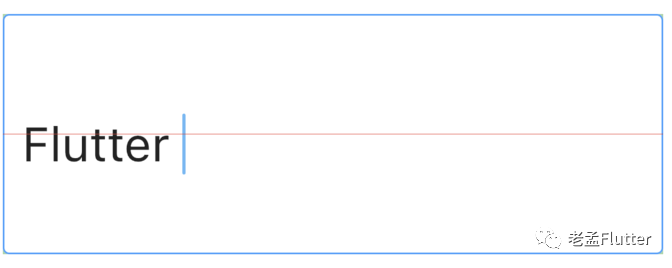
此時又不居中了,contentPadding** 需要設置的值是根據 TextField的高度 和 文字高度共同決定的,公式是:
?「( TextField的高度 - 文字高度)/2」
?
我們需要計算出文字的高度:
????TextStyle?_style?=?const?TextStyle(fontSize:?30);
????var?textPainter?=?TextPainter(
??????text:?TextSpan(
????????text:?'',
????????style:?_style,
??????),
??????textDirection:?TextDirection.ltr,
??????textWidthBasis:?TextWidthBasis.longestLine,
????)..layout();
「textPainter.height」 表示文字的高度。
設置 contentPadding:
contentPadding:?EdgeInsets.symmetric(
????horizontal:?12,
????vertical:?(150?-?textPainter.height)?/?2),
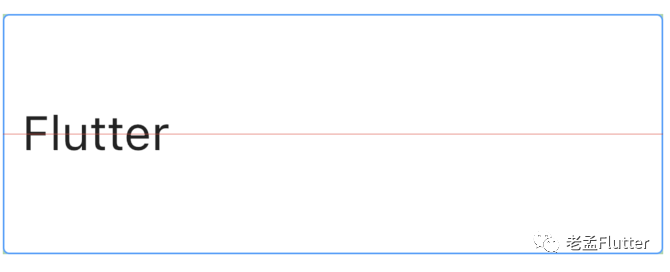
以后再也不需要根據不同的高度和字體進行微調了。
