
Apollo配置中心源碼編譯及搭建
閱讀文本大概需要3分鐘。
? ? ? ?Apollo(阿波羅)是攜程框架部門研發(fā)的分布式配置中心,能夠集中化管理應(yīng)用不同環(huán)境、不同集群的配置,配置修改后能夠?qū)崟r(shí)推送到應(yīng)用端,并且具備規(guī)范的權(quán)限、流程治理等特性,適用于微服務(wù)配置管理場景。服務(wù)端基于Spring Boot和Spring Cloud開發(fā),打包后可以直接運(yùn)行,不需要額外安裝Tomcat等應(yīng)用容器。目前從官網(wǎng)看Apollo提供了Java和.Net的客戶端接入sdk。
https://github.com/ctripcorp/apollo/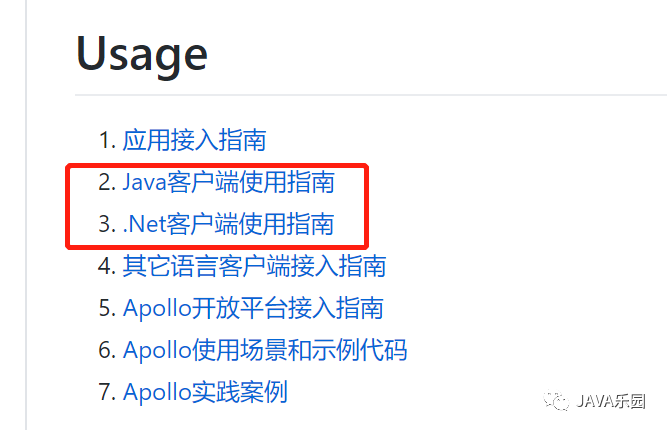
0x01:下載Apollo源碼并導(dǎo)入eclipse
使用如下命令下載源碼
git?clone?https://github.com/ctripcorp/apollo/
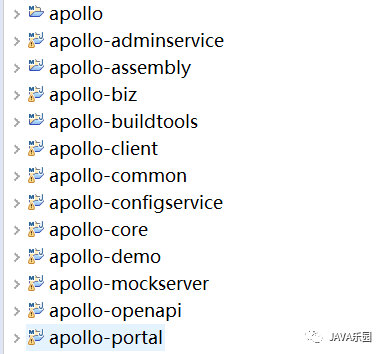
導(dǎo)入eclipse
0x02:創(chuàng)建數(shù)據(jù)庫
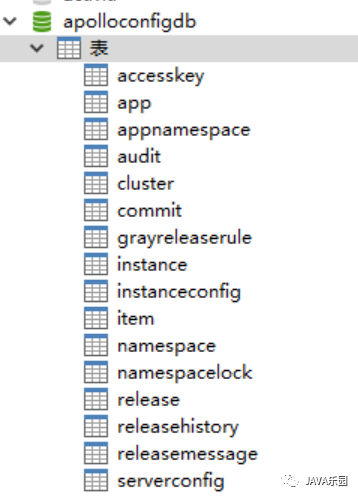
Apollo服務(wù)端共需要兩個(gè)數(shù)據(jù)庫:ApolloPortalDB和ApolloConfigDB。所需的SQL腳本位于如下目錄
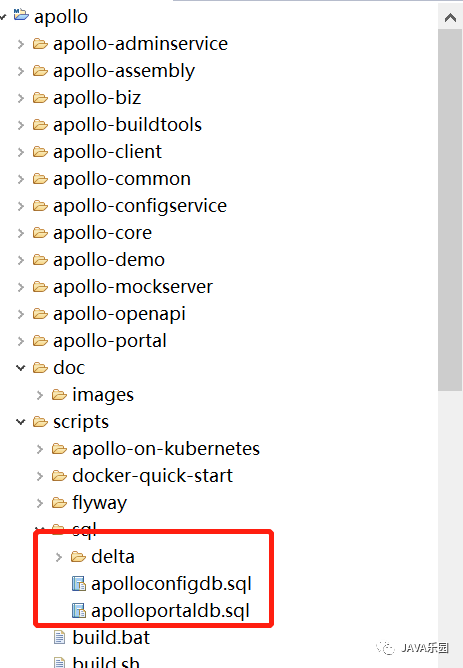
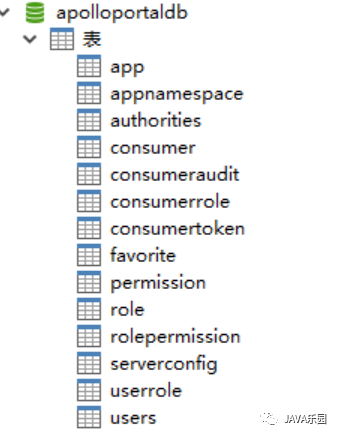
ApolloPortalDB如下:
ApolloConfigDB如下:
0x03:?手動(dòng)打包
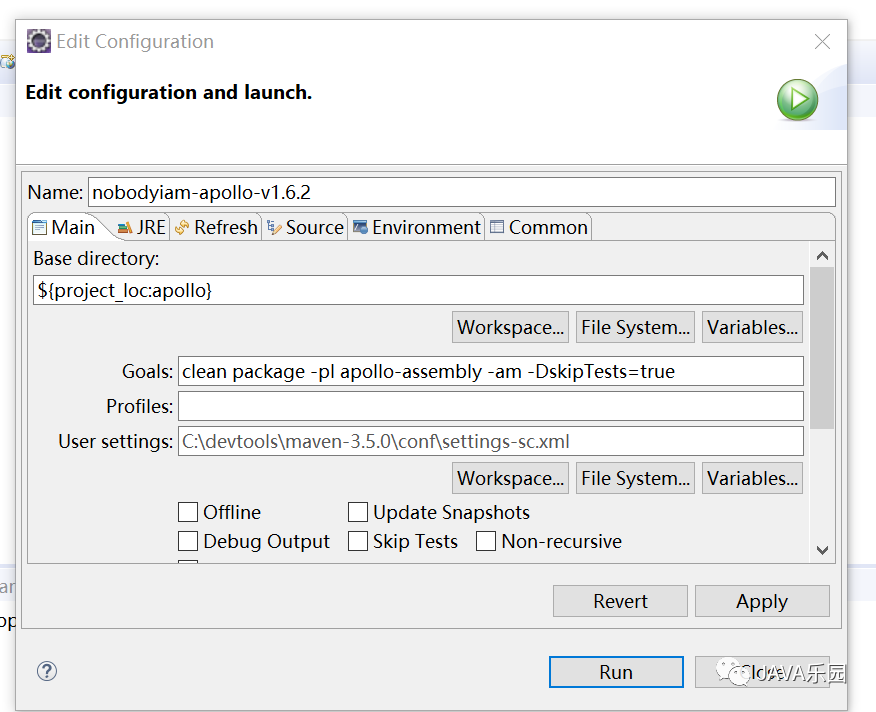
? ? ? 先手動(dòng)對Apollo進(jìn)行一次打包,把對應(yīng)的jar都安裝到本地Maven,方便下一步進(jìn)行Apollo啟動(dòng),修改apollo-configservice、apollo-adminservice和apollo-portal的pom.xml,注釋掉spring-boot-maven-plugin和maven-assembly-plugin,在根目錄下執(zhí):
mvn?clean?package?-pl?apollo-assembly?-am?-DskipTests=true
0x04:Apollo Config Service和Apollo Admin Service啟動(dòng)
? ? ? 在本地開發(fā)時(shí),一般會(huì)在IDE中同時(shí)啟動(dòng)apollo-configservice和apollo-adminservice。Apollo可以同時(shí)啟動(dòng)apollo-configservice和apollo-adminservice,同時(shí)啟動(dòng)時(shí)使用ApolloApplication類
com.ctrip.framework.apollo.assembly.ApolloApplication
? ? ?另外,如果希望獨(dú)立啟動(dòng)apollo-configservice和apollo-adminservice,可以把Main Class分別換成:
com.ctrip.framework.apollo.configservice.ConfigServiceApplication
com.ctrip.framework.apollo.adminservice.AdminServiceApplication
配置com.ctrip.framework.apollo.assembly.ApolloApplication類
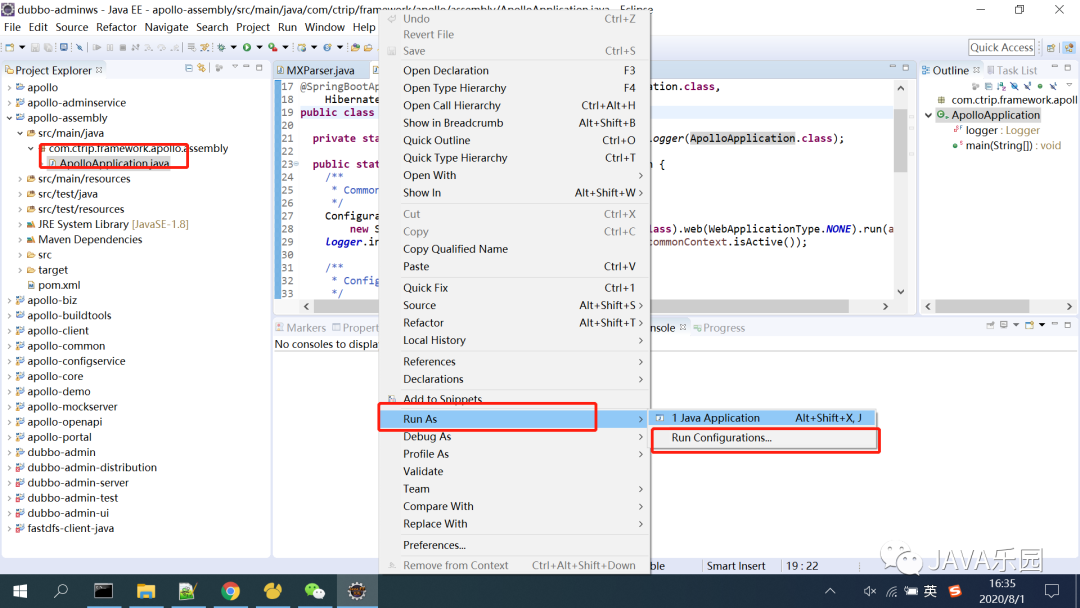
配置
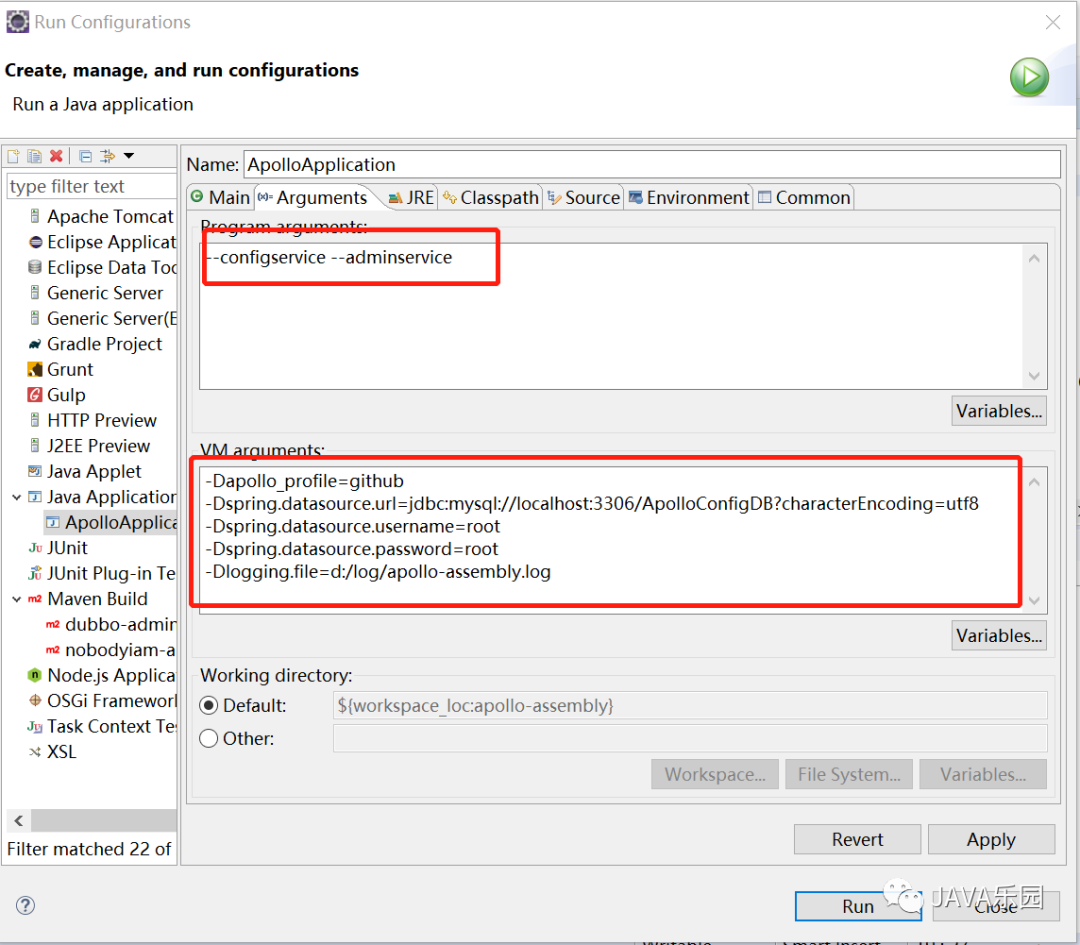
Vm options 配置
-Dapollo_profile=github
-Dspring.datasource.url=jdbc:mysql://localhost:3306/ApolloConfigDB?characterEncoding=utf8
-Dspring.datasource.username=root
-Dspring.datasource.password=root
-Dlogging.file=d:/log/apollo-assembly.log
datasource相關(guān)配置替換成你自己的數(shù)據(jù)庫連接信息,注意數(shù)據(jù)庫是ApolloConfigDB
程序默認(rèn)日志輸出為/opt/logs/100003171/apollo-assembly.log,如果需要修改日志文件路徑,可以增加logging.file參數(shù),如下:
-Dlogging.file=d:/log/apollo-assembly.logProgram arguments 配置
--configservice?--adminservice
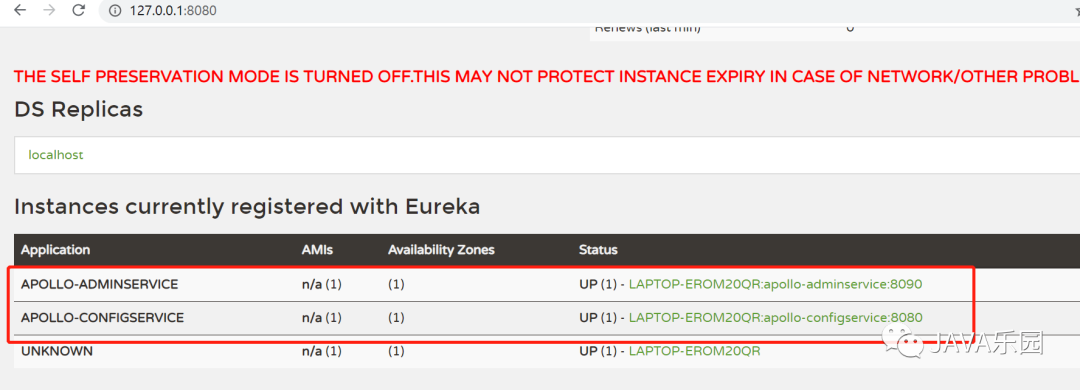
啟動(dòng)完后,打開http://localhost:8080可以看到apollo-configservice和apollo-adminservice都已經(jīng)啟動(dòng)完成并注冊到Eureka。
0x05:啟動(dòng)Apollo-Portal
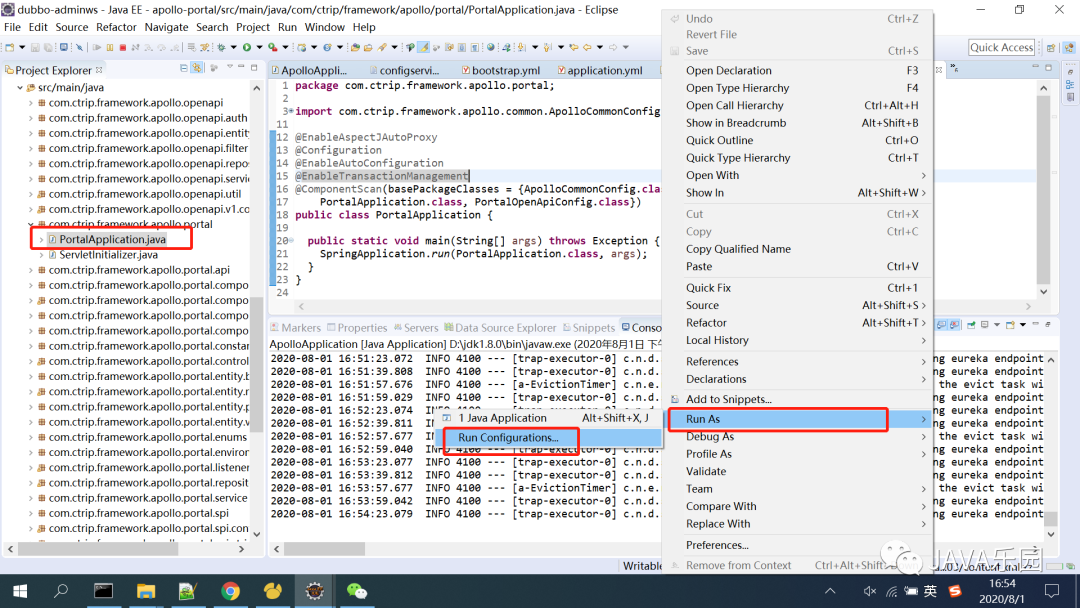
啟動(dòng)Apollo-Portal需要用到PortalApplication類
com.ctrip.framework.apollo.portal.PortalApplication配置PortalApplication類
配置:
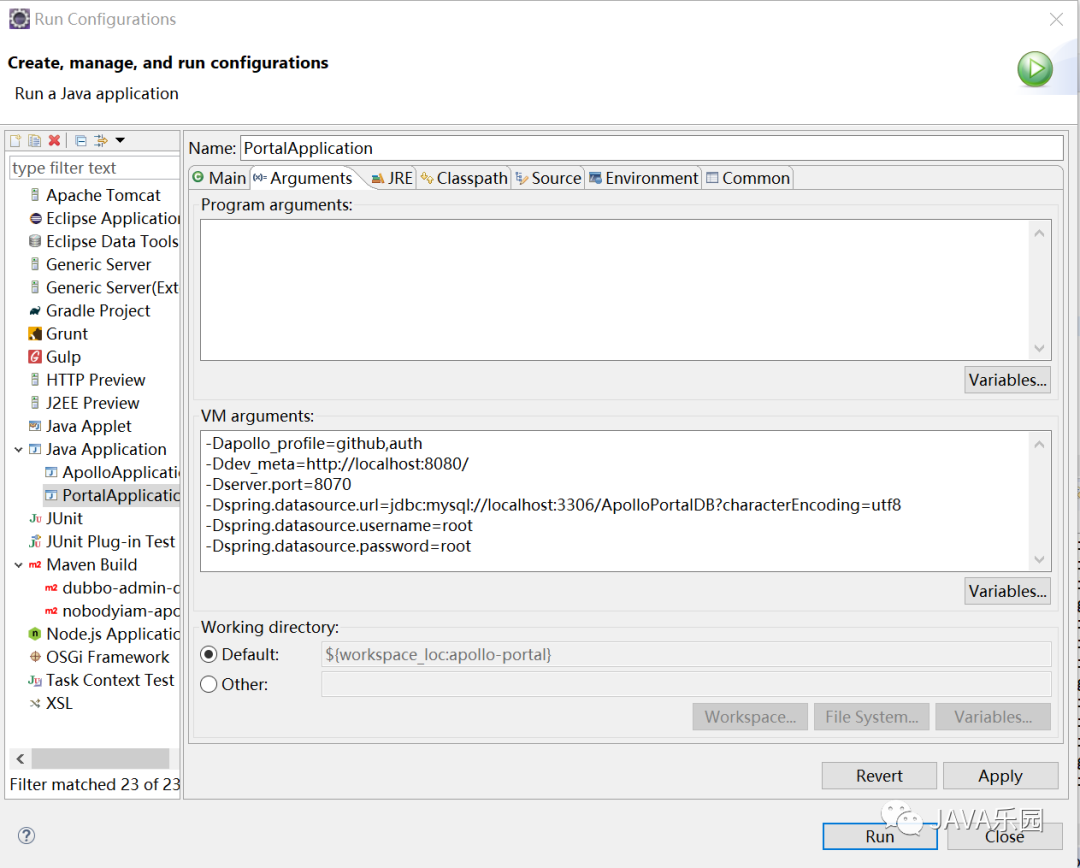
-Dapollo_profile=github,auth
-Ddev_meta=http://localhost:8080/
-Dserver.port=8070
-Dspring.datasource.url=jdbc:mysql://localhost:3306/ApolloPortalDB?characterEncoding=utf8
-Dspring.datasource.username=root
-Dspring.datasource.password=root
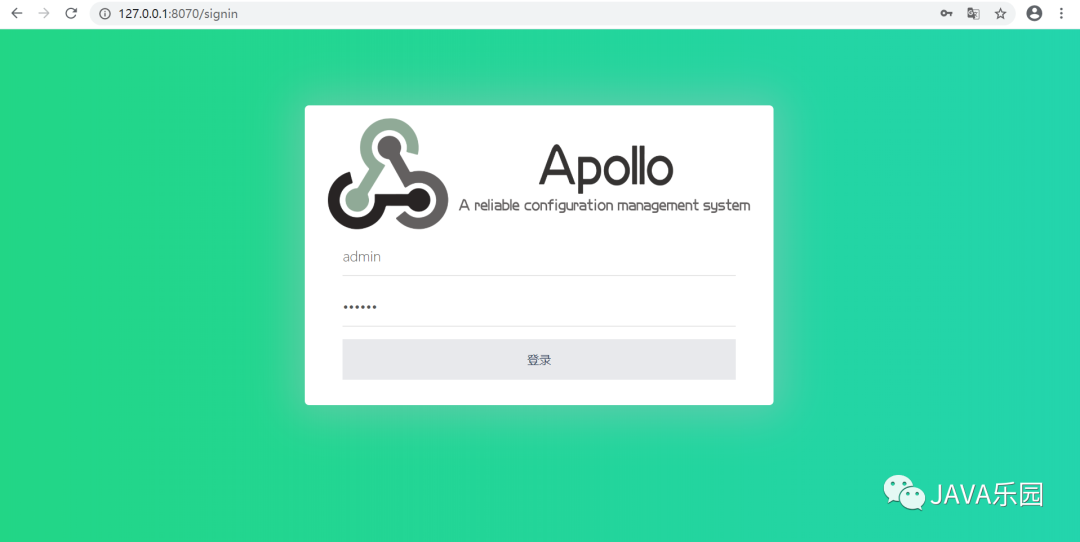
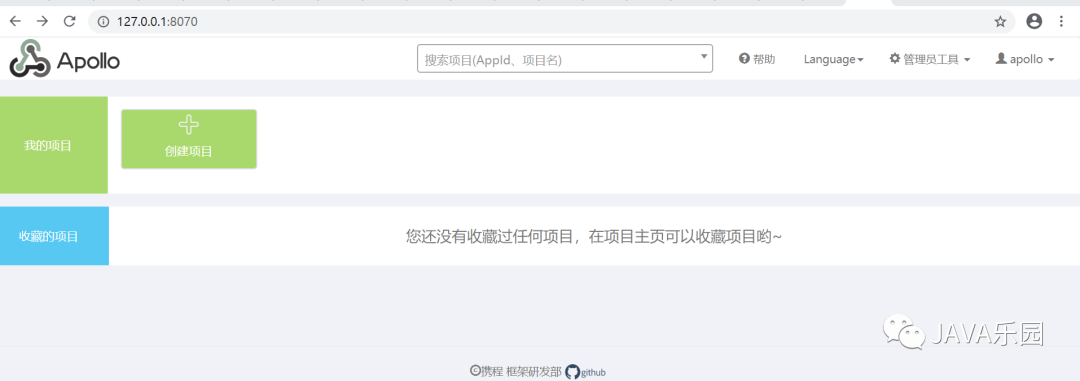
? ? ? ?默認(rèn)ApolloPortalDB中導(dǎo)入的配置只會(huì)展示DEV環(huán)境的配置,所以這里配置了dev_meta屬性,如果你希望在本地展示其它環(huán)境的配置,需要在這里增加其它環(huán)境的meta服務(wù)器地址,如fat_meta。啟動(dòng)完后,打開http://localhost:8070就可以看到Apollo配置中心界面了,默認(rèn)賬號密碼apollo/admin。
登錄后
參考:https://github.com/ctripcorp/apollo/wiki/Apollo開發(fā)指南
☆
往期精彩
☆
01?Sentinel如何進(jìn)行流量監(jiān)控
02?Nacos源碼編譯
03?基于Apache Curator框架的ZooKeeper使用詳解
關(guān)注我
每天進(jìn)步一點(diǎn)點(diǎn)