
4000字,詳解Python操作MySQL數(shù)據(jù)庫(kù)!
作者 | 黃偉呢
出品 | 數(shù)據(jù)分析與統(tǒng)計(jì)學(xué)之美
本文的重點(diǎn),就是教會(huì)大家,如何用Python來(lái)操作MySQL數(shù)據(jù)庫(kù)。
1. 通用步驟
其實(shí),這里有一個(gè)通用步驟,都是寫死了的,大家照做就行。
#?1.?導(dǎo)入相關(guān)庫(kù)
import?pymysql

#?2.?鏈接MySQL服務(wù)器
db?=?pymysql.connect(host='localhost'?,?user='root'?,?password='******'?,?port=3306?,db='spiders'?,?charset='utf8')

#?3.?創(chuàng)建一個(gè)cursor游標(biāo)對(duì)象
cursor?=?db.cursor()

#?4.?在這一步寫你的sql語(yǔ)句
sql?=?'select?version()'

#?5.?執(zhí)行sql語(yǔ)句
cursor.execute(sql)

#?6.?斷開連接
db.close()
可以看出,整個(gè)過(guò)程就是第四步那里不同。歸根到底,其實(shí)就是寫sql。
2. 需要特別說(shuō)明的知識(shí)點(diǎn)
Ⅰ 各參數(shù)說(shuō)明
db?=?pymysql.connect(host='localhost'?,?user='root'?,?password='******'?,?port=3306?,db='spiders'?,?charset='utf8')
這一行代碼很長(zhǎng),里面涉及到好幾個(gè)參數(shù),這里為大家一一介紹如下:
參數(shù) 1 :mysql 服務(wù)器所在的主機(jī) IP
參數(shù) 2 :用戶名;
參數(shù) 3 :密碼;
參數(shù) 4 :連接的 mysql 主機(jī)的端口,默認(rèn)是 3306;
參數(shù) 5 :連接的數(shù)據(jù)庫(kù)名;
參數(shù) 6 :通信采用的編碼方式,默認(rèn)是'gb2312',要求與數(shù)據(jù)庫(kù)創(chuàng)建時(shí)指定的編碼一致,否則中文會(huì)亂碼;
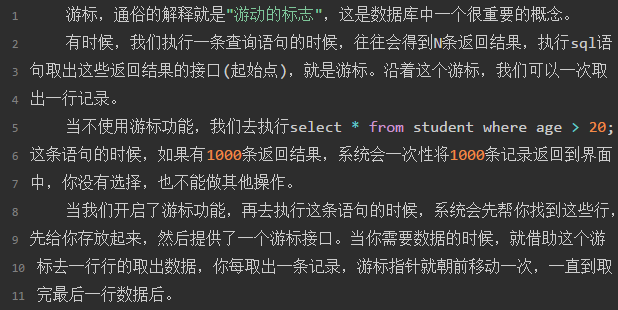
Ⅱ cursor游標(biāo)對(duì)象
3. Python增刪改查操作
創(chuàng)建一個(gè)數(shù)據(jù)表
import?pymysql

db?=?pymysql.connect(host='192.168.3.47'?,?user='root',password='******'?,?port=3306?,?db='spiders'?,?charset='utf8')

cursor?=?db.cursor()

#?檢查表是否存在,如果存在刪除
cursor.execute('drop?table?if?exists?students')

#?創(chuàng)建表
sql?=?'create?table?students(id?int?auto_increment?primary?key?not?null,name?varchar(10)?not?null,age?int?not?null)'

cursor.execute(sql)

db.close()
注:以后用代碼創(chuàng)建表的機(jī)會(huì)并不多,表一般都是我們提前創(chuàng)建好的。
插入數(shù)據(jù)
import?pymysql

db?=?pymysql.connect(host='192.168.3.47'?,?user='root',password='******'?,?port=3306?,?db='spiders'?,?charset='utf8')

cursor?=?db.cursor()

#?插入數(shù)據(jù)
sql?=?'insert?into?students(name,age)?values(%s,%s)'
try:
???cursor.execute(sql,('孫悟空',100000))
???db.commit()
except:print("插入失敗")
???db.rollback()

db.close()
注 1:插入數(shù)據(jù)一定要用 try…except…語(yǔ)句,因?yàn)槿f(wàn)一沒插入成功,其余代碼都無(wú)法執(zhí)行。
注 2:import pymysql,此模塊是默認(rèn)開啟mysql的事務(wù)功能的,因此,進(jìn)行“增”、“刪”、“改”的時(shí)候,一定要使用db.commit()提交事務(wù),否則就看不見所插入的數(shù)據(jù)。
更新數(shù)據(jù)
import?pymysql

db?=?pymysql.connect(host='192.168.3.47'?,?user='root',password='******'?,?port=3306?,?db='spiders'?,?charset='utf8')

cursor?=?db.cursor()

#?更新數(shù)據(jù)
sql?=?'update?students?set?age?=%s?where?name=%s'
try:
???cursor.execute(sql,(30,"郭衛(wèi)華"))
???db.commit()
except:
???print("插入失敗")
???db.rollback()

db.close()
刪除操作
import?pymysql

db?=?pymysql.connect(host='192.168.3.47'?,?user='root',password='******'?,?port=3306?,?db='spiders'?,?charset='utf8')

cursor?=?db.cursor()

#?刪除數(shù)據(jù)
sql?=?'delete?from?students?where?age=100000'
try:
???cursor.execute(sql)
???db.commit()
except:
???print("插入失敗")
???db.rollback()

db.close()
查詢操作
fetchone()功能:獲取下一個(gè)查詢結(jié)果集,結(jié)果集是一個(gè)對(duì)象。
fetchall()功能:接收全部返回的行。
import?pymysql

db?=?pymysql.connect(host='192.168.3.47'?,?user='root',password='******'?,?port=3306?,?db='spiders'?,?charset='utf8')

cursor?=?db.cursor()

#?查詢數(shù)據(jù)
sql?=?'select?*?from?students?where?age>60'
try:
???cursor.execute(sql)
???reslist?=?cursor.fetchall()
???for?row?in?reslist:
?????print(“%d--%d”?%(row[0],row[1],…?row[n]))
except:
???print("插入失敗")
???db.rollback()

db.close()
4. 封裝一個(gè)類
#?注:把下面類寫在 studentsql 文件中
import?pymysql
class?StudentsSql():
??def?__init__(self,host,user,port,dbname,charset):
?????self.host?=?host
?????self.user?=?user
?????self.port?=?port
?????self.dbname?=?dbname
?????self.charset?=?charset

??def?connet(sef):
?????self.db?=?pymysql.connect(self.host,?self.user,?self.port,
?????self.dbname,?self.charset)

??def?close(self):
?????self.cursor.close()
?????self.db.close()

??def?get_one(self,sql):
?????res?=?None
?????try:
????????self.connect()
????????self.cursor.execute(sql)
????????res?=?self.cursor.fetchone()
????????self.close()
?????except:
????????print(“查詢失敗”)
?????return?res

??def?get_all(self,sql):
?????res?=?None
?????try:
????????self.connect()
????????self.cursor.execute(sql)
????????res?=?self.cursor.fetchall()
????????self.close()
?????except:
????????print(“查詢失敗”)
?????return?res

??def?inset(self,sql):
?????return?self.__edit(sql)

??def?update(self,sql):
?????return?self.__edit(sql)

??def?delete(self,sql):
?????return?self.__edit(sql)

??def?__edit(self,sql):
?????count?=?0
?????try:
????????self.connect()
????????count?=?self.cursor.execute(sql)
????????self.db.commit()
????????self.close()
?????except:
????????print(“事務(wù)提交失敗”)
????????self.db.rollback()
?????return?count
上述類封裝成功,以后只需要調(diào)用即可。
from?studentsql?import?StudentsSql
s?=?StudentsSql(“host='192.168.3.47'?,?user='root',?password='******'?,?port=3306?,?db='spiders'?,?charset='utf8'”)
res?=?s.get_all('select?*?from?students?where?age>60')
for?row?in?res:
????print(“%d--%d”?%(row[0],row[1],…?row[n]))
近期原創(chuàng)
Python爬蟲實(shí)戰(zhàn) | 利用多線程爬取 LOL 高清壁紙
HTTPS 協(xié)議到底比 HTTP 協(xié)議多些什么?
利用 Python 實(shí)現(xiàn)多任務(wù)進(jìn)程
