
實(shí)戰(zhàn) | 使用 Python 開發(fā)一個(gè)在線聊天室
回復(fù)“書籍”即可獲贈(zèng)Python從入門到進(jìn)階共10本電子書
上篇使用 Django 傳統(tǒng)的 MTV 模式進(jìn)行開發(fā),實(shí)現(xiàn)一個(gè)在線聊天室的功能。
中篇在上篇基礎(chǔ)上加入數(shù)據(jù)存儲(chǔ),實(shí)現(xiàn)聊天記錄的保存。
下篇?jiǎng)t采用后端 Django + 前端 Vue 對(duì)傳統(tǒng)的 Web 模開發(fā)式進(jìn)行改造。
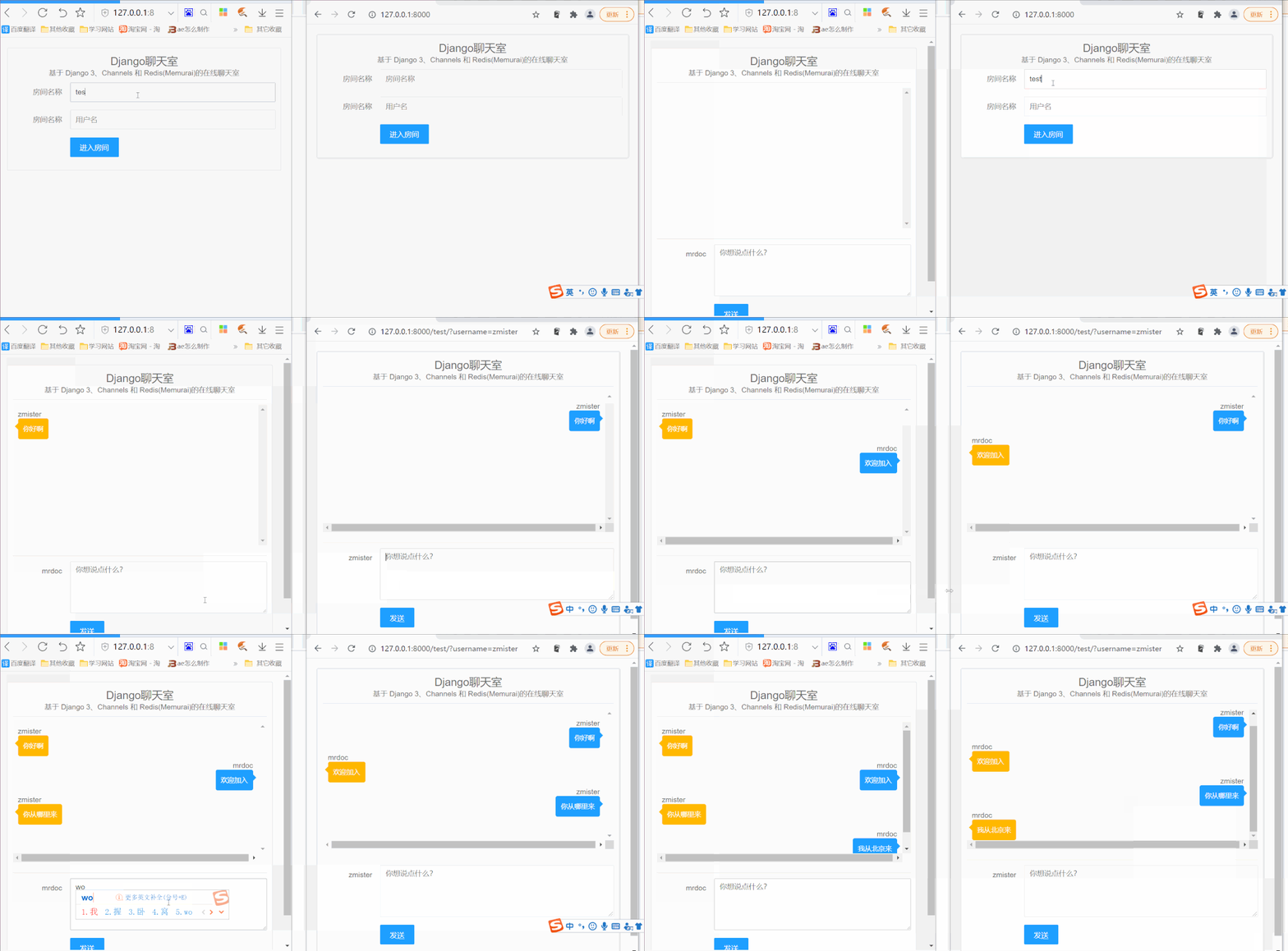
創(chuàng)建虛擬環(huán)境
python -m venv django3_env

安裝依賴庫
pip install django
Channels 封裝了 Django 的原生異步視圖支持,讓 Django 項(xiàng)目不僅可以處理 HTTP,還可以處理需要長時(shí)間連接的協(xié)議,比如:WebSockets、MQTT、聊天機(jī)器人、業(yè)余無線電等等。
pip install channels

pip install channels_redis
創(chuàng)建項(xiàng)目
django-admin startproject chat_backend
python manage.py startapp chat
配置項(xiàng)目
INSTALLED_APPS = [
'django.contrib.admin',
'django.contrib.auth',
'django.contrib.contenttypes',
'django.contrib.sessions',
'django.contrib.messages',
'django.contrib.staticfiles',
'channels',
'chat',
]
templates的文件夾,然后定義 HTML 模板路徑:TEMPLATES = [{'BACKEND': 'django.template.backends.django.DjangoTemplates','DIRS': [BASE_DIR / 'templates'],'APP_DIRS': True,'OPTIONS': {'context_processors': ['django.template.context_processors.debug','django.template.context_processors.request','django.contrib.auth.context_processors.auth','django.contrib.messages.context_processors.messages',],},},]
ASGI_APPLICATION = "chat_backend.asgi.application"
CHANNEL_LAYERS = {'default': {'BACKEND': 'channels_redis.core.RedisChannelLayer','CONFIG': {"hosts": [('127.0.0.1', 6379)],},},}
創(chuàng)建視圖
# 首頁def index(request):return render(request,'index.html',locals())# 聊天室def room(request,room_name):room_name = room_nameusername = request.GET.get('username', '游客')return render(request,'room.html',locals())
index()返回 index.html,視圖函數(shù)room()返回 room.html,這兩個(gè) HTML 文件需要我們?cè)?code style="box-sizing: border-box;font-family: Consolas, "PingFang SC", Tahoma, "YaHei Consolas Hybrid";font-size: 14px;padding: 3px;margin-right: 4px;margin-left: 5px;background: rgb(246, 246, 246);border-radius: 3px;border-width: initial;border-style: none;border-color: initial;color: rgb(233, 30, 99) !important;">templates文件夾中進(jìn)行創(chuàng)建。定義路由
urls.py的文件,在其中寫入如下內(nèi)容:from django.urls import pathfrom chat.views import *# HTTP URLurlpatterns = [path('',index,name="index"),path('<str:room_name>/',room,name="room")]
urlpatterns = [path('admin/', admin.site.urls),path('', include('chat.urls')),]
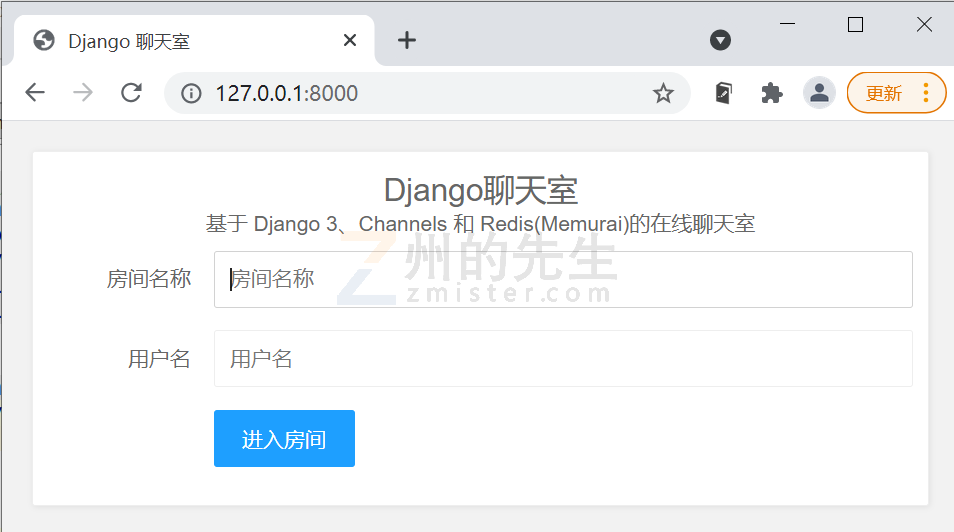
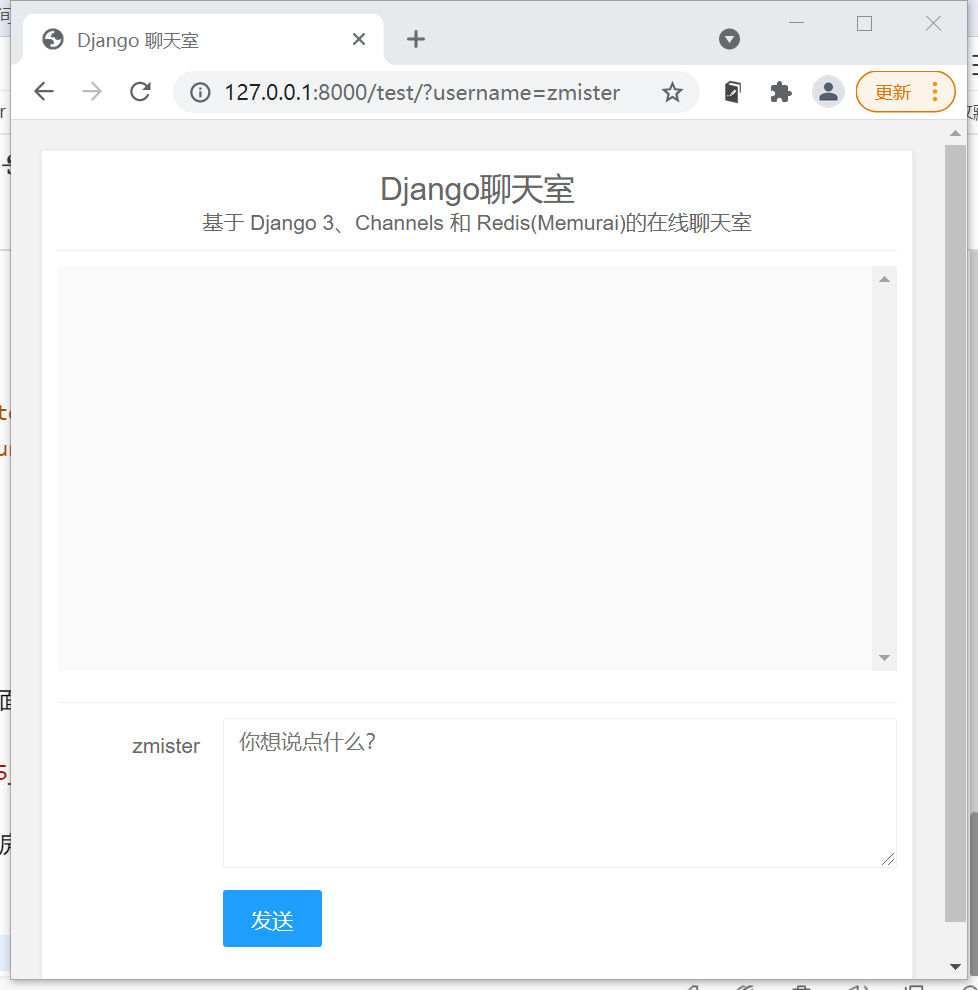
編寫 WebSocket 后端
consumers.py的文件(意為消費(fèi)者,是 Channels 中的一個(gè)重要概念),在其中,我們引入 WebSocket 類:
from channels.generic.websocket import AsyncWebsocketConsumer
ChatConsumer的類,并在其中重寫 WebSocket 的連接、關(guān)閉連接、消息接收等方法,代碼如下所示:class ChatConsumer(AsyncWebsocketConsumer):# 連接async def connect(self):self.room_name = self.scope['url_route']['kwargs']['room_name']self.room_group_name = 'chat_%s' % self.room_name# 加入聊天室await self.channel_layer.group_add(self.room_group_name,self.channel_name)await self.accept()# 關(guān)閉連接async def disconnect(self, close_code):await self.channel_layer.group_discard(self.room_group_name,self.channel_name)#async def receive(self, text_data=None, bytes_data=None):data = json.loads(text_data)message = data['message']username = data['username']# Send message to room groupawait self.channel_layer.group_send(self.room_group_name,{'type': 'chat_message','message': message,'username': username})# 接收消息async def chat_message(self, event):message = event['message']username = event['username']# 發(fā)送消息到 Websocketawait self.send(text_data=json.dumps({'message': message,'username': username}))
import osfrom django.core.asgi import get_asgi_applicationfrom django.urls import pathfrom channels.auth import AuthMiddlewareStackfrom channels.routing import ProtocolTypeRouter, URLRouterfrom chat.consumers import ChatConsumeros.environ.setdefault('DJANGO_SETTINGS_MODULE', 'chat_backend.settings')application = ProtocolTypeRouter({"http": get_asgi_application(),"websocket": AuthMiddlewareStack(URLRouter([path("ws/<str:room_name>/",ChatConsumer.as_asgi()),]))})
前端連接 WebSocket
WebSocket對(duì)象,來創(chuàng)建 WebSocket連接:// 建立一個(gè) websocket 連接const chatSocket = new WebSocket('ws://' + window.location.host + '/ws/' + roomName + '/');
// websocket連接關(guān)閉后的回調(diào)函數(shù)chatSocket.onclose = function(e) {console.error('The socket closed unexpectedly');};// websocket連接從服務(wù)器收到消息的回調(diào)函數(shù)chatSocket.onmessage = function(e) {const data = JSON.parse(e.data);if (data.message) {if(data.username == userName){document.querySelector('#chat-record').innerHTML += ('<div class="right_msg">' + data.username + '<div class="right-record"><span>' + data.message + '</span></div></div><br>');}else{document.querySelector('#chat-record').innerHTML += ('<div class="left_msg">' + data.username + '<div class="left-record"><span>' + data.message + '</span></div></div><br>');}} else {alert('消息為空!')}};
最后
聊天記錄不會(huì)保存,刷新頁面之后聊天記錄就會(huì)消失。
沒有用戶認(rèn)證和鑒權(quán),誰都能輸入房間號(hào)和用戶名進(jìn)入聊天室。
小伙伴們,快快用實(shí)踐一下吧!如果在學(xué)習(xí)過程中,有遇到任何問題,歡迎加我好友,我拉你進(jìn)Python學(xué)習(xí)交流群共同探討學(xué)習(xí)。
------------------- End -------------------
往期精彩文章推薦:
Python項(xiàng)目實(shí)戰(zhàn)篇——常用驗(yàn)證碼標(biāo)注和識(shí)別(需求分析和實(shí)現(xiàn)思路)
Python項(xiàng)目實(shí)戰(zhàn)篇——常用驗(yàn)證碼標(biāo)注&識(shí)別(數(shù)據(jù)采集/預(yù)處理/字符圖切割)
Python項(xiàng)目實(shí)戰(zhàn)篇——常用驗(yàn)證碼標(biāo)注&識(shí)別(前端+后端實(shí)現(xiàn)高效率數(shù)據(jù)標(biāo)注)

歡迎大家點(diǎn)贊,留言,轉(zhuǎn)發(fā),轉(zhuǎn)載,感謝大家的相伴與支持
想加入Python學(xué)習(xí)群請(qǐng)?jiān)诤笈_(tái)回復(fù)【入群】
萬水千山總是情,點(diǎn)個(gè)【在看】行不行
/今日留言主題/
隨便說一兩句吧~~