
基于Vue和Quasar的前端SPA項(xiàng)目實(shí)戰(zhàn)之布局菜單(三)
基于Vue和Quasar的前端SPA項(xiàng)目實(shí)戰(zhàn)之布局菜單(三)
#
回顧
通過(guò)上一篇文章 基于Vue和Quasar的前端SPA項(xiàng)目實(shí)戰(zhàn)之用戶登錄(二)的介紹,我們已經(jīng)完成了登錄頁(yè)面,今天主要介紹布局菜單的實(shí)現(xiàn)。
#
UI界面
#
效果
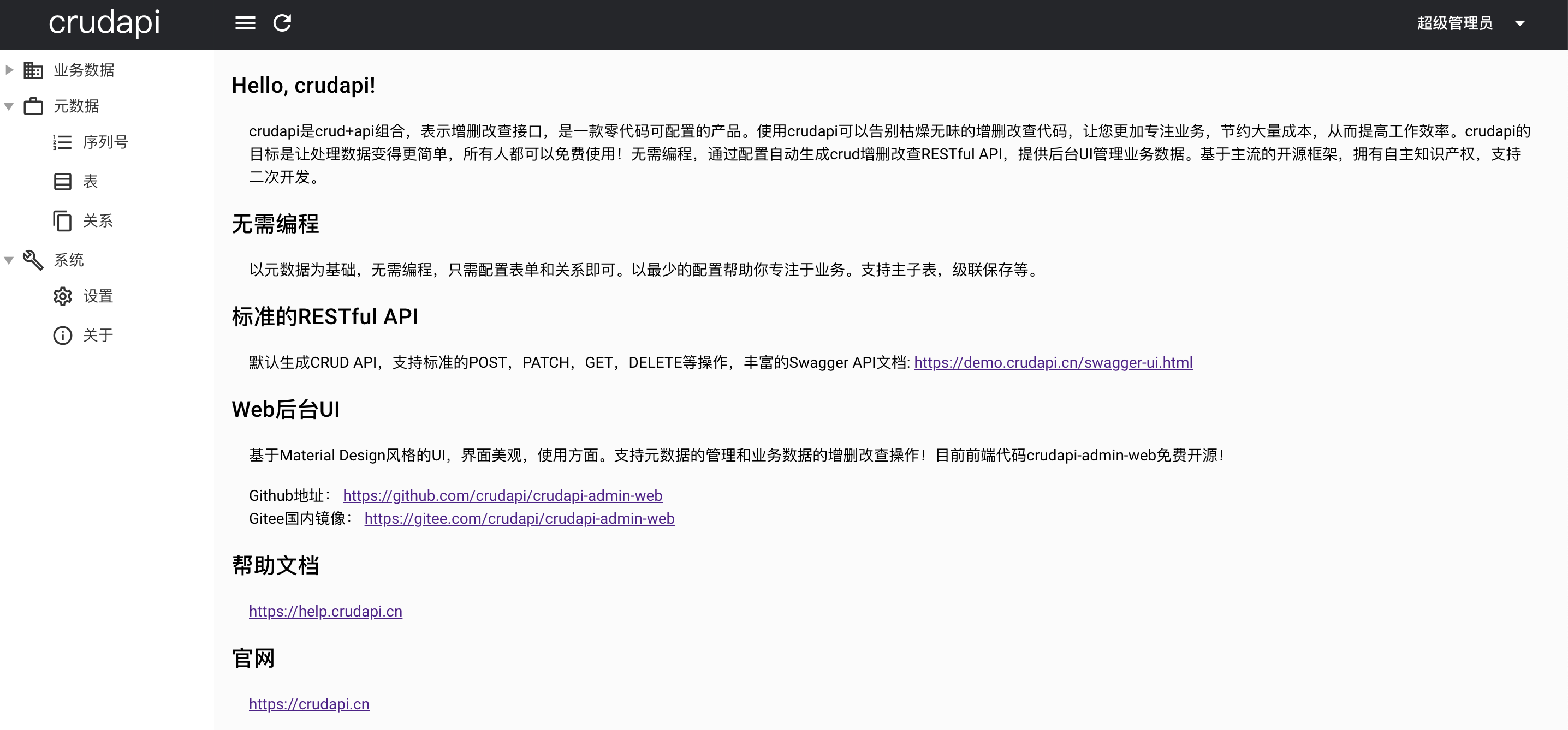 ?首頁(yè)
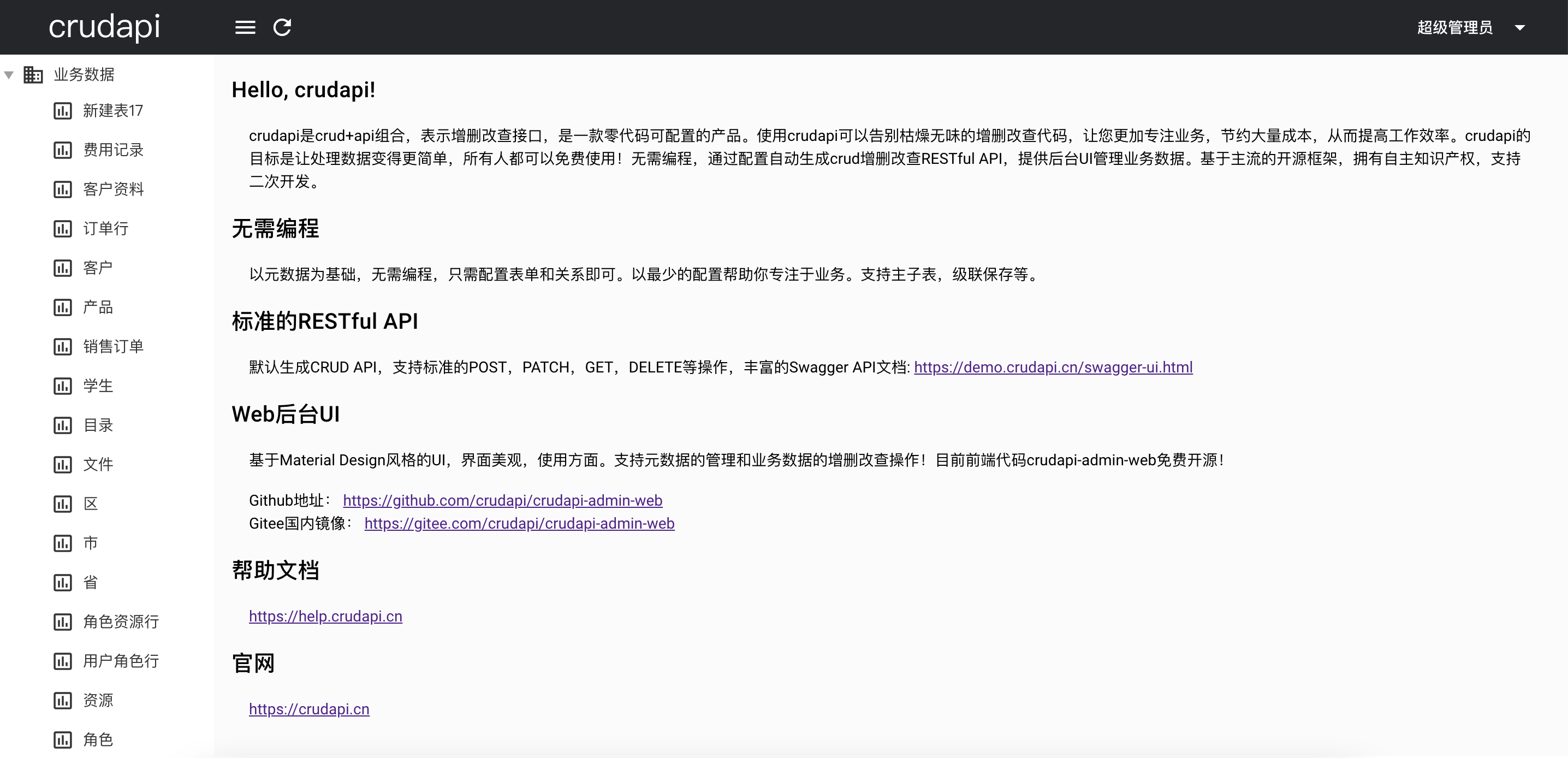 ?業(yè)務(wù)數(shù)據(jù)菜單展開(kāi)
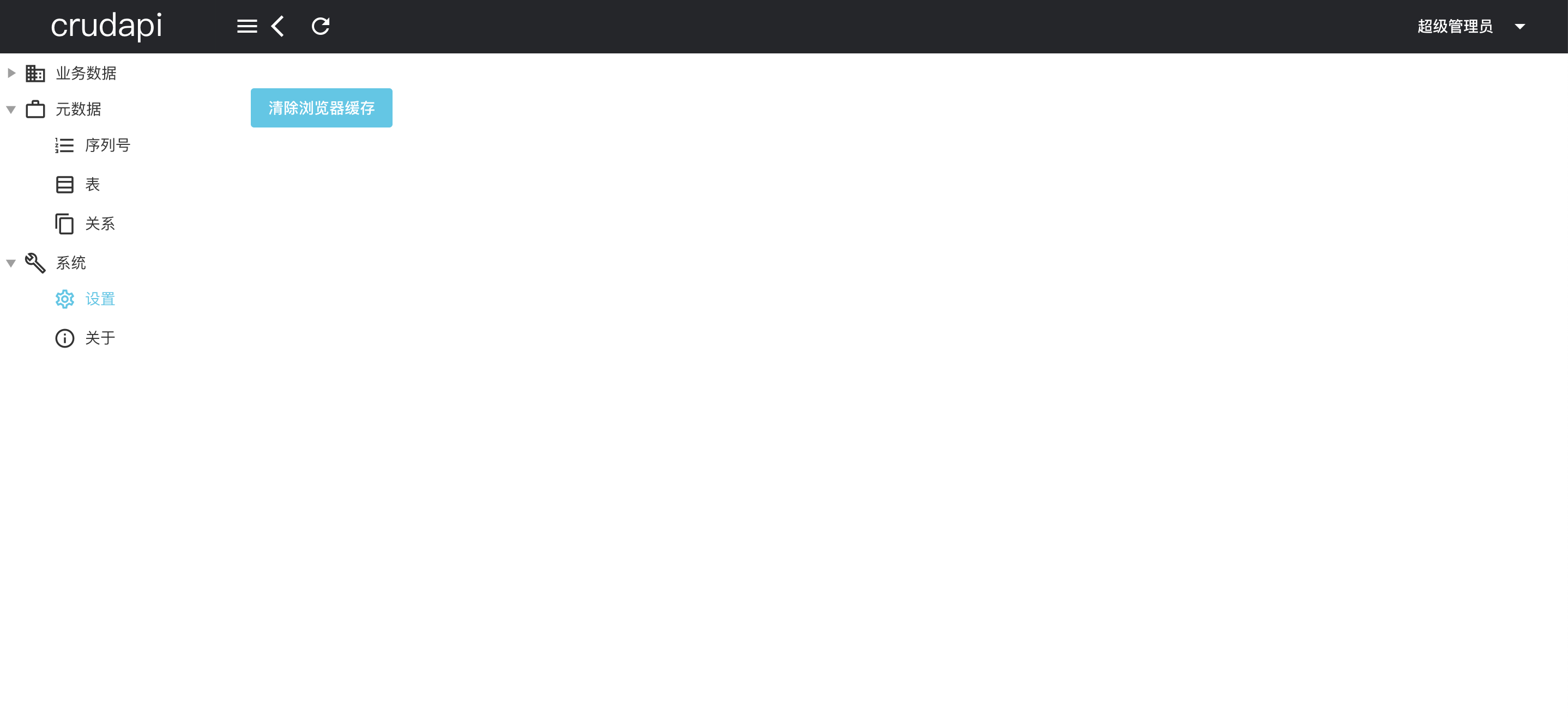 ?設(shè)置頁(yè)面
#
說(shuō)明
布局主頁(yè)分為三個(gè)部分,
- 最上面為導(dǎo)航欄,主要包括刷新按鈕,后退按鈕,用戶信息等內(nèi)容。
- 左邊為菜單,包括業(yè)務(wù)數(shù)據(jù),元數(shù)據(jù),系統(tǒng)三個(gè)一級(jí)菜單。業(yè)務(wù)數(shù)據(jù)菜單的二級(jí)菜單為表名稱,元數(shù)據(jù)菜單包括序列號(hào)、表、關(guān)系三個(gè)二級(jí)菜單,系統(tǒng)菜單包括設(shè)置和關(guān)于兩個(gè)二級(jí)菜單。
- 右邊為頁(yè)面主體部分。
#
布局
#
嵌套路由
通常由多層嵌套的組件組合而成。同樣地,URL 中各段動(dòng)態(tài)路徑也按某種結(jié)構(gòu)對(duì)應(yīng)嵌套的各層組件,例如: 設(shè)置Setting頁(yè)面和關(guān)于About頁(yè)面切換的時(shí)候,導(dǎo)航和菜單部分都不變,變化的是主體部分,可以通過(guò)嵌套路由實(shí)現(xiàn)。
/about                                /setting
+------------------+                  +-----------------+
| nav             |                   | nav             |
| +--------------+ |                  | +-------------+ |
| | About        | |  +------------>  | | Setting     | |
| |              | |                  | |             | |
| +--------------+ |                  | +-------------+ |
+------------------+                  +-----------------+
#
MainLayout
文件為:src/layouts/MainLayout.vue
<q-page-container>
  <router-view />
</q-page-container>
其中<router-view />對(duì)應(yīng)上圖About和Setting部分。
#
定義路由
const routes = [
  {
    path: '/',
    component: () => import('layouts/MainLayout.vue'),
    children: [
      { path: '', component: () => import('pages/Index.vue') },
      {
        name: "about",
        path: "about",
        meta: { isAllowBack: true },
        component: () => import("pages/About.vue")
      },
      {
        name: "setting",
        path: "setting",
        meta: { isAllowBack: true },
        component: () => import("pages/Setting.vue")
      }
    ]
  }
其中,meta表示路由元信息,isAllowBack字段用于表示是否可以后退,在對(duì)應(yīng)的component頁(yè)面渲染的時(shí)候通過(guò)this.$route.meta.isAllowBack獲取值,然后設(shè)置全局Vuex狀態(tài)config/isAllowBack的值。
#
computed計(jì)算屬性
<q-btn
  v-show="isAllowBack === true"
  flat
  dense
  round
  @click="goBack"
  icon="arrow_back_ios"
  aria-label="Back"
>
</q-btn>

computed: {
  isAllowBack: {
    get() {
      return this.$store.state.config.isAllowBack;
    }
  }
}
MainLayout.vue中通過(guò)computed計(jì)算屬性isAllowBack綁定q-btn,這樣可以控制后退按鈕是否顯示。首頁(yè)不需要后退,設(shè)置頁(yè)面和關(guān)于頁(yè)面就需要后退。后退按鈕主要目的是適應(yīng)不同的瀏覽器,不依賴瀏覽器的后退功能,比如H5頁(yè)面全屏或者嵌入到Cordova殼子里面的時(shí)候就非常有用了。
#
菜單
#
控件
<q-tree
  selected-color="primary"
  :nodes="allMenu"
  :selected.sync="selected"
  @update:selected="onMenuClickAction()"
  ref="qTreeProxy"
  node-key="labelKey"
  default-expand-all
  no-connectors
/>
菜單用到了q-tree控件,菜單的內(nèi)容是包括固定部分和動(dòng)態(tài)部分。
list: async function(page, rowsPerPage, search, query) {
  var res = await metadataTable.list(page, rowsPerPage, search, query);
  return res.data;
},
其中業(yè)務(wù)數(shù)據(jù)是根據(jù)表單列表動(dòng)態(tài)顯示的,通過(guò)metadataTableService的list方法查詢表單,然后動(dòng)態(tài)渲染。
const tables = await metadataTableService.list(1, 9999);
for (let i = 0; i < tables.length; i++) {
  let table = tables[i];
  this.businessMenu.children.push({
      label: table.caption,
      labelKey: this.getBussinessPath(table.name),
      icon: "insert_chart_outlined"
  });
}

this.allMenu.push(this.businessMenu);
this.allMenu.push(this.metadataMenu);
this.allMenu.push(this.systemMenu);

this.$refs.qTreeProxy.setExpanded("business", true);
this.$refs.qTreeProxy.setExpanded("metadata", true);
this.$refs.qTreeProxy.setExpanded("system", true);
方法this.$refs.qTreeProxy.setExpanded可以控制菜單展開(kāi)。
#
小結(jié)
本文主要介紹了嵌套路由和菜單功能,用到了router-view和q-tree,然后實(shí)現(xiàn)了設(shè)置頁(yè)面和關(guān)于頁(yè)面功能。其它菜單對(duì)應(yīng)的功能暫時(shí)為空,后續(xù)會(huì)從元數(shù)據(jù)菜單開(kāi)始進(jìn)一步介紹序列號(hào)功能。
#
demo演示
官網(wǎng)地址:https://crudapi.cn(opens new window)
測(cè)試地址:https://demo.crudapi.cn/crudapi/login(opens new window)
#
附源碼地址
#
GitHub地址
https://github.com/crudapi/crudapi-admin-web(opens new window)
#
Gitee地址
https://gitee.com/crudapi/crudapi-admin-web(opens new window)
由于網(wǎng)絡(luò)原因,GitHub可能速度慢,改成訪問(wèn)Gitee即可,代碼同步更新。