
基于 InternLM 和 LangChain 搭建你的知識(shí)庫
本文基于InternStudio 算力平臺(tái)利用 InternLM 和 LangChain 搭建知識(shí)庫。
InternStudio (OpenAIDE)[1] 是面向算法開發(fā)者與研究員的云端集成開發(fā)環(huán)境。基于「容器實(shí)例」,「鏡像中心」,「分布式訓(xùn)練」,「公開數(shù)據(jù)集」模塊為用戶提供 “算力、算法、數(shù)據(jù)” 深度學(xué)習(xí)模型訓(xùn)練三要素,讓算法開發(fā)變得更簡單、更方便。筆者認(rèn)為 InternStudio 是支撐書生·浦語大模型全鏈路開源開放體系的堅(jiān)實(shí)基礎(chǔ),讓我們在學(xué)習(xí)理論之后能夠在開發(fā)機(jī)上實(shí)戰(zhàn)。
InternLM (書生·浦語)[2]是一個(gè)多語千億參數(shù)基座模型,可以處理英文、中文和代碼等多種語言;InternLM在語言理解和推理任務(wù)上表現(xiàn)出色;InternLM還提供了聊天版本的模型,可以與人類進(jìn)行高質(zhì)量、安全和符合道德的對話。
LangChain[3]靈活的抽象和豐富的工具包使開發(fā)人員能夠構(gòu)建上下文感知、推理的大語言模型(LLM)應(yīng)用程序。
準(zhǔn)備
首先需要注冊InternStudio算力平臺(tái)并創(chuàng)建開發(fā)機(jī),筆者在前面的文章實(shí)戰(zhàn)中已經(jīng)創(chuàng)建了開發(fā)機(jī),如果您有遇到問題歡迎與我溝通,或者通過 Q&A文檔自行解決:書生·浦語大模型實(shí)戰(zhàn)營Q&A文檔[4]。
- 創(chuàng)建Conda環(huán)境并激活
      bash # 進(jìn)入bash
/root/share/install_conda_env_internlm_base.sh InternLM # 創(chuàng)建環(huán)境,默認(rèn)pytorch 2.0.1 的環(huán)境
conda activate InternLM # 激活環(huán)境
- 安裝python依賴
      # 升級pip
python -m pip install --upgrade pip
pip install modelscope==1.9.5
pip install transformers==4.35.2
pip install streamlit==1.24.0
pip install sentencepiece==0.1.99
pip install accelerate==0.24.1
pip install langchain==0.0.292
pip install gradio==4.4.0
pip install chromadb==0.4.15
pip install sentence-transformers==2.2.2
pip install unstructured==0.10.30
pip install markdown==3.3.7
- 模型下載
      # 使用本地環(huán)境已有的模型
mkdir -p /root/data/model/Shanghai_AI_Laboratory
cp -r /root/share/temp/model_repos/internlm-chat-7b /root/data/model/Shanghai_AI_Laboratory/internlm-chat-7b

# 或者通過 ModelScope、HuggingFace 下載,如ModelScope
python -c "import torch; from modelscope import snapshot_download, AutoModel, AutoTokenizer; import os; model_dir = snapshot_download('Shanghai_AI_Laboratory/internlm-chat-7b', cache_dir='/root/data/model', revision='v1.0.3')"
- 詞向量模型下載
      # 本次使用 huggingface_hub 下載 Sentence-Transformers
pip install -U huggingface_hub
python -c "import os; os.environ['HF_ENDPOINT'] = 'https://hf-mirror.com'; os.system('huggingface-cli download --resume-download sentence-transformers/paraphrase-multilingual-MiniLM-L12-v2 --local-dir /root/data/model/sentence-transformer')"

# 此處使用了 hf-mirror.com 鏡像網(wǎng)站
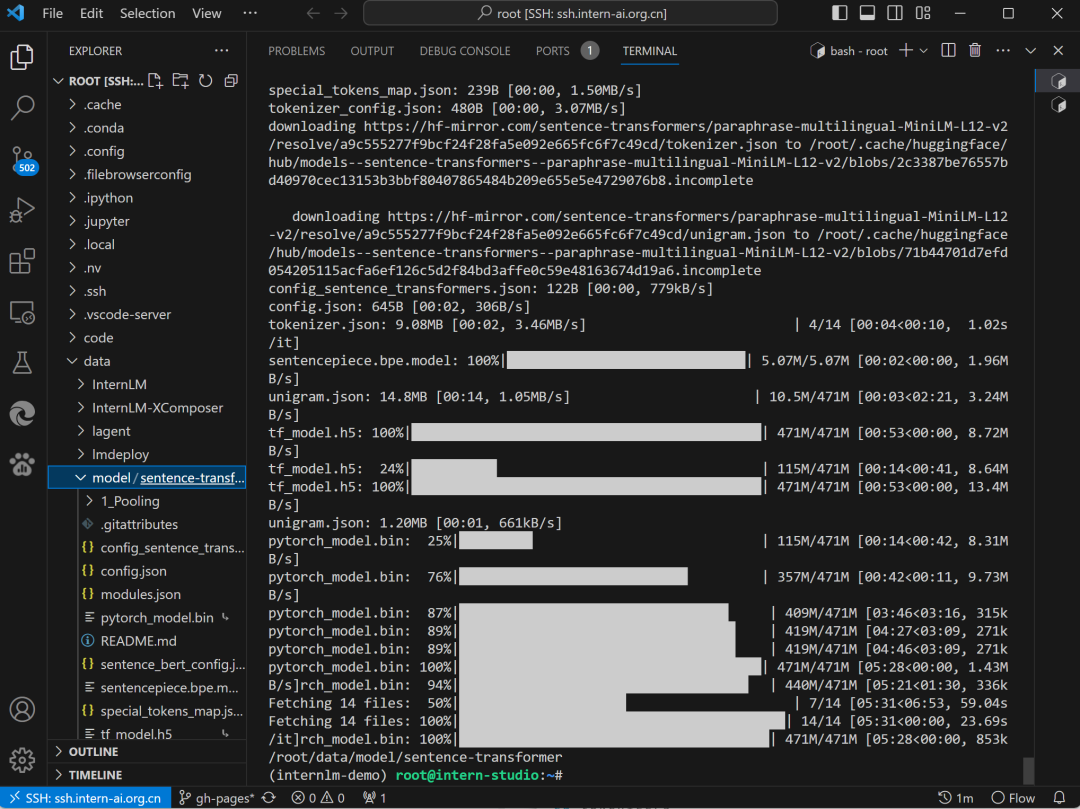 Sentence-Transformers
- 下載 NLTK 相關(guān)資源
      # 避免眾所周知的原因下不到第三方庫資源
cd /root
git clone https://gitee.com/yzy0612/nltk_data.git  --branch gh-pages
cd nltk_data
mv packages/*  ./
cd tokenizers
unzip punkt.zip
cd ../taggers
unzip averaged_perceptron_tagger.zip
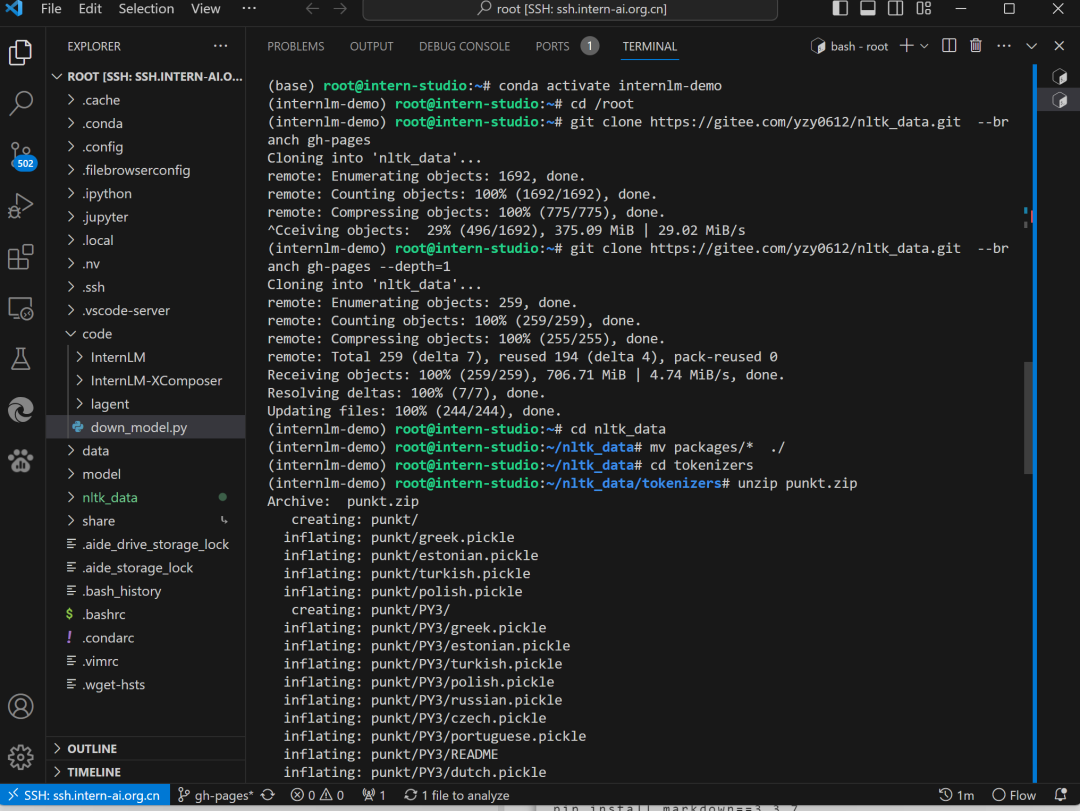 NLTK
NLTK
- 數(shù)據(jù)收集(以 InternLM 開源相關(guān)資料為例)
      # 進(jìn)入到數(shù)據(jù)庫盤
cd /root/data
# clone 上述開源倉庫
git clone --depth=1 https://github.com/InternLM/tutorial
git clone --depth=1 https://gitee.com/open-compass/opencompass.git
git clone --depth=1 https://gitee.com/InternLM/lmdeploy.git
git clone --depth=1 https://gitee.com/InternLM/xtuner.git
git clone --depth=1 https://gitee.com/InternLM/InternLM-XComposer.git
git clone --depth=1 https://gitee.com/InternLM/lagent.git
git clone --depth=1 https://gitee.com/InternLM/InternLM.git
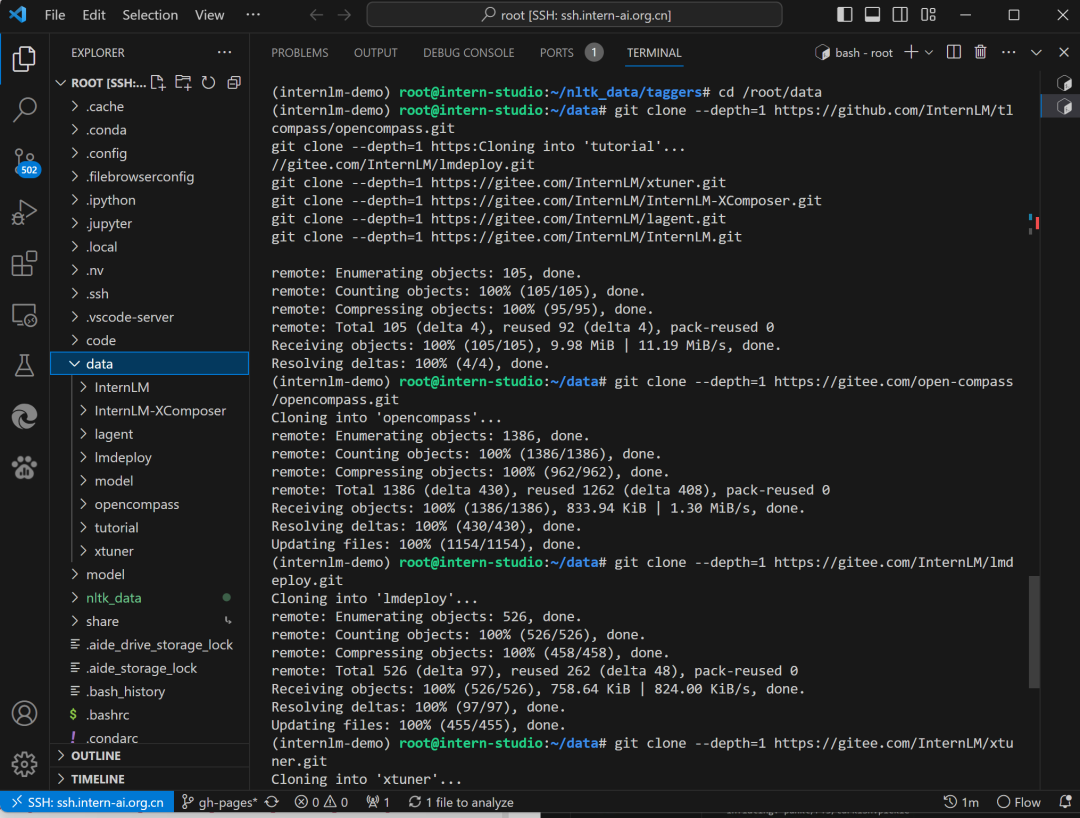 數(shù)據(jù)收集
知識(shí)庫搭建
我們遵循數(shù)據(jù)處理、LangChain 自定義LLM類構(gòu)建(基于InternLM-Chat-7B)、Gradio 構(gòu)建對話應(yīng)用這個(gè)三個(gè)步驟來實(shí)現(xiàn)。后續(xù)我們構(gòu)建自己的大模型應(yīng)用也可以參照這種思路,只需替換不同的數(shù)據(jù)、不同的模型就是針對特定場景的大模型應(yīng)用。完整代碼請參考:internlm-langchain-demo[5],代碼中注釋很完善,本文僅針對核心點(diǎn)講解。
數(shù)據(jù)處理(create_db.py)
在使用LangChain時(shí),構(gòu)建向量數(shù)據(jù)庫并且將加載的向量數(shù)據(jù)庫持久化到磁盤上的目的是可以提高語料庫的檢索效率和準(zhǔn)確度。向量數(shù)據(jù)庫是一種利用向量空間模型來表示文檔的數(shù)據(jù)結(jié)構(gòu),它可以通過計(jì)算文檔向量之間的相似度來快速找出與用戶輸入相關(guān)的文檔片段。向量數(shù)據(jù)庫的構(gòu)建過程需要對語料庫進(jìn)行分詞、嵌入和索引等操作,這些操作比較耗時(shí)和資源,所以將構(gòu)建好的向量數(shù)據(jù)庫保存到磁盤上,可以避免每次使用時(shí)都重復(fù)進(jìn)行這些操作,從而節(jié)省時(shí)間和空間。加載向量數(shù)據(jù)庫時(shí),只需要從磁盤上讀取已經(jīng)構(gòu)建好的向量數(shù)據(jù)庫,然后根據(jù)用戶輸入進(jìn)行相似性檢索,就可以得到相關(guān)的文檔片段,再將這些文檔片段傳給LLM,得到最終的答案。這里我們使用的是開源向量數(shù)據(jù)庫Chroma[6],
      # 首先導(dǎo)入所需第三方庫
# ...
from langchain.vectorstores import Chroma
from langchain.embeddings.huggingface import HuggingFaceEmbeddings
# ...

# 加載開源詞向量模型
embeddings = HuggingFaceEmbeddings(model_name="/root/data/model/sentence-transformer")

# 構(gòu)建向量數(shù)據(jù)庫
# 定義持久化路徑
persist_directory = 'data_base/vector_db/chroma'
# 加載數(shù)據(jù)庫
vectordb = Chroma.from_documents(
    documents=split_docs,
    embedding=embeddings,
    persist_directory=persist_directory
)
# 將加載的向量數(shù)據(jù)庫持久化到磁盤上
vectordb.persist()
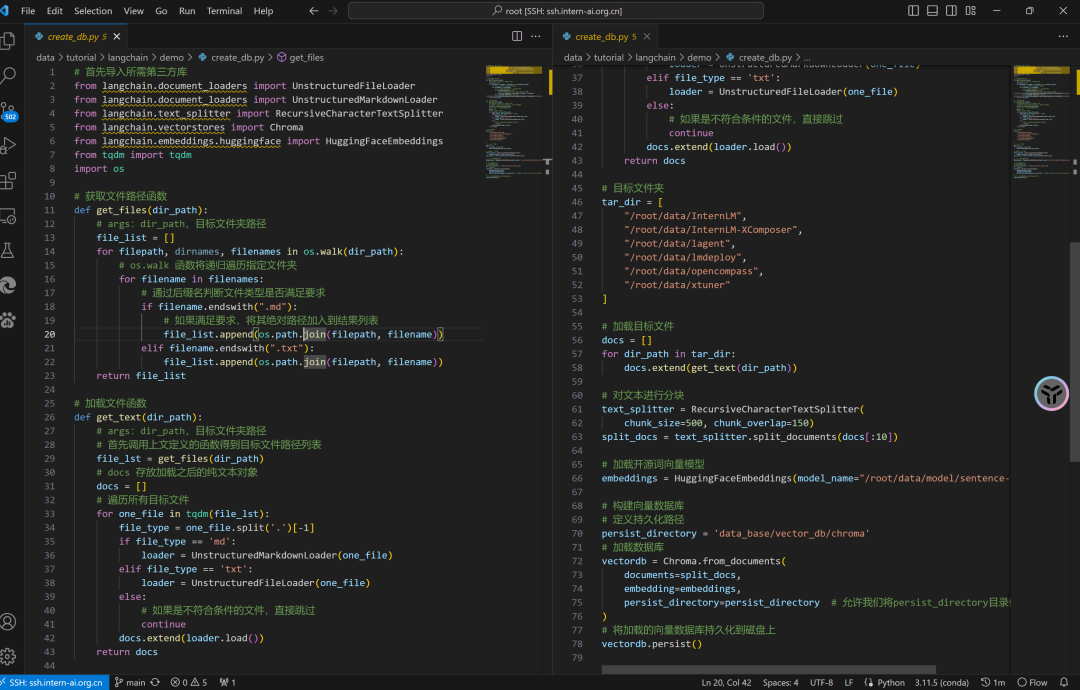 create_db.py
我們只需執(zhí)行一次 python create_db.py即可創(chuàng)建向量數(shù)據(jù)庫。
 構(gòu)建持久化向量數(shù)據(jù)庫
InternLM 基類構(gòu)建(LLM.py)
LangChain 支持自定義 LLM,也就是我們常說的使用本地大模型。自定義 LLM 只需實(shí)現(xiàn)兩個(gè)必要條件:
- 一個(gè)
_call方法,用于接收一個(gè)字符串、一些可選的停止詞,并返回一個(gè)字符串。 - 返回字符串的
_llm_type屬性。僅用于記錄日志。它還支持可選項(xiàng): - 一個(gè)
_identifying_params屬性,用于幫助打印自定義LLM類。
      # ...
from langchain.llms.base import LLM
from typing import Any, List, Optional
from langchain.callbacks.manager import CallbackManagerForLLMRun
# ...
class InternLM_LLM(LLM):
    # 基于本地 InternLM 自定義 LLM 類
     def _call(self, prompt : str, stop: Optional[List[str]] = None,
                run_manager: Optional[CallbackManagerForLLMRun] = None,
                **kwargs: Any):
        # 重寫調(diào)用函數(shù)
        system_prompt = """You are an AI assistant whose name is InternLM (書生·浦語).
                        - InternLM (書生·浦語) is a conversational language model that is developed by Shanghai AI Laboratory (上海人工智能實(shí)驗(yàn)室). It is designed to be helpful, honest, and harmless.
                        - InternLM (書生·浦語) can understand and communicate fluently in the language chosen by the user such as English and 中文.
                        """
        messages = [(system_prompt, '')]
        response, history = self.model.chat(self.tokenizer, prompt , history=messages)
        return response

    @property
    def _llm_type(self) -> str:
        return "InternLM"
不同版本的LangChain中自定義LLM類的具體實(shí)現(xiàn)代碼有些差別,可參考LangChain官方文檔:Custom LLM[7]
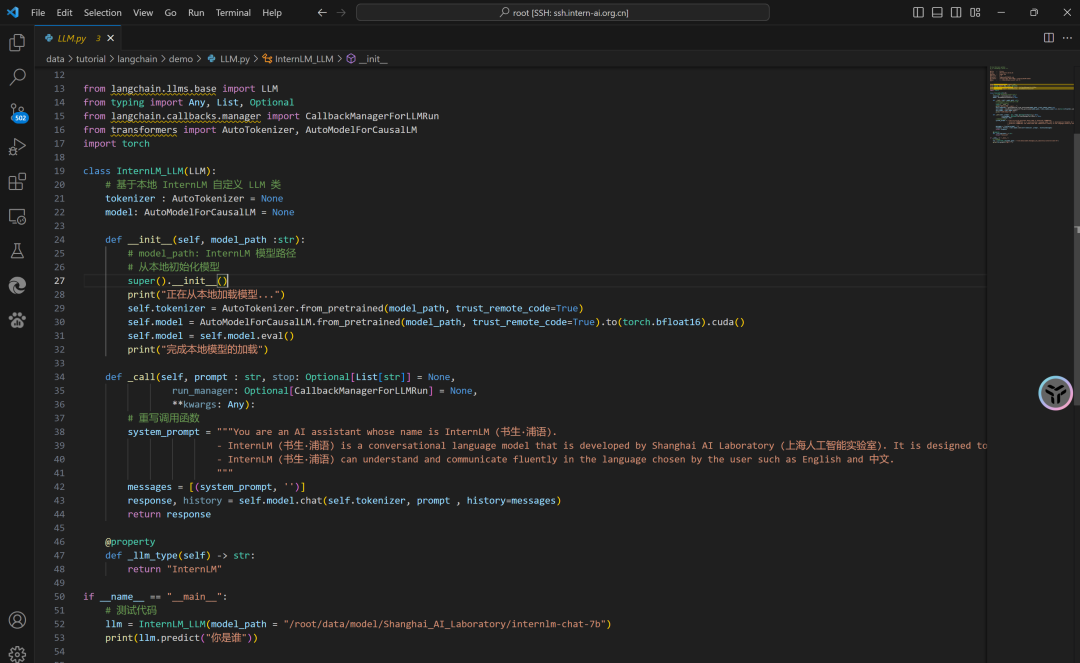 LLM.py
Gradio 構(gòu)建應(yīng)用(run_gradio.py)
檢索問答鏈?zhǔn)荓angChain的一個(gè)核心模塊,它可以根據(jù)用戶的查詢,在向量存儲(chǔ)庫中檢索相關(guān)文檔,并使用語言模型生成回答。要構(gòu)建檢索問答鏈,我們需要以下幾個(gè)步驟:
- 創(chuàng)建向量存儲(chǔ)庫。我們可以使用LangChain提供的Chroma模塊,或者自己選擇合適的向量數(shù)據(jù)庫。
      # ...
from langchain.vectorstores import Chroma
from langchain.embeddings.huggingface import HuggingFaceEmbeddings
# ...
# 加載數(shù)據(jù)庫
    vectordb = Chroma(
        persist_directory=persist_directory,  # 前文持久化路徑
        embedding_function=embeddings
    )
- 創(chuàng)建檢索QA鏈。我們可以使用LangChain提供的RetrievalQA模塊,或者自己定義鏈類型和參數(shù)。
      from langchain.chains import RetrievalQA

qa_chain = RetrievalQA.from_chain_type(llm,retriever=vectordb.as_retriever(),return_source_documents=True,chain_type_kwargs={"prompt":QA_CHAIN_PROMPT})
創(chuàng)建 Gradio 應(yīng)用:
      #...
import gradio as gr
#...
block = gr.Blocks()
with block as demo:
  #...
gr.close_all()
# 啟動(dòng)新的 Gradio 應(yīng)用,設(shè)置分享功能為 True,并使用環(huán)境變量 PORT1 指定服務(wù)器端口。
# demo.launch(share=True, server_port=int(os.environ['PORT1']))
# 直接啟動(dòng)
demo.launch()
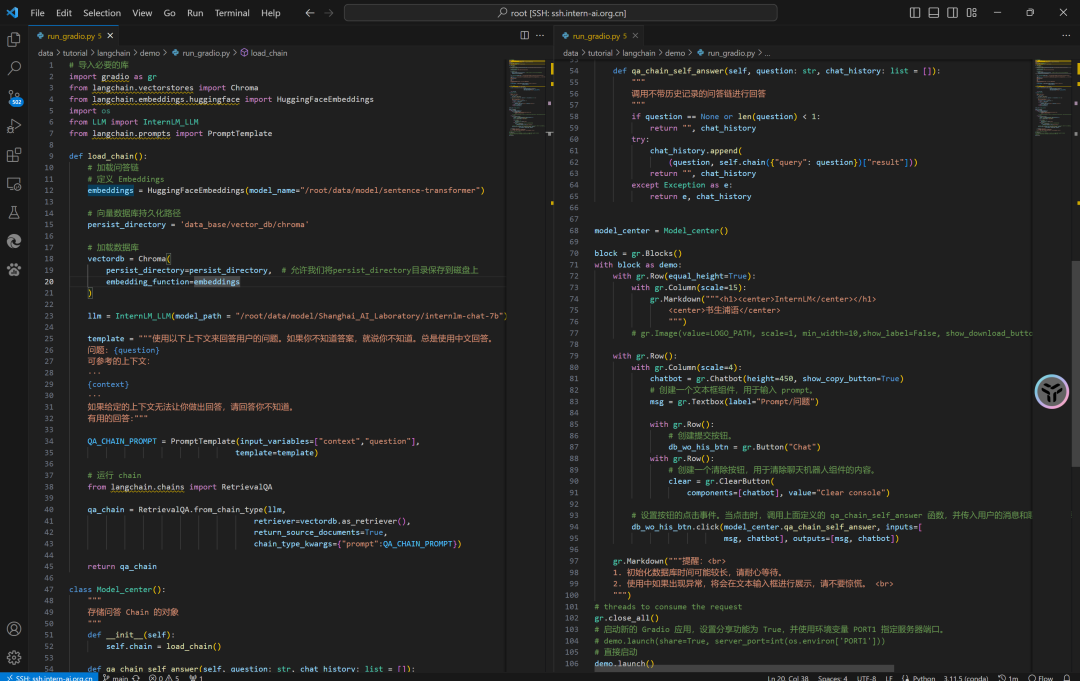 run_gradio.py
我們只需執(zhí)行python run_gradio.py即可運(yùn)行部署一個(gè)我們專屬的知識(shí)庫。
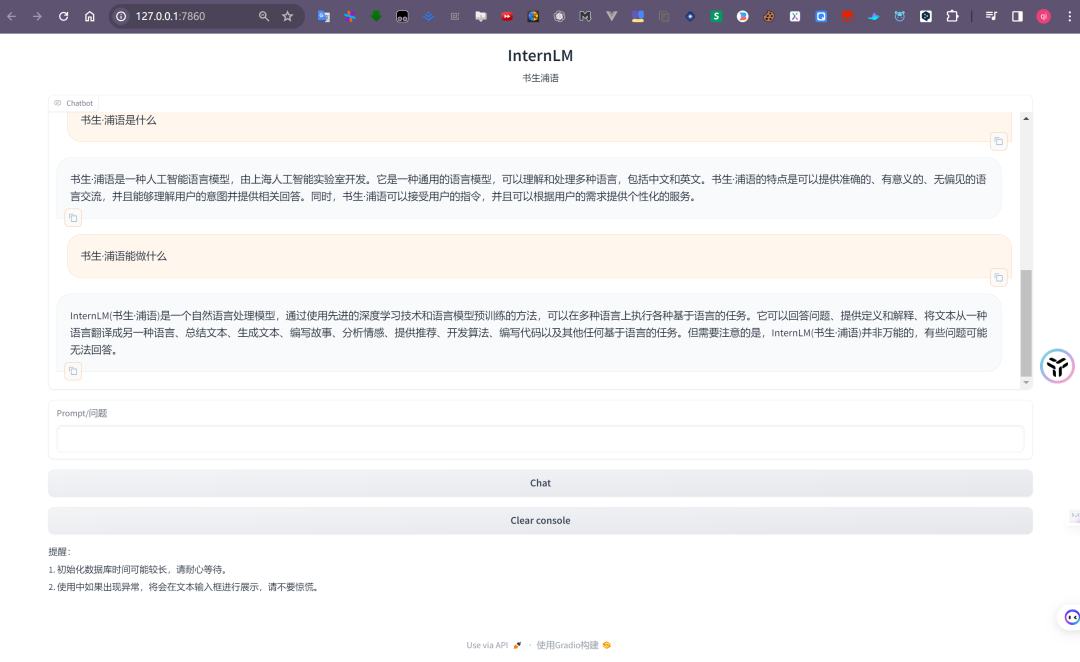 run gradio
參考資料
[1]InternStudio (OpenAIDE): https://studio.intern-ai.org.cn/
[2]InternLM(書生·浦語): https://internlm.org/
[3]LangChain: https://www.langchain.com/
[4]書生·浦語大模型實(shí)戰(zhàn)營Q&A文檔: https://cguue83gpz.feishu.cn/docx/Noi7d5lllo6DMGxkuXwclxXMn5f
[5]Internlm-langchain-demo: https://github.com/InternLM/tutorial/tree/main/langchain/demo
[6]Chroma: https://www.trychroma.com/
[7]Custom LLM: https://python.langchain.com/docs/modules/model_io/llms/custom_llm