
C# 人臉識別ViewFaceCore使用的經(jīng)驗分享
前言
POS軟件是什么?你好意思嗎,還在用老掉牙的Winform。
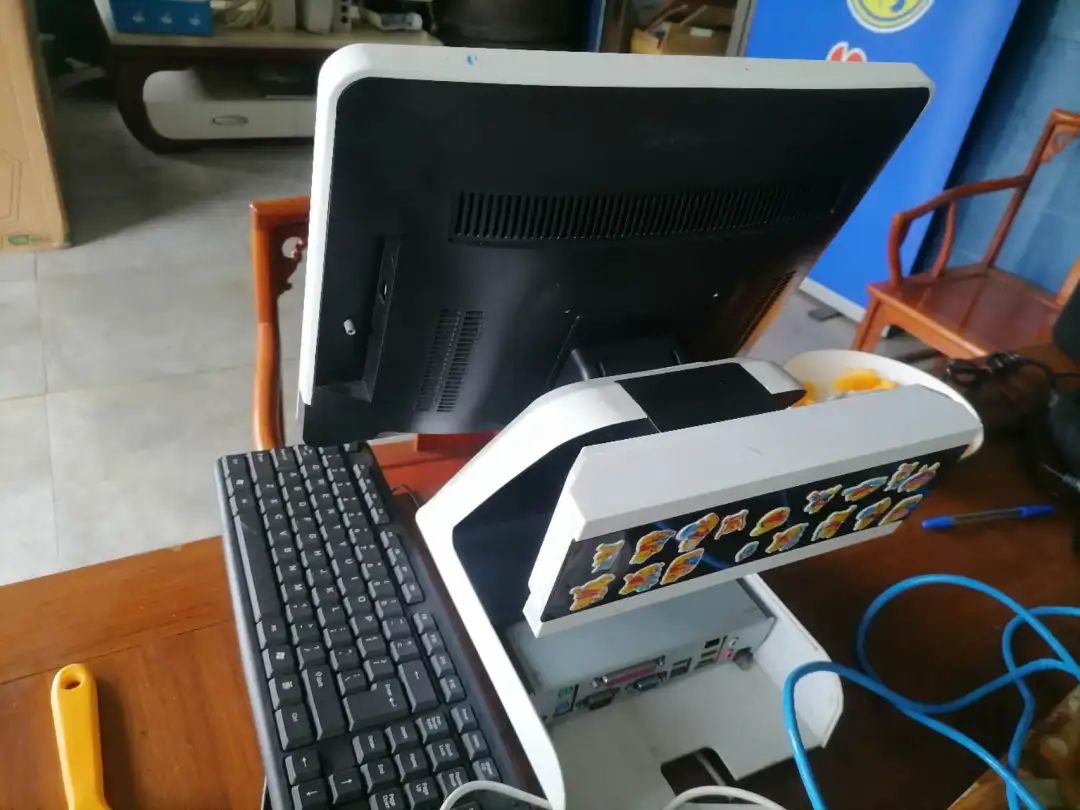
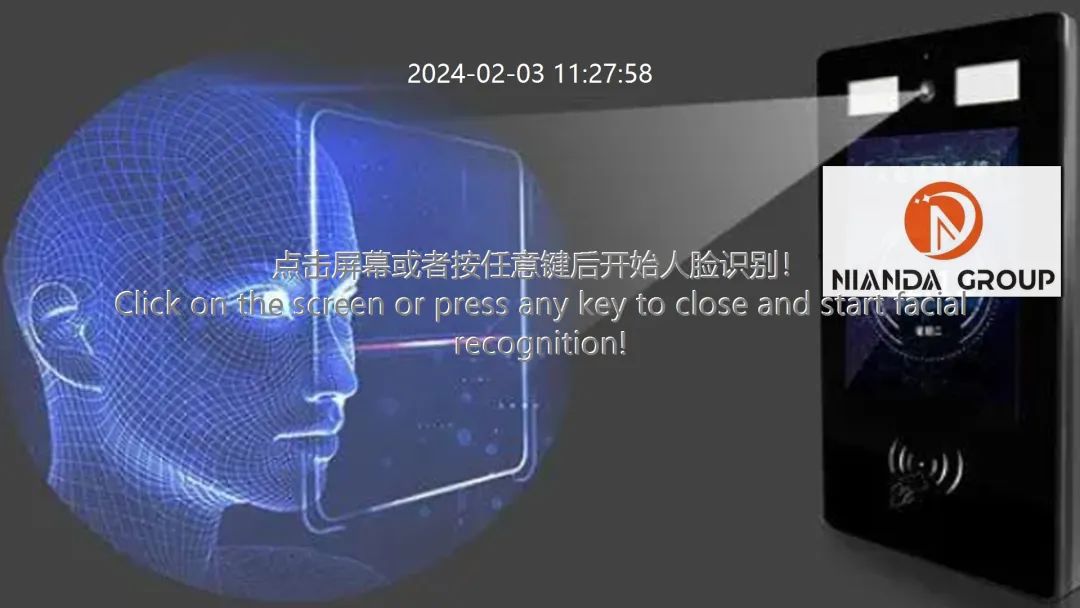 門店被淘汰的POS機
銷售終端——POS(point of sale)是一種多功能終端,把它安裝在信用卡的特約商戶和受理網(wǎng)點中與計算機聯(lián)成網(wǎng)絡(luò),就能實現(xiàn)電子資金自動轉(zhuǎn)賬,它具有支持消費、預(yù)授權(quán)、余額查詢和轉(zhuǎn)賬等功能,使用起來安全、快捷、可靠。
萬事俱備只欠東風(fēng)------一個USB攝像頭和一個經(jīng)過改造的人臉識別程序。
地址
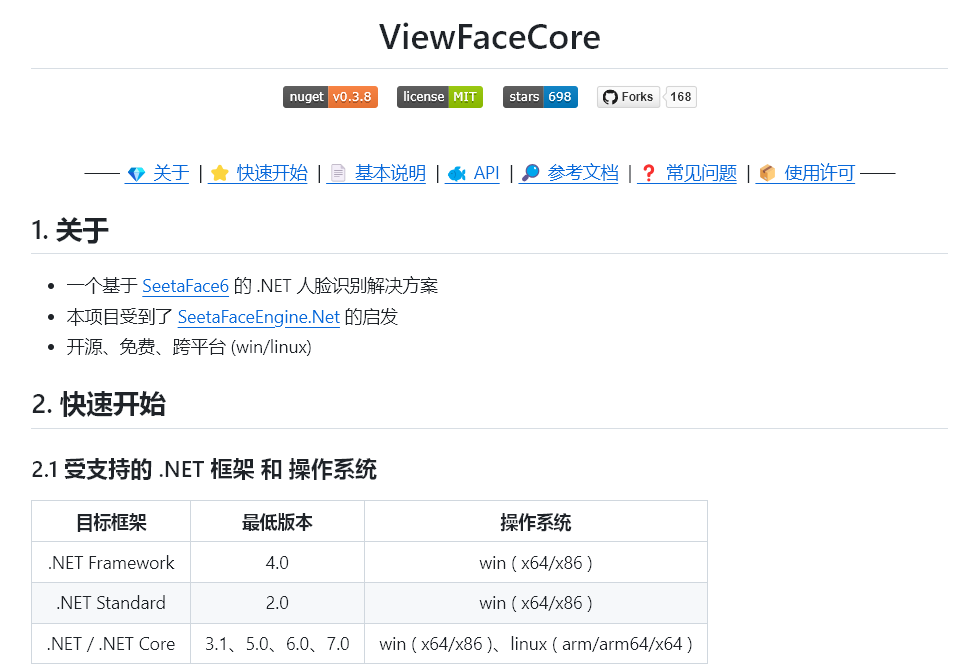
ViewFaceCore/ViewFaceCore: C# 超簡單的離線人臉識別庫。
https://github.com/ViewFaceCore/ViewFaceCore
正文
開始干活,動手改造。
1、程序要支持無人值守,程序啟動時自動打開攝像頭。超過設(shè)定的時間無移動鼠標(biāo)和敲擊鍵盤,程序自動關(guān)閉攝像頭,進入“休眠”
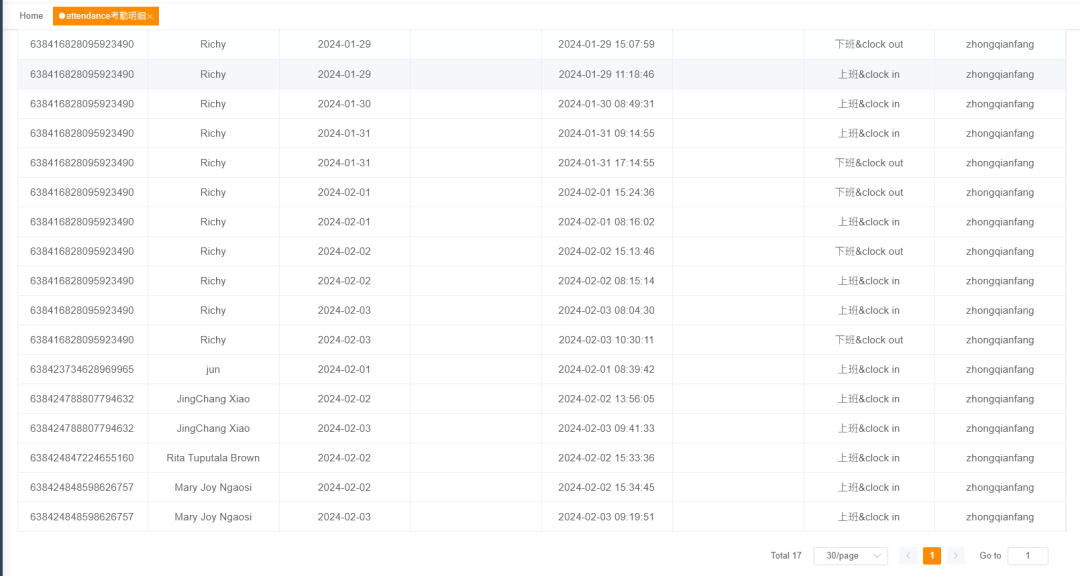
2、識別人臉成功后記錄當(dāng)前時間作為考勤記錄
3、人臉信息放在服務(wù)器端,桌面程序和服務(wù)器端同步人臉信息
4、關(guān)于不排班實現(xiàn)考勤的思考
5、取消消息彈窗來和用戶交互。使用能自動關(guān)閉的消息彈窗
1、檢測超過設(shè)定的時間無移動鼠標(biāo)和敲擊鍵盤,判斷是否無人使用。
      #region 獲取鍵盤和鼠標(biāo)沒有操作的時間
[StructLayout(LayoutKind.Sequential)]
struct LASTINPUTINFO
{
    [MarshalAs(UnmanagedType.U4)]
    public int cbSize;
    [MarshalAs(UnmanagedType.U4)]
    public uint dwTime;
}
[DllImport("user32.dll")]
private static extern bool GetLastInputInfo(ref LASTINPUTINFO plii);
/// <summary>
/// 獲取鍵盤和鼠標(biāo)沒有操作的時間
/// </summary>
/// <returns></returns>
private static long GetLastInputTime()
{
    LASTINPUTINFO vLastInputInfo = new LASTINPUTINFO();
    vLastInputInfo.cbSize = Marshal.SizeOf(vLastInputInfo);
    if (!GetLastInputInfo(ref vLastInputInfo))
        return 0;
    else
        return Environment.TickCount - (long)vLastInputInfo.dwTime;//單位ms
}
#endregion
2、把人臉識別這個用途改成考勤
      /// <summary>
/// 窗體加載時
/// </summary>
/// <param name="sender"></param>
/// <param name="e"></param>
private void Form_Load(object sender, EventArgs e)
{
    #region 窗體初始化
    WindowState = FormWindowState.Maximized;
    // 隱藏攝像頭畫面控件
    VideoPlayer.Visible = false;
    //初始化VideoDevices
    檢測攝像頭ToolStripMenuItem_Click(null, null);
    //默認(rèn)禁用拍照按鈕
    FormHelper.SetControlStatus(this.ButtonSave, false);
    Text = "WPOS人臉識別&考勤";
    #endregion
    #region TTS
    try
    {
        VoiceUtilHelper = new SpVoiceUtil();
        StartVoiceTaskJob();
    }
    catch (Exception ex)
    {
        byte[] zipfile = (byte[])Properties.Resources.ResourceManager.GetObject("TTSrepair");
        System.IO.File.WriteAllBytes("TTSrepair.zip", zipfile);
        Program.UnZip("TTSrepair.zip", "", "", true);
        #region 語音引擎修復(fù)安裝
        try
        {
            MessageBox.Show("初始化語音引擎出錯,錯誤描述:" + ex.Message + Environment.NewLine +
                        "正在運行語音引擎安裝程序,請點下一步執(zhí)行安裝!", Text, MessageBoxButtons.OK, MessageBoxIcon.Exclamation);
            string physicalRoot = AppDomain.CurrentDomain.BaseDirectory;
            string info1 = Program.Execute("TTSrepair.exe", 3);
        }
        finally
        {
            System.IO.File.Delete("TTSrepair.zip");
            Application.Restart();
        }
        #endregion
    }
    #endregion
    #region 自動打開攝像頭
    Thread thread = new Thread(() =>
    {
        Thread.Sleep(5000);
        sc.Post(SystemInit, this);
    });
    thread.Start();
    #endregion
    #region Sync face data
    Thread SyncThread = new Thread(() =>
    {
        while (IsWorkEnd == false)
        {
            var theEmployeeList = SyncServerEmployeeInfomation().Where(r => r.EmpFacialFeature != null).ToList();
            if (theEmployeeList != null && theEmployeeList.Count > 0)
            {
                foreach (var emp in theEmployeeList)
                {
                    poolExt.Post(emp);
                }
            }
            Thread.Sleep(5000);
        }
    });
    SyncThread.Start();
    #endregion
    #region 自動關(guān)閉攝像頭線程
    Thread CameraCheckThread = new Thread(() =>
    {
        while (IsWorkEnd == false)
        {
            if (IsNeedAutoCheck)
            {
                long Auto_close_camera_interval = long.Parse(string.IsNullOrEmpty(config.AppSettings.Settings["Auto_close_camera_interval"].Value) ? "60000" : config.AppSettings.Settings["Auto_close_camera_interval"].Value);
                long ts = GetLastInputTime();
                if (ts > Auto_close_camera_interval)
                {
                    IsNeedAutoCheck = false;
                    sc.Post(CheckCameraStatus, this);
                }
            }
            Thread.Sleep(1000);
        }
    });
    CameraCheckThread.Start();
    btnSleep.Enabled = true;
    btnStopSleep.Enabled = true;
    #endregion
}
修改識別人臉后做的事情:
      /// <summary>
/// 持續(xù)檢測一次人臉,直到停止。
/// </summary>
/// <param name="token">取消標(biāo)記</param>
private async void StartDetector(CancellationToken token)
{
    List<double> fpsList = new List<double>();
    double fps = 0;
    Stopwatch stopwatchFPS = new Stopwatch();
    Stopwatch stopwatch = new Stopwatch();
    isDetecting = true;
    try
    {
        if (VideoPlayer == null)
        {
            return;
        }
        while (VideoPlayer.IsRunning && !token.IsCancellationRequested)
        {
            try
            {
                if (CheckBoxFPS.Checked)
                {
                    stopwatch.Restart();
                    if (!stopwatchFPS.IsRunning)
                    { stopwatchFPS.Start(); }
                }
                Bitmap bitmap = VideoPlayer.GetCurrentVideoFrame(); // 獲取攝像頭畫面
                if (bitmap == null)
                {
                    await Task.Delay(10, token);
                    FormHelper.SetPictureBoxImage(FacePictureBox, bitmap);
                    continue;
                }
                if (!CheckBoxDetect.Checked)
                {
                    await Task.Delay(1000 / 60, token);
                    FormHelper.SetPictureBoxImage(FacePictureBox, bitmap);
                    continue;
                }
                List<Models.FaceInfo> faceInfos = new List<Models.FaceInfo>();
                using (FaceImage faceImage = bitmap.ToFaceImage())
                {
                    var infos = await faceFactory.Get<FaceTracker>().TrackAsync(faceImage);
                    for (int i = 0; i < infos.Length; i++)
                    {
                        Models.FaceInfo faceInfo = new Models.FaceInfo
                        {
                            Pid = infos[i].Pid,
                            Location = infos[i].Location
                        };
                        if (CheckBoxFaceMask.Checked || CheckBoxFaceProperty.Checked)
                        {
                            Model.FaceInfo info = infos[i].ToFaceInfo();
                            if (CheckBoxFaceMask.Checked)
                            {
                                var maskStatus = await faceFactory.Get<MaskDetector>().PlotMaskAsync(faceImage, info);
                                faceInfo.HasMask = maskStatus.Masked;
                            }
                            if (CheckBoxFaceProperty.Checked)
                            {
                                FaceRecognizer faceRecognizer = null;
                                if (faceInfo.HasMask)
                                {
                                    faceRecognizer = faceFactory.GetFaceRecognizerWithMask();
                                }
                                else
                                {
                                    faceRecognizer = faceFactory.Get<FaceRecognizer>();
                                }
                                var points = await faceFactory.Get<FaceLandmarker>().MarkAsync(faceImage, info);
                                float[] extractData = await faceRecognizer.ExtractAsync(faceImage, points);
                                UserInfo userInfo = CacheManager.Instance.Get(faceRecognizer, extractData);
                                if (userInfo != null)
                                {
                                    faceInfo.Name = userInfo.Name;
                                    faceInfo.Age = userInfo.Age;
                                    switch (userInfo.Gender)
                                    {
                                        case GenderEnum.Male:
                                            faceInfo.Gender = Gender.Male;
                                            break;
                                        case GenderEnum.Female:
                                            faceInfo.Gender = Gender.Female;
                                            break;
                                        case GenderEnum.Unknown:
                                            faceInfo.Gender = Gender.Unknown;
                                            break;
                                    }
                                    pool.Post(userInfo);
                                }
                                else
                                {
                                    faceInfo.Age = await faceFactory.Get<AgePredictor>().PredictAgeAsync(faceImage, points);
                                    faceInfo.Gender = await faceFactory.Get<GenderPredictor>().PredictGenderAsync(faceImage, points);
                                }
                            }
                        }
                        faceInfos.Add(faceInfo);
                    }
                }
                using (Graphics g = Graphics.FromImage(bitmap))
                {
                    #region 繪制當(dāng)前時間
                    StringFormat format = new StringFormat();
                    format.Alignment = StringAlignment.Center;
                    format.LineAlignment = StringAlignment.Center;
                    g.DrawString($"{DateTime.Now.ToString("yyyy-MM-dd HH:mm:ss")}", new Font("微軟雅黑", 32), Brushes.Green, new Rectangle(0, 0, Width - 32, 188), format);
                    #endregion
                    // 如果有人臉,在 bitmap 上繪制出人臉的位置信息
                    if (faceInfos.Any())
                    {
                        g.DrawRectangles(new Pen(Color.Red, 4), faceInfos.Select(p => p.Rectangle).ToArray());
                        if (CheckBoxDetect.Checked)
                        {
                            for (int i = 0; i < faceInfos.Count; i++)
                            {
                                StringBuilder builder = new StringBuilder();
                                if (CheckBoxFaceProperty.Checked)
                                {
                                    if (!string.IsNullOrEmpty(faceInfos[i].Name))
                                    {
                                        builder.Append(faceInfos[i].Name);
                                    }
                                }
                                if (builder.Length > 0)
                                    g.DrawString(builder.ToString(), new Font("微軟雅黑", 32), Brushes.Green, new PointF(faceInfos[i].Location.X + faceInfos[i].Location.Width + 24, faceInfos[i].Location.Y));
                            }
                        }
                    }
                    if (CheckBoxFPS.Checked)
                    {
                        stopwatch.Stop();
                        if (numericUpDownFPSTime.Value > 0)
                        {
                            fpsList.Add(1000f / stopwatch.ElapsedMilliseconds);
                            if (stopwatchFPS.ElapsedMilliseconds >= numericUpDownFPSTime.Value)
                            {
                                fps = fpsList.Average();
                                fpsList.Clear();
                                stopwatchFPS.Reset();
                            }
                        }
                        else
                        {
                            fps = 1000f / stopwatch.ElapsedMilliseconds;
                        }
                        g.DrawString($"{fps:#.#} FPS", new Font("微軟雅黑", 24), Brushes.Green, new Point(10, 10));
                    }
                }
                FormHelper.SetPictureBoxImage(FacePictureBox, bitmap);
            }
            catch (TaskCanceledException)
            {
                break;
            }
            catch { }
        }
    }
    finally
    {
        isDetecting = false;
    }
}
#endregion
3、把人臉信息放在服務(wù)器端,桌面程序和服務(wù)器端同步人臉信息
      /// <summary>
/// 同步人員信息
/// </summary>
private List<PlatEmployeeDto> SyncServerEmployeeInfomation()
{
    List<PlatEmployeeDto> list = new List<PlatEmployeeDto>();
    string url = $"{config.AppSettings.Settings["Platform"].Value}/business/employeemgr/POSSyncEmployeeInfomation";
    try
    {
        string rs = Program.HttpGetRequest(url);
        if (!string.IsNullOrEmpty(rs) && JObject.Parse(rs).Value<int>("code").Equals(200))
        {
            JObject jo = JObject.Parse(rs);
            list = JsonConvert.DeserializeObject<List<PlatEmployeeDto>>(jo["data"].ToString());
        }
    }
    catch (Exception ex)
    {
        if (ex.Message.Contains("無法連接到遠(yuǎn)程服務(wù)器"))
        {
            Thread.Sleep(100);
            ViewFaceCore.Controls.MessageTip.ShowError("無法連接到遠(yuǎn)程服務(wù)器" + Environment.NewLine + "Unable to connect to remote server", 300);
        }
    }
    return list;
}
      private void btnSave_Click(object sender, EventArgs e)
{
    try
    {
        SetUIStatus(false);
        UserInfo userInfo = BuildUserInfo();
        if (userInfo == null)
        {
            throw new Exception("獲取用戶基本信息失敗!");
        }
        using (DefaultDbContext db = new DefaultDbContext())
        {
            db.UserInfo.Add(userInfo);
            if (db.SaveChanges() > 0)
            {
                CacheManager.Instance.Refesh();
                this.Close();
                _ = Task.Run(() =>
                {
                    //確保關(guān)閉后彈窗
                    Thread.Sleep(100);
                    try
                    {
                        #region Post Data
                        string url = $"{config.AppSettings.Settings["Platform"].Value}/business/employeemgr/PosNewEmployeeRegister";
                        PlatEmployeeDto dto = new PlatEmployeeDto();
                        dto.KeyId = Guid.NewGuid().ToString();
                        dto.EmpNo = userInfo.EmpNo;
                        dto.EmpName = userInfo.Name;
                        dto.EmpSex = (int)userInfo.Gender.ToInt64();
                        dto.Mobile = userInfo.Phone;
                        dto.PositionValue = userInfo.JobPosition.ToString();
                        dto.EmpFacialFeature = _globalUserInfo.Extract;
                        dto.EmpMainPhoto = _globalUserInfo.Image;
                        dto.CreateBy = "Client";
                        dto.CreateTime = DateTime.Now;
                        dto.IsAdmin = "N";
                        dto.Status = 0;
                        dto.FirstPositionLabel = cbxposition.Text;
                        string jsondata = JsonConvert.SerializeObject(dto);
                        string st = Program.PostJsonData(url, jsondata);
                        #endregion
                        if (!string.IsNullOrEmpty(st) && st.Contains("200"))
                        {
                            //MessageBox.Show("保存用戶信息成功!同步到服務(wù)器成功,可到其他門店考勤。", "提示", MessageBoxButtons.OK, MessageBoxIcon.Information);
                            DialogResult = DialogResult.OK;
                        }
                    }
                    catch (Exception ex)
                    {
                        MessageBox.Show("本地保存用戶信息成功!但同步到服務(wù)器出錯,不能立即到其他門店考勤。" + ex.Message, "提示", MessageBoxButtons.OK, MessageBoxIcon.Information);
                    }
                });
            }
        }
    }
    catch (Exception ex)
    {
        MessageBox.Show(ex.Message, "警告", MessageBoxButtons.OK, MessageBoxIcon.Warning);
    }
    finally
    {
        SetUIStatus(false);
    }
}
4、關(guān)于不排班實現(xiàn)考勤的思考
      /// <summary>
/// 客戶端添加attendance考勤明細(xì)
/// </summary>
/// <returns></returns>
[HttpPost("AddAttendanceDetails")]
//[ActionPermissionFilter(Permission = "business:erpattendancedetails:add")]
[Log(Title = "attendance考勤明細(xì)", BusinessType = BusinessType.INSERT)]
[AllowAnonymous]
public IActionResult AddAttendanceDetails([FromBody] AttendanceDetailsDto parm)
{
    var modal = parm.Adapt<AttendanceDetails>().ToCreate(HttpContext);
    if (!string.IsNullOrEmpty(parm.FkStore))
    {
        int storeId = -1;
        int.TryParse(parm.FkStore, out storeId);
        var store = _MerchantStoreService.GetFirst(s => s.Id == storeId);
        if (store == null)
            return BadRequest();
        modal.FkStore = store.KeyId;
    }
    else
        return BadRequest();
    if (!_AttendanceDetailsService.Any(r => r.AuditDate == parm.AuditDate && r.EmpNo == parm.EmpNo))
    {
        modal.Remark = "上班&clock in";
        var response = _AttendanceDetailsService.AddAttendanceDetails(modal);
        return SUCCESS(response);
    }
    else
    {
        var list = _AttendanceDetailsService.GetList(r => r.AuditDate == parm.AuditDate && r.EmpNo == parm.EmpNo);
        var time1 = list.Max(r => r.AttendanceDatetime);
        if (time1 != null)
        {
            var ts = DateTime.Now - DateTime.Parse(time1);
            if (ts.TotalMinutes < 61)
            {
                return Ok();
            }
            else
            {
                modal.Remark = "下班&clock out";
                var response = _AttendanceDetailsService.AddAttendanceDetails(modal);
                return SUCCESS(response);
            }
        }
        else
        {
            return BadRequest();
        }
    }
}
5、取消消息彈窗來和用戶交互。使用能自動關(guān)閉的消息彈窗
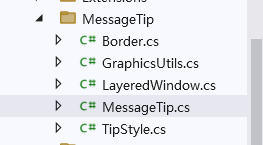
這個需要感謝以前在園子里的\一位\博主的分享他寫的控件名字叫"LayeredWindow",對外暴露的類叫“MessageTip”,不好意思已忘記作者。
如果你仔細(xì)閱讀代碼還會發(fā)現(xiàn)集成了TTS。反正做得有點像無人值守的一些商業(yè)機器。
轉(zhuǎn)自:數(shù)據(jù)酷軟件
鏈接:cnblogs.com/datacool/p/18004303/ViewFaceCore2024

關(guān)注公眾號↑↑↑:DotNet開發(fā)跳槽?