注意時間!用python制作倒計時提醒工具

長時間的久坐容易疲勞,也容易腰背部肌肉容易受損,平時工作學(xué)習(xí)的時候我們應(yīng)該時不時的起來活動一會,不如就用python制作個簡單的倒計時提醒工具吧。
一、導(dǎo)入所需的模塊
from?tkinter import?*
import?time
from?playsound import?playsound
tkinter用來制作圖形界面,time模塊用來顯示計算時間,playsound模塊用來設(shè)置提示音。
二、利用tkinter制作窗口
root = Tk()
root.geometry('400x300')
root.resizable(0,0)
root.title('倒計時')


root.mainloop()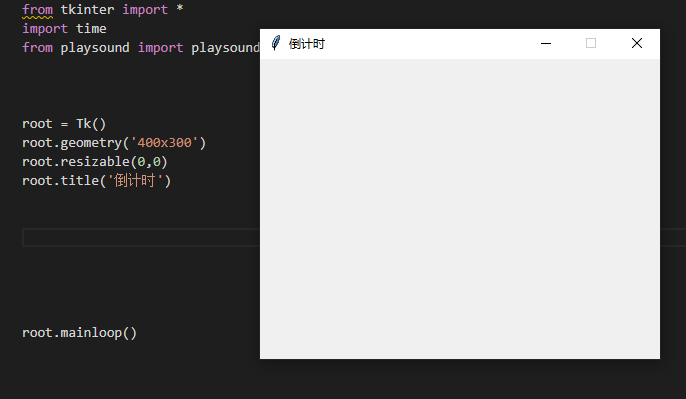
TK():初始化窗口
geometry():設(shè)置窗口的大小
resizable():鎖定窗口大小
title():窗口標(biāo)題
mainloop():始終顯示窗口
三、創(chuàng)建當(dāng)前時間
在窗口內(nèi)創(chuàng)建一個標(biāo)簽 用來提示當(dāng)前時間
Label(root, font ='arial 15 bold ', text = '當(dāng)前時間:', bg = 'Pink').place(x = 40?,y = 70)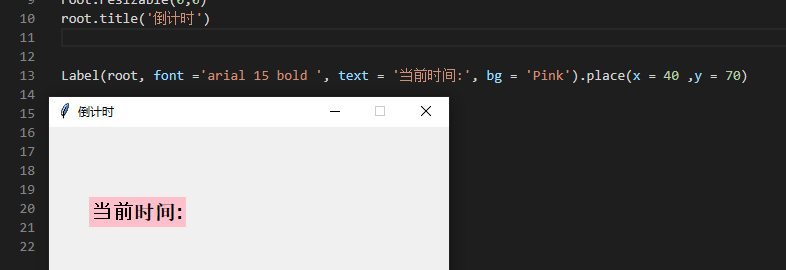
font:字體參數(shù)
text:要顯示的文本
bg:標(biāo)簽的背景顏色
place():標(biāo)簽的坐標(biāo)位置
顯示當(dāng)前時間
def?clock():
????clock_time = time.strftime('%H:%M:%S %p')
????curr_time.config(text = clock_time)
????curr_time.after(1000,clock)

curr_time =Label(root, font ='arial 15 bold', text = ''?, bg ='pink')
curr_time.place(x = 190?, y = 70)
clock()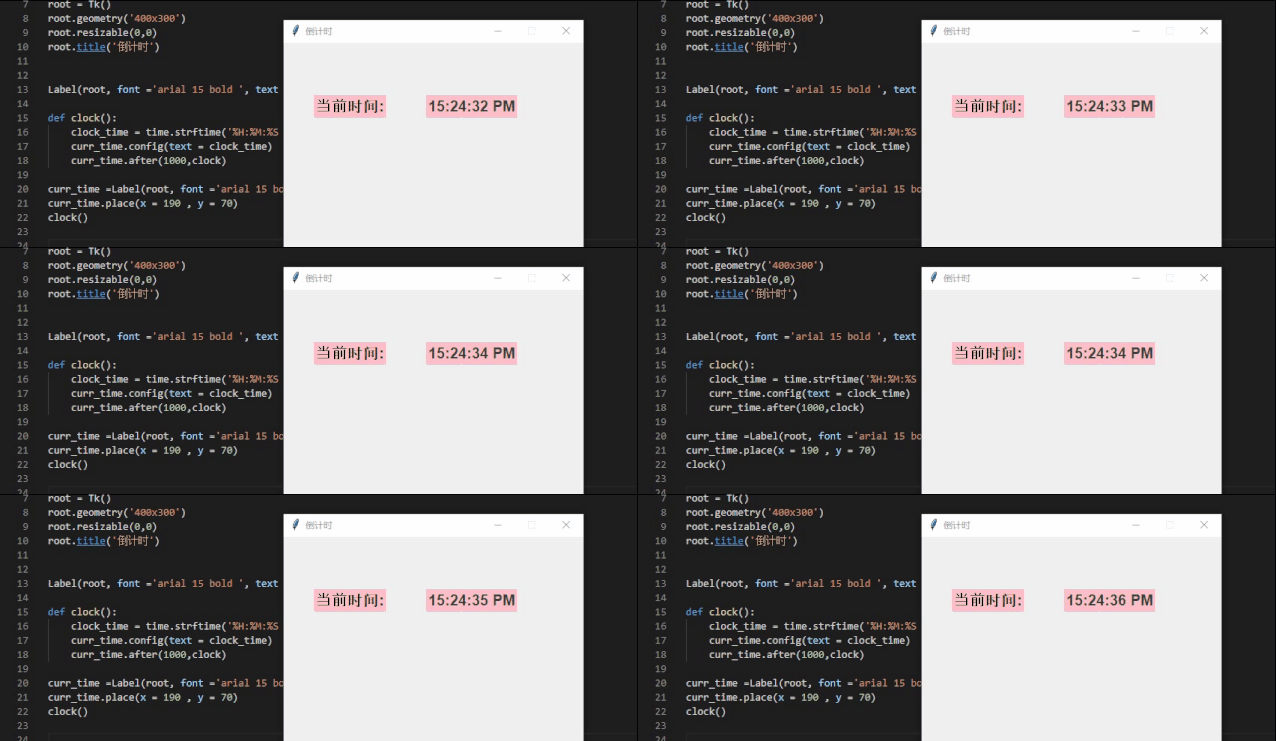
strftime():用來格式化輸出時間,%H為24小時制小時數(shù),%M為分鐘數(shù),%s為秒數(shù),%p用來提示a.m或p.m。
after():設(shè)置1秒的時間更新。
四、實現(xiàn)倒計時功能
創(chuàng)建倒計時的輸入框
sec = StringVar()
Entry(root, textvariable = sec, width = 2, font = 'arial 12').place(x=250, y=155)
sec.set('00')

mins= StringVar()
Entry(root, textvariable = mins, width =2, font = 'arial 12').place(x=225, y=155)
mins.set('00')

hrs= StringVar()
Entry(root, textvariable = hrs, width =2, font = 'arial 12').place(x=200, y=155)
hrs.set('00')
sec,mins,hrs:存儲秒,分,小時的字符串變量
Entry():創(chuàng)建文本輸入框
textvariable:和一個特定變量綁定
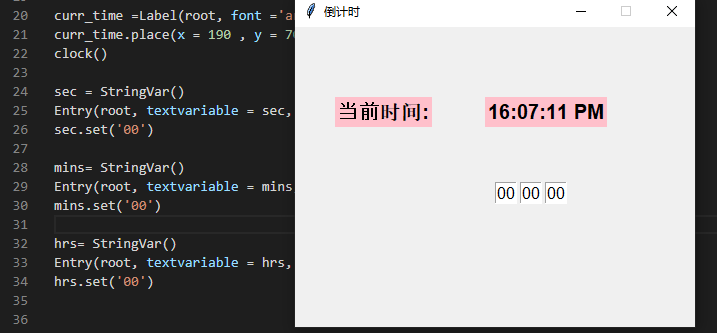
倒計時功能
def?countdown():
????times = int(hrs.get())*3600+ int(mins.get())*60?+ int(sec.get())
????while?times > -1:
????????minute,second = (times // 60?, times % 60)
????????
????????hour = 0
????????if?minute > 60:
????????????hour , minute = (minute // 60?, minute % 60)
??????
????????sec.set(second)
????????mins.set(minute)
????????hrs.set(hour)
???
????????root.update()
????????time.sleep(1)

????????if(times == 0):
????????????playsound('Loud_Alarm_Clock_Buzzer.mp3')
????????????sec.set('00')
????????????mins.set('00')
????????????hrs.set('00')
????????times -= 1
time變量獲取總時間(小時*3600+分鐘*60+秒數(shù)),time大于-1時,倒計時執(zhí)行,當(dāng)time=0時,調(diào)用提示音(同目錄下的聲音文件)。
補上倒計時前的標(biāo)簽
Label(root, font ='arial 15 bold', text = '倒計時:', bg ='pink').place(x = 40?,y = 150)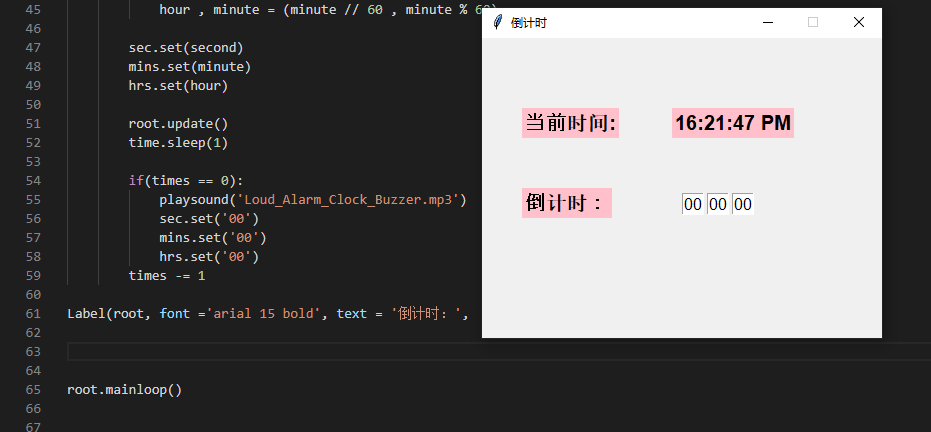
五、創(chuàng)建一個按鈕,啟用倒計時
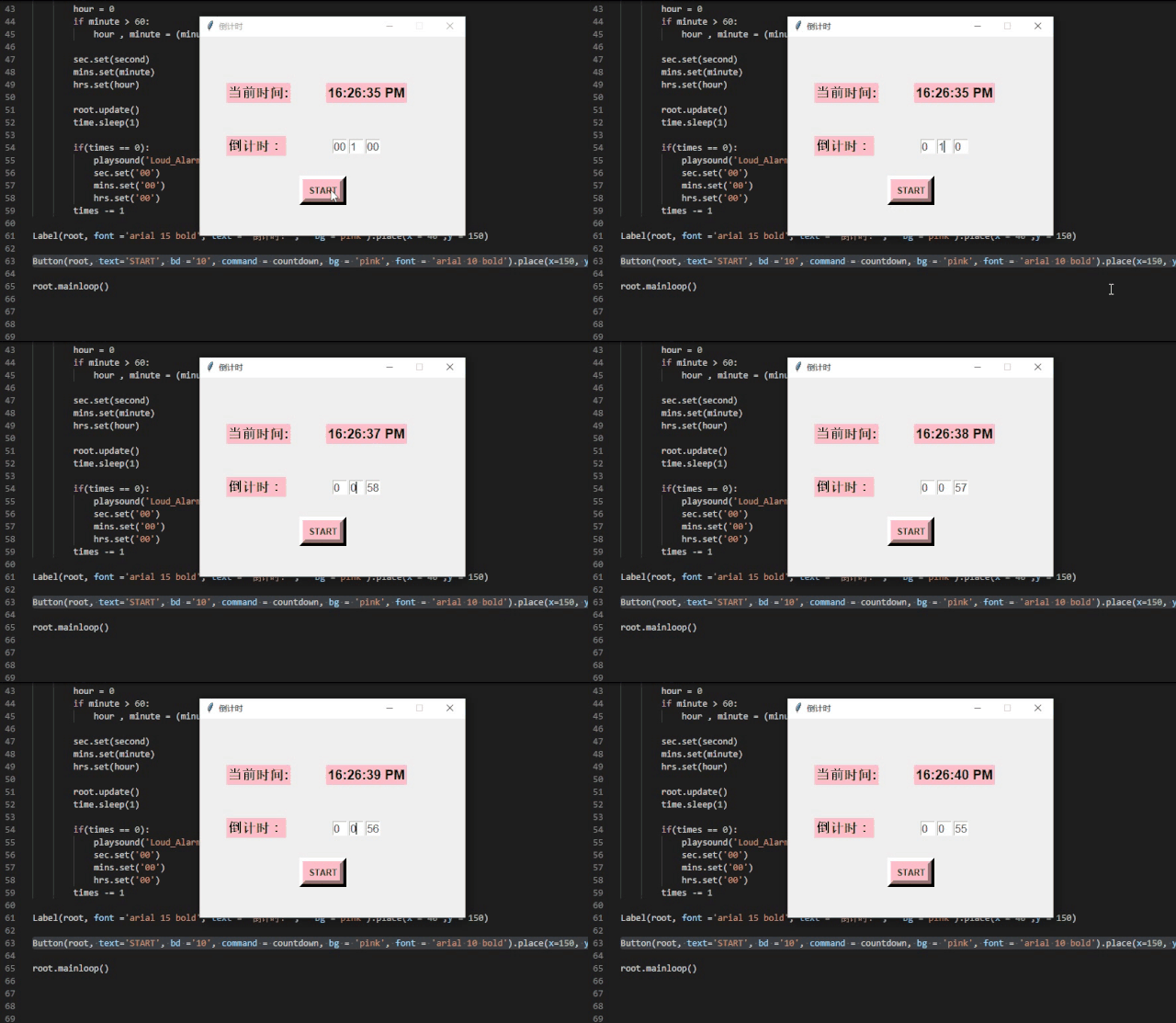
Button(root, text='START', bd ='10', command = countdown, bg = 'pink', font = 'arial 10 bold').place(x=150, y=210)command:點擊按鈕時,調(diào)用上面編寫好的倒計時函數(shù)
六、完整代碼
講解都在上面嘍,就不寫注釋啦
from?tkinter import?*
import?time
from?playsound import?playsound


root = Tk()
root.geometry('400x300')
root.resizable(0,0)
root.title('倒計時')


Label(root, font ='arial 15 bold ', text = '當(dāng)前時間:', bg = 'Pink').place(x = 40?,y = 70)

def?clock():
????clock_time = time.strftime('%H:%M:%S %p')
????curr_time.config(text = clock_time)
????curr_time.after(1000,clock)

curr_time =Label(root, font ='arial 15 bold', text = ''?, bg ='pink')
curr_time.place(x = 190?, y = 70)
clock()

Label(root, font ='arial 15 bold', text = '倒計時', bg ='pink').place(x = 40?,y = 150)

sec = StringVar()
Entry(root, textvariable = sec, width = 2, font = 'arial 12').place(x=250, y=155)
sec.set('00')

mins= StringVar()
Entry(root, textvariable = mins, width =2, font = 'arial 12').place(x=225, y=155)
mins.set('00')

hrs= StringVar()
Entry(root, textvariable = hrs, width =2, font = 'arial 12').place(x=200, y=155)
hrs.set('00')

def?countdown():
????times = int(hrs.get())*3600+ int(mins.get())*60?+ int(sec.get())
????while?times > -1:
????????minute,second = (times // 60?, times % 60)
????????
????????hour = 0
????????if?minute > 60:
????????????hour , minute = (minute // 60?, minute % 60)
??????
????????sec.set(second)
????????mins.set(minute)
????????hrs.set(hour)
???
????????root.update()
????????time.sleep(1)

????????if(times == 0):
????????????playsound('Loud_Alarm_Clock_Buzzer.mp3')
????????????sec.set('00')
????????????mins.set('00')
????????????hrs.set('00')
????????times -= 1

Label(root, font ='arial 15 bold', text = '倒計時:', bg ='pink').place(x = 40?,y = 150)

Button(root, text='START', bd ='10', command = countdown, bg = 'pink', font = 'arial 10 bold').place(x=150, y=210)
?
root.mainloop()
往期推薦



以上三位小伙伴,快來聯(lián)系小編領(lǐng)取小小紅包一份哦!小編微信:Mayyy530