
用 Python 制作一個迷宮游戲
文:豆豆
大家好,歡迎來到 Crossin的編程教室 !
相信大家都玩過迷宮的游戲,對于簡單的迷宮,我們可以一眼就看出通路,但是對于復(fù)雜的迷宮,可能要仔細尋找好久,甚至耗費數(shù)天,然后可能還要分別從入口和出口兩頭尋找才能找的到通路,甚至也可能找不到通路。
雖然走迷宮問題對于我們?nèi)祟悂碇v比較復(fù)雜,但對于計算機來說卻是很簡單的問題。為什么這樣說呢,因為看似復(fù)雜實則是有規(guī)可循的。
我們可以這么做,攜帶一根很長的繩子,從入口出發(fā)一直走,如果有岔路口就走最左邊的岔口,直到走到死胡同或者找到出路。如果是死胡同則退回上一個岔路口,我們稱之為岔口 A,
這時進入左邊第二個岔口,進入第二個岔口后重復(fù)第一個岔口的步驟,直到找到出路或者死胡同退回來。當(dāng)把該岔路口所有的岔口都走了一遍,還未找到出路就沿著繩子往回走,走到岔口 A 的前一個路口 B,重復(fù)上面的步驟。
不知道你有沒有發(fā)現(xiàn),這其實就是一個不斷遞歸的過程,而這正是計算機所擅長的。
上面這種走迷宮的算法就是我們常說的深度優(yōu)先遍歷算法,與之相對的是廣度優(yōu)先遍歷算法。有了理論基礎(chǔ),下面我們就來試著用 程序來實現(xiàn)一個走迷宮的小程序。
先來看看最終的效果視頻。
生成迷宮
生成迷宮有很多種算法,常用的有遞歸回溯法、遞歸分割法和隨機 Prim 算法,我們今天是用的最后一種算法。
該算法的主要步驟如下:
1、迷宮行和列必須為奇數(shù)
2、奇數(shù)行和奇數(shù)列的交叉點為路,其余點為墻,迷宮四周全是墻
3、選定一個為路的單元格(本例選?[1,1]),然后把它的鄰墻放入列表?wall
4、當(dāng)列表 wall 里還有墻時:
????4.1、從列表里隨機選一面墻,如果這面墻分隔的兩個單元格只有一個單元格被訪問過
????????4.1.1、那就從列表里移除這面墻,同時把墻打通
????????4.1.2、將單元格標(biāo)記為已訪問
??????? 4.1.3、將未訪問的單元格的鄰墻加入列表 wall
????4.2、如果這面墻兩面的單元格都已經(jīng)被訪問過,那就從列表里移除這面墻
我們定義一個 Maze 類,用二維數(shù)組表示迷宮地圖,其中 1 表示墻壁,0 表示路,然后初始化左上角為入口,右下角為出口,最后定義下方向向量。
class?Maze:
????def?__init__(self,?width,?height):
????????self.width?=?width
????????self.height?=?height
????????self.map?=?[[0?if?x?%?2?==?1?and?y?%?2?==?1?else?1?for?x?in?range(width)]?for?y?in?range(height)]
????????self.map[1][0]?=?0??#?入口
????????self.map[height?-?2][width?-?1]?=?0??#?出口
????????self.visited?=?[]
????????#?right?up?left?down
????????self.dx?=?[1,?0,?-1,?0]
????????self.dy?=?[0,?-1,?0,?1]
接下來就是生成迷宮的主函數(shù)了。
def?generate(self):
????start?=?[1,?1]
????self.visited.append(start)
????wall_list?=?self.get_neighbor_wall(start)
????while?wall_list:
????????wall_position?=?random.choice(wall_list)
????????neighbor_road?=?self.get_neighbor_road(wall_position)
????????wall_list.remove(wall_position)
????????self.deal_with_not_visited(neighbor_road[0],?wall_position,?wall_list)
????????self.deal_with_not_visited(neighbor_road[1],?wall_position,?wall_list)
該函數(shù)里面有兩個主要函數(shù) get_neighbor_road(point) 和 deal_with_not_visited(),前者會獲得傳入坐標(biāo)點 point 的鄰路節(jié)點,返回值是一個二維數(shù)組,后者 deal_with_not_visited() 函數(shù)處理步驟 4.1 的邏輯。
由于 Prim 隨機算法是隨機的從列表中的所有的單元格進行隨機選擇,新加入的單元格和舊加入的單元格被選中的概率是一樣的,因此其分支較多,生成的迷宮較復(fù)雜,難度較大,當(dāng)然看起來也更自然些。生成的迷宮。
[1, 1, 1, 1, 1, 1, 1, 1, 1, 1, 1]
[0, 0, 0, 0, 0, 0, 0, 0, 0, 0, 1]
[1, 1, 1, 1, 1, 0, 1, 1, 1, 1, 1]
[1, 0, 0, 0, 0, 0, 0, 0, 0, 0, 1]
[1, 1, 1, 0, 1, 0, 1, 0, 1, 0, 1]
[1, 0, 0, 0, 1, 0, 1, 0, 1, 0, 1]
[1, 0, 1, 0, 1, 0, 1, 1, 1, 1, 1]
[1, 0, 1, 0, 1, 0, 0, 0, 0, 0, 1]
[1, 0, 1, 0, 1, 1, 1, 0, 1, 0, 1]
[1, 0, 1, 0, 1, 0, 0, 0, 1, 0, 0]
[1, 1, 1, 1, 1, 1, 1, 1, 1, 1, 1]
走出迷宮
得到了迷宮的地圖,接下來就按照我們文首的思路來走迷宮即可。主要函數(shù)邏輯如下:
def?dfs(self,?x,?y,?path,?visited=[]):
????#?outOfIndex
????if?self.is_out_of_index(x,?y):
????????return?False

????#?visited?or?is?wall
????if?[x,?y]?in?visited?or?self.get_value([x,?y])?==?1:
????????return?False

????visited.append([x,?y])
????path.append([x,?y])

????#?end...
????if?x?==?self.width?-?2?and?y?==?self.height?-?2:
????????return?True

????#?recursive
????for?i?in?range(4):
????????if?0?1?and?0?1?and?\
????????????????self.get_value([x?+?self.dx[i],?y?+?self.dy[i]])?==?0:
????????????if?self.dfs(x?+?self.dx[i],?y?+?self.dy[i],?path,?visited):
????????????????return?True
????????????elif?not?self.is_out_of_index(x,?y)?and?path[-1]?!=?[x,?y]:
????????????????path.append([x,?y])
很明顯,這就是一個典型的遞歸程序。當(dāng)該節(jié)點坐標(biāo)越界、該節(jié)點被訪問過或者該節(jié)點是墻壁的時候,直接返回,因為該節(jié)點肯定不是我們要找的路徑的一部分,否則就將該節(jié)點加入被訪問過的節(jié)點和路徑的集合中。
然后如果該節(jié)點是出口則表示程序執(zhí)行結(jié)束,找到了通路。不然就遍歷四個方向向量,將節(jié)點的鄰路傳入函數(shù) dfs 繼續(xù)以上步驟,直到找到出路或者程序所有節(jié)點都遍歷完成。
來看看我們 dfs 得出的路徑結(jié)果:
[[0, 1], [1, 1], [2, 1], [3, 1], [4, 1], [5, 1], [6, 1], [7, 1], [8, 1], [9, 1], [9, 1], [8, 1], [7, 1], [6, 1], [5, 1], [5, 2], [5, 3], [6, 3], [7, 3], [8, 3], [9, 3], [9, 4], [9, 5], [9, 5], [9, 4], [9, 3], [8, 3], [7, 3], [7, 4], [7, 5], [7, 5], [7, 4], [7, 3], [6, 3], [5, 3], [4, 3], [3, 3], [2, 3], [1, 3], [1, 3], [2, 3], [3, 3], [3, 4], [3, 5], [2, 5], [1, 5], [1, 6], [1, 7], [1, 8], [1, 9], [1, 9], [1, 8], [1, 7], [1, 6], [1, 5], [2, 5], [3, 5], [3, 6], [3, 7], [3, 8], [3, 9], [3, 9], [3, 8], [3, 7], [3, 6], [3, 5], [3, 4], [3, 3], [4, 3], [5, 3], [5, 4], [5, 5], [5, 6], [5, 7], [6, 7], [7, 7], [8, 7], [9, 7], [9, 8], [9, 9], [10, 9]]
可視化
有了迷宮地圖和通路路徑,剩下的工作就是將這些坐標(biāo)點渲染出來。今天我們用的可視化庫是 pyxel,這是一個用來寫像素級游戲的 ?Python 庫,
當(dāng)然使用前需要先安裝下這個庫。
Win 用戶直接用 pip install -U pyxel命令安裝即可。
Mac 用戶使用以下命令安裝:
brew?install?python3?gcc?sdl2?sdl2_image?gifsicle
pip3?install?-U?pyxel
先來看個簡單的 Demo。
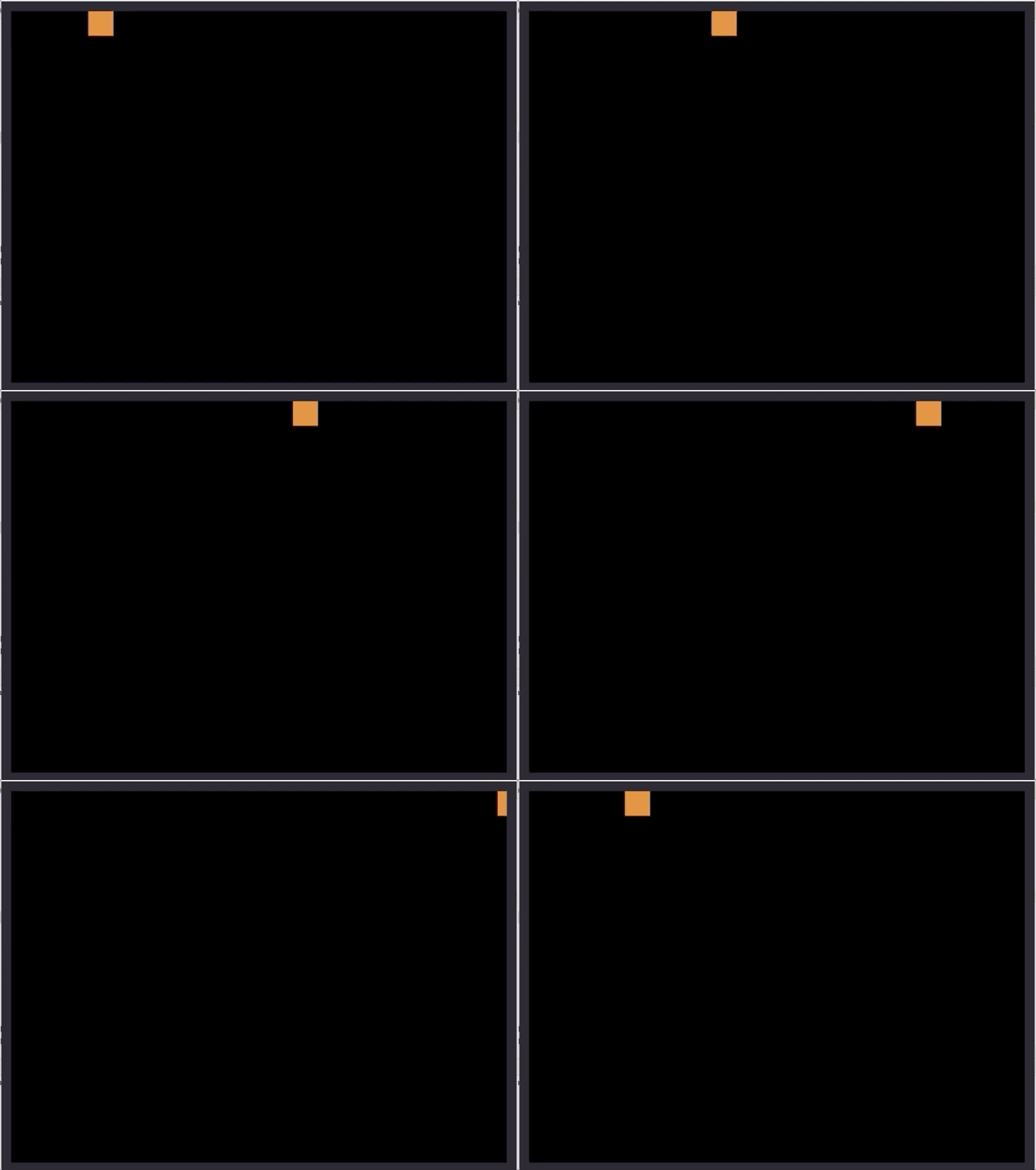
import?pyxel

class?App:
????def?__init__(self):
????????pyxel.init(160,?120)
????????self.x?=?0
????????pyxel.run(self.update,?self.draw)

????def?update(self):
????????self.x?=?(self.x?+?1)?%?pyxel.width

????def?draw(self):
????????pyxel.cls(0)
????????pyxel.rect(self.x,?0,?8,?8,?9)

App()
類 App 的執(zhí)行邏輯就是不斷的調(diào)用 update 函數(shù)和 draw 函數(shù),因此可以在 update 函數(shù)中更新物體的坐標(biāo),然后在 draw 函數(shù)中將圖像畫到屏幕即可。
如此我們就先把迷宮畫出來,然后在渲染 dfs 遍歷動畫。
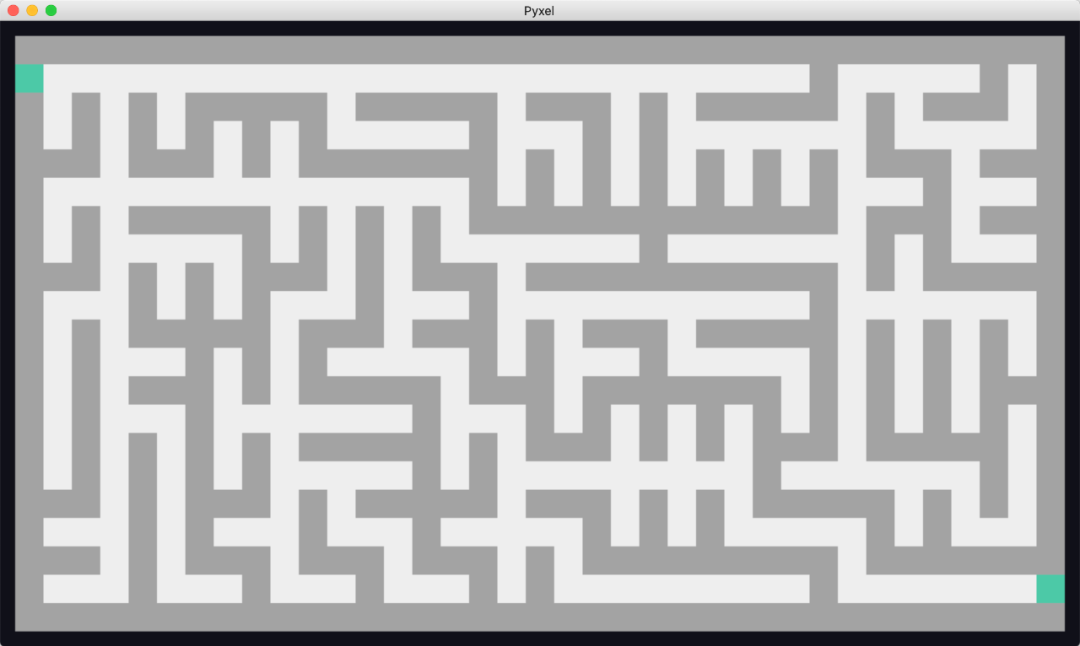
width,?height?=?37,?21
my_maze?=?Maze(width,?height)
my_maze.generate()

class?App:
????def?__init__(self):
????????pyxel.init(width?*?pixel,?height?*?pixel)
????????pyxel.run(self.update,?self.draw)

????def?update(self):
????????if?pyxel.btn(pyxel.KEY_Q):
????????????pyxel.quit()

????????if?pyxel.btn(pyxel.KEY_S):
????????????self.death?=?False

????def?draw(self):
????????#?draw?maze
????????for?x?in?range(height):
????????????for?y?in?range(width):
????????????????color?=?road_color?if?my_maze.map[x][y]?is?0?else?wall_color
????????????????pyxel.rect(y?*?pixel,?x?*?pixel,?pixel,?pixel,?color)
????????pyxel.rect(0,?pixel,?pixel,?pixel,?start_point_color)
????????pyxel.rect((width?-?1)?*?pixel,?(height?-?2)?*?pixel,?pixel,?pixel,?end_point_color)

App()
看起來還可以,這里的寬和高我分別用了 37 和 21 個像素格來生成,所以生成的迷宮不是很復(fù)雜,如果像素點很多的話就會錯綜復(fù)雜了。
接下里來我們就需要修改 update 函數(shù)和 draw 函數(shù)來渲染路徑了。為了方便操作,我們在 init 函數(shù)中新增幾個屬性。
self.index = 0
self.route = [] # 用于記錄待渲染的路徑
self.step = 1  # 步長,數(shù)值越小速度越快,1:每次一格;10:每次 1/10 格
self.color = start_point_color
self.bfs_route = my_maze.bfs_route()
其中 index 和 step 是用來控制渲染速度的,在 draw 函數(shù)中 index 每次自增 1,然后再對 step 求余數(shù)得到當(dāng)前的真實下標(biāo) real_index,簡言之就是 index 每增加 step,real_index 才會加一,渲染路徑向前走一步。
def?draw(self):
????#?draw?maze
????for?x?in?range(height):
????????for?y?in?range(width):
????????????color?=?road_color?if?my_maze.map[x][y]?is?0?else?wall_color
????????????pyxel.rect(y?*?pixel,?x?*?pixel,?pixel,?pixel,?color)
????pyxel.rect(0,?pixel,?pixel,?pixel,?start_point_color)
????pyxel.rect((width?-?1)?*?pixel,?(height?-?2)?*?pixel,?pixel,?pixel,?end_point_color)

????if?self.index?>?0:
????????#?draw?route
????????offset?=?pixel?/?2
????????for?i?in?range(len(self.route)?-?1):
????????????curr?=?self.route[i]
????????????next?=?self.route[i?+?1]
????????????self.color?=?backtrack_color?if?curr?in?self.route[:i]?and?next?in?self.route[:i]?else?route_color
????????????pyxel.line(curr[0]?+?offset,?(curr[1]?+?offset),?next[0]?+?offset,?next[1]?+?offset,?self.color)
????????pyxel.circ(self.route[-1][0]?+?2,?self.route[-1][1]?+?2,?1,?head_color)
def?update(self):
????if?pyxel.btn(pyxel.KEY_Q):
????????pyxel.quit()

????if?pyxel.btn(pyxel.KEY_S):
????????self.death?=?False

????if?not?self.death:
????????self.check_death()
????????self.update_route()

def?check_death(self):
????if?self.dfs_model?and?len(self.route)?==?len(self.dfs_route)?-?1:
????????self.death?=?True
????elif?not?self.dfs_model?and?len(self.route)?==?len(self.bfs_route)?-?1:
????????self.death?=?True

def?update_route(self):
????index?=?int(self.index?/?self.step)
????self.index?+=?1
????if?index?==?len(self.route):??#?move
????????if?self.dfs_model:
????????????self.route.append([pixel?*?self.dfs_route[index][0],?pixel?*?self.dfs_route[index][1]])
????????else:
????????????self.route.append([pixel?*?self.bfs_route[index][0],?pixel?*?self.bfs_route[index][1]])

App()
至此,我們完整的從迷宮生成,到尋找路徑,再到路徑可視化已全部實現(xiàn)。直接調(diào)用主函數(shù) App() 然后按 S 鍵盤開啟游戲,就可以看到文首的效果了。
總結(jié)
今天我們用深度優(yōu)先算法實現(xiàn)了迷宮的遍歷,對于新手來說,遞歸這思路可能比較難理解,但這才是符合計算機思維的,隨著經(jīng)驗的加深會理解越來越深刻的。
其次我們用 pyxel 庫來實現(xiàn)路徑可視化,難點在于坐標(biāo)的計算更新,細節(jié)比較多且繁瑣,當(dāng)然讀者也可以用其他庫或者直接用網(wǎng)頁來實現(xiàn)也可以。
游戲源碼:
https://github.com/JustDoPython/python-examples/blob/master/doudou/2020-06-12-maze/maze.py
快來一試身手吧。
如果文章對你有幫助,歡迎轉(zhuǎn)發(fā)/點贊/收藏~
_往期文章推薦_