
視線估計實戰(zhàn),臥槽,我有一個大膽的想法!
點擊上方“AI算法與圖像處理”,選擇加"星標"或“置頂”
重磅干貨,第一時間送達
大家好,我是程序員啊潘。今天要分享一個有趣的實戰(zhàn)項目——視線估計,一個相對小眾的研究方向,但是未來大有可為。
相關(guān)應用
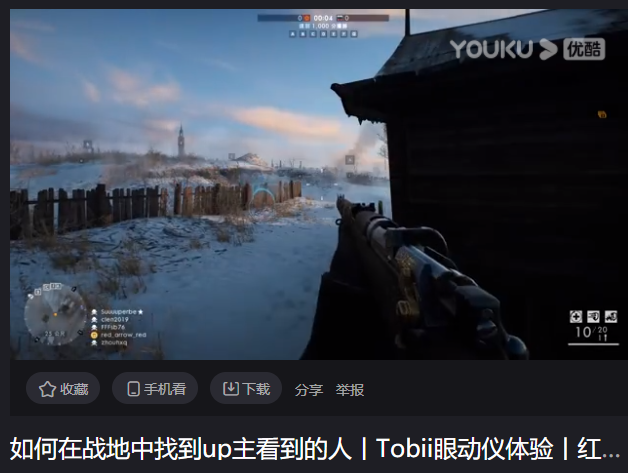
https://v.youku.com/v_show/id_XNDAzNzc3MjEzNg==.html?spm=a2h0k.11417342.soresults.dtitle
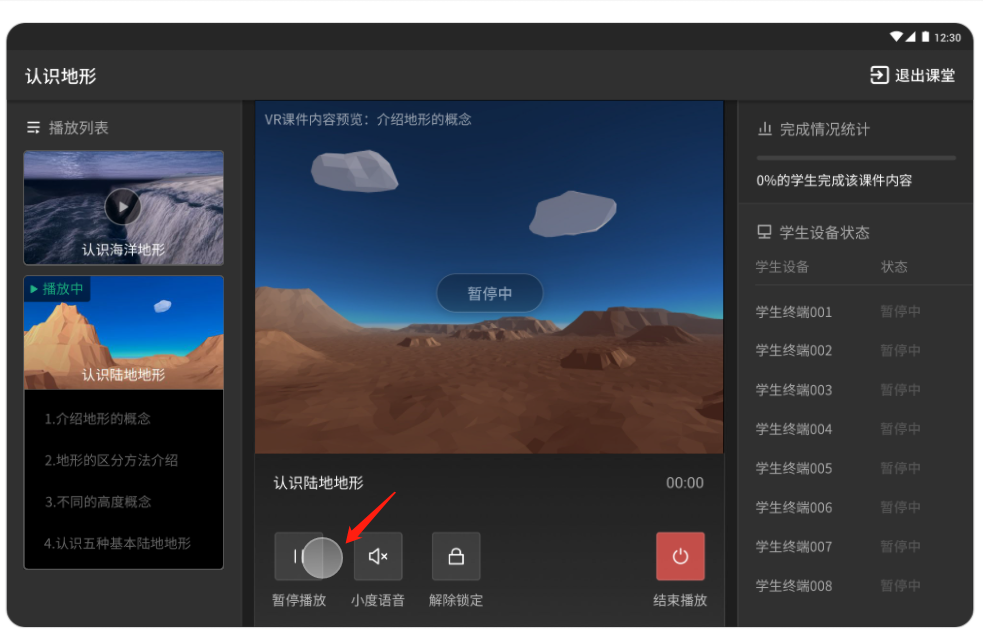
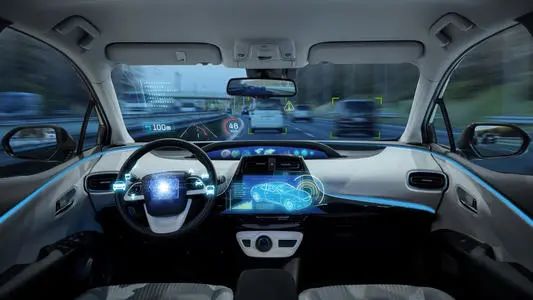
輔助駕駛(智能座艙):gaze在輔助駕駛上有兩方面應用。一是檢測駕駛員是否疲勞駕駛以及注意力是否集中。二是提供一些交互從而解放雙手。
線下零售:我一直認為gaze在零售或者無人超市等領(lǐng)域大有可為,畢竟人的注意力某種程度上反映了其興趣,可以提供大量的信息。但是我目前并沒有看到相關(guān)的應用,包括Amazon Go。或許現(xiàn)階段精度難以達到要求。我導師的公司倒是接過一個超市的項目,通過gaze行為做市場調(diào)研。但歐洲公司保密性較高,具體情況不得而知。
其他交互類應用如手機解鎖、短視頻特效等。
來源:https://zhuanlan.zhihu.com/p/112097446
算法原理和項目實戰(zhàn)
好的,介紹了這么多,下面我們來實戰(zhàn)一下,老規(guī)矩,先看效果
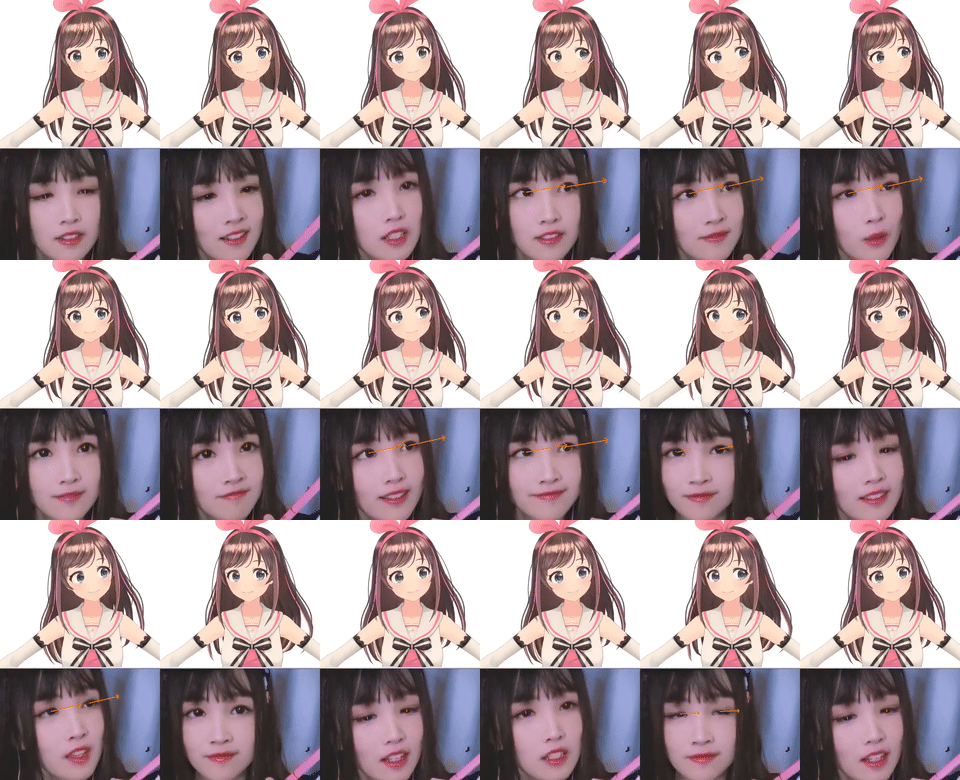
當然我想象中的效果應該是可以替換成下面的樣子(本文并沒有實現(xiàn)):
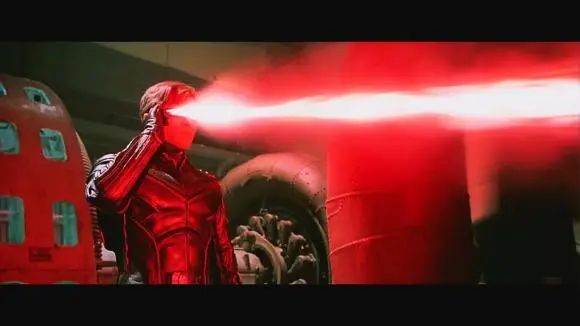
代碼來源:https://github.com/1996scarlet/Laser-Eye
涉及到的知識點:
1、人臉檢測
論文:https://arxiv.org/abs/1905.00641項目代碼:https://github.com/1996scarlet/faster-mobile-retinaface
2、人臉關(guān)鍵點檢測
默認使用的是MobileNet-v2 version(1.4M)
可選的其他版本https://github.com/deepinx/deep-face-alignment【37M】
3、頭部姿態(tài)估計
https://github.com/lincolnhard/head-pose-estimation使用 dlib和 OpenCV實現(xiàn)頭部姿態(tài)的估計(實際使用的是insightface項目中的人臉關(guān)鍵點檢測方法)鏈接:https://github.com/deepinsight/insightface/tree/master/alignment/coordinateReginsightface項目經(jīng)常會更新一些好東西,非常值得持續(xù)關(guān)注
4、虹膜分割
論文:https://ieeexplore.ieee.org/document/8818661
本文提出了一種基于單目RGB相機的實時精確的三維眼球注視跟蹤方法。我們的關(guān)鍵思想是訓練一個深度卷積神經(jīng)網(wǎng)絡(luò)(DCNN),自動從輸入圖像中提取每只眼睛的虹膜和瞳孔像素。為了實現(xiàn)這一目標,我們結(jié)合Unet[1]和Squeezenet[2]的能力來訓練一個高效的卷積神經(jīng)網(wǎng)絡(luò)進行像素分類。此外,我們在最大后驗框架中跟蹤三維眼睛注視狀態(tài),該框架在每一幀中順序搜索最可能的三維眼睛注視狀態(tài)。當眼睛眨眼時,眼球注視跟蹤器會得到不準確的結(jié)果。為了提高眼睛注視跟蹤器的魯棒性和準確性,我們進一步擴展了卷積神經(jīng)網(wǎng)絡(luò)用于眼睛的近距離檢測。我們的系統(tǒng)在臺式電腦和智能手機上實時運行。我們已經(jīng)在直播視頻和網(wǎng)絡(luò)視頻上評估了我們的系統(tǒng),我們的結(jié)果表明,該系統(tǒng)對于不同性別、種族、光照條件、姿勢、形狀和面部表情都是穩(wěn)健和準確的。與Wang等人[3]的對比表明,我們的方法在使用單一RGB攝像頭的3D眼球跟蹤方面取得了先進水平。
測試代碼:
#!/usr/bin/python3# -*- coding:utf-8 -*-from service.head_pose import HeadPoseEstimatorfrom service.face_alignment import CoordinateAlignmentModelfrom service.face_detector import MxnetDetectionModelfrom service.iris_localization import IrisLocalizationModelimport cv2import numpy as npfrom numpy import sin, cos, pi, arctanfrom numpy.linalg import normimport timefrom queue import Queuefrom threading import Threadimport sysSIN_LEFT_THETA = 2 * sin(pi / 4)SIN_UP_THETA = sin(pi / 6)def calculate_3d_gaze(frame, poi, scale=256):ends, pupils, centers = poieye_length = norm(starts - ends, axis=1)ic_distance = norm(pupils - centers, axis=1)zc_distance = norm(pupils - starts, axis=1)s0 = (starts[:, 1] - ends[:, 1]) * pupils[:, 0]s1 = (starts[:, 0] - ends[:, 0]) * pupils[:, 1]s2 = starts[:, 0] * ends[:, 1]s3 = starts[:, 1] * ends[:, 0]delta_y = (s0 - s1 + s2 - s3) / eye_length / 2delta_x = np.sqrt(abs(ic_distance**2 - delta_y**2))delta = np.array((delta_x * SIN_LEFT_THETA,delta_y * SIN_UP_THETA))delta /= eye_lengthpha = np.arcsin(delta)# print(f"THETA:{180 * theta / pi}, PHA:{180 * pha / pi}")# delta[0, abs(theta) < 0.1] = 0# delta[1, abs(pha) < 0.03] = 0inv_judge = zc_distance**2 - delta_y**2 < eye_length**2 / 4inv_judge] *= -1*= -1delta *= scale# cv2.circle(frame, tuple(pupil.astype(int)), 2, (0, 255, 255), -1)# cv2.circle(frame, tuple(center.astype(int)), 1, (0, 0, 255), -1)return theta, pha, delta.Tdef draw_sticker(src, offset, pupils, landmarks,blink_thd=0.22,arrow_color=(0, 125, 255), copy=False):if copy:src = src.copy()left_eye_hight = landmarks[33, 1] - landmarks[40, 1]left_eye_width = landmarks[39, 0] - landmarks[35, 0]right_eye_hight = landmarks[87, 1] - landmarks[94, 1]right_eye_width = landmarks[93, 0] - landmarks[89, 0]for mark in landmarks.reshape(-1, 2).astype(int):tuple(mark), radius=1,color=(0, 0, 255), thickness=-1)if left_eye_hight / left_eye_width > blink_thd:tuple(pupils[0].astype(int)),arrow_color, 2)if right_eye_hight / right_eye_width > blink_thd:tuple(pupils[1].astype(int)),arrow_color, 2)return srcdef main(video, gpu_ctx=-1):cap = cv2.VideoCapture(video)fd = MxnetDetectionModel("weights/16and32", 0, .6, gpu=gpu_ctx)fa = CoordinateAlignmentModel('weights/2d106det', 0, gpu=gpu_ctx)gs = IrisLocalizationModel("weights/iris_landmark.tflite")hp = HeadPoseEstimator("weights/object_points.npy", cap.get(3), cap.get(4))fourcc = cv2.VideoWriter_fourcc(*'XVID')out = cv2.VideoWriter('output.avi',fourcc, 20.0, (960, 540))while True:frame = cap.read()if not ret:breakbboxes = fd.detect(frame)for landmarks in fa.get_landmarks(frame, bboxes, calibrate=True):# calculate head poseeuler_angle = hp.get_head_pose(landmarks)yaw, roll = euler_angle[:, 0]eye_markers = np.take(landmarks, fa.eye_bound, axis=0)eye_centers = np.average(eye_markers, axis=1)# eye_centers = landmarks[[34, 88]]# eye_lengths = np.linalg.norm(landmarks[[39, 93]] - landmarks[[35, 89]], axis=1)eye_lengths = (landmarks[[39, 93]] - landmarks[[35, 89]])[:, 0]iris_left = gs.get_mesh(frame, eye_lengths[0], eye_centers[0])_ = gs.draw_pupil(iris_left, frame, thickness=1)iris_right = gs.get_mesh(frame, eye_lengths[1], eye_centers[1])_ = gs.draw_pupil(iris_right, frame, thickness=1)pupils = np.array([pupil_left, pupil_right])poi = landmarks[[35, 89]], landmarks[[39, 93]], pupils, eye_centerspha, delta = calculate_3d_gaze(frame, poi)if yaw > 30:end_mean = delta[0]elif yaw < -30:end_mean = delta[1]else:end_mean = np.average(delta, axis=0)if end_mean[0] < 0:zeta = arctan(end_mean[1] / end_mean[0]) + pielse:zeta = arctan(end_mean[1] / (end_mean[0] + 1e-7))# print(zeta * 180 / pi)# print(zeta)if roll < 0:roll += 180else:roll -= 180real_angle = zeta + roll * pi / 180# real_angle = zeta# print("end mean:", end_mean)# print(roll, real_angle * 180 / pi)R = norm(end_mean)offset = R * cos(real_angle), R * sin(real_angle)92]] = landmarks[[34, 88]] = eye_centers# gs.draw_eye_markers(eye_markers, frame, thickness=1)offset, pupils, landmarks)frame = cv2.resize(frame, (960, 540))out.write(frame)cv2.resize(frame, (960, 540)))# cv2.imshow('res', frame)if cv2.waitKey(0) == ord('q'):breakcap.release()out.release()if __name__ == "__main__":video = "flame.mp4"main(video)
注意事項:
環(huán)境配置:
1、官方并沒有提供明確的依賴包和相應的版本,本人測試所用的環(huán)境(cpu版本)
mxnet 1.7.0
tensorflow 2.4.0
2、在運行時,顯示圖片需要按空格鍵,切換到下一個畫面。
3、測試的視頻在官方項目的asset文件夾下。
視線估計最終獲得的結(jié)果包括
三個角度:pitch, yaw, roll
虹膜分割的結(jié)果,左右眼分割的結(jié)果
計算3維虹膜的值
代碼來源:https://github.com/1996scarlet/Laser-Eye
最后
好的,到這里,今天的分享就結(jié)束了。
最后,希望大家能點一下“贊”、“在看”和分享到朋友圈,你的舉手之勞,是我前進的動力!2021,我會努力分享更多的干貨,做好內(nèi)容!
下載1:何愷明頂會分享
在「AI算法與圖像處理」公眾號后臺回復:何愷明,即可下載。總共有6份PDF,涉及 ResNet、Mask RCNN等經(jīng)典工作的總結(jié)分析
下載2:終身受益的編程指南:Google編程風格指南
在「AI算法與圖像處理」公眾號后臺回復:c++,即可下載。歷經(jīng)十年考驗,最權(quán)威的編程規(guī)范!
    下載3 CVPR2020


    在「AI算法與圖像處理」公眾號后臺回復:CVPR2020,即可下載1467篇CVPR 2020論文


     個人微信(如果沒有備注不拉群!)


     請注明:地區(qū)+學校/企業(yè)+研究方向+昵稱
覺得不錯就點亮在看吧
