
最近在用的一款可視化工具
點(diǎn)擊上方SQL數(shù)據(jù)庫開發(fā),關(guān)注獲取SQL視頻教程
SQL專欄
SQL數(shù)據(jù)庫基礎(chǔ)知識(shí)匯總
SQL數(shù)據(jù)庫高級(jí)知識(shí)匯總
啰里八嗦開場(chǎng)就不多寫了,寫這篇文章是最近發(fā)現(xiàn)了一款比較好看的可視化工具,想給大家安利一波。
直接說名字,G2。

啊呸,截錯(cuò)圖了,不是G2俱樂部哈。
真的悟空在哪?
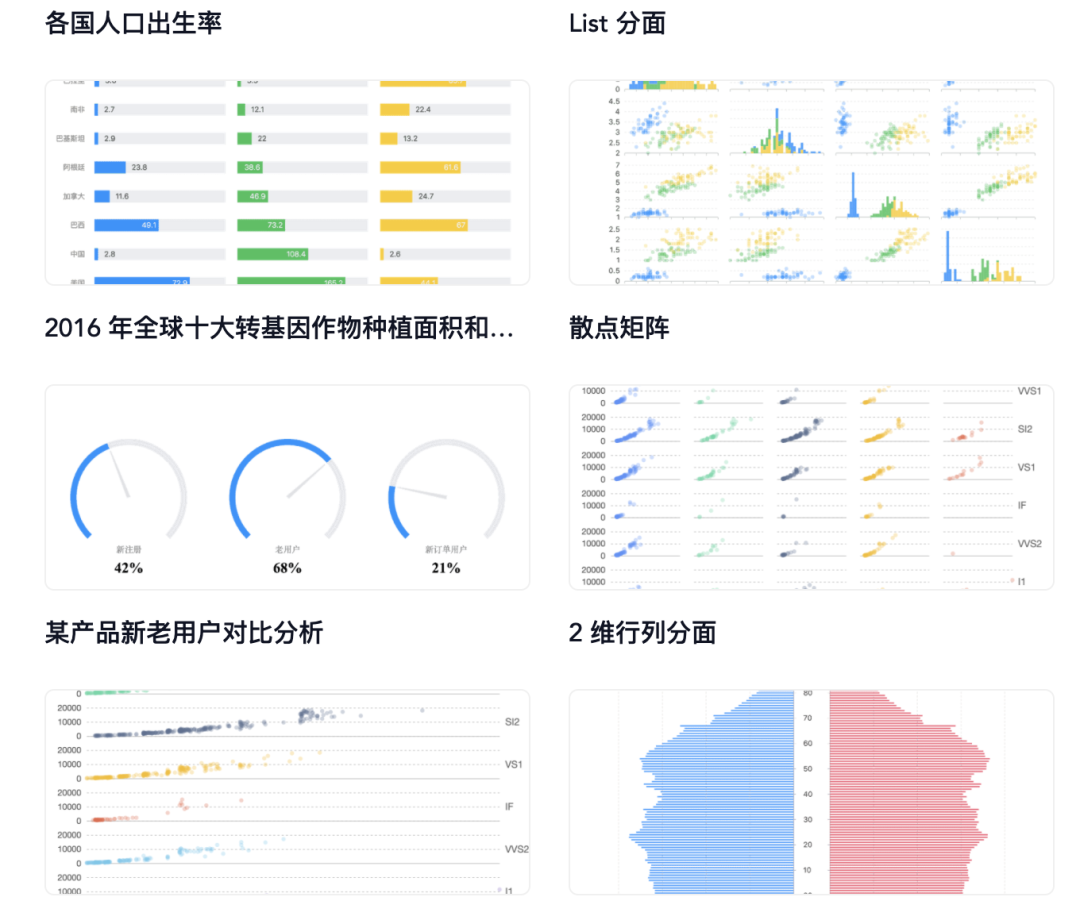
G2 是一套基于圖形語法理論的可視化底層引擎,以數(shù)據(jù)驅(qū)動(dòng),提供圖形語法與交互語法,具有高度的易用性和擴(kuò)展性。使用 G2,你可以無需關(guān)注圖表各種繁瑣的實(shí)現(xiàn)細(xì)節(jié),一條語句即可使用 Canvas 或 SVG 構(gòu)建出各種各樣的可交互的統(tǒng)計(jì)圖表。(這里一堆專業(yè)介紹名詞引用在官網(wǎng),別問,問就是懶。)
劃重點(diǎn):用起來簡單,可繪制反應(yīng)業(yè)務(wù)的交互式統(tǒng)計(jì)圖表。
來點(diǎn)案例?好的,O機(jī)寶K。
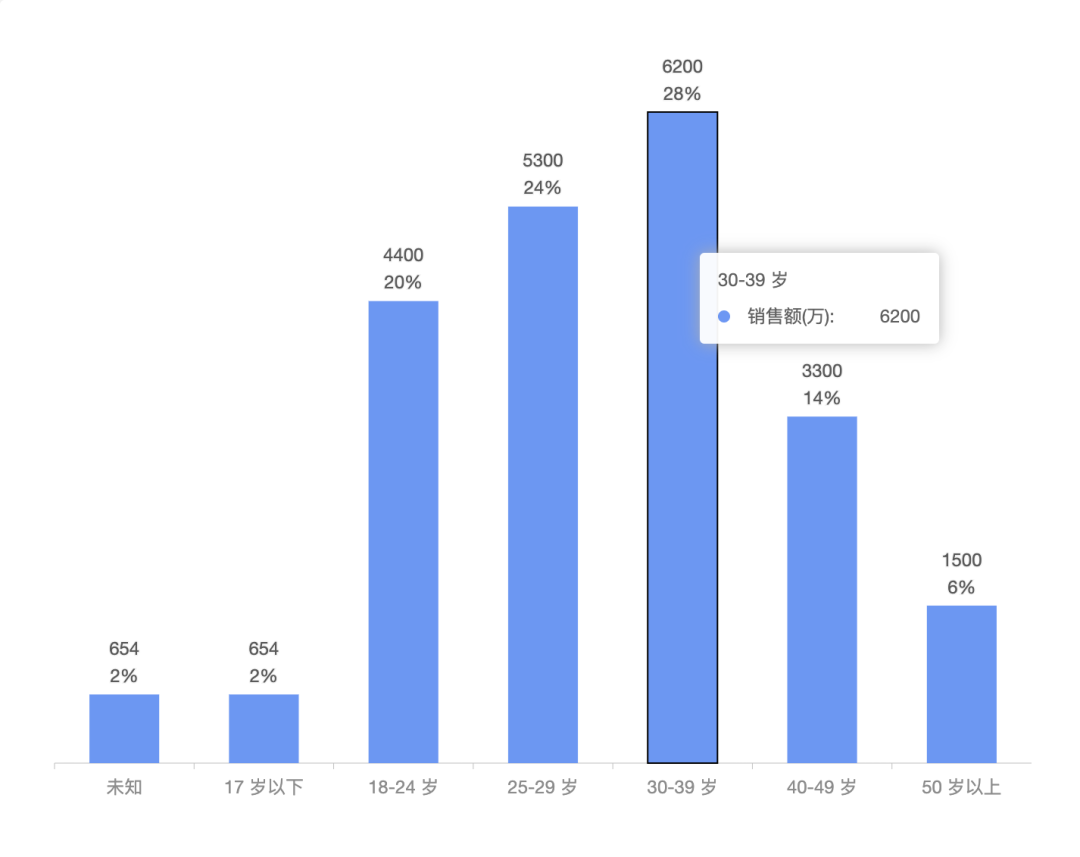
import { Chart } from '@antv/g2';const data = [{ type: '未知', value: 654, percent: 0.02 },{ type: '17 歲以下', value: 654, percent: 0.02 },{ type: '18-24 歲', value: 4400, percent: 0.2 },{ type: '25-29 歲', value: 5300, percent: 0.24 },{ type: '30-39 歲', value: 6200, percent: 0.28 },{ type: '40-49 歲', value: 3300, percent: 0.14 },{ type: '50 歲以上', value: 1500, percent: 0.06 },];const chart = new Chart({container: 'container',autoFit: true,height: 500,padding: [50, 20, 50, 20],});chart.data(data);chart.scale('value', {alias: '銷售額(萬)',});chart.axis('type', {tickLine: {alignTick: false,},});chart.axis('value', false);chart.tooltip({showMarkers: false,});chart.interval().position('type*value');chart.interaction('element-active');// 添加文本標(biāo)注data.forEach((item) => {chart.annotation().text({position: [item.type, item.value],content: item.value,style: {textAlign: 'center',},offsetY: -30,}).text({position: [item.type, item.value],content: (item.percent * 100).toFixed(0) + '%',style: {textAlign: 'center',},offsetY: -12,});});chart.render();
02
某企業(yè)經(jīng)營現(xiàn)金流
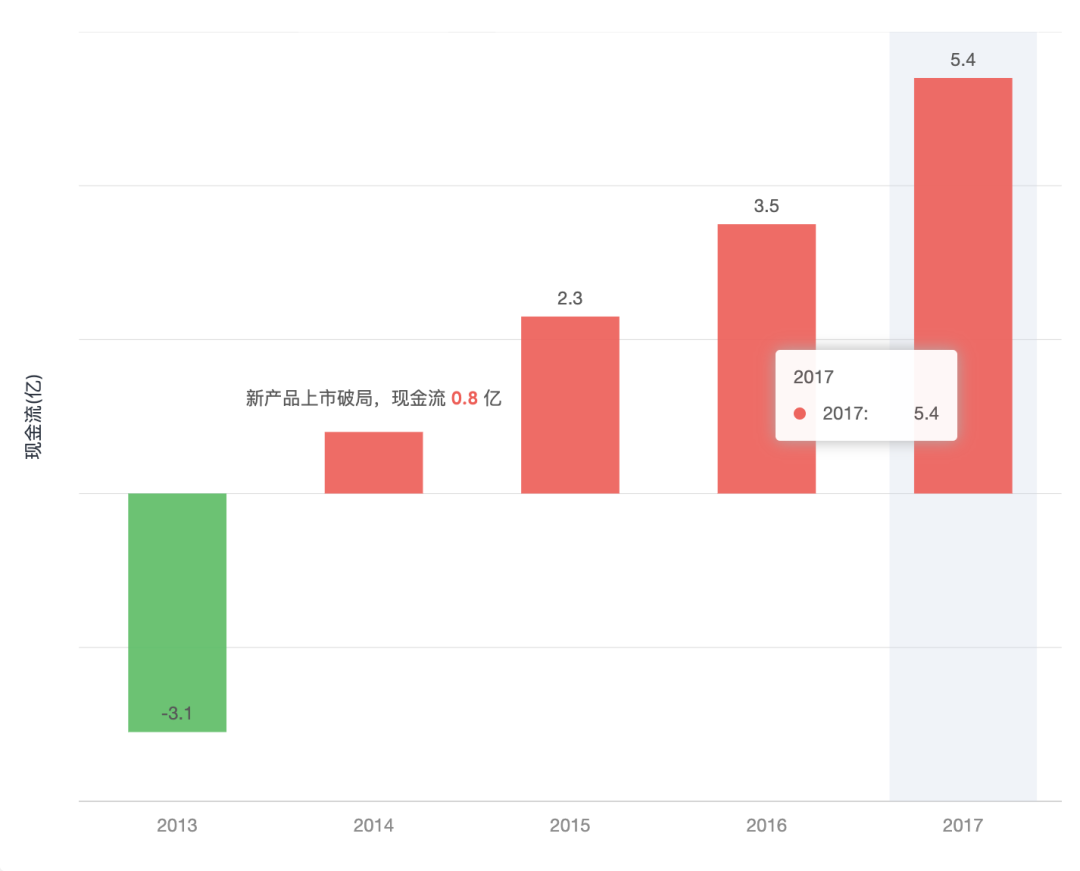
const data = [{ year: '2013', value: -3.1 },{ year: '2014', value: 0.8 },{ year: '2015', value: 2.3 },{ year: '2016', value: 3.5 },{ year: '2017', value: 5.4 },];
03
戰(zhàn)狼3關(guān)注來源
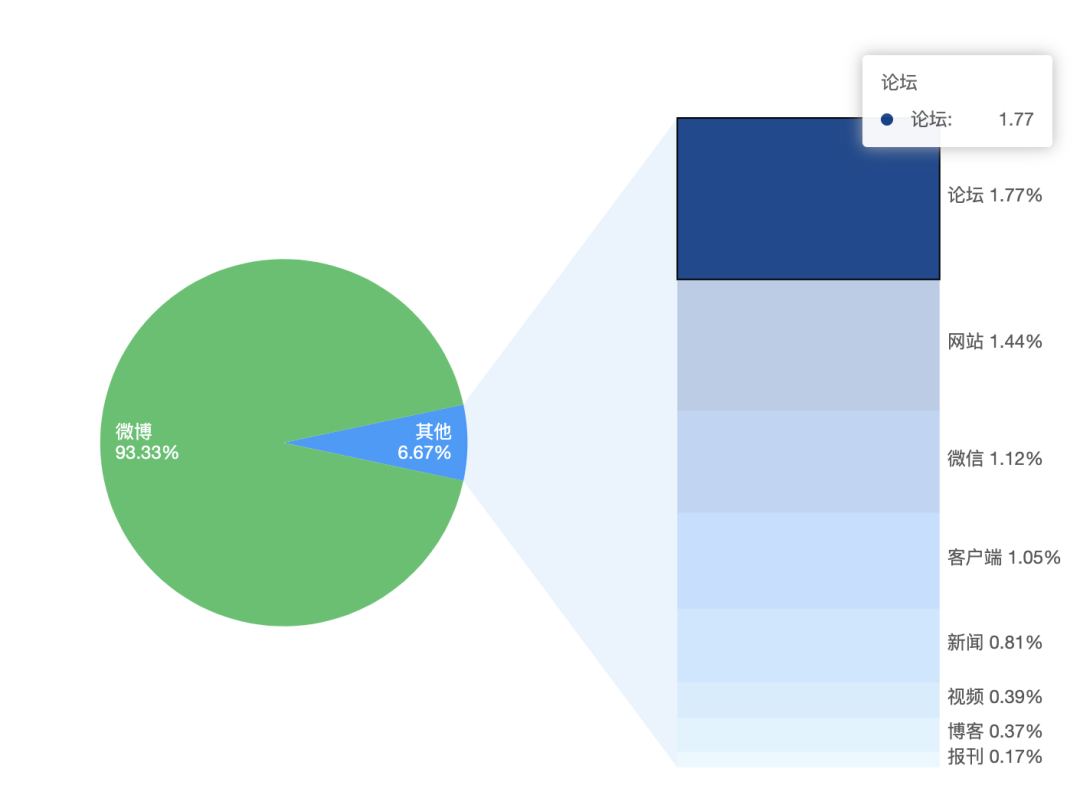
import { Chart } from '@antv/g2';const otherRatio = 6.67 / 100; // Other 的占比const otherOffsetAngle = otherRatio * Math.PI; // other 占的角度的一半const data = [{ type: '微博', value: 93.33 },{ type: '其他', value: 6.67 },];const other = [{ type: '論壇', value: 1.77 },{ type: '網(wǎng)站', value: 1.44 },{ type: '微信', value: 1.12 },{ type: '客戶端', value: 1.05 },{ type: '新聞', value: 0.81 },{ type: '視頻', value: 0.39 },{ type: '博客', value: 0.37 },{ type: '報(bào)刊', value: 0.17 },];const chart = new Chart({container: 'container',autoFit: true,height: 500,});chart.legend(false);chart.tooltip({showMarkers: false,});/*其他基本類似01 02*/
03?
動(dòng)態(tài)條形圖
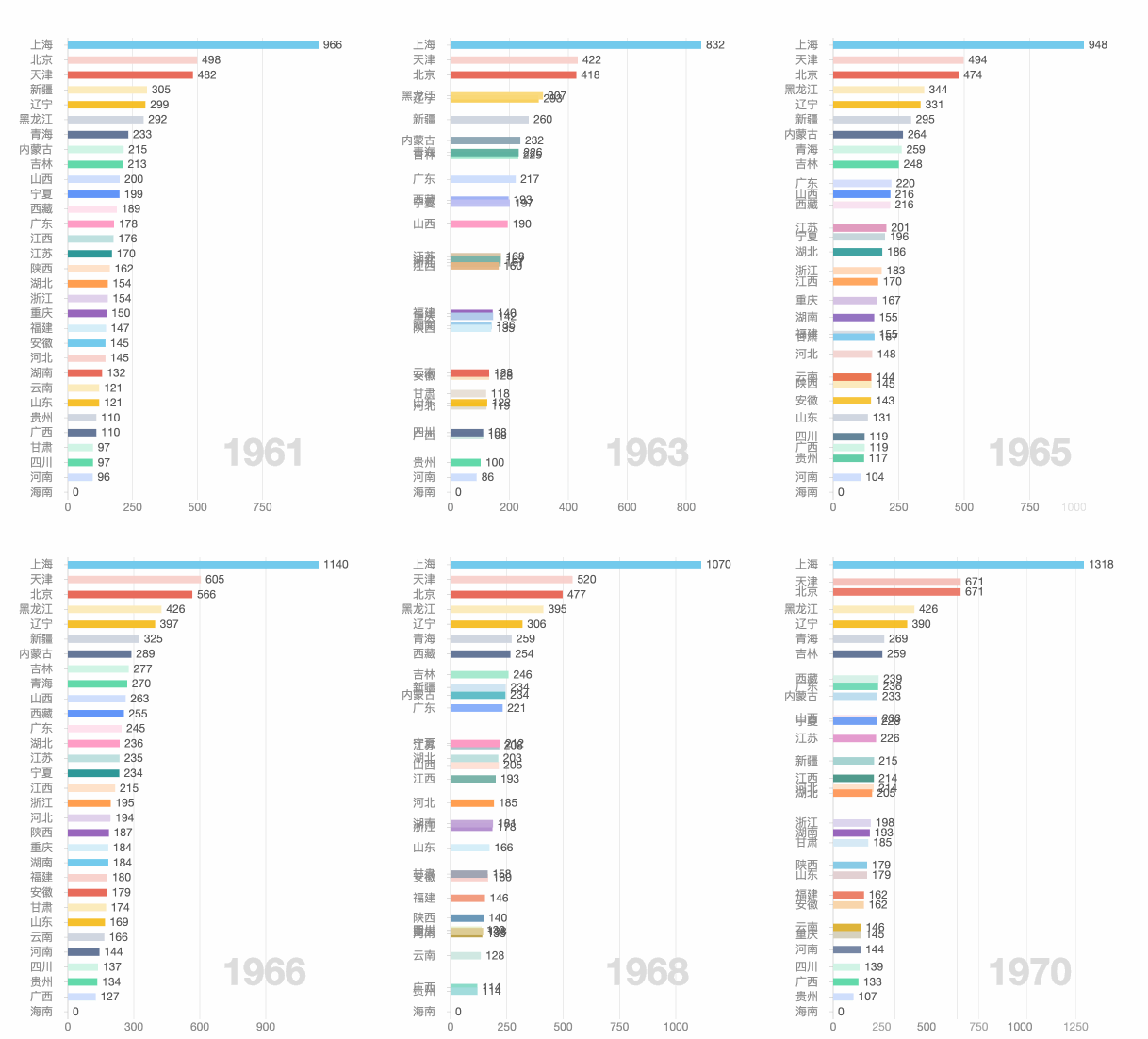
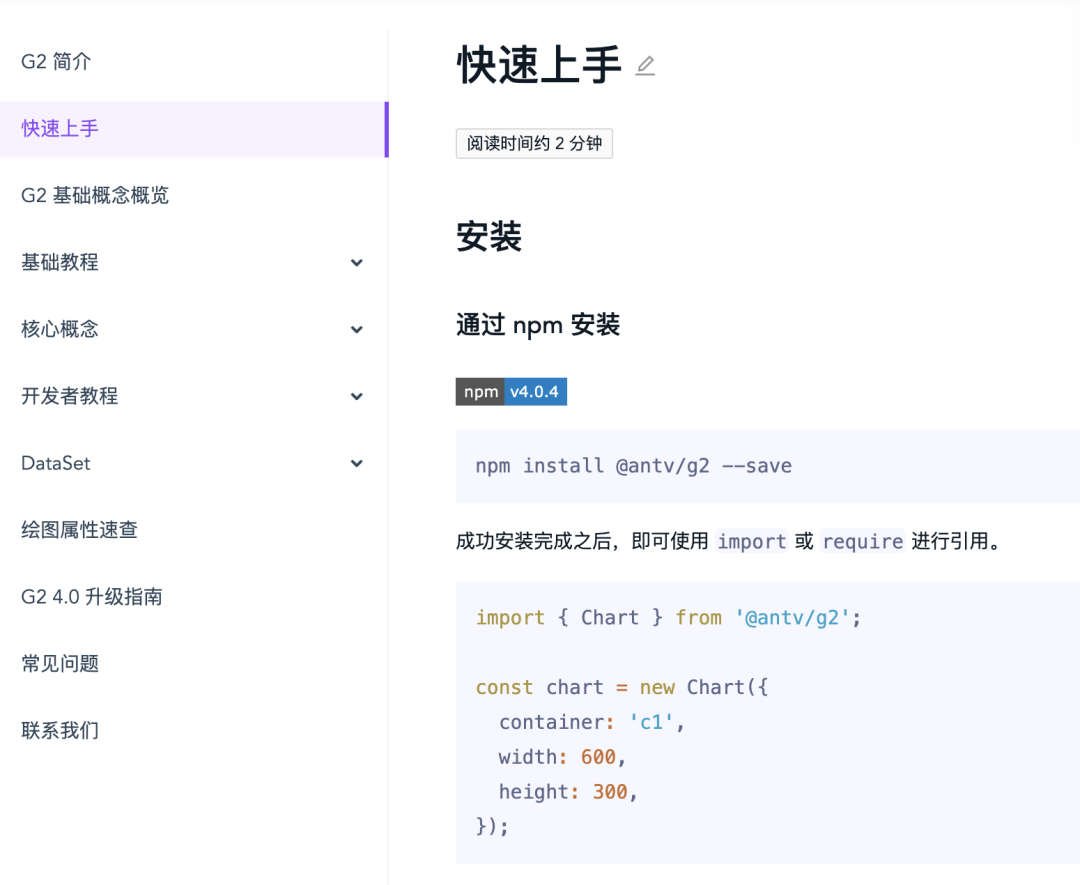
不必?fù)?dān)心不會(huì)用,教程真的超A。
感覺再多說還以為我在打廣告,所以本期鏈接就不放了,感興趣的自己搜索。
——End——
后臺(tái)回復(fù)關(guān)鍵字:資料領(lǐng)取,獲取一份精心整理的技術(shù)干貨
后臺(tái)回復(fù)關(guān)鍵字:進(jìn)群,帶你進(jìn)入高手如云的交流群。
推薦閱讀- SQL Server DBA日常運(yùn)維語句
- 安利幾款良心又高效的軟件,總有一款你需要的
- 知乎上這個(gè)程序員火了,竟是因?yàn)榻o老板修了一 次U盤...
- 為什么下載電影時(shí),經(jīng)常會(huì)卡在99%?
點(diǎn)擊「閱讀原文」了解SQL訓(xùn)練營