
PLUGINS
共 5391字,需瀏覽 11分鐘
·
2023-04-25 14:17
IP Limit
UniSMS supports restricting the IP addresses of interface call requests to ensure that your SMS interface calls are sent by trusted servers. You can specify the IP addresses that are allowed to access by setting a whitelist, or specify the IP addresses that are prohibited from access by setting a blacklist.
Setting
This function is an extended service and is disabled by default. Please go to the console 「Plugins-IP Limit」 to configure according to your actual needs.
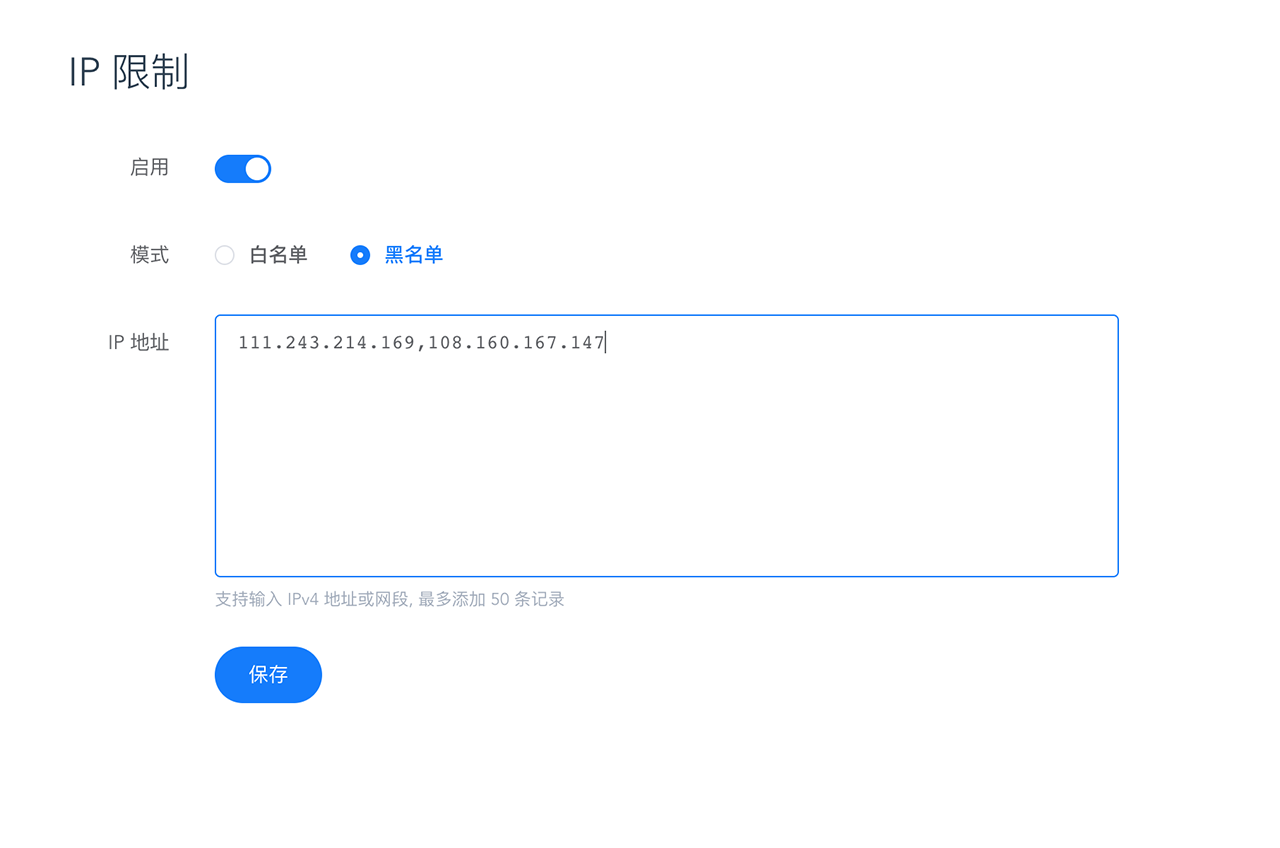
It supports filling in IPv4 addresses such as 111.243.214.169 or IPv4 network segments such as 108.160.167.147/24, multiples are separated by English commas, and a maximum of 50 records can be added.
QPS LIMIT
In order to prevent SMS resources from being excessively used by specific users, UniSMS supports limiting the frequency of SMS sending, so as to block useless requests and effectively control the cost of SMS sending. You can choose to enable and specify speed limit rules for the same mobile phone number by minute, by hour, and by day (natural day).
Setting
This function is an extended service and is disabled by default. Please go to the console 「Plugins-QPS Limit」to configure according to your actual needs.
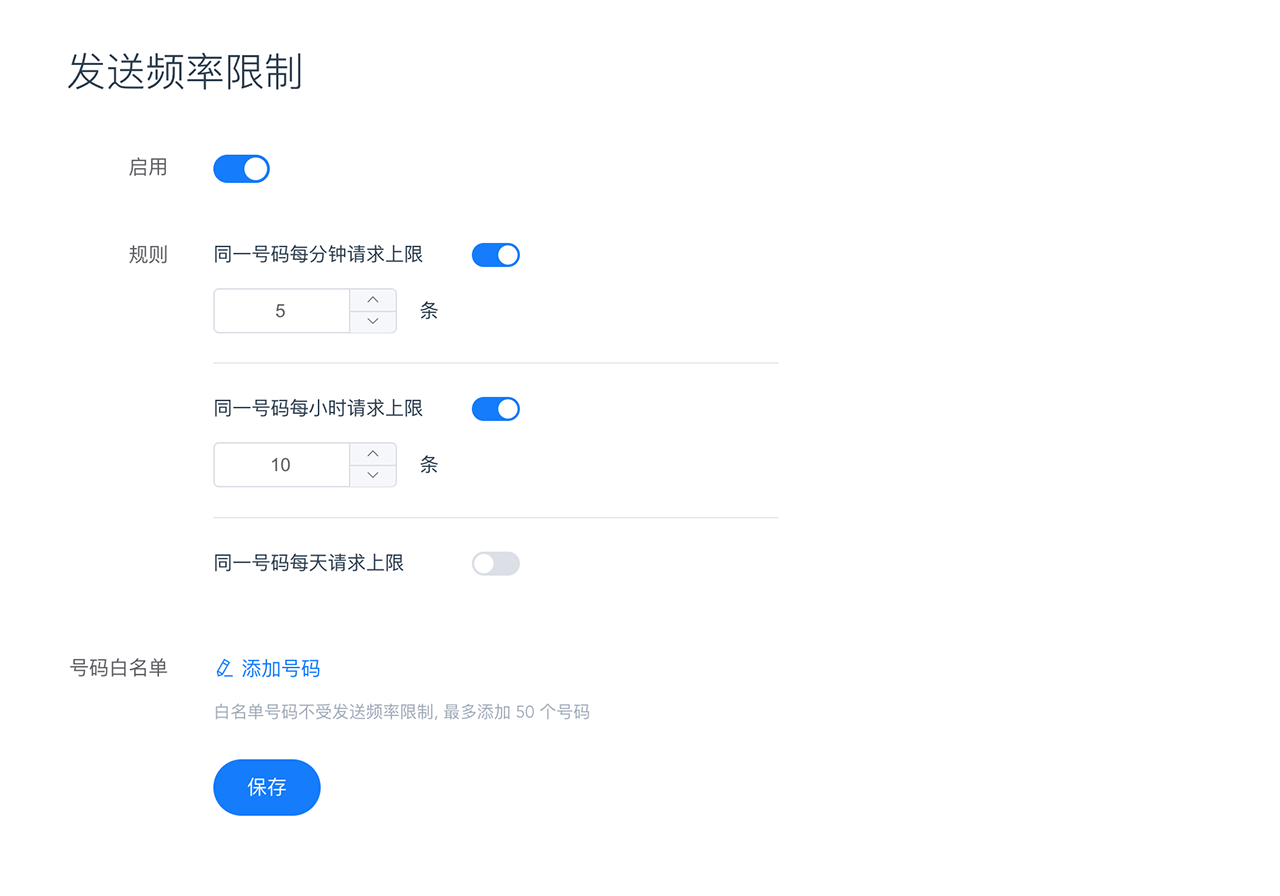
white list
If you have a mobile phone number that you expect not to be limited by the sending frequency, you can set it through the number whitelist function. Please use E.164 format to fill in the numbers, multiple numbers are separated by English commas, and you can add up to 50 records.
Status report (DLR)
SMS Status report (Delivery Receipt, DLR), It is a service provided for developers to programmatically obtain SMS sending status. UniSMS supports proactively pushing SMS status reports through Webhook.
Setting
This function is an extended service and is disabled by default. Please go to the console 「Plugins-Status report」 to configure according to your actual needs.
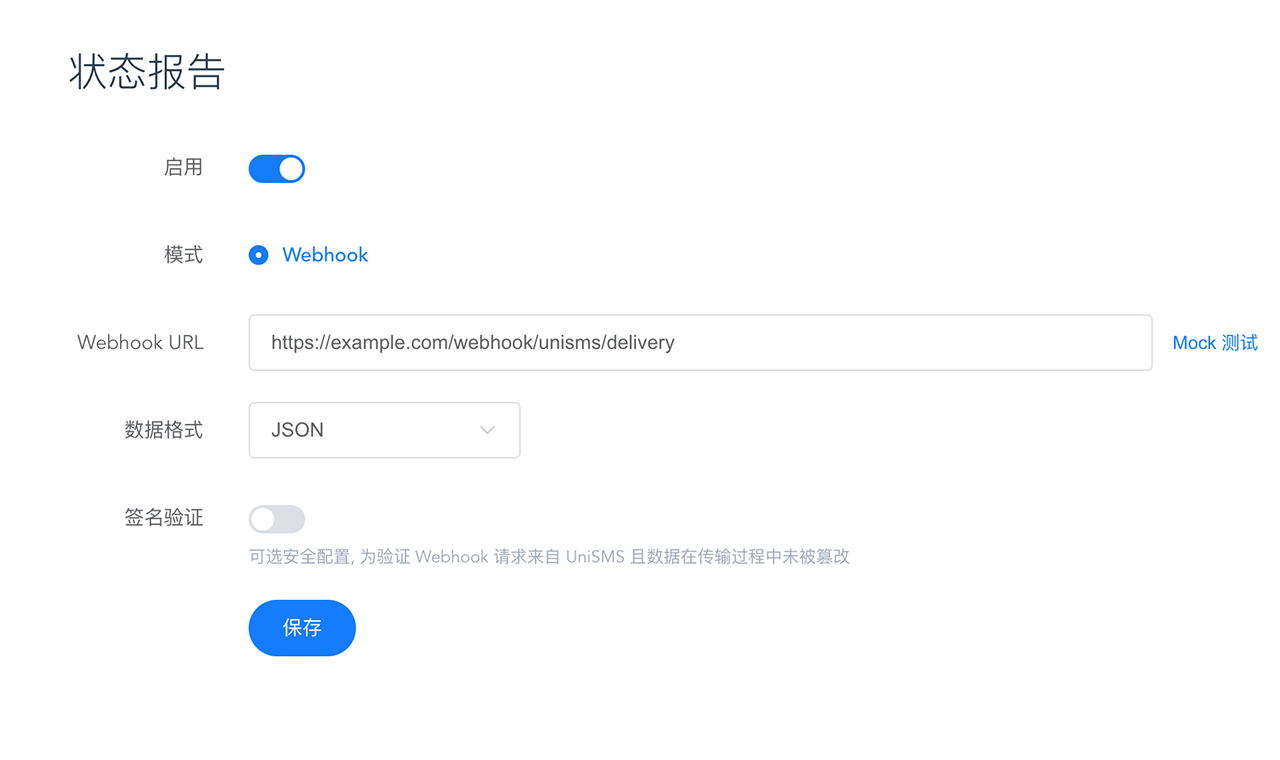
Set the Webhook URL for receiving status reports, and specify the request body data format you need to receive, support JSON or XML, the default is JSON. That is, the basic configuration is completed and ready for access.
access
UniSMS will use the POST method to send an HTTP request to the Webhook URL you set, and the request body is in the JSON format as an example.
Request Body
| name | type | description | example |
|---|---|---|---|
| id | string | message identity | b3f6106a6135ad78d6ac3f232bbf1812 |
| status | string | business status | delivered |
| to | string | phone number (E.164) | +8618600001234 |
| regionCode | string | - | CN |
| countryCode | string | - | 86 |
| messageCount | integer | if context too long, may be split | 1 |
| price | string | - | 0.040000 |
| currency | string | - | CNY |
| errorCode | string | - | DELIVRD |
| errorMessage | string | - | 發(fā)送成功 |
| submitDate | string | (ISO 8601) | 2022-03-07T05:18:00.252Z |
| doneDate | string | (ISO 8601) | 2022-03-07T05:18:03.252Z |
Example :
{
  "id": "b3f6106a6135ad78d6ac3f232bbf1812",
  "status": "delivered",
  "to": "+8618600001234",
  "regionCode": "CN",
  "countryCode": "86",
  "messageCount": 1,
  "price": "0.040000",
  "currency": "CNY",
  "errorCode": "DELIVRD",
  "errorMessage": "send success",
  "submitDate": "2022-03-07T05:18:00.252Z",
  "doneDate": "2022-03-07T05:18:03.252Z",
}
Response
Responding with HTTP Status Code 200 is considered as a status report received successfully, and UniSMS does not perform additional verification on the response payload.
signature verification
To further protect data security, UniSMS supports configuring signatures to verify that Webhook requests come from UniSMS and that the data has not been tampered with during transmission. You only need to enable "Signature Verification" in the settings page and set the signing key (Secret).
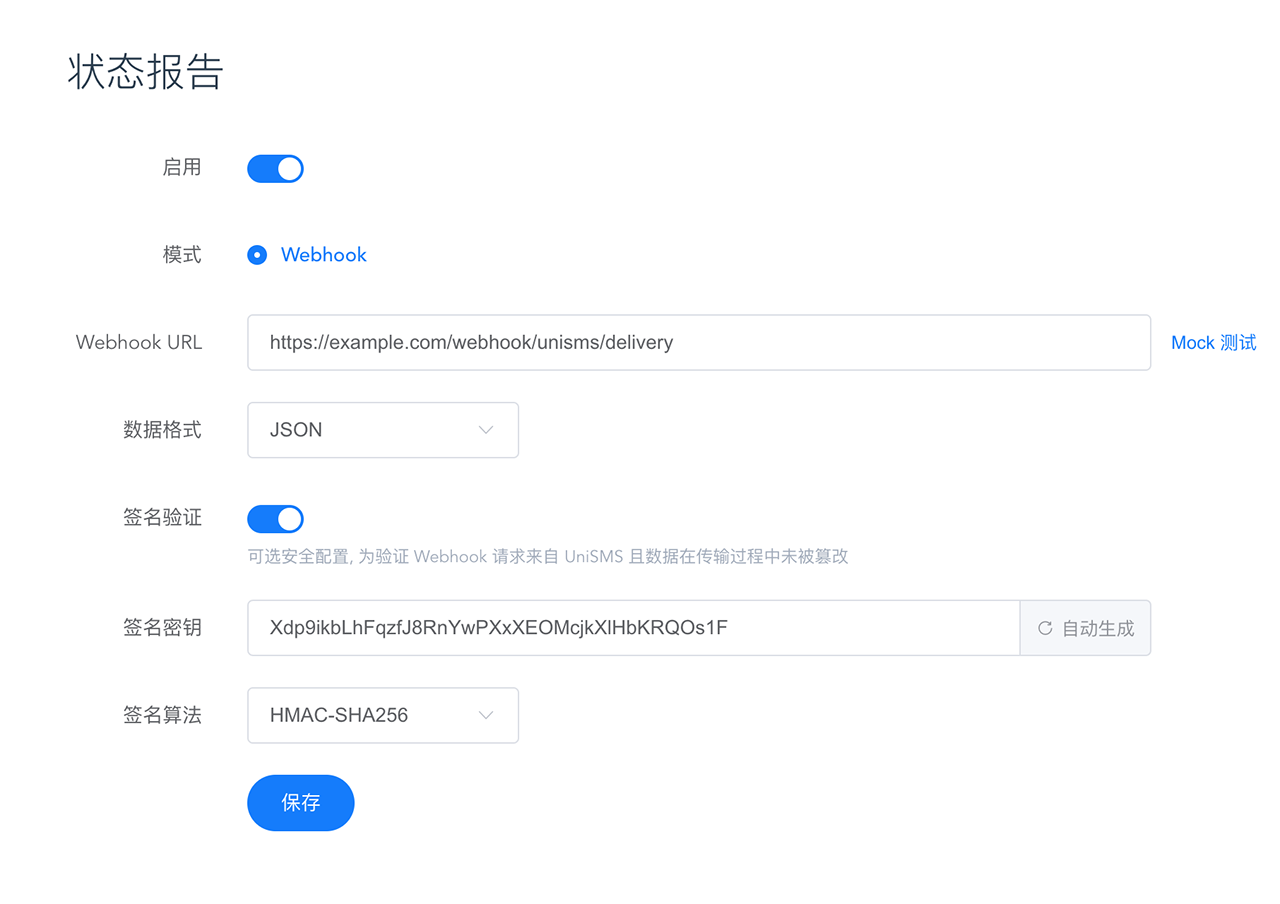
After signature verification is enabled, UniSMS will carry the Authorization field in the Webhook request header, and its value construction format is UNI1-HMAC-SHA256 Timestamp={unix_epoch}, Nonce={nonce_str}, Signature={signature}, the example is as follows :
Authorization: UNI1-HMAC-SHA256 Timestamp=1646634211, Nonce=0702b4ae425b0c2e, Signature=khZU1yxkyedU+va6L1WVgn418ycXs7xz0kxitwjFvl4=Extract Timestamp, Nonce fields and convert their field names to lowercase and add them to the request payload, sort them in dictionary order (positive order) according to the parameter Key, connect Key-Value with =, and use & connection parameters to form a text string to be signed, the example is as follows:
countryCode=86¤cy=CNY&doneDate=2022-03-07T06%3A23%3A31.361Z&errorCode=DELIVRD&errorMessage=%E5%8F%91%E9%80%81%E6%88%90%E5%8A%9F&id=1e72734fabab9d42c9a32f9b8ad87940&messageCount=1&nonce=0702b4ae425b0c2e&price=0.045000?ionCode=CN&status=delivered&submitDate=2022-03-07T06%3A23%3A28.361Z×tamp=1646634211&to=%2B8618600001234Use the HmacSHA256 algorithm to generate a signature for the text string to be signed with the set signature key (Secret), and output it as a Base64 string, as shown in the following example:
khZU1yxkyedU+va6L1WVgn418ycXs7xz0kxitwjFvl4=Compare the Signature value extracted from Authorization with the generated signature, if they are consistent, the verification is successful.
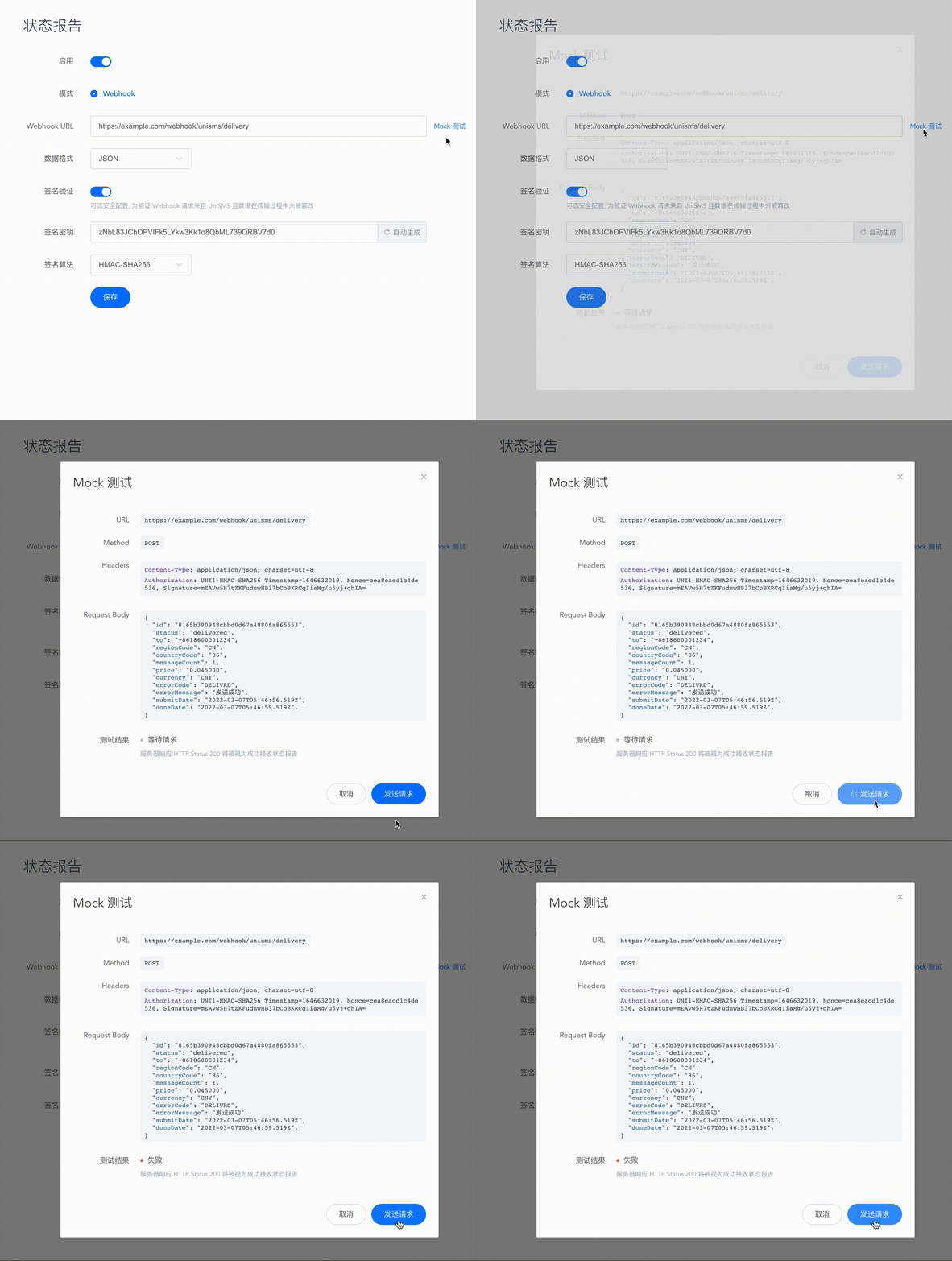
Mock test
To facilitate quick access for developers, UniSMS considerately provides the Mock test function. You can send a simulated DLR request directly to the target server through the console.
Re-push
After the first push status report fails, UniSMS will still re-push the information to the target address until the push is successful or the maximum number of pushes is exceeded. Retweet intervals are 1 minute`, 5 minutes, 10 minutes, 30 minutes, 1 hour.