使用 JWT 來保護(hù)你的 SpringBoot 應(yīng)用
作者:freewolf
juejin.im/post/5902ca705c497d005829ed6f
關(guān)鍵詞
Spring Boot、OAuth 2.0、JWT、Spring Security、SSO、UAA
寫在前面
這幾天有人問我Spring Boot結(jié)合Spring Security實(shí)現(xiàn)OAuth認(rèn)證的問題,寫了個Demo,順便分享下。Spring 2之后就沒再用過Java,主要是xml太麻煩,就投入了Node.js的懷抱,現(xiàn)在Java倒是好過之前很多,無論是執(zhí)行效率還是其他什么。感謝Pivotal團(tuán)隊在Spring boot上的努力,感謝Josh Long,一個有意思的攻城獅。
我又搞Java也是為了去折騰微服務(wù),因?yàn)槟壳翱磭鴥?nèi)就Java程序猿最好找,雖然水平好的難找,但是至少能找到,不像其他編程語言,找個會世界上最好的編程語言PHP的人真的不易。
Spring Boot
有了Spring Boot這樣的神器,可以很簡單的使用強(qiáng)大的Spring框架。你需要關(guān)心的事兒只是創(chuàng)建應(yīng)用,不必再配置了,“Just run!”,這可是Josh Long每次演講必說的,他的另一句必須說的就是“make jar not war”,這意味著,不用太關(guān)心是Tomcat還是Jetty或者Undertow了。專心解決邏輯問題,這當(dāng)然是個好事兒,部署簡單了很多。
創(chuàng)建Spring Boot應(yīng)用
有很多方法去創(chuàng)建Spring Boot項(xiàng)目,官方也推薦用:
Spring Boot在線項(xiàng)目創(chuàng)建
http://start.spring.io/
CLI 工具
https://docs.spring.io/spring-boot/docs/current/reference/html/cli-using-the-cli.html
start.spring.io可以方便選擇你要用的組件,命令行工具當(dāng)然也可以。目前Spring Boot已經(jīng)到了1.53,我是懶得去更新依賴,繼續(xù)用1.52版本。雖然阿里也有了中央庫的國內(nèi)版本不知道是否穩(wěn)定。
搜索公縱號:MarkerHub,關(guān)注回復(fù)[ vue ]獲取前后端入門教程!
如果你感興趣,可以自己嘗試下。你可以選Maven或者Gradle成為你項(xiàng)目的構(gòu)建工具,Gradle優(yōu)雅一些,使用了Groovy語言進(jìn)行描述。
打開start.spring.io,創(chuàng)建的項(xiàng)目只需要一個Dependency,也就是Web,然后下載項(xiàng)目,用IntellJ IDEA打開。我的Java版本是1.8。
這里看下整個項(xiàng)目的pom.xml文件中的依賴部分:
<dependencies>
    <dependency>
        <groupId>org.springframework.boot</groupId>
        <artifactId>spring-boot-starter-web</artifactId>
    </dependency>

    <dependency>
        <groupId>org.springframework.boot</groupId>
        <artifactId>spring-boot-starter-test</artifactId>
        <scope>test</scope>
    </dependency>
</dependencies>
所有Spring Boot相關(guān)的依賴都是以starter形式出現(xiàn),這樣你無需關(guān)心版本和相關(guān)的依賴,所以這樣大大簡化了開發(fā)過程。
當(dāng)你在pom文件中集成了spring-boot-maven-plugin插件后你可以使用Maven相關(guān)的命令來run你的應(yīng)用。例如mvn spring-boot:run,這樣會啟動一個嵌入式的Tomcat,并運(yùn)行在8080端口,直接訪問你當(dāng)然會獲得一個Whitelabel Error Page,這說明Tomcat已經(jīng)啟動了。
創(chuàng)建一個Web 應(yīng)用
這還是一篇關(guān)于Web安全的文章,但是也得先有個簡單的HTTP請求響應(yīng)。我們先弄一個可以返回JSON的Controller。修改程序的入口文件:
@SpringBootApplication
@RestController
@EnableAutoConfiguration
public class DemoApplication {

    // main函數(shù),Spring Boot程序入口
    public static void main(String[] args) {
        SpringApplication.run(DemoApplication.class, args);
    }

    // 根目錄映射 Get訪問方式 直接返回一個字符串
    @RequestMapping("/")
    Map<String, String> hello() {
      // 返回map會變成JSON key value方式
      Map<String,String> map=new HashMap<String,String>();
      map.put("content", "hello freewolf~");
      return map;
    }
}
這里我盡量的寫清楚,讓不了解Spring Security的人通過這個例子可以了解這個東西,很多人都覺得它很復(fù)雜,而投向了Apache Shiro,其實(shí)這個并不難懂。知道主要的處理流程,和這個流程中哪些類都起了哪些作用就好了。
Spring Boot對于開發(fā)人員最大的好處在于可以對Spring應(yīng)用進(jìn)行自動配置。Spring Boot會根據(jù)應(yīng)用中聲明的第三方依賴來自動配置Spring框架,而不需要進(jìn)行顯式的聲明。
Spring Boot推薦采用基于Java注解的配置方式,而不是傳統(tǒng)的XML。只需要在主配置 Java 類上添加@EnableAutoConfiguration注解就可以啟用自動配置。Spring Boot的自動配置功能是沒有侵入性的,只是作為一種基本的默認(rèn)實(shí)現(xiàn)。
這個入口類我們添加@RestController和@EnableAutoConfiguration兩個注解。@RestController注解相當(dāng)于@ResponseBody和@Controller合在一起的作用。
run整個項(xiàng)目。訪問http://localhost:8080/就能看到這個JSON的輸出。使用Chrome瀏覽器可以裝JSON Formatter這個插件,顯示更PL一些。
{
  "content": "hello freewolf~"
}
為了顯示統(tǒng)一的JSON返回,這里建立一個JSONResult類進(jìn)行,簡單的處理。首先修改pom.xml,加入org.json相關(guān)依賴。
<dependency>
    <groupId>org.json</groupId>
    <artifactId>json</artifactId>
</dependency>
然后在我們的代碼中加入一個新的類,里面只有一個結(jié)果集處理方法,因?yàn)橹皇莻€Demo,所有這里都放在一個文件中。這個類只是讓返回的JSON結(jié)果變?yōu)槿糠郑?/p>
status - 返回狀態(tài)碼 0 代表正常返回,其他都是錯誤
message - 一般顯示錯誤信息
result - 結(jié)果集
class JSONResult{
    public static String fillResultString(Integer status, String message, Object result){
        JSONObject jsonObject = new JSONObject(){{
            put("status", status);
            put("message", message);
            put("result", result);
        }};
        return jsonObject.toString();
    }
}
然后我們引入一個新的@RestController并返回一些簡單的結(jié)果,后面我們將對這些內(nèi)容進(jìn)行訪問控制,這里用到了上面的結(jié)果集處理類。這里多放兩個方法,后面我們來測試權(quán)限和角色的驗(yàn)證用。
@RestController
class UserController {

    // 路由映射到/users
    @RequestMapping(value = "/users", produces="application/json;charset=UTF-8")
    public String usersList() {

        ArrayList<String> users =  new ArrayList<String>(){{
            add("freewolf");
            add("tom");
            add("jerry");
        }};

        return JSONResult.fillResultString(0, "", users);
    }

    @RequestMapping(value = "/hello", produces="application/json;charset=UTF-8")
    public String hello() {
        ArrayList<String> users =  new ArrayList<String>(){{ add("hello"); }};
        return JSONResult.fillResultString(0, "", users);
    }

    @RequestMapping(value = "/world", produces="application/json;charset=UTF-8")
    public String world() {
        ArrayList<String> users =  new ArrayList<String>(){{ add("world"); }};
        return JSONResult.fillResultString(0, "", users);
    }
}
重新run這個文件,訪問http://localhost:8080/users就看到了下面的結(jié)果:
{
  "result": [
    "freewolf",
    "tom",
    "jerry"
  ],
  "message": "",
  "status": 0
}
如果你細(xì)心,你會發(fā)現(xiàn)這里的JSON返回時,Chrome的格式化插件好像并沒有識別?這是為什么呢?我們借助curl分別看一下我們寫的兩個方法的Header信息.
curl -I http://127.0.0.1:8080/
curl -I http://127.0.0.1:8080/users
可以看到第一個方法hello,由于返回值是Map,Spring已經(jīng)有相關(guān)的機(jī)制自動處理成JSON:
Content-Type: application/json;charset=UTF-8
第二個方法usersList由于返回時String,由于是@RestControler已經(jīng)含有了@ResponseBody也就是直接返回內(nèi)容,并不模板。
所以就是:
Content-Type: text/plain;charset=UTF-8
那怎么才能讓它變成JSON呢,其實(shí)也很簡單只需要補(bǔ)充一下相關(guān)注解:
@RequestMapping(value = "/users", produces="application/json;charset=UTF-8")
這樣就好了。
使用JWT保護(hù)你的Spring Boot應(yīng)用
終于我們開始介紹正題,這里我們會對/users進(jìn)行訪問控制,先通過申請一個JWT(JSON Web Token讀jot),然后通過這個訪問/users,才能拿到數(shù)據(jù)。
關(guān)于JWT,出門奔向以下內(nèi)容,這些不在本文討論范圍內(nèi):
https://tools.ietf.org/html/rfc7519
https://jwt.io/
JWT很大程度上還是個新技術(shù),通過使用HMAC(Hash-based Message Authentication Code)計算信息摘要,也可以用RSA公私鑰中的私鑰進(jìn)行簽名。這個根據(jù)業(yè)務(wù)場景進(jìn)行選擇。
添加Spring Security
根據(jù)上文我們說過我們要對/users進(jìn)行訪問控制,讓用戶在/login進(jìn)行登錄并獲得Token。這里我們需要將spring-boot-starter-security加入pom.xml。加入后,我們的Spring Boot項(xiàng)目將需要提供身份驗(yàn)證,相關(guān)的pom.xml如下:
<dependency>
    <groupId>org.springframework.boot</groupId>
    <artifactId>spring-boot-starter-security</artifactId>
</dependency>
<dependency>
    <groupId>io.jsonwebtoken</groupId>
    <artifactId>jjwt</artifactId>
    <version>0.7.0</version>
</dependency>
至此我們之前所有的路由都需要身份驗(yàn)證。我們將引入一個安全設(shè)置類WebSecurityConfig,這個類需要從WebSecurityConfigurerAdapter類繼承。
@Configuration
@EnableWebSecurity
class WebSecurityConfig extends WebSecurityConfigurerAdapter {

    // 設(shè)置 HTTP 驗(yàn)證規(guī)則
    @Override
    protected void configure(HttpSecurity http) throws Exception {
        // 關(guān)閉csrf驗(yàn)證
        http.csrf().disable()
                // 對請求進(jìn)行認(rèn)證
                .authorizeRequests()
                // 所有 / 的所有請求 都放行
                .antMatchers("/").permitAll()
                // 所有 /login 的POST請求 都放行
                .antMatchers(HttpMethod.POST, "/login").permitAll()
                // 權(quán)限檢查
                .antMatchers("/hello").hasAuthority("AUTH_WRITE")
                // 角色檢查
                .antMatchers("/world").hasRole("ADMIN")
                // 所有請求需要身份認(rèn)證
                .anyRequest().authenticated()
            .and()
                // 添加一個過濾器 所有訪問 /login 的請求交給 JWTLoginFilter 來處理 這個類處理所有的JWT相關(guān)內(nèi)容
                .addFilterBefore(new JWTLoginFilter("/login", authenticationManager()),
                        UsernamePasswordAuthenticationFilter.class)
                // 添加一個過濾器驗(yàn)證其他請求的Token是否合法
                .addFilterBefore(new JWTAuthenticationFilter(),
                        UsernamePasswordAuthenticationFilter.class);
    }

    @Override
    protected void configure(AuthenticationManagerBuilder auth) throws Exception {
        // 使用自定義身份驗(yàn)證組件
        auth.authenticationProvider(new CustomAuthenticationProvider());

    }
}
先放兩個基本類,一個負(fù)責(zé)存儲用戶名密碼,另一個是一個權(quán)限類型,負(fù)責(zé)存儲權(quán)限和角色。
class AccountCredentials {

    private String username;
    private String password;

    public String getUsername() {
        return username;
    }

    public void setUsername(String username) {
        this.username = username;
    }

    public String getPassword() {
        return password;
    }

    public void setPassword(String password) {
        this.password = password;
    }
}

class GrantedAuthorityImpl implements GrantedAuthority{
    private String authority;

    public GrantedAuthorityImpl(String authority) {
        this.authority = authority;
    }

    public void setAuthority(String authority) {
        this.authority = authority;
    }

    @Override
    public String getAuthority() {
        return this.authority;
    }
}
在上面的安全設(shè)置類中,我們設(shè)置所有人都能訪問/和POST方式訪問/login,其他的任何路由都需要進(jìn)行認(rèn)證。然后將所有訪問/login的請求,都交給JWTLoginFilter過濾器來處理。
稍后我們會創(chuàng)建這個過濾器和其他這里需要的JWTAuthenticationFilter和CustomAuthenticationProvider兩個類。
先建立一個JWT生成,和驗(yàn)簽的類
class TokenAuthenticationService {
    static final long EXPIRATIONTIME = 432_000_000;     // 5天
    static final String SECRET = "P@ssw02d";            // JWT密碼
    static final String TOKEN_PREFIX = "Bearer";        // Token前綴
    static final String HEADER_STRING = "Authorization";// 存放Token的Header Key

  // JWT生成方法
    static void addAuthentication(HttpServletResponse response, String username) {

    // 生成JWT
        String JWT = Jwts.builder()
                // 保存權(quán)限(角色)
                .claim("authorities", "ROLE_ADMIN,AUTH_WRITE")
                // 用戶名寫入標(biāo)題
                .setSubject(username)
                // 有效期設(shè)置
                        .setExpiration(new Date(System.currentTimeMillis() + EXPIRATIONTIME))
                // 簽名設(shè)置
                        .signWith(SignatureAlgorithm.HS512, SECRET)
                        .compact();

        // 將 JWT 寫入 body
        try {
            response.setContentType("application/json");
            response.setStatus(HttpServletResponse.SC_OK);
            response.getOutputStream().println(JSONResult.fillResultString(0, "", JWT));
        } catch (IOException e) {
            e.printStackTrace();
        }
    }

  // JWT驗(yàn)證方法
    static Authentication getAuthentication(HttpServletRequest request) {
        // 從Header中拿到token
        String token = request.getHeader(HEADER_STRING);

        if (token != null) {
            // 解析 Token
            Claims claims = Jwts.parser()
                    // 驗(yàn)簽
                    .setSigningKey(SECRET)
                    // 去掉 Bearer
                    .parseClaimsJws(token.replace(TOKEN_PREFIX, ""))
                    .getBody();

            // 拿用戶名
            String user = claims.getSubject();

            // 得到 權(quán)限(角色)
            List<GrantedAuthority> authorities =  AuthorityUtils.commaSeparatedStringToAuthorityList((String) claims.get("authorities"));

            // 返回驗(yàn)證令牌
            return user != null ?
                    new UsernamePasswordAuthenticationToken(user, null, authorities) :
                    null;
        }
        return null;
    }
}
這個類就兩個static方法,一個負(fù)責(zé)生成JWT,一個負(fù)責(zé)認(rèn)證JWT最后生成驗(yàn)證令牌。注釋已經(jīng)寫得很清楚了,這里不多說了。
下面來看自定義驗(yàn)證組件,這里簡單寫了,這個類就是提供密碼驗(yàn)證功能,在實(shí)際使用時換成自己相應(yīng)的驗(yàn)證邏輯,從數(shù)據(jù)庫中取出、比對、賦予用戶相應(yīng)權(quán)限。
// 自定義身份認(rèn)證驗(yàn)證組件
class CustomAuthenticationProvider implements AuthenticationProvider {

    @Override
    public Authentication authenticate(Authentication authentication) throws AuthenticationException {
        // 獲取認(rèn)證的用戶名 & 密碼
        String name = authentication.getName();
        String password = authentication.getCredentials().toString();

        // 認(rèn)證邏輯
        if (name.equals("admin") && password.equals("123456")) {

            // 這里設(shè)置權(quán)限和角色
            ArrayList<GrantedAuthority> authorities = new ArrayList<>();
            authorities.add( new GrantedAuthorityImpl("ROLE_ADMIN") );
            authorities.add( new GrantedAuthorityImpl("AUTH_WRITE") );
            // 生成令牌
            Authentication auth = new UsernamePasswordAuthenticationToken(name, password, authorities);
            return auth;
        }else {
            throw new BadCredentialsException("密碼錯誤~");
        }
    }

    // 是否可以提供輸入類型的認(rèn)證服務(wù)
    @Override
    public boolean supports(Class<?> authentication) {
        return authentication.equals(UsernamePasswordAuthenticationToken.class);
    }
}
下面實(shí)現(xiàn)JWTLoginFilter 這個Filter比較簡單,除了構(gòu)造函數(shù)需要重寫三個方法。
attemptAuthentication - 登錄時需要驗(yàn)證時候調(diào)用
successfulAuthentication - 驗(yàn)證成功后調(diào)用
unsuccessfulAuthentication - 驗(yàn)證失敗后調(diào)用,這里直接灌入500錯誤返回,由于同一JSON返回,HTTP就都返回200了
class JWTLoginFilter extends AbstractAuthenticationProcessingFilter {

    public JWTLoginFilter(String url, AuthenticationManager authManager) {
        super(new AntPathRequestMatcher(url));
        setAuthenticationManager(authManager);
    }

    @Override
    public Authentication attemptAuthentication(
            HttpServletRequest req, HttpServletResponse res)
            throws AuthenticationException, IOException, ServletException {

        // JSON反序列化成 AccountCredentials
        AccountCredentials creds = new ObjectMapper().readValue(req.getInputStream(), AccountCredentials.class);

        // 返回一個驗(yàn)證令牌
        return getAuthenticationManager().authenticate(
                new UsernamePasswordAuthenticationToken(
                        creds.getUsername(),
                        creds.getPassword()
                )
        );
    }

    @Override
    protected void successfulAuthentication(
            HttpServletRequest req,
            HttpServletResponse res, FilterChain chain,
            Authentication auth) throws IOException, ServletException {

        TokenAuthenticationService.addAuthentication(res, auth.getName());
    }


    @Override
    protected void unsuccessfulAuthentication(HttpServletRequest request, HttpServletResponse response, AuthenticationException failed) throws IOException, ServletException {

        response.setContentType("application/json");
        response.setStatus(HttpServletResponse.SC_OK);
        response.getOutputStream().println(JSONResult.fillResultString(500, "Internal Server Error!!!", JSONObject.NULL));
    }
}
再完成最后一個類JWTAuthenticationFilter,這也是個攔截器,它攔截所有需要JWT的請求,然后調(diào)用TokenAuthenticationService類的靜態(tài)方法去做JWT驗(yàn)證。
class JWTAuthenticationFilter extends GenericFilterBean {

    @Override
    public void doFilter(ServletRequest request,
                         ServletResponse response,
                         FilterChain filterChain)
            throws IOException, ServletException {
        Authentication authentication = TokenAuthenticationService
                .getAuthentication((HttpServletRequest)request);

        SecurityContextHolder.getContext()
                .setAuthentication(authentication);
        filterChain.doFilter(request,response);
    }
}
現(xiàn)在代碼就寫完了,整個Spring Security結(jié)合JWT基本就差不多了,下面我們來測試下,并說下整體流程。擴(kuò)展:圖解JWT如何用于單點(diǎn)登錄
開始測試,先運(yùn)行整個項(xiàng)目,這里介紹下過程:
先程序啟動 - main函數(shù)
注冊驗(yàn)證組件 - WebSecurityConfig 類 configure(AuthenticationManagerBuilder auth)方法,這里我們注冊了自定義驗(yàn)證組件
設(shè)置驗(yàn)證規(guī)則 - WebSecurityConfig 類 configure(HttpSecurity http)方法,這里設(shè)置了各種路由訪問規(guī)則
初始化過濾組件 - JWTLoginFilter 和 JWTAuthenticationFilter 類會初始化
首先測試獲取Token,這里使用CURL命令行工具來測試。
curl -H "Content-Type: application/json" -X POST -d '{"username":"admin","password":"123456"}' http://127.0.0.1:8080/login
結(jié)果:
{
  "result": "eyJhbGciOiJIUzUxMiJ9.eyJhdXRob3JpdGllcyI6IlJPTEVfQURNSU4sQVVUSF9XUklURSIsInN1YiI6ImFkbWluIiwiZXhwIjoxNDkzNzgyMjQwfQ.HNfV1CU2CdAnBTH682C5-KOfr2P71xr9PYLaLpDVhOw8KWWSJ0lBo0BCq4LoNwsK_Y3-W3avgbJb0jW9FNYDRQ",
  "message": "",
  "status": 0
}
這里我們得到了相關(guān)的JWT,反Base64之后,就是下面的內(nèi)容,標(biāo)準(zhǔn)JWT。
{"alg":"HS512"}{"authorities":"ROLE_ADMIN,AUTH_WRITE","sub":"admin","exp":1493782240}?]BS`pS6~?hCVH%
?)??oE5р
整個過程如下:
拿到傳入JSON,解析用戶名密碼 - JWTLoginFilter 類 attemptAuthentication 方法
自定義身份認(rèn)證驗(yàn)證組件,進(jìn)行身份認(rèn)證 - CustomAuthenticationProvider 類 authenticate 方法
鹽城成功 - JWTLoginFilter 類 successfulAuthentication 方法
生成JWT - TokenAuthenticationService 類 addAuthentication方法
再測試一個訪問資源的:
curl -H "Content-Type: application/json" -H "Authorization: Bearer eyJhbGciOiJIUzUxMiJ9.eyJhdXRob3JpdGllcyI6IlJPTEVfQURNSU4sQVVUSF9XUklURSIsInN1YiI6ImFkbWluIiwiZXhwIjoxNDkzNzgyMjQwfQ.HNfV1CU2CdAnBTH682C5-KOfr2P71xr9PYLaLpDVhOw8KWWSJ0lBo0BCq4LoNwsK_Y3-W3avgbJb0jW9FNYDRQ" http://127.0.0.1:8080/users
結(jié)果:
{
  "result":["freewolf","tom","jerry"],
  "message":"",
  "status":0
}
說明我們的Token生效可以正常訪問。其他的結(jié)果您可以自己去測試。再回到處理流程:
接到請求進(jìn)行攔截 - JWTAuthenticationFilter 中的方法
驗(yàn)證JWT - TokenAuthenticationService 類 getAuthentication 方法
訪問Controller
這樣本文的主要流程就結(jié)束了,本文主要介紹了,如何用Spring Security結(jié)合JWT保護(hù)你的Spring Boot應(yīng)用。
如何使用Role和Authority,這里多說一句其實(shí)在Spring Security中,對于GrantedAuthority接口實(shí)現(xiàn)類來說是不區(qū)分是Role還是Authority,二者區(qū)別就是如果是hasAuthority判斷,就是判斷整個字符串,判斷hasRole時,系統(tǒng)自動加上ROLE_到判斷的Role字符串上,也就是說hasRole("CREATE")和hasAuthority('ROLE_CREATE')是相同的。利用這些可以搭建完整的RBAC體系。
本文到此,你已經(jīng)會用了本文介紹的知識點(diǎn)。
代碼
https://github.com/freew01f/securing-spring-boot-with-jwts
參考
https://docs.spring.io/spring-security/site/docs/current/reference/html/jc.html
http://ryanjbaxter.com/2015/01/06/securing-rest-apis-with-spring-boot/
http://www.ekiras.com/2015/01/spring-security-create-custom-authentication-filter-in-grails.html
https://auth0.com/blog/securing-spring-boot-with-jwts/
http://www.jwt.io/
END
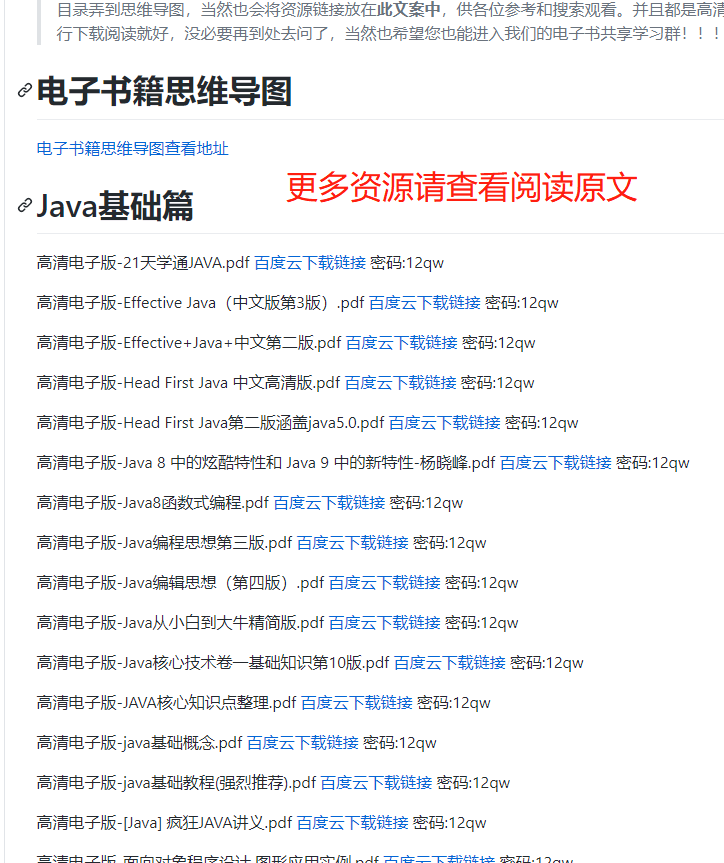
順便給大家推薦一個GitHub項(xiàng)目,這個 GitHub 整理了上千本常用技術(shù)PDF,絕大部分核心的技術(shù)書籍都可以在這里找到,
GitHub地址:https://github.com/javadevbooks/books
Gitee地址:https://gitee.com/javadevbooks/books
電子書已經(jīng)更新好了,你們需要的可以自行下載了,記得點(diǎn)一個star,持續(xù)更新中..