<kbd id="afajh"><form id="afajh"></form></kbd>
<strong id="afajh"><dl id="afajh"></dl></strong>
    <del id="afajh"><form id="afajh"></form></del>
        1. <th id="afajh"><progress id="afajh"></progress></th>
          <b id="afajh"><abbr id="afajh"></abbr></b>
          <th id="afajh"><progress id="afajh"></progress></th>

          20 個最常用的 Git 命令,你都會用嗎?

          共 2502字,需瀏覽 6分鐘

           ·

          2021-11-27 10:11


          點擊關(guān)注公眾號,Java干貨及時送達(dá)

          牛逼!又發(fā)現(xiàn)了一款面試題庫,太全了!!

          點擊查看


          在這篇文章中,我將介紹在使用 Git 時最常使用的 20 個命令。

          以下是這些Git命令:

          • git config
          • git init
          • git clone
          • git add
          • git commit
          • git diff
          • git reset
          • git status
          • git rm
          • git log
          • git show
          • git tag
          • git branch
          • git checkout
          • git merge
          • git remote
          • git push
          • git pull
          • git stash

          下面讓我們逐一介紹。

          Git 命令

          git config

          [用法:git config –global user.name “name]”

          [用法:git config –global user.email “email address]”

          該命令將分別設(shè)置提交代碼的用戶名和電子郵件地址。

          圖片

          git init

          用法:git init [repository name]

          該命令可用于創(chuàng)建一個新的代碼庫。

          圖片

          git clone

          用法:git clone [url]

          該命令可用于通過指定的URL獲取一個代碼庫。

          git add

          用法:git add [file]

          該命令可以將一個文件添加至stage(暫存區(qū))。

          用法:git add *

          該命令可以將多個文件添加至stage(暫存區(qū))。


          git commit

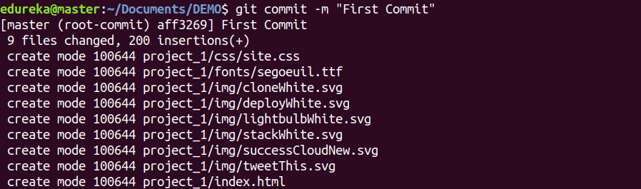
          用法:git commit -m “[ Type in the commit message]”

          該命令可以在版本歷史記錄中永久記錄文件。
          用法:git commit -a

          該命令將提交git add命令添加的所有文件,并提交git add命令之后更改的所有文件。

          圖片

          git diff

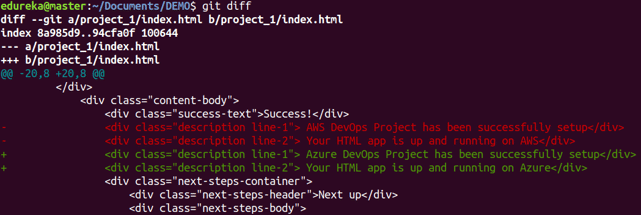
          用法:git diff

          該命令可以顯示尚未添加到stage的文件的變更。
          圖片

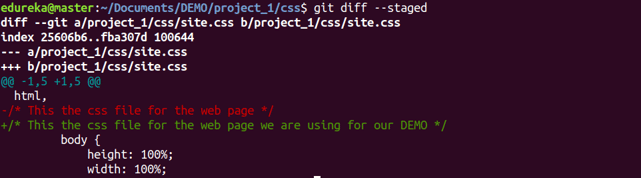
          用法:git diff –staged

          該命令可以顯示添加到stage的文件與當(dāng)前最新版本之間的差異。
          圖片

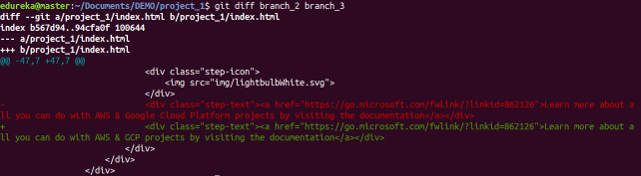
          用法:git diff [first branch] [second branch]

          該命令可以顯示兩個分支之間的差異。
          圖片

          git reset

          用法:git reset [file]

          該命令將從stage中撤出指定的文件,但可以保留文件的內(nèi)容。

          圖片

          用法:git reset [commit]

          該命令可以撤銷指定提交之后的所有提交,并在本地保留變更。

          圖片

          用法:git reset –hard [commit]

          該命令將丟棄所有的歷史記錄,并回滾到指定的提交。

          git status

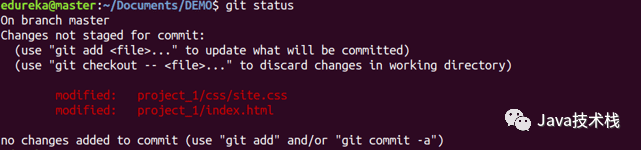
          用法:git status

          該命令將顯示所有需要提交的文件。
          圖片

          git rm

          用法:git rm [file]

          該命令將刪除工作目錄中的文件,并將刪除動作添加到stage。

          圖片

          git log

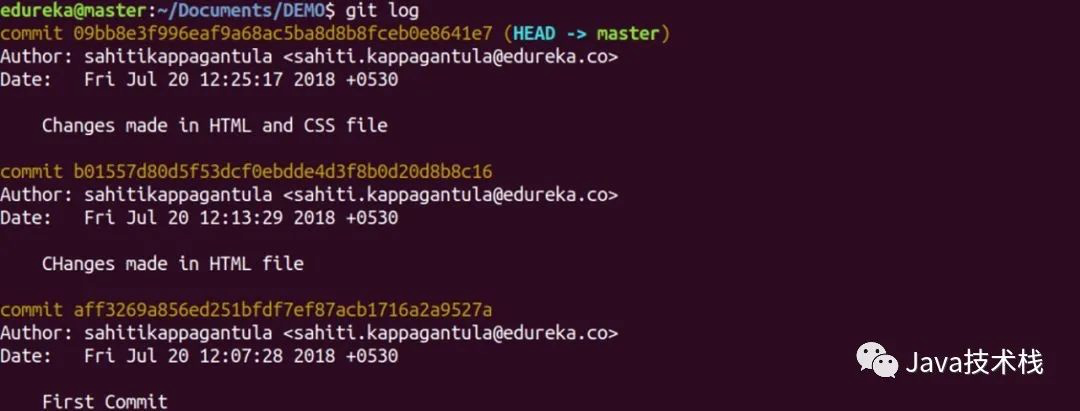
          用法:git log

          該命令可用于顯示當(dāng)前分支的版本歷史記錄。
          圖片

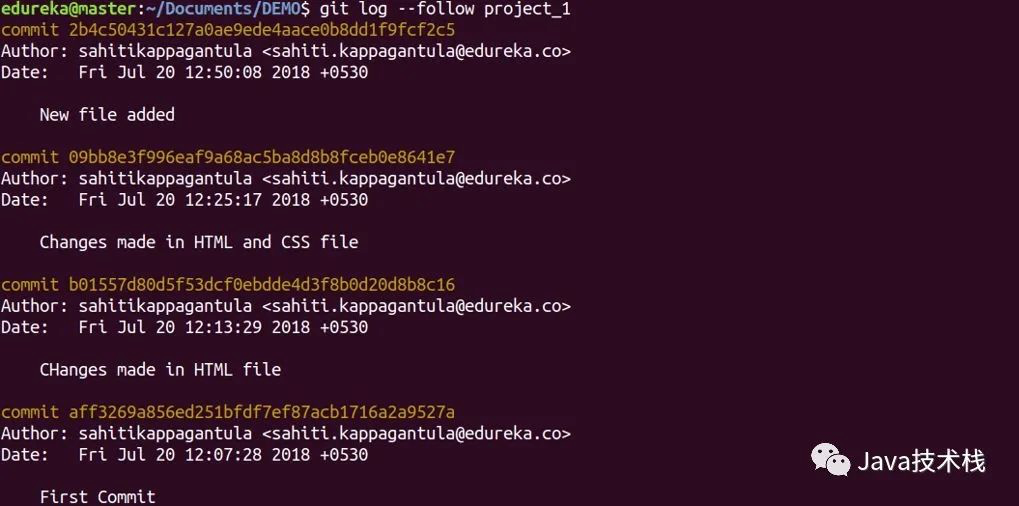
          用法:git log –follow[file]

          該命令可用于顯示某個文件的版本歷史記錄,包括文件的重命名。
          圖片

          git show

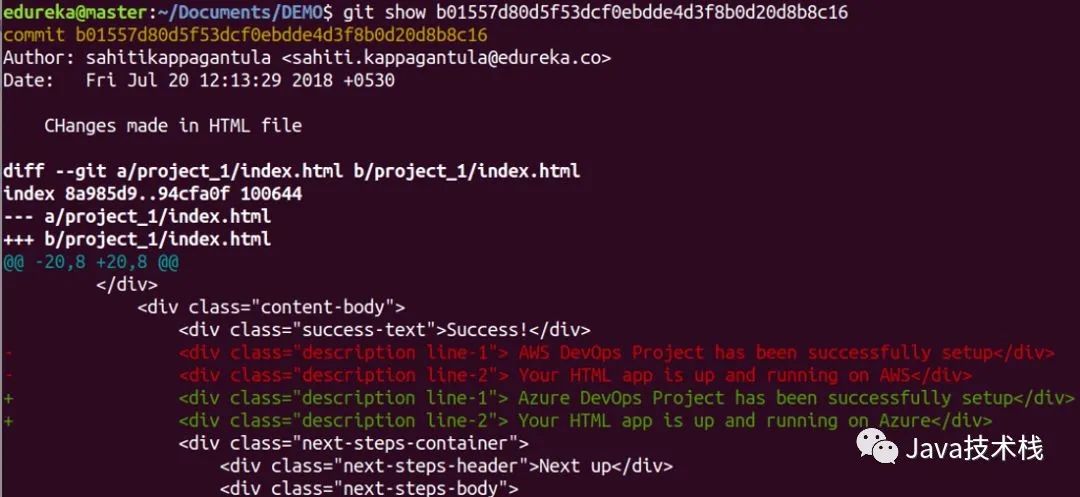
          用法:git show [commit]

          該命令經(jīng)顯示指定提交的元數(shù)據(jù)以及內(nèi)容變更。
          圖片

          git tag

          用法:git tag [commitID]

          該命令可以給指定的提交添加標(biāo)簽。

          圖片

          git branch

          用法:git branch

          該命令將顯示當(dāng)前代碼庫中所有的本地分支。

          圖片

          用法:git branch [branch name]

          該命令將創(chuàng)建一個分支。

          圖片

          用法:git branch -d [branch name]

          該命令將刪除指定的分支。

          圖片

          git checkout

          用法:git checkout [branch name]

          你可以通過該命令切換分支。

          圖片

          用法:git checkout -b [branch name]

          你可以通過該命令創(chuàng)建一個分支,并切換到新分支上。

          圖片

          git merge

          用法:git merge [branch name]

          該命令可以將指定分支的歷史記錄合并到當(dāng)前分支。

          圖片

          git remote

          用法:git remote add [variable name] [Remote Server Link]

          你可以通過該命令將本地的代碼庫連接到遠(yuǎn)程服務(wù)器。

          圖片

          git push

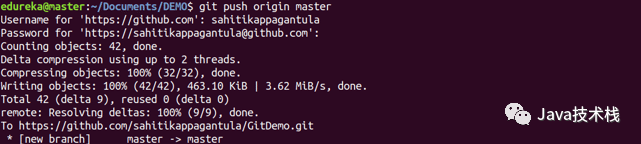
          用法:git push [variable name] master

          該命令可以將主分支上提交的變更發(fā)送到遠(yuǎn)程代碼庫。
          圖片

          用法:git push [variable name] [branch]

          該命令可以將指定分支上的提交發(fā)送到遠(yuǎn)程代碼庫。

          圖片

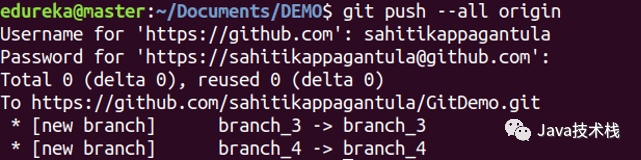
          用法:git push –all [variable name]

          該命令可以將所有分支發(fā)送到遠(yuǎn)程代碼庫。
          圖片

          用法:git push [variable name] :[branch name]

          該命令可以刪除遠(yuǎn)程代碼庫上的一個分支。

          圖片

          git pull

          用法:git pull [Repository Link]

          該命令將獲取遠(yuǎn)程服務(wù)器上的變更,并合并到你的工作目錄。

          圖片

          git stash

          用法:git stash save

          該命令將臨時保存所有修改的文件。

          圖片

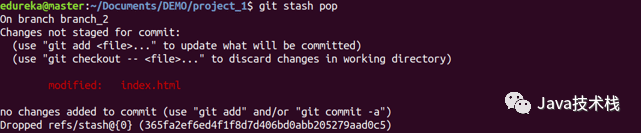
          用法:git stash pop

          該命令將恢復(fù)最近一次stash(儲藏)的文件。
          圖片

          用法:git stash list

          該命令將顯示stash的所有變更。

          圖片

          用法:git stash drop

          該命令將丟棄最近一次stash的變更。

          圖片

          原文:https://dzone.com/articles/top-20-git-commands-with-examples 作者:Sahiti Kappagantula
          譯者:彎月,責(zé)編:屠敏 出品:CSDN(ID:CSDNnews)


          如有文章對你有幫助,

          歡迎關(guān)注??、點贊??、轉(zhuǎn)發(fā)??!


          推薦,?Java面試題庫,詳情點擊:
          牛逼!又發(fā)現(xiàn)了一款牛逼的Java面試題庫,史上最強(qiáng)!

          瀏覽 61
          點贊
          評論
          收藏
          分享

          手機(jī)掃一掃分享

          分享
          舉報
          評論
          圖片
          表情
          推薦
          點贊
          評論
          收藏
          分享

          手機(jī)掃一掃分享

          分享
          舉報
          <kbd id="afajh"><form id="afajh"></form></kbd>
          <strong id="afajh"><dl id="afajh"></dl></strong>
            <del id="afajh"><form id="afajh"></form></del>
                1. <th id="afajh"><progress id="afajh"></progress></th>
                  <b id="afajh"><abbr id="afajh"></abbr></b>
                  <th id="afajh"><progress id="afajh"></progress></th>
                  一级AAAAAA毛片免费 | 91资源在线| 午夜欧美精品久久久久久久 | 一本不卡免费特黄视频在线观看 | 中文字幕日韩有码 |