
用 Python 實現(xiàn)掃雷小游戲

文 |?野客
來源:Python 技術(shù)「ID: pythonall」

掃雷是一款益智類小游戲,最早于 1992 年由微軟在 Windows 上發(fā)行,游戲適合于全年齡段,規(guī)則簡單,即在最短的時間內(nèi)找出所有非雷格子且在中間過程中不能踩到雷, 踩到雷則失敗,需重新開始。
本文我們使用 Python 來實現(xiàn)掃雷游戲,主要用的 Python 庫是 pygame。
實現(xiàn)
游戲組成比較簡單,主要包括:小方格、計時器、地雷等。
首先,我們初始化一些常量,比如:橫豎方塊數(shù)、地雷數(shù)、鼠標(biāo)點擊情況等,如下所示:
BLOCK_WIDTH?=?30
BLOCK_HEIGHT?=?16
#?塊大小
SIZE?=?20
#?地雷數(shù)
MINE_COUNT?=?66
#?未點擊
normal?=?1
#?已點擊
opened?=?2
#?地雷
mine?=?3
#?標(biāo)記為地雷
flag?=?4
#?標(biāo)記為問號
ask?=?5
#?踩中地雷
bomb?=?6
#?被雙擊的周圍
hint?=?7
#?正被鼠標(biāo)左右鍵雙擊
double?=?8
readied?=?1,
started?=?2,
over?=?3,
win?=?4
接著定義一個地雷類,類中定義一些基本屬性(如:坐標(biāo)、狀態(tài)等)及 get、set 方法,代碼實現(xiàn)如下:
class?Mine:
????def?__init__(self,?x,?y,?value=0):
????????self._x?=?x
????????self._y?=?y
????????self._value?=?0
????????self._around_mine_count?=?-1
????????self._status?=?normal
????????self.set_value(value)
????def?__repr__(self):
????????return?str(self._value)
????def?get_x(self):
????????return?self._x
????def?set_x(self,?x):
????????self._x?=?x
????x?=?property(fget=get_x,?fset=set_x)
????def?get_y(self):
????????return?self._y
????def?set_y(self,?y):
????????self._y?=?y
????y?=?property(fget=get_y,?fset=set_y)
????def?get_value(self):
????????return?self._value
????def?set_value(self,?value):
????????if?value:
????????????self._value?=?1
????????else:
????????????self._value?=?0
????value?=?property(fget=get_value,?fset=set_value,?doc='0:非地雷?1:雷')
????def?get_around_mine_count(self):
????????return?self._around_mine_count
????def?set_around_mine_count(self,?around_mine_count):
????????self._around_mine_count?=?around_mine_count
????around_mine_count?=?property(fget=get_around_mine_count,?fset=set_around_mine_count,?doc='四周地雷數(shù)量')
????def?get_status(self):
????????return?self._status
????def?set_status(self,?value):
????????self._status?=?value
????status?=?property(fget=get_status,?fset=set_status,?doc='BlockStatus')
再接著定義一個 MineBlock 類,用來處理掃雷的基本邏輯,代碼實現(xiàn)如下:
class?MineBlock:
????def?__init__(self):
????????self._block?=?[[Mine(i,?j)?for?i?in?range(BLOCK_WIDTH)]?for?j?in?range(BLOCK_HEIGHT)]
????????#?埋雷
????????for?i?in?random.sample(range(BLOCK_WIDTH?*?BLOCK_HEIGHT),?MINE_COUNT):
????????????self._block[i?//?BLOCK_WIDTH][i?%?BLOCK_WIDTH].value?=?1
????def?get_block(self):
????????return?self._block
????block?=?property(fget=get_block)
????def?getmine(self,?x,?y):
????????return?self._block[y][x]
????def?open_mine(self,?x,?y):
????????#?踩到雷了
????????if?self._block[y][x].value:
????????????self._block[y][x].status?=?bomb
????????????return?False
????????#?先把狀態(tài)改為?opened
????????self._block[y][x].status?=?opened
????????around?=?_get_around(x,?y)
????????_sum?=?0
????????for?i,?j?in?around:
????????????if?self._block[j][i].value:
????????????????_sum?+=?1
????????self._block[y][x].around_mine_count?=?_sum
????????#?如果周圍沒有雷,那么將周圍?8?個未中未點開的遞歸算一遍
????????if?_sum?==?0:
????????????for?i,?j?in?around:
????????????????if?self._block[j][i].around_mine_count?==?-1:
????????????????????self.open_mine(i,?j)
????????return?True
????def?double_mouse_button_down(self,?x,?y):
????????if?self._block[y][x].around_mine_count?==?0:
????????????return?True
????????self._block[y][x].status?=?double
????????around?=?_get_around(x,?y)
????????#?周圍被標(biāo)記的雷數(shù)量
????????sumflag?=?0
????????for?i,?j?in?_get_around(x,?y):
????????????if?self._block[j][i].status?==?flag:
????????????????sumflag?+=?1
????????#?周邊的雷已經(jīng)全部被標(biāo)記
????????result?=?True
????????if?sumflag?==?self._block[y][x].around_mine_count:
????????????for?i,?j?in?around:
????????????????if?self._block[j][i].status?==?normal:
????????????????????if?not?self.open_mine(i,?j):
????????????????????????result?=?False
????????else:
????????????for?i,?j?in?around:
????????????????if?self._block[j][i].status?==?normal:
????????????????????self._block[j][i].status?=?hint
????????return?result
????def?double_mouse_button_up(self,?x,?y):
????????self._block[y][x].status?=?opened
????????for?i,?j?in?_get_around(x,?y):
????????????if?self._block[j][i].status?==?hint:
????????????????self._block[j][i].status?=?normal
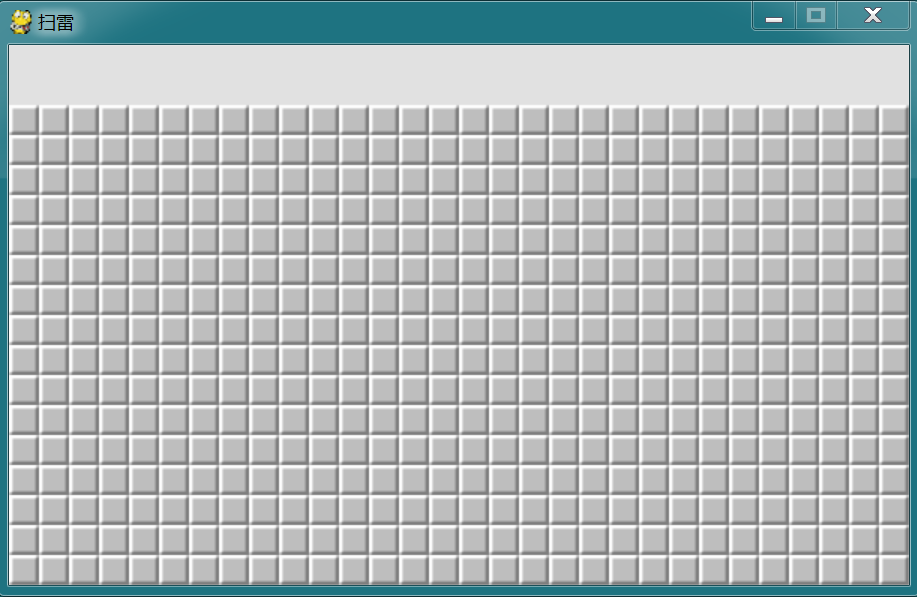
我們接下來初始化界面,首先生成由小方格組成的面板,主要代碼實現(xiàn)如下:
for?row?in?block.block:
?for?mine?in?row:
??pos?=?(mine.x?*?SIZE,?(mine.y?+?2)?*?SIZE)
??if?mine.status?==?opened:
???screen.blit(img_dict[mine.around_mine_count],?pos)
???opened_count?+=?1
??elif?mine.status?==?double:
???screen.blit(img_dict[mine.around_mine_count],?pos)
??elif?mine.status?==?bomb:
???screen.blit(img_blood,?pos)
??elif?mine.status?==?flag:
???screen.blit(img_flag,?pos)
???flag_count?+=?1
??elif?mine.status?==?ask:
???screen.blit(img_ask,?pos)
??elif?mine.status?==?hint:
???screen.blit(img0,?pos)
??elif?game_status?==?over?and?mine.value:
???screen.blit(img_mine,?pos)
??elif?mine.value?==?0?and?mine.status?==?flag:
???screen.blit(img_error,?pos)
??elif?mine.status?==?normal:
???screen.blit(img_blank,?pos)
看一下效果:
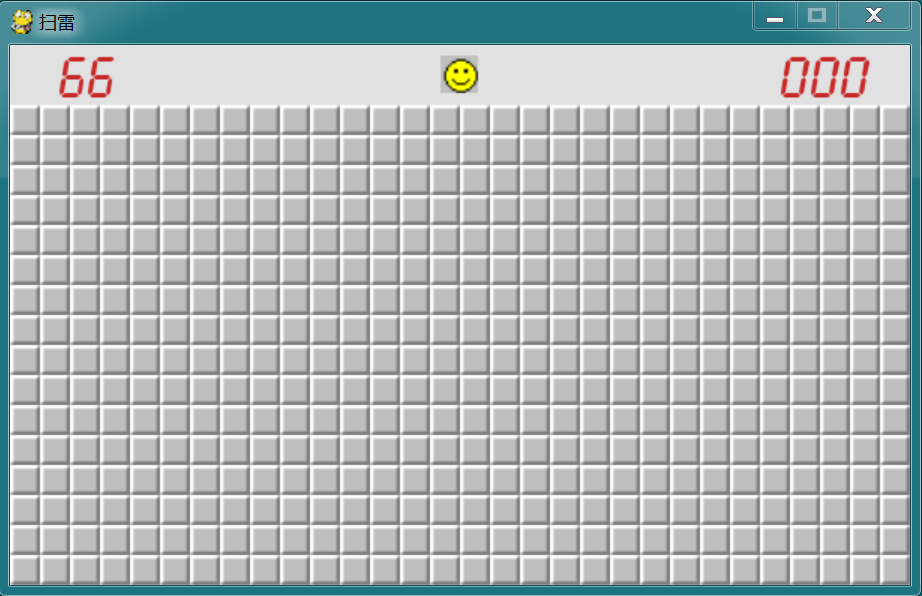
再接著添加面板的 head 部分,包括:顯示雷數(shù)、重新開始按鈕(笑臉)、顯示耗時,主要代碼實現(xiàn)如下:
print_text(screen,?font1,?30,?(SIZE?*?2?-?fheight)?//?2?-?2,?'%02d'?%?(MINE_COUNT?-?flag_count),?red)
if?game_status?==?started:
?elapsed_time?=?int(time.time()?-?start_time)
print_text(screen,?font1,?SCREEN_WIDTH?-?fwidth?-?30,?(SIZE?*?2?-?fheight)?//?2?-?2,?'%03d'?%?elapsed_time,?red)
if?flag_count?+?opened_count?==?BLOCK_WIDTH?*?BLOCK_HEIGHT:
?game_status?=?win
if?game_status?==?over:
?screen.blit(img_face_fail,?(face_pos_x,?face_pos_y))
elif?game_status?==?win:
?screen.blit(img_face_success,?(face_pos_x,?face_pos_y))
else:
?screen.blit(img_face_normal,?(face_pos_x,?face_pos_y))
看一下效果:
再接著添加各種點擊事件,代碼實現(xiàn)如下:
for?event?in?pygame.event.get():
?if?event.type?==?QUIT:
??sys.exit()
?elif?event.type?==?MOUSEBUTTONDOWN:
??mouse_x,?mouse_y?=?event.pos
??x?=?mouse_x?//?SIZE
??y?=?mouse_y?//?SIZE?-?2
??b1,?b2,?b3?=?pygame.mouse.get_pressed()
??if?game_status?==?started:
???#?鼠標(biāo)左右鍵同時按下,如果已經(jīng)標(biāo)記了所有雷,則打開周圍一圈;如果還未標(biāo)記完所有雷,則有一個周圍一圈被同時按下的效果
???if?b1?and?b3:
????mine?=?block.getmine(x,?y)
????if?mine.status?==?opened:
?????if?not?block.double_mouse_button_down(x,?y):
??????game_status?=?over
?elif?event.type?==?MOUSEBUTTONUP:
??if?y?0:
???if?face_pos_x?<=?mouse_x?<=?face_pos_x?+?face_size?\
?????and?face_pos_y?<=?mouse_y?<=?face_pos_y?+?face_size:
????game_status?=?readied
????block?=?MineBlock()
????start_time?=?time.time()
????elapsed_time?=?0
????continue
??if?game_status?==?readied:
???game_status?=?started
???start_time?=?time.time()
???elapsed_time?=?0
??if?game_status?==?started:
???mine?=?block.getmine(x,?y)
???#?按鼠標(biāo)左鍵
???if?b1?and?not?b3:
????if?mine.status?==?normal:
?????if?not?block.open_mine(x,?y):
??????game_status?=?over
???#?按鼠標(biāo)右鍵
???elif?not?b1?and?b3:
????if?mine.status?==?normal:
?????mine.status?=?flag
????elif?mine.status?==?flag:
?????mine.status?=?ask
????elif?mine.status?==?ask:
?????mine.status?=?normal
???elif?b1?and?b3:
????if?mine.status?==?double:
?????block.double_mouse_button_up(x,?y)
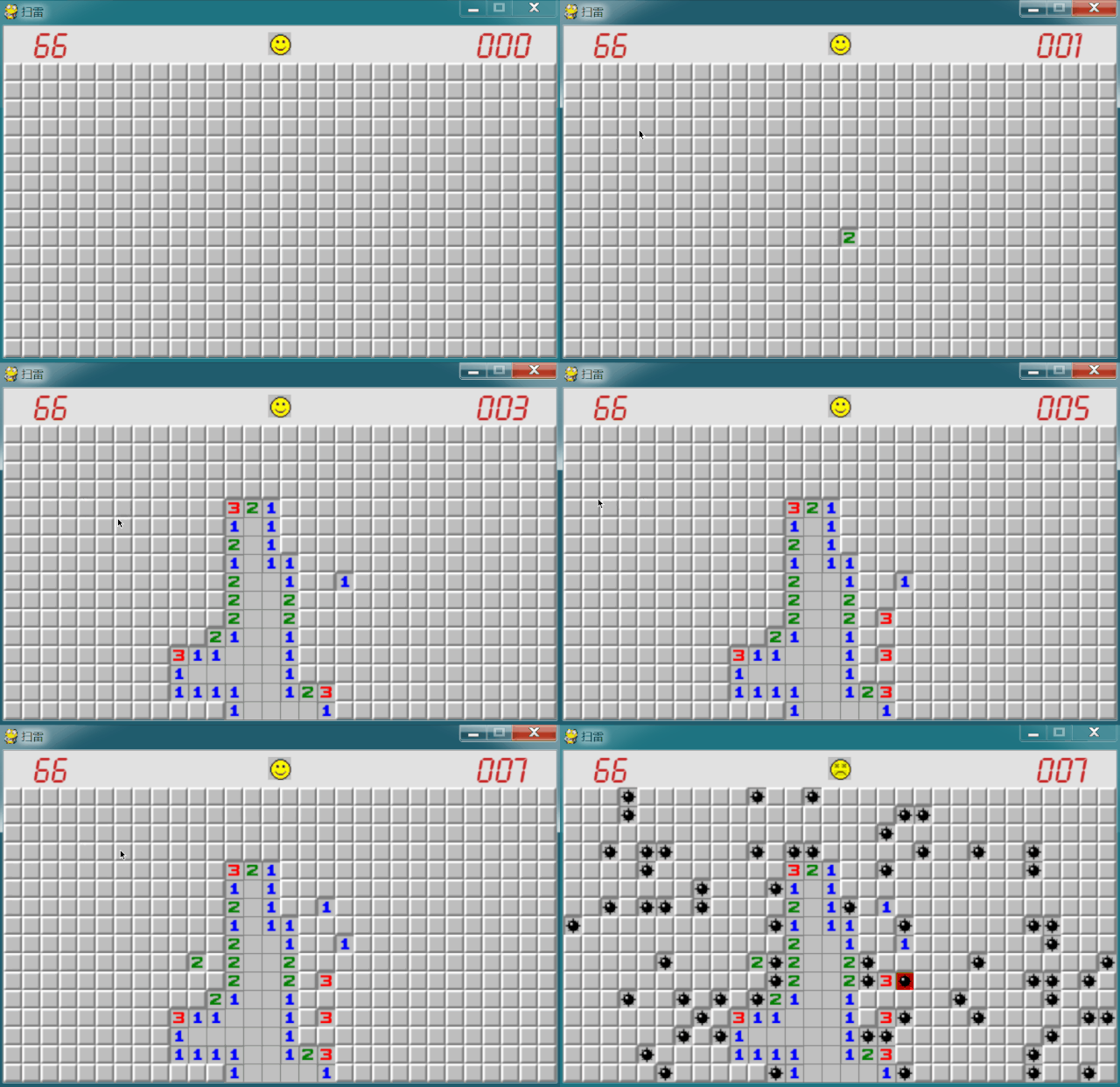
我們來看一下最終實現(xiàn)效果:
總結(jié)
本文我們通過 Python 簡單的實現(xiàn)了掃雷游戲,大家有興趣的話,可以實際操作一下,看看自己能否排除全部的雷。
PS:公號內(nèi)回復(fù)「Python」即可進入Python 新手學(xué)習(xí)交流群,一起 100 天計劃!
老規(guī)矩,兄弟們還記得么,右下角的 “在看” 點一下,如果感覺文章內(nèi)容不錯的話,記得分享朋友圈讓更多的人知道!


【代碼獲取方式】
評論
圖片
表情