
Material Components——ShapeableImageView
書接前文,我們講了在MD Component中的MaterialShapeDrawable,今天則繼續(xù)講解在此基礎(chǔ)上,MDC封裝的一個Image組件——ShapeableImageView。它的作用就是讓開發(fā)者方便的對Imageview加載的圖像進(jìn)行Shape的處理。
老規(guī)矩,官網(wǎng)文檔鎮(zhèn)樓。
https://developer.android.com/reference/com/google/android/material/imageview/ShapeableImageView
使用
ShapeableImageView的使用非常簡單,與傳統(tǒng)的Imageview類似,當(dāng)然前提是需要引入MD Library。
implementation?'com.google.android.material:material:'
首先,需要在xml中引入ShapeableImageView,并指定shapeAppearanceOverlay,代碼如下所示。
????android:layout_height="wrap_content"
????app:srcCompat="@drawable/test"
????app:shapeAppearanceOverlay="@style/ShapeAppearance.circle"
????app:layout_constraintBottom_toBottomOf="parent"
????app:layout_constraintLeft_toLeftOf="parent"
????app:layout_constraintRight_toRightOf="parent"
????app:layout_constraintTop_toTopOf="parent"?/>
這個指定的shapeAppearanceOverlay,就是具體的Shape的處理,它是一個Style,下面通過幾個例子來演示下如何創(chuàng)建這個Style。
Round Cut
在style中的內(nèi)容即為需要處理的效果,這里指定了Corner的處理效果類型為rounded,同時指定了Corner大小為Image的10%(當(dāng)然你也可以指定其它單位)。
"ShapeAppearance.circle"?parent="">
????"cornerFamily">rounded
????"cornerSize">10%
展示效果如圖所示,即最簡單的圓角圖像。
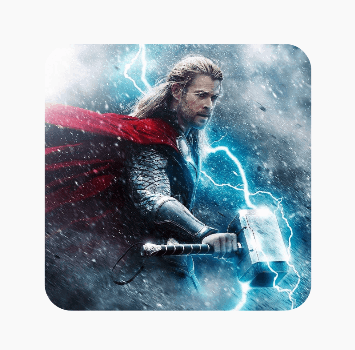
cornerSize可以設(shè)置多種不同的數(shù)值,比如百分百,dp等等。例如50%,即為圓形。
另外,在代碼中可以這樣設(shè)置。
val?model?=?ShapeAppearanceModel.builder().setAllCornerSizes(ShapeAppearanceModel.PILL).build()
test.shapeAppearanceModel?=?model
同時,這樣會覆蓋xml中的shapeAppearanceOverlay。
在代碼中的處理應(yīng)該更為常用,而且從這里我們也可以發(fā)現(xiàn),ShapeableImageView實(shí)際上就是采用的ShapeAppearanceModel來進(jìn)行Shape的處理的。
直線Cut
再看下另一種Corner處理,代碼如下所示。
"ShapeAppearance.cut"?parent="">
????"cornerFamily">cut
????"cornerSize">10%
即對Corner進(jìn)行直角裁剪,效果如圖所示。
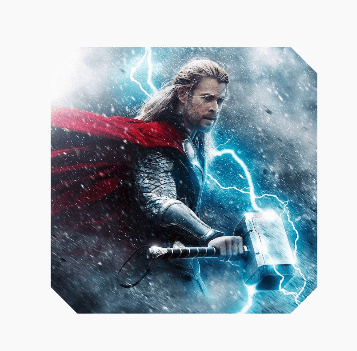
例如設(shè)置50%,即為裁剪成菱形。
混合
多種效果,在Style中可以和具體指定的Corner混合作用,產(chǎn)生不同的效果,代碼如下所示。
"ShapeAppearance.mix"?parent="">
????"cornerFamilyTopLeft">rounded
????"cornerFamilyBottomRight">cut
????"cornerSizeTopLeft">24%
????"cornerSizeBottomRight">36%
效果如圖所示。
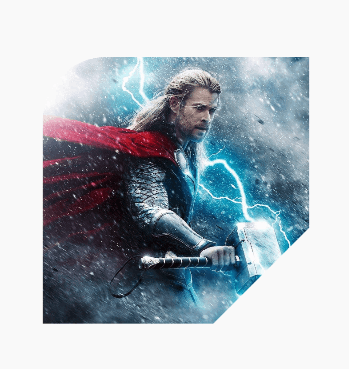
描邊
除了對Corner的處理之外,ShapeableImageView同樣可以對邊界進(jìn)行描邊處理,在ShapeableImageView中指定strokeWidth和strokeColor即可,代碼如下所示。
????android:layout_width="wrap_content"
????android:layout_height="wrap_content"
????app:strokeColor="@color/colorAccent"
????app:strokeWidth="4dp"
????app:layout_constraintBottom_toBottomOf="parent"
????app:layout_constraintLeft_toLeftOf="parent"
????app:layout_constraintRight_toRightOf="parent"
????app:layout_constraintTop_toTopOf="parent"
????app:srcCompat="@drawable/test"?/>
效果如圖所示。
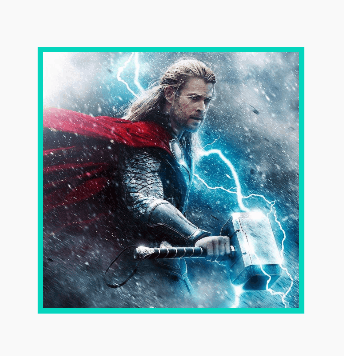
同時,描邊是可以和裁剪結(jié)合起來用的,代碼如下所示。
????android:layout_width="200dp"
????android:layout_height="200dp"
????android:padding="4dp"
????app:layout_constraintBottom_toBottomOf="parent"
????app:layout_constraintLeft_toLeftOf="parent"
????app:layout_constraintRight_toRightOf="parent"
????app:layout_constraintTop_toTopOf="parent"
????app:shapeAppearanceOverlay="@style/ShapeAppearance.circle"
????app:srcCompat="@drawable/test"
????app:strokeColor="@color/colorAccent"
????app:strokeWidth="4dp"?/>
效果如圖所示。
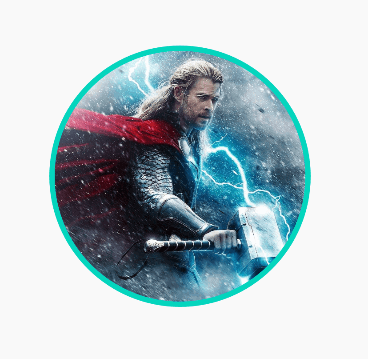
關(guān)于描邊寬度需要注意的是,和自定義View一樣,描邊的寬度是中心點(diǎn)在Layout邊界,所以是Layout邊界內(nèi)外均分strokeWidth的,所以描邊是可能超出Layout邊界的,造成截斷的效果,所以可以設(shè)置內(nèi)padding來處理溢出。
ShapeableImageView裁剪的原理
ShapeableImageView的源碼并不復(fù)雜,核心代碼如下。
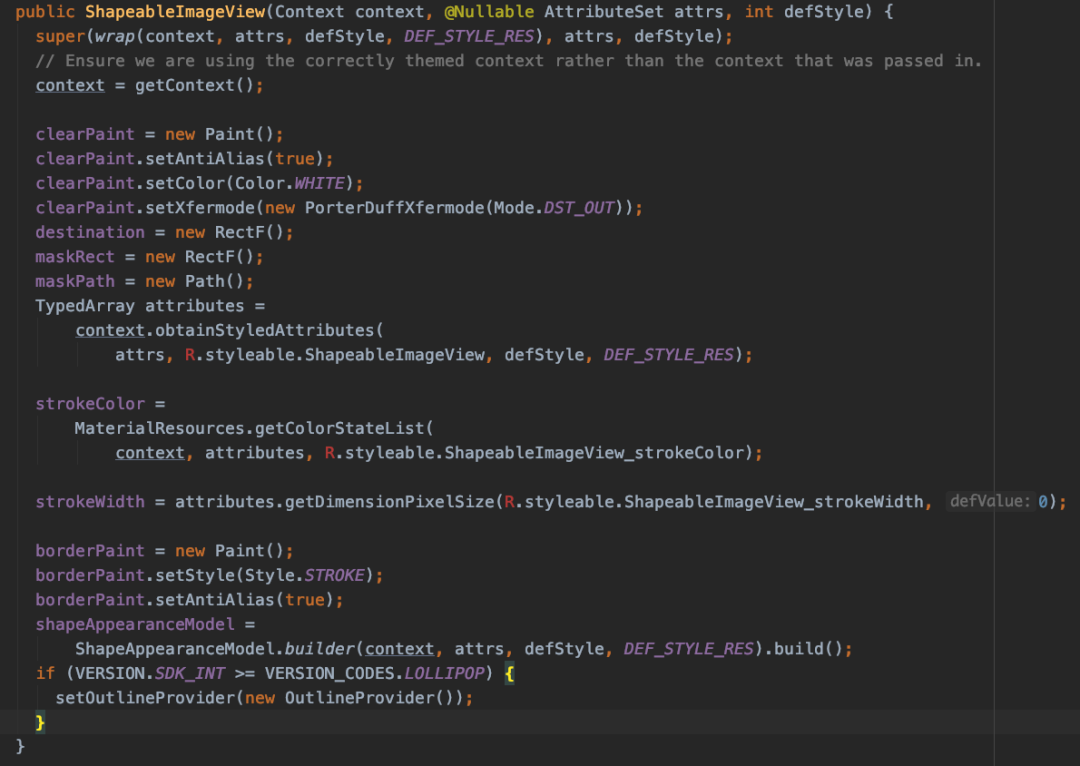
實(shí)際上,就是在5.0之上,使用ViewOutlineProvider來對Image進(jìn)行裁剪。
ViewOutlineProvider
ViewOutlineProvider是Android在5.0之后提出的對Shape處理的標(biāo)準(zhǔn)API,其效率會比傳統(tǒng)的通過Xfermode進(jìn)行裁剪的方式高很多,代碼如下所示。
class?MainActivity?:?AppCompatActivity()?{
????override?fun?onCreate(savedInstanceState:?Bundle?)?{
????????super.onCreate(savedInstanceState)
????????setContentView(R.layout.activity_main)
????????test.outlineProvider?=?object?:?ViewOutlineProvider()?{
????????????override?fun?getOutline(view:?View,?outline:?Outline)?{
//????????????????outline.setRoundRect(0,?0,?view.width,?view.height,?32f)
//????????????????outline.setOval(0,?0,?view.width,?view.height)
????????????}
????????}
????????test.clipToOutline?=?true
????}
}
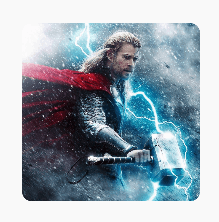
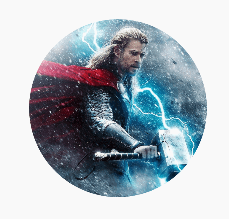
其中的兩行注釋代碼,分別用于繪制圓角矩形和圓形,效果如下所示。
除了這種最簡單的處理外,ViewOutlineProvider還支持外凸多邊形的設(shè)置,代碼如下所示。
val?path?=?Path()
view.elevation?=?4f
path.moveTo(-20f,?-20f)
path.lineTo(-20f,?view.height.toFloat()?+?20)
path.lineTo(view.width.toFloat()?+?20,?view.height.toFloat()?+?20)
path.lineTo(view.width.toFloat()?+?20,?-20f)
path.close()
outline.setConvexPath(path)
可以用于繪制外邊框、氣泡邊角和elevation陰影等效果。
修仙
對于Android和Flutter相關(guān)技術(shù)感興趣的朋友,可以添加我的微信,拉你進(jìn)Flutter修仙群和Android開發(fā)群,微信號 Tomcat_xu。
這是我的網(wǎng)站 https://xuyisheng.top 這里有Flutter、Android、Kotlin的優(yōu)質(zhì)內(nèi)容,歡迎大家訪問。點(diǎn)擊原文,一鍵直達(dá)。