
如何在 ASP.Net Core 中使用 SignalR
SignalR for ASP.Net Core 是 SignalR 的浴火重生版,允許你在 ASP.Net Core 中實現(xiàn)實時通訊,這里的 實時 意味著雙方都能快速的感知對方發(fā)來的消息,比如:一旦 server 端有需要推送的內(nèi)容將會直接 push 到 client,這和原始的 http 單向請求有著本質(zhì)的區(qū)別。
值得注意的是, ASP.Net Core 版的 SingalR 移除了老版的諸多功能,比如:
自動重連機制 消息處理機制 單連接多hub
不過無需擔心,新版的 SingalR 在健壯性和易用性上做了非常大的改進,總的來說,新版本已不兼容老版本,而且新的 SingalR 客戶端采用的是 TypeScript 。
安裝 SingalR
要想使用 SingalR,需要通過 nuget 引用 Microsoft.AspNetCore.SignalR 包,可以通過 Visual Studio 2019 的 NuGet package manager 可視化界面安裝 或者 通過 NuGet package manager 命令行工具輸入以下命令:
Install-Package Microsoft.AspNetCore.SignalR
使用 SignalR broadcast
現(xiàn)在我們一起實現(xiàn)一下如何在 ASP.Net Core 應用程序中使用 SignalR 的廣播消息,那怎么做呢?創(chuàng)建一個自定義的 MessageHub 類并繼承類庫中的 Hub 基類,在 MessageHub 中定義一個 SendMessage 方法,該方法用于向所有已連接的客戶端發(fā)送消息,如下代碼所示:
    public class MessageHub : Hub
    {
        public async Task SendMessage(string user, string message)
        {
            await Clients.All.SendAsync("ReceiveMessage", user, message);
        }
    }
配置 SignalR
要想在 ASP.Net Core 中使用 SignalR,只需在 Startup.ConfigureServices() 中調(diào)用擴展方法 AddSignalR() 將其注入到 ServiceCollection 中即可,如下代碼所示:
    public class Startup
    {
        public Startup(IConfiguration configuration)
        {
            Configuration = configuration;
        }

        public IConfiguration Configuration { get; }

        // This method gets called by the runtime. Use this method to add services to the container.
        public void ConfigureServices(IServiceCollection services)
        {
            services.AddSignalR();
            services.AddControllersWithViews();
        }
    }
為了能夠啟用 MessageHub,需要在 Startup.Configure 方法中添加如下代碼:
        public void Configure(IApplicationBuilder app, IWebHostEnvironment env)
        {
            app.UseEndpoints(endpoints =>
            {
                endpoints.MapControllerRoute(
                    name: "default",
                    pattern: "{controller=Home}/{action=Index}/{id?}");

                endpoints.MapHub<MessageHub>("/messagehub");
            });
        }
創(chuàng)建 SignalR client
SignalR 的 client 是任意的,意味著它可以是 html, windowform, wpf,console 甚至是 java 程序,它們都可以消費 server 端發(fā)來的消息,接下來準備創(chuàng)建一個 Console 程序嘗試一下,那如何做呢?需要在 client 端引用 Microsoft.AspNetCore.SignalR.Client 和 System.Text.Encodings.Web 兩個nuget包,如下代碼所示:
    class Program
    {
        static async Task Main(string[] args)
        {
            HubConnection connection = new HubConnectionBuilder()
                .WithUrl("http://localhost:55215/messagehub")
                .Build();

            connection.On<string, string>("ReceiveMessage", (user, message) =>
            {
                var newMessage = $"{user}: {message}";

                Console.WriteLine(newMessage);
            });

            await connection.StartAsync();

            await connection.InvokeAsync("SendMessage", "jack", "hello,world");

            Console.ReadLine();
        }
    }
接下來就可以調(diào)試一下,分別啟動 server 和 client 端,如下圖所示:
server
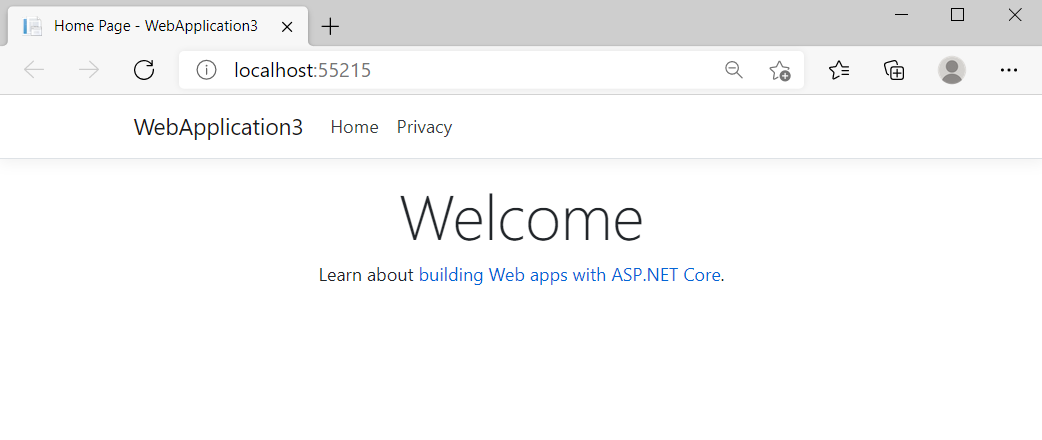
client

譯文鏈接:https://www.infoworld.com/article/3267165/how-to-use-signalr-in-aspnet-core.html


3600萬中國人在抖音“上清華”?

終于可以DIY個人微信紅包封面了!還免費!