
【Python】Seaborn繪制11個柱狀圖
公眾號:尤而小屋 作者:Peter 編輯:Peter
本文介紹的是如何使用seaborn來繪制各種柱狀圖
基礎柱狀圖 水平柱狀圖 標題設置 基于DataFrame繪圖 hue參數(shù)設置 顏色處理 多維度處理
個人很喜歡的一個Seaborn繪制的圖形:
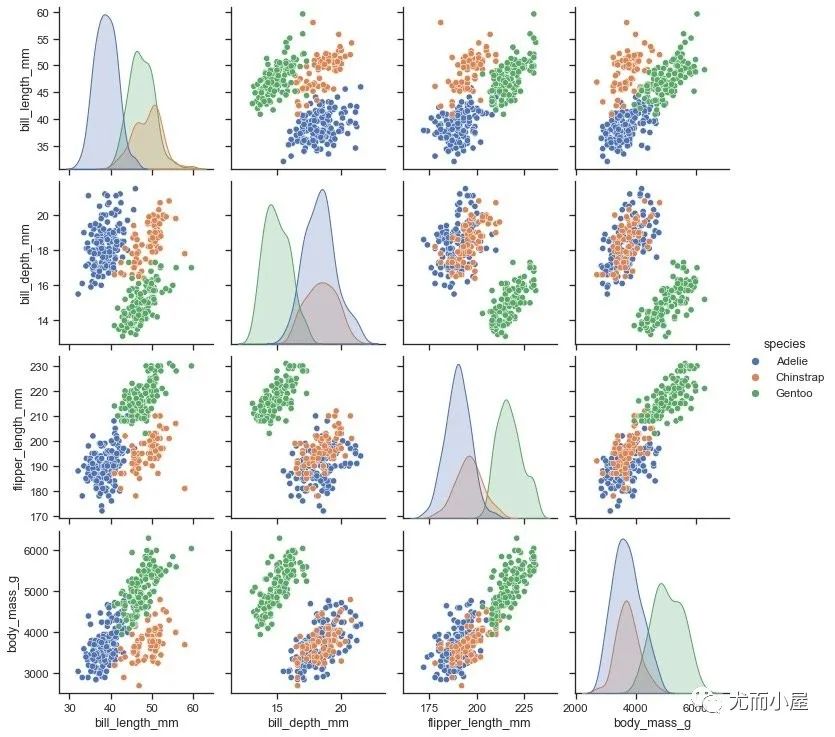
導入庫
Seaborn是matplotlib的高級封裝,所以matplotlib還是要同時導入:
In [1]:
import pandas as pd
import numpy as np

import matplotlib.pyplot as plt
import seaborn as sns
%matplotlib inline

sns.set_theme(style="whitegrid")
sns.set_style('darkgrid')
導入內置數(shù)據(jù)
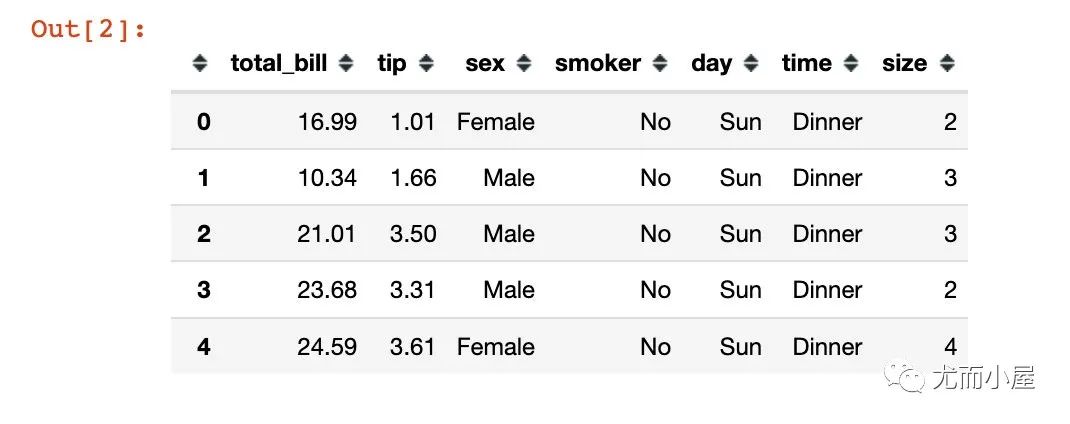
使用的是seaborn中內置的一份消費tips數(shù)據(jù)集:
In [2]:
tips = sns.load_dataset("tips")
tips.head()
基礎柱狀圖
In [3]:
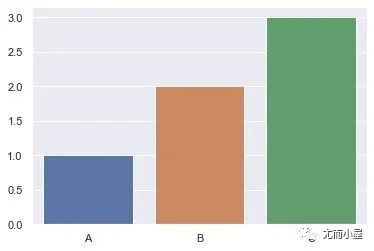
x = ["A","B","C"]
y = [1, 2, 3]

sns.barplot(x, y)
plt.show()
繪制水平柱狀圖:
# 水平柱狀圖

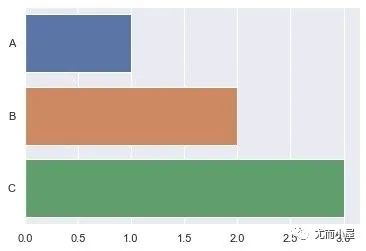
x = ["A","B","C"]
y = [1, 2, 3]

sns.barplot(y, x)
plt.show()
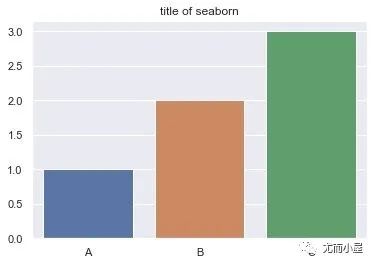
設置標題
In [14]:
x = ["A","B","C"]
y = [1, 2, 3]

fig = sns.barplot(x, y)
fig.set_title('title of seaborn')

plt.show()
指定x-y-data
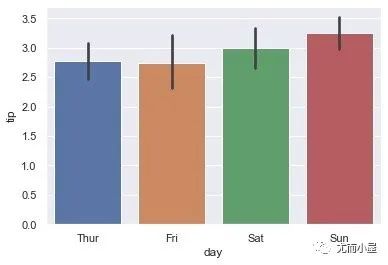
In [5]:
# 通過DataFrame來指定

ax = sns.barplot(x="day", y="tip", data=tips)
plt.show()
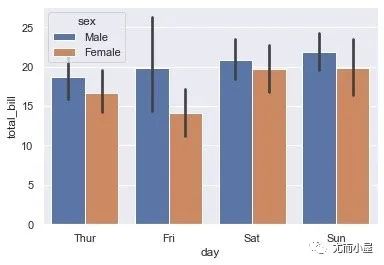
hue參數(shù)
實現(xiàn)的分組顯示數(shù)據(jù)
In [6]:
ax = sns.barplot(x="day",
        y="total_bill",
        hue="sex",
        data=tips)
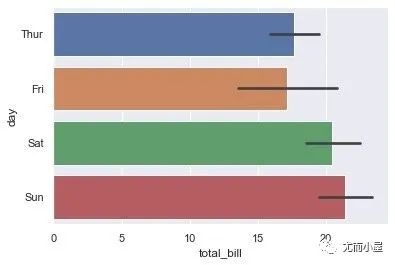
水平柱狀圖
In [7]:
ax = sns.barplot(x="total_bill",
                 y="day",
                 data=tips)
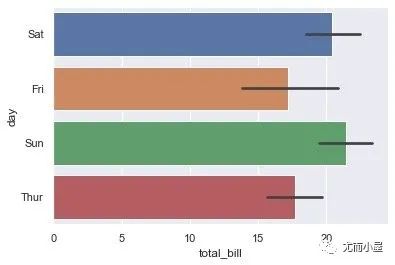
自定義順序
In [8]:
ax = sns.barplot(x="total_bill",
                 y="day",
                 # 添加order參數(shù),指定順序
                 order=["Sat","Fri","Sun","Thur"],  # 自定義
                 data=tips)
顏色處理
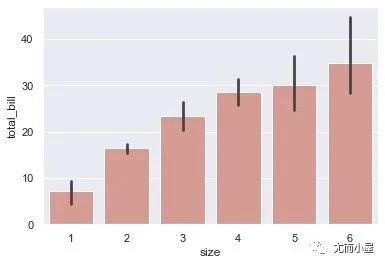
使用一種顏色
In [9]:
ax = sns.barplot(x="size",
                 y="total_bill",
                 data=tips,
                 color="salmon",
                 saturation=.5)
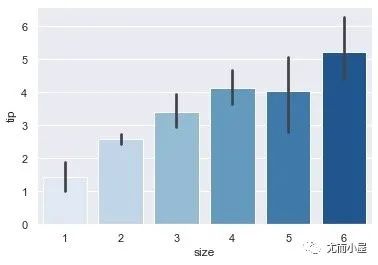
顏色漸變
In [10]:
ax = sns.barplot(x="size",
                 y="tip",
                 data=tips,
                 palette="Blues")
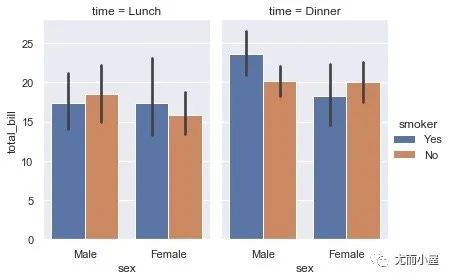
多維分組
In [11]:
g = sns.catplot(x="sex",
                y="total_bill",
                hue="smoker",
                col="time",
                data=tips,
                kind="bar",
                height=4,
                aspect=.7)
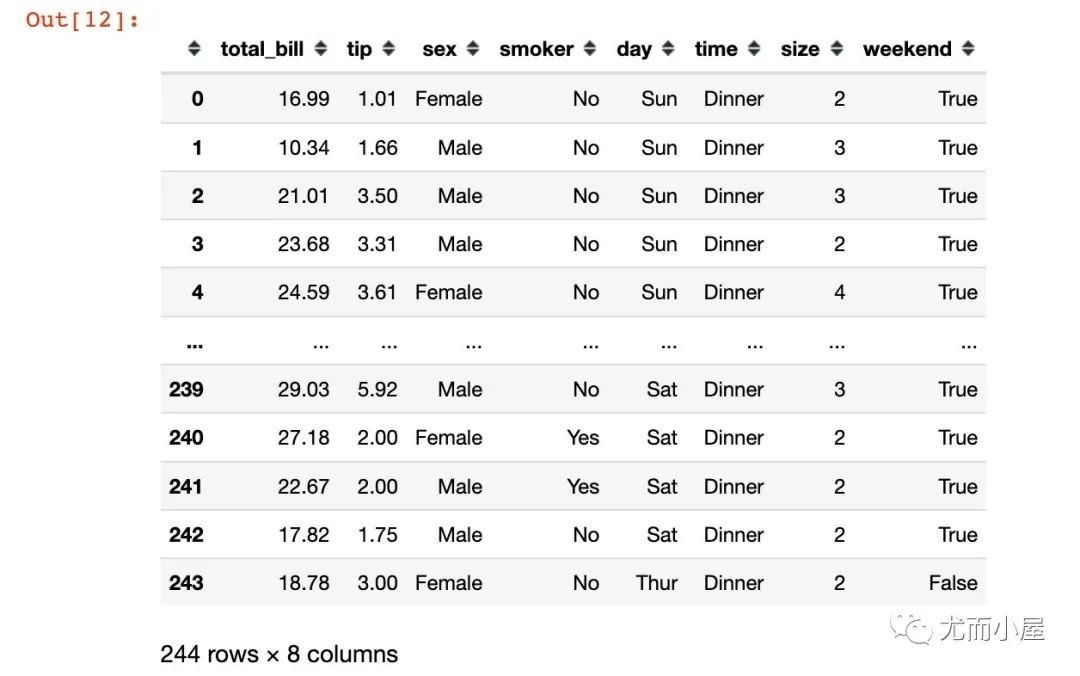
True/False分組
In [12]:
tips["weekend"] = tips["day"].isin(["Sat", "Sun"])
tips
Out[12]:
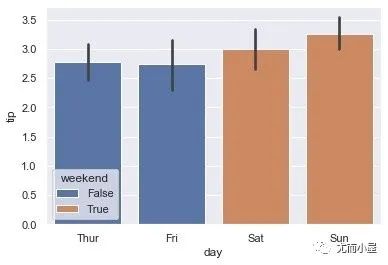
In [13]:
ax = sns.barplot(x="day",
                 y="tip",
                 hue="weekend",
                 data=tips,
                 dodge=False)
往期精彩回顧
適合初學者入門人工智能的路線及資料下載 (圖文+視頻)機器學習入門系列下載 中國大學慕課《機器學習》(黃海廣主講) 機器學習及深度學習筆記等資料打印 《統(tǒng)計學習方法》的代碼復現(xiàn)專輯 機器學習交流qq群955171419,加入微信群請掃碼
評論
圖片
表情