
實戰(zhàn) | OpenCV+OCR實現(xiàn)環(huán)形文字識別實例(詳細步驟 + 代碼)
點擊上方“小白學(xué)視覺”,選擇加"星標"或“置頂”


重磅干貨,第一時間送達 
背景介紹
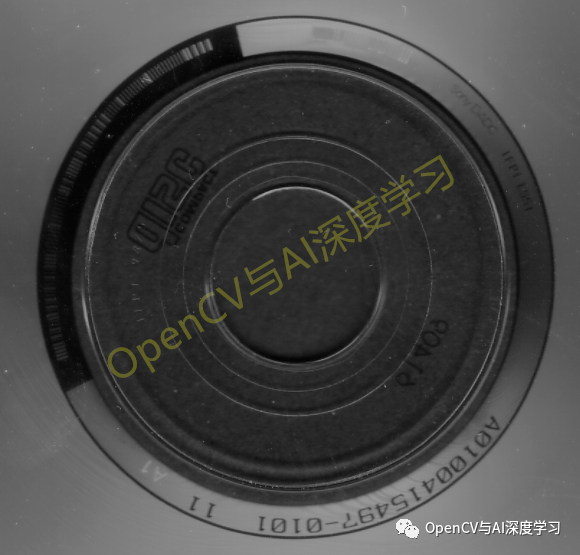
詳細實現(xiàn)步驟
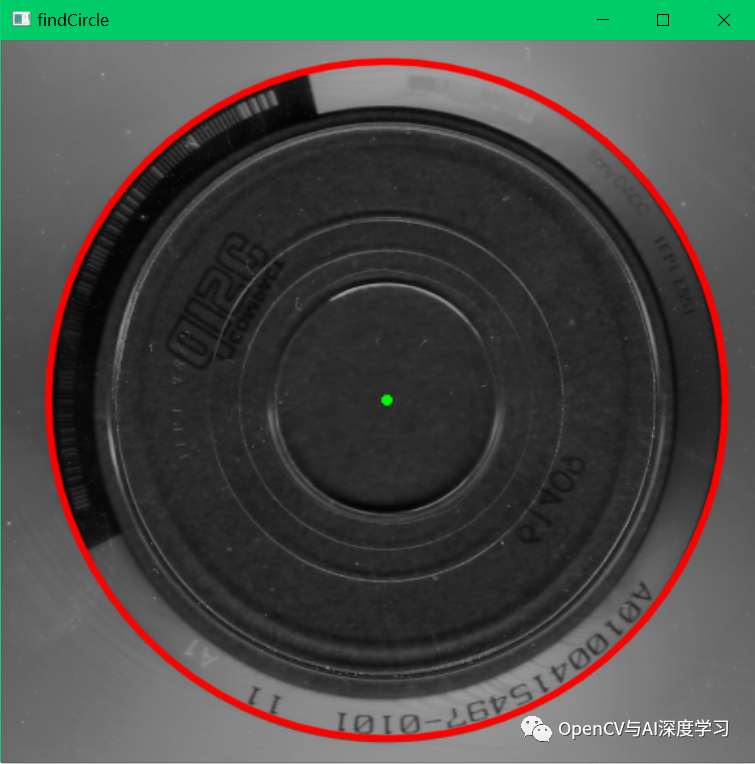
gray = cv2.cvtColor(img,cv2.COLOR_BGR2GRAY)gray = cv2.medianBlur(gray,3)circles = cv2.HoughCircles(gray,cv2.HOUGH_GRADIENT,1,100,\param1=200,param2=30,minRadius=200,maxRadius=300)isNG = Falseif circles is None:print("找圓失敗!")else:circles = np.uint16(np.around(circles))a, b, c = circles.shapeprint (circles.shape)for i in range(b):cv2.circle(img_copy, (circles[0][i][0], circles[0][i][1]), circles[0][i][2], (0, 0, 255), 3, cv2.LINE_AA)cv2.circle(img_copy, (circles[0][i][0], circles[0][i][1]), 2, (0, 255, 0), 3, cv2.LINE_AA) # draw center of circlecv2.imshow("findCircle", img_copy)
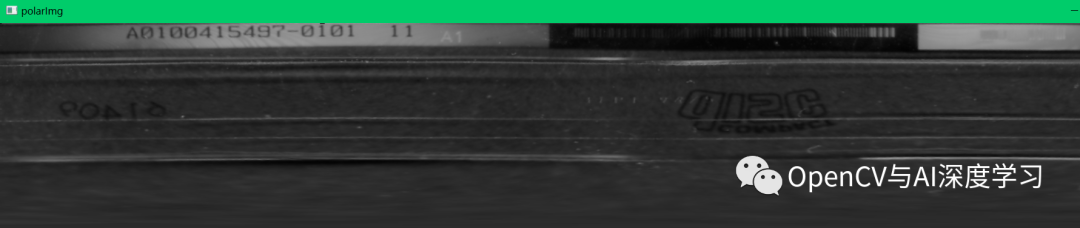
x = circles[0][i][0] - circles[0][i][2]y = circles[0][i][1] - circles[0][i][2]w = h = 2 * circles[0][i][2]center = (circles[0][i][0], circles[0][i][1])radius = circles[0][i][2]C = 2 * math.pi * radiusprint(C,radius)ROI = img[y:y+h,x:x+w].copy()cv2.imshow('ROI',ROI)trans_center = (center[0]-x, center[1]-y)polarImg = cv2.warpPolar(ROI,(int(radius),int(C)),trans_center,radius,cv2.INTER_LINEAR + cv2.WARP_POLAR_LINEAR)polarImg = cv2.flip(polarImg,1) #鏡像polarImg = cv2.transpose(polarImg)#轉(zhuǎn)置cv2.imshow('polarImg',polarImg)cv2.imwrite('polarImg.png',polarImg)
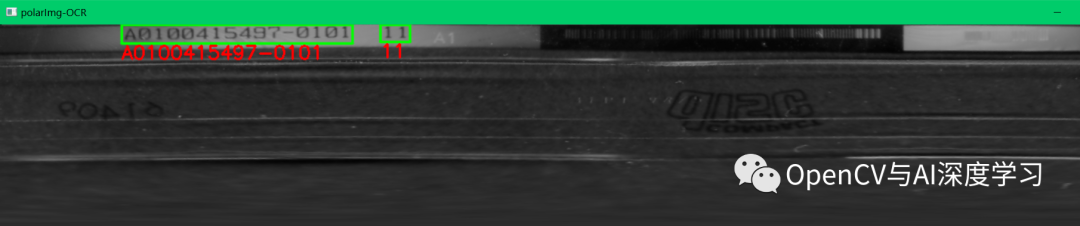
【3】文字識別。使用EasyOCR或PaddleOCR均可,這里使用EasyOCR。
result = reader.readtext(polarImg)print(result)if len(result) > 0:for i in range(0,len(result)):print(result[i][1])if(result[i][2] < 0.4):continuefor j in range(4):if j > 0:cv2.line(polarImg,(tuple(result[i][0][j-1])),(tuple(result[i][0][j])),(0,255,0),2,cv2.LINE_AA)cv2.line(polarImg,(tuple(result[i][0][0])),(tuple(result[i][0][3])),(0,255,0),2,cv2.LINE_AA)strText = result[i][1].replace(' ','')cv2.putText(polarImg,strText,(result[i][0][3][0],result[i][0][3][1]+20),0,0.8,(0,0,255),2)cv2.imshow('polarImg-OCR',polarImg)
【4】極坐標反變換,將包含識別結(jié)果的圖像還原成圓形。
polarImg = cv2.flip(polarImg,0) #鏡像polarImg = cv2.transpose(polarImg)#轉(zhuǎn)置polarImg_Inv = cv2.warpPolar(polarImg,(w,h),trans_center,radius,cv2.INTER_LINEAR + \cv2.WARP_POLAR_LINEAR + cv2.WARP_INVERSE_MAP)cv2.imshow('polarImg_Inv',polarImg_Inv)
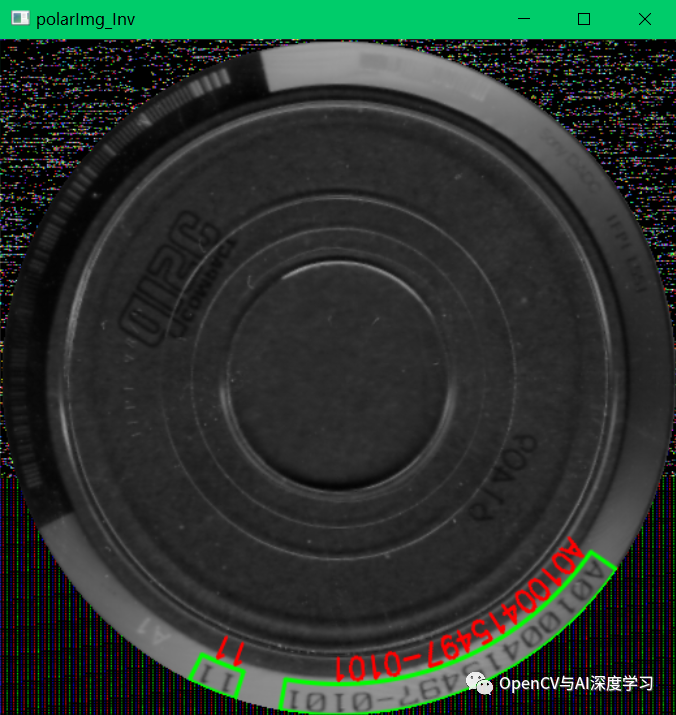
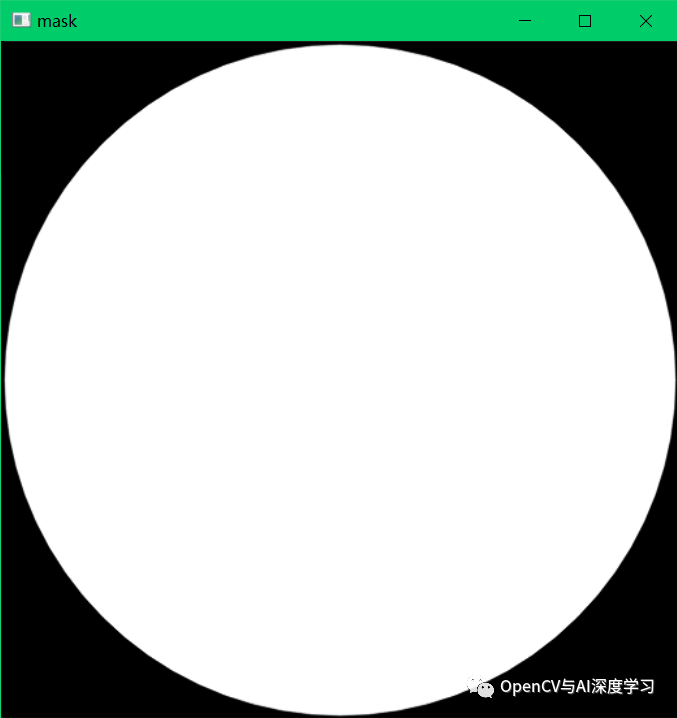
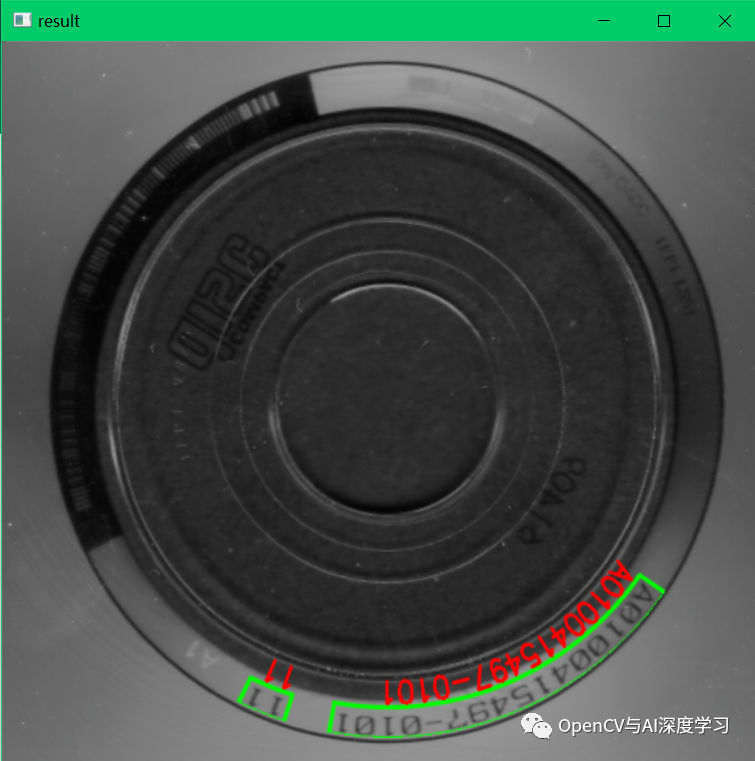
【5】創(chuàng)建圓形mask圖像做copyTo操作,使圓形外部圖像與原圖保持一致。
mask = np.zeros((h,w,1),np.uint8)cv2.circle(mask,trans_center,radius-3,(255,255,255),-1, cv2.LINE_AA)cv2.imshow('mask', mask)ROI = img[y:y+h,x:x+w]for i in range(0,ROI.shape[0]):for j in range(0, ROI.shape[1]):if mask[i,j] > 0:ROI[i,j] = polarImg_Inv[i,j]cv2.imshow('result', img)cv2.waitKey(0)
交流群
歡迎加入公眾號讀者群一起和同行交流,目前有SLAM、三維視覺、傳感器、自動駕駛、計算攝影、檢測、分割、識別、醫(yī)學(xué)影像、GAN、算法競賽等微信群(以后會逐漸細分),請掃描下面微信號加群,備注:”昵稱+學(xué)校/公司+研究方向“,例如:”張三 + 上海交大 + 視覺SLAM“。請按照格式備注,否則不予通過。添加成功后會根據(jù)研究方向邀請進入相關(guān)微信群。請勿在群內(nèi)發(fā)送廣告,否則會請出群,謝謝理解~
評論
圖片
表情