
用pygame做一個簡單的python小游戲—七彩同心圓

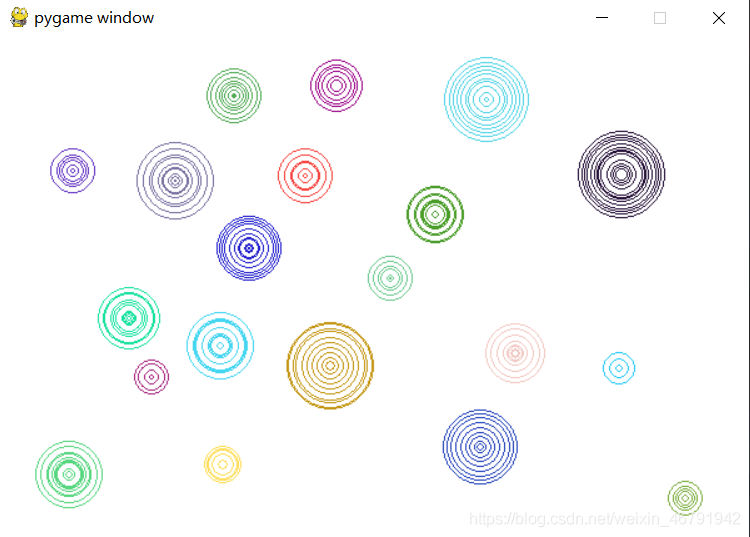
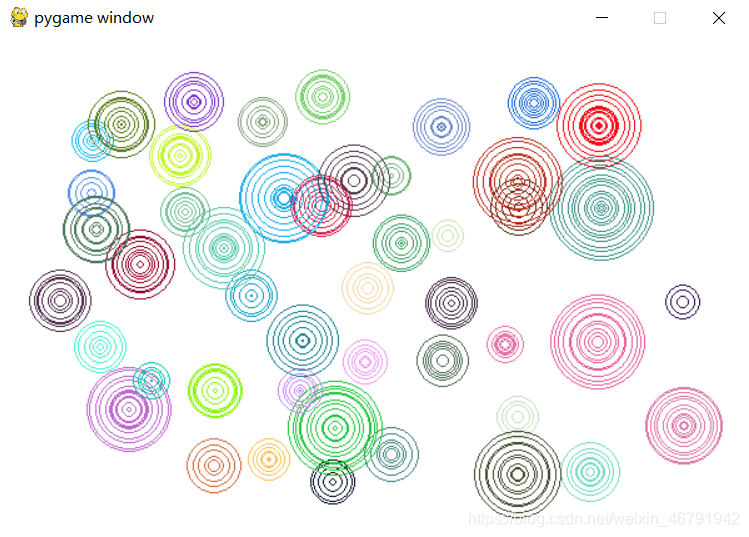
import pygame, random, sys, timepygame.init()screen = pygame.display.set_mode([600, 400])screen.fill((255, 255, 255))radiusr = 0arrradiusr = [0] * 10 # 圓的半徑arraddradiusr = [0] * 10 # 圓的半徑增量arrradiusbool = [False] * 10 # 圓是否存在 False代表該索引值下的圓不存在,True代表存在arrradiusx = [0] * 10 # 圓的坐標(biāo)x軸arrradiusy = [0] * 10 # 圓的坐標(biāo)y軸RGBx = [0] * 10 # 顏色RGB值第一個值RGBy = [0] * 10 # 顏色RGB值第二個值RGBz = [0] * 10 # 顏色RGB值第三個值while True:time.sleep(0.1) # 0.1秒for event in pygame.event.get(): # 監(jiān)聽器if event.type == pygame.MOUSEBUTTONDOWN: # 鼠標(biāo)按下num = arrradiusbool.index(False) #獲取圓不存在的索引值arrradiusbool[num] = True #將該索引值的圓設(shè)置為存在arrradiusr[num] = 0 #該圓的半徑設(shè)置為0arrradiusx[num], arrradiusy[num] = pygame.mouse.get_pos() #獲取鼠標(biāo)坐標(biāo)RGBx[num] = random.randint(0, 255) #獲取顏色值RGBy[num] = random.randint(0, 255) #獲取顏色值RGBz[num] = random.randint(0, 255) #獲取顏色值pygame.draw.circle(screen, pygame.Color(RGBx[num], RGBy[num], RGBz[num]), #畫圓(arrradiusx[num], arrradiusy[num]), arrradiusr[num], 1)if event.type == pygame.QUIT:pygame.quit()sys.exit()for i in range(10):if arrradiusbool[i] == False: #如果圓不存在則跳過循環(huán)passelse:if (arrradiusr[i] < random.randint(10, 50)): #隨機圓的大小arraddradiusr[i] = random.randint(0, 5) #圓的隨機半徑增量arrradiusr[i] += arraddradiusr[i]pygame.draw.circle(screen, pygame.Color(RGBx[i], RGBy[i], RGBz[i]), #畫圓(arrradiusx[i], arrradiusy[i]), arrradiusr[i], 1)else:arrradiusbool[i] = False #若圓已達(dá)到最大,這將該索引值的圓設(shè)置為不存在pygame.display.update()
原文鏈接:https://blog.csdn.net/weixin_46791942/article/details/111088527
文章轉(zhuǎn)載:Python編程學(xué)習(xí)圈
(版權(quán)歸原作者所有,侵刪)


點擊下方“閱讀原文”查看更多
評論
圖片
表情