
如何使用Python提取PDF表格及文本,并保存到Excel

導(dǎo)讀:介紹一個開源Python工具庫——pdfplumber。

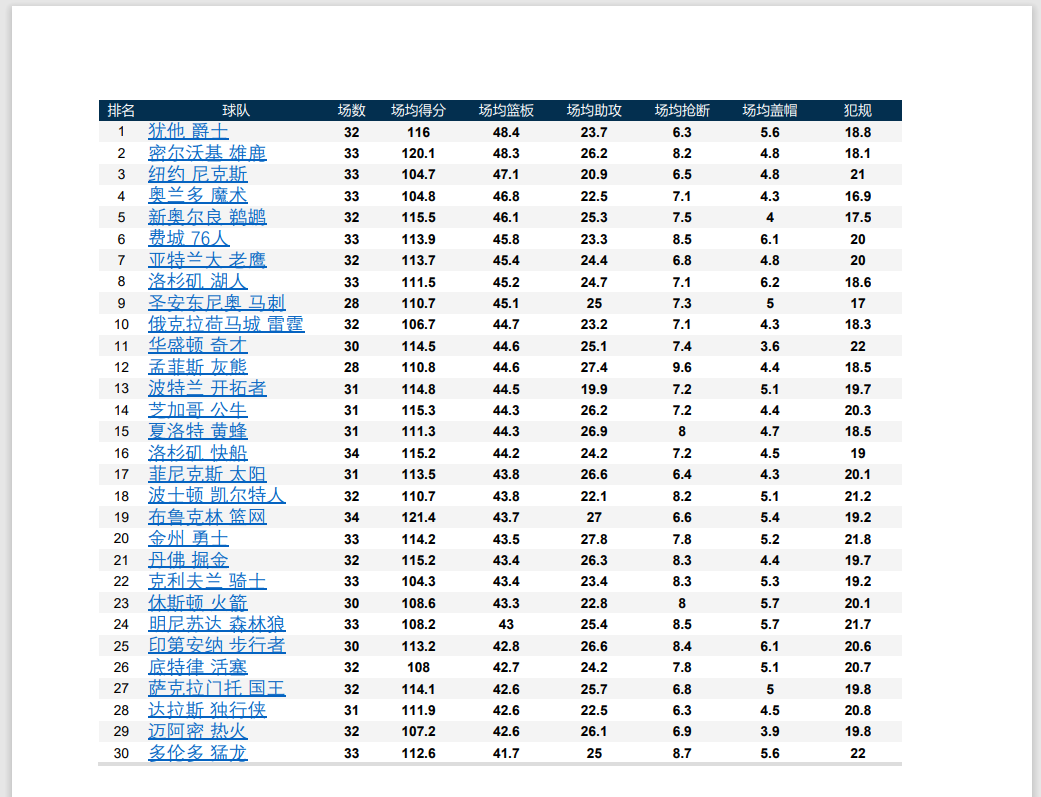
第一步:使用pdfplumber提取表格文本
# 導(dǎo)入pdfplumber
import pdfplumber

# 讀取pdf文件,保存為pdf實(shí)例
pdf =  pdfplumber.open("E:\\nba.pdf")

# 訪問第二頁
first_page = pdf.pages[1]

# 自動讀取表格信息,返回列表
table = first_page.extract_table()

table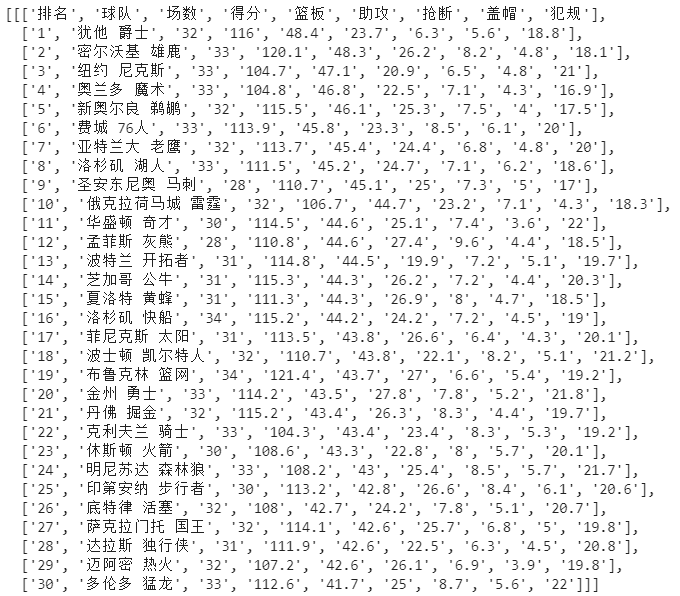
第二步:整理成dataframe格式,保存為excel
import pandas as pd

# 將列表轉(zhuǎn)為df
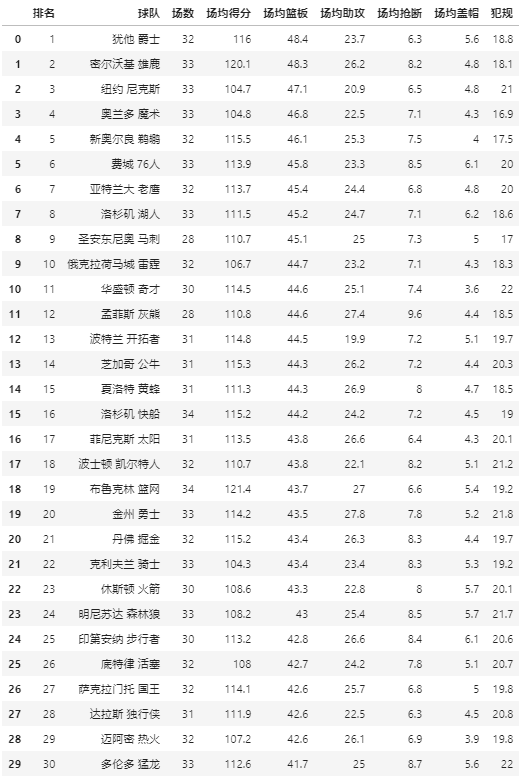
table_df = pd.DataFrame(table_2[1:],columns=table_2[0])

# 保存excel
table_df.to_excel('test.xlsx')

table_df
01 pdfplumber簡介
它是一個純Python第三方庫,適合Python 3.x版本 它用來查看PDF各類信息,能有效提取文本、表格 它不支持修改或生成PDF,也不支持對pdf掃描件的處理
02 pdfplumber安裝和導(dǎo)入
pip install pdfplumberimport pdfplumber
....03 pdfplumber簡單使用
pdfplumber.PDF類
.metadata:獲取PDF基礎(chǔ)信息,返回字典 .pages:一個包含pdfplumber.Page實(shí)例的列表,每一個實(shí)例代表PDF每一頁的信息。
pdfplumber.Page類
# 導(dǎo)入pdfplumber
import pdfplumber

# 讀取pdf文件,返回pdfplumber.PDF類的實(shí)例
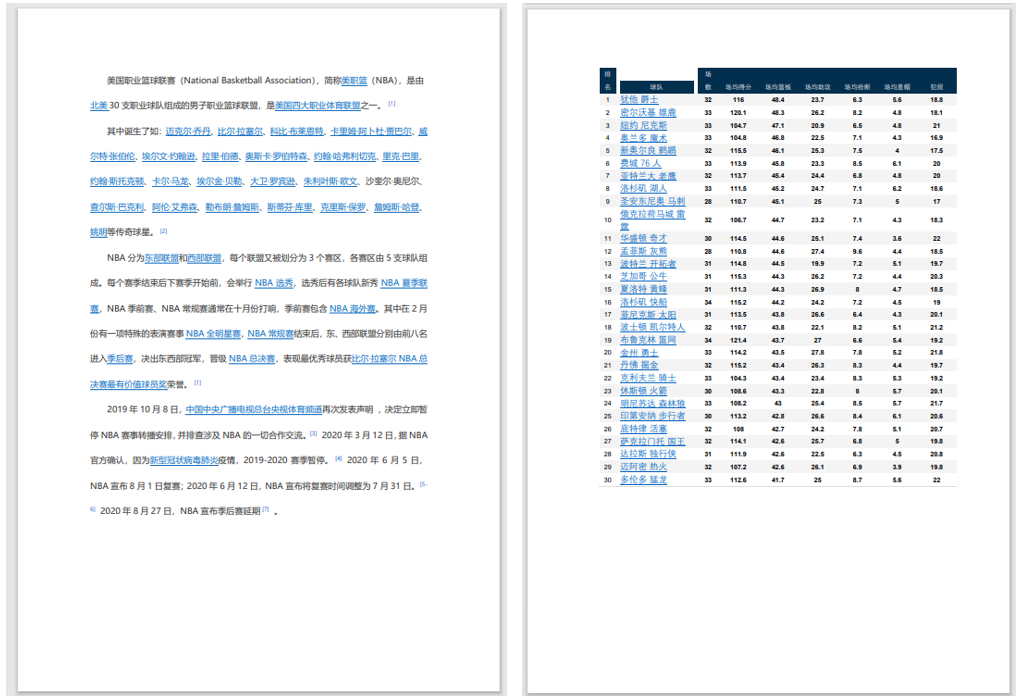
pdf = pdfplumber.open("e:\\nba2.pdf")
# 通過pdfplumber.PDF類的metadata屬性獲取pdf信息
pdf.metadata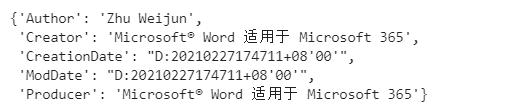
# 通過pdfplumber.PDF類的metadata屬性獲取pdf頁數(shù)
len(pdf.pages)# 第一頁pdfplumber.Page實(shí)例
first_page = pdf.pages[0]
# 查看頁碼
print('頁碼:',first_page.page_number)
# 查看頁寬
print('頁寬:'first_page.width)
# 查看頁高
print('頁高:'first_page.height)
# 讀取文本
text = first_page.extract_text()
print(text)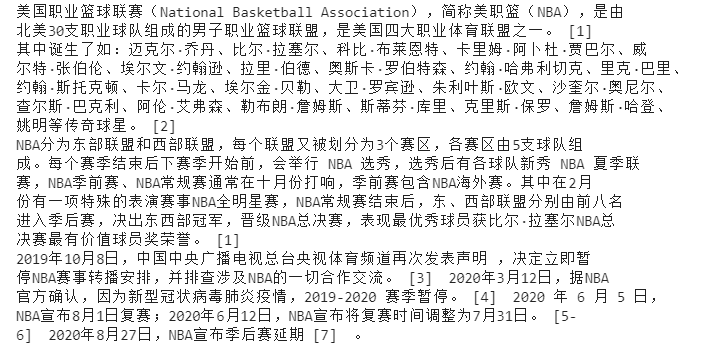
import pandas as pd

# 第二頁pdfplumber.Page實(shí)例
first_page = pdf.pages[1]

# 自動讀取表格信息,返回列表
table = first_page.extract_tables()

# 將列表轉(zhuǎn)為df
table_df = pd.DataFrame(table_2[1:],columns=table_2[0])

table_df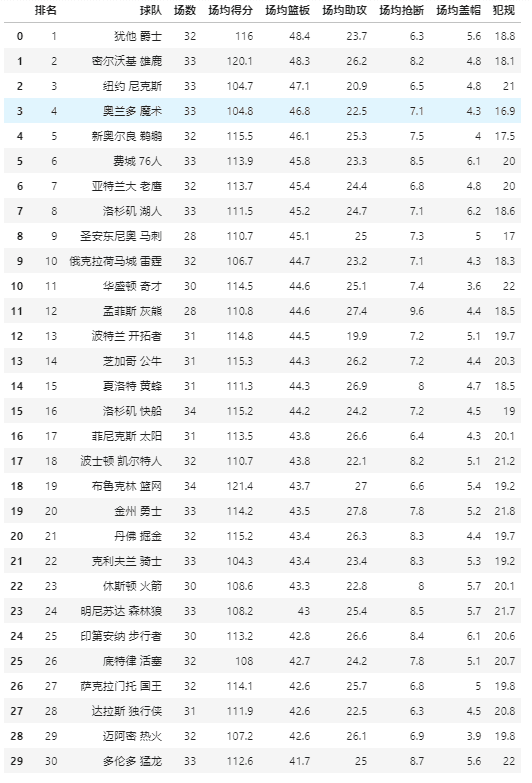
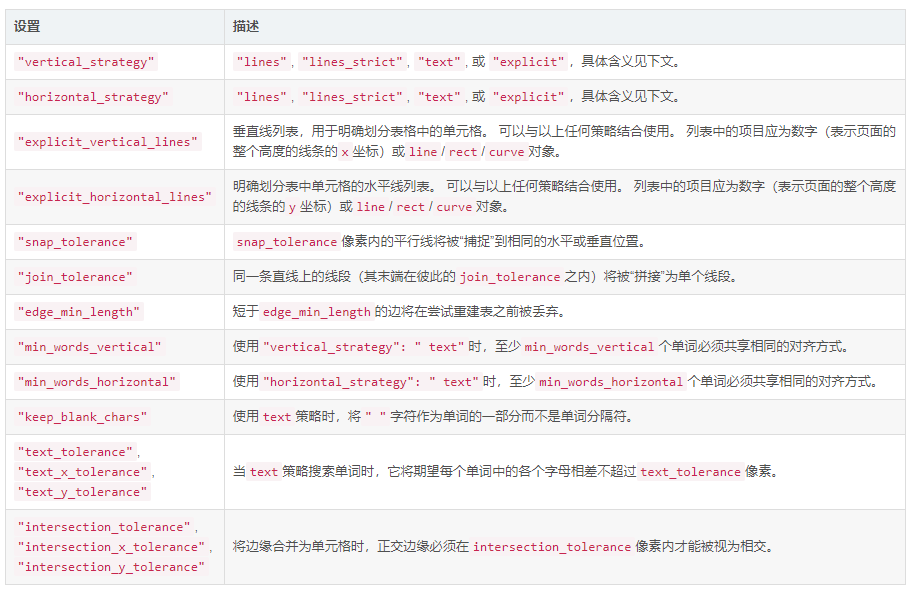
表格抽取參數(shù)設(shè)置
{
    "vertical_strategy": "lines",
    "horizontal_strategy": "lines",
    "explicit_vertical_lines": [],
    "explicit_horizontal_lines": [],
    "snap_tolerance": 3,
    "join_tolerance": 3,
    "edge_min_length": 3,
    "min_words_vertical": 3,
    "min_words_horizontal": 1,
    "keep_blank_chars": False,
    "text_tolerance": 3,
    "text_x_tolerance": None,
    "text_y_tolerance": None,
    "intersection_tolerance": 3,
    "intersection_x_tolerance": None,
    "intersection_y_tolerance": None,
}
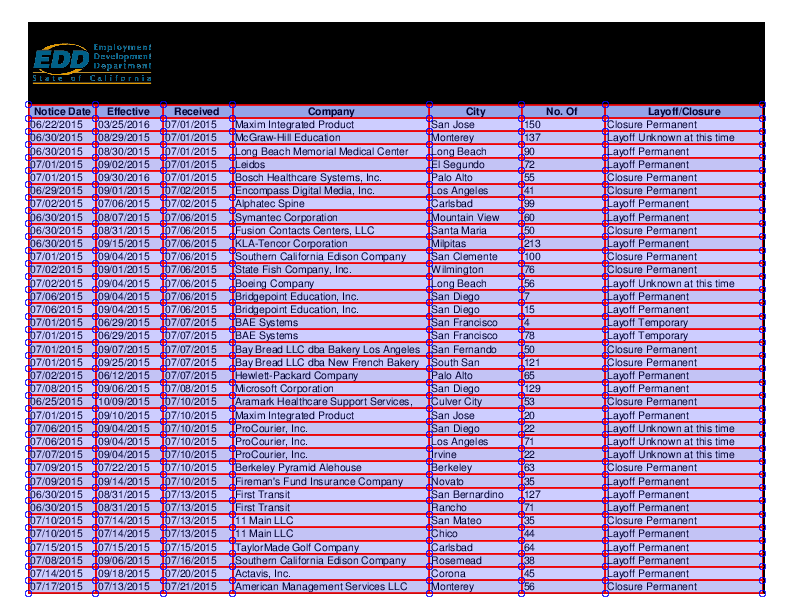
04 pdfplumber的獨(dú)特之處

評論
圖片
表情