
100 個 pandas 數(shù)據(jù)分析函數(shù)總結
(點擊上方快速關注并設置為星標,一起學Python)
來源:數(shù)據(jù)分析1480

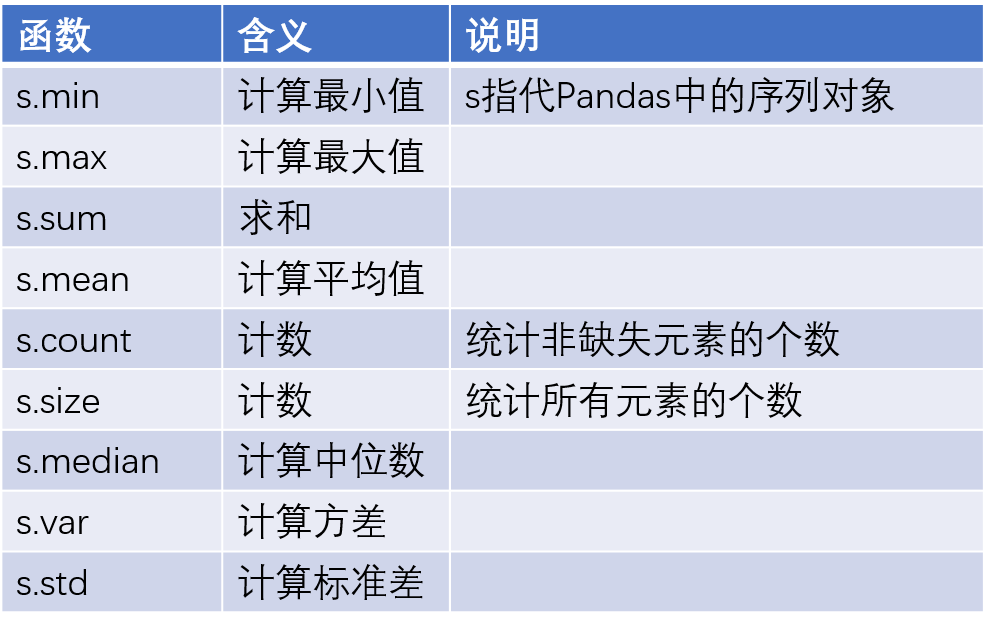
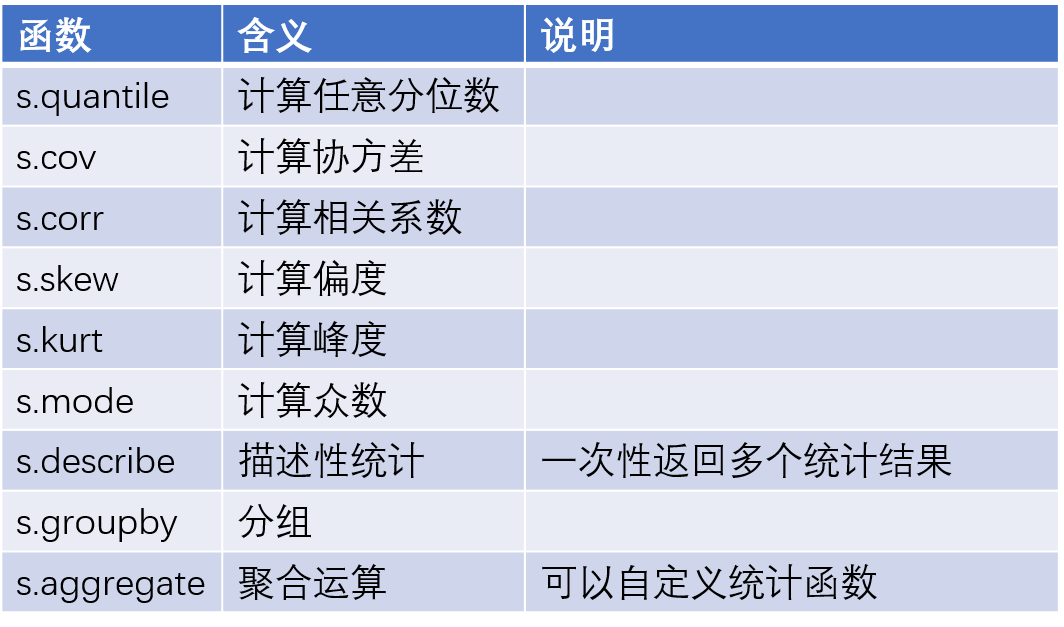
import pandas as pd
import numpy as np
x = pd.Series(np.random.normal(2,3,1000))
y = 3*x + 10 + pd.Series(np.random.normal(1,2,1000))

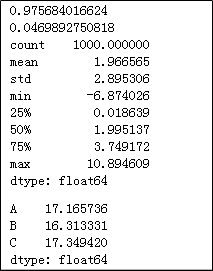
# 計算x與y的相關系數(shù)
print(x.corr(y))

# 計算y的偏度
print(y.skew())

# 計算y的統(tǒng)計描述值
print(x.describe())

z = pd.Series(['A','B','C']).sample(n = 1000, replace = True)
# 重新修改z的行索引
z.index = range(1000)
# 按照z分組,統(tǒng)計y的組內平均值
y.groupby(by = z).aggregate(np.mean)
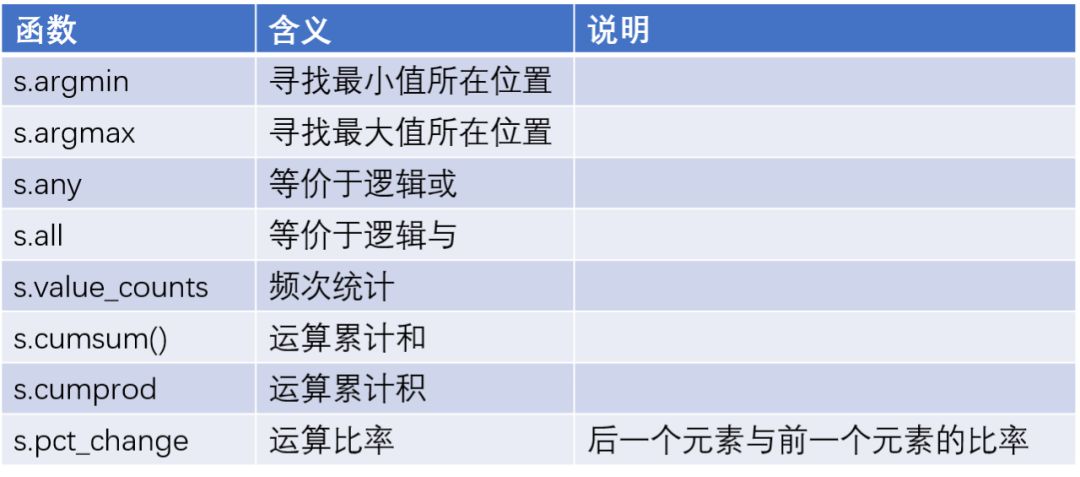
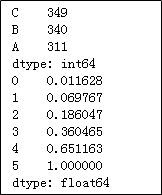
# 統(tǒng)計z中個元素的頻次
print(z.value_counts())

a = pd.Series([1,5,10,15,25,30])
# 計算a中各元素的累計百分比
print(a.cumsum() / a.cumsum()[a.size - 1])
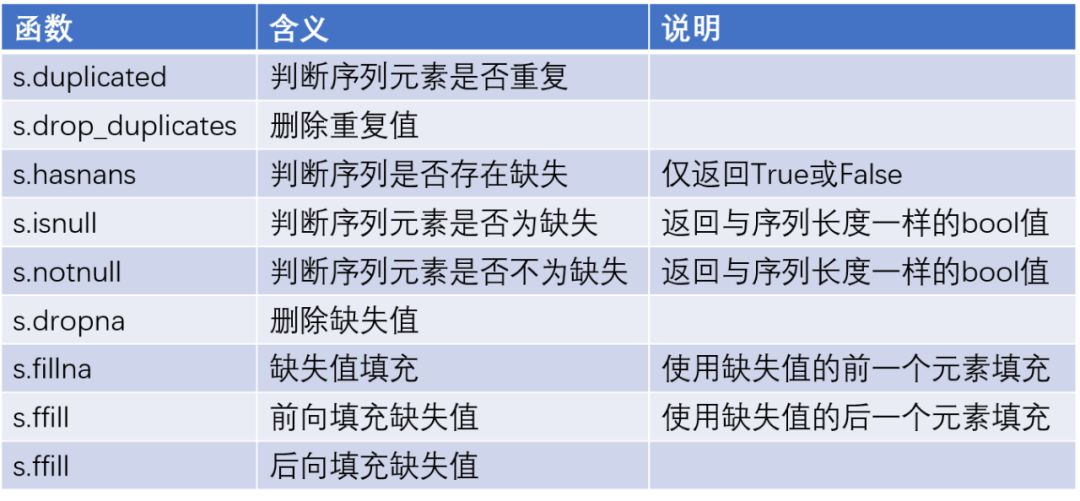
x = pd.Series([10,13,np.nan,17,28,19,33,np.nan,27])
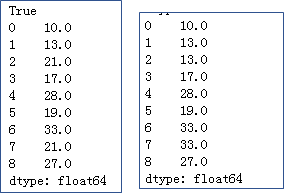
#檢驗序列中是否存在缺失值
print(x.hasnans)

# 將缺失值填充為平均值
print(x.fillna(value = x.mean()))

# 前向填充缺失值
print(x.ffill())
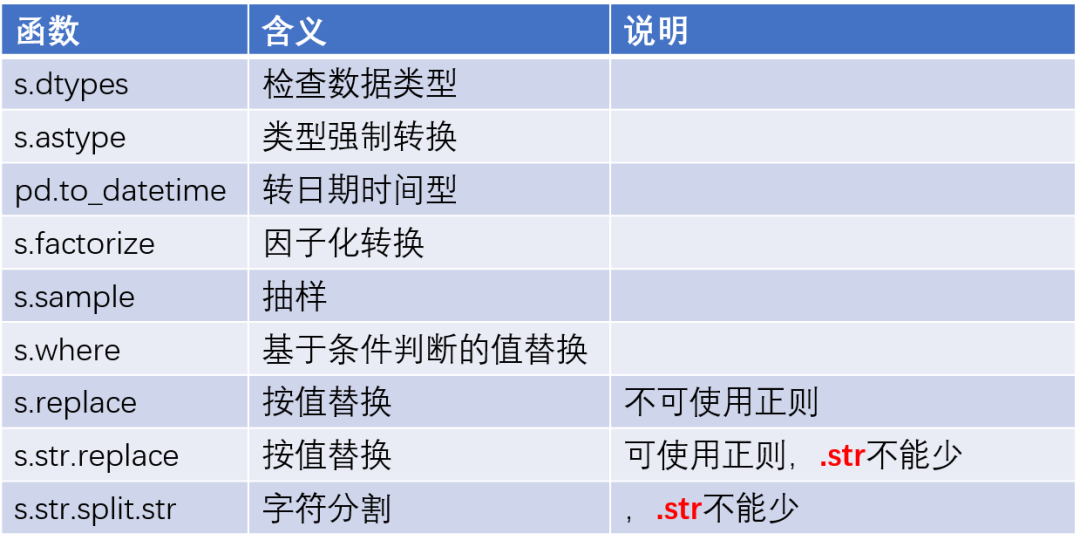
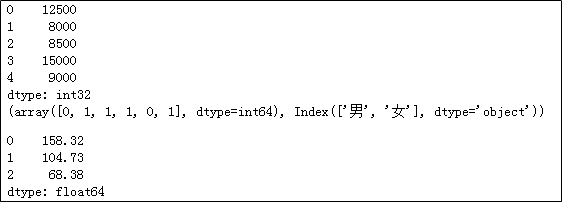
income = pd.Series(['12500元','8000元','8500元','15000元','9000元'])
# 將收入轉換為整型
print(income.str[:-1].astype(int))

gender = pd.Series(['男','女','女','女','男','女'])
# 性別因子化處理
print(gender.factorize())

house = pd.Series(['大寧金茂府 | 3室2廳 | 158.32平米 | 南 | 精裝',
                   '昌里花園 | 2室2廳 | 104.73平米 | 南 | 精裝',
                   '紡大小區(qū) | 3室1廳 | 68.38平米 | 南 | 簡裝'])
# 取出二手房的面積,并轉換為浮點型
house.str.split('|').str[2].str.strip().str[:-2].astype(float)
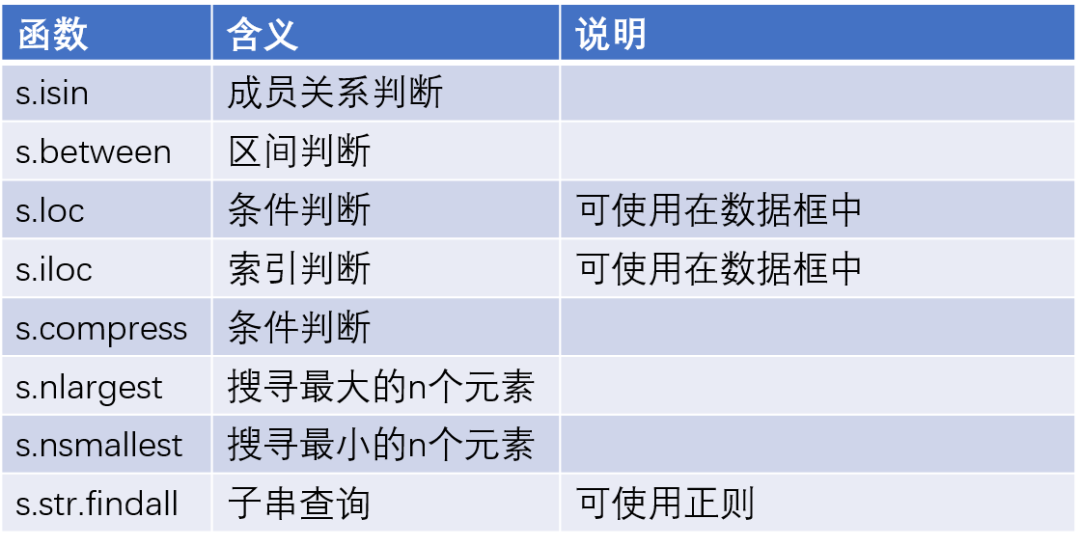
np.random.seed(1234)
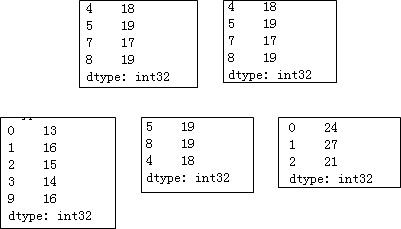
x = pd.Series(np.random.randint(10,20,10))

# 篩選出16以上的元素
print(x.loc[x > 16])

print(x.compress(x > 16))

# 篩選出13~16之間的元素
print(x[x.between(13,16)])

# 取出最大的三個元素
print(x.nlargest(3))

y = pd.Series(['ID:1 name:張三 age:24 income:13500',
               'ID:2 name:李四 age:27 income:25000',
               'ID:3 name:王二 age:21 income:8000'])
# 取出年齡,并轉換為整數(shù)
print(y.str.findall('age:(\d+)').str[0].astype(int))
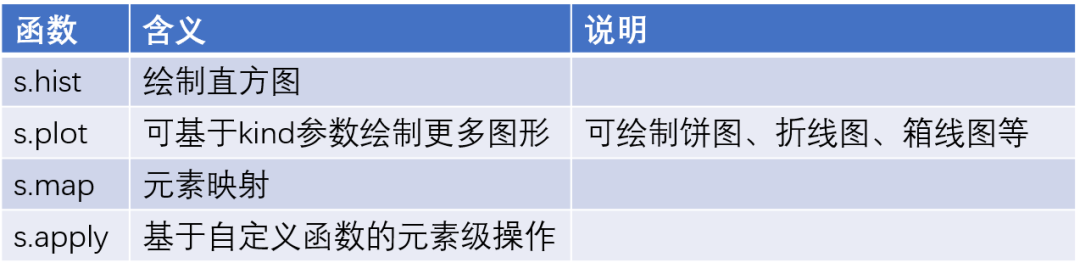
np.random.seed(123)
import matplotlib.pyplot as plt
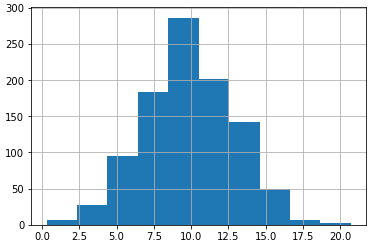
x = pd.Series(np.random.normal(10,3,1000))
# 繪制x直方圖
x.hist()
# 顯示圖形
plt.show()

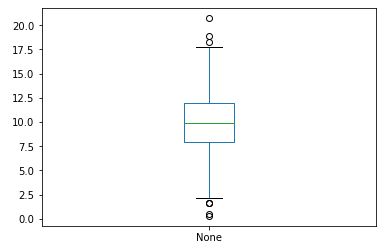
# 繪制x的箱線圖
x.plot(kind='box')
plt.show()

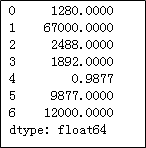
installs = pd.Series(['1280萬','6.7億','2488萬','1892萬','9877','9877萬','1.2億'])
# 將安裝量統(tǒng)一更改為“萬”的單位
def transform(x):
    if x.find('億') != -1:
        res = float(x[:-1])*10000
    elif x.find('萬') != -1:
        res = float(x[:-1])
    else:
        res = float(x)/10000
    return res
installs.apply(transform)
import numpy as np
import pandas as pd

np.random.seed(112)
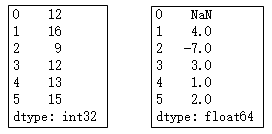
x = pd.Series(np.random.randint(8,18,6))
print(x)
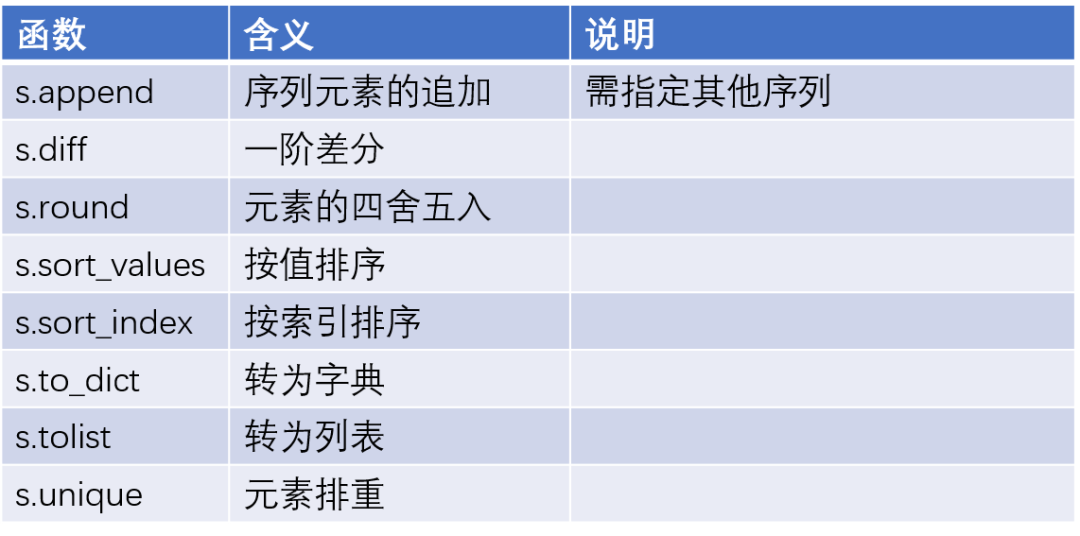
# 對x中的元素做一階差分
print(x.diff())

# 對x中的元素做降序處理
print(x.sort_values(ascending = False))

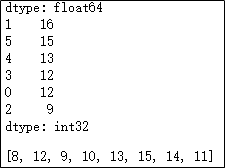
y = pd.Series(np.random.randint(8,16,100))
# 將y中的元素做排重處理,并轉換為列表對象
y.unique().tolist()
推薦閱讀:
入門: 最全的零基礎學Python的問題 | 零基礎學了8個月的Python | 實戰(zhàn)項目 |學Python就是這條捷徑
干貨:爬取豆瓣短評,電影《后來的我們》 | 38年NBA最佳球員分析 | 從萬眾期待到口碑撲街!唐探3令人失望 | 笑看新倚天屠龍記 | 燈謎答題王 |用Python做個海量小姐姐素描圖 |
趣味:彈球游戲 | 九宮格 | 漂亮的花 | 兩百行Python《天天酷跑》游戲!
AI: 會做詩的機器人 | 給圖片上色 | 預測收入 | 碟中諜這么火,我用機器學習做個迷你推薦系統(tǒng)電影
年度爆款文案
點這里,直達菜鳥學PythonB站!!

評論
圖片
表情