
通過 X 技術(shù)手段,獲取女朋友定位地址 ...
點(diǎn)擊上方[全棧開發(fā)者社區(qū)]→右上角[...]→[設(shè)為星標(biāo)?
點(diǎn)擊領(lǐng)取全棧資料:全棧資料


今早,看到CSDN里推薦的Python獲取女朋友發(fā)來加班拍照定位地址是酒店的段子,本來準(zhǔn)備驗(yàn)證下,順便練練手的,最后,安裝執(zhí)行pip install json報(bào)沒有指定版本號(hào)。
一怒之下搞我大JAVA,驗(yàn)證可行與場景體遐想。廢話不多說,先上硬貨。
依賴導(dǎo)入
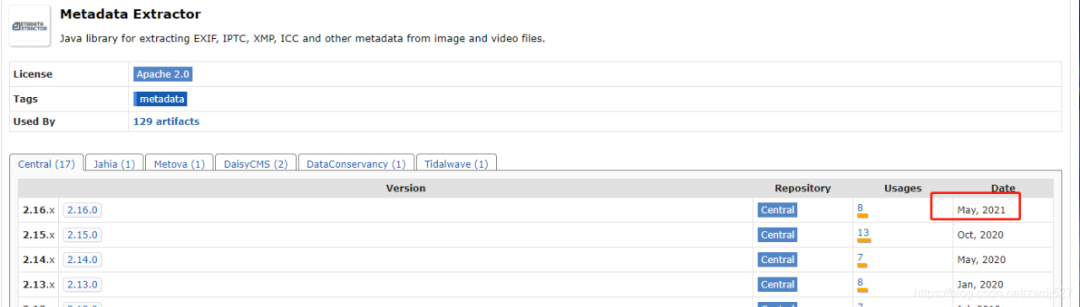
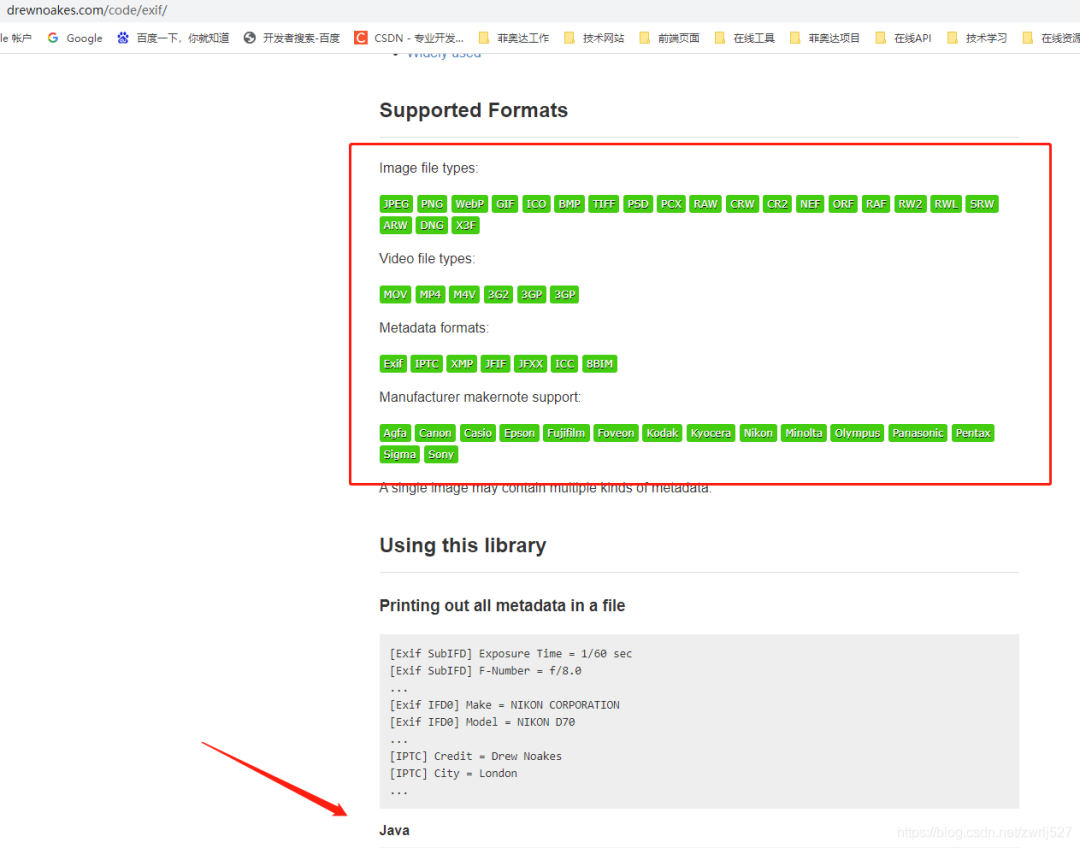
com.drewnoakes metadata-extractor 2.16.0
準(zhǔn)備工作
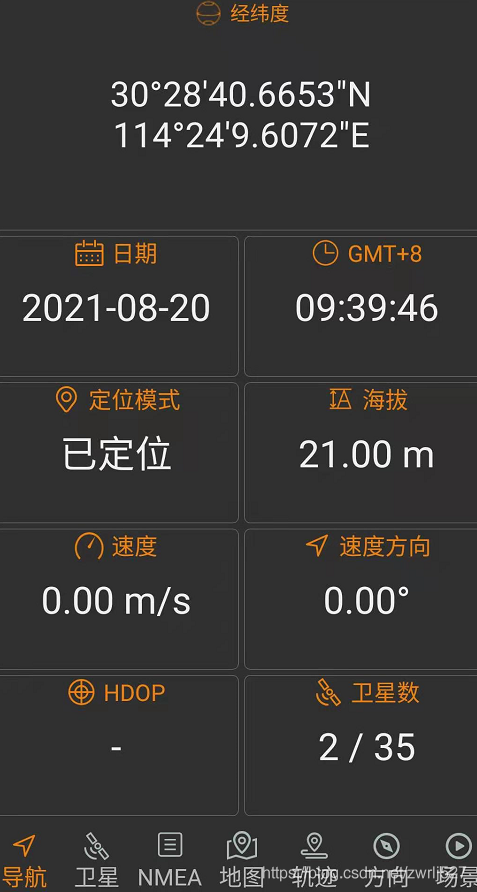
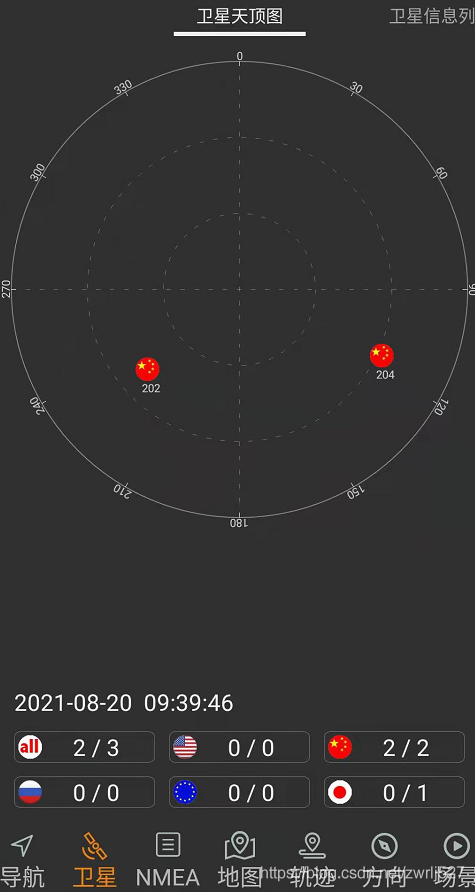
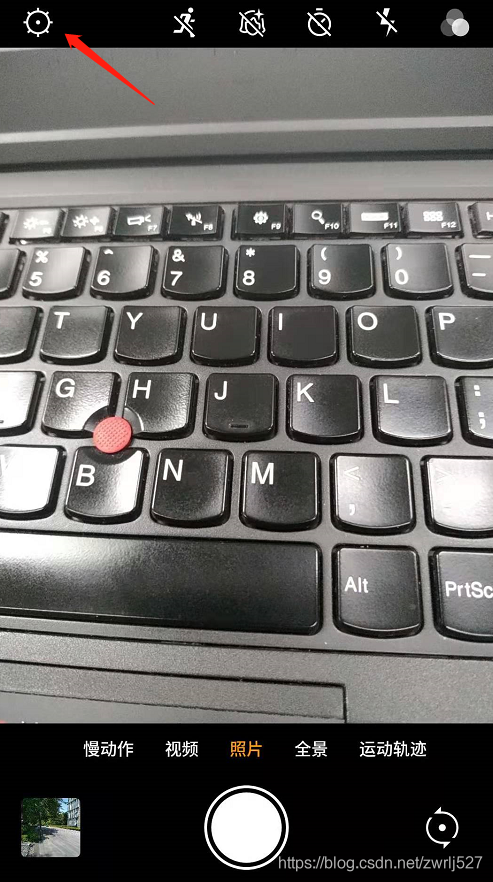
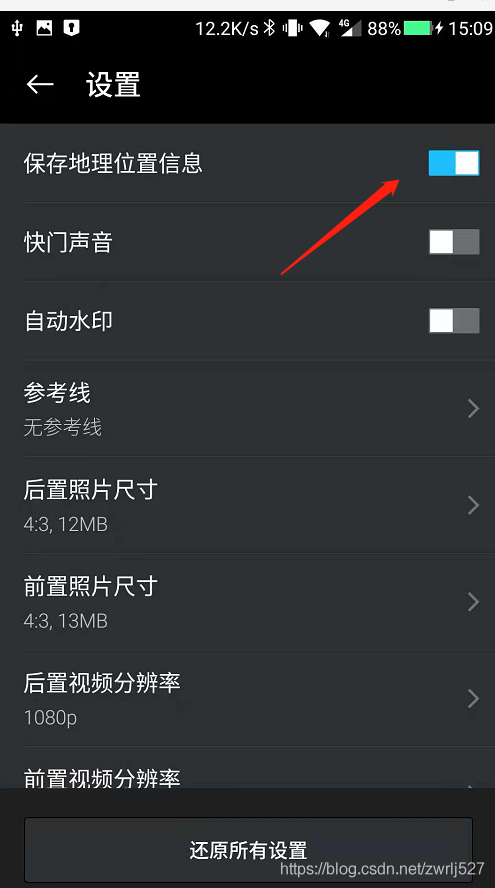
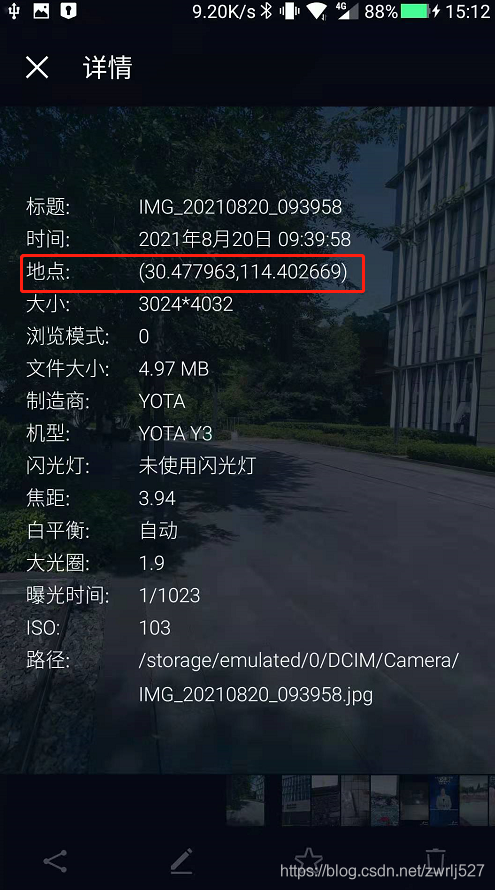
示例demo
package com.easylinkin.bm.extractor;import com.alibaba.fastjson.JSONObject;import com.drew.imaging.ImageMetadataReader;import com.drew.imaging.ImageProcessingException;import com.drew.metadata.Directory;import com.drew.metadata.Metadata;import com.drew.metadata.Tag;import com.easylinkin.bm.util.HttpUtils;import lombok.extern.slf4j.Slf4j;import java.io.File;import java.io.IOException;/*** @author zhengwen**/@Slf4jpublic class ImgTestCode {public static void main(String[] args) throws Exception {File file = new File("C:\\Users\\zhengwen\\Desktop\\test\\IMG_20210820_093958.jpg");readImageInfo(file);}/*** 提取照片里面的信息** @param file 照片文件* @throws ImageProcessingException* @throws Exception*/private static void readImageInfo(File file) throws ImageProcessingException, Exception {Metadata metadata = ImageMetadataReader.readMetadata(file);System.out.println("---打印全部詳情---");for (Directory directory : metadata.getDirectories()) {for (Tag tag : directory.getTags()) {System.out.format("[%s] - %s = %s\n",directory.getName(), tag.getTagName(), tag.getDescription());}if (directory.hasErrors()) {for (String error : directory.getErrors()) {System.err.format("ERROR: %s", error);}}}System.out.println("--打印常用信息---");Double lat = null;Double lng = null;for (Directory directory : metadata.getDirectories()) {for (Tag tag : directory.getTags()) {String tagName = tag.getTagName(); //標(biāo)簽名String desc = tag.getDescription(); //標(biāo)簽信息if (tagName.equals("Image Height")) {System.err.println("圖片高度: " + desc);} else if (tagName.equals("Image Width")) {System.err.println("圖片寬度: " + desc);} else if (tagName.equals("Date/Time Original")) {System.err.println("拍攝時(shí)間: " + desc);} else if (tagName.equals("GPS Latitude")) {System.err.println("緯度 : " + desc);System.err.println("緯度(度分秒格式) : " + pointToLatlong(desc));lat = latLng2Decimal(desc);} else if (tagName.equals("GPS Longitude")) {System.err.println("經(jīng)度: " + desc);System.err.println("經(jīng)度(度分秒格式): " + pointToLatlong(desc));lng = latLng2Decimal(desc);}}}System.err.println("--經(jīng)緯度轉(zhuǎn)地址--");//經(jīng)緯度轉(zhuǎn)地主使用百度apiconvertGpsToLoaction(lat, lng);}/*** 經(jīng)緯度格式 轉(zhuǎn)換為 度分秒格式 ,如果需要的話可以調(diào)用該方法進(jìn)行轉(zhuǎn)換** @param point 坐標(biāo)點(diǎn)* @return*/public static String pointToLatlong(String point) {Double du = Double.parseDouble(point.substring(0, point.indexOf("°")).trim());Double fen = Double.parseDouble(point.substring(point.indexOf("°") + 1, point.indexOf("'")).trim());Double miao = Double.parseDouble(point.substring(point.indexOf("'") + 1, point.indexOf("\"")).trim());Double duStr = du + fen / 60 + miao / 60 / 60;return duStr.toString();}/**** 經(jīng)緯度坐標(biāo)格式轉(zhuǎn)換(* °轉(zhuǎn)十進(jìn)制格式)* @param gps*/public static double latLng2Decimal(String gps) {String a = gps.split("°")[0].replace(" ", "");String b = gps.split("°")[1].split("'")[0].replace(" ", "");String c = gps.split("°")[1].split("'")[1].replace(" ", "").replace("\"", "");double gps_dou = Double.parseDouble(a) + Double.parseDouble(b) / 60 + Double.parseDouble(c) / 60 / 60;return gps_dou;}/*** api_key:注冊的百度api的key* coords:經(jīng)緯度坐標(biāo)* http://api.map.baidu.com/reverse_geocoding/v3/?ak="+api_key+"&output=json&coordtype=wgs84ll&location="+coords** 經(jīng)緯度轉(zhuǎn)地址信息** @param gps_latitude 維度* @param gps_longitude 精度*/private static void convertGpsToLoaction(double gps_latitude, double gps_longitude) throws IOException {String apiKey = "YNxcSCAphFvuPD4LwcgWXwC3SEZZc7Ra";String res = "";String url = "http://api.map.baidu.com/reverse_geocoding/v3/?ak=" + apiKey + "&output=json&coordtype=wgs84ll&location=" + (gps_latitude + "," + gps_longitude);System.err.println("【url】" + url);res = HttpUtils.httpGet(url);JSONObject object = JSONObject.parseObject(res);if (object.containsKey("result")) {JSONObject result = object.getJSONObject("result");if (result.containsKey("addressComponent")) {JSONObject address = object.getJSONObject("result").getJSONObject("addressComponent");System.err.println("拍攝地點(diǎn):" + address.get("country") + " " + address.get("province") + " " + address.get("city") + " " + address.get("district") + " "+ address.get("street") + " " + result.get("formatted_address") + " " + result.get("business"));}}}}
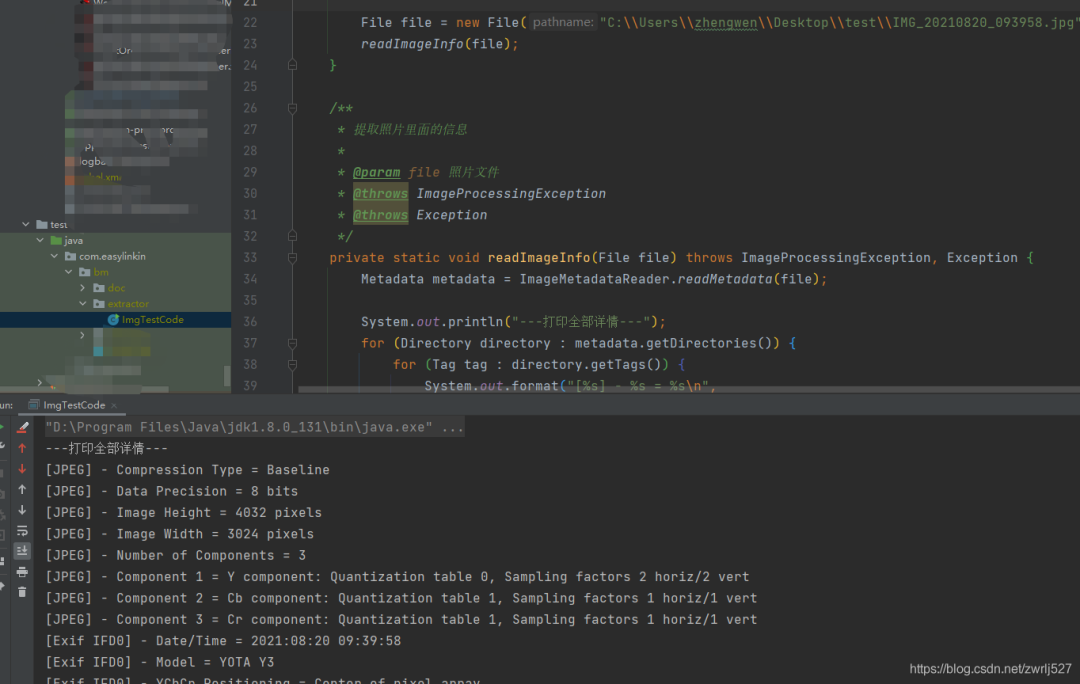
com.easylinkin.bm.extractor.ImgTestCode---打印全部詳情---[JPEG] - Compression Type = Baseline[JPEG] - Data Precision = 8 bits[JPEG] - Image Height = 4032 pixels[JPEG] - Image Width = 3024 pixels[JPEG] - Number of Components = 3[JPEG] - Component 1 = Y component: Quantization table 0, Sampling factors 2 horiz/2 vert[JPEG] - Component 2 = Cb component: Quantization table 1, Sampling factors 1 horiz/1 vert[JPEG] - Component 3 = Cr component: Quantization table 1, Sampling factors 1 horiz/1 vert[Exif IFD0] - Date/Time = 2021:08:20 09:39:58[Exif IFD0] - Model = YOTA Y3[Exif IFD0] - YCbCr Positioning = Center of pixel array[Exif IFD0] - Resolution Unit = Inch[Exif IFD0] - Y Resolution = 72 dots per inch[Exif IFD0] - X Resolution = 72 dots per inch[Exif IFD0] - Make = YOTA[GPS] - GPS Date Stamp = 2021:08:20[GPS] - GPS Altitude Ref = Below sea level[GPS] - GPS Longitude Ref = E[GPS] - GPS Longitude = 114° 24' 9.61"[GPS] - GPS Processing Method = ASCII[GPS] - GPS Latitude Ref = N[GPS] - GPS Time-Stamp = 01:39:46.000 UTC[GPS] - GPS Altitude = 21 metres[GPS] - GPS Latitude = 30° 28' 40.67"[Exif SubIFD] - Color Space = sRGB[Exif SubIFD] - F-Number = f/1.9[Exif SubIFD] - Date/Time Digitized = 2021:08:20 09:39:58[Exif SubIFD] - Focal Length = 3.9 mm[Exif SubIFD] - Aperture Value = f/1.9[Exif SubIFD] - Exposure Mode = Auto exposure[Exif SubIFD] - Sub-Sec Time Digitized = 819350[Exif SubIFD] - Exif Image Height = 4032 pixels[Exif SubIFD] - Focal Length 35 = 23 mm[Exif SubIFD] - Scene Capture Type = Standard[Exif SubIFD] - Sub-Sec Time Original = 819350[Exif SubIFD] - Exposure Program = Unknown (0)[Exif SubIFD] - White Balance Mode = Auto white balance[Exif SubIFD] - Exif Image Width = 3024 pixels[Exif SubIFD] - Sub-Sec Time = 819350[Exif SubIFD] - Shutter Speed Value = 1/1022 sec[Exif SubIFD] - Metering Mode = Center weighted average[Exif SubIFD] - Date/Time Original = 2021:08:20 09:39:58[Exif SubIFD] - Components Configuration = YCbCr[Exif SubIFD] - Exif Version = 2.20[Exif SubIFD] - Flash = Flash did not fire[Exif SubIFD] - Brightness Value = 0.0[Exif SubIFD] - ISO Speed Ratings = 103[Exif SubIFD] - Sensing Method = One-chip color area sensor[Exif SubIFD] - FlashPix Version = 1.00[Exif SubIFD] - Exposure Time = 1/1023 sec[Interoperability] - Interoperability Index = Recommended Exif Interoperability Rules (ExifR98)[Interoperability] - Interoperability Version = 1.00[Exif Thumbnail] - Y Resolution = 72 dots per inch[Exif Thumbnail] - Thumbnail Length = 21538 bytes[Exif Thumbnail] - Thumbnail Offset = 959 bytes[Exif Thumbnail] - Compression = JPEG (old-style)[Exif Thumbnail] - Resolution Unit = Inch[Exif Thumbnail] - X Resolution = 72 dots per inch[Huffman] - Number of Tables = 4 Huffman tables[File Type] - Detected File Type Name = JPEG[File Type] - Detected File Type Long Name = Joint Photographic Experts Group[File Type] - Detected MIME Type = image/jpeg[File Type] - Expected File Name Extension = jpg[File] - File Name = IMG_20210820_093958.jpg[File] - File Size = 5215044 bytes[File] - File Modified Date = 星期五 八月 20 09:39:59 +08:00 2021--打印常用信息---初始化HttpClientTest~~~開始圖片高度: 4032 pixels圖片寬度: 3024 pixels經(jīng)度: 114° 24' 9.61"經(jīng)度(度分秒格式): 114.40266944444446緯度 : 30° 28' 40.67"緯度(度分秒格式) : 30.477963888888887拍攝時(shí)間: 2021:08:20 09:39:58--經(jīng)緯度轉(zhuǎn)地址--【url】http://api.map.baidu.com/reverse_geocoding/v3/?ak=YNxcSCAphFvuPD4LwcgWXwC3SEZZc7Ra&output=json&coordtype=wgs84ll&location=30.477963888888887,114.40266944444446初始化HttpClientTest~~~結(jié)束拍攝地點(diǎn):中國 湖北省 武漢市 洪山區(qū) 軟件園路 湖北省武漢市洪山區(qū)軟件園路9 關(guān)山,光谷天地
總結(jié)與衍生想法
覺得本文對你有幫助?請分享給更多人
關(guān)注「全棧開發(fā)者社區(qū)」加星標(biāo),提升全棧技能
本公眾號(hào)會(huì)不定期給大家發(fā)福利,包括送書、學(xué)習(xí)資源等,敬請期待吧!
如果感覺推送內(nèi)容不錯(cuò),不妨右下角點(diǎn)個(gè)在看轉(zhuǎn)發(fā)朋友圈或收藏,感謝支持。
好文章,留言、點(diǎn)贊、在看和分享一條龍吧??
評論
圖片
表情