
一行代碼讓matplotlib圖表變高大上
1 簡(jiǎn)介
matplotlib作為Python生態(tài)中最流行的數(shù)據(jù)可視化框架,雖然功能非常強(qiáng)大,但默認(rèn)樣式比較簡(jiǎn)陋,想要制作具有簡(jiǎn)潔商務(wù)風(fēng)格的圖表往往需要編寫(xiě)眾多的代碼來(lái)調(diào)整各種參數(shù)。
而今天要為大家介紹的dufte,就是用來(lái)通過(guò)簡(jiǎn)短的代碼,對(duì)默認(rèn)的matplotlib圖表樣式進(jìn)行自動(dòng)改造的Python庫(kù):

2 利用dufte自動(dòng)改造matplotlib圖表
通過(guò)pip install dufte安裝完成后,我們就可以將dufte的幾個(gè)關(guān)鍵API穿插在常規(guī)matplotlib圖表的繪制過(guò)程中,目前主要有以下幾種功能:
2.1 主題設(shè)置
dufte最重要的功能是其自帶的主題風(fēng)格,而在matplotlib中有兩種設(shè)置主題的方式,一種是利用plt.style.use(主題)來(lái)全局設(shè)置,一般不建議這種方式。
另一種方式則是以下列方式來(lái)在with的作用范圍內(nèi)局部使用主題:
# 局部主題設(shè)置
with plt.style.context(主題):
    # 繪圖代碼
    ...
我們今天就都使用第二種方式,首先導(dǎo)入演示所需的依賴(lài)庫(kù),并從本地注冊(cè)思源宋體:
import dufte
import numpy as np
import matplotlib.pyplot as plt
from matplotlib import font_manager

# 注冊(cè)本地思源宋體
fontproperties = font_manager.FontProperties(fname='NotoSerifSC-Regular.otf')
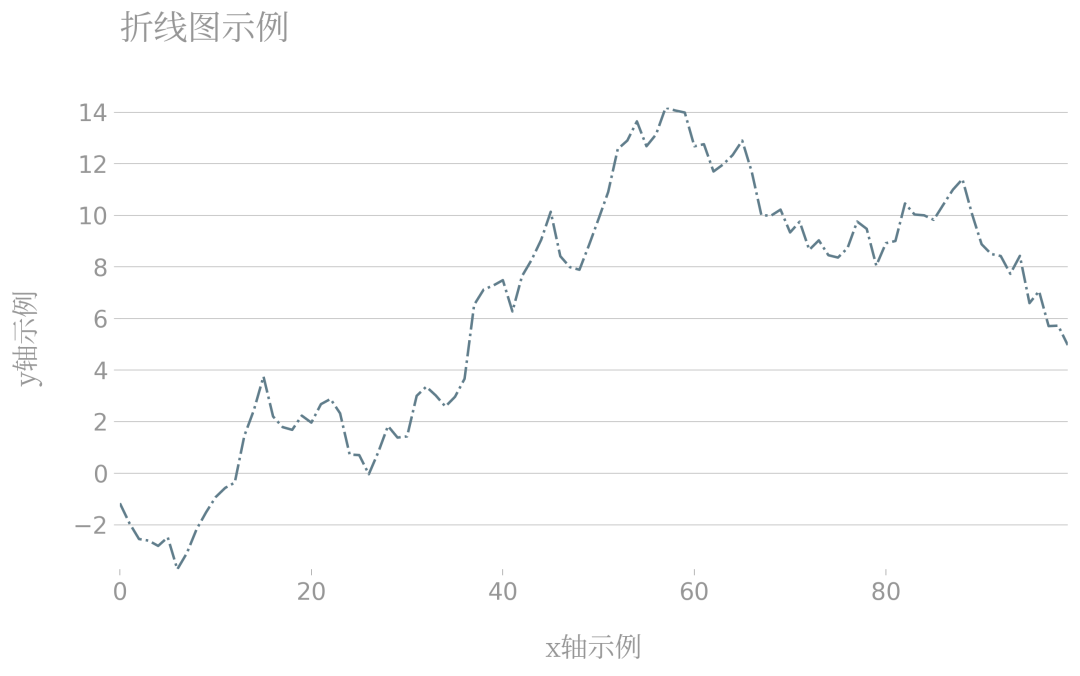
接下來(lái)我們以折線圖和柱狀圖為例:
折線圖
# 折線圖示例
with plt.style.context(dufte.style):
    x = range(100)
    y = np.random.standard_normal(100).cumsum()

    fig, ax = plt.subplots(figsize=(10, 5), facecolor='white', edgecolor='white')

    ax.plot(x, y, linestyle='-.', color='#607d8b')

    ax.set_xlabel('x軸示例', fontproperties=fontproperties, fontsize=16)
    ax.set_ylabel('y軸示例', fontproperties=fontproperties, fontsize=16)

    ax.set_title('折線圖示例', fontproperties=fontproperties, fontsize=20)

    fig.savefig('圖2.png', dpi=300, bbox_inches='tight')
柱狀圖
# 柱狀圖示例
with plt.style.context(dufte.style):
    x = range(25)
    y = np.random.standard_normal(25)

    fig, ax = plt.subplots(figsize=(10, 5), facecolor='white', edgecolor='white')

    ax.bar(x, y)

    ax.set_xlabel('x軸示例', fontproperties=fontproperties, fontsize=16)
    ax.set_ylabel('y軸示例', fontproperties=fontproperties, fontsize=16)

    ax.set_title('柱狀圖示例', fontproperties=fontproperties, fontsize=20)

    fig.savefig('圖3.png', dpi=300, bbox_inches='tight')
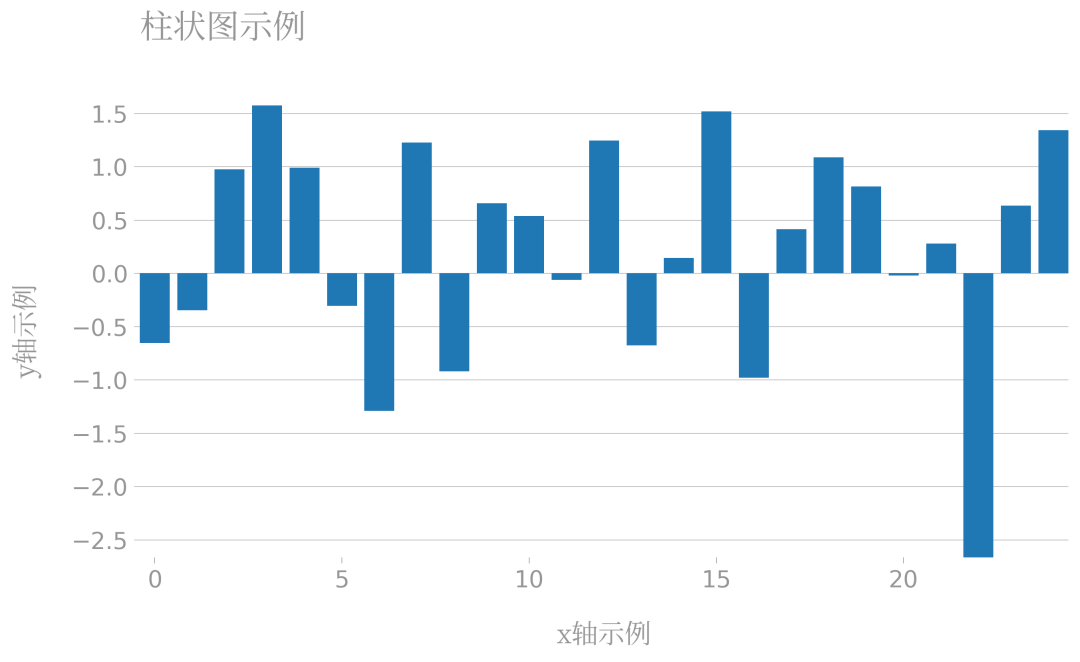
可以看到,dufte自帶了一套簡(jiǎn)潔的繪圖風(fēng)格,主張去除多余的軸線,只保留必要的參考線,適用于我們?nèi)粘9ぷ髦械耐ㄓ贸鰣D需求。
2.2 自動(dòng)圖例美化
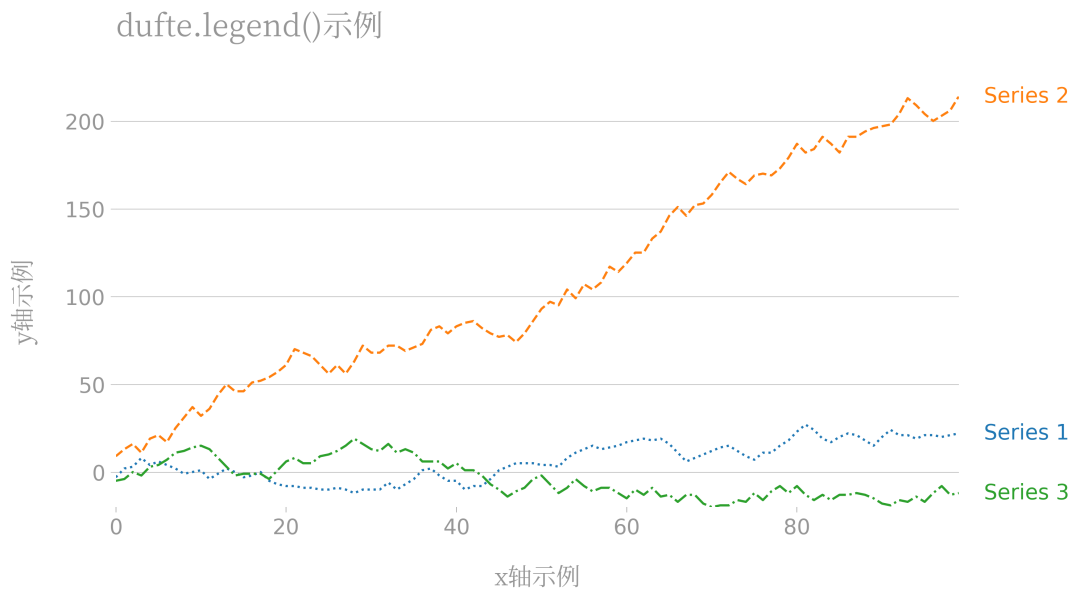
除了前面介紹的整體主題風(fēng)格之外,dufte還自帶了一套圖例風(fēng)格化策略,只需要在繪圖過(guò)程中利用dufte.legend()來(lái)代替matplotlib原有的legend()即可,以下面的折線圖為例:
# 折線圖示例
with plt.style.context(dufte.style):
    x = range(100)
    y1 = np.random.randint(-5, 6, 100).cumsum()
    y2 = np.random.randint(-5, 10, 100).cumsum()
    y3 = np.random.randint(-5, 6, 100).cumsum()

    fig, ax = plt.subplots(figsize=(10, 5), facecolor='white', edgecolor='white')

    ax.plot(x, y1, linestyle='dotted', label='Series 1')
    ax.plot(x, y2, linestyle='dashed', label='Series 2')
    ax.plot(x, y3, linestyle='dashdot', label='Series 3')

    ax.set_xlabel('x軸示例', fontproperties=fontproperties, fontsize=16)
    ax.set_ylabel('y軸示例', fontproperties=fontproperties, fontsize=16)

    dufte.legend()

    ax.set_title('dufte.legend()示例', fontproperties=fontproperties, fontsize=20)

    fig.savefig('圖4.png', dpi=300, bbox_inches='tight')
可以看到,對(duì)于多系列圖表,只需要一行dufte.legend()就可以自動(dòng)添加出下列別致的圖例說(shuō)明:
2.3 柱狀圖自動(dòng)標(biāo)注
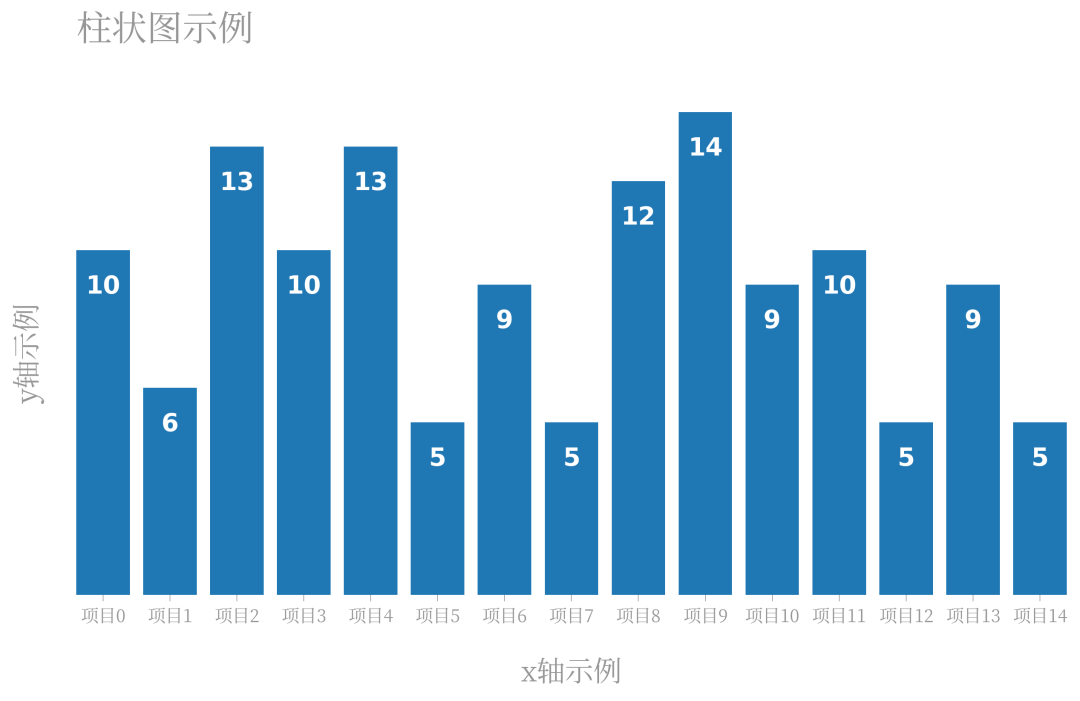
很多時(shí)候我們?cè)诶L制柱狀圖時(shí),希望把每個(gè)柱體對(duì)應(yīng)的y值標(biāo)注在柱體上,而通過(guò)dufte.show_bar_values(),只要其之前的繪圖流程中設(shè)置了xticks,它就會(huì)幫我們自動(dòng)往柱體上標(biāo)注信息:
# 柱狀圖示例
with plt.style.context(dufte.style):
    x = range(15)
    y = np.random.randint(5, 15, 15)

    fig, ax = plt.subplots(figsize=(10, 5), facecolor='white', edgecolor='white')

    ax.bar(x, y)

    ax.set_xticks(x)
    ax.set_xticklabels([f'項(xiàng)目{i}' for i in x], fontproperties=fontproperties, fontsize=10)
    dufte.show_bar_values()

    ax.set_xlabel('x軸示例', fontproperties=fontproperties, fontsize=16)
    ax.set_ylabel('y軸示例', fontproperties=fontproperties, fontsize=16)

    ax.set_title('柱狀圖示例', fontproperties=fontproperties, fontsize=20)

    fig.savefig('圖5.png', dpi=300, bbox_inches='tight')
作為一個(gè)處于開(kāi)發(fā)初期的庫(kù),dufte未來(lái)勢(shì)必會(huì)加入更多的實(shí)用功能,感興趣的朋友可以對(duì)其持續(xù)關(guān)注。
PS:公號(hào)內(nèi)回復(fù)「Python」即可進(jìn)入Python 新手學(xué)習(xí)交流群,一起 100 天計(jì)劃!
老規(guī)矩,兄弟們還記得么,右下角的 “在看” 點(diǎn)一下,如果感覺(jué)文章內(nèi)容不錯(cuò)的話,記得分享朋友圈讓更多的人知道!


【神秘禮包獲取方式】