
Flutter 吃豆人加載動畫效果
吃豆人加載動畫效果是Loading動畫系列中的一個,github地址:https://github.com/LaoMengFlutter/flutter-do
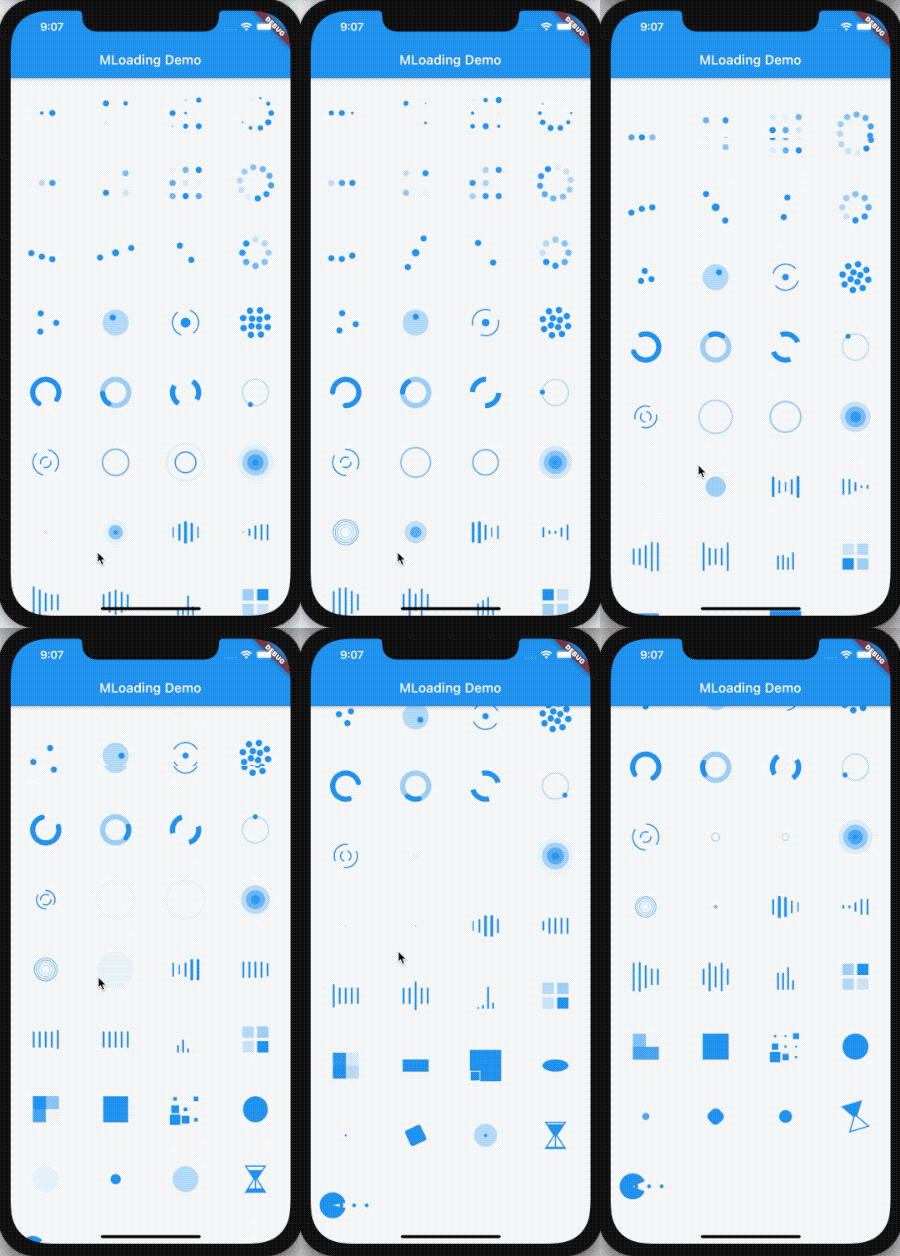
Loading動畫效果如下
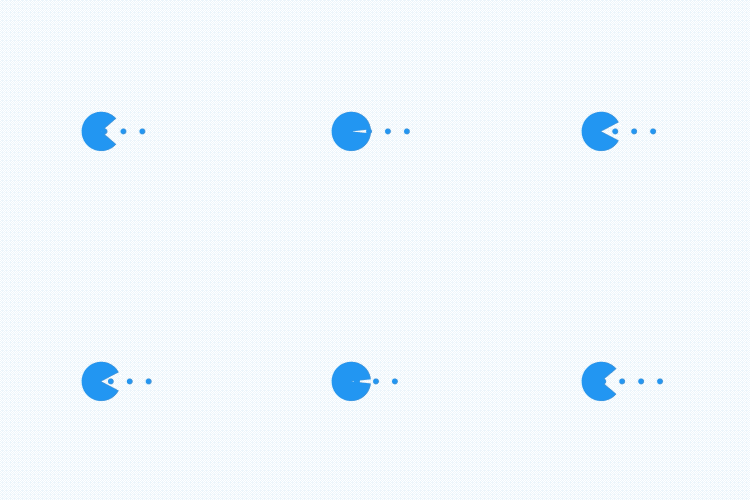
其中吃豆人加載動畫效果如下
下面我們看看吃豆人加載動畫效果是如何實現(xiàn)的?動畫效果實現(xiàn)的思路是繪制一個靜止的效果,其中可變的效果使用參數(shù)控制,回到我們的吃豆人加載動畫,先繪制一個中間狀態(tài),效果如下:
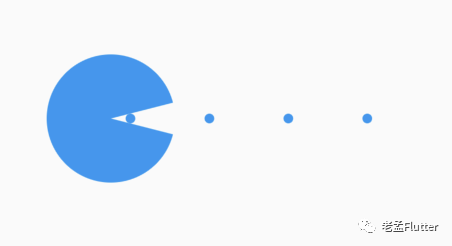
吃豆人分為2部分,第一部分是左側的頭,第二部分是豆子,也就是小圓點。先看第一部分左側的頭,其實就是一個圓弧,控制其張開的角度,代碼如下:
class _PacmanPainter extends CustomPainter {
  final double angle;
  final Color color;

  Paint _paint = Paint()..style = PaintingStyle.fill;

  _PacmanPainter(
      this.angle, {
        this.color = Colors.white,
      }) {
    _paint.color = color;
  }

  @override
  void paint(Canvas canvas, Size size) {
    var _radius = min(size.width, size.height) / 2;
    canvas.drawArc(Rect.fromLTWH(0, 0, _radius * 2, _radius * 2), angle / 2,
        2 * pi - angle, true, _paint);
  }

  @override
  bool shouldRepaint(covariant _PacmanPainter old) {
    return color != old.color ||
        angle != old.angle;
  }
}

增加動畫控制,使其達到張/閉嘴的效果,代碼如下:
late AnimationController _controller;
  late Animation<double> _animation;

  @override
  void initState() {
    _controller =
    AnimationController(vsync: this, duration: widget.mouthDuration)
      ..repeat(reverse: true);

    _animation = Tween(begin: 0.0, end: pi / 2)
        .animate(CurvedAnimation(parent: _controller, curve: widget.curve));

    super.initState();
  }

AnimatedBuilder(
  animation: _animation,
  builder: (context, child) {
    return CustomPaint(
      painter:
      _PacmanPainter(_animation.value, color: widget.mouthColor),
    );
  },
)
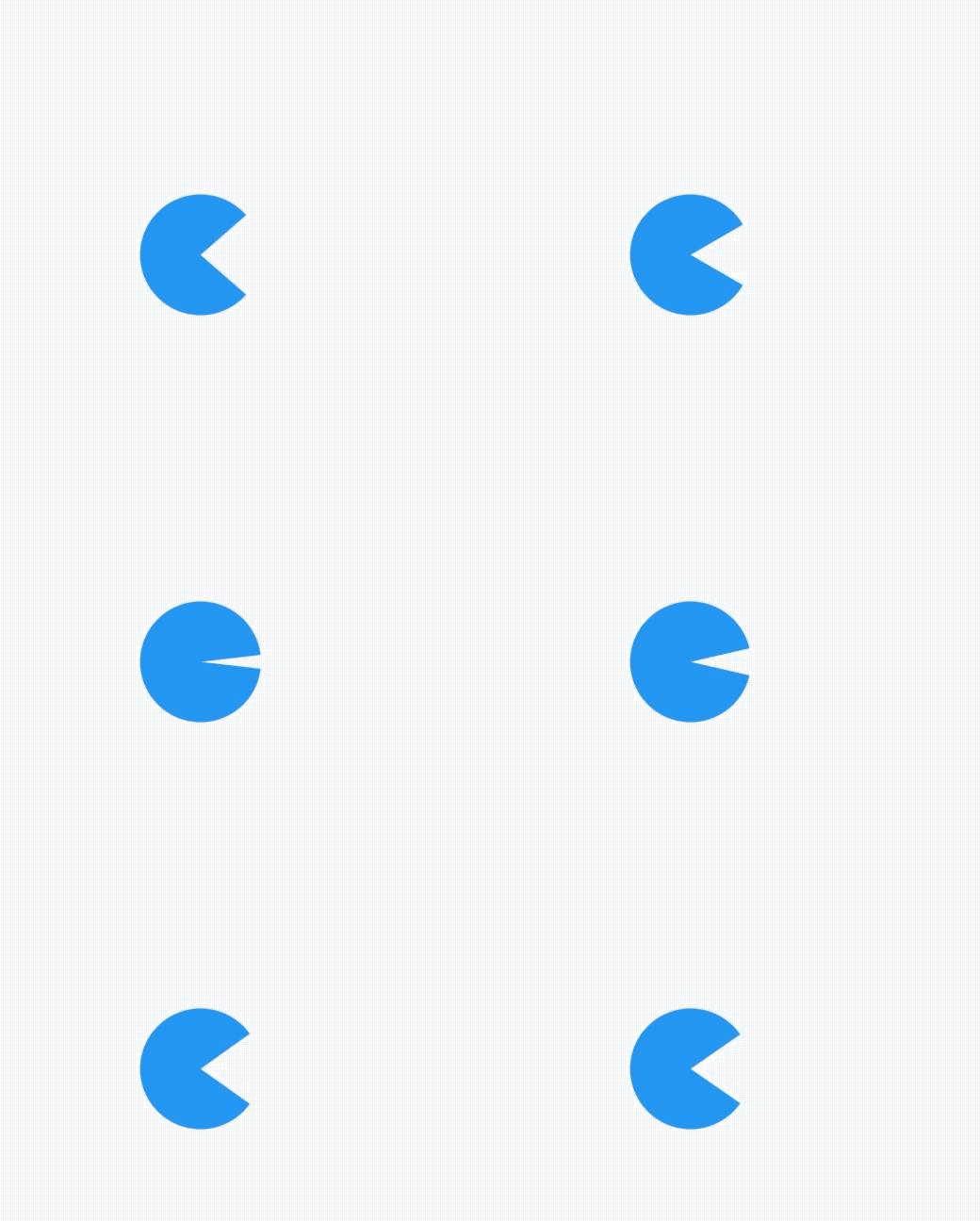
然后我們在看下豆子的實現(xiàn),這個更簡單,就是繪制多個小圓點,同時向左移動,使用一個變量控制其左偏移,代碼如下:
class _PointTranslatePainter extends CustomPainter {
  final double progress;
  final int count;
  final Color color;
  final double radius;

  Paint _paint = Paint()..style = PaintingStyle.fill;

  _PointTranslatePainter(
      this.progress, {
        this.count = 5,
        this.color = Colors.white,
        this.radius = 3.0,
      }) {
    _paint.color = color;
  }

  @override
  void paint(Canvas canvas, Size size) {
    var _perX = size.width / (count - 1);

    for (int i = 0; i < count * 2; i++) {
      var _x = _perX * i - size.width * progress;
      if (_x >= 0 && _x <= size.width) {
        canvas.drawCircle(Offset(_x, size.height / 2), radius, _paint);
      }
    }
  }

  @override
  bool shouldRepaint(covariant _PointTranslatePainter old) {
    return color != old.color ||
        progress != old.progress ||
        count != old.count ||
        radius != old.radius;
  }
}
增加向左移動的動畫控制:
late AnimationController _controller, _controller1;
  late Animation<double> _animation;

  @override
  void initState() {
    _controller =
    AnimationController(vsync: this, duration: widget.mouthDuration)
      ..repeat(reverse: true);

    _controller1 =
    AnimationController(vsync: this, duration: widget.ballDuration)
      ..repeat();

    _animation = Tween(begin: 0.0, end: pi / 2)
        .animate(CurvedAnimation(parent: _controller, curve: widget.curve));

    super.initState();
  }

AnimatedBuilder(
  animation: _animation,
  builder: (context, child) {
    return CustomPaint(
      painter: _PointTranslatePainter(_controller1.value,
          color: widget.ballColor),
    );
  },
)

然后我們將這2部分疊加到一起,就是吃豆人的效果,完整代碼如下:
import 'dart:math';
import 'dart:ui';

import 'package:flutter/material.dart';

///
/// desc: 吃豆人
///
class PacmanLoading extends StatefulWidget {
  final Color mouthColor;
  final Color ballColor;
  final Duration mouthDuration;
  final Duration ballDuration;
  final Curve curve;

  const PacmanLoading(
      {Key? key,
        this.mouthColor = Colors.white,
        this.ballColor = Colors.white,
        this.mouthDuration = const Duration(milliseconds: 800),
        this.ballDuration = const Duration(milliseconds: 2000),
        this.curve = Curves.linear})
      : super(key: key);

  @override
  _PacmanLoadingState createState() => _PacmanLoadingState();
}

class _PacmanLoadingState extends State<PacmanLoading>
    with TickerProviderStateMixin {
  late AnimationController _controller, _controller1;
  late Animation<double> _animation;

  @override
  void initState() {
    _controller =
    AnimationController(vsync: this, duration: widget.mouthDuration)
      ..repeat(reverse: true);

    _controller1 =
    AnimationController(vsync: this, duration: widget.ballDuration)
      ..repeat();

    _animation = Tween(begin: 0.0, end: pi / 2)
        .animate(CurvedAnimation(parent: _controller, curve: widget.curve));

    super.initState();
  }

  @override
  void dispose() {
    _controller.dispose();
    super.dispose();
  }

  @override
  Widget build(BuildContext context) {
    return Stack(
      children: [
        Positioned.fill(
          left: 3,
          child: AnimatedBuilder(
            animation: _animation,
            builder: (context, child) {
              return CustomPaint(
                painter: _PointTranslatePainter(_controller1.value,
                    color: widget.ballColor),
              );
            },
          ),
        ),
        Positioned.fill(
          child: AnimatedBuilder(
            animation: _animation,
            builder: (context, child) {
              return CustomPaint(
                painter:
                _PacmanPainter(_animation.value, color: widget.mouthColor),
              );
            },
          ),
        ),
      ],
    );
  }
}

class _PacmanPainter extends CustomPainter {
  final double angle;
  final Color color;

  Paint _paint = Paint()..style = PaintingStyle.fill;

  _PacmanPainter(
      this.angle, {
        this.color = Colors.white,
      }) {
    _paint.color = color;
  }

  @override
  void paint(Canvas canvas, Size size) {
    var _radius = min(size.width, size.height) / 2;
    canvas.drawArc(Rect.fromLTWH(0, 0, _radius * 2, _radius * 2), angle / 2,
        2 * pi - angle, true, _paint);
  }

  @override
  bool shouldRepaint(covariant _PacmanPainter old) {
    return color != old.color ||
        angle != old.angle;
  }
}

class _PointTranslatePainter extends CustomPainter {
  final double progress;
  final int count;
  final Color color;
  final double radius;

  Paint _paint = Paint()..style = PaintingStyle.fill;

  _PointTranslatePainter(
      this.progress, {
        this.count = 5,
        this.color = Colors.white,
        this.radius = 3.0,
      }) {
    _paint.color = color;
  }

  @override
  void paint(Canvas canvas, Size size) {
    var _perX = size.width / (count - 1);

    for (int i = 0; i < count * 2; i++) {
      var _x = _perX * i - size.width * progress;
      if (_x >= 0 && _x <= size.width) {
        canvas.drawCircle(Offset(_x, size.height / 2), radius, _paint);
      }
    }
  }

  @override
  bool shouldRepaint(covariant _PointTranslatePainter old) {
    return color != old.color ||
        progress != old.progress ||
        count != old.count ||
        radius != old.radius;
  }
}
到這里,我們就完成了,如果你有比較酷炫的加載動畫效果想要實現(xiàn),可以將效果發(fā)給我,我來實現(xiàn),或者已經(jīng)實現(xiàn)的動畫效果想要分享給大家,也可以發(fā)給我,我會加到github中。

評論
圖片
表情