
Flutter 漏斗加載動畫效果

漏斗加載動畫效果是Loading動畫系列中的一個,github地址:https://github.com/LaoMengFlutter/flutter-do
Loading動畫效果如下
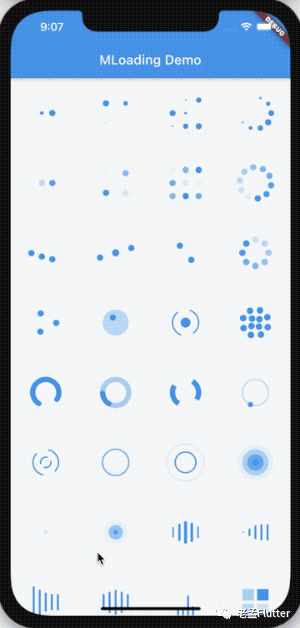
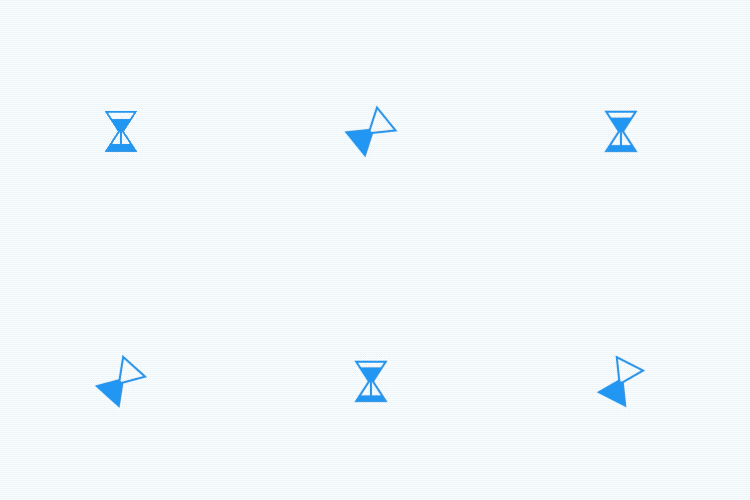
其中漏斗加載動畫效果如下
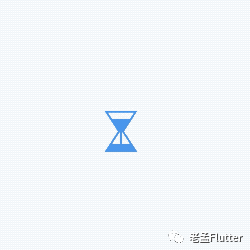
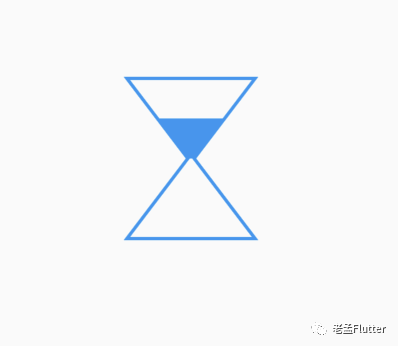
下面我們看看漏斗加載動畫效果是如何實現(xiàn)的?動畫效果實現(xiàn)的思路是繪制一個靜止的效果,其中可變的效果使用參數(shù)控制,回到我們的漏斗加載動畫,先繪制一個中間狀態(tài),效果如下:
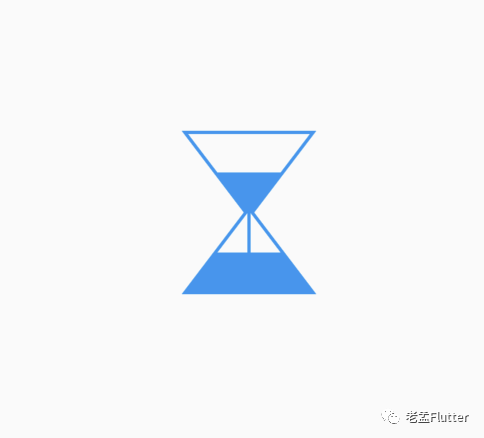
繪制這樣一個自定義UI需要使用 「CustomPaint」,先繪制外面的邊框,
//酒瓶
var _path = Path()
  ..moveTo(0, 0)
  ..lineTo(size.width, 0)
  ..lineTo(size.width / 2 + _middleWidth, size.height / 2)
  ..lineTo(size.width, size.height)
  ..lineTo(0, size.height)
  ..lineTo(size.width / 2 - _middleWidth, size.height / 2)
  ..close();
canvas.drawPath(_path, _paint);
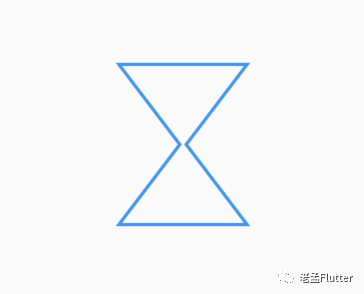
繪制上半部分三角形
//上部三角形
_paint.style = PaintingStyle.fill;

double _offsetX = progress * (size.width / 2 - _middleWidth);
var _topTrianglePath = Path()
  ..moveTo(_offsetX, progress * size.height / 2)
  ..lineTo(size.width - _offsetX, progress * size.height / 2)
  ..lineTo(size.width / 2 + _middleWidth, size.height / 2)
  ..lineTo(size.width / 2 - _middleWidth, size.height / 2)
  ..close();
canvas.drawPath(_topTrianglePath, _paint);
繪制下半部分三角形
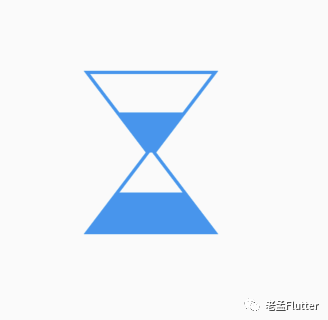
//底部三角形
var _bottomTrianglePath = Path()
  ..moveTo(0, size.height)
  ..lineTo(size.width, size.height)
  ..lineTo(size.width - _offsetX, size.height - progress * size.height / 2)
  ..lineTo(_offsetX, size.height - progress * size.height / 2)
  ..close();
canvas.drawPath(_bottomTrianglePath, _paint);
在繪制一條直線
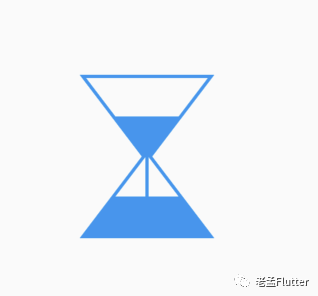
//垂直線條
_paint.style = PaintingStyle.stroke;
var _linePath = Path()
  ..moveTo(size.width / 2, size.height / 2)
  ..lineTo(size.width / 2, size.height - progress * size.height / 2)
  ..close();
canvas.drawPath(_linePath, _paint);
讓其從上面向下面流入,其實就是上面的三角形越來越小,下面的越來越大,設置一個參數(shù) 「progress」,
class _PouringHourGlassPainter extends CustomPainter {
  final double progress;
  final Color color;

  late Paint _paint;

  double _middleWidth = 2;

  _PouringHourGlassPainter(this.progress, this.color) {
    _paint = Paint()
      ..color = color
      ..strokeWidth = 2
      ..style = PaintingStyle.stroke;
  }

  @override
  void paint(Canvas canvas, Size size) {
    //酒瓶
    var _path = Path()
      ..moveTo(0, 0)
      ..lineTo(size.width, 0)
      ..lineTo(size.width / 2 + _middleWidth, size.height / 2)
      ..lineTo(size.width, size.height)
      ..lineTo(0, size.height)
      ..lineTo(size.width / 2 - _middleWidth, size.height / 2)
      ..close();
    canvas.drawPath(_path, _paint);

    //上部三角形
    _paint.style = PaintingStyle.fill;

    double _offsetX = progress * (size.width / 2 - _middleWidth);
    var _topTrianglePath = Path()
      ..moveTo(_offsetX, progress * size.height / 2)
      ..lineTo(size.width - _offsetX, progress * size.height / 2)
      ..lineTo(size.width / 2 + _middleWidth, size.height / 2)
      ..lineTo(size.width / 2 - _middleWidth, size.height / 2)
      ..close();
    canvas.drawPath(_topTrianglePath, _paint);

    //底部三角形
    var _bottomTrianglePath = Path()
      ..moveTo(0, size.height)
      ..lineTo(size.width, size.height)
      ..lineTo(size.width - _offsetX, size.height - progress * size.height / 2)
      ..lineTo(_offsetX, size.height - progress * size.height / 2)
      ..close();
    canvas.drawPath(_bottomTrianglePath, _paint);

    //垂直線條
    _paint.style = PaintingStyle.stroke;
    var _linePath = Path()
      ..moveTo(size.width / 2, size.height / 2)
      ..lineTo(size.width / 2, size.height - progress * size.height / 2)
      ..close();
    canvas.drawPath(_linePath, _paint);
  }

  @override
  bool shouldRepaint(covariant _PouringHourGlassPainter old) {
    return color != old.color || progress != old.progress;
  }
}
加上動畫控制
class PouringHourGlassLoading extends StatefulWidget {
  final Color color;
  final Duration duration;
  final Curve curve;

  const PouringHourGlassLoading(
      {Key? key,
        this.color = Colors.white,
        this.duration = const Duration(milliseconds: 2500),
        this.curve = Curves.linear})
      : super(key: key);

  @override
  _PouringHourGlassLoadingState createState() =>
      _PouringHourGlassLoadingState();
}

class _PouringHourGlassLoadingState extends State<PouringHourGlassLoading>
    with SingleTickerProviderStateMixin {
  late AnimationController _controller;
  late Animation _animation;

  @override
  void initState() {
    _controller =
    AnimationController(vsync: this, duration: widget.duration)
      ..repeat();

    _animation = Tween(begin: 0.0, end: 1.0).animate(
        CurvedAnimation(parent: _controller, curve: Interval(0.0, 0.6,curve: widget.curve)));
    super.initState();
  }

  @override
  void dispose() {
    _controller.dispose();
    super.dispose();
  }

  @override
  Widget build(BuildContext context) {
    return AnimatedBuilder(
        animation: _controller,
        builder: (context, child) {
          return CustomPaint(
            painter: _PouringHourGlassPainter(_animation.value, widget.color),
          );
        });
  }
}

在給其加上一個旋轉
class PouringHourGlassLoading extends StatefulWidget {
  final Color color;
  final Duration duration;
  final Curve curve;

  const PouringHourGlassLoading(
      {Key? key,
      this.color = Colors.white,
      this.duration = const Duration(milliseconds: 2500),
      this.curve = Curves.linear})
      : super(key: key);

  @override
  _PouringHourGlassLoadingState createState() =>
      _PouringHourGlassLoadingState();
}

class _PouringHourGlassLoadingState extends State<PouringHourGlassLoading>
    with SingleTickerProviderStateMixin {
  late AnimationController _controller;
  late Animation _animation, _rotateAnimation;

  @override
  void initState() {
    _controller = AnimationController(vsync: this, duration: widget.duration)
      ..repeat();

    _animation = Tween(begin: 0.0, end: 1.0).animate(CurvedAnimation(
        parent: _controller, curve: Interval(0.0, 0.6, curve: widget.curve)));
    _rotateAnimation = Tween(begin: 0.0, end: pi).animate(CurvedAnimation(
        parent: _controller, curve: Interval(0.6, 1.0, curve: widget.curve)));

    super.initState();
  }

  @override
  void dispose() {
    _controller.dispose();
    super.dispose();
  }

  @override
  Widget build(BuildContext context) {
    return AnimatedBuilder(
        animation: _controller,
        builder: (context, child) {
          return Transform.rotate(
            angle: _rotateAnimation.value,
            child: CustomPaint(
              painter: _PouringHourGlassPainter(_animation.value, widget.color),
            ),
          );
        });
  }
}
到這里,我們就完成了,如果你有比較酷炫的加載動畫效果想要實現(xiàn),可以將效果發(fā)給我,我來實現(xiàn),或者已經實現(xiàn)的動畫效果想要分享給大家,也可以發(fā)給我,我會加到github中。

評論
圖片
表情