
Jenkins流水線發(fā)布實現(xiàn)CICD到Kubernetes
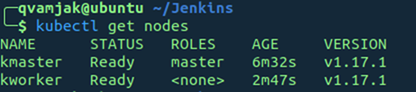
第一步 本地安裝好Kubernetes
第二步— Install Jenkins
a) Install Java
sudo apt update
sudo apt install openjdk-8-jdk
b) Add Jenkins Repository & append package repository address to the server’s source.list
wget -q -O - https://pkg.jenkins.io/debian/jenkins.io.key | sudo apt-key add -sudo sh -c 'echo deb http://pkg.jenkins.io/debian-stable binary/ > /etc/apt/sources.list.d/jenkins.list'
c) Install Jenkins
sudo apt update
sudo apt install jenkins
d) check Jenkins status
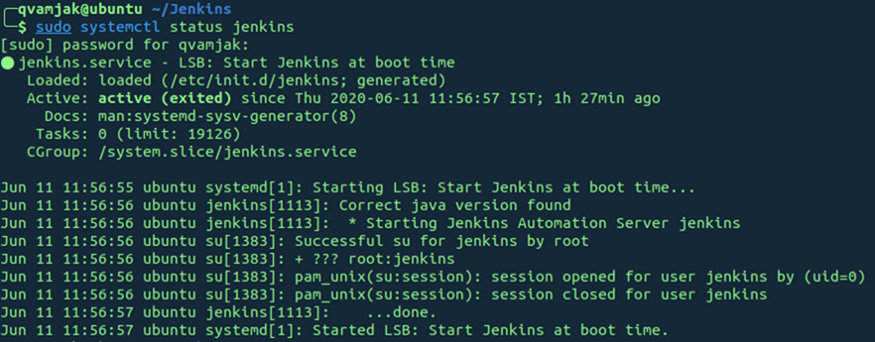
e) Configure Jenkins with necessary credentials and login to Jenkins
f) Add Jenkins to the docker group “sudo usermod -aG docker jenkins”
g) Install the following plugins for Jenkins
Docker Pipeline
Kubernetes
Kubernetes Continuous Deploy
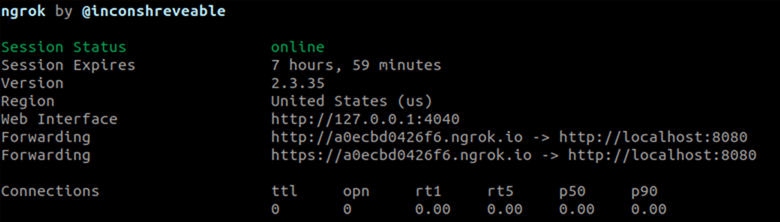
h) The final step is to use ngrok to expose localhost Jenkins URL as public URL.
Download ngrok and execute it as shown in the image,?http://a0ecbd0426f6.ngrok.io/?is the new URL to login to Jenkins and accessible over the internet.
使用ngrok 內(nèi)網(wǎng)穿透實現(xiàn)本地jenkins互聯(lián)網(wǎng)能夠訪問到
第三步: 配置Jenkins Configure Jenkins
a) 選擇 流水線項目Select Demo1 as New Pipeline Project
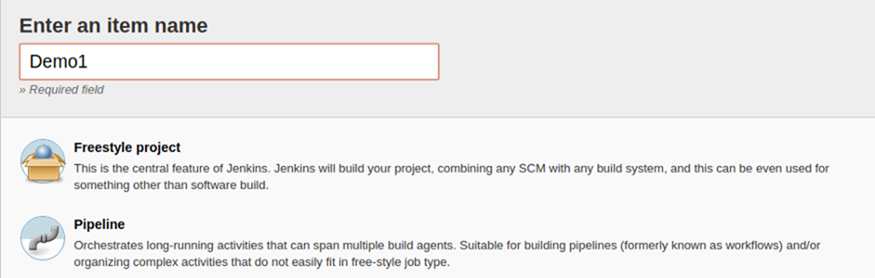
b) 填入 the GitHub link的倉庫地址
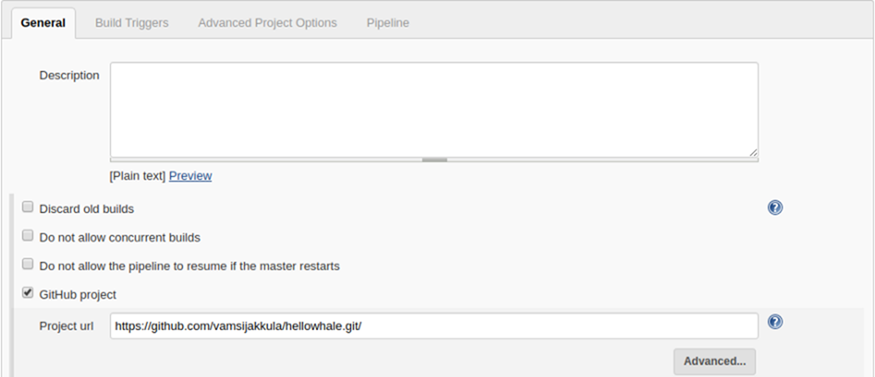
c) Mention the build trigger配置構(gòu)建觸發(fā)器
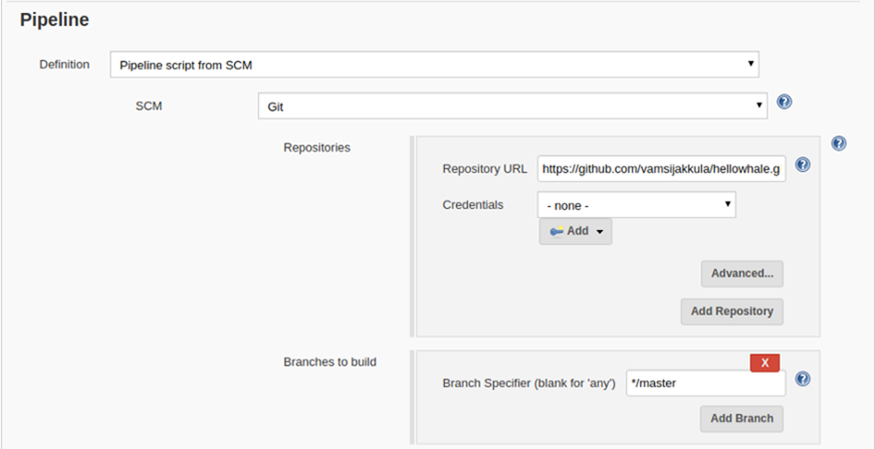
d) 在流水線中配置GIT地址 In the Pipeline mention the git links and the branch it has to operate upon
e) 配置dockerhub密鑰 Configure docker hub credentials

f) Update Jenkinsfile?-Its a declarative pipeline which is used as a code. It helps the pipeline code easier to read and write. This code is written in a Jenkinsfile.
當(dāng)代碼提交到github時,Jenkins會收到一個webhook已配置于Github, 整個階段流程如下:
In this implementation, the moment code is checked-in, Jenkins will have a notification through a webhook configured in Github. it follows the following stages below
i) Check out the source
ii)Build the new image
iii) Push it to the new repository
iv) Deploy the app on Kube
pipeline {agent anystages {stage('Checkout Source') {steps {git url:'https://github.com/vamsijakkula/hellowhale.git', branch:'master'}}stage("Build image") {steps {script {myapp = docker.build("vamsijakkula/hellowhale:${env.BUILD_ID}")}}}stage("Push image") {steps {script {docker.withRegistry('https://registry.hub.docker.com', 'dockerhub') {myapp.push("latest")myapp.push("${env.BUILD_ID}")}}}}stage('Deploy App') {steps {script {kubernetesDeploy(configs: "hellowhale.yml", kubeconfigId: "mykubeconfig")}}}}}
g) Have the configuration of?mykubeconfig?in Jenkins defined

h) Also have the connection between Jenkins and Kubernetes in place
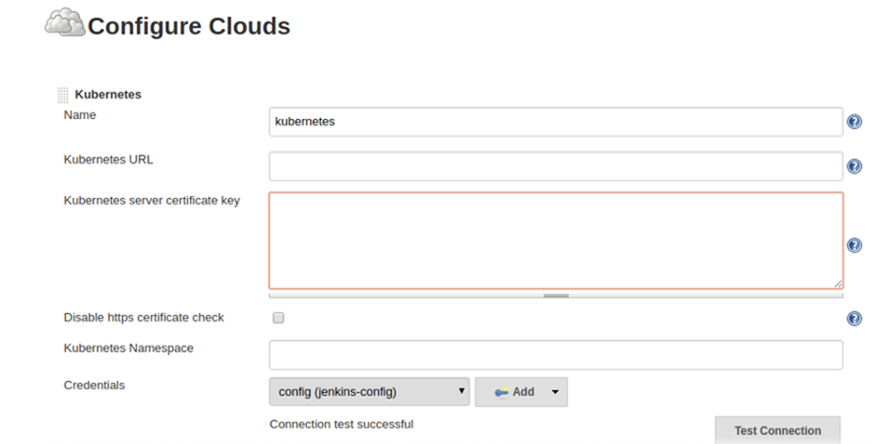
i) Mention the Jenkins URL
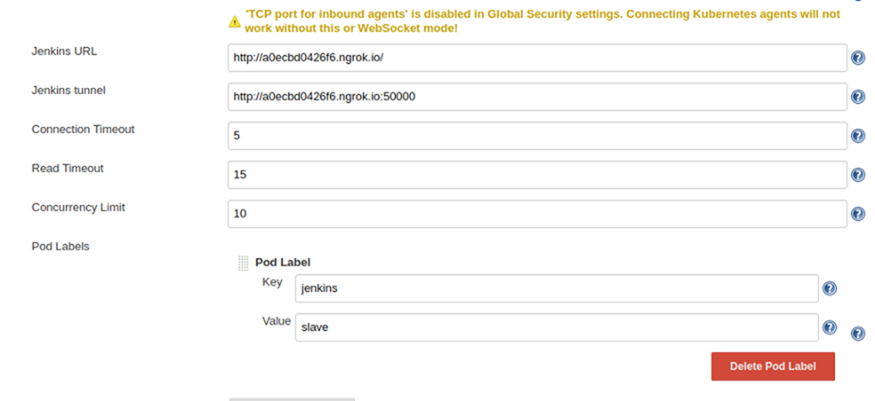
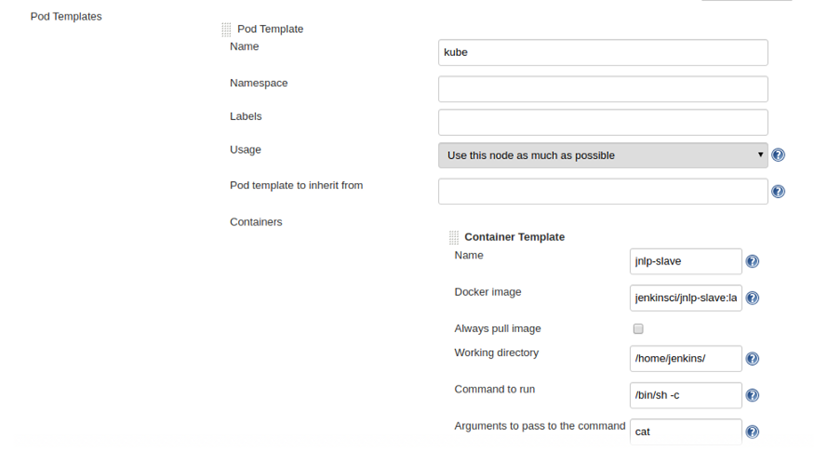
j)Update the pod template.
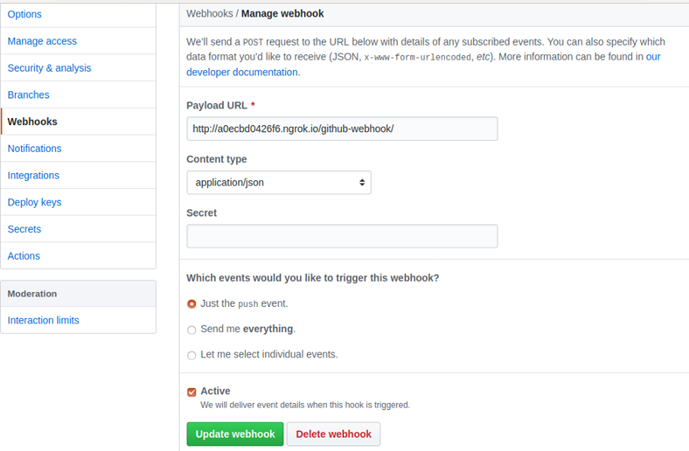
k) Configure the webhook in Github
第4步 — Develop application deployment manifest. In this tutorial, we are deploying a simple hellowhale app exposed as NodePort.
---apiVersion: apps/v1kind: Deploymentmetadata:name: hello-blue-whalespec:replicas: 3selector:matchLabels:app: hello-whale-appversion: bluetemplate:metadata:name: hello-blue-whale-podlabels:app: hello-whale-appversion: bluespec:containers:- name: hello-whale-containerimage: vamsijakkula/hellowhale:latestimagePullPolicy: Alwaysports:- containerPort: 80---apiVersion: v1kind: Servicemetadata:name: hello-whale-svclabels:app: hello-whale-appspec:selector:app: hello-whale-appversion: bluetype: NodePortports:- nodePort: 31113port: 80targetPort: 80
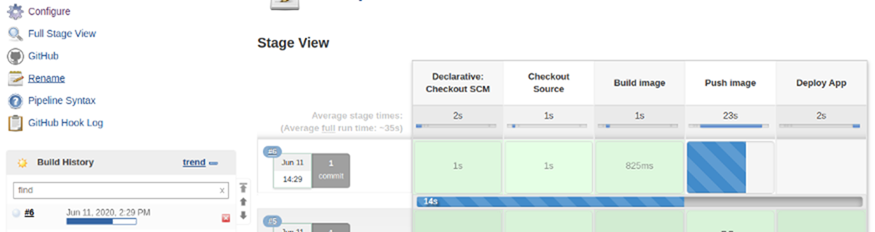
第5步: Check-in the application manifest in GitHub and we can see the deployment starting in Jenkins
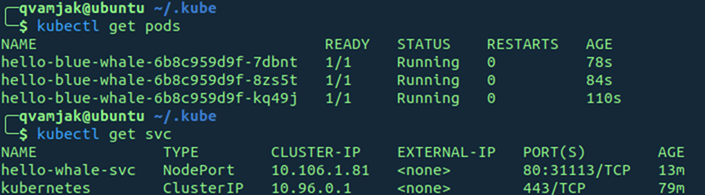
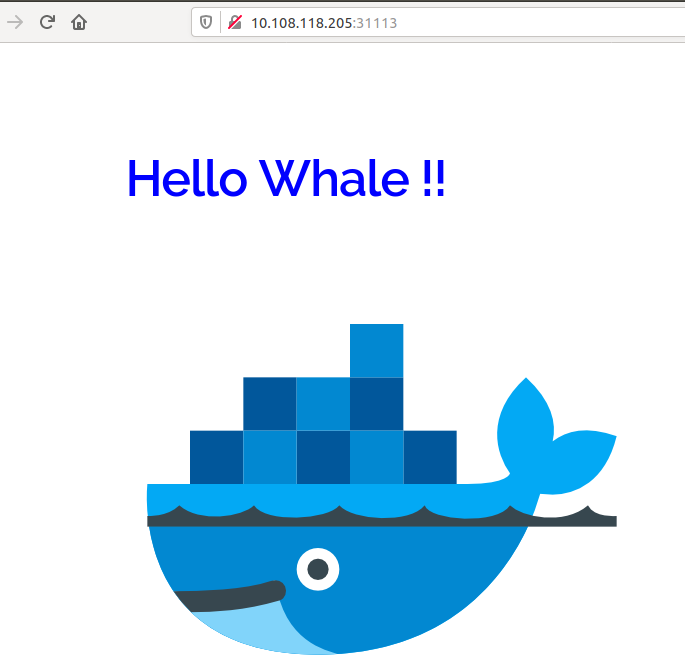
第6步?Once the deployment is completed, we can see the following pods(3) are in place and exposed as NodePort(31113)
Access the deployment on NodePort.
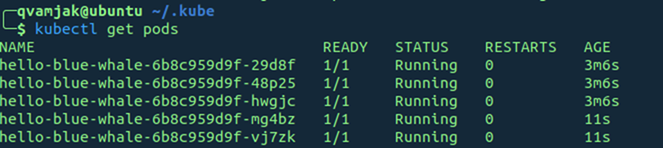
第7步:?通過deployment調(diào)整實例從3個到5個,如下在kube可以看到。Update the deployment by changing the replica’s from 3 to 5 and we can see 5 pods are deployed on Kube.
GIT示例倉庫?https://github.com/vamsijakkula/hellowhale
總結(jié)
????? 此示例以本地環(huán)境部署Kubernetes的2個簡單結(jié)點,內(nèi)網(wǎng)穿透暴露于互聯(lián)網(wǎng), 基于nginx的前端程序構(gòu)建docker,通過jenkins的pipeline流水線發(fā)布到Kubernetes.?
實現(xiàn)CI CD過程,示例代碼于公網(wǎng)。對云原生技術(shù)CI CD是關(guān)鍵的DevOps基礎(chǔ)過程,需要今天廣大開發(fā)工程師了解。

騰訊、阿里、滴滴后臺面試題匯總總結(jié) — (含答案)
面試:史上最全多線程面試題 !
最新阿里內(nèi)推Java后端面試題
JVM難學(xué)?那是因為你沒認真看完這篇文章

關(guān)注作者微信公眾號 —《JAVA爛豬皮》
了解更多java后端架構(gòu)知識以及最新面試寶典


看完本文記得給作者點贊+在看哦~~~大家的支持,是作者源源不斷出文的動力
作者:PetterLiu
出處:https://www.cnblogs.com/wintersun/p/13905167.html