
scikit-image圖像處理入門
點(diǎn)擊上方“小白學(xué)視覺”,選擇加"星標(biāo)"或“置頂”
重磅干貨,第一時間送達(dá)

skimage是純python語言實現(xiàn)的BSD許可開源圖像處理算法庫,主要的優(yōu)勢在于:
提供一套高質(zhì)量易用性強(qiáng)的圖像算法庫API
滿足研究人員與學(xué)生學(xué)習(xí)圖像處理算法的需要,算法API參數(shù)可調(diào)
滿足工業(yè)級應(yīng)用開發(fā)需求,有實際應(yīng)用價值
scikit-image主要模塊如下:
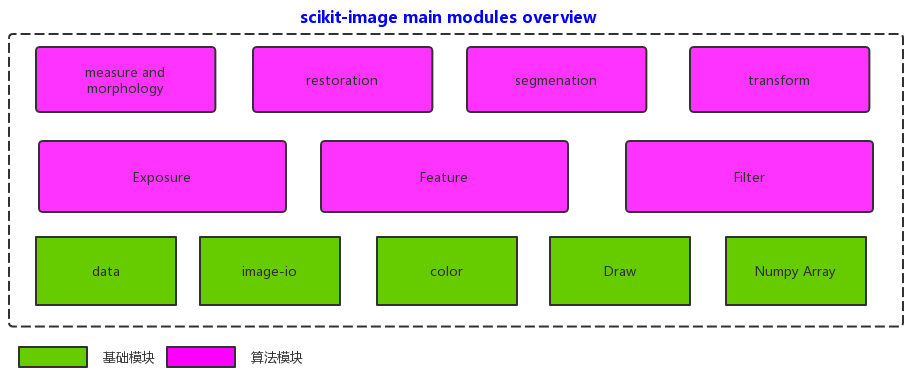
官方主頁
https://scikit-image.org/安裝
pip?install?scikit-image導(dǎo)入支持的模塊
from?skimage?import?data,?io,?filters,?feature,?segmentation
from?skimage?import?color,?exposure,?measure,?morphology,?draw
from?matplotlib?import?pyplot?as?plt
from?skimage?import?transform?as?tf
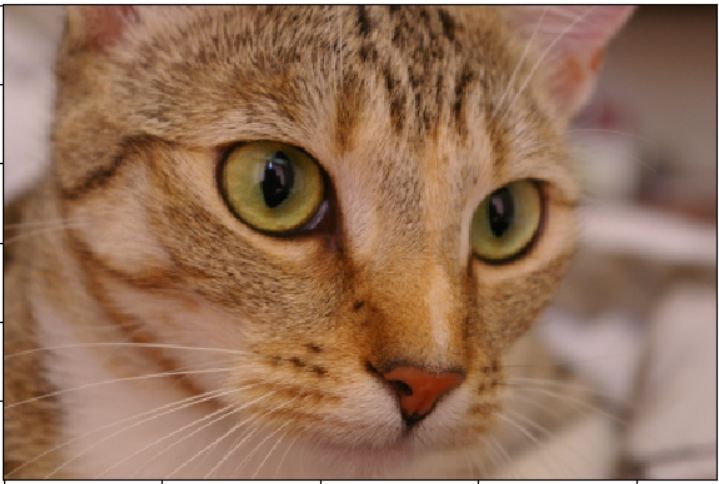
從data中獲取測試圖像與數(shù)據(jù)并顯示
image?=?data.chelsea()
io.imshow(image)
io.show()
這個是開源作者養(yǎng)的寵物貓
灰度轉(zhuǎn)換
gray?=?color.rgb2gray(image)
fig,?axes?=?plt.subplots(1,?2,?figsize=(8,?4))
ax?=?axes.ravel()

ax[0].imshow(image)
ax[0].set_title("Input?RGB")
ax[1].imshow(gray,?cmap=plt.cm.gray)
ax[1].set_title("gray")

fig.tight_layout()
plt.show()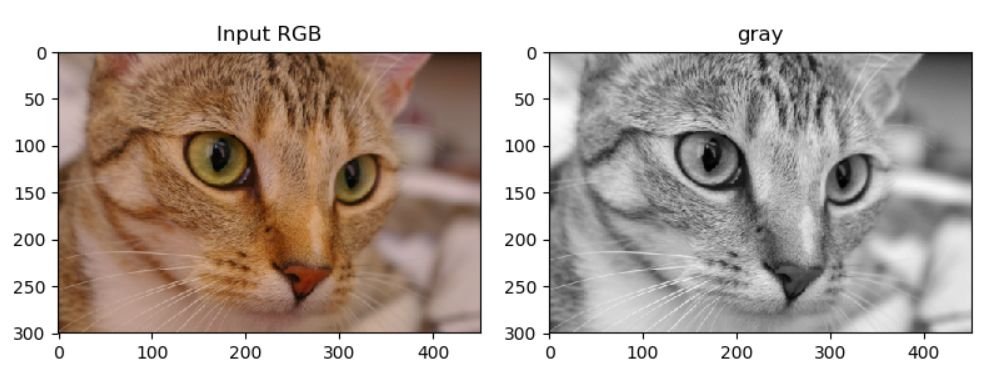
通道分離操作
hsv_img?=?color.rgb2hsv(image)
hue_img?=?hsv_img[:,?:,?0]
value_img?=?hsv_img[:,?:,?2]

fig,?(ax0,?ax1,?ax2)?=?plt.subplots(ncols=3,?figsize=(8,?2))
ax0.imshow(image)
ax0.set_title("RGB?image")
ax0.axis('off')
ax1.imshow(hue_img,?cmap='hsv')
ax1.set_title("Hue?channel")
ax1.axis('off')
ax2.imshow(value_img)
ax2.set_title("Value?channel")
ax2.axis('off')

fig.tight_layout()
plt.show()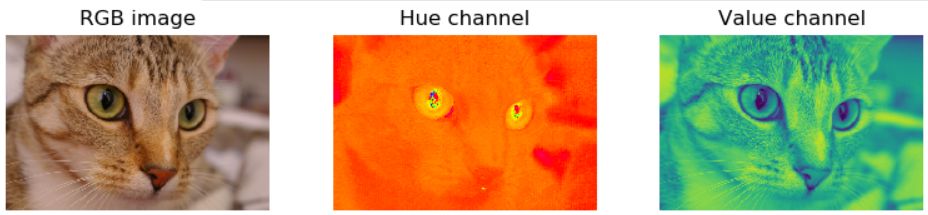
濾波操作
image?=?data.chelsea()
gray?=?color.rgb2gray(image)
blur?=?filters.gaussian(image,?15)
usm?=?filters.unsharp_mask(image,?3,?1.0)
sobel?=?filters.sobel(gray)
prewitt?=?filters.prewitt(gray)
eh?=?exposure.equalize_adapthist(gray)
lapl?=?filters.laplace(image,?3)
median?=?filters.median(gray)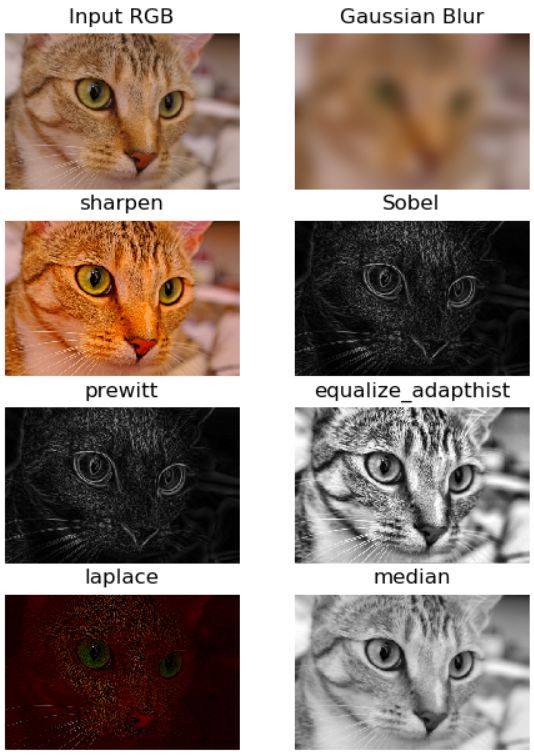
圖像二值化處理
image?=?io.imread("D:/images/dice.jpg")
gray?=?color.rgb2gray(image)
ret?=?filters.threshold_otsu(gray)
print(ret)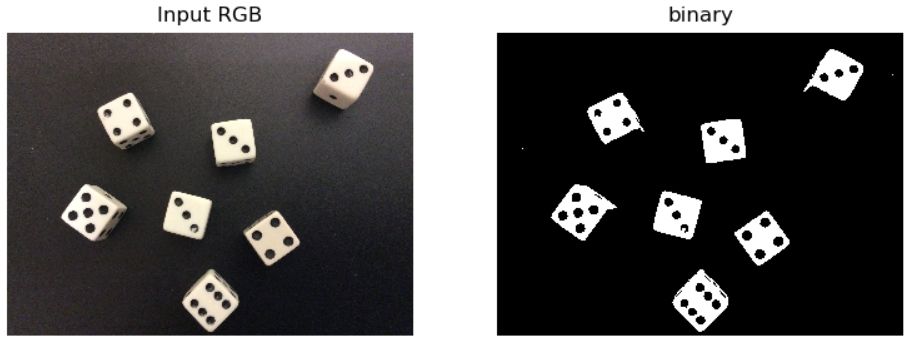
輪廓發(fā)現(xiàn)
binary?=?gray?>?ret
ax[0].imshow(gray?>?ret,?cmap='gray')
ax[0].set_title("binary")
contours?=?measure.find_contours(binary,?0.8)
for?n,?contour?in?enumerate(contours):
?????????ax[1].plot(contour[:,?1],?contour[:,?0],?linewidth=2)
ax[1].set_title("contours")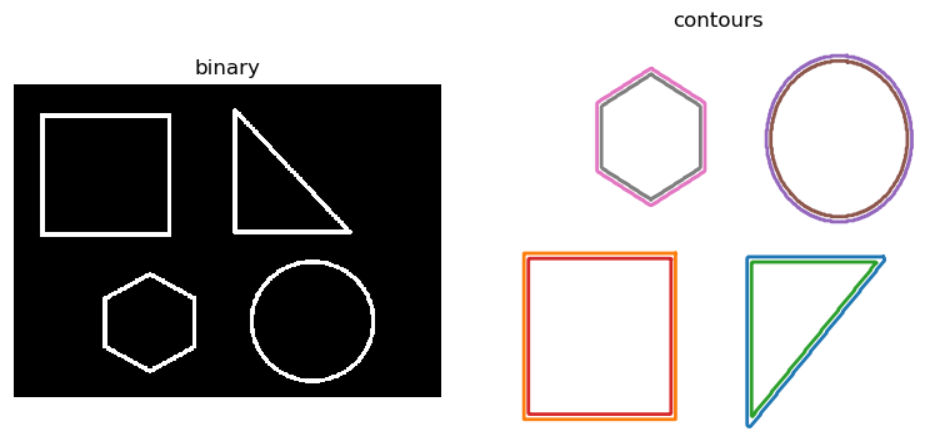
Canny邊緣
image?=?io.imread("D:/images/master.jpg")
gray?=?color.rgb2gray(image)
edge?=?feature.canny(gray,?3)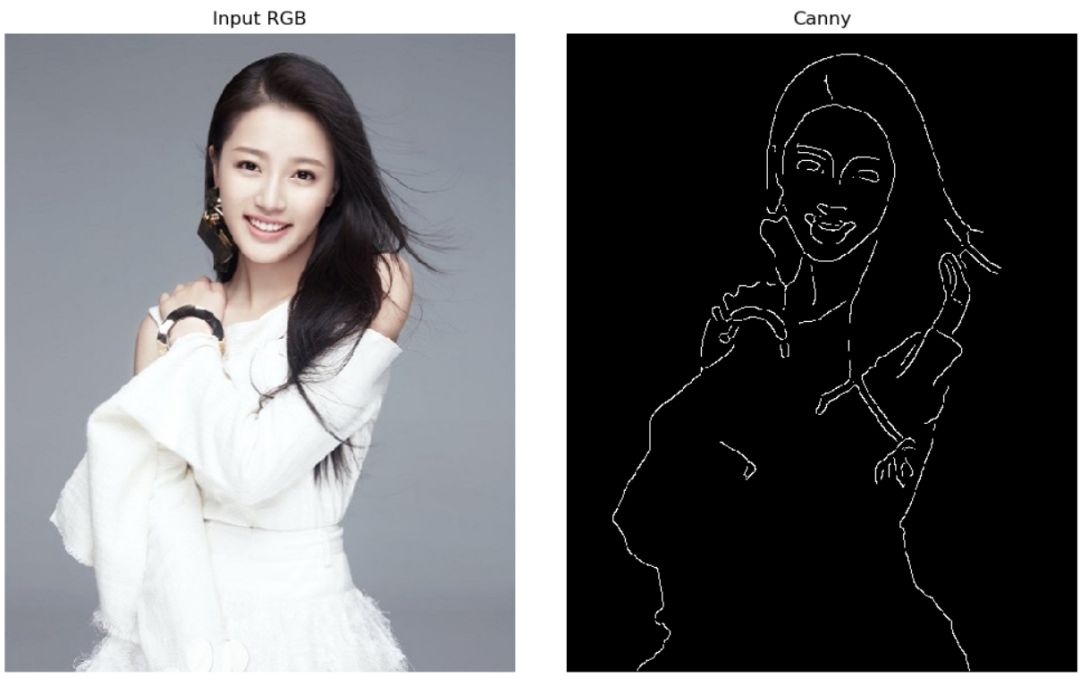
骨架提取
image?=?data.horse()
gray?=?color.rgb2gray(image)
ret?=?filters.threshold_otsu(gray)
binary?=?gray?skele?=?morphology.skeletonize(binary)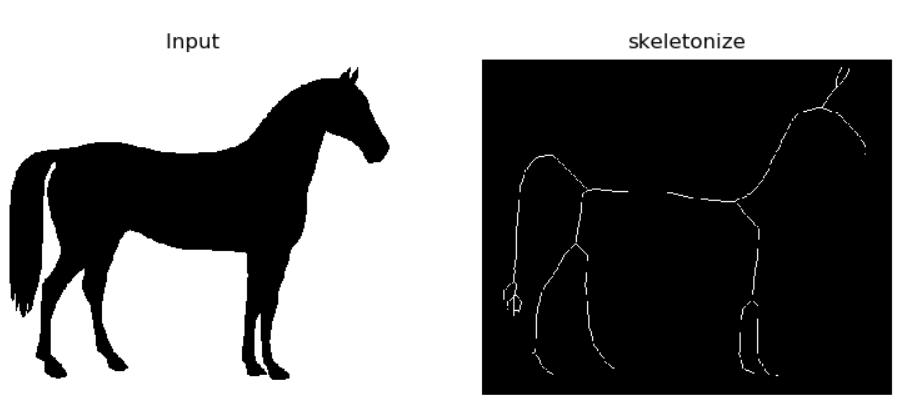
harris角點(diǎn)檢測
image?=?io.imread("D:/images/home.jpg")
gray?=?color.rgb2gray(image)
coords?=?feature.corner_peaks(feature.corner_harris(gray),?min_distance=5)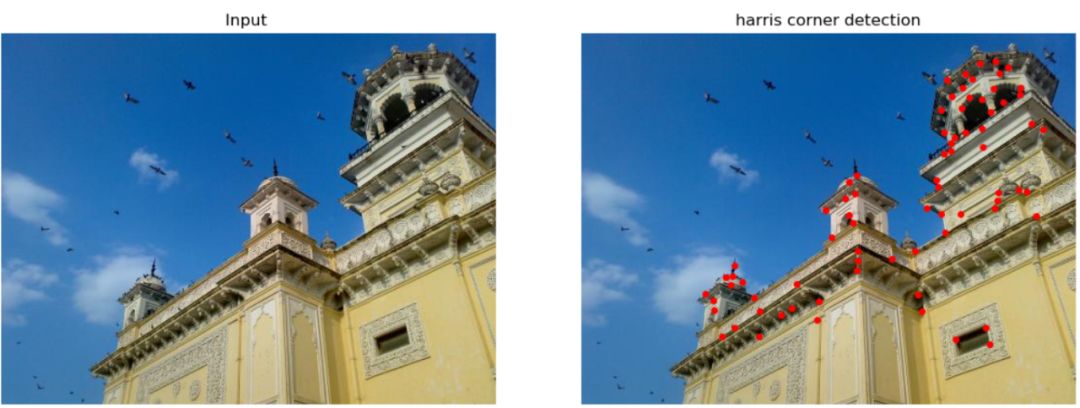
BRIEF特征匹配
keypoints1?=?corner_peaks(corner_harris(img1),?min_distance=5)
keypoints2?=?corner_peaks(corner_harris(img2),?min_distance=5)
keypoints3?=?corner_peaks(corner_harris(img3),?min_distance=5)

extractor?=?BRIEF()
extractor.extract(img1,?keypoints1)
keypoints1?=?keypoints1[extractor.mask]
descriptors1?=?extractor.descriptors

extractor.extract(img2,?keypoints2)
keypoints2?=?keypoints2[extractor.mask]
descriptors2?=?extractor.descriptors

extractor.extract(img3,?keypoints3)
keypoints3?=?keypoints3[extractor.mask]
descriptors3?=?extractor.descriptors

matches12?=?match_descriptors(descriptors1,?descriptors2,?cross_check=True)
matches13?=?match_descriptors(descriptors1,?descriptors3,?cross_check=True)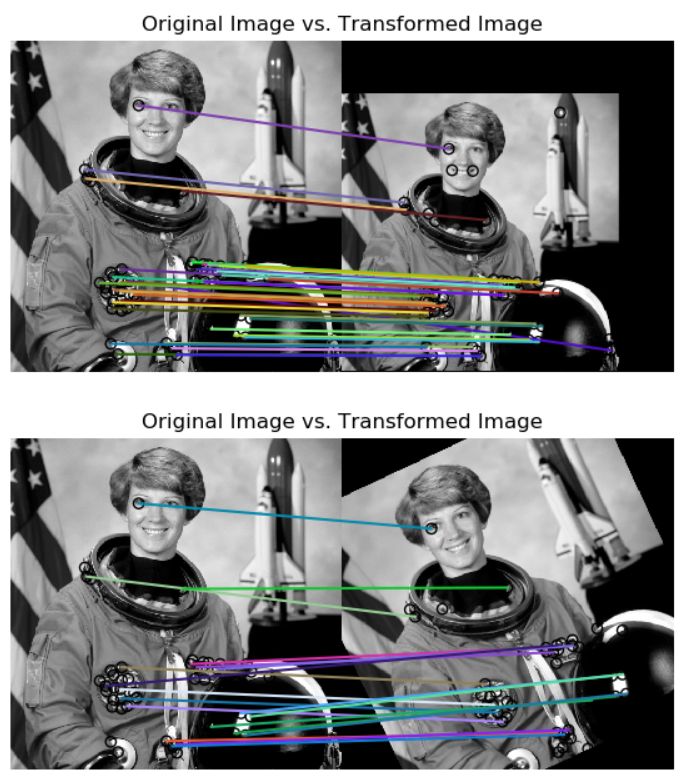
上述同時顯示兩張圖像的相似代碼
fig,?axes?=?plt.subplots(1,?2,?figsize=(8,?4))
ax?=?axes.ravel()

ax[0].imshow(image)
ax[0].set_title("Input?RGB")
ax[1].imshow(gray?>?ret,?cmap='gray')
ax[1].set_title("binary")
ax[0].axis('off')
ax[1].axis('off')

fig.tight_layout()
plt.show()
完整的演示代碼下載地址
https://github.com/gloomyfish1998/opencv_tutorial/blob/master/python/ski_image_demo.py
交流群
歡迎加入公眾號讀者群一起和同行交流,目前有SLAM、三維視覺、傳感器、自動駕駛、計算攝影、檢測、分割、識別、醫(yī)學(xué)影像、GAN、算法競賽等微信群(以后會逐漸細(xì)分),請掃描下面微信號加群,備注:”昵稱+學(xué)校/公司+研究方向“,例如:”張三?+?上海交大?+?視覺SLAM“。請按照格式備注,否則不予通過。添加成功后會根據(jù)研究方向邀請進(jìn)入相關(guān)微信群。請勿在群內(nèi)發(fā)送廣告,否則會請出群,謝謝理解~
評論
圖片
表情