
【動畫消消樂】HTML+CSS 自定義加載動畫 065
Part1效果展示(初始版)
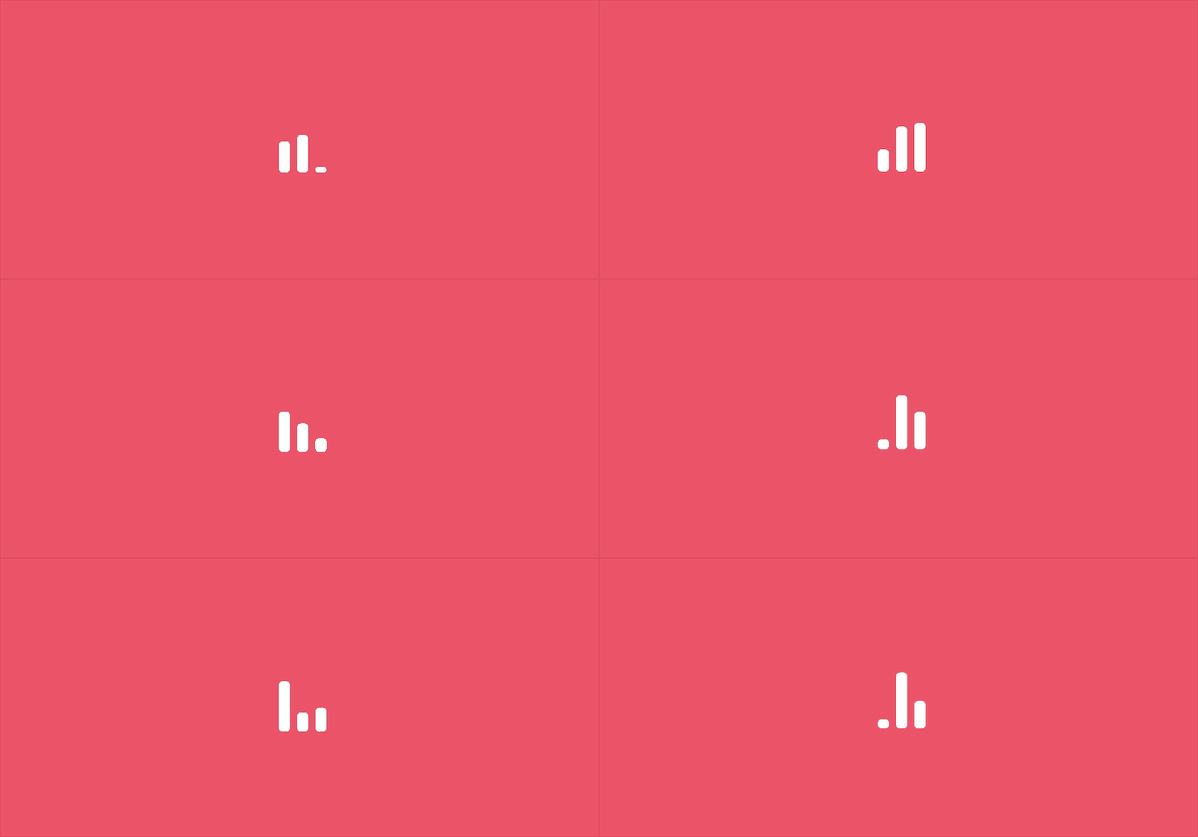
Part2Demo代碼
HTML
<!DOCTYPE html>
<html lang="en">
<head>
    <meta charset="UTF-8">
    <meta http-equiv="X-UA-Compatible" content="IE=edge">
    <meta name="viewport" content="width=device-width, initial-scale=1.0">
    <link rel="stylesheet" href="style.css">
    <title>Document</title>
</head>
<body>
    <section><span></span></section>
</body>
</html>
CSS
html, body {
  margin: 0;
  height: 100%;
}

body {
  display: flex;
  justify-content: center;
  align-items: center;
  background: #ed556a;
  /* background-color: #82466e; */
  animation: backColor 4s infinite;
}

section {
  width: 650px;
  height: 300px;
  padding: 10px;
  position: relative;
  display: flex;
  align-items: center;
  justify-content: center;
  border: 2px solid white;
}

span {
  width: 12px;
  height: 64px;
  border-radius: 4px;
  display: inline-block;
  position: relative;
  background: currentColor;
  color: white;
  /* background-color: red; */
  animation: animloader61m 1s 1s linear infinite alternate;
}

span::before, span::after {
  content: '';
  width: 12px;
  height: 64px;
  border-radius: 4px;
  background: currentColor;
  position: absolute;
  bottom: 0;
  left: 20px;
  animation: animloader61 1s 1.5s linear infinite alternate;
}

span::after {
  left: -20px;
  animation-delay: 0s;
}

@keyframes animloader61 {
  0% {
    height: 64px;
  }
  100% {
    height: 5px;
  }
}

@keyframes animloader61m {
  0% {
    height: 64px;
    transform: translateY(0);
  }
  100% {
    height: 15px;
    transform: translateY(30px)
  }
}
仔細觀察效果圖,其實可以明顯發(fā)現(xiàn)整個白色部分整體也在上下移動,只是移動距離較小。
感覺要是下方可以固定住就行了,為此,在源代碼基礎上修改了一下,得到改進后的效果,如下:
Part3效果展示(改進版)

Part4Demo代碼
HTML
<!DOCTYPE html>
<html lang="en">
<head>
    <meta charset="UTF-8">
    <meta http-equiv="X-UA-Compatible" content="IE=edge">
    <meta name="viewport" content="width=device-width, initial-scale=1.0">
    <link rel="stylesheet" href="style.css">
    <title>Document</title>
</head>
<body>
    <section><span></span></section>
</body>
</html>
CSS
html, body {
  margin: 0;
  height: 100%;
}

body {
  display: flex;
  justify-content: center;
  align-items: center;
  background: #ed556a;
  /* background-color: #82466e; */
  animation: backColor 4s infinite;
}

section {
  width: 650px;
  height: 300px;
  padding: 10px;
  position: relative;
  display: flex;
  align-items: center;
  justify-content: center;
  border: 2px solid white;
}

span {
  width: 12px;
  height: 64px;
  border-radius: 4px;
  display: inline-block;
  position: relative;
  background: white;
  color: white;
  animation: loading 1s 1s linear infinite alternate;
}

span::before, span::after {
  /* content: ''; */
  width: 12px;
  height: 64px;
  border-radius: 4px;
  background: currentColor;
  position: absolute;
  bottom: 0;
  left: 20px;
  animation: loadingx 1s 1.5s linear infinite alternate;
}

span::after {
  left: -20px;
  animation-delay: 0s;
}


@keyframes loadingx {
  0% {
    height: 64px;
  }
  100% {
    height: 14px;
  }
}

@keyframes loading {
  0% {
    height: 64px;
    transform: translateY(0);
  }
  100% {
    height: 14px;
    transform: translateY(25px)
  }
}
Part5原理詳解
步驟1
使用span標簽,設置為
相對定位 寬度:12px 高度:64px border-radius: 4px 背景色:白色 colore:白色
span {
  width: 12px;
  height: 64px;
  border-radius: 4px;
  position: relative;
  background: white;
  color: white;
}
效果圖如下

步驟2
為span添加動畫
效果簡單描述為:長度由長變短,再變短,依次循環(huán)
如果只是簡單的設置height屬性的變化
初始狀態(tài):height=64px 末尾狀態(tài):heigth=14px
代碼為:
span {
  animation: loading 1s  linear infinite alternate;
}
@keyframes loading {
  0% {
    height: 64px;
  }
  100% {
    height: 14px;
  }
}
產生的效果如下

這是因為海轟事先將span設置為水平、豎直均位于頁面中間的,所以僅長度變化產生的效果圖如上
如何實現(xiàn)span一頭固定、一頭延伸呢?
這里就需要利用translateY屬性了,不清楚的可以查查,其實就是二維平面y軸變換
初始狀態(tài):height=64px transform: translateY(0) 末尾狀態(tài):height=14px transform: translateY(25px)
注:25px=(64-14)/2 px
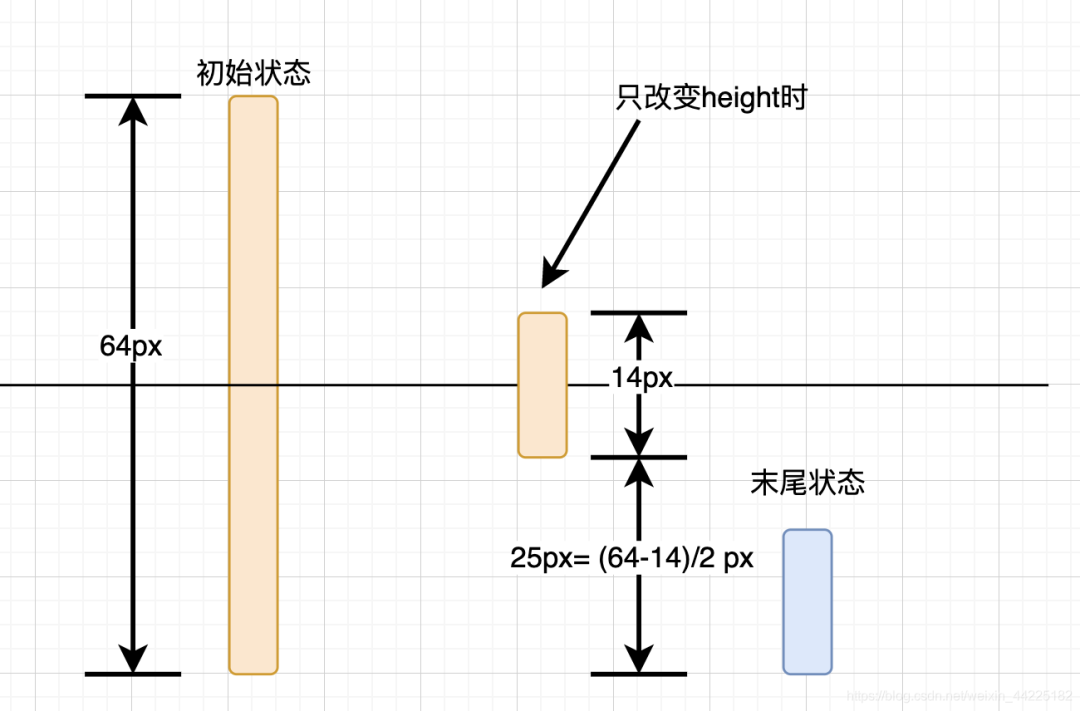
代碼為:
span {
  animation: loading 1s  linear infinite alternate;
}
@keyframes loading {
  0% {
    height: 64px;
    transform: translateY(0);
  }
  100% {
    height: 14px;
    transform: translateY(25px)
  }
}
span動畫效果如下

步驟3
在使用span::before和span::after偽元素
設置為
絕對定位( bottom: 0 left: 20px,固定在底部) 寬度為12px 高度為64px 背景色:currentColor(這里其實之間設置白色也行)
span::before, span::after {
  content: '';
  width: 12px;
  height: 64px;
  border-radius: 4px;
  background: currentColor;
  position: absolute;
  bottom: 0;
  left: 20px;
}
span與span::before位置關系如下
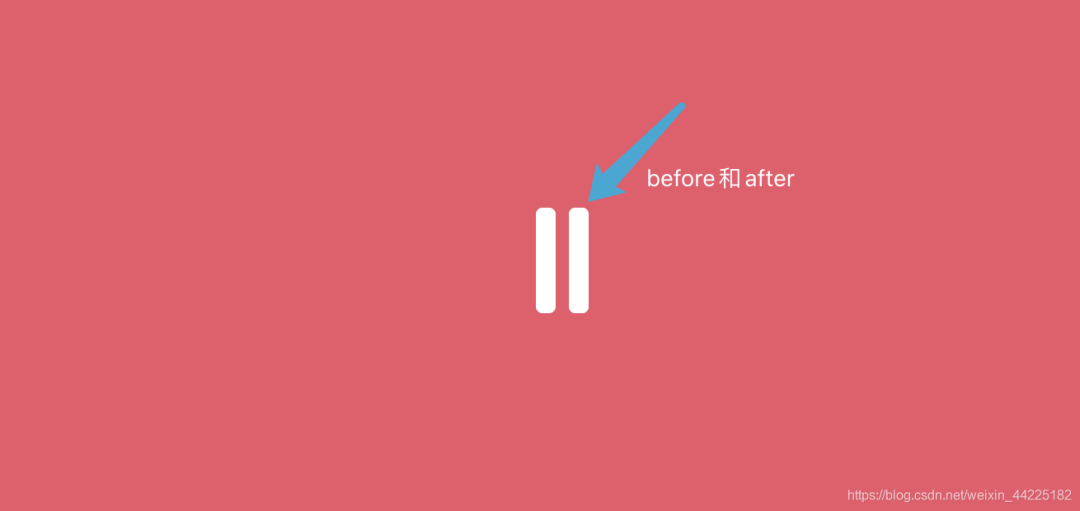
步驟4
分離span::before和span::after
將span::after位置移動至span左邊
span::after {
  left: -20px;
}
位置關系如下
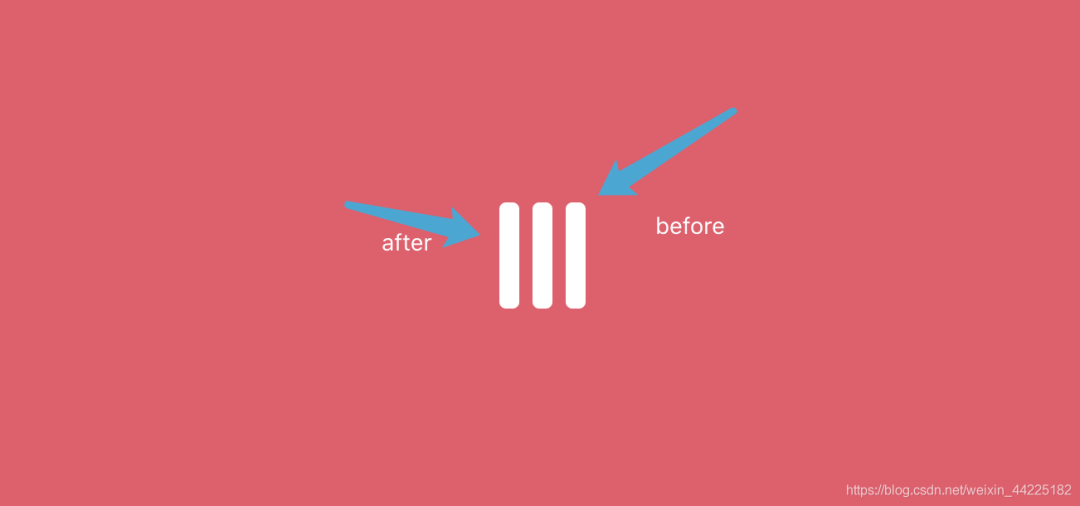
步驟5
為span::before、span::after添加動畫
只涉及長度改變
span::before, span::after {
  animation: loadingx 1s linear infinite alternate;
}
@keyframes loadingx {
  0% {
    height: 64px;
  }
  100% {
    height: 14px;
  }
}
span::before和span::after動畫如下(span動畫不生效時)

為什么這里就不需要使用translateY屬性了呢?
海轟的理解:因為span::before、span::after的位置是同span一樣的,span已經設置了,那么before和after就不需要設置了
如果再設置translateY
產生的效果圖如下

步驟6
同時開啟span、span::before、span::after動畫
同時分別設置動畫開始延時
span:延時1s span::before:延時1.5s span::after:延時0s
注:具體數(shù)據(jù)依據(jù)自己喜好設置即可,只需要保障各部分動畫開始時有時間間隔就行
最后代碼如下:
span {
  animation: loading 1s 1s linear infinite alternate;
}

span::before, span::after {
  animation: loadingx 1s 1.5s linear infinite alternate;
}

span::after {
  animation-delay: 0s;
}
@keyframes loadingx {
  0% {
    height: 64px;
  }
  100% {
    height: 14px;
  }
}

@keyframes loading {
  0% {
    height: 64px;
    transform: translateY(0);
  }
  100% {
    height: 14px;
    transform: translateY(25px)
  }
}
得到最終效果:
Part6結語
希望對您有所幫助
如有錯誤歡迎小伙伴指正~
我是 海轟?(?ˊ?ˋ)?
如果您覺得寫得可以的話
請點個贊吧
謝謝支持??