<kbd id="afajh"><form id="afajh"></form></kbd>
<strong id="afajh"><dl id="afajh"></dl></strong>
    <del id="afajh"><form id="afajh"></form></del>
        1. <th id="afajh"><progress id="afajh"></progress></th>
          <b id="afajh"><abbr id="afajh"></abbr></b>
          <th id="afajh"><progress id="afajh"></progress></th>

          【動畫消消樂】HTML+CSS 自定義加載動畫 054

          共 2046字,需瀏覽 5分鐘

           ·

          2021-05-29 03:30

          Part1效果展示f077ac90a79e4ef994e0b8fdf33cf701.webpPart2Demo代碼

          HTML

          <!DOCTYPE?html>
          <html?lang="en">
          <head>
          ????<meta?charset="UTF-8">
          ????<meta?http-equiv="X-UA-Compatible"?content="IE=edge">
          ????<meta?name="viewport"?content="width=device-width,?initial-scale=1.0">
          ????<link?rel="stylesheet"?href="style.css">
          ????<title>Document</title>
          </head>
          <body>
          ????<section><span></span></section>
          </body>
          </html>

          CSS

          html,?body?{
          ??margin:?0;
          ??height:?100%;
          }

          body?{
          ??display:?flex;
          ??justify-content:?center;
          ??align-items:?center;
          ??background:?#263238;
          }

          section?{
          ??width:?650px;
          ??height:?300px;
          ??padding:?10px;
          ??position:?relative;
          ??display:?flex;
          ??align-items:?center;
          ??justify-content:?center;
          ??/*?紅色邊框僅作提示?*/
          ??border:?2px?solid?red;
          }

          span?{
          ??width:?96px;
          ??height:?96px;
          ??display:?inline-block;
          ??position:?relative;
          }

          span::before,?span::after?{
          ??content:?'';
          ??width:?96px;
          ??height:?96px;
          ??border:?6px?solid?white;
          ??position:?absolute;
          ??left:?0;
          ??top:?0;
          ??animation:?scaleOut?4s?ease-in-out?infinite;
          }

          span::after?{
          ??border-color:?red;
          ??animation-delay:?2s;
          }

          @keyframes?scaleOut?{
          ??0%?{
          ????transform:?scale(0);
          ??}
          ??100%?{
          ????transform:?scale(1)
          ??}
          }
          Part3原理詳解

          步驟1

          使用span標簽,設置

          • 寬度、高度均為96px
          • 相對定位
           width: 96px;
          height: 96px;
          position: relative;

          步驟2

          利用span::before和span::after,充當白色、紅色方框

          同時設置

          • 絕對定位( ?left: 0 top: 0)
          • 寬度、高度均為96px
          • 邊框:6px solid white
            content: '';
          width: 96px;
          height: 96px;
          border: 6px solid white;
          position: absolute;
          left: 0;
          top: 0;

          效果圖如下

          480287a92d1f18228b0ced39c4731497.webp

          步驟3

          為區(qū)分before和after

          設置span::after背景色為紅色

          span::after {
          border-color: red;
          }

          效果圖如下
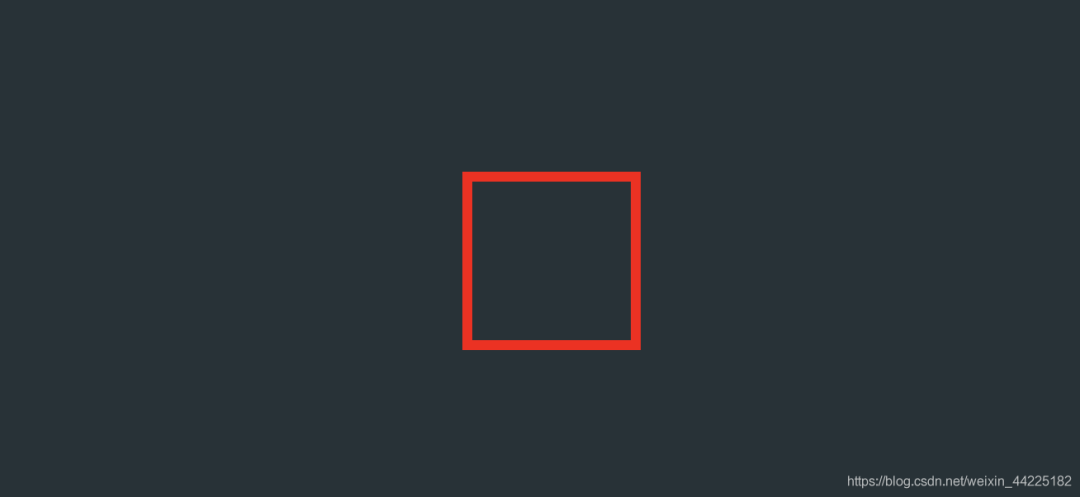
          ee712bc70b92af53baedcaba21b5c227.webp

          注:span::before和after位置發(fā)生了重疊,圖中其實紅色與白色方塊位于同一位置,只是after后面設置,最后顯示為紅色了

          步驟4

          為span::before和span::after添加動畫

          • 大小:初始(0%)大小為0(相對于原大小),最后變?yōu)?(相對于原大小)
           animation: loading 4s ease-in-out infinite;
          @keyframes loading {
          0% {
          transform: scale(0);
          }
          100% {
          transform: scale(1)
          }
          }

          效果圖如下

          b4076641a2fe25f7ceb67d6621bd96b8.webp

          步驟5

          步驟4所設置的動畫是為before和after同時設置的,二者的變化過程完全一致

          為了視覺上分離before和after

          我們對after動畫開始時間延遲(這樣before和after就可以分開顯示了)

          span::after {
          animation-delay: 2s;
          }

          效果圖如下

          f077ac90a79e4ef994e0b8fdf33cf701.webpPart4結語

          希望對您有所幫助

          如有錯誤歡迎小伙伴指正~

          我是 海轟?(?ˊ?ˋ)?

          如果您覺得寫得可以的話

          請點個贊吧

          謝謝支持??5353aad3abb6d827d6a387a1aa685728.webp


          瀏覽 73
          點贊
          評論
          收藏
          分享

          手機掃一掃分享

          分享
          舉報
          評論
          圖片
          表情
          推薦
          點贊
          評論
          收藏
          分享

          手機掃一掃分享

          分享
          舉報
          <kbd id="afajh"><form id="afajh"></form></kbd>
          <strong id="afajh"><dl id="afajh"></dl></strong>
            <del id="afajh"><form id="afajh"></form></del>
                1. <th id="afajh"><progress id="afajh"></progress></th>
                  <b id="afajh"><abbr id="afajh"></abbr></b>
                  <th id="afajh"><progress id="afajh"></progress></th>
                  日批在线观看 | 99久久精品互换人妻 | A片x395 | 无码毛片一区二区三区视频免费看 | 欧美三级片网址 |