
vue中純前端實(shí)現(xiàn)導(dǎo)出簡單Excel表格的功能

前言
使用方法
npm install vue-json-excel
cnpm install vue-json-excel
import Vue from 'vue'import JsonExcel from 'vue-json-excel'Vue.component('downloadExcel', JsonExcel)
:data = "json_data":fields = "json_fields"name = "用戶統(tǒng)計(jì)列表">導(dǎo)出Excel
:fields = “json_fields” ----------------Excel中表頭的名稱
:data = “json_data” -------------------導(dǎo)出的數(shù)據(jù)
export default{data(){return{json_fields: { //導(dǎo)出Excel表格的表頭設(shè)置'序號(hào)': 'type','姓名': 'userName','年齡': 'age','手機(jī)號(hào)': 'phone','注冊(cè)時(shí)間': 'createTime',},}}}
export default{data(){return{json_data:[{"userName":"張三","age":18,"gender":"phone":15612345612,"createTime":"2019-10-22"},{"userName":"李四","age":17,"gender":"phone":15612345613,"createTime":"2019-10-23"},{"userName":"王五","age":19,"gender":"phone":15612345615,"createTime":"2019-10-25"},{"userName":"趙六","age":18,"gender":"phone":15612345618,"createTime":"2019-10-15"},]}}}
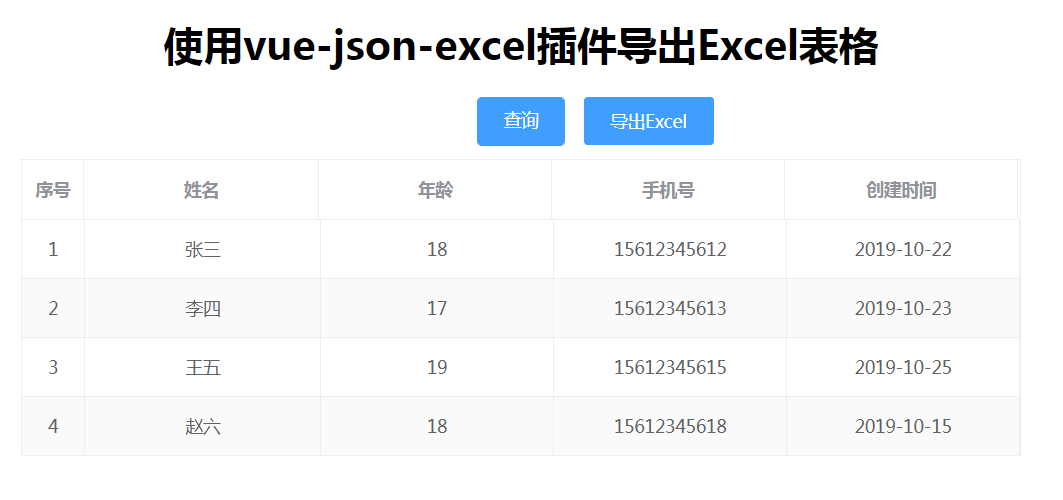
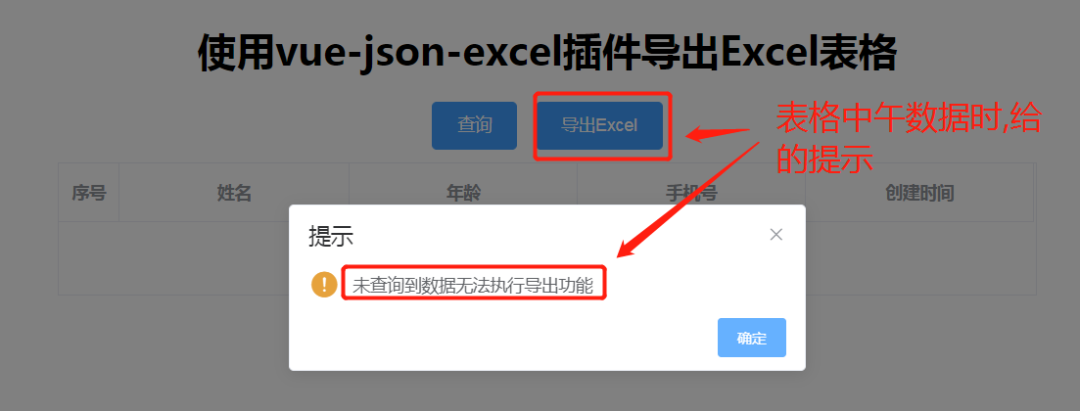
導(dǎo)出Excel 導(dǎo)出Excel
 如果表格中有數(shù)據(jù)的時(shí)候,點(diǎn)擊導(dǎo)出功能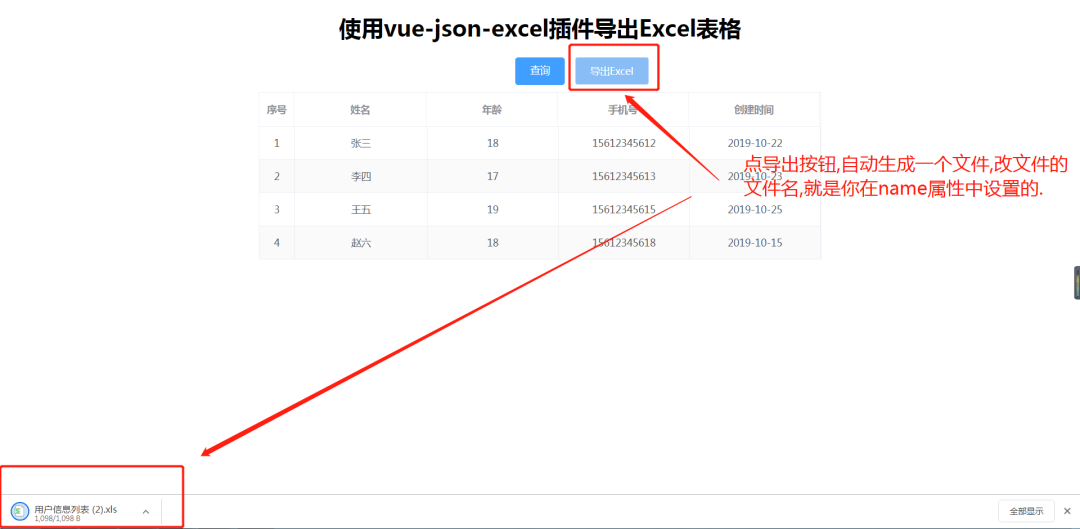
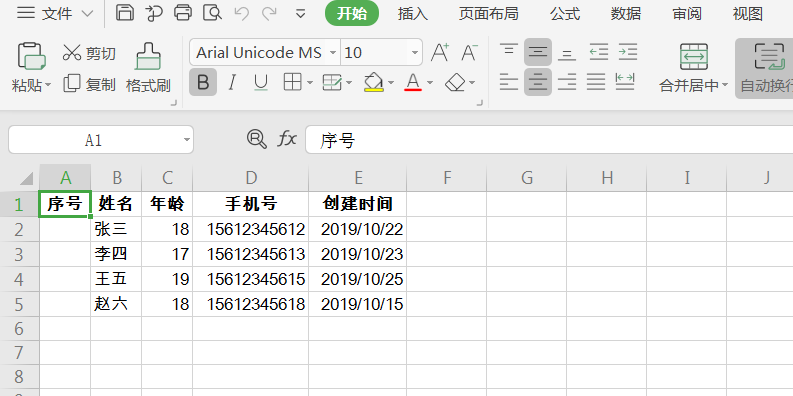
在給json_data數(shù)據(jù)賦值的時(shí)候,添加加一個(gè)type屬性,來顯示序號(hào)。
for(let i in this.json_data){this.json_data[i].type=parseInt(i)+1}
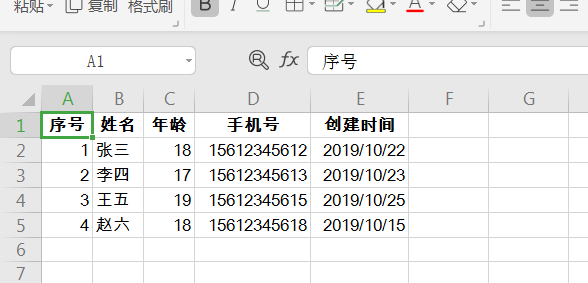
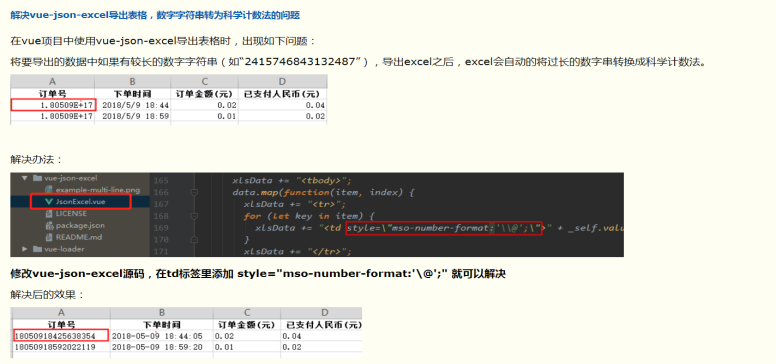
如果里面的的時(shí)間字段精確到秒的話,可能導(dǎo)出來的數(shù)據(jù)不會(huì)那么精確,這時(shí)你可以通過改插件的源碼來解決; 參考連接。
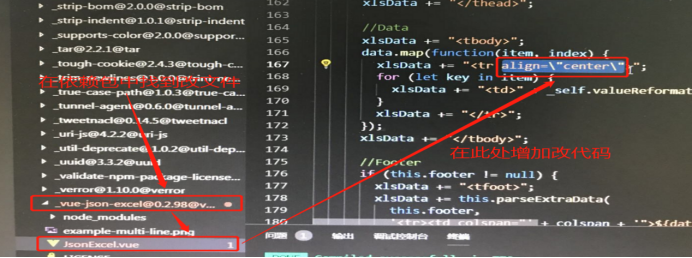
還有就是想要表格中數(shù)據(jù)居中顯示,也可以改源碼;
總結(jié)

評(píng)論
圖片
表情