
用Canvas實現(xiàn)一個動態(tài)甜甜圈圖表




導(dǎo)語:在實現(xiàn)復(fù)雜動畫或復(fù)雜圖表的時候,css 往往不能或難以簡潔方便的實現(xiàn);而 canvas 給了你一張白紙和多彩的畫筆,給與你無限的想象空間。
目標(biāo)動畫
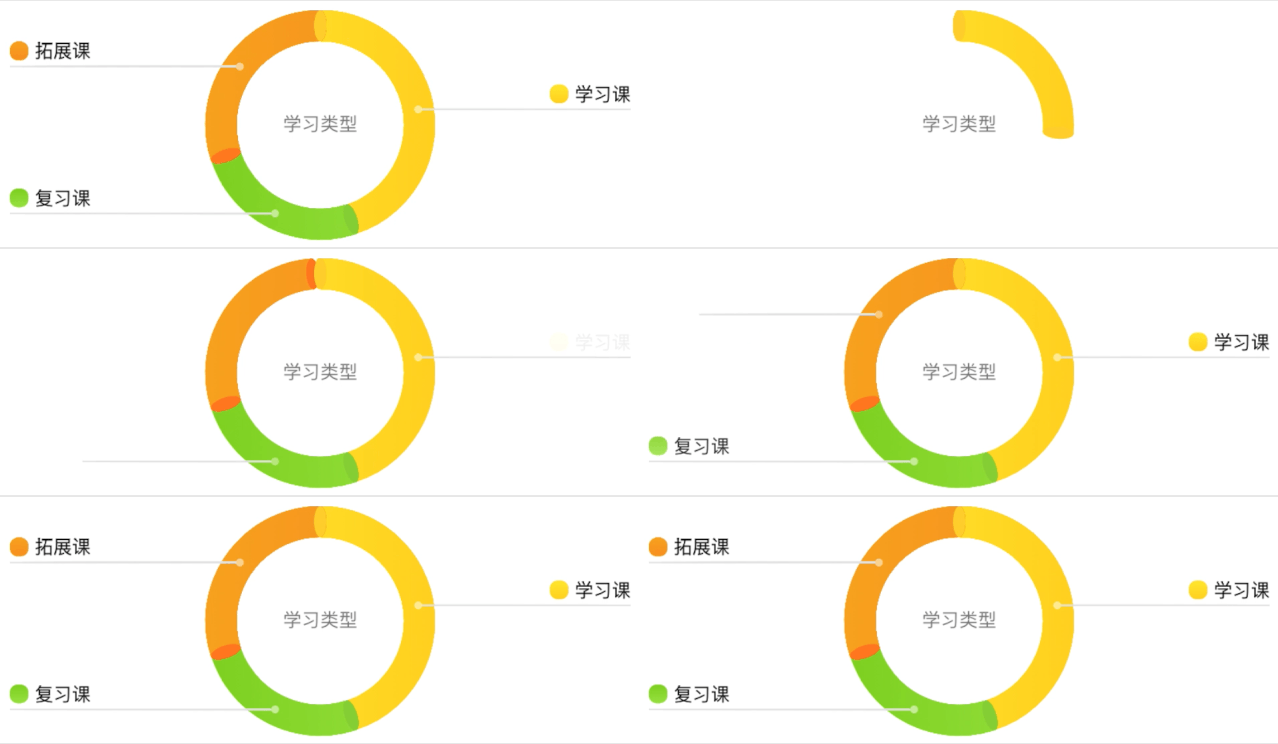
動畫分析
元素分析:
多部分組成的環(huán)并帶有線性漸變效果
環(huán)的兩端有橢圓
從環(huán)上衍生出去的線條
在線條末尾的圖例
環(huán)正中的標(biāo)題
動畫拆解:
環(huán)有一個 ease-in-out 的展開動畫
線有一個延伸動畫
圖例有一個透明度漸變動畫
2
開始動手
注:
下面代碼中的
this上掛載了canvas.getContext('2d')獲取的ctx。下面代碼中使用的
ctx.width是在獲取到ctx的時候手動掛載上去方便使用的。下面代碼中
source為處理后的數(shù)據(jù)。R1、R2分別表示圓環(huán)的內(nèi)徑和外徑。下面代碼中存在一些未給出實現(xiàn)的工具函數(shù)和常量定義,可拉取項目查看。項目地址:https://github.com/chym123/donut-graph-demo
構(gòu)造數(shù)據(jù)
text 表示項目名
per 表示占比
startColor、stopColor 表示漸變色區(qū)間
ellipseColor 表示橢圓顏色
const donutData = [{per: 0.45,text: '學(xué)習(xí)課',startColor: '#FFEA33', // 黃色stopColor: '#d8b616',ellipseColor: '#FFD333',}, {per: 0.25,text: '復(fù)習(xí)課',startColor: '#7bc31f', // 綠色stopColor: '#96ec26',ellipseColor: '#8FD43D',}, {per: 0.3,text: '拓展課',startColor: '#f0870c', // 橙色stopColor: '#ff9413',ellipseColor: '#FF8221',}];
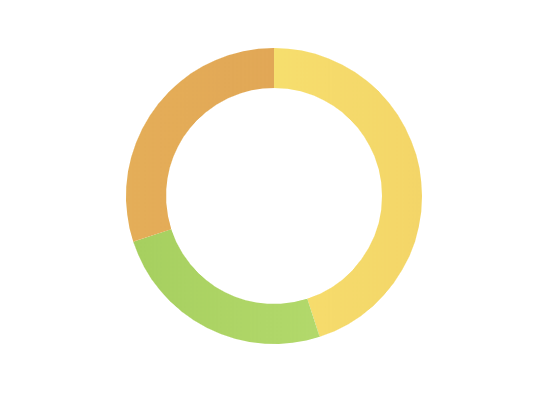
畫環(huán)
常見的繪制方法是用 ctx.arc 定義弧線,然后用 ctx.stroke 畫一條粗線條:
drawRing(startDeg, endDeg, strokeStyle, ellipseColor) {const { ctx } = this;ctx.save();ctx.strokeStyle = strokeStyle;ctx.beginPath();ctx.lineWidth = R2 - R1;ctx.arc(ctx.width / 2, ctx.height / 2, (R1 + R2) / 2, arcDeg(startDeg), arcDeg(endDeg));ctx.stroke();ctx.restore();// this.drawEllipse(startDeg, ellipseColor);// this.drawEllipse(endDeg, ellipseColor);},
draw() {const { source } = this;source.forEach((s) => {const { startPer, per, lgr, ellipseColor } = s;const startDeg = startPer * ANGLE_360;const endDeg = (startPer + per) * ANGLE_360;this.drawRing(startDeg, endDeg, lgr, ellipseColor);});}
getLinearGradient(startColor, stopColor) {const { ctx } = this;const lgr = ctx.createLinearGradient(ctx.width / 2 - R2, ctx.height / 2, ctx.width / 2 + R2, ctx.height / 2);lgr.addColorStop(0, startColor);lgr.addColorStop(1, stopColor);return lgr;}
畫橢圓
先分析一下:
橢圓在每個部分的起點和終點,并且存在一定的旋轉(zhuǎn)角度,長軸和半徑在一條直線上;
canvas 里先繪制的像素會被后繪制的像素覆蓋,所以要確保繪制順序正確。
實現(xiàn)橢圓繪制方法:
drawEllipse(rotate, color) {const { ctx } = this;rotate = deg(rotate);// 不使用畫布旋轉(zhuǎn)時的坐標(biāo)計算方法// const x = ctx.width / 2 + (R1 + R2) / 2 * Math.cos(rotate);// const y = ctx.height / 2 + (R1 + R2) / 2 * Math.sin(rotate);// 畫布旋轉(zhuǎn)時,只需要讓橢圓圓心定位在弧線的 0 度處const x = 0;const y = -(R1 + R2) / 2;ctx.save();// 設(shè)置 canvas 中心到畫布中心并旋轉(zhuǎn)ctx.translate(ctx.width / 2, ctx.height / 2);ctx.rotate(rotate);ctx.moveTo(x, y);ctx.beginPath();ctx.fillStyle = color;// 某些情況下 ellipse 的第五個參數(shù) rotate 有兼容性問題無法旋轉(zhuǎn),但是橢圓可以畫出來// ctx.ellipse(x, y, EllipseR2, EllipseR1, rotate, 0, 2 * Math.PI);ctx.ellipse(x, y, EllipseR2, EllipseR1, 0, 0, 2 * Math.PI);ctx.fill();ctx.restore();}
drawRing 函數(shù)內(nèi)注釋掉的 drawEllipse 方法得到下圖: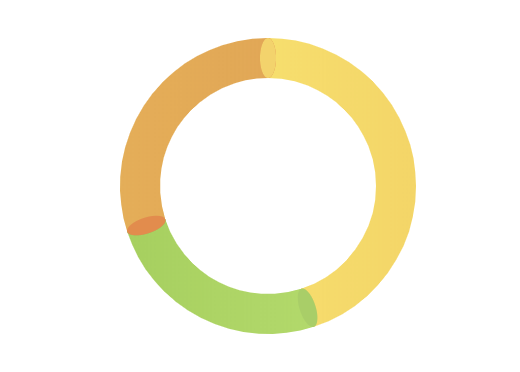
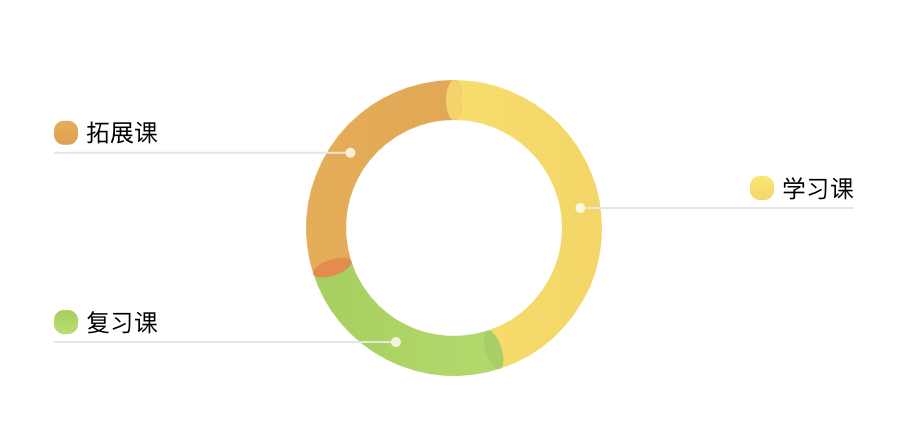
畫圖例
圖例和圓環(huán)的位置相關(guān),所以把圖例相關(guān)的繪制工作封裝成圖例類:
class Legend {constructor({ ctx, x, y, textMaxWidth, endX, startColor, stopColor, text }) {this.ctx = ctx;this.x = x; // 橫線的起點 x 坐標(biāo)this.y = y; // 橫線的 y 坐標(biāo)this.endX = endX; // 橫線的終點 x 坐標(biāo)this.textMaxWidth = textMaxWidth; // 圖例文字最大寬度this.text = text; // 圖例文字this.dot = { // 圖例起點小圓點屬性r: 2.5,opacity: 0.8,};this.icon = { // 圖例 icon 屬性h: 12,w: 12,r: 5,marginRight: 4,startColor, // 漸變色起點stopColor // 漸變色終點};}// 圖標(biāo)和文字距離橫線的數(shù)值static MARGIN_BOTTOM = 4;// 文字的行高static LINE_HEIGHT = 14;}
圖例的起點小圓點
只是一個半透明的小圓點,用 arc 直接畫:
drawLegendDot() {const { ctx, x, y } = this;const { r, opacity } = this.dot;ctx.save();ctx.globalAlpha = opacity;ctx.beginPath();ctx.fillStyle = '#FFFFFF';ctx.arc(x, y, r, 0, 2 * Math.PI);ctx.fill();ctx.restore();}
圖例的橫線
起點在小圓點邊緣,終點在 endX 位置,需要注意圖例在左側(cè)還是右側(cè):
drawLegendLine() {const { ctx, x, y, endX } = this;const { r } = this.dot;const lineStart = endX > x ? x + r : x - r; // 圖例可以在左側(cè)也可以在右側(cè),所以線條存在延伸方向const lineEnd = endX;ctx.save();ctx.beginPath();ctx.moveTo(lineStart, y);ctx.lineTo(lineEnd, y);ctx.strokeStyle = '#E6E6E6';ctx.strokeWidth = 0.5;ctx.stroke();ctx.restore();}
圖例的圖標(biāo)
圖例圖標(biāo)是一個帶漸變的圓角矩形,需要注意的是,如果圖例在右側(cè),圖標(biāo)繪制時需要依賴于圖例文字的寬度。
/*** @param {number} iconX 圖例 x 坐標(biāo)*/drawLegendIcon(iconX) {const { ctx, x, y } = this;const { w, h, r, startColor, stopColor } = this.icon;const iconY = y - h - Legend.MARGIN_BOTTOM; // 算出圖例左上角 y 坐標(biāo)ctx.save();const lgr = ctx.createLinearGradient(x, iconY, x, iconY + h);lgr.addColorStop(0, startColor);lgr.addColorStop(1, stopColor);ctx.fillStyle = lgr;drawRoundedRect(ctx, iconX, iconY, w, h, r); // 這只是一個畫矩形的方法,具體可以看看源碼ctx.fill();ctx.restore();}
圖例的文字
這里需要提前計算文字的寬度,讓圖例圖標(biāo)繪制在正確的位置,所以我將文字屬性作為一個計算好的量傳入函數(shù)。
/*** @param {number} textW 文字寬度* @param {number} textH 文字高度* @param {string} text 文字內(nèi)容*/drawLegendText(textW, textH, text) {const { ctx, x, y, endX } = this;const { w, marginRight } = this.icon;const offsetY = 3; // 用于調(diào)整實際渲染與預(yù)期的位置偏差ctx.save();ctx.font = '12px Arial';ctx.fillStyle = '#000000';ctx.textBaseline = 'top';const textX = endX > x ? endX - textW : endX + w + marginRight;const textY = y - textH - Legend.MARGIN_BOTTOM + offsetY;ctx.fillText(text, textX, textY);ctx.restore();}
結(jié)合起來
計算出 Legend 類需要的參數(shù)并傳入。
drawPartLegend(part) {const { ctx } = this;const { startPer, per, startColor, stopColor, text } = part;// 計算區(qū)域開始角度和結(jié)束角度的中間值: middleDeg = 360 * (startPer + (startPer + per)) / 2// 如果第一部分占比超過 50%,讓圖例顯示在右側(cè)正中,即 90 度位置const middleDeg = (startPer === 0 && per > 0.5) ? ANGLE_90 : ANGLE_360 * (startPer * 2 + per) / 2;// 下面是簡單的三角函數(shù)計算圖例在圓環(huán)上的起始點const x = ctx.width / 2 + (R1 + R2) / 2 * Math.cos(arcDeg(middleDeg));const y = ctx.height / 2 + (R1 + R2) / 2 * Math.sin(arcDeg(middleDeg));// 限制文字寬度const textMaxWidth = ctx.width / 2 - R2;// 小于 180 說明在右邊const endX = middleDeg <= ANGLE_180 ? ctx.width : 0;const legend = new Legend({ ctx, x, y, textMaxWidth, endX, startColor, stopColor, text });legend.draw();}
修改上文使用的 draw 方法:
draw() {const { source } = this;source.forEach((s) => {// ...this.drawPartLegend(s);});}
目前效果如下:
3
canvas的動畫實際上是一幀一幀畫出來的,所以這里要求我們手動實現(xiàn)幀動畫繪制。要讓動畫變得流暢,我們需要使用requestAnimationFrame。
由于 requestAnimationFrame 的特性是需要遞歸調(diào)用自身,這里封裝了一個 RafRunner (具體可看源碼):
class RafRunner {// 可傳入自定義 requestAnimationFrame 函數(shù)constructor(requestAnimationFrame = window.requestAnimationFrame.bind(window)) {this.requestAnimationFrame = requestAnimationFrame;this.timingFunction = (x) => x;}/*** 處理器* @param {Function} handler 處理函數(shù),擁有兩個形參** handler = (val, preVal) => void*/handler(handler) {}/*** 啟動* @param {number} from 開始值* @param {number} to 結(jié)束值* @param {number} duration (millisecond) 持續(xù)時間* @param {function} timingFunction 可選,默認(rèn) linear*/start(from, to, duration, timingFunction) {}}
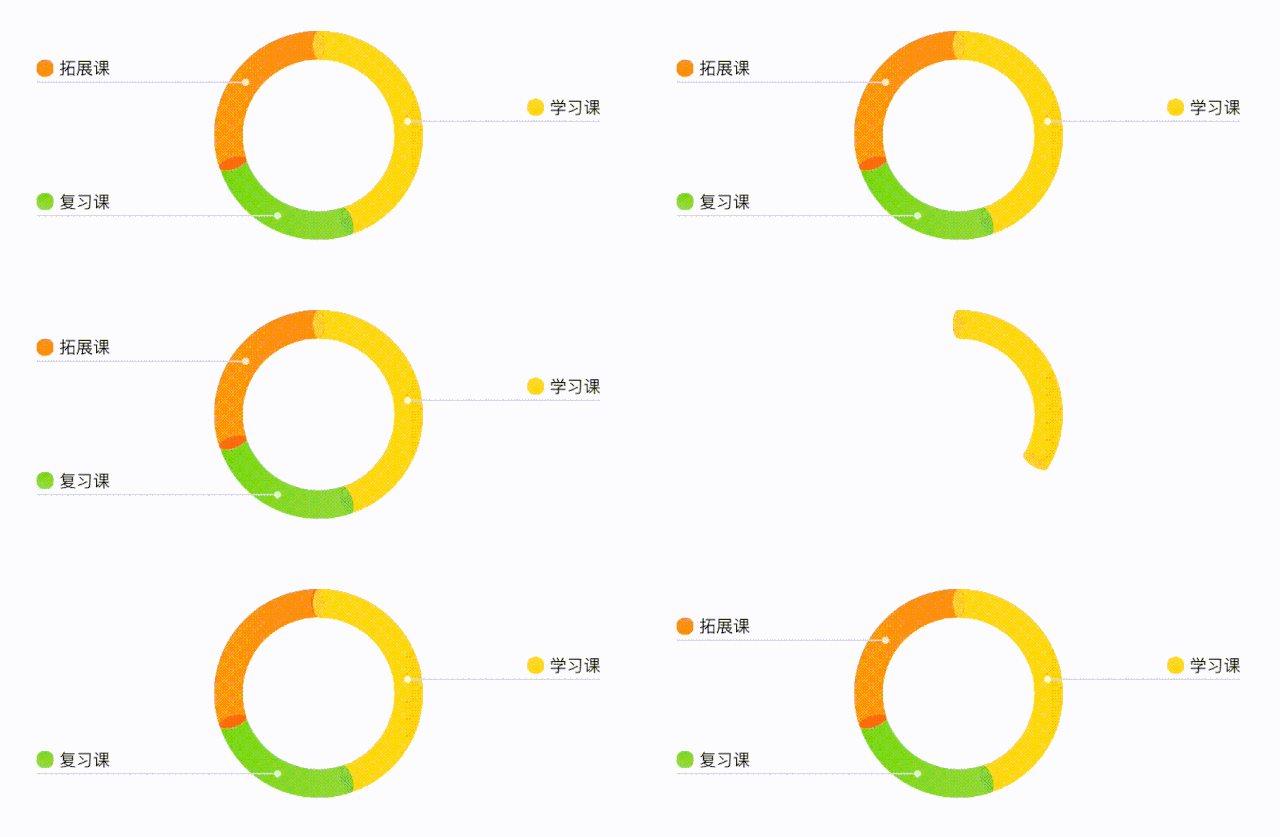
讓環(huán)動起來 這里的扇形從 0 度增長到 360 度的過程,是整體上的動作,所以不同部分扇區(qū)增長在整體上是連續(xù)的,那么在某一幀或存在同時渲染兩個扇區(qū)的部分。我們讓
per(percent) 進(jìn)行緩動,判斷當(dāng)前per值屬于哪一個扇區(qū),來渲染對應(yīng)扇區(qū)。利用剛剛封裝的
RafRunner來修改我們的draw函數(shù):
draw() {const { source } = this;if (source.length === 0) {return;}const raf = new RafRunner();// 記錄當(dāng)前 part 下標(biāo)let pos = 0;raf.handler((recPer, prePer) => {let recentPart = source[pos];const { startPer, per } = recentPart;// 渲染完某個部分之后,渲染下一個部分if (recPer >= startPer + per) {// 渲染上個部分 -> per 并不會精準(zhǔn)的落在每個扇區(qū)的結(jié)束 percent 上,所以需要補(bǔ)全上個扇區(qū)const startDeg = ANGLE_360 * startPer;const endDeg = ANGLE_360 * (startPer + per);this.drawRing(startDeg, endDeg, recentPart.lgr, recentPart.ellipseColor);this.drawPartLegend(recentPart);// 跳到下一個部分pos++;recentPart = source[pos];// 已經(jīng)沒有了if (!recentPart) {// 記得畫上起點的橢圓this.drawEllipse(0, source[0].ellipseColor);return;}}// 渲染實時動畫幀部分const startDeg = ANGLE_360 * recentPart.startPer; // recentPart 或已重新賦值,不能使用解構(gòu)出的 startPerconst endDeg = ANGLE_360 * recPer;this.drawRing(startDeg, endDeg, recentPart.lgr, recentPart.ellipseColor);// 第一部分起點橢圓在最上層this.drawEllipse(0, source[0].ellipseColor);});raf.start(0, 1, 800, easeInOut);}
看看效果
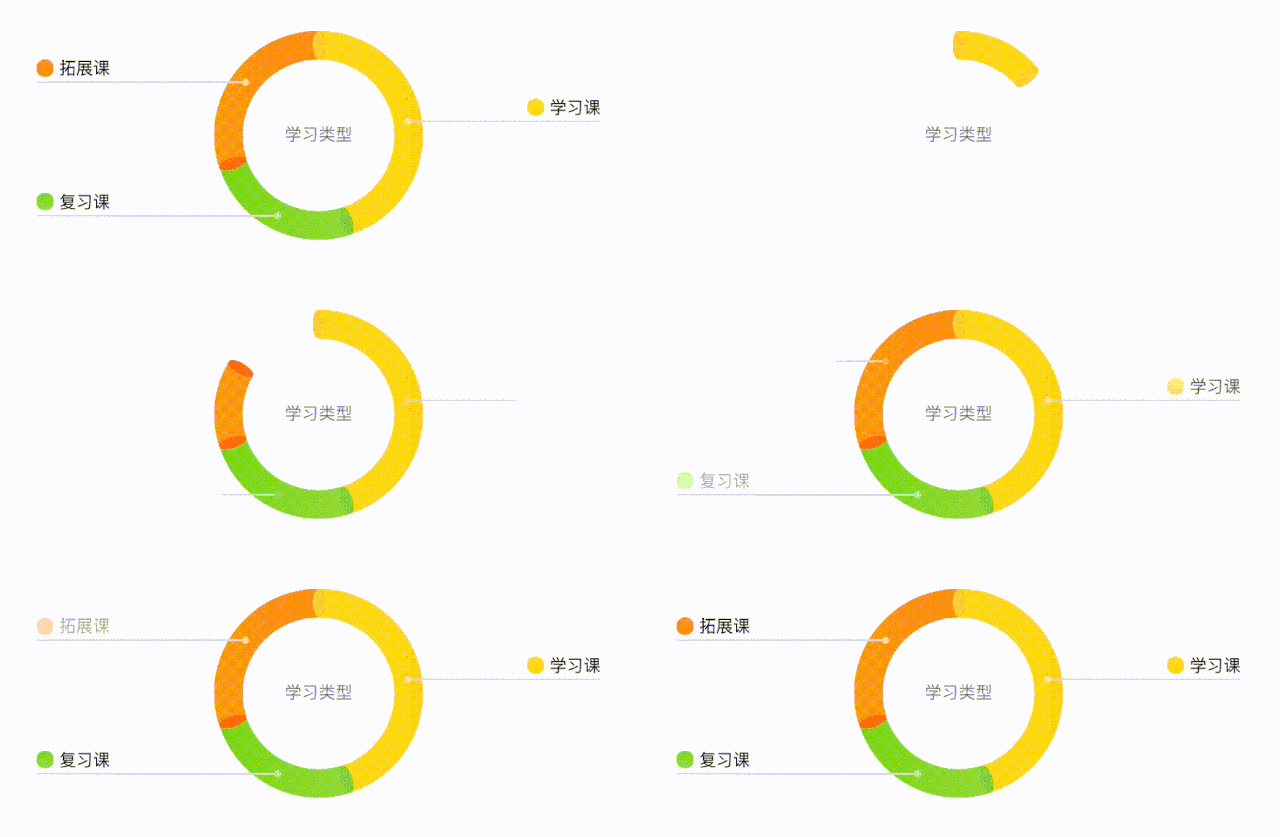
讓圖例也動起來 由于代碼結(jié)構(gòu)類似,這里只說兩個比較特殊的情況:
/*** @param {number} iconX 圖例 x 坐標(biāo)* @param {number} iconOffsetY 圖例 y 偏移,用于適配多行圖例標(biāo)題的情況*/drawLegendIcon(iconX, iconOffsetY) {const { ctx, x, y } = this;const { w, h, r, startColor, stopColor } = this.icon;const iconY = y - h - Legend.MARGIN_BOTTOM + iconOffsetY;const raf = new RafRunner();raf.handler((opacity) => {ctx.save();ctx.globalAlpha = opacity; // 透明度繪制時,要清除上次畫的,特別是文字(具體可以自己試一試)ctx.clearRect(iconX, iconY, w, h); // 背景沒有著色時,可以清除區(qū)域后再畫const lgr = ctx.createLinearGradient(x, iconY, x, iconY + h);lgr.addColorStop(0, startColor);lgr.addColorStop(1, stopColor);ctx.fillStyle = lgr;drawRoundedRect(ctx, iconX, iconY, w, h, r);ctx.fill();ctx.restore();});raf.start(0, 1, Legend.ICON_AND_TITLE_DURATION);}drawLegendDot() {const { ctx, x, y } = this;const { r, opacity: endOpacity } = this.dot;const raf = new RafRunner();raf.handler((opacity, oldOpacity) => {ctx.save();// 背景有繪制圓環(huán),所以這里不能直接擦除// 這里只能是在上一次的基礎(chǔ)上畫,所以計算透明度差值就好,否則透明度疊加之后透明度(0 ~ 1)會比預(yù)期更高ctx.globalAlpha = opacity - oldOpacity;ctx.beginPath();ctx.fillStyle = '#FFFFFF';ctx.arc(x, y, r, 0, 2 * Math.PI);ctx.fill();ctx.restore();});raf.start(0, endOpacity, Legend.DOT_AND_LINE_DURATION);}
看看最后的效果
4
文本寬度溢出的時候,或許需要多行省略(可看源碼)
每個部分的顏色如何分配
當(dāng)兩個部分占比很小,圖例可能會重疊
空間有限,過小占比圖例應(yīng)該省略
...
最后,項目地址:https://github.com/chym123/donut-graph-demo
歡迎點 star 鼓勵!
IMWeb 團(tuán)隊隸屬騰訊公司,是國內(nèi)最專業(yè)的前端團(tuán)隊之一。
我們專注前端領(lǐng)域多年,負(fù)責(zé)過 QQ 資料、QQ 注冊、QQ 群等億級業(yè)務(wù)。目前聚焦于在線教育領(lǐng)域,精心打磨 騰訊課堂、企鵝輔導(dǎo) 及 ABCMouse 三大產(chǎn)品。