Python 批量爬取貓咪圖片實現(xiàn)千圖成像
??????關注我,和老表一起學Python、云服務器
前言
使用 Python 爬取貓咪圖片,并為貓咪??制作千圖成像!

爬取貓咪圖片
首先需要你的電腦安裝好了Python環(huán)境,并且安裝好了Python開發(fā)工具。
如果你還沒有安裝,可以參考以下文章:
如果僅用Python來處理數(shù)據(jù)、爬蟲、數(shù)據(jù)分析或者自動化腳本、機器學習等,建議使用Python基礎環(huán)境+jupyter即可,安裝使用參考Windows/Mac 安裝、使用Python環(huán)境+jupyter notebook
如果想利用Python進行web項目開發(fā)等,建議使用Python基礎環(huán)境+Pycharm,安裝使用參考 :Windows下安裝、使用Pycharm教程,這下全了?和?Mac下玩轉(zhuǎn)Python-安裝&使用Python/PyCharm?。
1、爬取繪藝素材網(wǎng)站
爬取網(wǎng)站:貓咪圖片
首先安裝必須的庫:
pip?install?BeautifulSoup4
pip?install?requests
pip?install?urllib3
pip?install?lxml
爬取圖片代碼:
from?bs4?import?BeautifulSoup
import?requests
import?urllib.request
import?os

#?第一頁貓咪圖片網(wǎng)址
url?=?'https://www.huiyi8.com/tupian/tag-%E7%8C%AB%E5%92%AA/1.html'
#?圖片保存路徑,這里?r?表示不轉(zhuǎn)義
path?=?r"/Users/lpc/Downloads/cats/"
#?判斷目錄是否存在,存在則跳過,不存在則創(chuàng)建
if?os.path.exists(path):
????pass
else:
????os.mkdir(path)


#?獲得所有貓咪圖片網(wǎng)頁地址
def?allpage():
????all_url?=?[]
????#?循環(huán)翻頁次數(shù)?20?次
????for?i?in?range(1,?20):
????????#?替換翻頁的頁數(shù),這里的?[-6]?是指網(wǎng)頁地址倒數(shù)第?6?位
????????each_url?=?url.replace(url[-6],?str(i))
????????#?將所有獲取的?url?加入?all_url?數(shù)組
????????all_url.append(each_url)
????#?返回所有獲取到的地址
????return?all_url


#?主函數(shù)入口
if?__name__?==?'__main__':
????#?調(diào)用?allpage?函數(shù)獲取所有網(wǎng)頁地址
????img_url?=?allpage()
????for?url?in?img_url:
????????#?獲得網(wǎng)頁源代碼
????????requ?=?requests.get(url)
????????req?=?requ.text.encode(requ.encoding).decode()
????????html?=?BeautifulSoup(req,?'lxml')
????????#?添加一個?url?數(shù)組
????????img_urls?=?[]
????????#?獲取?html?中所有?img?標簽的內(nèi)容
????????for?img?in?html.find_all('img'):
????????????#??篩選匹配?src?標簽內(nèi)容以?http?開頭,以?jpg?結(jié)束
????????????if?img["src"].startswith('http')?and?img["src"].endswith("jpg"):
????????????????#?將符合條件的?img?標簽加入?img_urls?數(shù)組
????????????????img_urls.append(img)
????????#?循環(huán)數(shù)組中所有?src
????????for?k?in?img_urls:
????????????#?獲取圖片?url
????????????img?=?k.get('src')
????????????#?獲取圖片名稱,強制類型轉(zhuǎn)換很重要
????????????name?=?str(k.get('alt'))
????????????type(name)
????????????#?給圖片命名
????????????file_name?=?path?+?name?+?'.jpg'
????????????#?通過圖片?url?和圖片名稱下載貓咪圖片
????????????with?open(file_name,?"wb")?as?f,?requests.get(img)?as?res:
????????????????f.write(res.content)
????????????#?打印爬取的圖片
????????????print(img,?file_name)
?? 注意: 以上代碼無法直接復制運行,需要修改下載圖片路徑:/Users/lpc/Downloads/cats,請修改為讀者本地的保存路徑!
爬取成功:
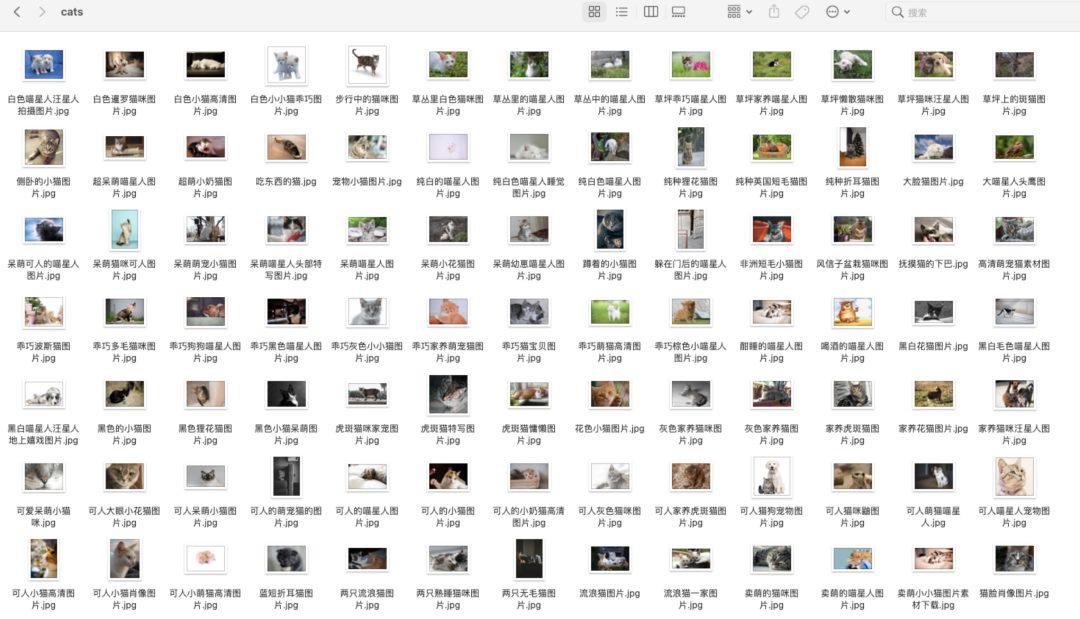
共爬取 346 張貓咪圖片!
2、爬取 ZOL 網(wǎng)站
爬取 ZOL 網(wǎng)址:萌貓
爬取代碼:
import?requests
import?time
import?os
from?lxml?import?etree

#?請求的路徑
url?=?'https://desk.zol.com.cn/dongwu/mengmao/1.html'
#?圖片保存路徑,這里?r?表示不轉(zhuǎn)義
path?=?r"/Users/lpc/Downloads/ZOL/"
#?這里是你要保存的路徑位置?前面的r?表示這段不轉(zhuǎn)義
if?os.path.exists(path):??#?判斷目錄是否存在,存在則跳過,不存在則創(chuàng)建
????pass
else:
????os.mkdir(path)
#?請求頭
headers?=?{"Referer":?"Referer:?http://desk.zol.com.cn/dongman/1920x1080/",
???????????"User-Agent":?"Mozilla/5.0?(Windows?NT?10.0;?Win64;?x64)?AppleWebKit/537.36?(KHTML,?like?Gecko)?Chrome/70.0.3538.77?Safari/537.36",?}

headers2?=?{
????"User-Agent":?"Mozilla/5.0?(Windows?NT?10.0;?WOW64)?AppleWebKit/537.36?(KHTML,?like?Gecko)?Chrome/72.0.3626.81?Safari/537.36?SE?2.X?MetaSr?1.0",?}


def?allpage():??#?獲得所有網(wǎng)頁
????all_url?=?[]
????for?i?in?range(1,?4):??#?循環(huán)翻頁次數(shù)
????????each_url?=?url.replace(url[-6],?str(i))??#?替換
????????all_url.append(each_url)
????return?all_url??#?返回地址列表


#?TODO?獲取到Html頁面進行解析
if?__name__?==?'__main__':
????img_url?=?allpage()??#?調(diào)用函數(shù)
????for?url?in?img_url:
????????#?發(fā)送請求
????????resq?=?requests.get(url,?headers=headers)
????????#?顯示請求是否成功
????????print(resq)
????????#?解析請求后獲得的頁面
????????html?=?etree.HTML(resq.text)
????????#?獲取a標簽下進入高清圖頁面的url
????????hrefs?=?html.xpath('.//a[@class="pic"]/@href')
????????#?TODO?進入更深一層獲取圖片?高清圖片
????????for?i?in?range(1,?len(hrefs)):
????????????#?請求
????????????resqt?=?requests.get("https://desk.zol.com.cn"?+?hrefs[i],?headers=headers)
????????????#?解析
????????????htmlt?=?etree.HTML(resqt.text)
????????????srct?=?htmlt.xpath('.//img[@id="bigImg"]/@src')
????????????#?截圖片名稱
????????????imgname?=?srct[0].split('/')[-1]
????????????#?根據(jù)url獲取圖片
????????????img?=?requests.get(srct[0],?headers=headers2)
????????????#?執(zhí)行寫入圖片到文件
????????????with?open(path?+?imgname,?"ab")?as?file:
????????????????file.write(img.content)
????????????#?打印爬取的圖片
????????????print(img,?imgname)
爬取成功:
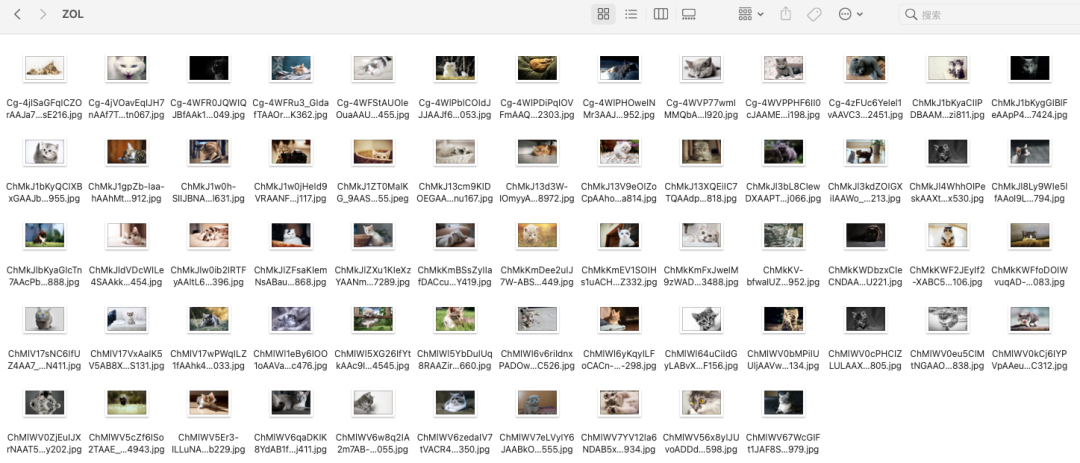
共爬取 81 張貓咪圖片!
3、爬取百度圖片網(wǎng)站
爬取百度網(wǎng)站:百度貓咪圖片
1、爬取圖片代碼:
import?requests
import?os
from?lxml?import?etree
path?=?r"/Users/lpc/Downloads/baidu1/"
#?判斷目錄是否存在,存在則跳過,不存在則創(chuàng)建
if?os.path.exists(path):
????pass
else:
????os.mkdir(path)

page?=?input('請輸入要爬取多少頁:')
page?=?int(page)?+?1
header?=?{
????'User-Agent':?'Mozilla/5.0?(Macintosh;?Intel?Mac?OS?X?11_1_0)?AppleWebKit/537.36?(KHTML,?like?Gecko)?Chrome/87.0.4280.88?Safari/537.36'
}
n?=?0
pn?=?1
#?pn是從第幾張圖片獲取?百度圖片下滑時默認一次性顯示30張
for?m?in?range(1,?page):
????url?=?'https://image.baidu.com/search/acjson?'

????param?=?{
????????'tn':?'resultjson_com',
????????'logid':?'7680290037940858296',
????????'ipn':?'rj',
????????'ct':?'201326592',
????????'is':?'',
????????'fp':?'result',
????????'queryWord':?'貓咪',
????????'cl':?'2',
????????'lm':?'-1',
????????'ie':?'utf-8',
????????'oe':?'utf-8',
????????'adpicid':?'',
????????'st':?'-1',
????????'z':?'',
????????'ic':?'0',
????????'hd':?'1',
????????'latest':?'',
????????'copyright':?'',
????????'word':?'貓咪',
????????'s':?'',
????????'se':?'',
????????'tab':?'',
????????'width':?'',
????????'height':?'',
????????'face':?'0',
????????'istype':?'2',
????????'qc':?'',
????????'nc':?'1',
????????'fr':?'',
????????'expermode':?'',
????????'nojc':?'',
????????'acjsonfr':?'click',
????????'pn':?pn,??#?從第幾張圖片開始
????????'rn':?'30',
????????'gsm':?'3c',
????????'1635752428843=':?'',
????}
????page_text?=?requests.get(url=url,?headers=header,?params=param)
????page_text.encoding?=?'utf-8'
????page_text?=?page_text.json()
????print(page_text)
????#?先取出所有鏈接所在的字典,并將其存儲在一個列表當中
????info_list?=?page_text['data']
????#?由于利用此方式取出的字典最后一個為空,所以刪除列表中最后一個元素
????del?info_list[-1]
????#?定義一個存儲圖片地址的列表
????img_path_list?=?[]
????for?i?in?info_list:
????????img_path_list.append(i['thumbURL'])
????#?再將所有的圖片地址取出,進行下載
????#?n將作為圖片的名字
????for?img_path?in?img_path_list:
????????img_data?=?requests.get(url=img_path,?headers=header).content
????????img_path?=?path?+?str(n)?+?'.jpg'
????????with?open(img_path,?'wb')?as?fp:
????????????fp.write(img_data)
????????n?=?n?+?1

????pn?+=?29
2、爬取代碼
#?-*-?coding:utf-8?-*-
import?requests
import?re,?time,?datetime
import?os
import?random
import?urllib.parse
from?PIL?import?Image??#?導入一個模塊

imgDir?=?r"/Volumes/DBA/python/img/"
#?設置headers?為了防止反扒,設置多個headers
#?chrome,firefox,Edge
headers?=?[
????{
????????'User-Agent':?'Mozilla/5.0?(Windows?NT?10.0;?Win64;?x64)?AppleWebKit/537.36?(KHTML,?like?Gecko)?Chrome/84.0.4147.105?Safari/537.36',
????????'Accept-Language':?'zh-CN,zh;q=0.8,zh-TW;q=0.7,zh-HK;q=0.5,en-US;q=0.3,en;q=0.2',
????????'Connection':?'keep-alive'
????},
????{
????????"User-Agent":?'Mozilla/5.0?(Windows?NT?10.0;?Win64;?x64;?rv:79.0)?Gecko/20100101?Firefox/79.0',
????????'Accept-Language':?'zh-CN,zh;q=0.8,zh-TW;q=0.7,zh-HK;q=0.5,en-US;q=0.3,en;q=0.2',
????????'Connection':?'keep-alive'
????},
????{
????????"User-Agent":?'Mozilla/5.0?(Windows?NT?10.0;?Win64;?x64)?AppleWebKit/537.36?(KHTML,?like?Gecko)?Chrome/70.0.3538.102?Safari/537.36?Edge/18.19041',
????????'Accept-Language':?'zh-CN',
????????'Connection':?'keep-alive'
????}
]

picList?=?[]??#?存儲圖片的空?List

keyword?=?input("請輸入搜索的關鍵詞:")
kw?=?urllib.parse.quote(keyword)??#?轉(zhuǎn)碼


#?獲取?1000?張百度搜索出來的縮略圖?list
def?getPicList(kw,?n):
????global?picList
????weburl?=?r"https://image.baidu.com/search/acjson?tn=resultjson_com&logid=11601692320226504094&ipn=rj&ct=201326592&is=&fp=result&queryWord={kw}&cl=2&lm=-1&ie=utf-8&oe=utf-8&adpicid=&st=&z=&ic=&hd=&latest=©right=&word={kw}&s=&se=&tab=&width=&height=&face=&istype=&qc=&nc=1&fr=&expermode=&force=&cg=girl&pn={n}&rn=30&gsm=1e&1611751343367=".format(
????????kw=kw,?n=n?*?30)
????req?=?requests.get(url=weburl,?headers=random.choice(headers))
????req.encoding?=?req.apparent_encoding??#?防止中文亂碼
????webJSON?=?req.text
????imgurlReg?=?'"thumbURL":"(.*?)"'??#?正則
????picList?=?picList?+?re.findall(imgurlReg,?webJSON,?re.DOTALL?|?re.I)


for?i?in?range(150):??#?循環(huán)數(shù)比較大,如果實際上沒有這么多圖,那么 picList 數(shù)據(jù)不會增加。
????getPicList(kw,?i)

for?item?in?picList:
????#?后綴名?和名字
????itemList?=?item.split(".")
????hz?=?".jpg"
????picName?=?str(int(time.time()?*?1000))??#?毫秒級時間戳
????#?請求圖片
????imgReq?=?requests.get(url=item,?headers=random.choice(headers))
????#?保存圖片
????with?open(imgDir?+?picName?+?hz,?"wb")?as?f:
????????f.write(imgReq.content)
????#??用?Image?模塊打開圖片
????im?=?Image.open(imgDir?+?picName?+?hz)
????bili?=?im.width?/?im.height??#?獲取寬高比例,根據(jù)寬高比例調(diào)整圖片大小
????newIm?=?None
????#?調(diào)整圖片的大小,最小的一邊設置為?50
????if?bili?>=?1:
????????newIm?=?im.resize((round(bili?*?50),?50))
????else:
????????newIm?=?im.resize((50,?round(50?*?im.height?/?im.width)))
????#?截取圖片中?50*50?的部分
????clip?=?newIm.crop((0,?0,?50,?50))??#?截取圖片,crop?裁切
????clip.convert("RGB").save(imgDir?+?picName?+?hz)??#?保存截取的圖片
????print(picName?+?hz?+?"?處理完畢")
爬取成功:
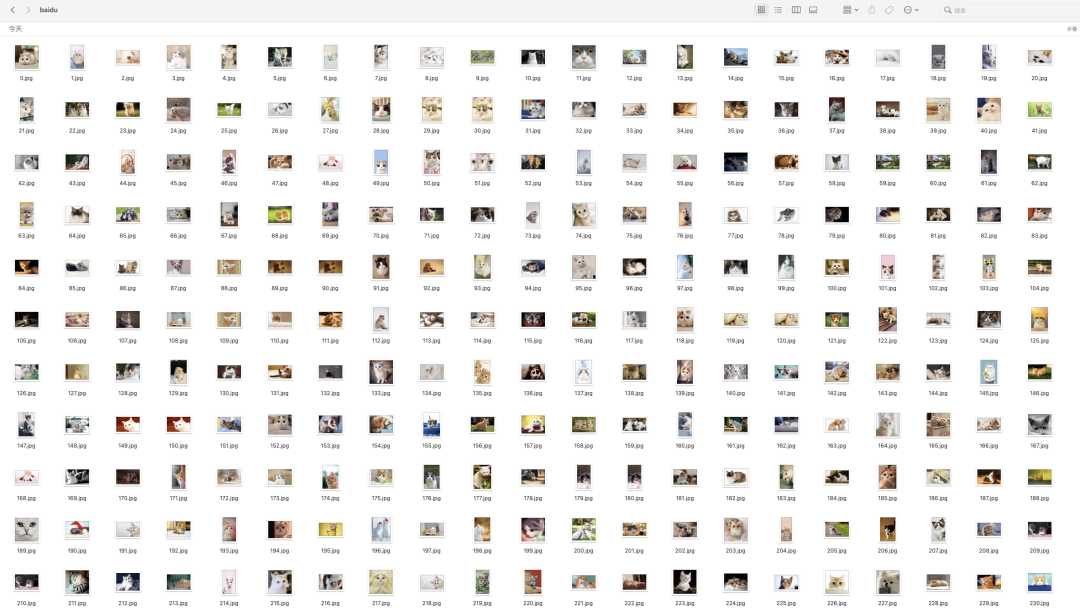
總結(jié): 三個網(wǎng)站共爬取 1600 張貓咪圖片!
千圖成像
爬取千張圖片之后,接下來就需要使用圖片拼接成一張貓咪圖片,即千圖成像。
1、Foto-Mosaik-Edda 軟件實現(xiàn)
首先下載軟件:Foto-Mosaik-Edda Installer,如果無法下載,直接百度搜索 foto-mosaik-edda!
Windows 安裝 Foto-Mosaik-Edda 過程比較簡單!
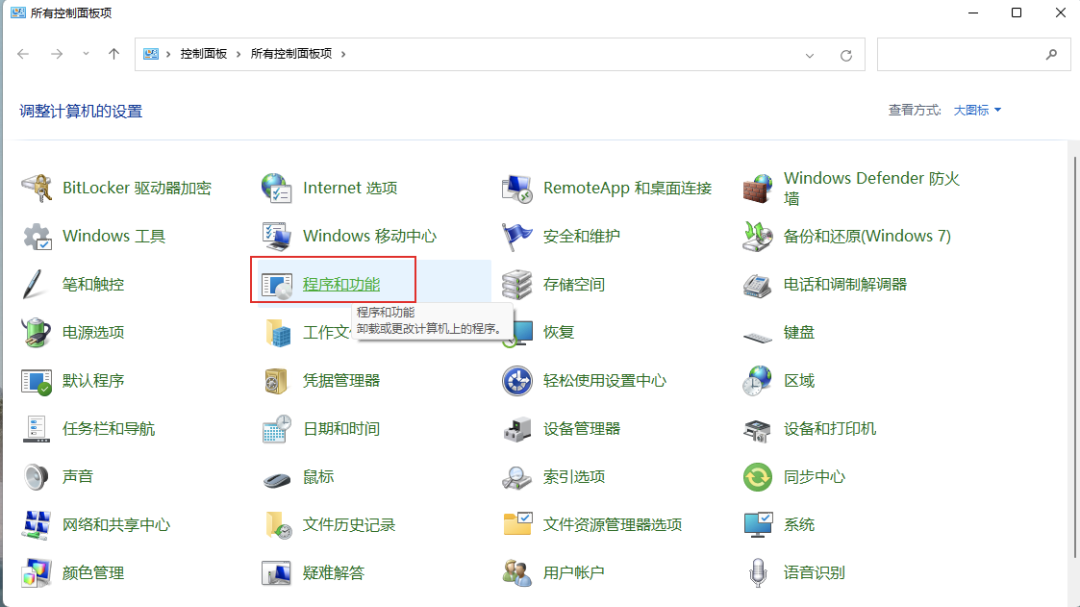
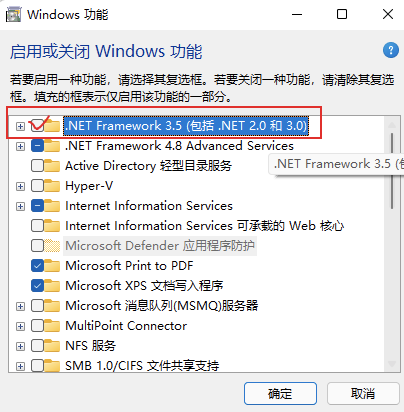
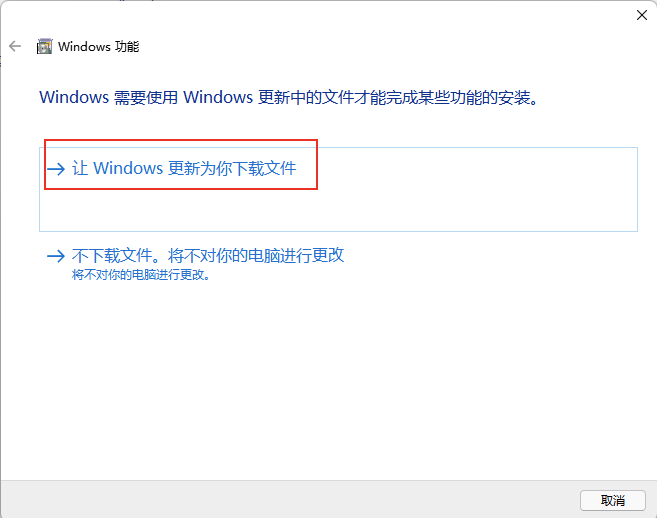
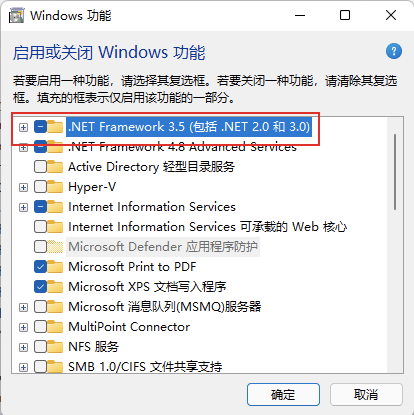
?? 注意: 但是需要提前安裝 .NET Framework 2,否則報錯如下無法成功安裝!
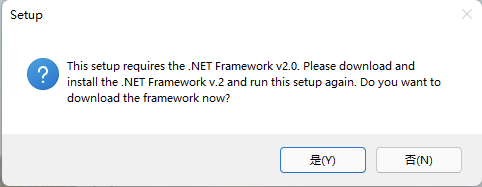
啟用 .NET Framework 2 的方式:

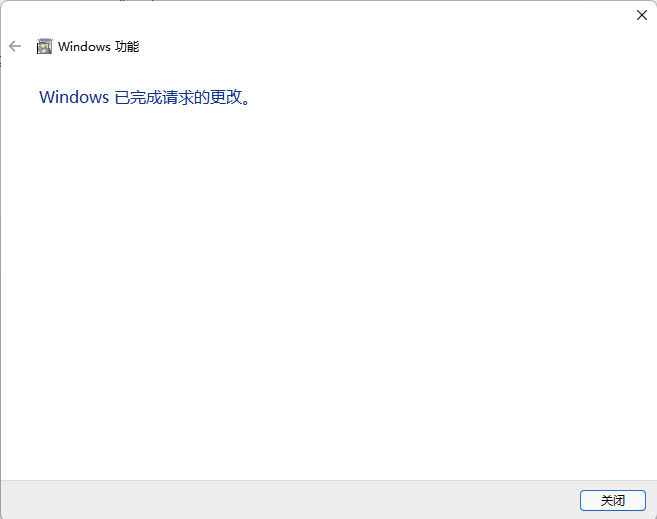
確認已經(jīng)成功啟用:
接下來就可以繼續(xù)安裝!
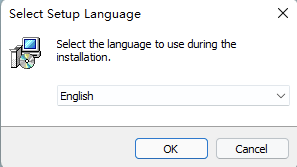
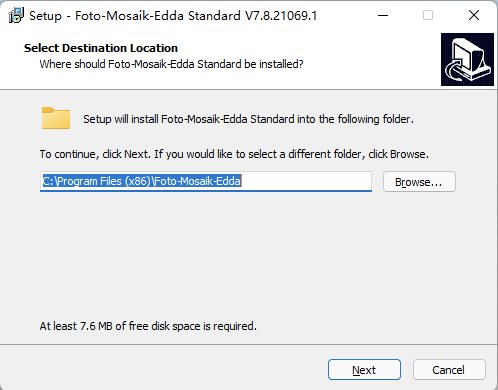
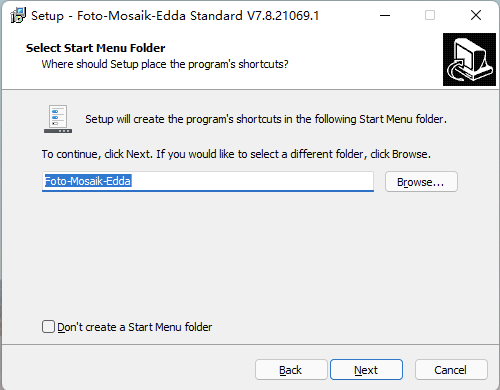
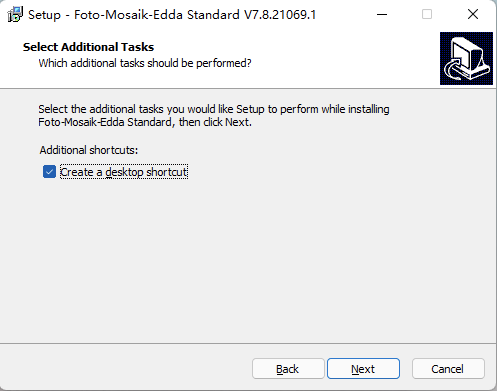
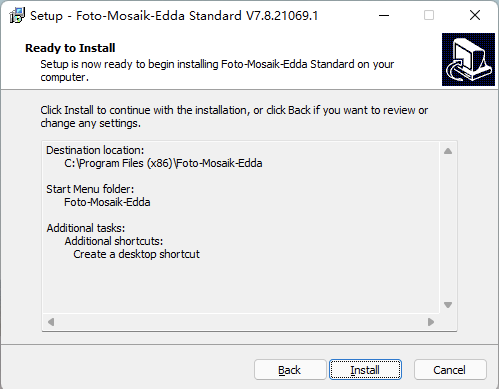
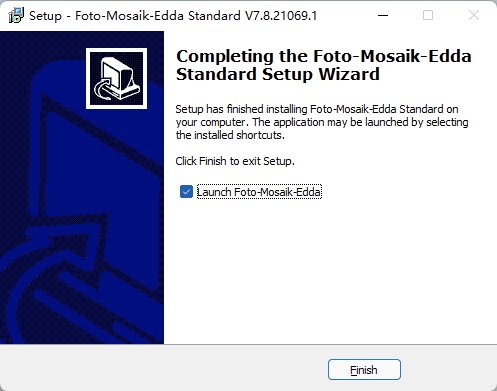
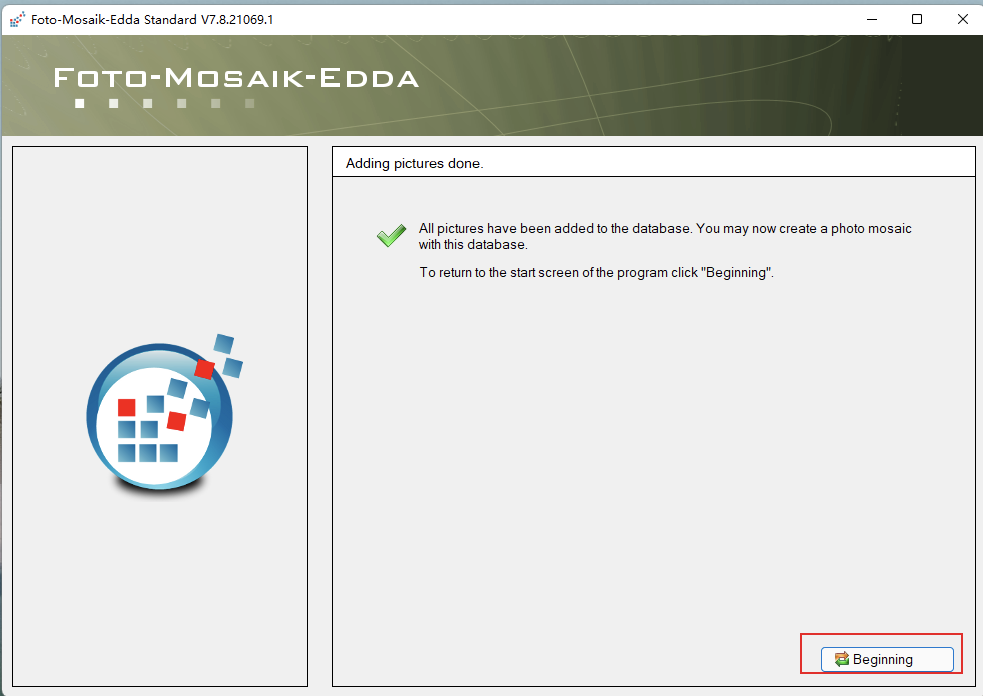
安裝完成后,打開如下:
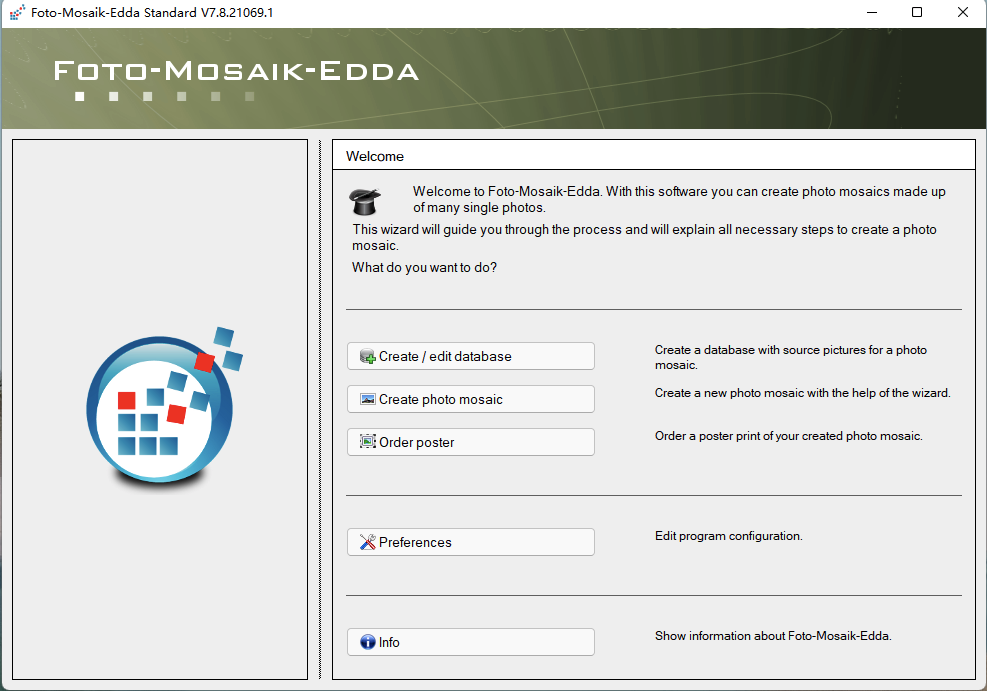
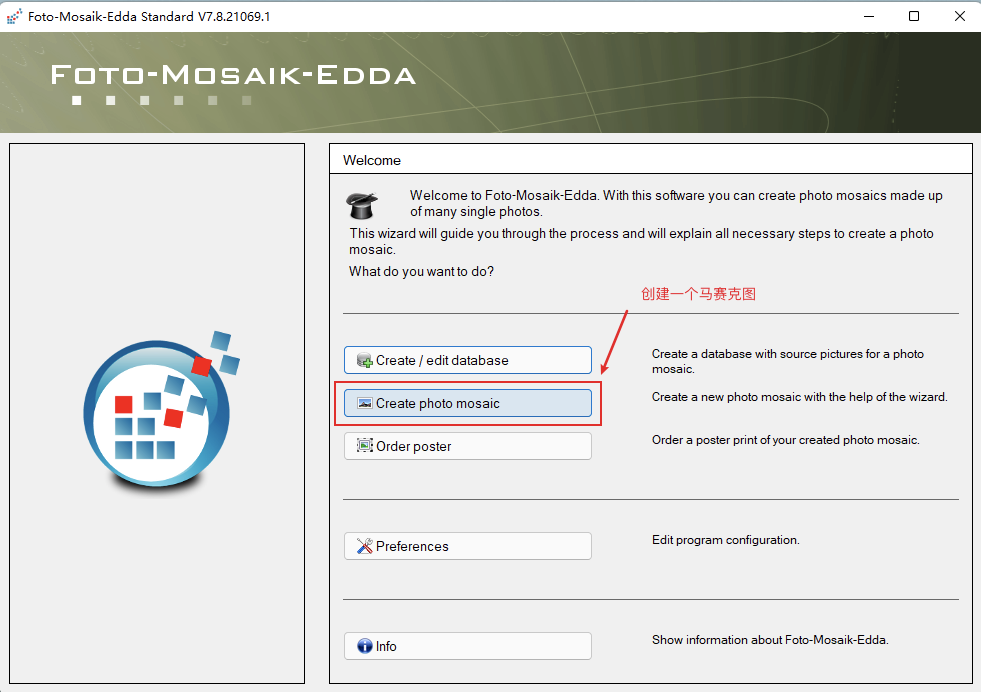
第一步,創(chuàng)建一個圖庫:
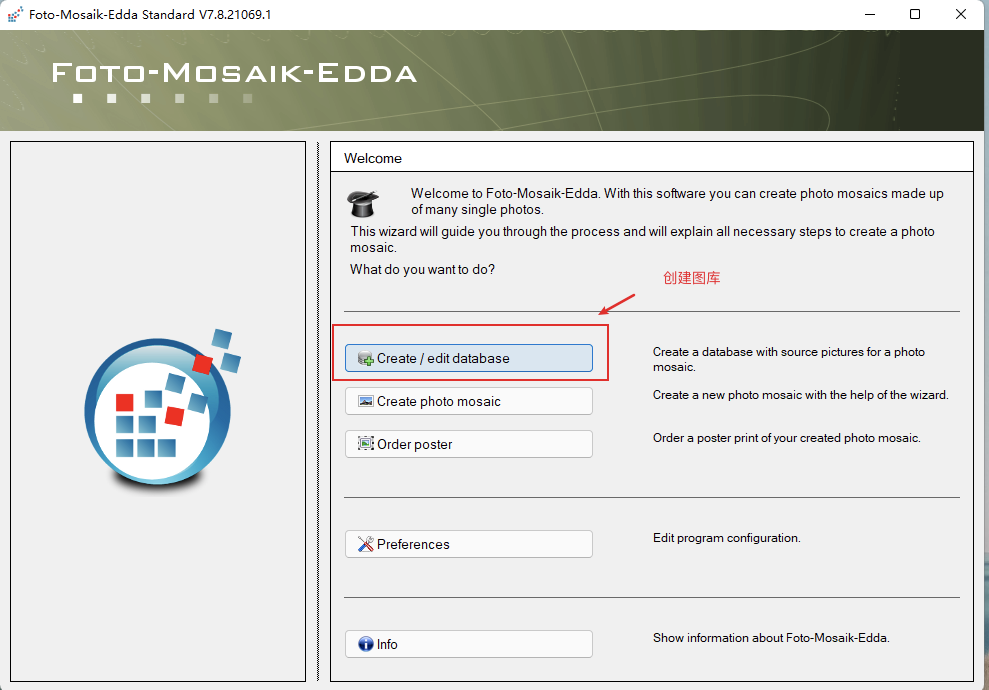
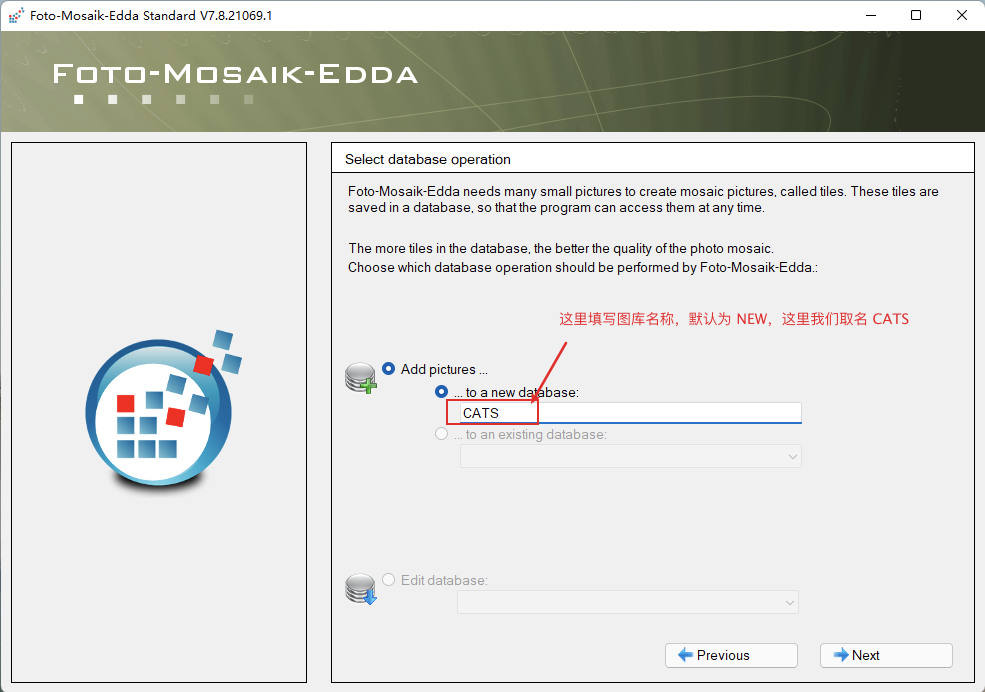
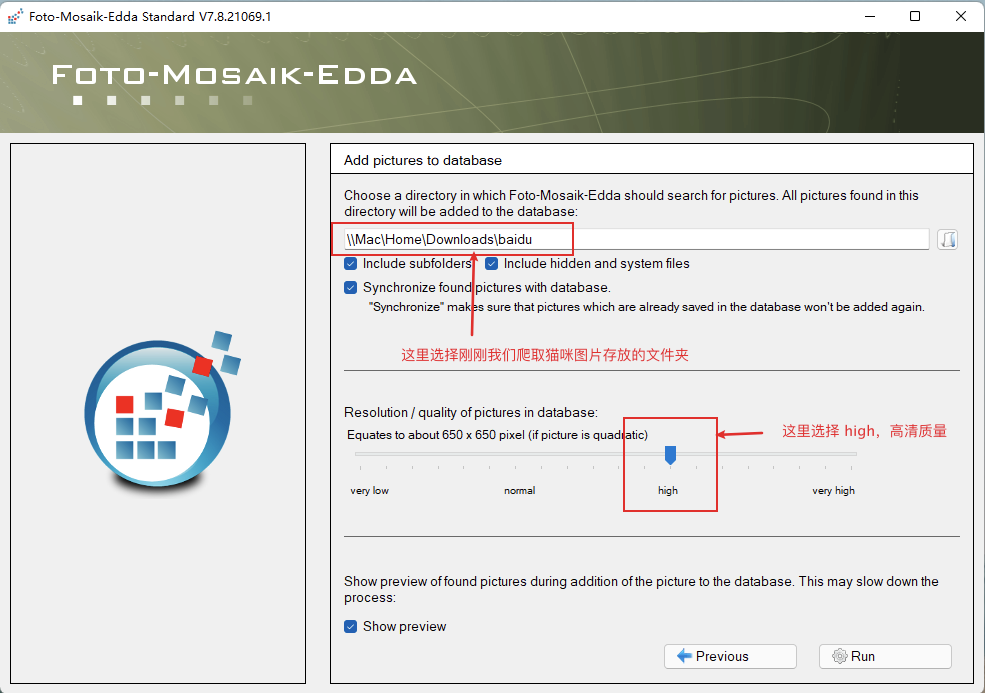
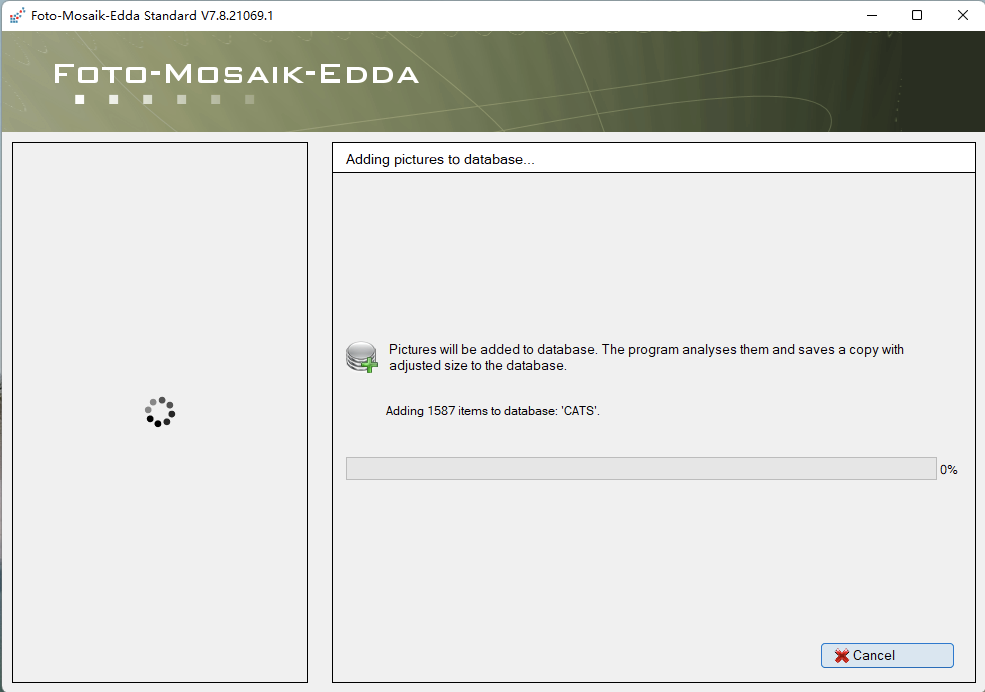
第二步,千圖成像:
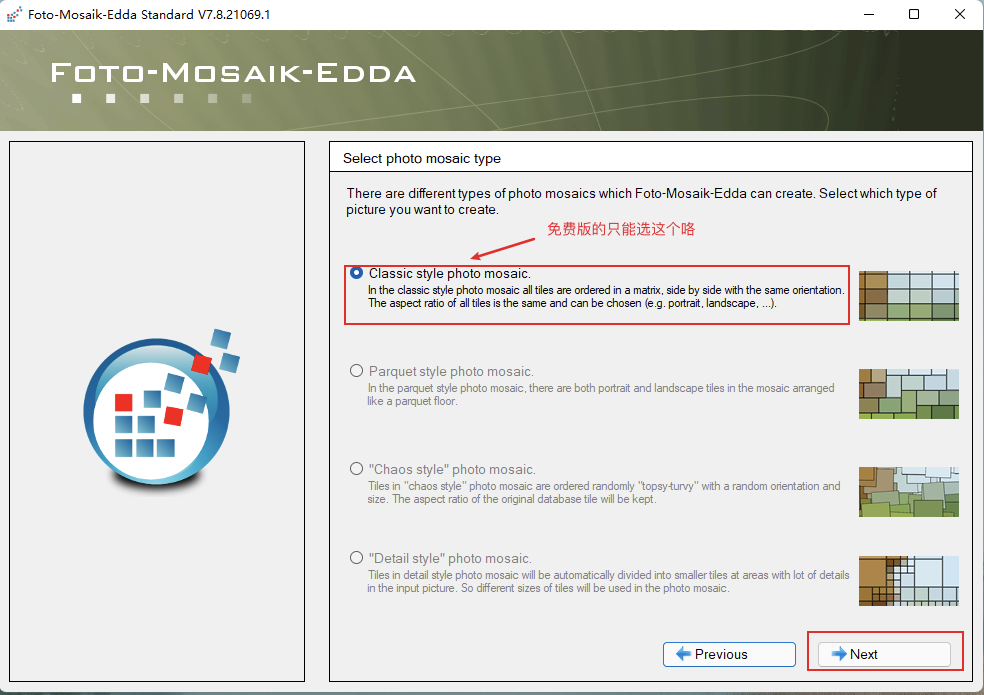
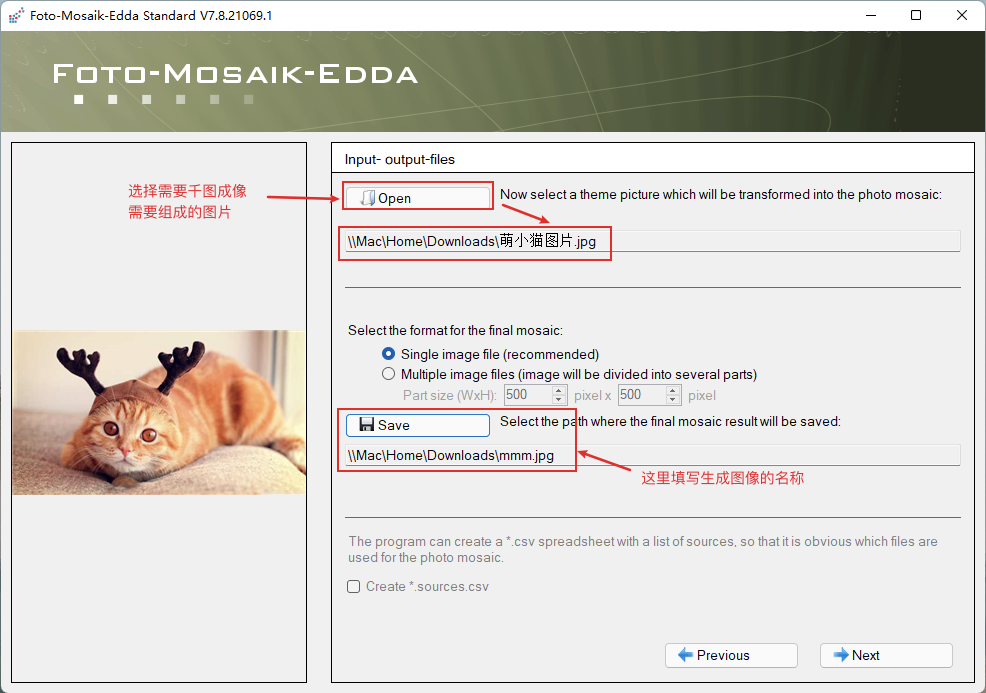
這里勾選第一步創(chuàng)建好的圖庫:
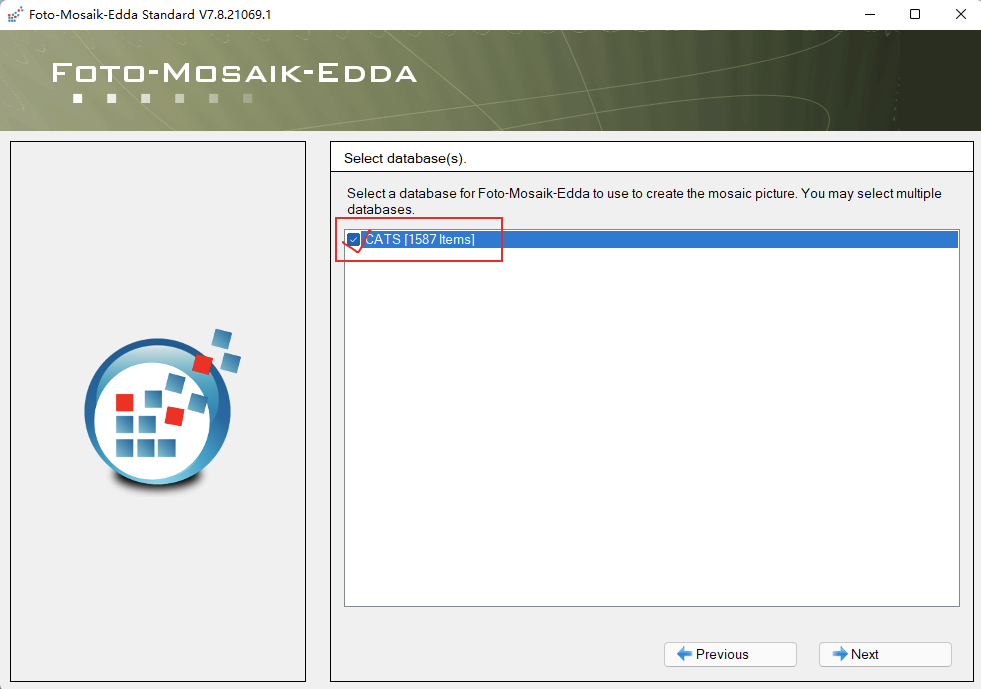
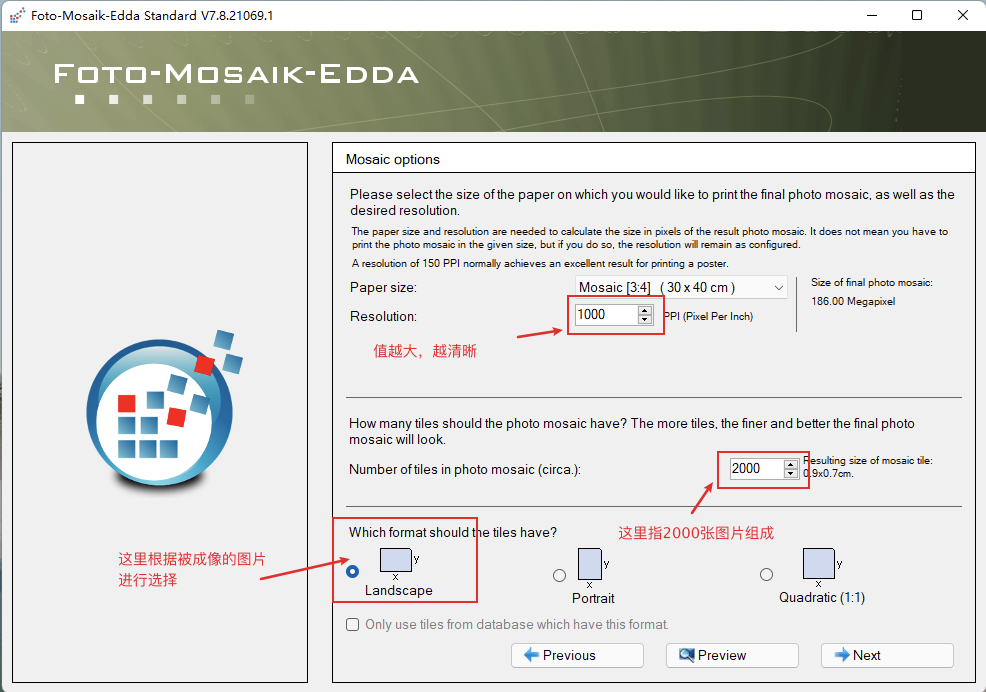
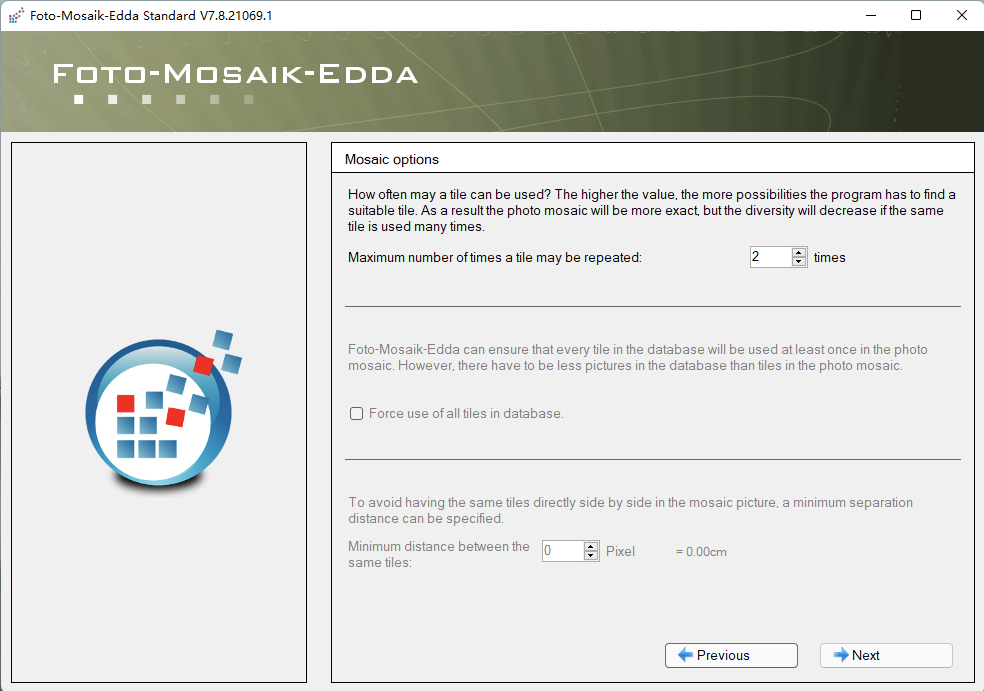
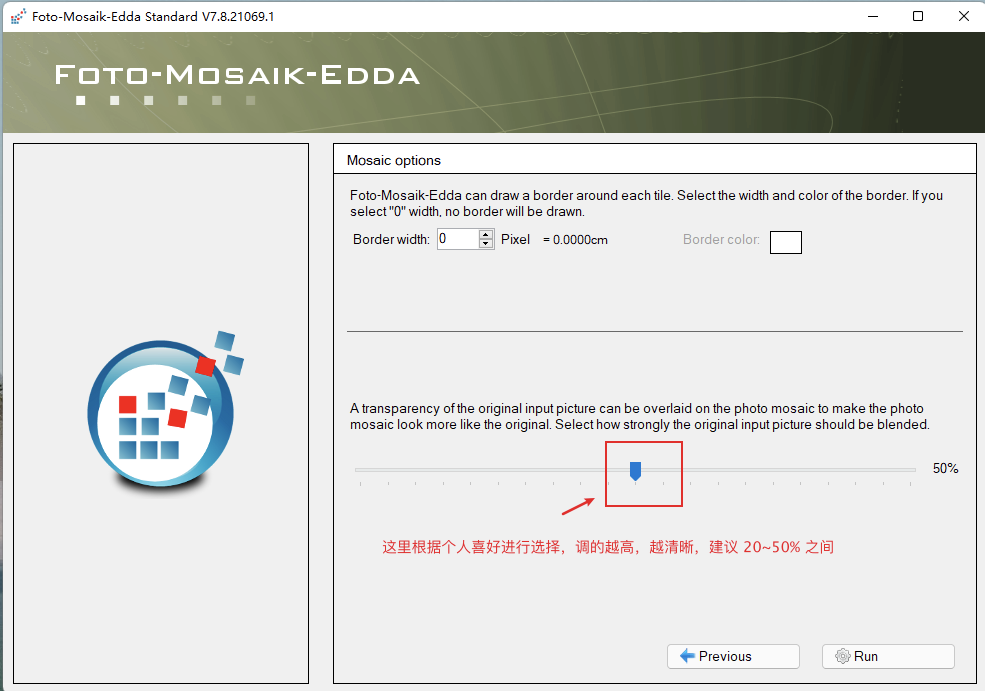
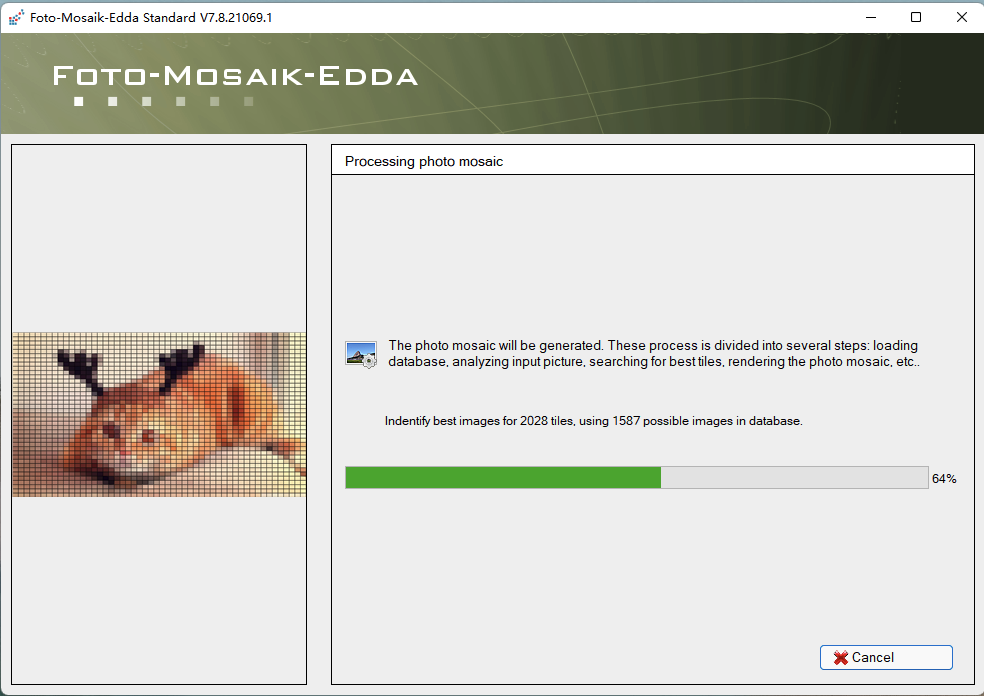
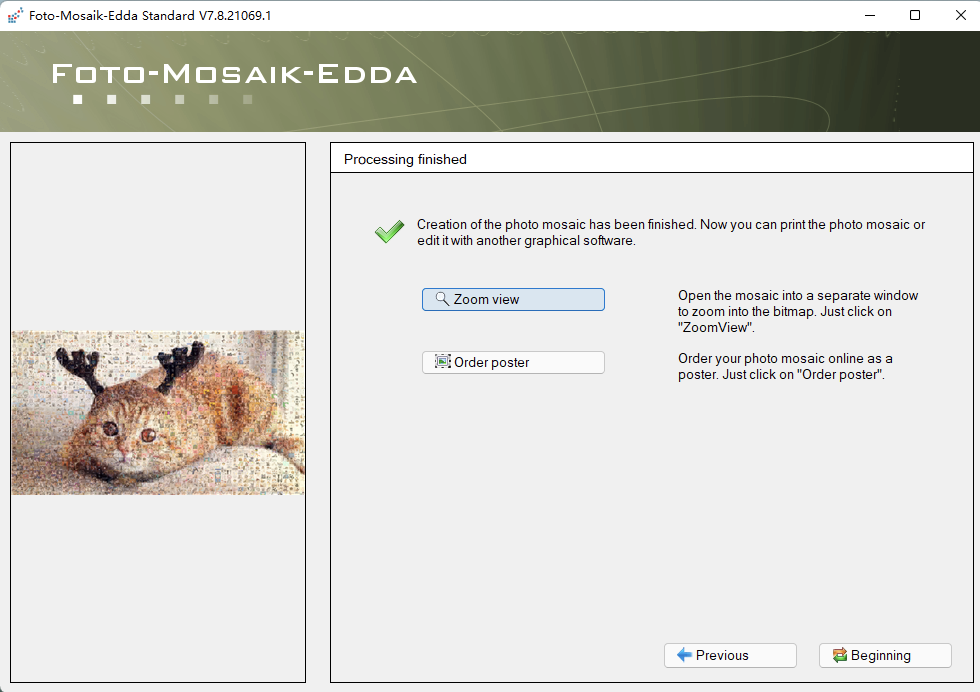
見證奇跡的時刻:
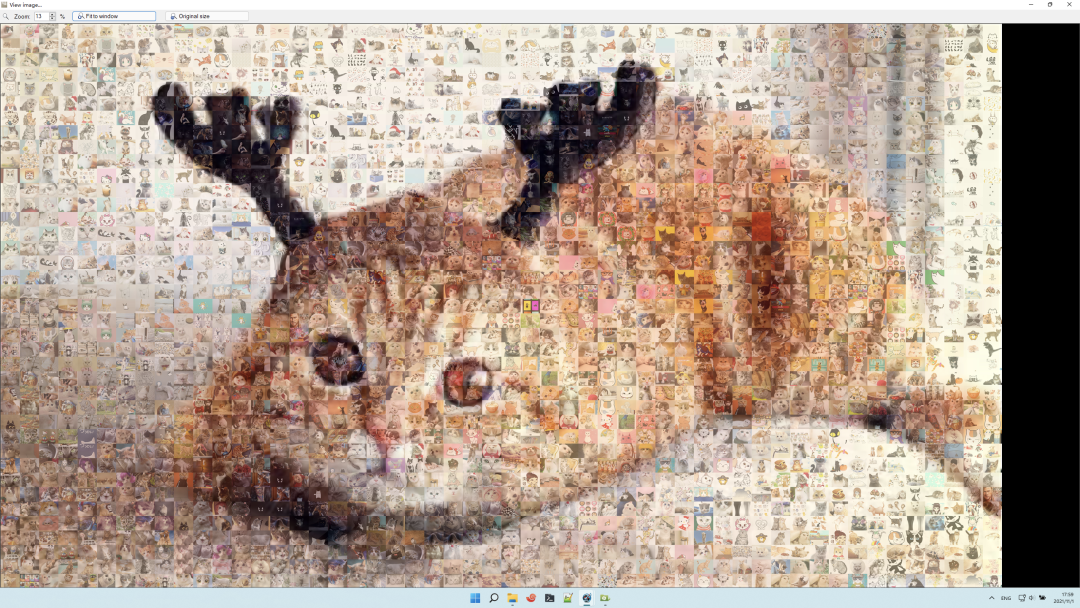
大功告成!
2、使用 Python 實現(xiàn)
首先,選取一張圖片:

#?-*-?coding:utf-8?-*-
from?PIL?import?Image
import?os
import?numpy?as?np

imgDir?=?r"/Volumes/DBA/python/img/"
bgImg?=?r"/Users/lpc/Downloads/494.jpg"


#?獲取圖像的平均顏色值
def?compute_mean(imgPath):
????'''
????獲取圖像平均顏色值
????:param?imgPath:?縮略圖路徑
????:return:?(r,g,b)整個縮略圖的rgb平均值
????'''
????im?=?Image.open(imgPath)
????im?=?im.convert("RGB")??#?轉(zhuǎn)為?rgb模式
????#?把圖像數(shù)據(jù)轉(zhuǎn)為數(shù)據(jù)序列。以行為單位,每行存儲每個像素點的色彩
????'''如:
?????[[?60??33??24]?
??????[?58??34??24]
??????...
??????[188?152?136]?
??????[?99??96?113]]

?????[[?60??33??24]?
??????[?58??34??24]
??????...
??????[188?152?136]?
??????[?99??96?113]]
????'''
????imArray?=?np.array(im)
????# mean()函數(shù)功能:求指定數(shù)據(jù)的取均值
????R?=?np.mean(imArray[:,?:,?0])??#?獲取所有?R?值的平均值
????G?=?np.mean(imArray[:,?:,?1])
????B?=?np.mean(imArray[:,?:,?2])
????return?(R,?G,?B)


def?getImgList():
????"""
????獲取縮略圖的路徑及平均色彩
????:return: list,存儲了圖片路徑、平均色彩值。
????"""
????imgList?=?[]
????for?pic?in?os.listdir(imgDir):
????????imgPath?=?imgDir?+?pic
????????imgRGB?=?compute_mean(imgPath)
????????imgList.append({
????????????"imgPath":?imgPath,
????????????"imgRGB":?imgRGB
????????})
????return?imgList


def?computeDis(color1,?color2):
????'''
????計算兩張圖的顏色差,計算機的是色彩空間距離。
????dis?=?(R**2?+?G**2?+?B**2)**0.5
????參數(shù):color1,color2 是色彩數(shù)據(jù)?(r,g,b)
????'''
????dis?=?0
????for?i?in?range(len(color1)):
????????dis?+=?(color1[i]?-?color2[i])?**?2
????dis?=?dis?**?0.5
????return?dis


def?create_image(bgImg,?imgDir,?N=2,?M=50):
????'''
????根據(jù)背景圖,用頭像填充出新圖
??? bgImg:背景圖地址
??? imgDir:頭像目錄
??? N:背景圖縮放的倍率
??? M:頭像的大小(MxM)
????'''
????#?獲取圖片列表
????imgList?=?getImgList()

????#?讀取圖片
????bg?=?Image.open(bgImg)
????# bg = bg.resize((bg.size[0]?// N, bg.size[1]?// N))??#?縮放。建議縮放下原圖,圖片太大運算時間很長。
????bgArray?=?np.array(bg)
????width?=?bg.size[0]?*?M??#?新生成圖片的寬度。每個像素倍放大 M 倍
????height?=?bg.size[1]?*?M??#?新生成圖片的高度

????#?創(chuàng)建空白的新圖
????newImg?=?Image.new('RGB',?(width,?height))

????#?循環(huán)填充圖
????for?x?in?range(bgArray.shape[0]):??#?x,行數(shù)據(jù),可以用原圖寬替代
????????for?y?in?range(bgArray.shape[1]):??#?y,列數(shù)據(jù),,可以用原圖高替代
????????????#?找到距離最小的圖片
????????????minDis?=?10000
????????????index?=?0
????????????for?img?in?imgList:
????????????????dis?=?computeDis(img['imgRGB'],?bgArray[x][y])
????????????????if?dis?????????????????????index?=?img['imgPath']
????????????????????minDis?=?dis
????????????#?循環(huán)完畢,index?就是存儲了色彩最相近的圖片路徑
????????????#?????????minDis?存儲了色彩差值
????????????#?填充
????????????tempImg?=?Image.open(index)??#?打開色差距離最小的圖片
????????????#?調(diào)整圖片大小,此處可以不調(diào)整,因為我在下載圖的時候就已經(jīng)調(diào)整好了
????????????tempImg?=?tempImg.resize((M,?M))
????????????#?把小圖粘貼到新圖上。注意 x,y ,行列不要搞混了。相距 M 粘貼一張。
????????????newImg.paste(tempImg,?(y?*?M,?x?*?M))
????????????print('(%d,?%d)'?%?(x,?y))??#?打印進度。格式化輸出 x,y

????#?保存圖片
????newImg.save('final.jpg')??#?最后保存圖片


create_image(bgImg,?imgDir)
運行結(jié)果:
從上圖可以發(fā)現(xiàn),圖片的清晰度堪比原圖,放大之后小圖依然清晰可見!
?? 注意: 使用 Python 運行會比較慢!

真好,又可以愉快地吸貓了~
--END--
如何找到我:
近期優(yōu)質(zhì)文章:
學習更多: 整理了我開始分享學習筆記到現(xiàn)在超過250篇優(yōu)質(zhì)文章,涵蓋數(shù)據(jù)分析、爬蟲、機器學習等方面,別再說不知道該從哪開始,實戰(zhàn)哪里找了 “點贊”就是對博主最大的支持?