
Redis7系列教程入門-認(rèn)識(shí)Redis
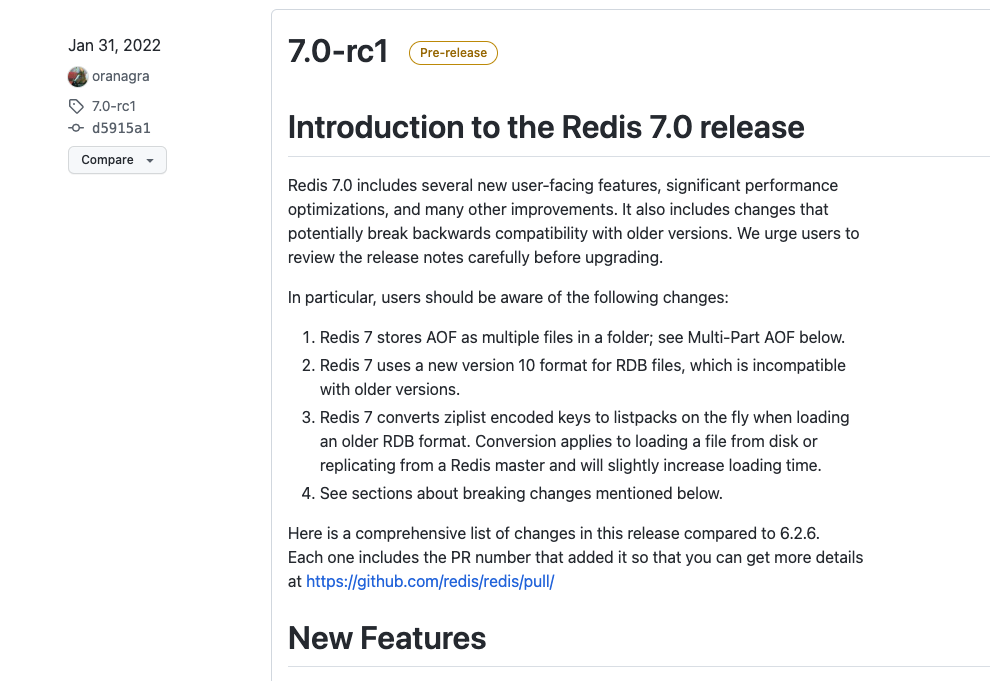
Redis7.0-rc1,至今已經(jīng)發(fā)布到 7.0.5 版本。很多的開發(fā)者,還對(duì)Redis認(rèn)識(shí)停留在5.x的版本或者6.x的版本,對(duì)Redis7.0還缺乏較少的認(rèn)識(shí)。本系列教程,將帶領(lǐng)大家完整的學(xué)習(xí)Redis7.0相關(guān)的知識(shí)點(diǎn)。從環(huán)境的搭建、10大數(shù)據(jù)類型、事務(wù)、發(fā)布訂閱、主從復(fù)制、哨兵、集群等等知識(shí)。本教程最大的特點(diǎn)是,不會(huì)單純的總結(jié)一些枯燥乏味的理論知識(shí),而是理論知識(shí)+基礎(chǔ)時(shí)間+場(chǎng)景面試題分析,同時(shí)也會(huì)分享一些Redis相關(guān)技術(shù)棧等等內(nèi)容。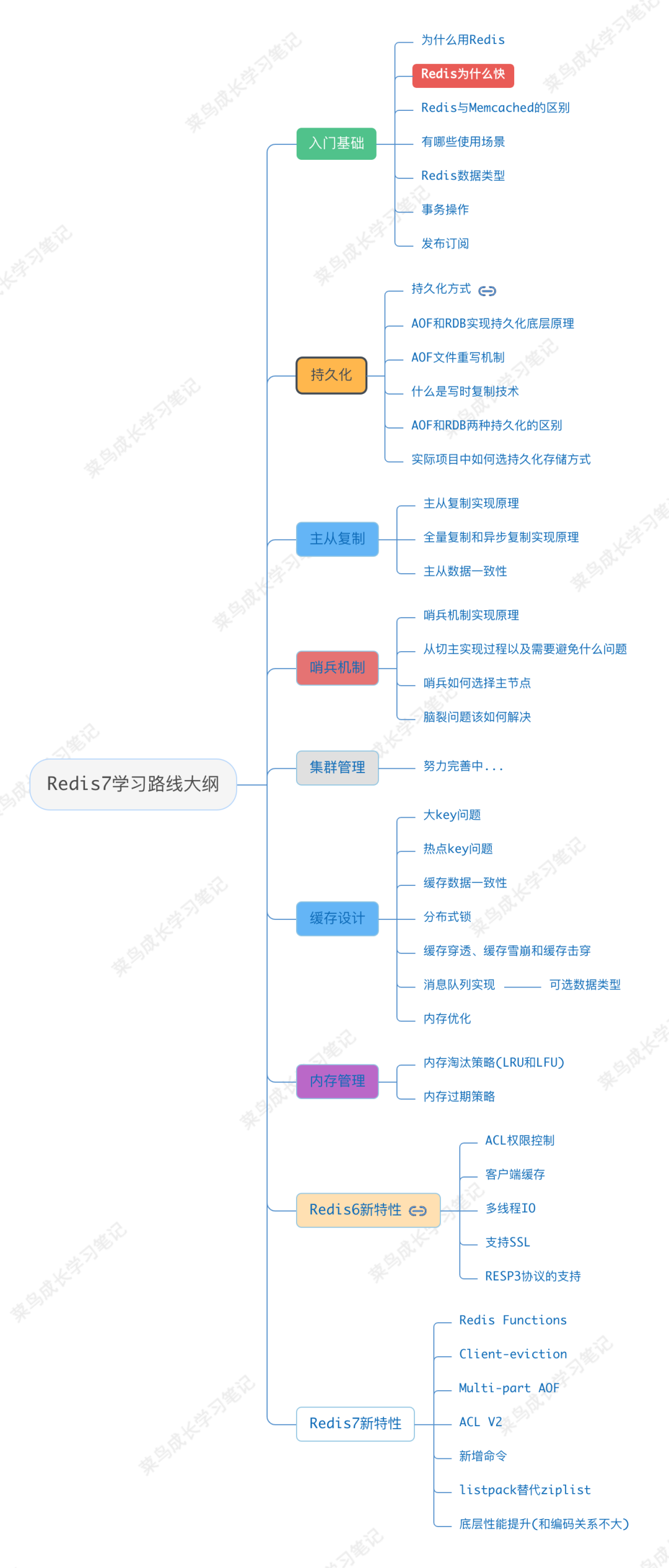
Redis是什么
基于內(nèi)存,采用 key => vlaue 方式存儲(chǔ)的高性能內(nèi)存型nosql數(shù)據(jù)庫。Redis 提供數(shù)據(jù)結(jié)構(gòu),例如字符串、哈希、列表、集、帶有范圍查詢的排序集、位圖、超日志日志、地理空間索引和流。Redis 具有內(nèi)置復(fù)制、Lua 腳本、LRU 逐出、事務(wù)和不同級(jí)別的磁盤持久性,并通過 Redis Sentinel 和 Redis 集群的自動(dòng)分區(qū)提供高可用性。
REmote DIctionary Server。其默認(rèn)的服務(wù)端口是 6379。關(guān)于Redis的端口號(hào)選擇 6379,有這么一種說法。6379在是手機(jī)按鍵上MERZ對(duì)應(yīng)的號(hào)碼,而MERZ取自意大利歌女Alessia Merz的名字。Alessia Merz 是一位意大利舞女、女演員。Redis 作者 Antirez(意大利人) 早年看電視節(jié)目,覺得 Merz 在節(jié)目中的一些話愚蠢可笑,Antirez 喜歡造“梗”用于平時(shí)和朋友們交流,于是造了一個(gè)詞 "MERZ",形容愚蠢,與 "stupid" 含義相同。后來 Antirez 重新定義了 "MERZ" ,形容”具有很高的技術(shù)價(jià)值,包含技藝、耐心和勞動(dòng),但仍然保持簡(jiǎn)單本質(zhì)“。到了給 Redis 選擇一個(gè)數(shù)字作為默認(rèn)端口號(hào)時(shí),Antirez 沒有多想,把 "MERZ" 在手機(jī)鍵盤上對(duì)應(yīng)的數(shù)字 6379 拿來用了。
Redis使用場(chǎng)景
bitmap 數(shù)據(jù)類型,將用戶簽到存儲(chǔ)在Redis中,然后通過異步線程將數(shù)據(jù)存儲(chǔ)到MySQL中。既節(jié)約了內(nèi)存,也提供了系統(tǒng)的讀寫能力。list 數(shù)據(jù)類型,技能用來做消息隊(duì)列,也能用來做棧等場(chǎng)景。在 Redis5.0 開始,也提供了一種 stream 數(shù)據(jù)類型,提高了消息隊(duì)列的可靠性。GEO 的數(shù)據(jù)類型來進(jìn)行位運(yùn)算。可以根據(jù)用戶當(dāng)前的經(jīng)緯度,來計(jì)算附近的酒店、商場(chǎng)等場(chǎng)所的搜索與推薦功能。setnx key value + expire time 操作,為了實(shí)現(xiàn)原子性操作,也可以直接使用 lua 實(shí)現(xiàn)。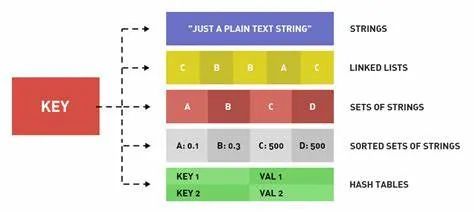
Redis有什么優(yōu)勢(shì)
環(huán)境安裝
brew 包管理工具,在Linux上有 yum 或者 ap-get 這樣的包管理工具。由于這種方式非常的簡(jiǎn)單,下面就單獨(dú)演示源碼編譯安裝。// 下載
cd ~ && wget https://github.com/redis/redis/archive/7.0.0.tar.gz
// 解壓
tar -zxvf 7.0.0.tar.gz
[root@VM-16-3-centos redis-7.0.0]# ll
總用量 252
-rw-rw-r--  1 root root  27744 4月  27 2022 00-RELEASENOTES
-rw-rw-r--  1 root root     51 4月  27 2022 BUGS
-rw-rw-r--  1 root root   5026 4月  27 2022 CONDUCT
-rw-rw-r--  1 root root   2634 4月  27 2022 CONTRIBUTING
-rw-rw-r--  1 root root   1487 4月  27 2022 COPYING
drwxrwxr-x  7 root root   4096 4月  27 2022 deps
-rw-rw-r--  1 root root     11 4月  27 2022 INSTALL
-rw-rw-r--  1 root root    151 4月  27 2022 Makefile # 編譯文件
-rw-rw-r--  1 root root   6888 4月  27 2022 MANIFESTO
-rw-rw-r--  1 root root  22435 4月  27 2022 README.md
-rw-rw-r--  1 root root 106547 4月  27 2022 redis.conf # 默認(rèn)配置文件
-rwxrwxr-x  1 root root    279 4月  27 2022 runtest
-rwxrwxr-x  1 root root    283 4月  27 2022 runtest-cluster # 集群工具
-rwxrwxr-x  1 root root   1578 4月  27 2022 runtest-moduleapi
-rwxrwxr-x  1 root root    285 4月  27 2022 runtest-sentinel
-rw-rw-r--  1 root root   1695 4月  27 2022 SECURITY.md
-rw-rw-r--  1 root root  13924 4月  27 2022 sentinel.conf # 哨兵默認(rèn)配置文件
drwxrwxr-x  4 root root   4096 4月  27 2022 src #源碼文件
drwxrwxr-x 11 root root   4096 4月  27 2022 tests
-rw-rw-r--  1 root root   3055 4月  27 2022 TLS.md
drwxrwxr-x  8 root root   4096 4月  27 2022 utils
接下來,在源碼路徑下執(zhí)行安裝操作。
make && make install
在經(jīng)過幾分鐘的等待,出現(xiàn)如下的界面,就表示Redis已經(jīng)被成功的安裝。
Hint: It's a good idea to run 'make test' ;)

INSTALL redis-server
INSTALL redis-benchmark
INSTALL redis-cli
/usr/local/bin 目錄下面。[root@VM-16-3-centos bin]# cd /usr/local/bin
[root@VM-16-3-centos bin]# ll
總用量 27896
-rwxr-xr-x 1 root root 383 12月 10 2019 chardetect
-rwxr-xr-x 1 root root 389 12月 10 2019 cloud-init
-rwxr-xr-x 1 root root 1781 12月 10 2019 cloud-init-per
-rwxr-xr-x 1 root root 399 12月 10 2019 easy_install
-rwxr-xr-x 1 root root 407 12月 10 2019 easy_install-3.6
-rwxr-xr-x 1 root root 1005 12月 10 2019 jsondiff
-rwxr-xr-x 1 root root 3663 12月 10 2019 jsonpatch
-rwxr-xr-x 1 root root 1839 12月 10 2019 jsonpointer
-rwxr-xr-x 1 root root 392 12月 10 2019 jsonschema
-rwxr-xr-x 1 root root 6976488 2月 26 15:48 redis-benchmark
lrwxrwxrwx 1 root root 12 2月 26 15:48 redis-check-aof -> redis-server
lrwxrwxrwx 1 root root 12 2月 26 15:48 redis-check-rdb -> redis-server
-rwxr-xr-x 1 root root 7234616 2月 26 15:48 redis-cli
lrwxrwxrwx 1 root root 12 2月 26 15:48 redis-sentinel -> redis-server
-rwxr-xr-x 1 root root 14307984 2月 26 15:48 redis-server
[root@VM-16-3-centos bin]# redis-server -v
Redis server v=7.0.0 sha=00000000:0 malloc=jemalloc-5.2.1 bits=64 build=34dee89a8e7e24d2
啟動(dòng)服務(wù)
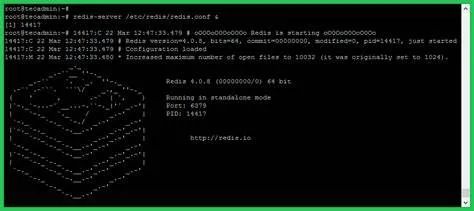
redis-server 時(shí)會(huì)使用默認(rèn)的配置文件。redis-server 命令即可,看到如下的界面表示Redis服務(wù)已經(jīng)正常啟動(dòng)。但這樣也存在一個(gè)問題,Redis服務(wù)時(shí)處于前臺(tái)運(yùn)行的,當(dāng)我們將該shell窗口關(guān)閉后,服務(wù)就會(huì)被停止。因此推薦使用指定配置文件的方式。[root@VM-16-3-centos bin]# redis-server
_._
_.-``__ ''-._
_.-`` `. `_. ''-._ Redis 7.0.0 (00000000/0) 64 bit
.-`` .-```. ```\/ _.,_ ''-._
( ' , .-` | `, ) Running in standalone mode
|`-._`-...-` __...-.``-._|'` _.-'| Port: 6379
| `-._ `._ / _.-' | PID: 615368
`-._ `-._ `-./ _.-' _.-'
|`-._`-._ `-.__.-' _.-'_.-'|
| `-._`-._ _.-'_.-' | https://redis.io
`-._ `-._`-.__.-'_.-' _.-'
|`-._`-._ `-.__.-' _.-'_.-'|
| `-._`-._ _.-'_.-' |
`-._ `-._`-.__.-'_.-' _.-'
`-._ `-.__.-' _.-'
`-._ _.-'
`-.__.-'
615368:M 26 Feb 2023 16:02:04.530 * Ready to accept connections
redis.conf 文件。可以直接在該文件修改,也可以將文件復(fù)制到指定目錄,在對(duì)其修改。找到文件中的 daemonize 配置項(xiàng),將其值改為 yes。daemonize yes
redis-server ./redis.conf ,執(zhí)行完之后,可能界面沒有任何輸出信息。我們可以使用 redis-cli 命令進(jìn)行連接測(cè)試。[root@VM-16-3-centos redis-7.0.0]# redis-cli
127.0.0.1:6379> keys *
(empty array)
127.0.0.1:6379>
教程回顧
看完上面的內(nèi)容,做幾個(gè)簡(jiǎn)單的測(cè)試吧,以便回顧一下知識(shí)內(nèi)容。
1、 Redis是什么?
2、 項(xiàng)目當(dāng)中,使用MySQL作為數(shù)據(jù)庫存儲(chǔ),為什么還要使用Redis?
3、 Redis有哪些使用場(chǎng)景?
4、 Redis默認(rèn)的端口是什么?
5、 Redis相對(duì)memcached而言,有什么優(yōu)勢(shì)?
評(píng)論
圖片
表情