
萬字教程:Python Word 文檔自動化
來源:超級大洋蔥806
環(huán)境安裝

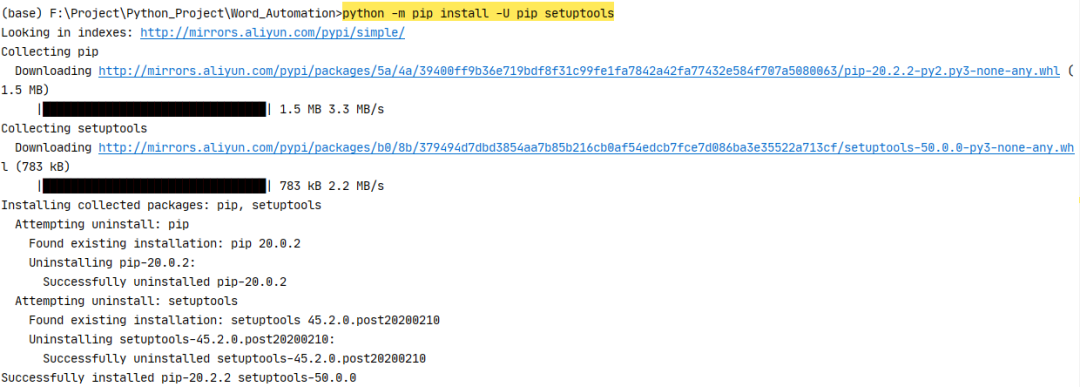
python?-m?pip?install?-U?pip?setuptools
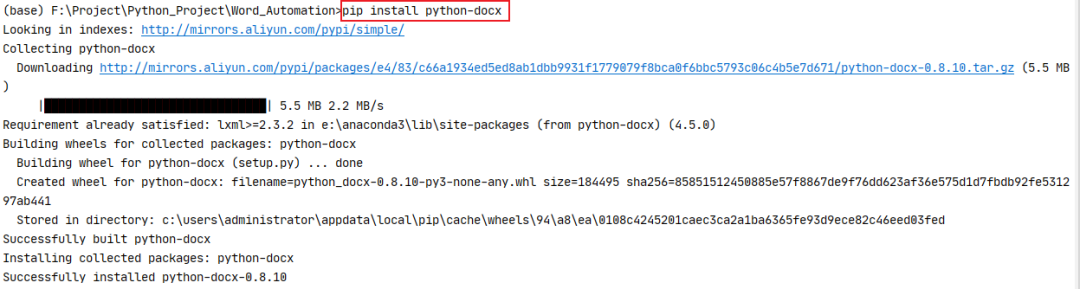
pip?install?python-docx
from?docx?import?Document
from?docx.shared?import?Inches
pip?install?pypiwin32

import?win32com
from?win32com.client?import?Dispatch,?constants
pip?install?docx-mailmerge

from?mailmerge?import?MailMerge
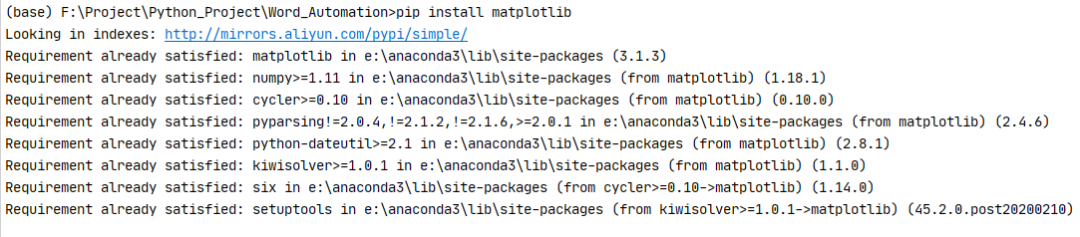
pip?install?matplotlib
import?matplotlib.pyplot?as?plt

Python-docx 新建文檔
from?docx?import?Document
document?=?Document()
document.save('new.docx')

from?docx?import?Document

def?GenerateNewWord(filename):
????document?=?Document()
????document.save(filename)

if?__name__?==?"__main__":
????print("大家好!我們今天開始學(xué)習(xí)word文檔自動化")
????print("我們先來直接生成一個名為‘new.docx’的文檔")
????document?=?Document()
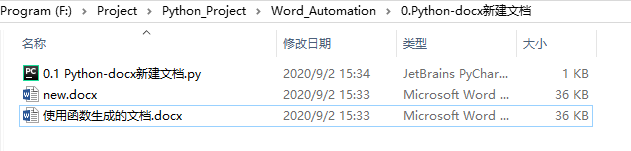
????document.save('new.docx')

????print("沒錯,里面什么都沒有")

????#?我是華麗的分隔符

????print("我們使用函數(shù)生成一個word文檔試試")
????newname?=?'使用函數(shù)生成的文檔.docx'
????GenerateNewWord(newname)
Python-docx 編輯已存在文檔
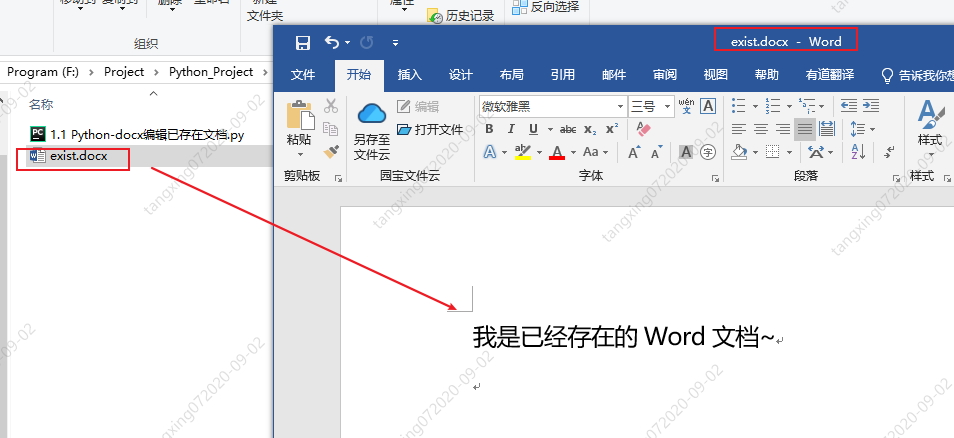
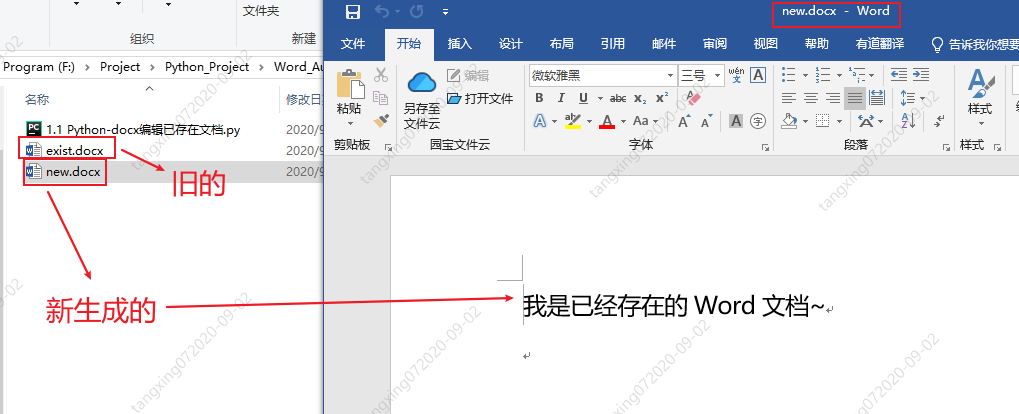
from?docx?import?Document
document?=?Document('exist.docx')
document.save('new.docx')
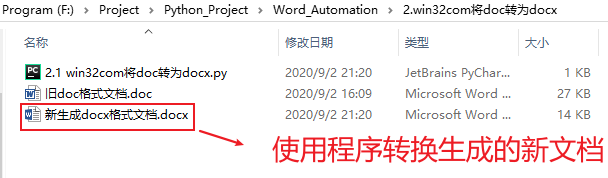
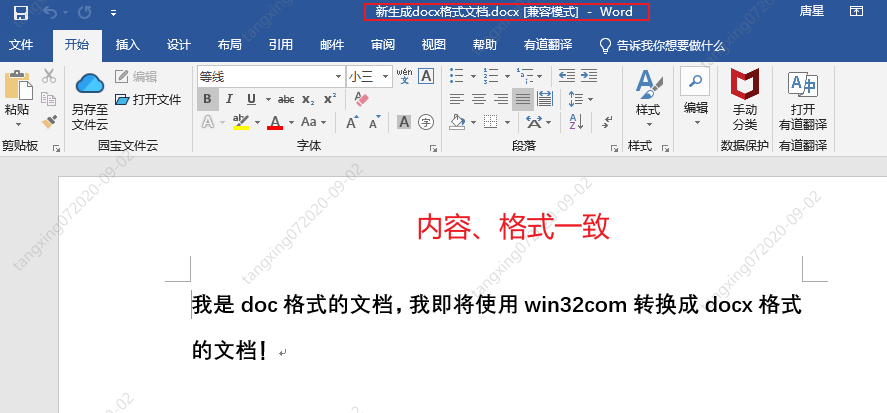
win32com 將 doc 轉(zhuǎn)為 docx
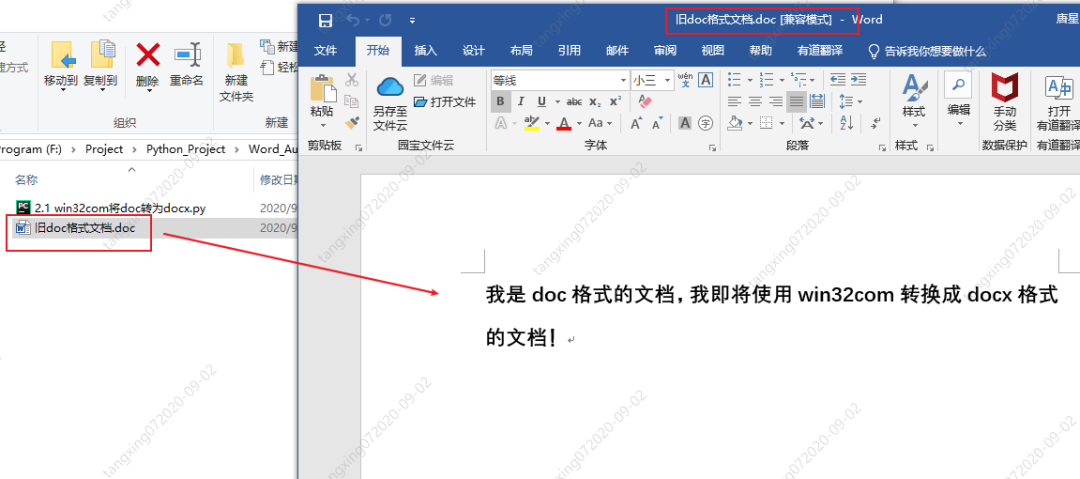
import?os
from?win32com?import?client?as?wc

def?TransDocToDocx(oldDocName,newDocxName):
????print("我是?TransDocToDocx?函數(shù)")
????#?打開word應(yīng)用程序
????word?=?wc.Dispatch('Word.Application')

????#?打開?舊word?文件
????doc?=?word.Documents.Open(oldDocName)

????#?保存為?新word?文件,其中參數(shù)?12?表示的是docx文件
????doc.SaveAs(newDocxName,?12)

????#?關(guān)閉word文檔
????doc.Close()
????word.Quit()

????print("生成完畢!")

if?__name__?==?"__main__":
????#?獲取當(dāng)前目錄完整路徑
????currentPath?=?os.getcwd()
????print("當(dāng)前路徑為:",currentPath)

????#?獲取?舊doc格式word文件絕對路徑名
????docName?=?os.path.join(currentPath,'舊doc格式文檔.doc')
????print("docFilePath?=?",?docName)

????#?設(shè)置新docx格式文檔文件名
????docxName?=?os.path.join(currentPath,'新生成docx格式文檔.docx')

????TransDocToDocx(docName,docxName)
win32com 操作 word
import?win32com
from?win32com.client?import?Dispatch,?constants
import?os

#?創(chuàng)建新的word文檔
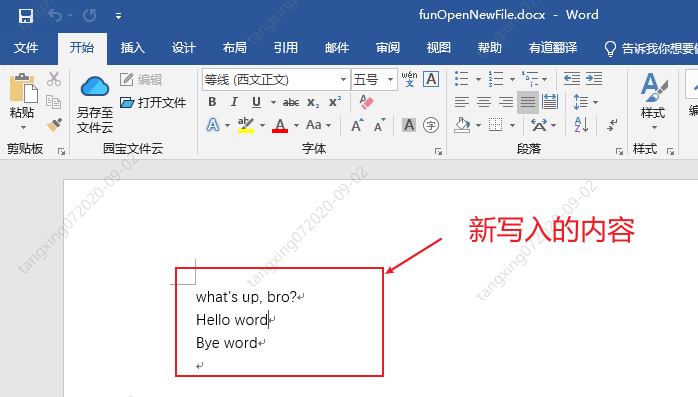
def?funOpenNewFile():
????word?=?Dispatch('Word.Application')
????#?或者使用下面的方法,使用啟動獨(dú)立的進(jìn)程:
????#?word?=?DispatchEx('Word.Application')

????#?如果不聲明以下屬性,運(yùn)行的時候會顯示的打開word
????word.Visible?=?1??#?0:后臺運(yùn)行?1:前臺運(yùn)行(可見)
????word.DisplayAlerts?=?0??#?不顯示,不警告

????#?創(chuàng)建新的word文檔
????doc?=?word.Documents.Add()

????#?在文檔開頭添加內(nèi)容
????myRange1?=?doc.Range(0,?0)
????myRange1.InsertBefore('Hello?word\n')

????#?在文檔末尾添加內(nèi)容
????myRange2?=?doc.Range()
????myRange2.InsertAfter('Bye?word\n')

????#?在文檔i指定位置添加內(nèi)容
????i?=?0
????myRange3?=?doc.Range(0,?i)
????myRange3.InsertAfter("what's?up,?bro?\n")

????#?doc.Save()??#?保存
????doc.SaveAs(os.getcwd()?+?"\\funOpenNewFile.docx")??#?另存為
????doc.Close()??#?關(guān)閉?word?文檔
????word.Quit()??#?關(guān)閉?office


if?__name__?==?'__main__':

????print("當(dāng)前文件路徑名:",os.getcwd())

????print("調(diào)用funOpenNewFile()")
????funOpenNewFile()
import?win32com
from?win32com.client?import?Dispatch,?constants
import?os

#?打開已存在的word文件
def?funOpenExistFile():
????word?=?Dispatch('Word.Application')
????#?或者使用下面的方法,使用啟動獨(dú)立的進(jìn)程:
????#?word?=?DispatchEx('Word.Application')

????#?如果不聲明以下屬性,運(yùn)行的時候會顯示的打開word
????word.Visible?=?1??#?0:后臺運(yùn)行?1:前臺運(yùn)行(可見)
????word.DisplayAlerts?=?0??#?不顯示,不警告

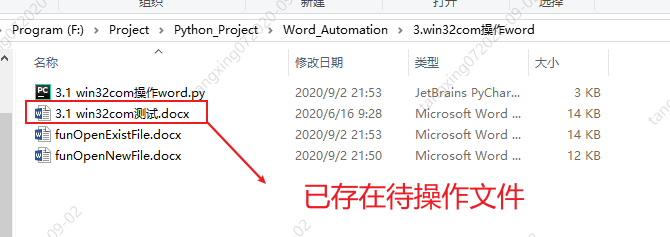
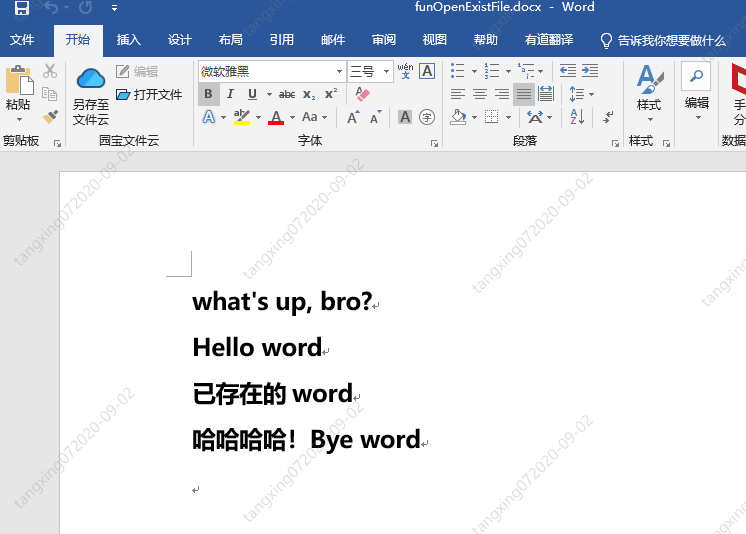
????doc?=?word.Documents.Open(os.getcwd()?+?"\\3.1?win32com測試.docx")?#?打開一個已有的word文檔

????#?在文檔開頭添加內(nèi)容
????myRange1?=?doc.Range(0,?0)
????myRange1.InsertBefore('Hello?word\n')

????#?在文檔末尾添加內(nèi)容
????myRange2?=?doc.Range()
????myRange2.InsertAfter('Bye?word\n')

????#?在文檔i指定位置添加內(nèi)容
????i?=?0
????myRange3?=?doc.Range(0,?i)
????myRange3.InsertAfter("what's?up,?bro?\n")

????#?doc.Save()??#?保存
????doc.SaveAs(os.getcwd()?+?"\\funOpenExistFile.docx")??#?另存為
????doc.Close()??#?關(guān)閉?word?文檔
????word.Quit()??#?關(guān)閉?office

if?__name__?==?'__main__':
????print("當(dāng)前文件路徑名:",os.getcwd())

????print("調(diào)用funOpenExistFile()")
????funOpenExistFile()
import?win32com
from?win32com.client?import?Dispatch,?constants
import?os

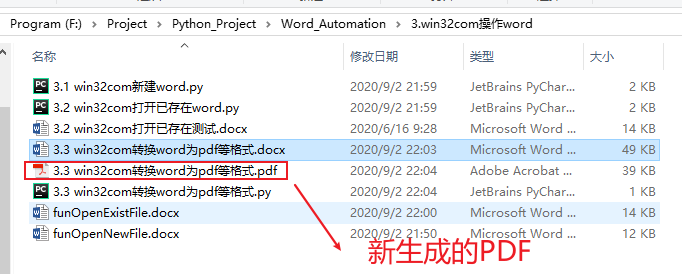
#?生成Pdf文件
def?funGeneratePDF():
????word?=?Dispatch("Word.Application")
????word.Visible?=?0??#?后臺運(yùn)行,不顯示
????word.DisplayAlerts?=?0??#?不警告
????doc?=?word.Documents.Open(os.getcwd()?+?"\\3.3?win32com轉(zhuǎn)換word為pdf等格式.docx")?#?打開一個已有的word文檔
????doc.SaveAs(os.getcwd()?+?"\\3.3?win32com轉(zhuǎn)換word為pdf等格式.pdf",?17)??#?txt=4,?html=10,?docx=16,?pdf=17
????doc.Close()
????word.Quit()

if?__name__?==?'__main__':
????funGeneratePDF()
Python-docx 操作 word
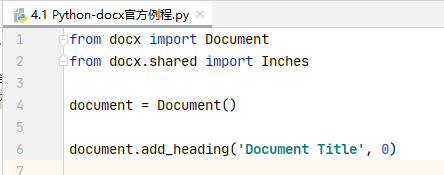
from?docx?import?Document
from?docx.shared?import?Inches

document?=?Document()

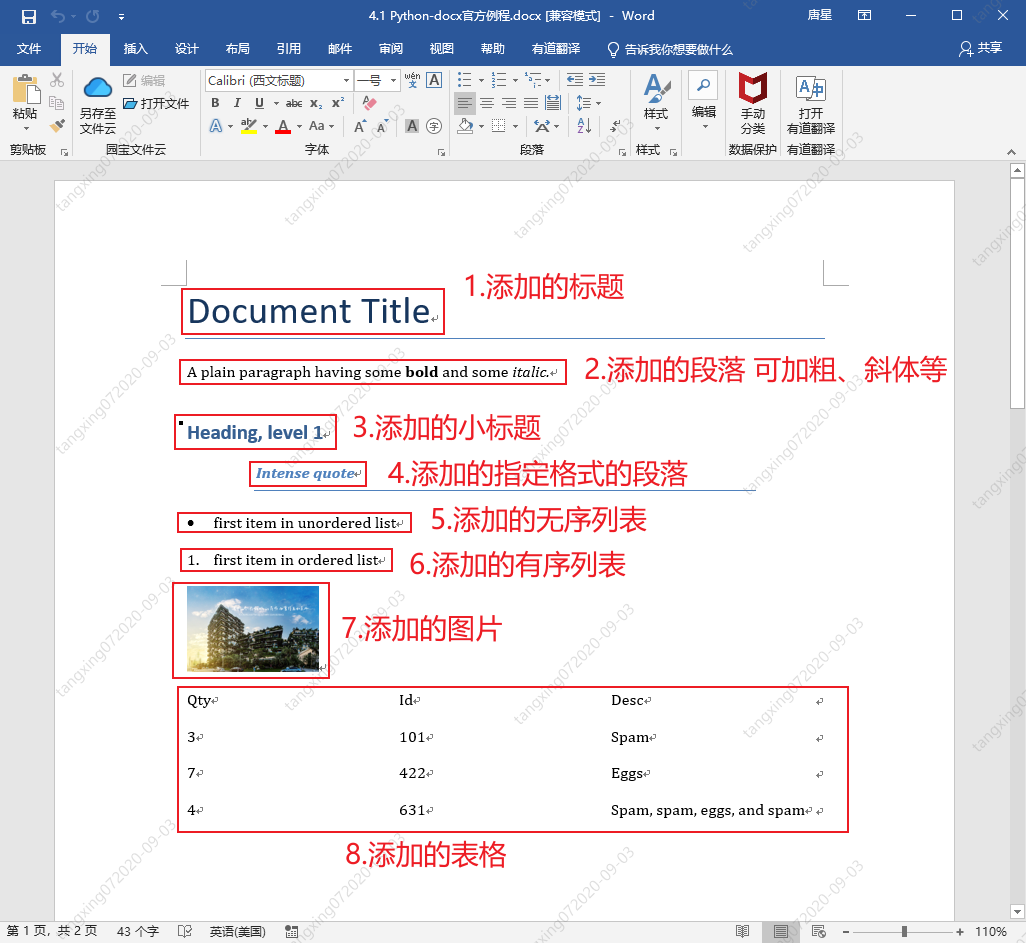
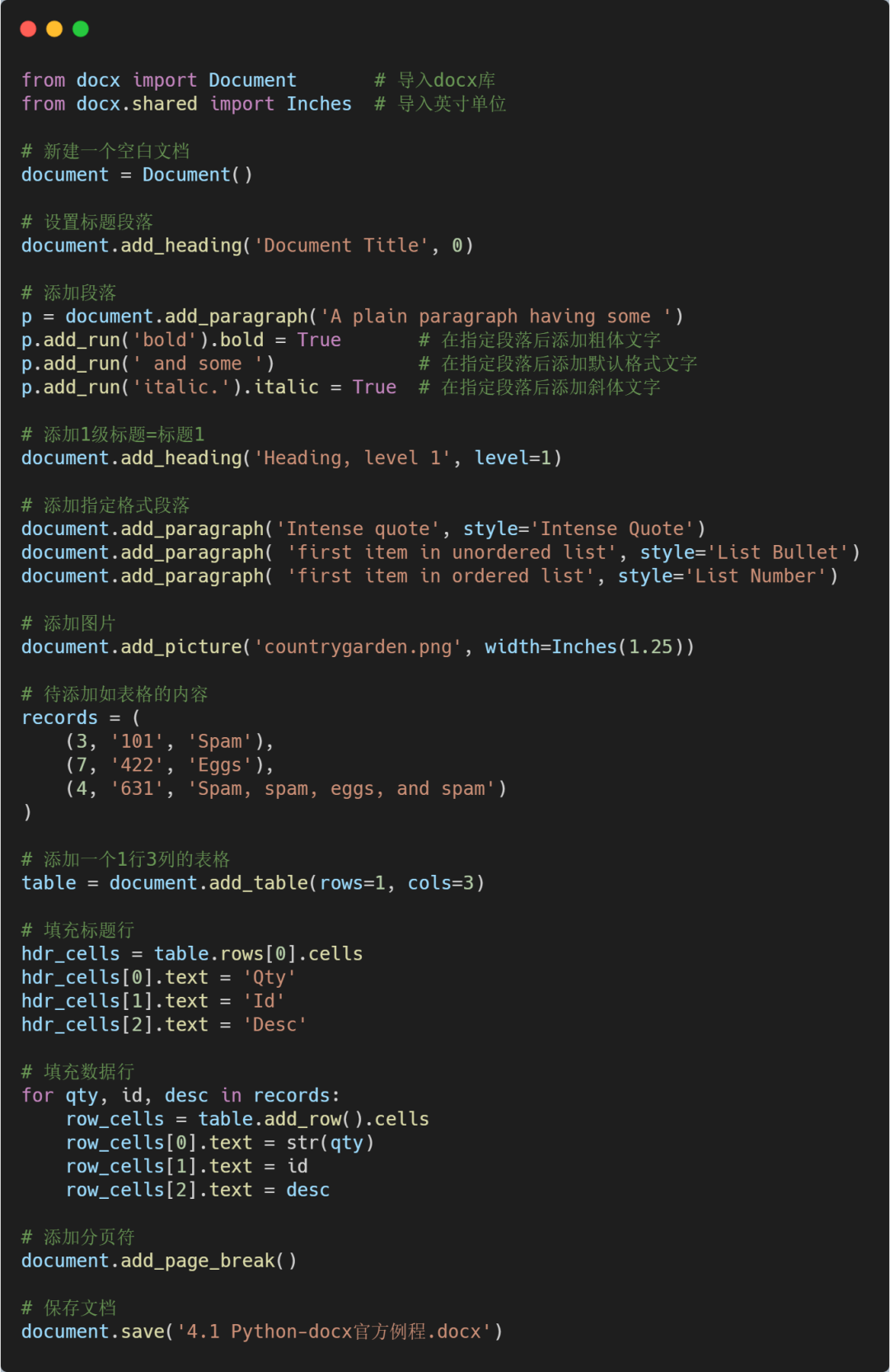
document.add_heading('Document?Title',?0)

p?=?document.add_paragraph('A?plain?paragraph?having?some?')
p.add_run('bold').bold?=?True
p.add_run('?and?some?')
p.add_run('italic.').italic?=?True

document.add_heading('Heading,?level?1',?level=1)
document.add_paragraph('Intense?quote',?style='Intense?Quote')

document.add_paragraph(
????'first?item?in?unordered?list',?style='List?Bullet'
)
document.add_paragraph(
????'first?item?in?ordered?list',?style='List?Number'
)

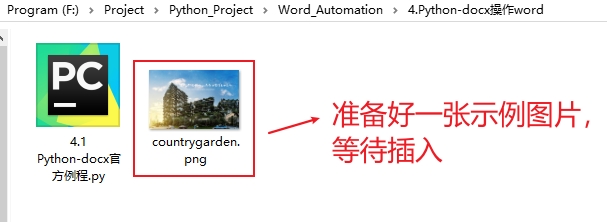
document.add_picture('countrygarden.png',?width=Inches(1.25))

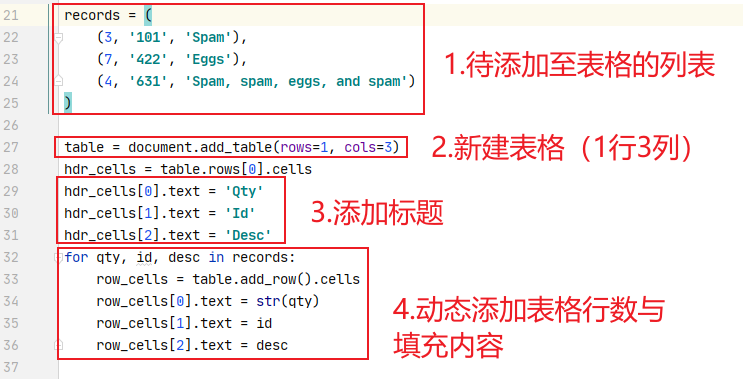
records?=?(
????(3,?'101',?'Spam'),
????(7,?'422',?'Eggs'),
????(4,?'631',?'Spam,?spam,?eggs,?and?spam')
)

table?=?document.add_table(rows=1,?cols=3)
hdr_cells?=?table.rows[0].cells
hdr_cells[0].text?=?'Qty'
hdr_cells[1].text?=?'Id'
hdr_cells[2].text?=?'Desc'
for?qty,?id,?desc?in?records:
????row_cells?=?table.add_row().cells
????row_cells[0].text?=?str(qty)
????row_cells[1].text?=?id
????row_cells[2].text?=?desc

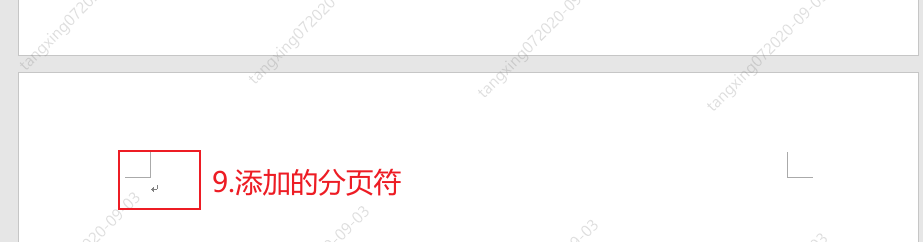
document.add_page_break()

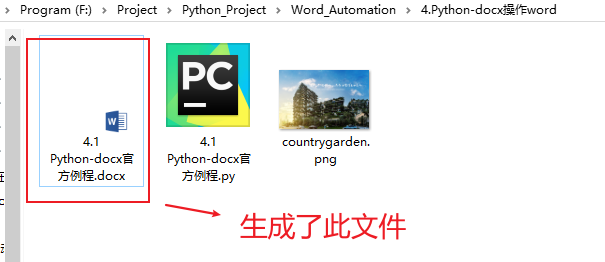
document.save('4.1?Python-docx官方例程.docx')
from?docx?import?Document
from?docx.shared?import?Inches
document?=?Document()
document?=?Document('exist.docx')
document.add_heading('Document?Title',?0)

p?=?document.add_paragraph('A?plain?paragraph?having?some?')
p.add_run('bold').bold?=?True???#?添加粗體文字
p.add_run('?and?some?')?????#?添加默認(rèn)格式文字
p.add_run('italic.').italic?=?True??#?添加斜體文字

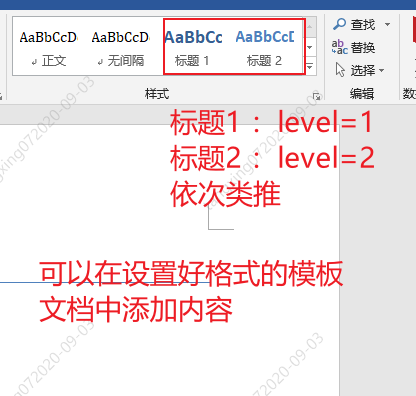
document.add_heading('Heading,?level?1',?level=1)
document.add_paragraph('Intense?quote',?style='Intense?Quote')

#?以下兩句的含義等同于上面一句
p?=?document.add_paragraph('Intense?quote')
p.style?=?'Intense?Quote'
document.add_paragraph(?'first?item?in?unordered?list',?style='List?Bullet')
document.add_paragraph(?'first?item?in?ordered?list',?style='List?Number')

document.add_picture('countrygarden.png',?width=Inches(1.25))
table?=?document.add_table(rows=1,?cols=3)
hdr_cells?=?table.rows[0].cells
hdr_cells[0].text?=?'Qty'
hdr_cells[1].text?=?'Id'
hdr_cells[2].text?=?'Desc'
for?qty,?id,?desc?in?records:
????row_cells?=?table.add_row().cells
????row_cells[0].text?=?str(qty)
????row_cells[1].text?=?id
????row_cells[2].text?=?desc
table.style?=?'LightShading-Accent1'

document.add_page_break()
document.save('4.1?Python-docx官方例程.docx')
from?docx?import?*
document?=?Document()

table?=?document.add_table(3,?3,?style="Medium?Grid?1?Accent?1")
heading_cells?=?table.rows[0].cells
heading_cells[0].text?=?'第一列內(nèi)容'
heading_cells[1].text?=?'第二列內(nèi)容'
heading_cells[2].text?=?'第三列內(nèi)容'

document.save("demo.docx")
from?docx.enum.style?import?WD_STYLE_TYPE
from?docx?import?Document

document?=?Document()
styles?=?document.styles

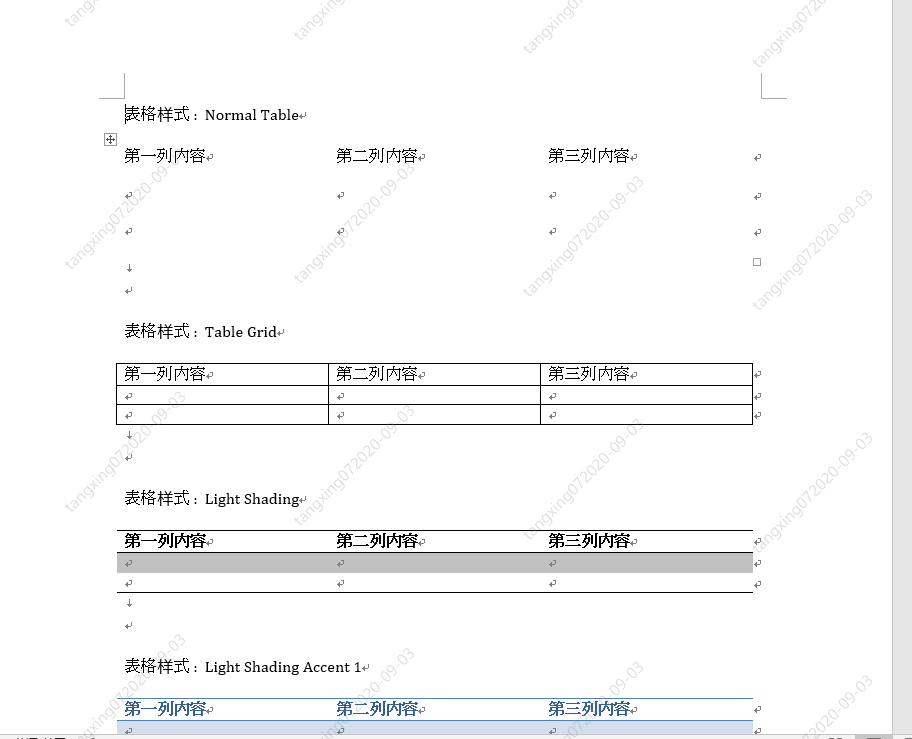
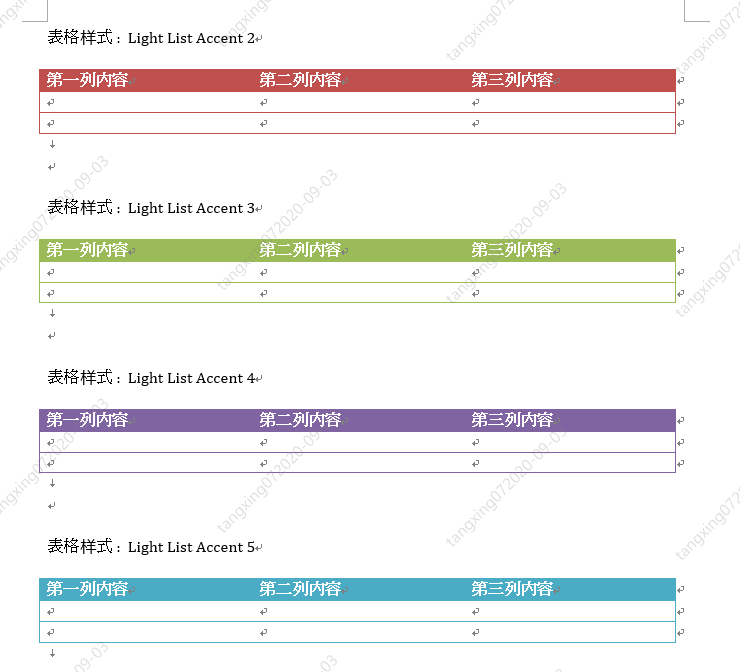
#?生成所有表樣式
for?s?in?styles:
????if?s.type?==?WD_STYLE_TYPE.TABLE:
????????document.add_paragraph("表格樣式?:??"?+?s.name)
????????table?=?document.add_table(3,?3,?style=s)
????????heading_cells?=?table.rows[0].cells
????????heading_cells[0].text?=?'第一列內(nèi)容'
????????heading_cells[1].text?=?'第二列內(nèi)容'
????????heading_cells[2].text?=?'第三列內(nèi)容'
????????document.add_paragraph("\n")

document.save('4.3?所有表格樣式.docx')
docx&matplotlib 自動生成數(shù)據(jù)分析報告
import?xlrd

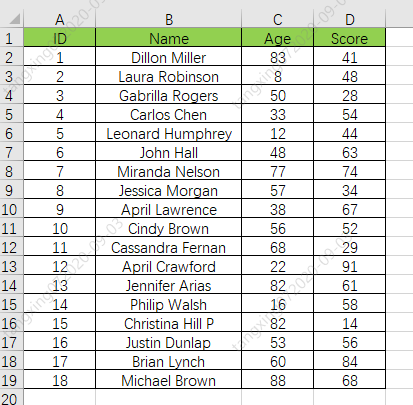
xlsx?=?xlrd.open_workbook('./3_1?xlrd?讀取?操作練習(xí).xlsx')

#?通過sheet名查找:xlsx.sheet_by_name("sheet1")
#?通過索引查找:xlsx.sheet_by_index(3)
table?=?xlsx.sheet_by_index(0)

#?獲取單個表格值?(2,1)表示獲取第3行第2列單元格的值
value?=?table.cell_value(2,?1)
print("第3行2列值為",value)

#?獲取表格行數(shù)
nrows?=?table.nrows
print("表格一共有",nrows,"行")

#?獲取第4列所有值(列表生成式)
name_list?=?[str(table.cell_value(i,?3))?for?i?in?range(1,?nrows)]
print("第4列所有的值:",name_list)
#?獲取學(xué)習(xí)成績信息
def?GetExcelInfo():
????print("開始獲取表格內(nèi)容信息")

????#?打開指定文檔
????xlsx?=?xlrd.open_workbook('學(xué)生成績表格.xlsx')

????#?獲取sheet
????sheet?=?xlsx.sheet_by_index(0)

????#?獲取表格行數(shù)
????nrows?=?sheet.nrows
????print("一共?",nrows,"?行數(shù)據(jù)")

????#?獲取第2列,和第4列?所有值(列表生成式),從第2行開始獲取
????nameList?=?[str(sheet.cell_value(i,?1))?for?i?in?range(1,?nrows)]
????scoreList?=?[int(sheet.cell_value(i,?3))?for?i?in?range(1,?nrows)]

????#?返回名字列表和分?jǐn)?shù)列表
????return?nameList,scoreList

#?將名字和分?jǐn)?shù)列表合并成字典(將學(xué)生姓名和分?jǐn)?shù)關(guān)聯(lián)起來)
scoreDictionary?=?dict(zip(nameList,?scoreList))
print("dictionary:",scoreDictionary)

#?對字典進(jìn)行值排序,高分在前,reverse=True?代表降序排列
scoreOrder?=?sorted(scoreDictionary.items(),?key=lambda?x:?x[1],?reverse=True)
print("scoreOrder",scoreOrder)
#?合成的字典
dictionary:?{'Dillon?Miller':?41,?'Laura?Robinson':?48,?'Gabrilla?Rogers':?28,?'Carlos?Chen':?54,?'Leonard?Humphrey':?44,?'John?Hall':?63,?'Miranda?Nelson':?74,?'Jessica?Morgan':?34,?'April?Lawrence':?67,?'Cindy?Brown':?52,?'Cassandra?Fernan':?29,?'April?Crawford':?91,?'Jennifer?Arias':?61,?'Philip?Walsh':?58,?'Christina?Hill?P':?14,?'Justin?Dunlap':?56,?'Brian?Lynch':?84,?'Michael?Brown':?68}

#?排序后,再次轉(zhuǎn)換成列表
scoreOrder?[('April?Crawford',?91),?('Brian?Lynch',?84),?('Miranda?Nelson',?74),?('Michael?Brown',?68),?('April?Lawrence',?67),?('John?Hall',?63),?('Jennifer?Arias',?61),?('Philip?Walsh',?58),?('Justin?Dunlap',?56),?('Carlos?Chen',?54),?('Cindy?Brown',?52),?('Laura?Robinson',?48),?('Leonard?Humphrey',?44),?('Dillon?Miller',?41),?('Jessica?Morgan',?34),?('Cassandra?Fernan',?29),?('Gabrilla?Rogers',?28),?('Christina?Hill?P',?14)]

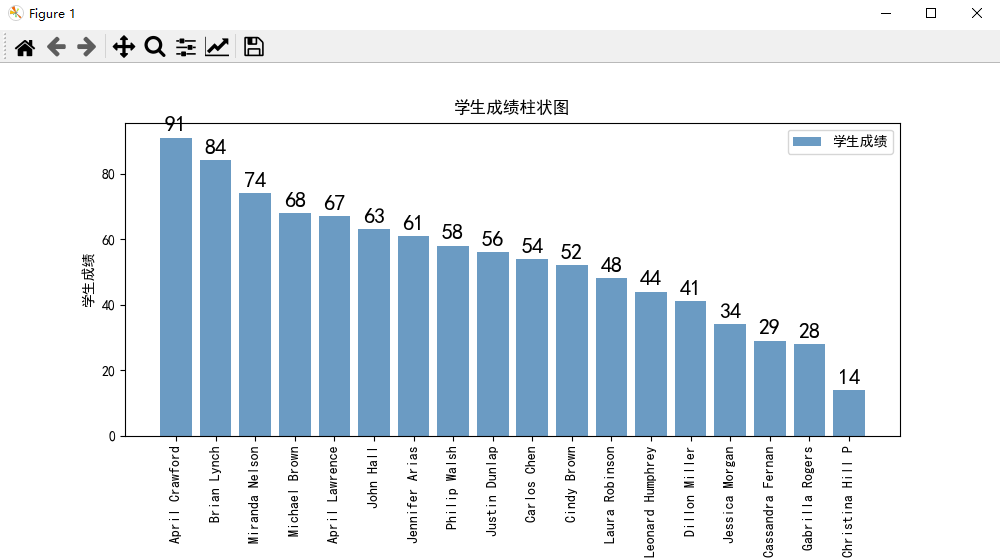
#?生成學(xué)生成績柱狀圖(使用matplotlib)
#?會生成一張名為"studentScore.jpg"的圖片
def?GenerateScorePic(scoreList):
????#?解析成績列表,生成橫縱坐標(biāo)列表
????xNameList?=?[str(studentInfo[0])?for?studentInfo?in?scoreList]
????yScoreList?=?[int(studentInfo[1])?for?studentInfo?in?scoreList]
????print("xNameList",xNameList)
????print("yScoreList",yScoreList)

????#?設(shè)置字體格式
????matplotlib.rcParams['font.sans-serif']?=?['SimHei']??#?用黑體顯示中文

????#?設(shè)置繪圖尺寸
????plt.figure(figsize=(10,5))

????#?繪制圖像
????plt.bar(x=xNameList,?height=yScoreList,?label='學(xué)生成績',?color='steelblue',?alpha=0.8)

????#?在柱狀圖上顯示具體數(shù)值,?ha參數(shù)控制水平對齊方式,?va控制垂直對齊方式
????for?x1,?yy?in?scoreList:
????????plt.text(x1,?yy?+?1,?str(yy),?ha='center',?va='bottom',?fontsize=16,?rotation=0)

????#?設(shè)置標(biāo)題
????plt.title("學(xué)生成績柱狀圖")

????#?為兩條坐標(biāo)軸設(shè)置名稱
????plt.xlabel("學(xué)生姓名")
????plt.ylabel("學(xué)生成績")

????#?顯示圖例
????plt.legend()

????#?坐標(biāo)軸旋轉(zhuǎn)
????plt.xticks(rotation=90)

????#?設(shè)置底部比例,防止橫坐標(biāo)顯示不全
????plt.gcf().subplots_adjust(bottom=0.25)

????#?保存為圖片
????plt.savefig("studentScore.jpg")

????#?直接顯示
????plt.show()
#?開始生成報告
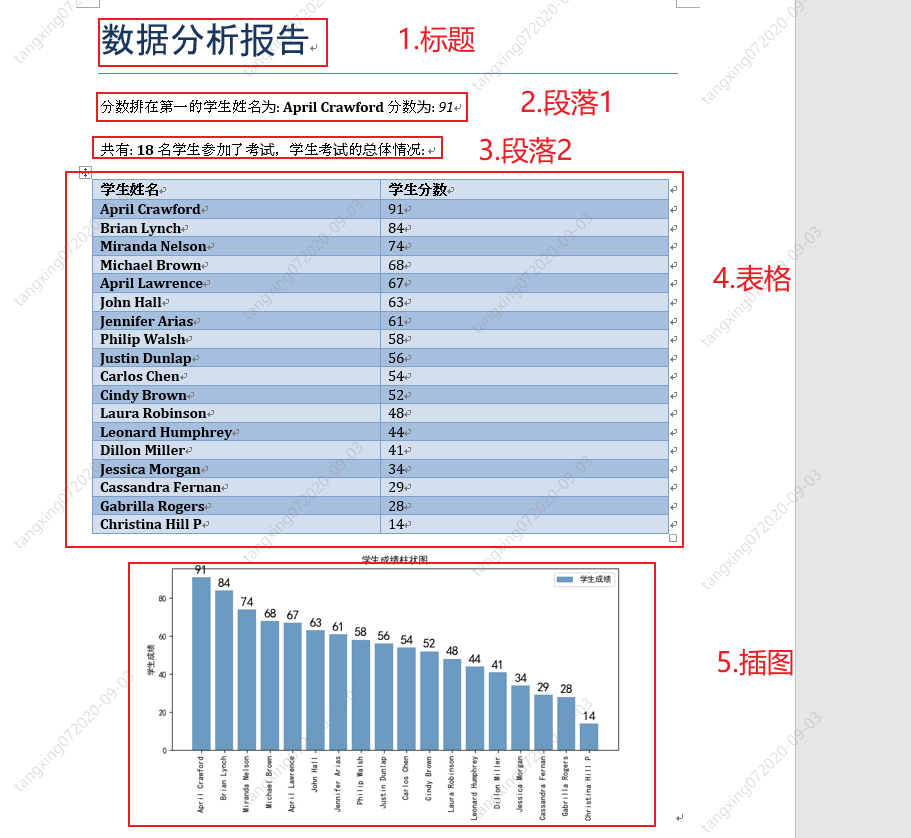
def?GenerateScoreReport(scoreOrder,picPath):
????#?新建一個文檔
????document?=?Document()

????#?設(shè)置標(biāo)題
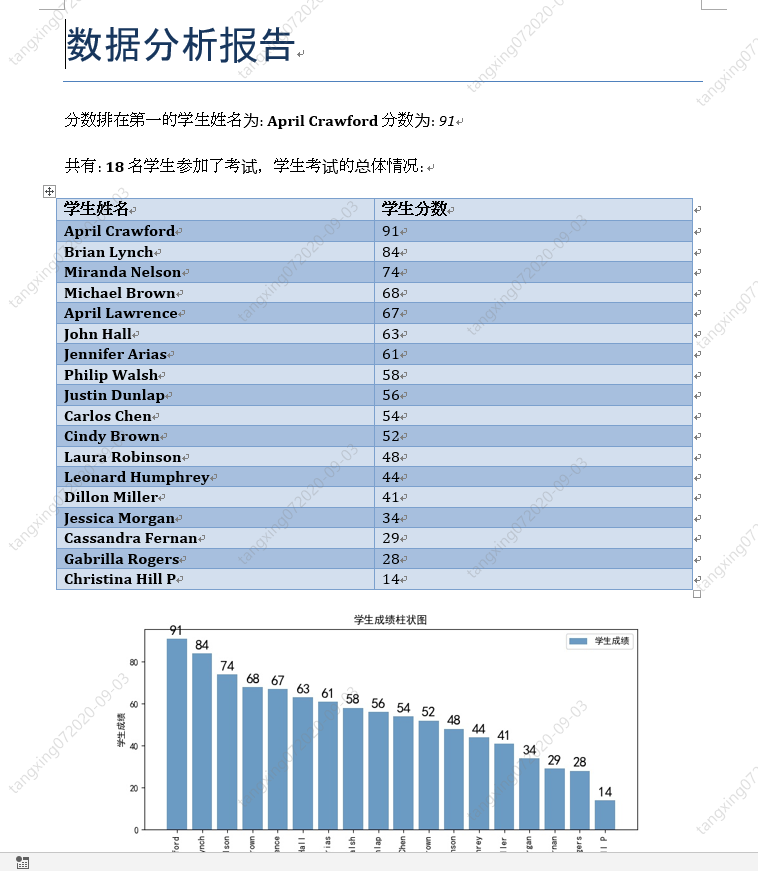
????document.add_heading('數(shù)據(jù)分析報告',?0)

????#?添加第一名的信息
????p1?=?document.add_paragraph("分?jǐn)?shù)排在第一的學(xué)生姓名為:?")
????p1.add_run(scoreOrder[0][0]).bold?=?True
????p1.add_run("?分?jǐn)?shù)為:?")
????p1.add_run(str(scoreOrder[0][1])).italic?=?True

????#?添加總體情況信息
????p2?=?document.add_paragraph("共有:?")
????p2.add_run(str(len(scoreOrder))).bold?=?True
????p2.add_run("?名學(xué)生參加了考試,學(xué)生考試的總體情況:?")

????#?添加考試情況表格
????table?=?document.add_table(rows=1,?cols=2)
????table.style?=?'Medium?Grid?1?Accent?1'
????hdr_cells?=?table.rows[0].cells
????hdr_cells[0].text?=?'學(xué)生姓名'
????hdr_cells[1].text?=?'學(xué)生分?jǐn)?shù)'
????for?studentName,studentScore?in?scoreOrder:
????????row_cells?=?table.add_row().cells
????????row_cells[0].text?=?studentName
????????row_cells[1].text?=?str(studentScore)

????#?添加學(xué)生成績柱狀圖
????document.add_picture(picPath,?width=Inches(6))

????document.save('學(xué)生成績報告.docx')
import?xlrd
import?matplotlib
import?matplotlib.pyplot?as?plt
from?docx?import?Document
from?docx.shared?import?Inches

#?獲取學(xué)習(xí)成績信息
def?GetExcelInfo():
????print("開始獲取表格內(nèi)容信息")

????#?打開指定文檔
????xlsx?=?xlrd.open_workbook('學(xué)生成績表格.xlsx')

????#?獲取sheet
????sheet?=?xlsx.sheet_by_index(0)

????#?獲取表格行數(shù)
????nrows?=?sheet.nrows
????print("一共?",nrows,"?行數(shù)據(jù)")

????#?獲取第2列,和第4列?所有值(列表生成式),從第2行開始獲取
????nameList?=?[str(sheet.cell_value(i,?1))?for?i?in?range(1,?nrows)]
????scoreList?=?[int(sheet.cell_value(i,?3))?for?i?in?range(1,?nrows)]

????#?返回名字列表和分?jǐn)?shù)列表
????return?nameList,scoreList

#?生成學(xué)生成績柱狀圖(使用matplotlib)
#?會生成一張名為"studentScore.jpg"的圖片
def?GenerateScorePic(scoreList):
????#?解析成績列表,生成橫縱坐標(biāo)列表
????xNameList?=?[str(studentInfo[0])?for?studentInfo?in?scoreList]
????yScoreList?=?[int(studentInfo[1])?for?studentInfo?in?scoreList]
????print("xNameList",xNameList)
????print("yScoreList",yScoreList)

????#?設(shè)置字體格式
????matplotlib.rcParams['font.sans-serif']?=?['SimHei']??#?用黑體顯示中文

????#?設(shè)置繪圖尺寸
????plt.figure(figsize=(10,5))

????#?繪制圖像
????plt.bar(x=xNameList,?height=yScoreList,?label='學(xué)生成績',?color='steelblue',?alpha=0.8)

????#?在柱狀圖上顯示具體數(shù)值,?ha參數(shù)控制水平對齊方式,?va控制垂直對齊方式
????for?x1,?yy?in?scoreList:
????????plt.text(x1,?yy?+?1,?str(yy),?ha='center',?va='bottom',?fontsize=16,?rotation=0)

????#?設(shè)置標(biāo)題
????plt.title("學(xué)生成績柱狀圖")

????#?為兩條坐標(biāo)軸設(shè)置名稱
????plt.xlabel("學(xué)生姓名")
????plt.ylabel("學(xué)生成績")

????#?顯示圖例
????plt.legend()

????#?坐標(biāo)軸旋轉(zhuǎn)
????plt.xticks(rotation=90)

????#?設(shè)置底部比例,防止橫坐標(biāo)顯示不全
????plt.gcf().subplots_adjust(bottom=0.25)

????#?保存為圖片
????plt.savefig("studentScore.jpg")

????#?直接顯示
????plt.show()

#?開始生成報告
def?GenerateScoreReport(scoreOrder,picPath):
????#?新建一個文檔
????document?=?Document()

????#?設(shè)置標(biāo)題
????document.add_heading('數(shù)據(jù)分析報告',?0)

????#?添加第一名的信息
????p1?=?document.add_paragraph("分?jǐn)?shù)排在第一的學(xué)生姓名為:?")
????p1.add_run(scoreOrder[0][0]).bold?=?True
????p1.add_run("?分?jǐn)?shù)為:?")
????p1.add_run(str(scoreOrder[0][1])).italic?=?True

????#?添加總體情況信息
????p2?=?document.add_paragraph("共有:?")
????p2.add_run(str(len(scoreOrder))).bold?=?True
????p2.add_run("?名學(xué)生參加了考試,學(xué)生考試的總體情況:?")

????#?添加考試情況表格
????table?=?document.add_table(rows=1,?cols=2)
????table.style?=?'Medium?Grid?1?Accent?1'
????hdr_cells?=?table.rows[0].cells
????hdr_cells[0].text?=?'學(xué)生姓名'
????hdr_cells[1].text?=?'學(xué)生分?jǐn)?shù)'
????for?studentName,studentScore?in?scoreOrder:
????????row_cells?=?table.add_row().cells
????????row_cells[0].text?=?studentName
????????row_cells[1].text?=?str(studentScore)

????#?添加學(xué)生成績柱狀圖
????document.add_picture(picPath,?width=Inches(6))

????document.save('學(xué)生成績報告.docx')

if?__name__?==?"__main__":
????#?調(diào)用信息獲取方法,獲取用戶信息
????nameList,scoreList?=?GetExcelInfo()
????#?print("nameList:",nameList)
????#?print("ScoreList:",scoreList)

????#?將名字和分?jǐn)?shù)列表合并成字典(將學(xué)生姓名和分?jǐn)?shù)關(guān)聯(lián)起來)
????scoreDictionary?=?dict(zip(nameList,?scoreList))
????#?print("dictionary:",scoreDictionary)

????#?對字典進(jìn)行值排序,高分在前,reverse=True?代表降序排列
????scoreOrder?=?sorted(scoreDictionary.items(),?key=lambda?x:?x[1],?reverse=True)
????#?print("scoreOrder",scoreOrder)

????#?將進(jìn)行排序后的學(xué)生成績列表生成柱狀圖
????GenerateScorePic(scoreOrder)

????#?開始生成報告
????picPath?=?"studentScore.jpg"
????GenerateScoreReport(scoreOrder,picPath)

????print("任務(wù)完成,報表生成完畢!")
Python-docx 修改舊 word 文檔
from?docx?import?Document

if?__name__?==?"__main__":
????document?=?Document('6?學(xué)生成績報告.docx')

????#?在這里進(jìn)行操作,此處忽略

????document.save('修改后的報告.docx')
from?docx?import?Document


if?__name__?==?"__main__":
????document?=?Document('6?學(xué)生成績報告.docx')

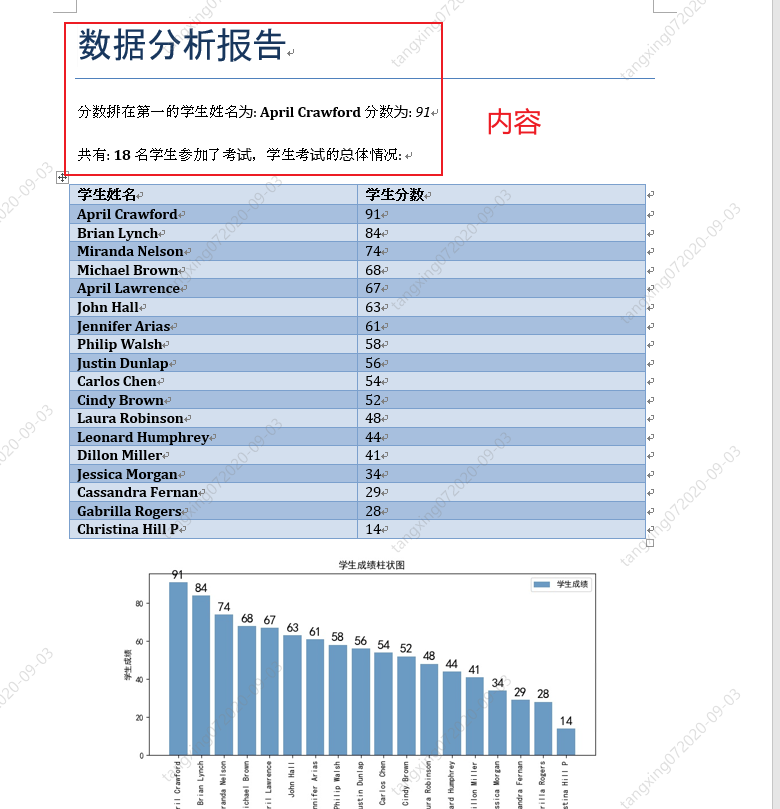
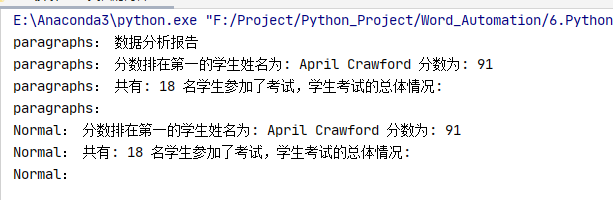
????#?讀取?word?中所有內(nèi)容
????for?p?in?document.paragraphs:
????????print("paragraphs:",p.text)

????#?讀取?word?中所有一級標(biāo)題
????for?p?in?document.paragraphs:
????????if?p.style.name?==?'Heading?1':
????????????print("Heading 1:",p.text)

????#?讀取?word?中所有二級標(biāo)題
????for?p?in?document.paragraphs:
????????if?p.style.name?==?'Heading?2':
????????????print("Heading 2:",?p.text)

????#?讀取?word?中所有正文
????for?p?in?document.paragraphs:
????????if?p.style.name?==?'Normal':
????????????print("Normal:",?p.text)

????document.save('修改后的報告.docx')
from?docx?import?Document


if?__name__?==?"__main__":
????document?=?Document('6?學(xué)生成績報告.docx')

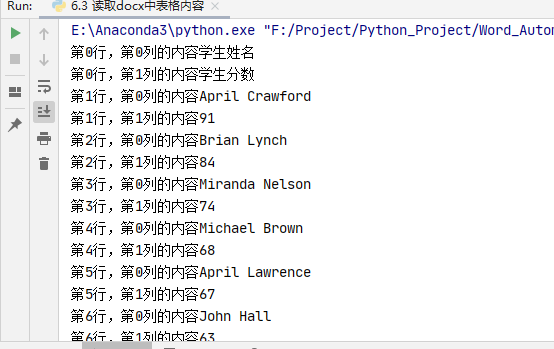
????#?讀取表格內(nèi)容
????for?tb?in?document.tables:
????????for?i,row?in?enumerate(tb.rows):
????????????for?j,cell?in?enumerate(row.cells):
????????????????text?=?''
????????????????for?p?in?cell.paragraphs:
????????????????????text?+=?p.text

????????????????print(f'第{i}行,第{j}列的內(nèi)容{text}')

????document.save('修改后的報告.docx')
from?docx?import?Document

if?__name__?==?"__main__":
????document?=?Document('6?學(xué)生成績報告.docx')

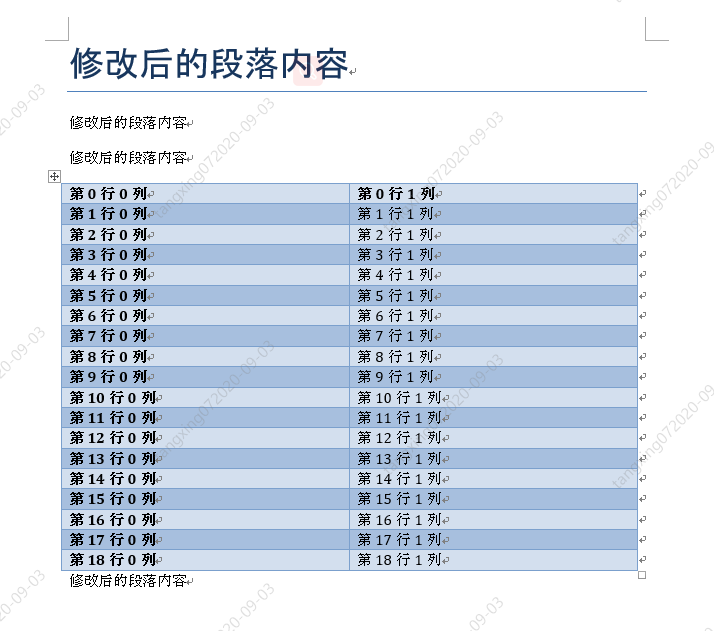
????#?修改?word?中所有內(nèi)容
????for?p?in?document.paragraphs:
????????p.text?=?"修改后的段落內(nèi)容"

????#?修改表格內(nèi)容
????for?tb?in?document.tables:
????????for?i,row?in?enumerate(tb.rows):
????????????for?j,cell?in?enumerate(row.cells):
????????????????text?=?''
????????????????for?p?in?cell.paragraphs:
????????????????????p.text?=?("第",str(i),"行",str(j),"列")

????????????????print(f'第{i}行,第{j}列的內(nèi)容{text}')

????document.save('6.4?修改后的報告.docx')
docx-mailmerge 自動生成萬份勞動合同
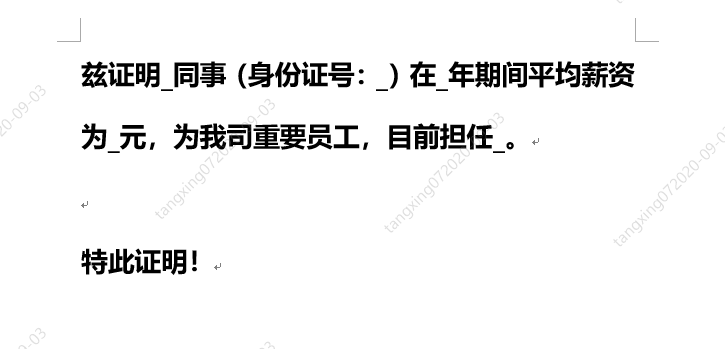
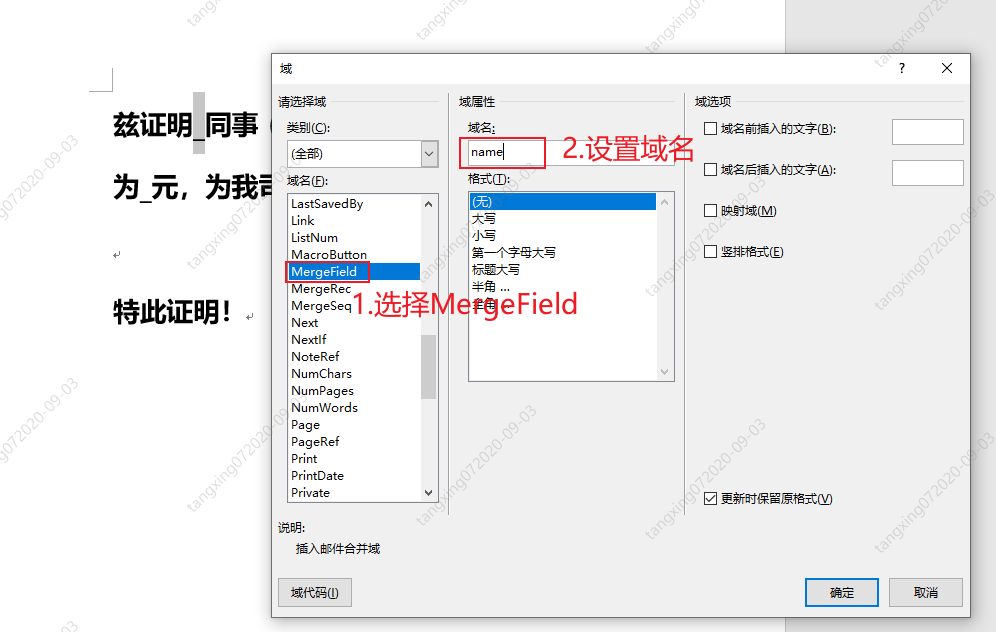
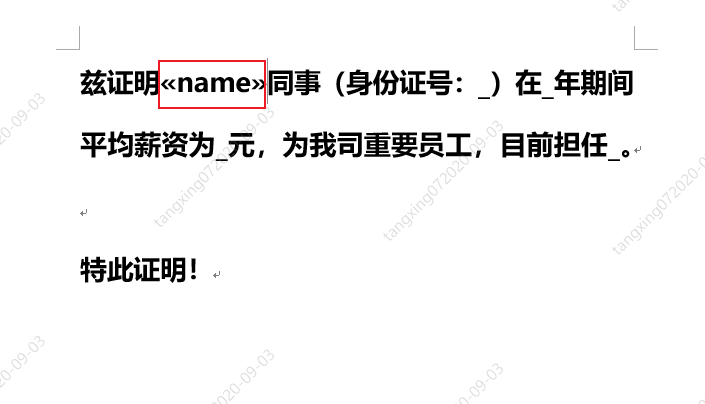
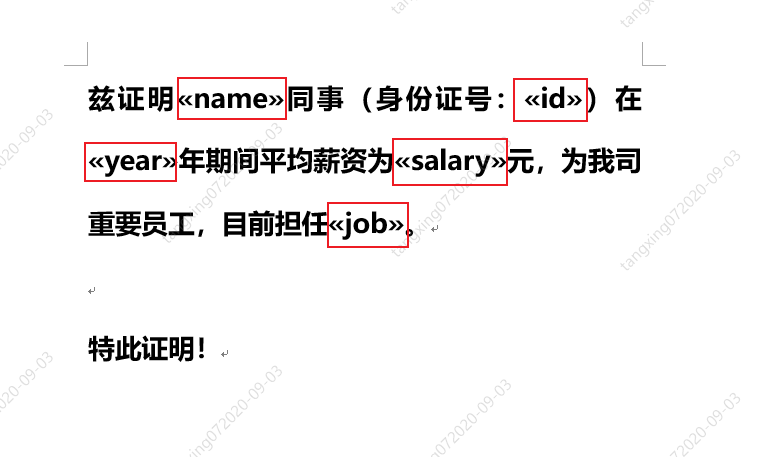
from?mailmerge?import?MailMerge

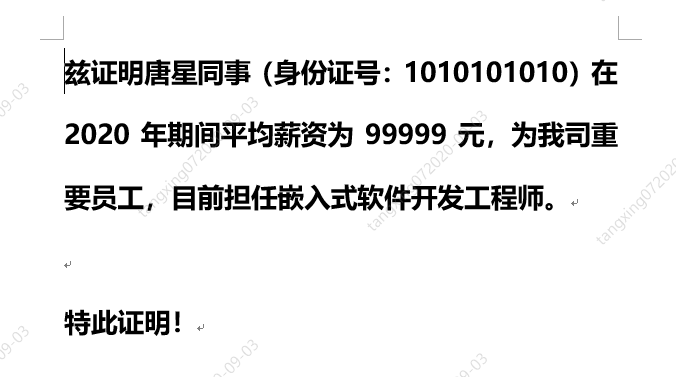
template?=?'薪資證明模板.docx'

document?=?MailMerge(template)

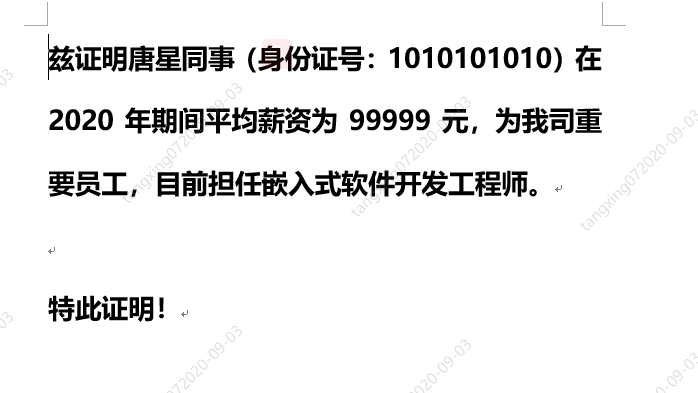
document.merge(name?=?'唐星',
???????????????id?=?'1010101010',
???????????????year?=?'2020',
???????????????salary?=?'99999',
???????????????job?=?'嵌入式軟件開發(fā)工程師')

document.write('生成的1份證明.docx')
from?mailmerge?import?MailMerge
from?datetime?import?datetime

#?生成單份合同
def?GenerateCertify(templateName,newName):
????#?打開模板
????document?=?MailMerge(templateName)

????#?替換內(nèi)容
????document.merge(name='唐星',
???????????????????id='1010101010',
???????????????????year='2020',
???????????????????salary='99999',
???????????????????job='嵌入式軟件開發(fā)工程師')

????#?保存文件
????document.write(newName)

if?__name__?==?"__main__":
????templateName?=?'薪資證明模板.docx'

????#?獲得開始時間
????startTime?=?datetime.now()

????#?開始生成
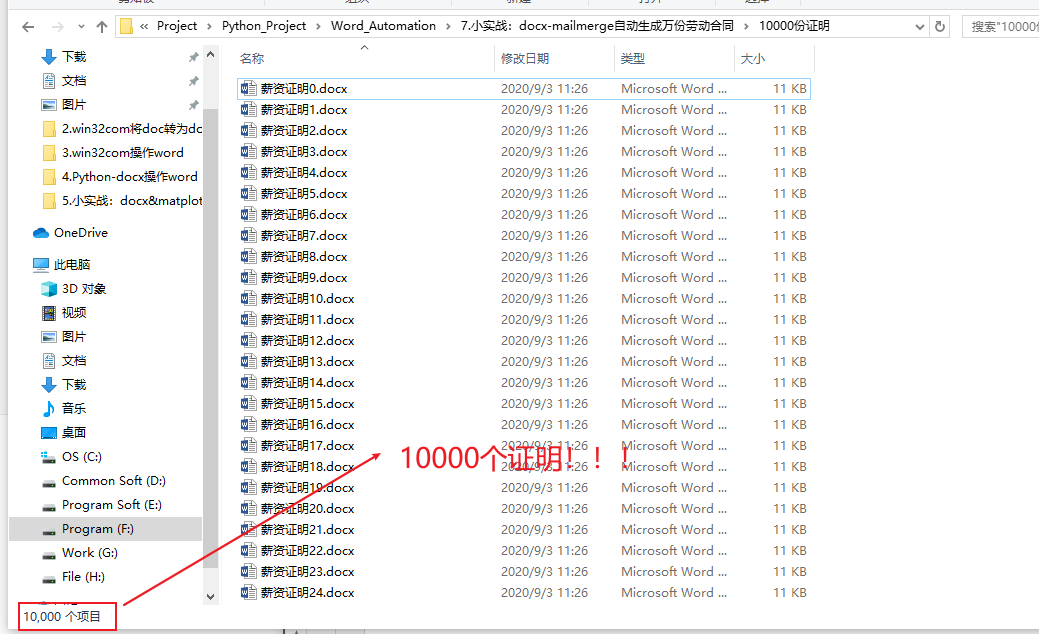
????for?i?in?range(10000):
????????newName?=?f'./10000份證明/薪資證明{i}.docx'
????????GenerateCertify(templateName,newName)

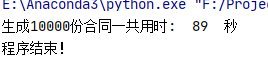
????#?獲取結(jié)束時間
????endTime?=?datetime.now()

????#?計算時間差
????allSeconds?=?(endTime?-?startTime).seconds
????print("生成10000份合同一共用時:?",str(allSeconds),"?秒")

????print("程序結(jié)束!")

分享

收藏

點(diǎn)贊

在看
評論
圖片
表情