
基于TensorFlow卷積神經(jīng)網(wǎng)絡(luò)與MNIST數(shù)據(jù)集設(shè)計(jì)手寫(xiě)數(shù)字識(shí)別算法
TensorFlow隨著數(shù)字化的普及和信息技術(shù)的發(fā)展,在編號(hào)處理、數(shù)量讀取、價(jià)格統(tǒng)計(jì)等場(chǎng)合,手寫(xiě)數(shù)字識(shí)別系統(tǒng)的應(yīng)用需求越來(lái)越強(qiáng)烈,如何將數(shù)字方便、快速地輸入到計(jì)算機(jī)中已成為關(guān)系到計(jì)算機(jī)技術(shù)普及的關(guān)鍵問(wèn)題。數(shù)字識(shí)別技術(shù)的研究不僅可以解決當(dāng)下面臨的數(shù)字識(shí)別問(wèn)題,同時(shí)在圖像識(shí)別、機(jī)器學(xué)習(xí)等方面也有鋪墊作用。由于手寫(xiě)數(shù)字識(shí)別難于建立精確的數(shù)學(xué)模型,本文基于TensorFlow卷積神經(jīng)網(wǎng)絡(luò)設(shè)計(jì)手寫(xiě)數(shù)字識(shí)別算法,導(dǎo)入MNIST數(shù)據(jù)集進(jìn)行訓(xùn)練,并測(cè)試網(wǎng)絡(luò)模型的識(shí)別準(zhǔn)確率。
TensorFlow是一個(gè)基于Python和基于數(shù)據(jù)流編程的機(jī)器學(xué)習(xí)框架,由谷歌基于DistBelief進(jìn)行研發(fā),并在圖形分類、音頻處理、推薦系統(tǒng)和自然語(yǔ)言處理等場(chǎng)景下有著豐富的應(yīng)用。2015年11月9日,TensorFlow依據(jù)Apache 2.0 開(kāi)源協(xié)議開(kāi)放源代碼。
TensorFlow具有靈活的架構(gòu),可部署于各類服務(wù)器、PC終端、移動(dòng)設(shè)備和網(wǎng)頁(yè)并支持GPU和TPU高性能數(shù)值計(jì)算,提供了各類主流編程語(yǔ)言的API。
數(shù)據(jù)流圖中用“結(jié)點(diǎn)”(nodes)和“線”(edges)的有向圖來(lái)描述數(shù)學(xué)計(jì)算。這些數(shù)據(jù)“線”可以輸運(yùn)“size可動(dòng)態(tài)調(diào)整”的多維數(shù)據(jù)數(shù)組,即“張量”(tensor)。張量從圖中流過(guò)的直觀圖像是這個(gè)工具取名為“TensorFlow”的原因。一旦輸入端的所有張量準(zhǔn)備好,節(jié)點(diǎn)將被分配到各種計(jì)算設(shè)備完成異步并行地執(zhí)行運(yùn)算。
Tensor和Flow是TensorFlow最為基礎(chǔ)的要素。Tensor意味著data;Flow意味著流動(dòng),意味著計(jì)算,意味著映射,即數(shù)據(jù)的流動(dòng),數(shù)據(jù)的計(jì)算,數(shù)據(jù)的映射,同時(shí)也體現(xiàn)數(shù)據(jù)是有向的流動(dòng)、計(jì)算和映射。
MNISTMNIST是一個(gè)經(jīng)典的計(jì)算機(jī)視覺(jué)數(shù)據(jù)集,來(lái)自美國(guó)國(guó)家標(biāo)準(zhǔn)與技術(shù)研究所(NIST),由紐約大學(xué)的Yann LeCun教授主導(dǎo)建立。
MNIST數(shù)據(jù)集由250個(gè)不同的人手寫(xiě)而成,包含各種手寫(xiě)數(shù)字圖片,以及每一張圖片對(duì)應(yīng)的數(shù)值標(biāo)簽。它包含60000個(gè)訓(xùn)練樣本和10000個(gè)測(cè)試樣本,每個(gè)樣本都是一張28 * 28像素的灰度手寫(xiě)數(shù)字圖片,存儲(chǔ)在28 * 28的二維數(shù)組中。
MNIST數(shù)據(jù)集在深度學(xué)習(xí)中的地位,就像Hello,World!在編程中的地位。
自建立以來(lái),它便被廣泛應(yīng)用于檢驗(yàn)各種機(jī)器學(xué)習(xí)算法、測(cè)試各種模型,為機(jī)器學(xué)習(xí)的發(fā)展做出了不可磨滅的貢獻(xiàn),其當(dāng)之無(wú)愧為歷史上最偉大的數(shù)據(jù)集之一。
MNIST數(shù)據(jù)集已經(jīng)被集成在Keras中,可以直接使用keras.datasets來(lái)訪問(wèn)。
環(huán)境安裝與數(shù)據(jù)集(1)環(huán)境信息
- Python 3.81. Visual C++庫(kù)1. Conda包管理工具
(2)查看NVIDIA驅(qū)動(dòng)版本
nvidia-smi
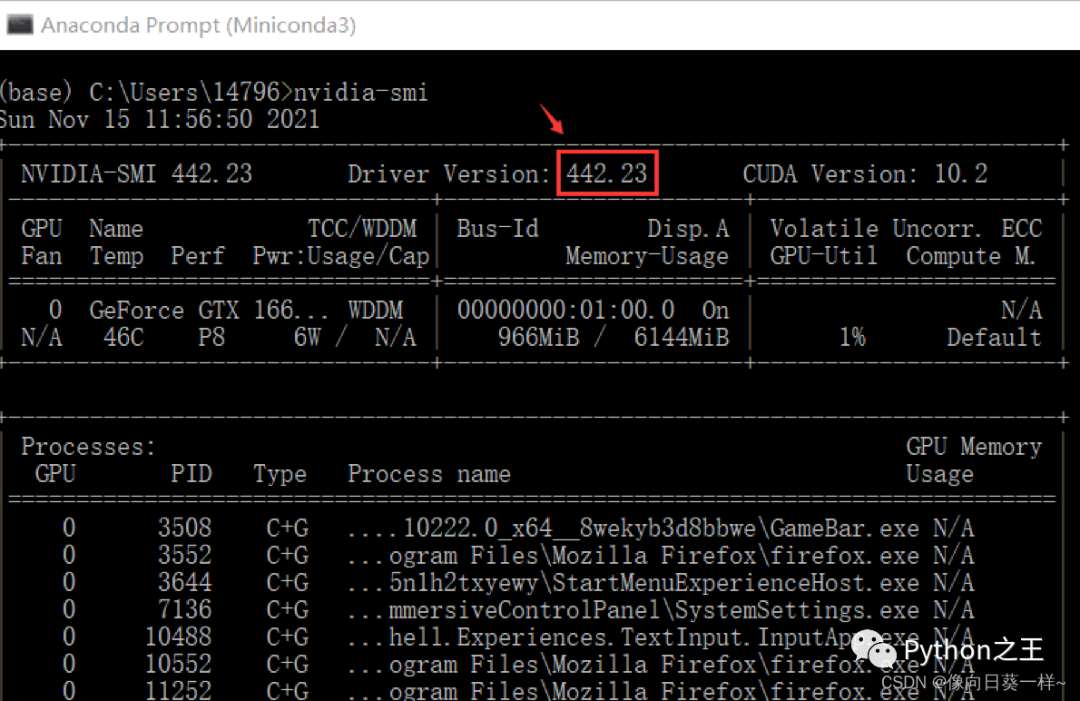
電腦的NVIDIA驅(qū)動(dòng)版本高于418.x,故可以安裝GPU版本。
(3)GPU版本的依賴庫(kù)安裝
- 安裝CUDA Toolkit
conda?install?cudatoolkit=10.1
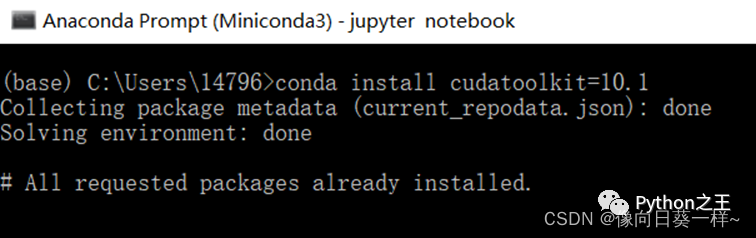
(之前已經(jīng)安裝好了)
2.安裝cuDNN庫(kù)
conda?install?cudnn=7.6.5
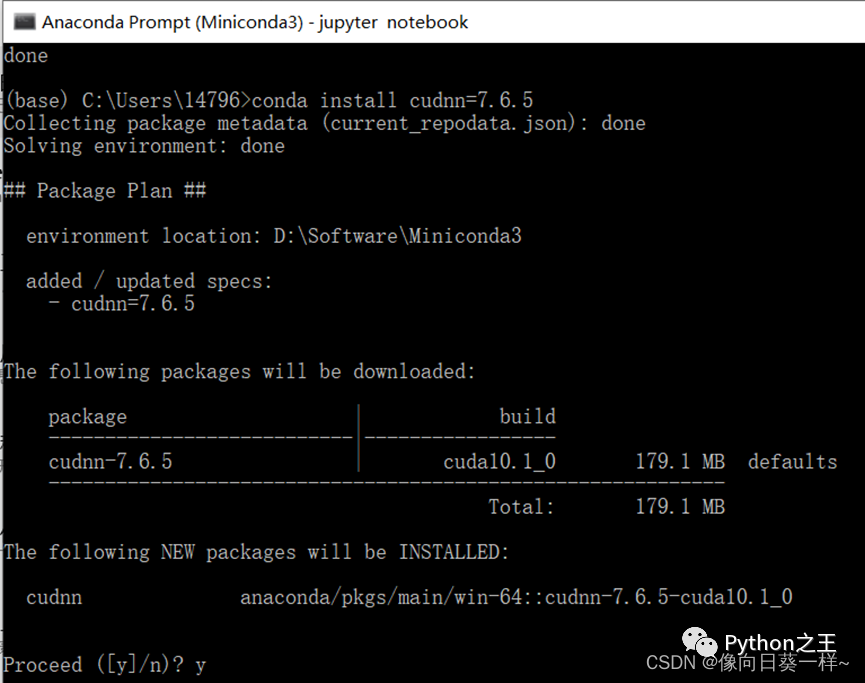
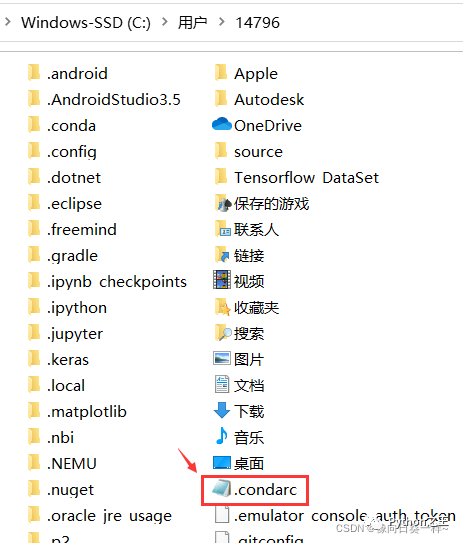
(4)Conda配置文件
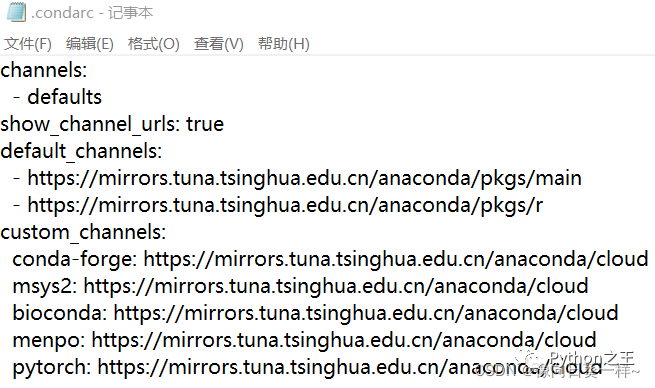
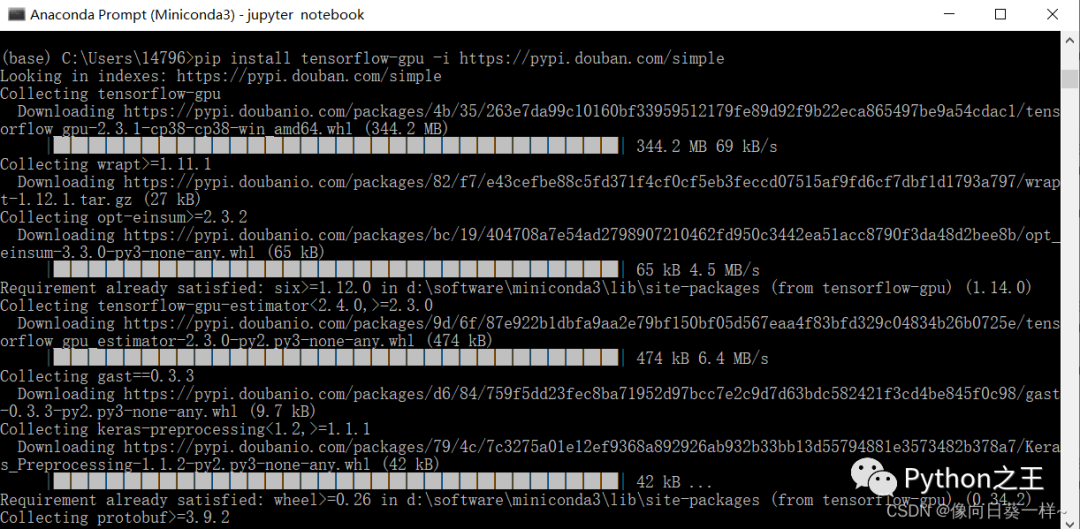
(5)下載安裝tensorflow-gpu
pip?install?tensorflow-gpu?-i?https://pypi.douban.com/simple
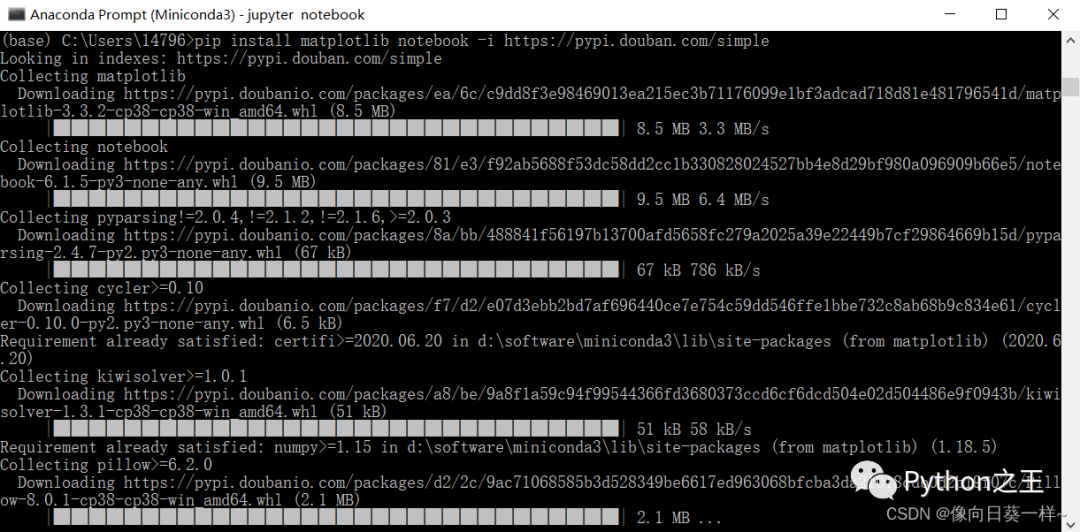
(6)安裝matplotlib和jupyter notebook
pip?install?matplotlib?notebook?-i?https://pypi.douban.com/simple
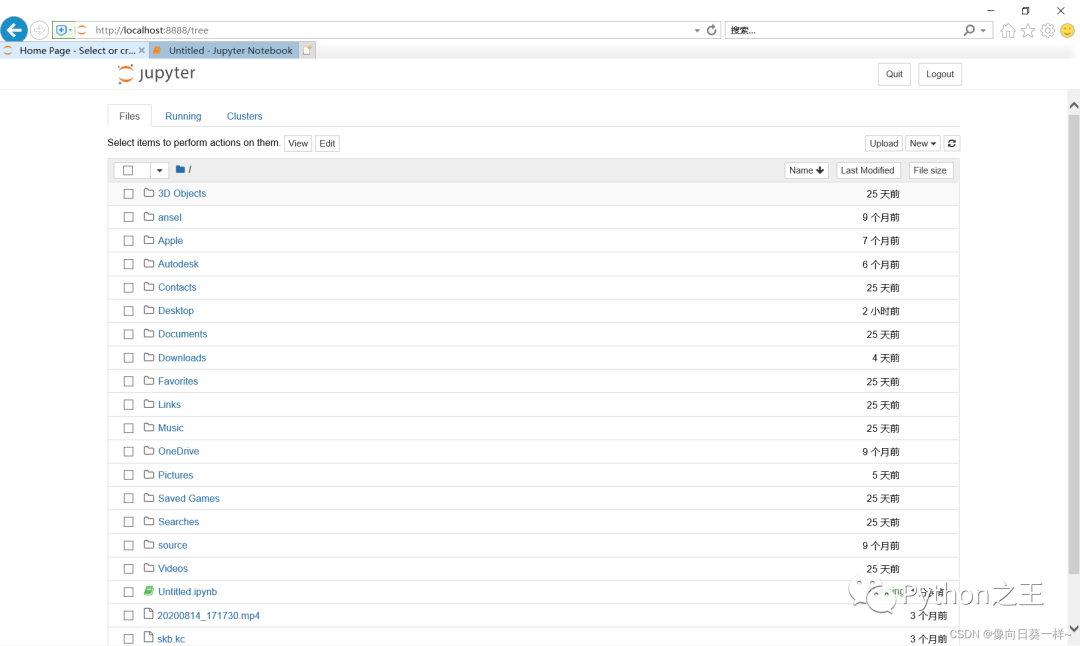
(7)使用可視化終端
jupyter?notebook
- 查看Tensorflow版本
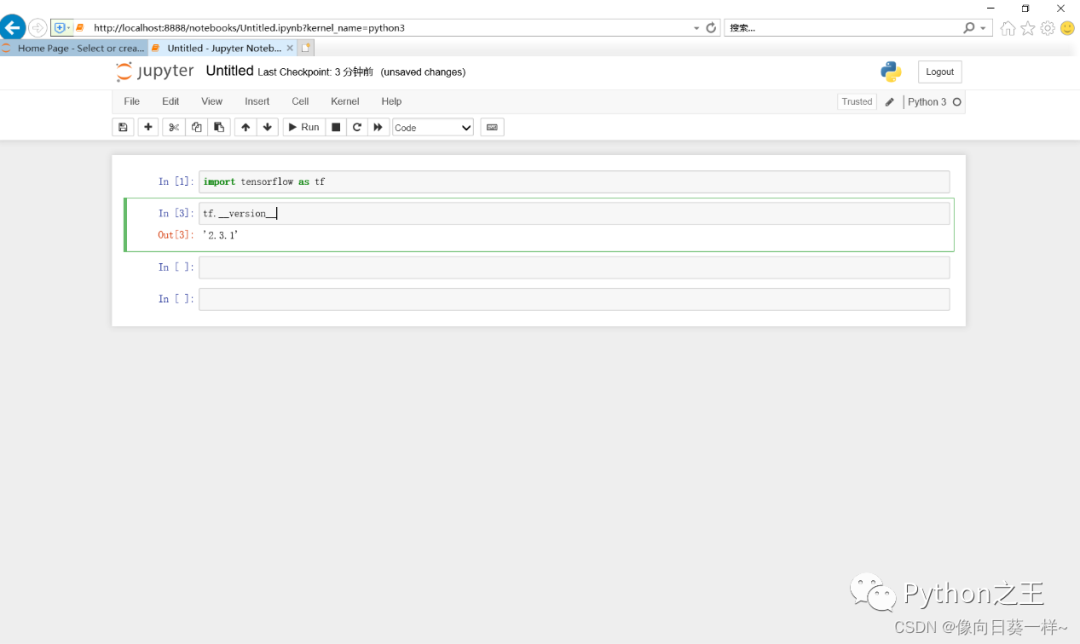
安裝版本是2.3.1。
2.測(cè)試GPU版本是否正確安裝
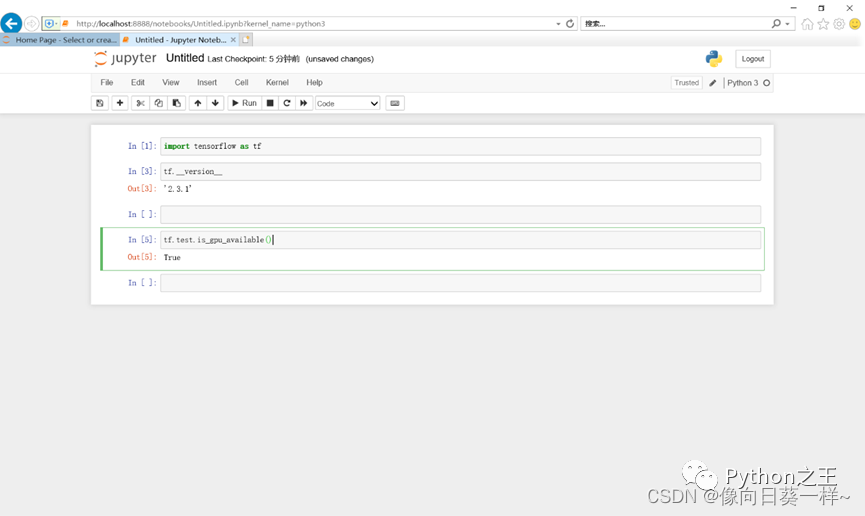
結(jié)果為T(mén)rue,安裝正確。
算法原理與設(shè)計(jì)(1)加載MNIST數(shù)據(jù)
(2)定義變量
- 定義占位符placeholder ????通過(guò)shape參數(shù),TensorFlow能夠自動(dòng)捕捉因數(shù)據(jù)維度不一致導(dǎo)致的錯(cuò)誤。
2.定義權(quán)重和偏置Variable
(3)構(gòu)建多層卷積網(wǎng)絡(luò)
整個(gè)網(wǎng)絡(luò)由兩個(gè)卷積層(包含激活層和池化層),一個(gè)全連接層,一個(gè)Dropout層和一個(gè)Softmax層組成。
**? ? ? 1.權(quán)重初始化**
**? ? ? 2.卷積和池化?**
卷積是提取特征的過(guò)程。將輸入圖片,處理就很困難。
池化來(lái)把卷積結(jié)果進(jìn)行壓縮,進(jìn)一步減少全連接時(shí)的連接數(shù)。這里采用最大池化,在選中區(qū)域中找最大的值作為抽樣后的值。
3.密集連接層
Reshape為向量,建立第一個(gè)全連接層。
**? ? ?4.Dropout層**
**? ? ?5.Softmax層**
**?6.訓(xùn)練和評(píng)估模型**
計(jì)算交叉熵、梯度下降法、精確度計(jì)算。再使用Saver,將訓(xùn)練的權(quán)重和偏置保存下來(lái),在評(píng)價(jià)程序中可以再次使用。最后訓(xùn)練100次,進(jìn)行驗(yàn)證。
使用過(guò)程(1)測(cè)試Tensorflow是否安裝成功、MNIST數(shù)據(jù)集是否可以成功調(diào)用
**? ? ? ? 1.下載MNIST數(shù)據(jù)集**
#導(dǎo)入tensorflow庫(kù)??
import?tensorflow?as??
#mnist數(shù)據(jù)集的完整前綴和名稱????
mnist=tf.keras.datasets.mnist??
#使用minist數(shù)據(jù)集的load_data(?)加載數(shù)據(jù)集??
(train_?x,train?y),?(test_?x,test_?y)?=?mnist.load_data(?)??
#在第一次執(zhí)行時(shí)本地磁盤(pán)中沒(méi)有這個(gè)數(shù)據(jù)集會(huì)自動(dòng)的通過(guò)網(wǎng)絡(luò)下載,并顯示地址和進(jìn)度。

**? ?2.訓(xùn)練集和測(cè)試集的長(zhǎng)度**
print("Training?set:",len(train_?x))
print("?Testing?set:",len(test?X))??

**?3.輸出圖像數(shù)據(jù)和標(biāo)記數(shù)據(jù)的形狀**
print("train_?x:",train_?x.?shape,?train_x.dtype)??
print("train_?y:",train_y.?shape,?train_?y.dtype)

圖像數(shù)據(jù)是一個(gè)三維數(shù)組,有60000個(gè)樣本,每一個(gè)樣本是一個(gè)28 * 28的二維數(shù)組,是8位無(wú)符號(hào)整數(shù)。
標(biāo)簽是一個(gè)一維數(shù)組,對(duì)應(yīng)60000個(gè)數(shù)據(jù)值,是8位無(wú)符號(hào)整數(shù)。
4.輸出數(shù)據(jù)集中的第一個(gè)樣本
train_x[0]
大量的0,其中不為0的表示筆畫(huà)。
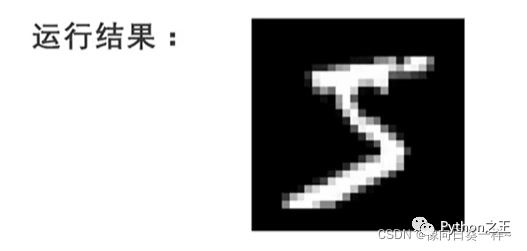
5.顯示圖片
導(dǎo)入matplotlib內(nèi)的pyplot方法??
import?matplotlib.pyplot?as?plt??
plt.axis("off")??
用imshow方法來(lái)顯示圖片,參數(shù)為數(shù)據(jù)集的第一個(gè)樣本??
plt.imshow(train_x[0],cmap='gray')??
plt.show??
train_y[0]
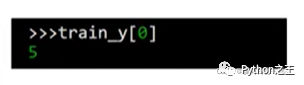
輸出這個(gè)圖片的標(biāo)簽,結(jié)果是5,表明這個(gè)圖像是數(shù)字。
6.測(cè)試
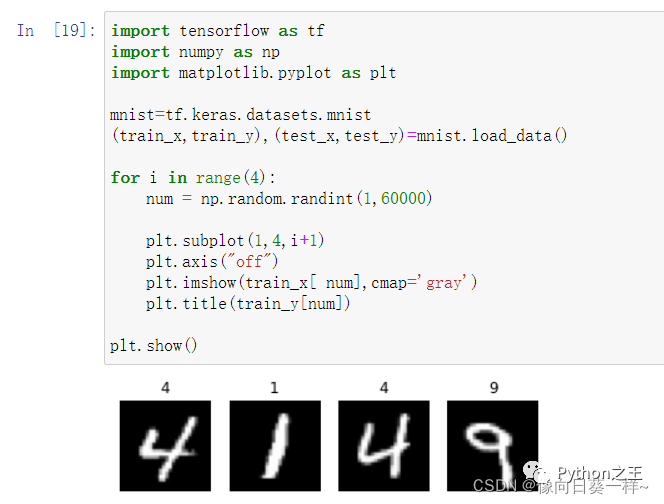
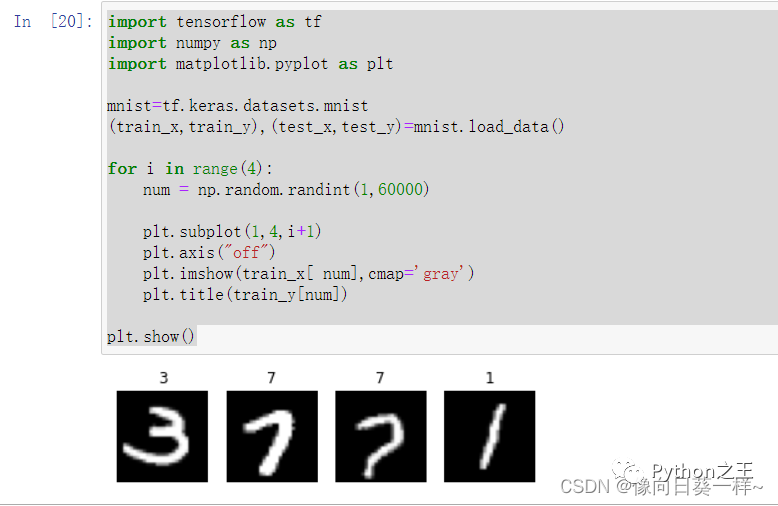
隨機(jī)顯示4幅手寫(xiě)數(shù)字圖片:
??#循環(huán)四次??
??for?i?in?range(4):??
??#隨機(jī)產(chǎn)生一個(gè)1到60000之間的整數(shù),作為樣本的索引值?????
??????num=np.random.randint(1,60000)??
??????#將畫(huà)布劃分為一行四列的四個(gè)子圖局域,依次繪制子圖??
??????plt.subplot(1,4,i+1)??
??????plt.axis("off")??
??#imshow函數(shù)顯示圖像,參數(shù)為訓(xùn)練集中隨機(jī)生成的樣本??
??????plt.imshow(train_x[num],cmap=gray’)??
??#將圖像的標(biāo)簽顯示在子圖標(biāo)題位置??
??????plt.title(train_y[num])??
??#顯示整個(gè)繪圖??
??plt.show()??
測(cè)試結(jié)果:
第二次測(cè)試結(jié)果:
(2)創(chuàng)建MNIST數(shù)據(jù)集模型
用于導(dǎo)入MNIST數(shù)據(jù)集-創(chuàng)建模型-保存模型到指定路徑。
(1)源代碼:
**? ? ? ? ?1.創(chuàng)建MNIST數(shù)據(jù)集模型**
??from?tensorflow.examples.tutorials.mnist?import?input_data??
????
??import?tensorflow.compat.v1?as?tf??
??tf.disable_v2_behavior()??
????
??mnist?=?input_data.read_data_sets(r'D:\All_Downloads\TIM_Downloads\AI\MNIST_data',?one_hot=True)?#MNIST數(shù)據(jù)集所在路徑??
????
??x?=?tf.placeholder(tf.float32,?[None,?784])??
????
??y_?=?tf.placeholder(tf.float32,?[None,?10])??
????
????
??def?weight_variable(shape):??
??????initial?=?tf.truncated_normal(shape,stddev?=?0.1)??
??????return?tf.Variable(initial)??
????
??def?bias_variable(shape):??
??????initial?=?tf.constant(0.1,shape?=?shape)??
??????return?tf.Variable(initial)??
????
??def?conv2d(x,W):??
??????return?tf.nn.conv2d(x,?W,?strides?=?[1,1,1,1],?padding?=?'SAME')??
????
??def?max_pool_2x2(x):??
??????return?tf.nn.max_pool(x,?ksize=[1,2,2,1],?strides=[1,2,2,1],?padding='SAME')??
????
??W_conv1?=?weight_variable([5,?5,?1,?32])??
??b_conv1?=?bias_variable([32])??
????
??x_image?=?tf.reshape(x,[-1,28,28,1])??
????
??h_conv1?=?tf.nn.relu(conv2d(x_image,W_conv1)?+?b_conv1)??
??h_pool1?=?max_pool_2x2(h_conv1)??
????
??W_conv2?=?weight_variable([5,?5,?32,?64])??
??b_conv2?=?bias_variable([64])??
????
??h_conv2?=?tf.nn.relu(conv2d(h_pool1,?W_conv2)?+?b_conv2)??
??h_pool2?=?max_pool_2x2(h_conv2)??
????
??W_fc1?=?weight_variable([7?*?7?*?64,?1024])??
??b_fc1?=?bias_variable([1024])??
????
??h_pool2_flat?=?tf.reshape(h_pool2,?[-1,?7*7*64])??
??h_fc1?=?tf.nn.relu(tf.matmul(h_pool2_flat,?W_fc1)?+?b_fc1)??
????
??keep_prob?=?tf.placeholder("float")??
??h_fc1_drop?=?tf.nn.dropout(h_fc1,?keep_prob)??
????
??W_fc2?=?weight_variable([1024,?10])??
??b_fc2?=?bias_variable([10])??
????
??y_conv=tf.nn.softmax(tf.matmul(h_fc1_drop,?W_fc2)?+?b_fc2)??
????
??cross_entropy?=?-tf.reduce_sum(y_*tf.log(y_conv))??
??train_step?=?tf.train.AdamOptimizer(1e-4).minimize(cross_entropy)??
??correct_prediction?=?tf.equal(tf.argmax(y_conv,1),?tf.argmax(y_,1))??
??accuracy?=?tf.reduce_mean(tf.cast(correct_prediction,?"float"))??
????
??saver?=?tf.train.Saver()?#定義saver??
????
??with?tf.Session()?as?sess:??
??????sess.run(tf.global_variables_initializer())??
??????for?i?in?range(20000):??
??????????batch?=?mnist.train.next_batch(50)??
??????????if?i?%?100?==?0:??
??????????????train_accuracy?=?accuracy.eval(feed_dict={??
??????????????????x:?batch[0],?y_:?batch[1],?keep_prob:?1.0})??
??????????????print('step?%d,?training?accuracy?%g'?%?(i,?train_accuracy))??
??????????train_step.run(feed_dict={x:?batch[0],?y_:?batch[1],?keep_prob:?0.5})??
??????saver.save(sess,?'D:/All_Downloads/TIM_Downloads/AI/MNISTDataModel/model.ckpt')?#模型儲(chǔ)存位置??
????
??????print('test?accuracy?%g'?%?accuracy.eval(feed_dict={??
??????????x:?mnist.test.images,?y_:?mnist.test.labels,?keep_prob:?1.0}))??
** 2.運(yùn)行結(jié)果**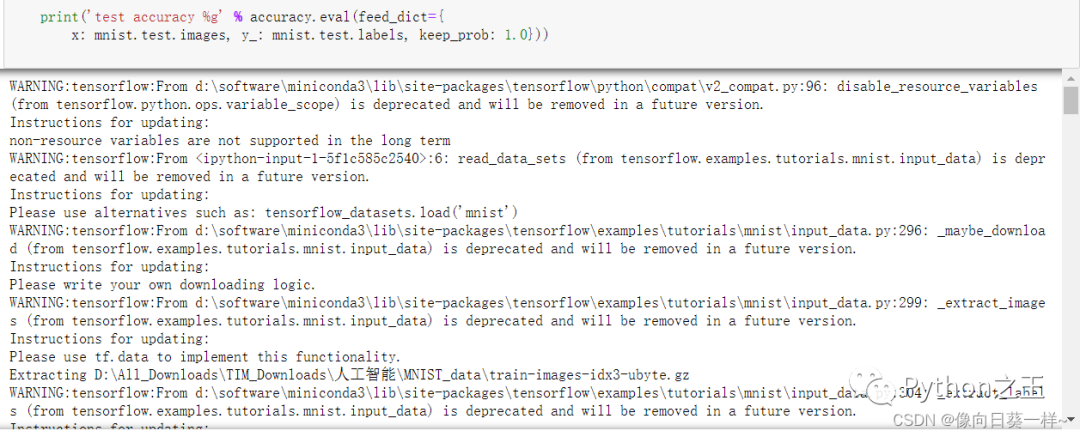
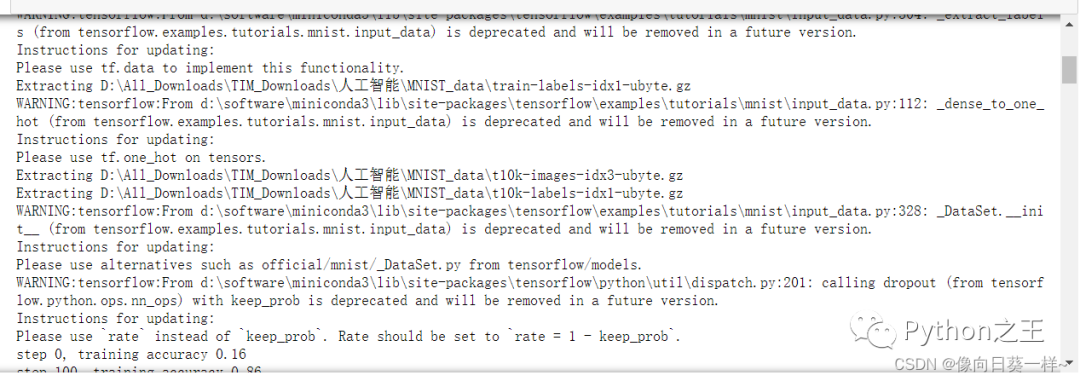
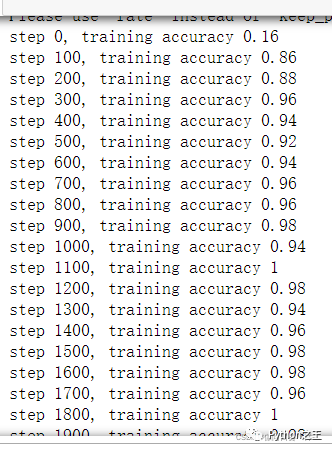
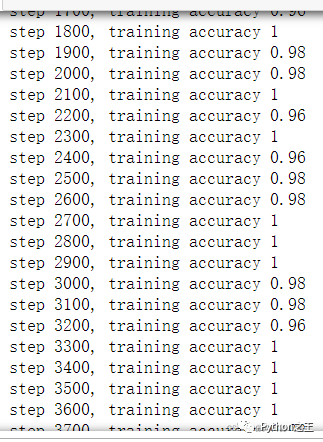
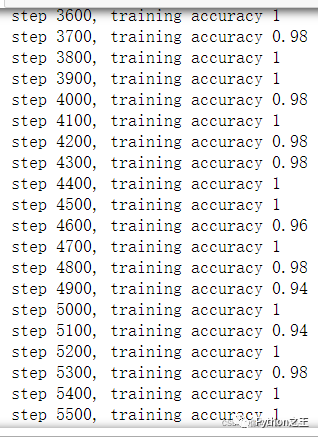
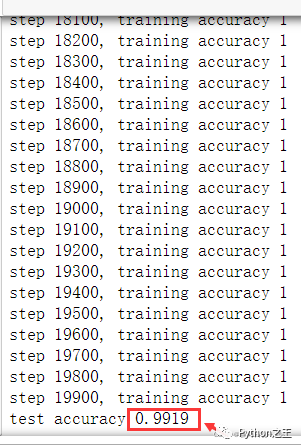
生成的模型準(zhǔn)確率高達(dá)99.19%。
(3)測(cè)試剛創(chuàng)建的模型
1.源代碼
??from?PIL?import?Image,?ImageFilter??
??import?tensorflow.compat.v1?as?tf??
??tf.disable_v2_behavior()??
??import?matplotlib.pyplot?as?plt??
??import?time??
????
??def?imageprepare():??
??????"""?
??????This?function?returns?the?pixel?values.?
??????The?imput?is?a?png?file?location.?
??????"""??
??????file_name='C:/Users/14796/Tensorflow_DataSet/MNIST/4.png'#導(dǎo)入自己的圖片地址??
??????#in?terminal?'mogrify?-format?png?*.jpg'?convert?jpg?to?png??
??????im?=?Image.open(file_name)??
??????plt.imshow(im)??
??????plt.show()??
??????im?=?im.convert('L')??
????
??????im.save("C:/Users/14796/Tensorflow_DataSet/MNIST/sample.png")??
????????
????????
??????tv?=?list(im.getdata())?#get?pixel?values??
????
??????#normalize?pixels?to?0?and?1.?0?is?pure?white,?1?is?pure?black.??
??????tva?=?[?(255-x)*1.0/255.0?for?x?in?tv]???
??????print(tva)??
??????return?tva??
????
????
????
??????"""?
??????This?function?returns?the?predicted?integer.?
??????The?imput?is?the?pixel?values?from?the?imageprepare()?function.?
??????"""??
????
??????#?Define?the?model?(same?as?when?creating?the?model?file)??
????
??result=imageprepare()??
????
????
??x?=?tf.placeholder(tf.float32,?[None,?784])??
????
??y_?=?tf.placeholder(tf.float32,?[None,?10])??
????
????
??def?weight_variable(shape):??
??????initial?=?tf.truncated_normal(shape,stddev?=?0.1)??
??????return?tf.Variable(initial)??
????
??def?bias_variable(shape):??
??????initial?=?tf.constant(0.1,shape?=?shape)??
??????return?tf.Variable(initial)??
????
??def?conv2d(x,W):??
??????return?tf.nn.conv2d(x,?W,?strides?=?[1,1,1,1],?padding?=?'SAME')??
????
??def?max_pool_2x2(x):??
??????return?tf.nn.max_pool(x,?ksize=[1,2,2,1],?strides=[1,2,2,1],?padding='SAME')??
????
??W_conv1?=?weight_variable([5,?5,?1,?32])??
??b_conv1?=?bias_variable([32])??
????
??x_image?=?tf.reshape(x,[-1,28,28,1])??
????
??h_conv1?=?tf.nn.relu(conv2d(x_image,W_conv1)?+?b_conv1)??
??h_pool1?=?max_pool_2x2(h_conv1)??
????
??W_conv2?=?weight_variable([5,?5,?32,?64])??
??b_conv2?=?bias_variable([64])??
????
??h_conv2?=?tf.nn.relu(conv2d(h_pool1,?W_conv2)?+?b_conv2)??
??h_pool2?=?max_pool_2x2(h_conv2)??
????
??W_fc1?=?weight_variable([7?*?7?*?64,?1024])??
??b_fc1?=?bias_variable([1024])??
????
??h_pool2_flat?=?tf.reshape(h_pool2,?[-1,?7*7*64])??
??h_fc1?=?tf.nn.relu(tf.matmul(h_pool2_flat,?W_fc1)?+?b_fc1)??
????
??keep_prob?=?tf.placeholder("float")??
??h_fc1_drop?=?tf.nn.dropout(h_fc1,?keep_prob)??
????
??W_fc2?=?weight_variable([1024,?10])??
??b_fc2?=?bias_variable([10])??
????
??y_conv=tf.nn.softmax(tf.matmul(h_fc1_drop,?W_fc2)?+?b_fc2)??
????
??cross_entropy?=?-tf.reduce_sum(y_*tf.log(y_conv))??
??train_step?=?tf.train.AdamOptimizer(1e-4).minimize(cross_entropy)??
??correct_prediction?=?tf.equal(tf.argmax(y_conv,1),?tf.argmax(y_,1))??
??accuracy?=?tf.reduce_mean(tf.cast(correct_prediction,?"float"))??
????
??saver?=?tf.train.Saver()??
??with?tf.Session()?as?sess:??
??????sess.run(tf.global_variables_initializer())??
??????saver.restore(sess,?"SAVE/model.ckpt")?#使用模型??
??????#print?("Model?restored.")??
????
??????prediction=tf.argmax(y_conv,1)??
??????predint=prediction.eval(feed_dict={x:?[result],keep_prob:?1.0},?session=sess)??
??????print(h_conv2)??
????
??????print('識(shí)別結(jié)果:')??
??????print(predint[0])?
**?2.測(cè)試圖片**
3.運(yùn)行結(jié)果
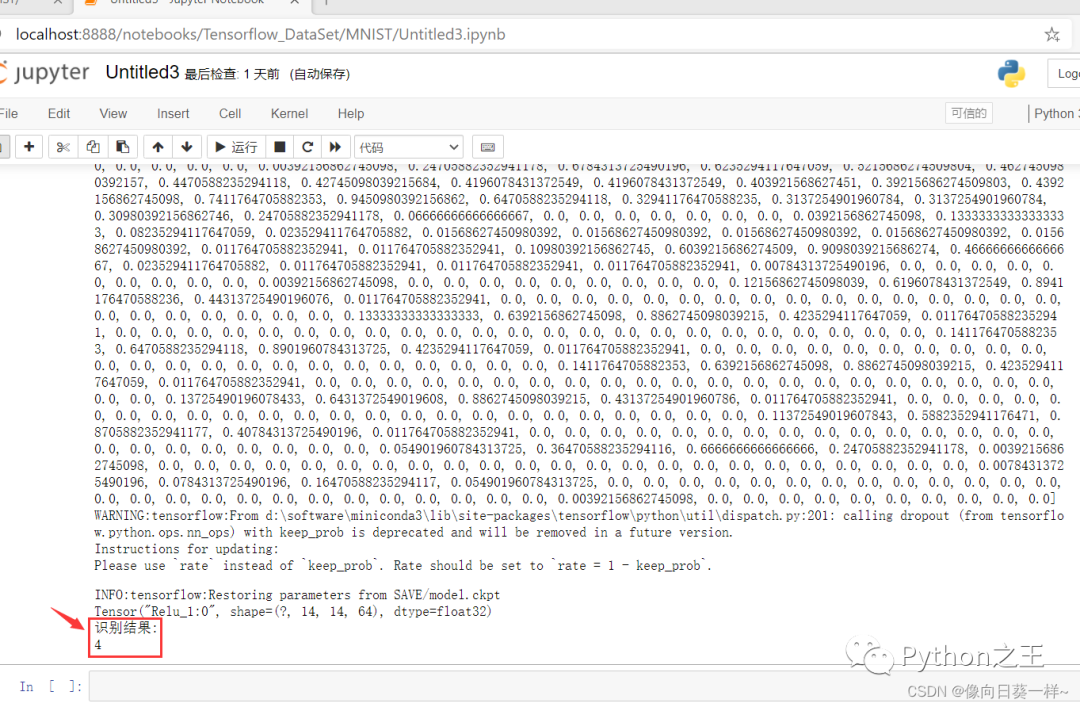
識(shí)別結(jié)果為4,與測(cè)試圖片內(nèi)容一致,識(shí)別正確。
總結(jié)手寫(xiě)數(shù)字識(shí)別是模式識(shí)別中一個(gè)非常重要和活躍的研究領(lǐng)域,數(shù)字識(shí)別也不是一項(xiàng)孤立的技術(shù),他涉及的問(wèn)題是模式識(shí)別的其他領(lǐng)域都無(wú)法回避的;應(yīng)用上,作為一種信息處理手段,字符識(shí)別有廣闊的應(yīng)用背景和巨大的市場(chǎng)需求。因此,對(duì)數(shù)字識(shí)別的研究具有理論和應(yīng)用的雙重意義。
手寫(xiě)數(shù)字識(shí)別在郵政編碼、統(tǒng)計(jì)報(bào)表、財(cái)務(wù)報(bào)表、快遞分揀、銀行票據(jù)等處理大量字符信息錄入的場(chǎng)合中具有廣泛應(yīng)用。另外,圖像識(shí)別技術(shù)的研究為人工智能開(kāi)啟了里程碑,在機(jī)器學(xué)習(xí)、機(jī)器人研究等方面起到了關(guān)鍵的作用。這方面的研究很有實(shí)用價(jià)值,重要性也是不言而喻的。