
【Python】7個極其重要的Pandas函數(shù)!
公眾號:尤而小屋
作者:Peter
編輯:Peter
大家好,我是Peter~
本文介紹Pandas中7個極其重要的函數(shù),它們在日常的數(shù)據(jù)分析會經(jīng)常使用。
- isnull
- apply
- groupby
- unique
- reset_index
- sort_values
- to_csv
同時你還將學會
如何造假數(shù)據(jù)
。

模擬數(shù)據(jù)
通過numpy和pandas庫模擬一份數(shù)據(jù),使用了
numpy.random.choice
方法
In [1]:
        import?pandas?as?pd
import?numpy?as?np
In [2]:
        names?=?["apple","orange","pear","grape","banana","cantaloupe"]

places?=?["陜西","江西","山西","甘肅","新疆","江蘇","浙江"]
In [3]:
        df?=?pd.DataFrame({"name":?np.random.choice(names,?30),??#?名稱
???????????????????"place":?np.random.choice(places,?30),??#?產(chǎn)地
???????????????????"price":?np.random.randint(1,10,30),??#?單價
???????????????????"weight":np.random.randint(100,1000,30)??#?重量
??????????????????})

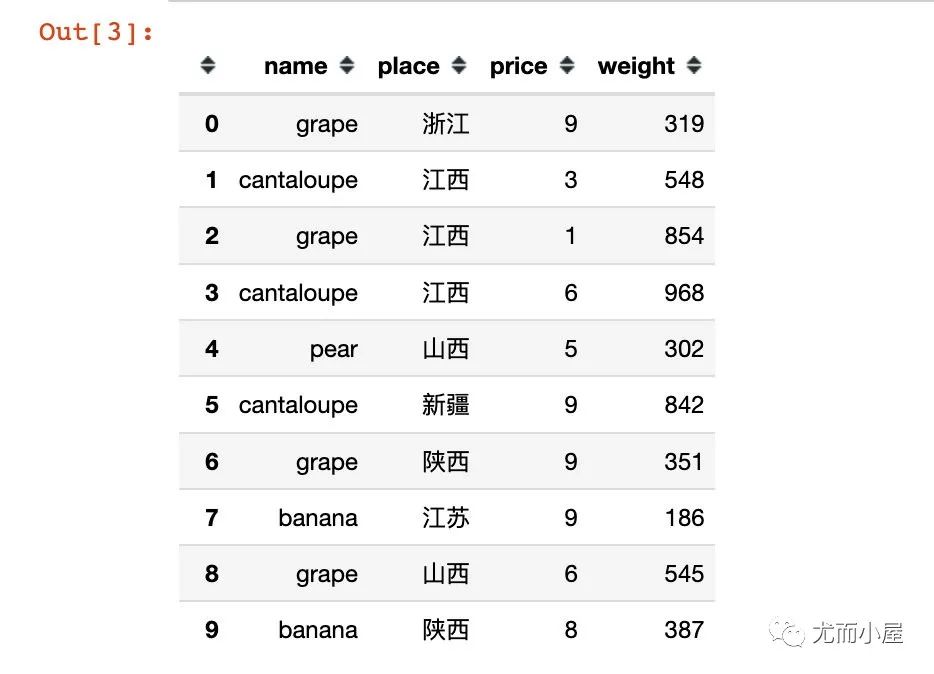
df.head(10)??#?顯示前10條數(shù)據(jù)
函數(shù)1:isnull
查看數(shù)據(jù)中的缺失值信息。
下面是直接查看數(shù)據(jù)中的每個位置是否為缺失值:是為True;否為False
In [4]:
df.isnull()??
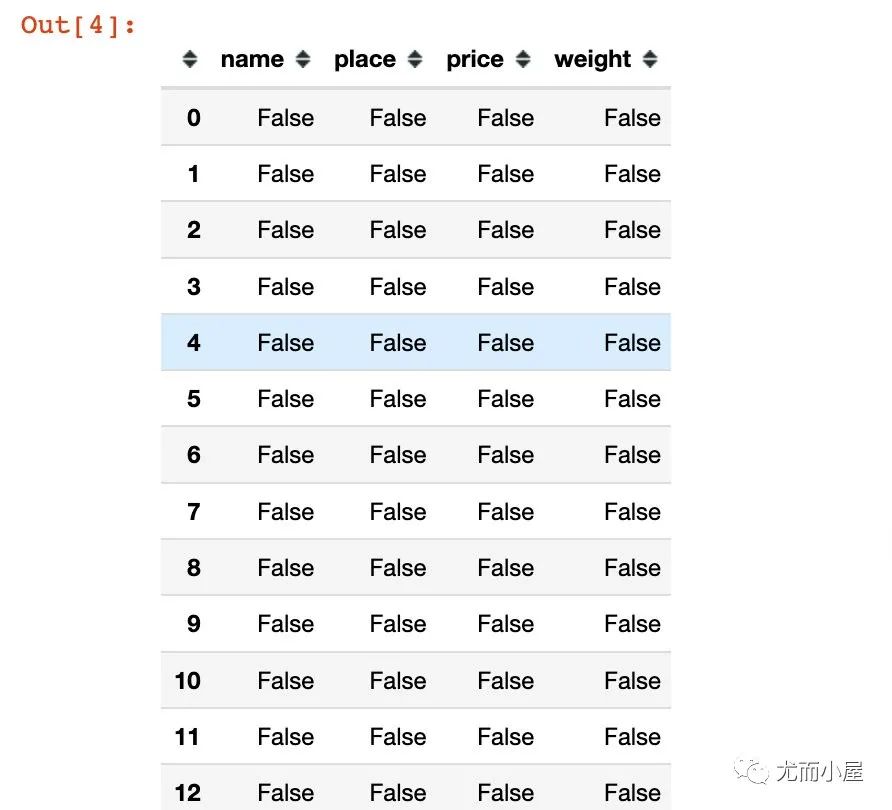
查看每個字段是否存在缺失值;在執(zhí)行sum的時候,F(xiàn)alse表示0,True表示1:
In [5]:
df.isnull().sum()??
Out[5]:
        name??????0
place?????0
price?????0
weight????0
dtype:?int64
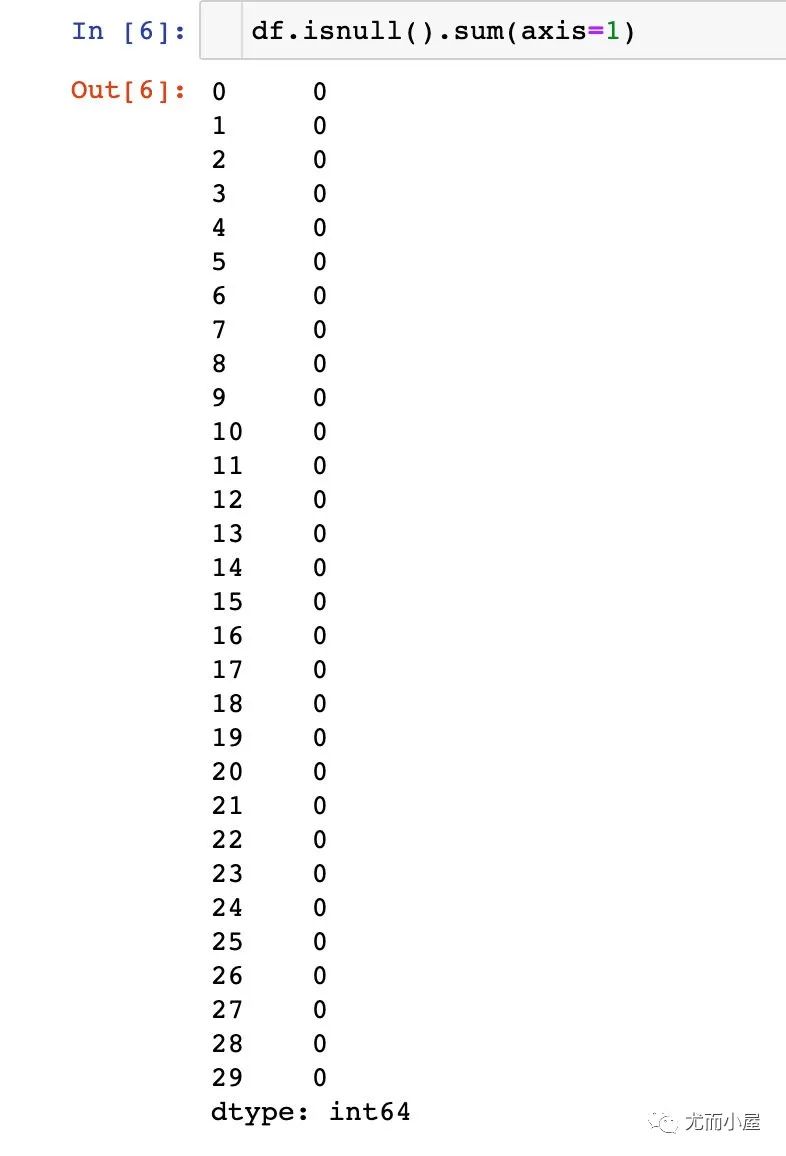
上面的結果默認是在列方向上求和;可以執(zhí)行在行axis=1上求和:
In [6]:
df.isnull().sum(axis=1)??
函數(shù)2:apply
apply能夠對pandas中的數(shù)據(jù)進行批量操作。
1、單個字段的操作
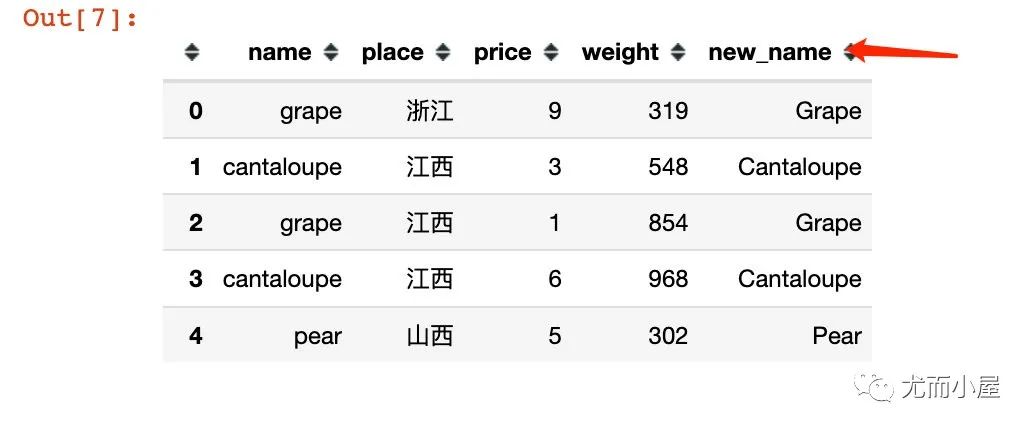
比如將name字段全部變成首字母大寫:
In [7]:
        df["new_name"]?=?df["name"].apply(lambda?x:?x.title())

df.head()
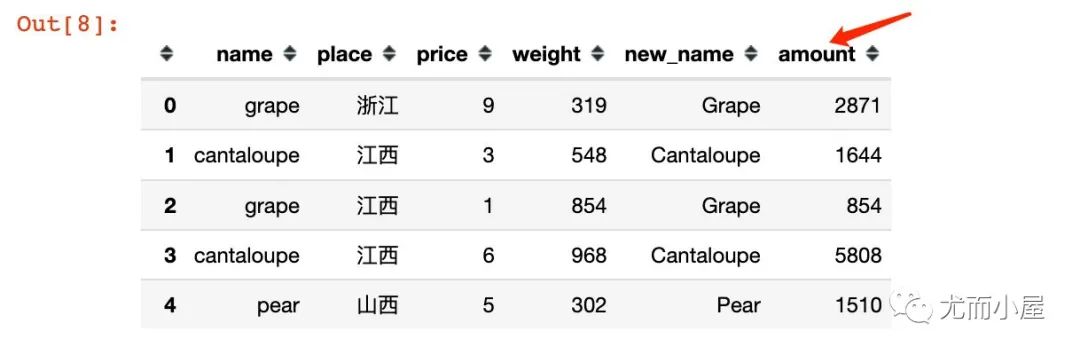
2、多個字段的同時操作:
比如根據(jù)price和weight求乘積,結果為amount:
In [8]:
        df["amount"]?=?df[["price","weight"]].apply(lambda?x:?x["price"]?*?x["weight"],?axis=1)

df.head()
函數(shù)3:groupby
進行分組聚合的操作:
In [9]:
        #?1、統(tǒng)計不同水果的總金額


df.groupby("name")["amount"].sum()
Out[9]:
        name
apple?????????13360
banana????????12570
cantaloupe????18777
grape?????????20960
orange????????29995
pear???????????3694
Name:?amount,?dtype:?int64
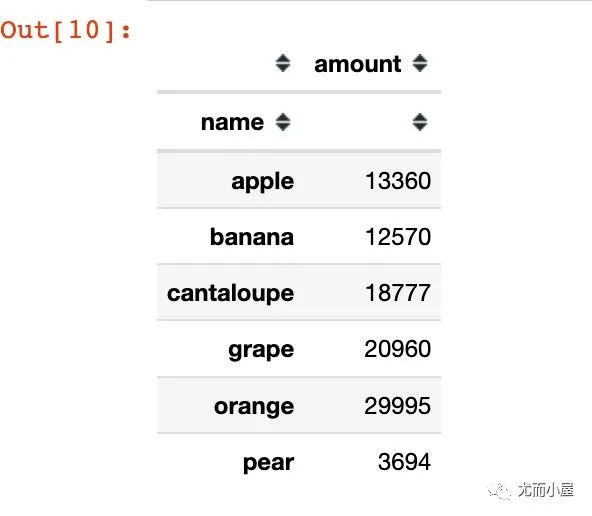
上面得到的結果是Series型數(shù)據(jù);如果是groupby + agg,得到的則是DataFrame型數(shù)據(jù):
In [10]:
        #?groupby?+?agg

df.groupby("name").agg({"amount":sum})
Out[10]:
In [11]:
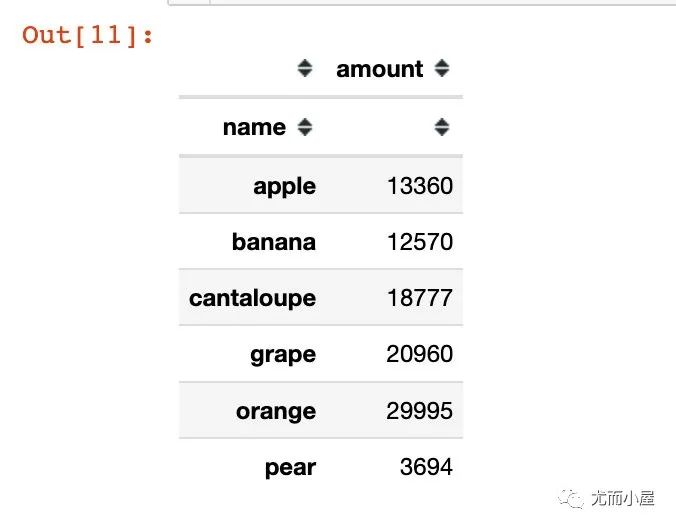
        #?groupby?+?to_frame?結果也變成了DataFrame型數(shù)據(jù)

df.groupby("name")["amount"].sum().to_frame()
Out[11]:
函數(shù)4:unique
統(tǒng)計數(shù)據(jù)的唯一值信息。比如統(tǒng)計每個水果name對應的產(chǎn)地信息place:
In [12]:
df.groupby("name")["place"].unique()??#?有去重
Out[12]:
        name
apple?????????????????????????[浙江,?山西]
banana????????[江蘇,?陜西,?山西,?江西,?甘肅,?浙江]
cantaloupe????????????????[江西,?新疆,?山西]
grape?????????????[浙江,?江西,?陜西,?山西,?江蘇]
orange????????????????????[浙江,?山西,?江蘇]
pear??????????????????????????[山西,?新疆]
Name:?place,?dtype:?object
In [13]:
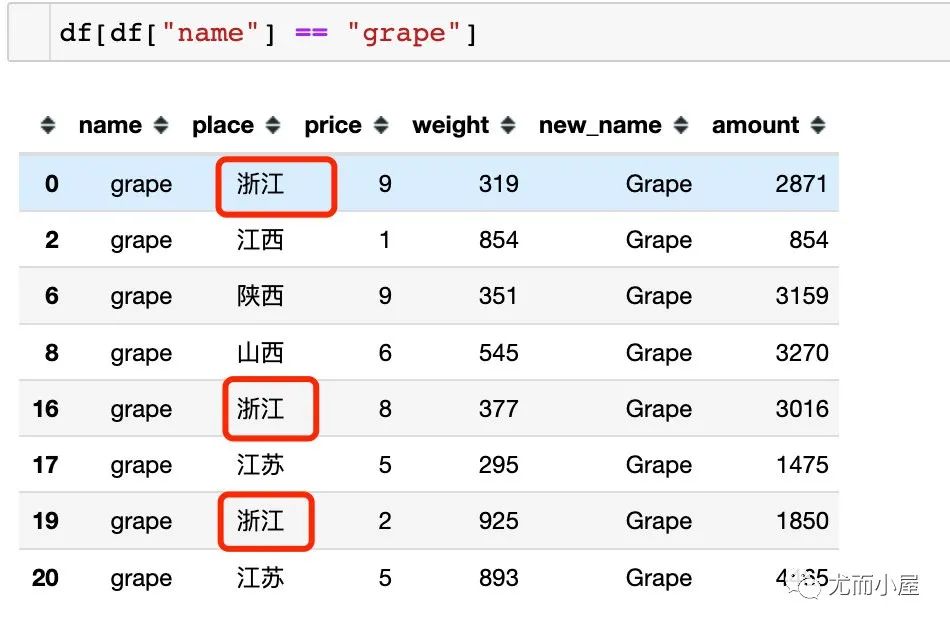
df.groupby("name")["place"].apply(list)??#?不去重
Out[13]:
        name
apple?????????????????????????????????[浙江,?山西]
banana????????????????[江蘇,?陜西,?山西,?江西,?甘肅,?浙江]
cantaloupe????????????????[江西,?江西,?新疆,?山西,?新疆]
grape?????????[浙江,?江西,?陜西,?山西,?浙江,?江蘇,?浙江,?江蘇]??#?有重復值
orange????????????[浙江,?山西,?山西,?江蘇,?山西,?浙江,?山西]
pear??????????????????????????????????[山西,?新疆]
Name:?place,?dtype:?object
如果是直接使用list函數(shù),則會在對應的列表中展示全部的數(shù)據(jù)(包含重復值):
函數(shù)5:reset_index
將DataFrame的索引進行重置:
In [15]:
        data?=?df.groupby("name")["amount"].sum()??#?不加reset_index()

data
Out[15]:
        name
apple?????????13360
banana????????12570
cantaloupe????18777
grape?????????20960
orange????????29995
pear???????????3694
Name:?amount,?dtype:?int64
In [16]:
type(data)??# Series型數(shù)據(jù)
Out[16]:
pandas.core.series.Series
In [17]:
        data?=?df.groupby("name")["amount"].sum().reset_index()??#?不加reset_index()

data
Out[17]:
|
|
name | amount |
|---|---|---|
| 0 | apple | 13360 |
| 1 | banana | 12570 |
| 2 | cantaloupe | 18777 |
| 3 | grape | 20960 |
| 4 | orange | 29995 |
| 5 | pear | 3694 |
In [18]:
type(data)??#?DataFrame數(shù)據(jù)
Out[18]:
pandas.core.frame.DataFrame
函數(shù)6:sort_values
sort_values是對數(shù)據(jù)進行排序,默認是升序
In [19]:
data??#?使用上面的data數(shù)據(jù)
Out[19]:
|
|
name | amount |
|---|---|---|
| 0 | apple | 13360 |
| 1 | banana | 12570 |
| 2 | cantaloupe | 18777 |
| 3 | grape | 20960 |
| 4 | orange | 29995 |
| 5 | pear | 3694 |
In [20]:
data.sort_values(by="amount")??#?默認升序
Out[20]:
|
|
name | amount |
|---|---|---|
| 5 | pear | 3694 |
| 1 | banana | 12570 |
| 0 | apple | 13360 |
| 2 | cantaloupe | 18777 |
| 3 | grape | 20960 |
| 4 | orange | 29995 |
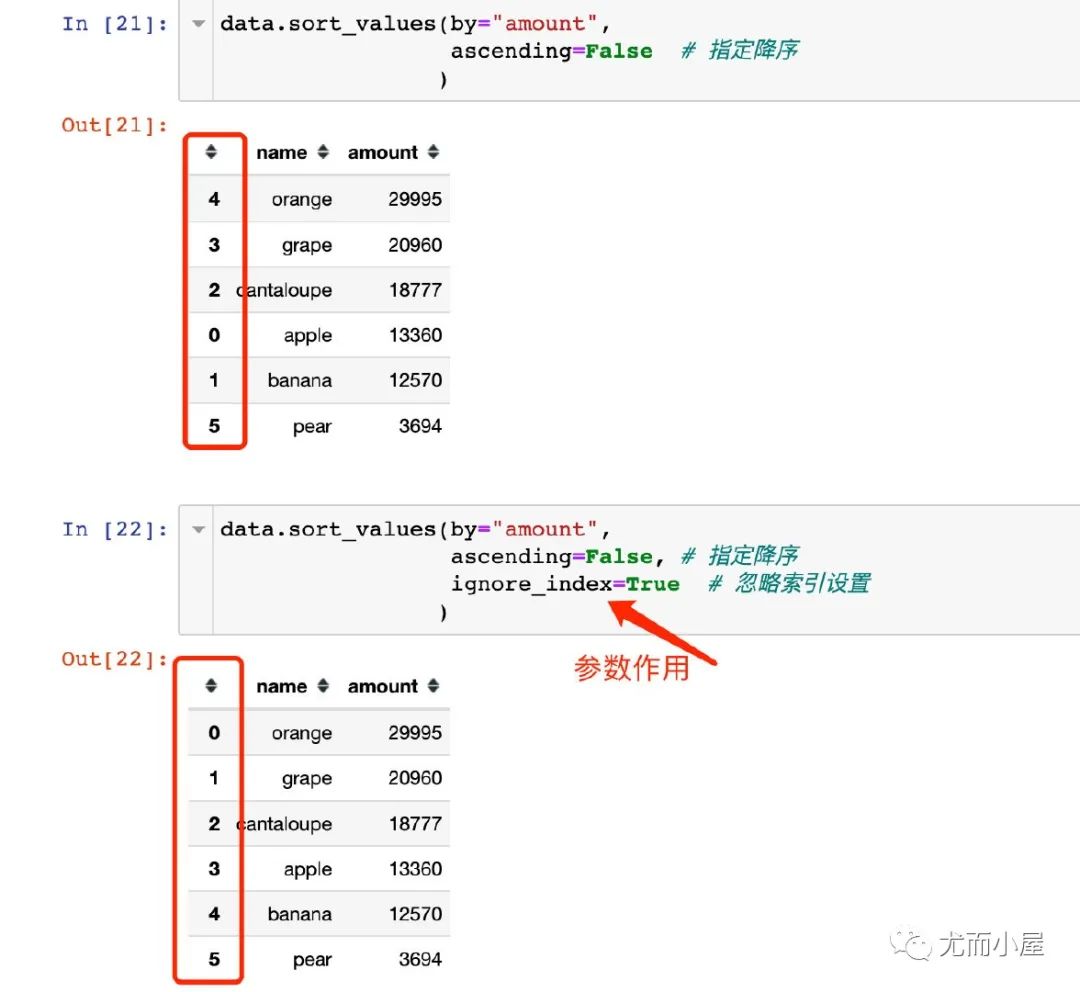
In [21]:
        data.sort_values(by="amount",?
?????????????????ascending=False??#?指定降序
????????????????)??
Out[21]:
|
|
name | amount |
|---|---|---|
| 4 | orange | 29995 |
| 3 | grape | 20960 |
| 2 | cantaloupe | 18777 |
| 0 | apple | 13360 |
| 1 | banana | 12570 |
| 5 | pear | 3694 |
In [22]:
        data.sort_values(by="amount",?
?????????????????ascending=False,?#?指定降序
?????????????????ignore_index=True??#?忽略索引設置
????????????????)??
Out[22]:
|
|
name | amount |
|---|---|---|
| 0 | orange | 29995 |
| 1 | grape | 20960 |
| 2 | cantaloupe | 18777 |
| 3 | apple | 13360 |
| 4 | banana | 12570 |
| 5 | pear | 3694 |
函數(shù)7:to_csv
將DataFrame保存成csv格式:
In [23]:
        df.to_csv("newdata.csv",index=False)?????#?csv格式
#?df.to_csv("newdata.xls",index=False)???#?Excel格式
                                          往期
                                          精彩
                                          回顧
- 適合初學者入門人工智能的路線及資料下載
- (圖文+視頻)機器學習入門系列下載
- 機器學習及深度學習筆記等資料打印
- 《統(tǒng)計學習方法》的代碼復現(xiàn)專輯
- 機器學習交流qq群955171419,加入微信群請 掃碼