
「實(shí)用推薦」如何優(yōu)雅的判斷元素是否進(jìn)入當(dāng)前視區(qū)
背景
在上篇文章:記一次 「 無限列表 」?jié)L動(dòng)優(yōu)化 中,
我介紹了「 如何優(yōu)化一個(gè)無限滾動(dòng)列表 」。
用到了懶加載方案, 一個(gè)關(guān)鍵點(diǎn)是:需要判斷元素是否在當(dāng)前視區(qū)。
我們今天就看看這個(gè)問題。
今天的主要內(nèi)容包括:
使用 元素位置判斷元素是否在當(dāng)前視區(qū)使用 Intersection Observer判斷元素是否在當(dāng)前視區(qū)實(shí)例: 懶加載實(shí)例: 無限滾動(dòng)實(shí)用 npm 包推薦
正文
1. 使用元素位置判斷元素是否在當(dāng)前視區(qū)
這種方法實(shí)現(xiàn)起來比較簡(jiǎn)單, 我們一步一步來。
首先:編寫一個(gè) util 函數(shù) isVisible,它將僅接收一個(gè)參數(shù),即 element。
export const isVisible = (el) => { };
使用 getBoundingClientRect 獲取該元素的位置
const rect = el.getBoundingClientRect();
將找到窗口的高度和寬度
const vWidth = window.innerWidth || document.documentElement.clientWidth;

const vHeight = window.innerHeight || document.documentElement.clientHeight;
再編寫一個(gè)函數(shù),該函數(shù)基本上將接收 x 和 y 點(diǎn),并使用elementFromPoint函數(shù)返回元素。
const elementFromPoint = function (x, y) {
  return document.elementFromPoint(x, y);
};
檢查元素是否在窗口內(nèi):
// Return false if it's not in the viewport
if (rect.right < 0
  || rect.bottom < 0
  || rect.left > vWidth
  || rect.top > vHeight) {
  return false;
}
邊界檢查:
// Return true if any of its four corners are visible
 return (
   el.contains(elementFromPoint(rect.left, rect.top))
   || el.contains(efp(rect.right, rect.top))
   || el.contains(efp(rect.right, rect.bottom))
   || el.contains(efp(rect.left, rect.bottom))
 );
完整代碼:
export const isVisible = (el) => {
  const rect = el.getBoundingClientRect();
  const vWidth = window.innerWidth || document.documentElement.clientWidth;
  const vHeight = window.innerHeight || document.documentElement.clientHeight;
  const efp = function (x, y) { return document.elementFromPoint(x, y); };

  // Return false if it's not in the viewport
  if (rect.right < 0 || rect.bottom < 0
            || rect.left > vWidth || rect.top > vHeight) { return false; }

  // Return true if any of its four corners are visible
  return (
    el.contains(
      elementFromPoint(rect.left, rect.top))
      || el.contains(efp(rect.right, rect.top))
      || el.contains(efp(rect.right, rect.bottom))
      || el.contains(efp(rect.left, rect.bottom))
  );
};
用法:
import { isVisible } from '../utils';
// ...
const ele = document.getElementById(id);
return isVisible(ele);
邏輯并不復(fù)雜,不過多介紹。
2. 使用 Intersection Observer 判斷元素是否在當(dāng)前視區(qū)
Intersection Observer 是一種更高效的方式。
為什么這么說呢?
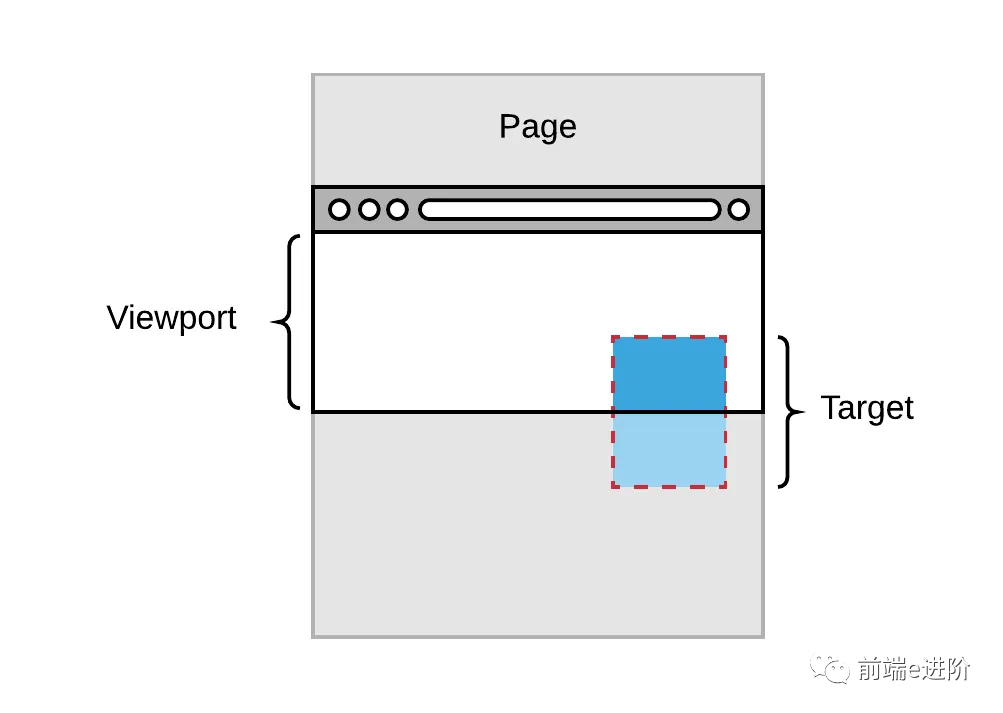
比如說,你想跟蹤 DOM 樹里的一個(gè)元素,當(dāng)它進(jìn)入可見窗口時(shí)得到通知。
可以通過綁定 scroll 事件或者用一個(gè)定時(shí)器,然后再回調(diào)函數(shù)中調(diào)用元素的 getBoundingClientRect 獲取元素位置實(shí)現(xiàn)這個(gè)功能。
但是,這種實(shí)現(xiàn)方式性能極差。
因?yàn)槊看握{(diào)用 getBoundingClientRect 都會(huì)強(qiáng)制瀏覽器重新計(jì)算整個(gè)頁(yè)面的布局,可能給你的網(wǎng)站造成相當(dāng)大的閃爍。
如果你的站點(diǎn)被加載到一個(gè) iframe 里,而你想要知道用戶什么時(shí)候能看到某個(gè)元素,這幾乎是不可能的。
單原模型(Single Origin Model)和瀏覽器不會(huì)讓你獲取 iframe 里的任何數(shù)據(jù)。
這對(duì)于經(jīng)常在 iframe 里加載的廣告頁(yè)面來說是一個(gè)很常見的問題。
IntersectionObserver 就是為此而生的。
它讓檢測(cè)一個(gè)元素是否可見更加高效。
IntersectionObserver 能讓你知道一個(gè)被觀測(cè)的元素什么時(shí)候進(jìn)入或離開瀏覽器的可見窗口。
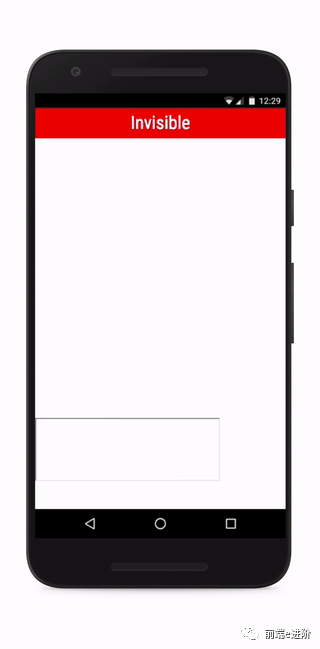
使用 IntersectionObserver 也非常簡(jiǎn)單, 兩步走:
創(chuàng)建 IntersectionObserver
const observer = new IntersectionObserver((entries, observer) => {
  entries.forEach((entry) => {
    // ...
    console.log(entry);
    // target element:
    //   entry.boundingClientRect
    //   entry.intersectionRatio
    //   entry.intersectionRect
    //   entry.isIntersecting
    //   entry.rootBounds
    //   entry.target
    //   entry.time
  });
}, options);
將元素傳遞給 IntersectionObserver
const element = document.querySelector('.element');
observer.observe(element);
entries 參數(shù)會(huì)被傳遞給你的回調(diào)函數(shù),它是一個(gè) IntersectionObserverEntry 對(duì)象數(shù)組。
每個(gè)對(duì)象都包含更新過的交點(diǎn)數(shù)據(jù)針對(duì)你所觀測(cè)的元素之一。
從輸出最有用的特性是:
isIntersectingtargetintersectionRect
isIntersecting:當(dāng)元素與默認(rèn)根(在本例中為視口)相交時(shí),將為true.
target:這將是我們將要觀察的頁(yè)面上的實(shí)際元素
intersectionRect:intersectionRect 告訴元素的可見部分。這將包含有關(guān)元素,其高度,寬度,視口位置等的信息。
在線 Demo: https://codepen.io/myogeshchavan97/pen/pogrWKV?editors=0011
更多有用的屬性
現(xiàn)在我們知道:當(dāng)被觀測(cè)的元素部分進(jìn)入可見窗口時(shí)會(huì)觸發(fā)回調(diào)函數(shù)一次,當(dāng)它離開可見窗口時(shí)會(huì)觸發(fā)另一次。
這樣就回答了一個(gè)問題:元素 X 在不在可見窗口里。
但在某些場(chǎng)合,僅僅如此還不夠。
這時(shí)候就輪到 threshold 登場(chǎng)了。
它允許你定義一個(gè) intersectionRatio 臨界值。
每次 intersectionRatio 經(jīng)過這些值的時(shí)候,你的回調(diào)函數(shù)都會(huì)被調(diào)用。
threshold 的默認(rèn)值是[0],就是默認(rèn)行為。
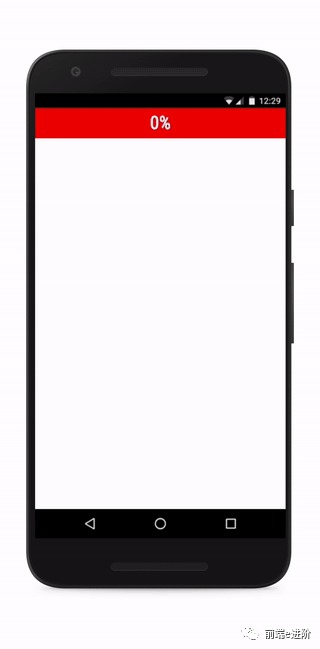
如果我們把 threshold 改為[0, 0.25, 0.5, 0.75, 1],當(dāng)元素的每四分之一變?yōu)榭梢姇r(shí),我們都會(huì)收到通知:
還一個(gè)屬性沒在上文列出: rootMargin.
rootMargin 允許你指定到跟元素的距離,允許你有效的擴(kuò)大或縮小交叉區(qū)域面積。
這些 margin 使用 CSS 風(fēng)格的字符串,例如: 10px 20px 30px 40px,依次指定上、右、下、左邊距。
new IntersectionObserver(entries => {
  // do something with entries
}, {
  // options
  // 用于計(jì)算相交區(qū)域的根元素
  // 如果未提供,使用最上級(jí)文檔的可見窗口
  root: null,
  // 同 margin,可以是 1、2、3、4 個(gè)值,允許時(shí)負(fù)值。
  // 如果顯式指定了跟元素,該值可以使用百分比,即根元素大小的百分之多少。
  // 如果沒指定根元素,使用百分比會(huì)出錯(cuò)。
  rootMargin: "0px",
  // 觸發(fā)回調(diào)函數(shù)的臨界值,用 0 ~ 1 的比率指定,也可以是一個(gè)數(shù)組。
  // 其值是被觀測(cè)元素可視面積 / 總面積。
  // 當(dāng)可視比率經(jīng)過這個(gè)值的時(shí)候,回調(diào)函數(shù)就會(huì)被調(diào)用。
  threshold: [0],
});
有一點(diǎn)要注意:IntersectionObserver 不是完美精確到像素級(jí)別,也不是低延時(shí)性的。
使用它實(shí)現(xiàn)類似依賴滾動(dòng)效果的動(dòng)畫注定會(huì)失敗。
因?yàn)榛卣{(diào)函數(shù)被調(diào)用的時(shí)候那些數(shù)據(jù)——嚴(yán)格來說已經(jīng)過期了。
實(shí)例:懶加載(lazy load)
有時(shí),我們希望某些靜態(tài)資源(比如圖片),只有用戶向下滾動(dòng),它們進(jìn)入視口時(shí)才加載,這樣可以節(jié)省帶寬,提高網(wǎng)頁(yè)性能。這就叫做"惰性加載"。
有了 IntersectionObserver API,實(shí)現(xiàn)起來就很容易了。
function query(selector) {
  return Array.from(document.querySelectorAll(selector));
}

const observer = new IntersectionObserver(
  function(changes) {
    changes.forEach(function(change) {
      var container = change.target;
      var content = container.querySelector('template').content;
      container.appendChild(content);
      observer.unobserve(container);
    });
  }
);

query('.lazy-loaded').forEach(function (item) {
  observer.observe(item);
});
上面代碼中,只有目標(biāo)區(qū)域可見時(shí),才會(huì)將模板內(nèi)容插入真實(shí) DOM,從而引發(fā)靜態(tài)資源的加載。
實(shí)例:無限滾動(dòng)
無限滾動(dòng)(infinite scroll)的實(shí)現(xiàn)也很簡(jiǎn)單:
const intersectionObserver = new IntersectionObserver(
  function (entries) {
    // 如果不可見,就返回
    if (entries[0].intersectionRatio <= 0) return;
    loadItems(10);
    console.log('Loaded new items');
  });

// 開始觀察
intersectionObserver.observe(
  document.querySelector('.scrollerFooter')
);
無限滾動(dòng)時(shí),最好在頁(yè)面底部有一個(gè)頁(yè)尾欄。
一旦頁(yè)尾欄可見,就表示用戶到達(dá)了頁(yè)面底部,從而加載新的條目放在頁(yè)尾欄前面。
這樣做的好處是:
不需要再一次調(diào)用 observe() 方法, 現(xiàn)有的 IntersectionObserver 可以保持使用。
實(shí)用 Npm 包推薦
和今天話題相關(guān)的npm 包推薦的是:react-visibility-sensor
地址:https://www.npmjs.com/package/react-visibility-sensor
用法也很簡(jiǎn)答:
import VisibilitySensor from "react-visibility-sensor";

function onChange (isVisible) {
  console.log('Element is now %s', isVisible ? 'visible' : 'hidden');
}

function MyComponent (props) {
  return (
    <VisibilitySensor onChange={onChange}>
      <div>...content goes here...</div>
    </VisibilitySensor>
  );
}
動(dòng)態(tài)效果演示:
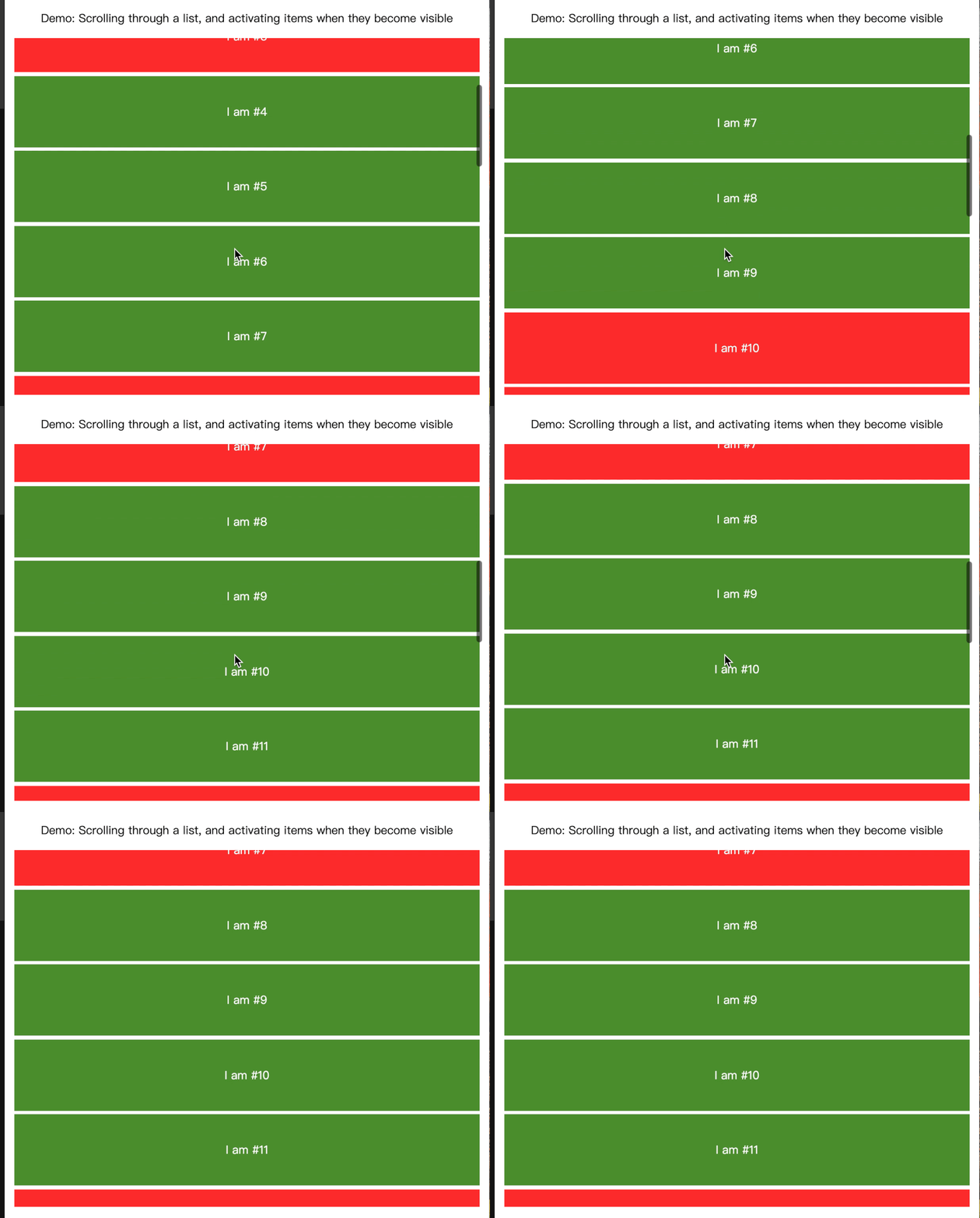
在線demo : https://codesandbox.io/s/p73kyx9zpm?file=/src/index.js:174-229
結(jié)尾
內(nèi)容大概就這么多, 希望對(duì)大家有所啟發(fā)。