「實用推薦」如何優(yōu)雅的判斷元素是否進入當前視區(qū)
今天的主要內(nèi)容包括:
使用 元素位置判斷元素是否在當前視區(qū)使用 Intersection Observer判斷元素是否在當前視區(qū)實例: 懶加載實例: 無限滾動實用 npm 包推薦
正文
1. 使用元素位置判斷元素是否在當前視區(qū)
這種方法實現(xiàn)起來比較簡單, 我們一步一步來。
首先:編寫一個 util 函數(shù) isVisible,它將僅接收一個參數(shù),即 element。
export?const?isVisible?=?(el)?=>?{?};
使用 getBoundingClientRect 獲取該元素的位置
const?rect?=?el.getBoundingClientRect();
將找到窗口的高度和寬度
const?vWidth?=?window.innerWidth?||?document.documentElement.clientWidth;

const?vHeight?=?window.innerHeight?||?document.documentElement.clientHeight;
再編寫一個函數(shù),該函數(shù)基本上將接收 x 和 y 點,并使用elementFromPoint函數(shù)返回元素。
const?elementFromPoint?=?function?(x,?y)?{?
??return?document.elementFromPoint(x,?y);?
};
檢查元素是否在窗口內(nèi):
//?Return?false?if?it's?not?in?the?viewport
if?(rect.right?0?
??||?rect.bottom?0
??||?rect.left?>?vWidth?
??||?rect.top?>?vHeight)?{?
??return?false;?
}
邊界檢查:
//?Return?true?if?any?of?its?four?corners?are?visible
?return?(
???el.contains(elementFromPoint(rect.left,?rect.top))
???||?el.contains(efp(rect.right,?rect.top))
???||?el.contains(efp(rect.right,?rect.bottom))
???||?el.contains(efp(rect.left,?rect.bottom))
?);
完整代碼:
export?const?isVisible?=?(el)?=>?{
??const?rect?=?el.getBoundingClientRect();
??const?vWidth?=?window.innerWidth?||?document.documentElement.clientWidth;
??const?vHeight?=?window.innerHeight?||?document.documentElement.clientHeight;
??const?efp?=?function?(x,?y)?{?return?document.elementFromPoint(x,?y);?};

??//?Return?false?if?it's?not?in?the?viewport
??if?(rect.right?0?||?rect.bottom?0
????????????||?rect.left?>?vWidth?||?rect.top?>?vHeight)?{?return?false;?}

??//?Return?true?if?any?of?its?four?corners?are?visible
??return?(
????el.contains(
??????elementFromPoint(rect.left,?rect.top))
??????||?el.contains(efp(rect.right,?rect.top))
??????||?el.contains(efp(rect.right,?rect.bottom))
??????||?el.contains(efp(rect.left,?rect.bottom))
??);
};
用法:
import?{?isVisible?}?from?'../utils';
//?...
const?ele?=?document.getElementById(id);
return?isVisible(ele);
邏輯并不復雜,不過多介紹。
2. 使用 Intersection Observer 判斷元素是否在當前視區(qū)
Intersection Observer 是一種更高效的方式。
為什么這么說呢?
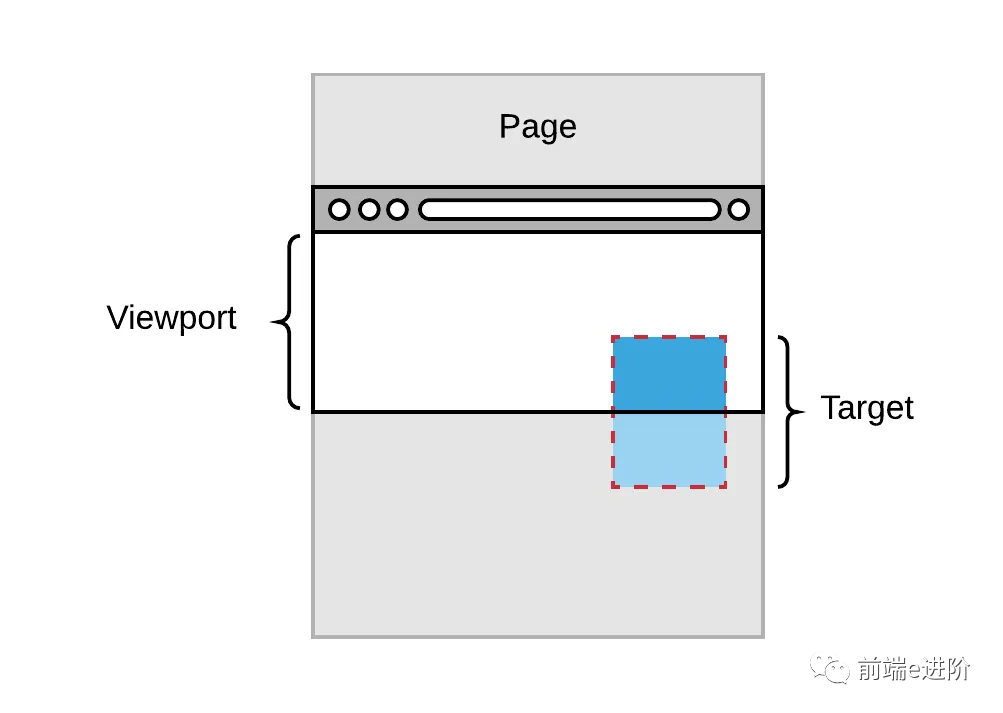
比如說,你想跟蹤 DOM 樹里的一個元素,當它進入可見窗口時得到通知。
可以通過綁定 scroll 事件或者用一個定時器,然后再回調(diào)函數(shù)中調(diào)用元素的 getBoundingClientRect 獲取元素位置實現(xiàn)這個功能。
但是,這種實現(xiàn)方式性能極差。
因為每次調(diào)用 getBoundingClientRect 都會強制瀏覽器重新計算整個頁面的布局,可能給你的網(wǎng)站造成相當大的閃爍。
如果你的站點被加載到一個 iframe 里,而你想要知道用戶什么時候能看到某個元素,這幾乎是不可能的。
單原模型(Single Origin Model)和瀏覽器不會讓你獲取 iframe 里的任何數(shù)據(jù)。
這對于經(jīng)常在 iframe 里加載的廣告頁面來說是一個很常見的問題。
IntersectionObserver 就是為此而生的。
它讓檢測一個元素是否可見更加高效。
IntersectionObserver 能讓你知道一個被觀測的元素什么時候進入或離開瀏覽器的可見窗口。
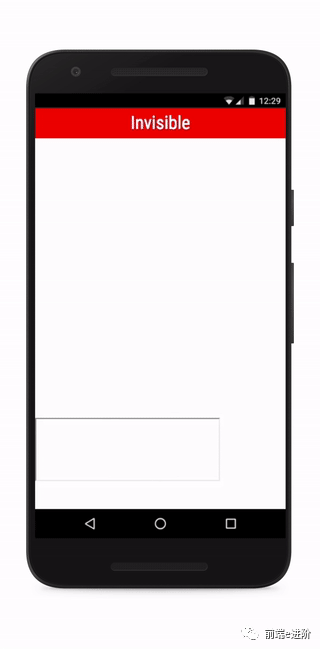
使用 IntersectionObserver 也非常簡單, 兩步走:
創(chuàng)建 IntersectionObserver
const?observer?=?new?IntersectionObserver((entries,?observer)?=>?{
??entries.forEach((entry)?=>?{
????//?...
????console.log(entry);
????//?target?element:
????//???entry.boundingClientRect
????//???entry.intersectionRatio
????//???entry.intersectionRect
????//???entry.isIntersecting
????//???entry.rootBounds
????//???entry.target
????//???entry.time
??});
},?options);
將元素傳遞給 IntersectionObserver
const?element?=?document.querySelector('.element');
observer.observe(element);
entries 參數(shù)會被傳遞給你的回調(diào)函數(shù),它是一個 IntersectionObserverEntry 對象數(shù)組。
每個對象都包含更新過的交點數(shù)據(jù)針對你所觀測的元素之一。
從輸出最有用的特性是:
isIntersectingtargetintersectionRect
isIntersecting:當元素與默認根(在本例中為視口)相交時,將為true.
target:這將是我們將要觀察的頁面上的實際元素
intersectionRect:intersectionRect 告訴元素的可見部分。這將包含有關(guān)元素,其高度,寬度,視口位置等的信息。
在線 Demo: https://codepen.io/myogeshchavan97/pen/pogrWKV?editors=0011
更多有用的屬性
現(xiàn)在我們知道:當被觀測的元素部分進入可見窗口時會觸發(fā)回調(diào)函數(shù)一次,當它離開可見窗口時會觸發(fā)另一次。
這樣就回答了一個問題:元素 X 在不在可見窗口里。
但在某些場合,僅僅如此還不夠。
這時候就輪到 threshold 登場了。
它允許你定義一個 intersectionRatio 臨界值。
每次 intersectionRatio 經(jīng)過這些值的時候,你的回調(diào)函數(shù)都會被調(diào)用。
threshold 的默認值是[0],就是默認行為。
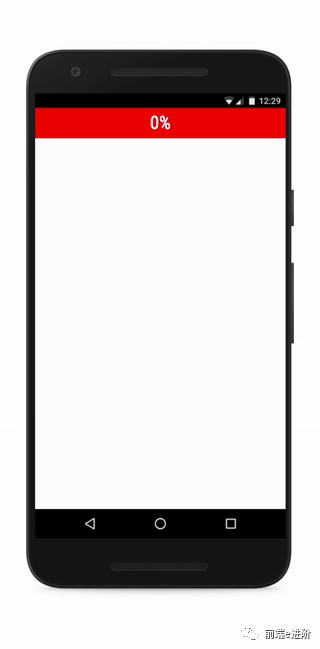
如果我們把 threshold 改為[0, 0.25, 0.5, 0.75, 1],當元素的每四分之一變?yōu)榭梢姇r,我們都會收到通知:
還一個屬性沒在上文列出: rootMargin.
rootMargin 允許你指定到跟元素的距離,允許你有效的擴大或縮小交叉區(qū)域面積。
這些 margin 使用 CSS 風格的字符串,例如: 10px 20px 30px 40px,依次指定上、右、下、左邊距。
new?IntersectionObserver(entries?=>?{
??//?do?something?with?entries
},?{
??//?options
??//?用于計算相交區(qū)域的根元素
??//?如果未提供,使用最上級文檔的可見窗口
??root:?null,
??//?同 margin,可以是 1、2、3、4 個值,允許時負值。
??//?如果顯式指定了跟元素,該值可以使用百分比,即根元素大小的百分之多少。
??//?如果沒指定根元素,使用百分比會出錯。
??rootMargin:?"0px",
??//?觸發(fā)回調(diào)函數(shù)的臨界值,用?0?~ 1 的比率指定,也可以是一個數(shù)組。
??//?其值是被觀測元素可視面積?/?總面積。
??//?當可視比率經(jīng)過這個值的時候,回調(diào)函數(shù)就會被調(diào)用。
??threshold:?[0],
});
有一點要注意:IntersectionObserver 不是完美精確到像素級別,也不是低延時性的。
使用它實現(xiàn)類似依賴滾動效果的動畫注定會失敗。
因為回調(diào)函數(shù)被調(diào)用的時候那些數(shù)據(jù)——嚴格來說已經(jīng)過期了。
實例:懶加載(lazy load)
有時,我們希望某些靜態(tài)資源(比如圖片),只有用戶向下滾動,它們進入視口時才加載,這樣可以節(jié)省帶寬,提高網(wǎng)頁性能。這就叫做"惰性加載"。
有了 IntersectionObserver API,實現(xiàn)起來就很容易了。
function?query(selector)?{
??return?Array.from(document.querySelectorAll(selector));
}

const?observer?=?new?IntersectionObserver(
??function(changes)?{
????changes.forEach(function(change)?{
??????var?container?=?change.target;
??????var?content?=?container.querySelector('template').content;
??????container.appendChild(content);
??????observer.unobserve(container);
????});
??}
);

query('.lazy-loaded').forEach(function?(item)?{
??observer.observe(item);
});
上面代碼中,只有目標區(qū)域可見時,才會將模板內(nèi)容插入真實 DOM,從而引發(fā)靜態(tài)資源的加載。
實例:無限滾動
無限滾動(infinite scroll)的實現(xiàn)也很簡單:
const?intersectionObserver?=?new?IntersectionObserver(
??function?(entries)?{
????//?如果不可見,就返回
????if?(entries[0].intersectionRatio?<=?0)?return;
????loadItems(10);
????console.log('Loaded?new?items');
??});

//?開始觀察
intersectionObserver.observe(
??document.querySelector('.scrollerFooter')
);
無限滾動時,最好在頁面底部有一個頁尾欄。
一旦頁尾欄可見,就表示用戶到達了頁面底部,從而加載新的條目放在頁尾欄前面。
這樣做的好處是:
不需要再一次調(diào)用 observe() 方法, 現(xiàn)有的 IntersectionObserver 可以保持使用。
實用 Npm 包推薦
和今天話題相關(guān)的npm 包推薦的是:react-visibility-sensor
地址:https://www.npmjs.com/package/react-visibility-sensor
用法也很簡答:
import?VisibilitySensor?from?"react-visibility-sensor";
?
function?onChange?(isVisible)?{
??console.log('Element?is?now?%s',?isVisible???'visible'?:?'hidden');
}
?
function?MyComponent?(props)?{
??return?(
????<VisibilitySensor?onChange={onChange}>
??????<div>...content?goes?here...div>
????VisibilitySensor>
??);
}
動態(tài)效果演示:
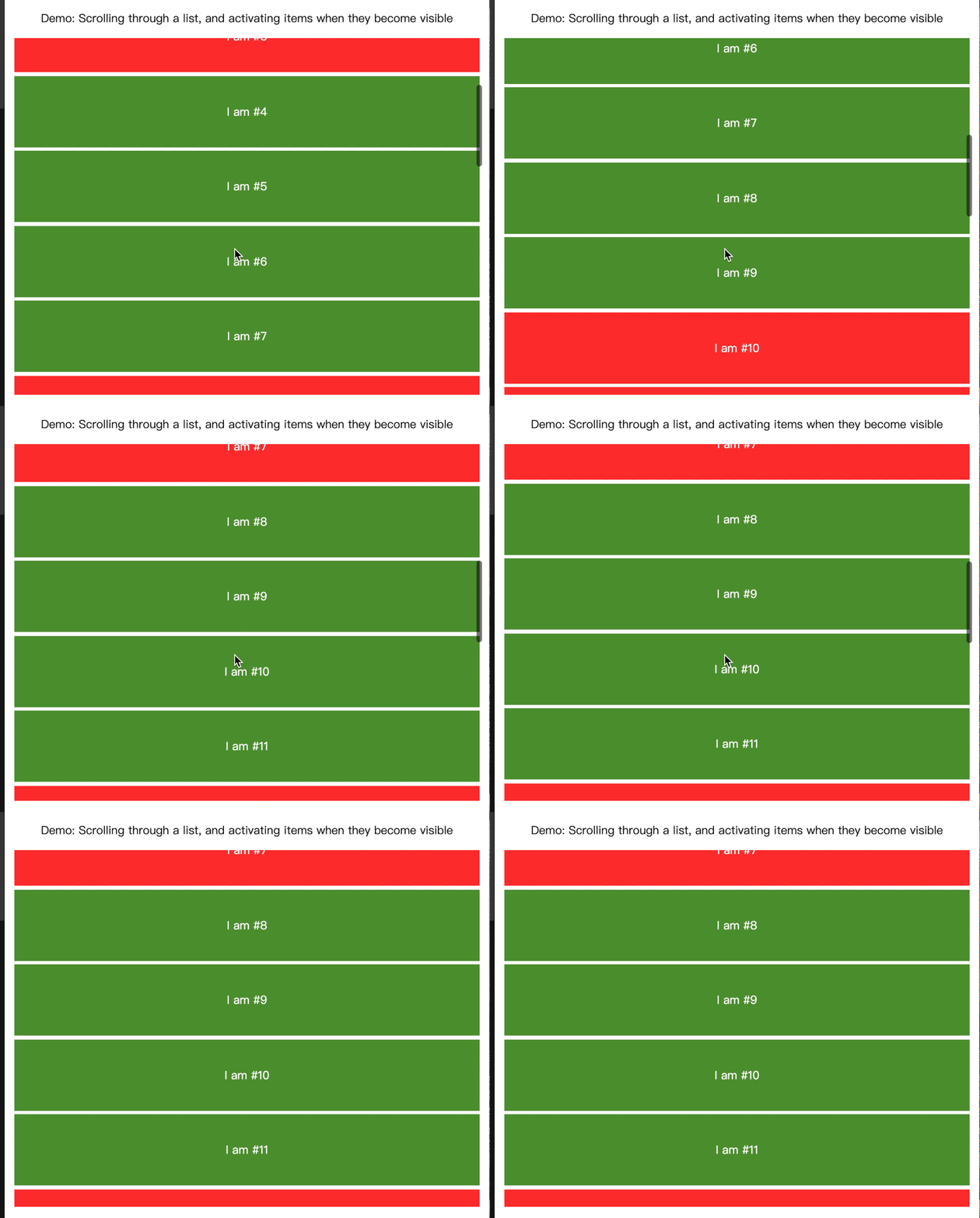
在線demo : https://codesandbox.io/s/p73kyx9zpm?file=/src/index.js:174-229
結(jié)尾
內(nèi)容大概就這么多, 希望對大家有所啟發(fā)。
點個「在看」,讓更多的人也能看到這篇內(nèi)容。
關(guān)注公眾號「前端公蝦米」,掌握前端面試重難點,公眾號后臺回復「學習」和小伙伴們暢聊技術(shù)。