
Python實戰(zhàn)爬蟲,爬取新片場視頻數(shù)據(jù)
任務(wù)簡介
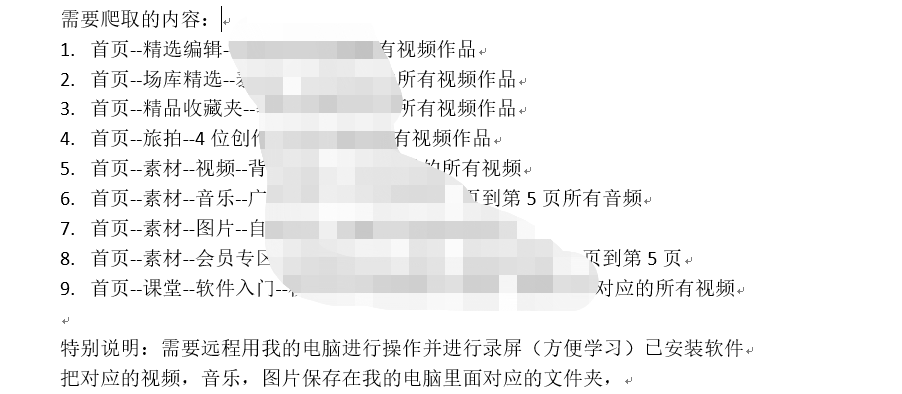
從螞蟻學(xué)python的群里面接到這個單,從單上看需求是這樣的,爬取新片場視頻音樂圖片,有一個爬蟲Scrapy代碼,已經(jīng)有程序了,需要調(diào)試運(yùn)行成功。關(guān)鍵是用客戶的電腦遠(yuǎn)程操作并進(jìn)行全程用錄屏錄像。畢竟自己也學(xué)習(xí)完了爬蟲,那就試一下。和客戶聯(lián)系上后,了解完客戶真實的需求,最后客戶的需求是這樣的。
難點(diǎn)
爬取的內(nèi)容很多,涉及到視頻、圖片、和音樂,關(guān)鍵是要遠(yuǎn)程用客戶的電腦進(jìn)行操作寫代碼,并一步一步的分析操作講解給客戶。為了代碼清晰,將需求一個一個的分開,分多個程序去寫。自己先完成一遍代碼程序。
代碼實現(xiàn)
文章主要介紹爬取新片場首頁精品收藏夾發(fā)布的視頻,具有代表性。
其中用到的技術(shù),是前不久從帥帥老師視頻那里學(xué)到的selenium,代碼結(jié)構(gòu)如下:
options = webdriver.ChromeOptions()
options.add_argument('--headless')
self.driver = webdriver.Chrome(options=options)
self.driver.get(url)
WebDriverWait(self.driver, timeout=10).until(
          lambda x: "評論" in self.driver.page_source)
page_text = self.driver.page_source
html = etree.HTML(page_text)
src = html.xpath(
      '//*[@id="xpcplayer"]/div/div[2]/video/@src')[0]
話不多說直接上完整代碼
import os
import time
import requests
from fake_useragent import UserAgent
from lxml import etree
from selenium import webdriver
from selenium.webdriver.support.wait import WebDriverWait
import re

# 爬去新片場素材視頻進(jìn)行視頻下載
class xinPianChangShouCangJiaVideo:
    def __init__(self):
        # 創(chuàng)建options對象
        options = webdriver.ChromeOptions()
        # 開啟無界面模式 給對象添加無頭參數(shù)
        options.add_argument('--headless')
        # 實例化帶有配置的driver對象
        self.driver = webdriver.Chrome(options=options)
        # 偽裝請求頭
        user_agent = UserAgent().random
        self.headers = {'User-Agent': user_agent}
        # 保存視頻路徑
        path = os.getcwd()
        self.filename = path + '\\' + '精品收藏夾視頻'
        isExists = os.path.exists(self.filename)
        if not isExists:
            os.makedirs(self.filename)
            print(self.filename + ' 創(chuàng)建成功')
        else:
            print(self.filename + ' 目錄已存在')

    # 獲取每個視頻的超鏈接
    def getEachVideoUrl(self):
        url = 'https://www.xinpianchang.com/bookmark/663078'
        print(url)
        res = requests.get(url, headers=self.headers)
        html = etree.HTML(res.content.decode())
        # 每個視頻的URL
        href = html.xpath(
            '//*[@id="__next"]/section/main/div/div[1]/div[2]/div[*]/div[1]/div[1]/a/@href')
        # 每個視頻的名字
        title = html.xpath(
            '//*[@id="__next"]/section/main/div/div[1]/div[2]/div[*]/div[1]/div[2]/div[1]/a/text()')
        # print(href)
        return title, href

    # 下載每一個視頻
    def DownloadEveryVideo(self):
        # 用request 請求是請求不到的,結(jié)果放在一個js里面了
        title, href = self.getEachVideoUrl()
        # title = ['建國70周年宣傳片《70,我一直愛著你》']
        # href = ['https://www.xinpianchang.com/a10548298?from=articleCollectDetail']
        for i in range(len(href)):
            url = href[i]
            print(f"正在爬取的視頻鏈接: {url}")
            self.driver.get(url)
            # 評論關(guān)鍵詞出現(xiàn)了,頁面就是加載完畢
            WebDriverWait(self.driver, timeout=10).until(
                lambda x: "評論" in self.driver.page_source)
            time.sleep(1)
            page_text = self.driver.page_source
            html = etree.HTML(page_text)
            # 每個視頻的直連
            src = html.xpath(
                '//*[@id="xpcplayer"]/div/div[2]/video/@src')[0]
            try:
                # 請求視頻地址,保存視頻,有可能視頻地址無效的情況
                res = requests.get(src, headers=self.headers)
                print(title[i])
                # title含特殊字符問題需要處理一下
                name = re.sub(r'[:/\\?*“”<>|]', '_', title[i])
                with open(self.filename + '\\' + f'{i + 1}_{name}.mp4', 'wb') as f:
                    f.write(res.content)
                    print(f, '下載完成')
            except Exception as e:
                print(e)

    # 主函數(shù)
    def main(self):
        # 開始時間
        start_time = time.time()
        self.DownloadEveryVideo()
        use_time = int(time.time()) - int(start_time)
        print(f'爬取總計耗時:{use_time}秒')
        self.driver.quit()


if __name__ == '__main__':
    scjv = xinPianChangShouCangJiaVideo()
    scjv.main()
完成了這一個爬蟲那么其他需求的爬蟲也就相對好一些,原理都是大同小異,都是相互通的。
關(guān)鍵是要遠(yuǎn)程用客戶的電腦進(jìn)行操作寫代碼,并一步一步的分析操作講解給客戶,考慮到客戶的接受程度,最后給客戶講解花了3小時。
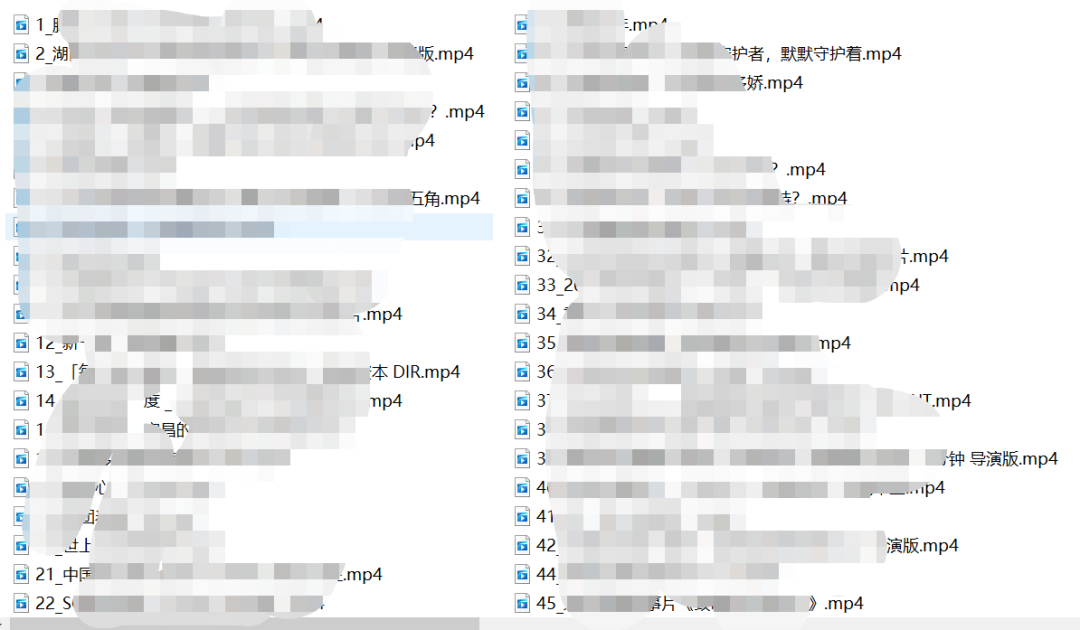
最后展示一下成果
今晚來螞蟻老師抖音直播間,Python帶副業(yè)全套餐有優(yōu)惠!!!

評論
圖片
表情